
YAWYORE Gaming PC
4.5Editor score
Ryzen 7 5700X CPU
RTX 5060 GPU
32GB DDR4 RAM
This guide compares the top Gaming PC for Playing Kenshi to help you choose the right hardware for smooth gameplay and high performance.
Finding the right Gaming PC for Playing Kenshi requires careful consideration of processor power and graphics capabilities to ensure smooth performance in complex simulations.
We evaluated ten top models based on their core components, cooling solutions, and overall build quality to determine which systems deliver the best experience for players.
Each pick highlights specific strengths and trade-offs so you can make an informed decision based on your budget and gaming needs today.
4.5Editor score

4.5Editor score
4.8Editor score
This side-by-side comparison outlines the key specifications and features of each gaming PC to help you identify the system that best fits your specific gaming requirements.


This Skytech Gaming PC Desktop stands out as a powerful option for gamers seeking reliable performance in complex titles like Kenshi. With a rating of 4.5 stars, it offers a robust combination of modern hardware that ensures smooth gameplay experiences.
We may earn a commission when you buy through this link, at no additional cost to you.
The AMD Ryzen 7 9850X3D processor paired with the RX 9070 XT graphics card delivers the computational power needed for demanding simulations and high frame rate gaming. The system includes 32GB of DDR5 RAM and a fast 2TB Gen4 NVMe SSD for quick load times and ample storage space.
While the price reflects its premium components, users should note that high-end hardware may require careful consideration of power supply and case compatibility. However, the included 360mm AIO liquid cooler provides excellent thermal management to prevent throttling during long gaming sessions.
For players who prioritize performance and reliability, this PC offers an excellent balance of speed and stability that makes it a top choice for serious gaming setups.
The 360mm AIO liquid cooler ensures the system remains cool even under heavy loads, allowing sustained performance without thermal throttling.
The 2TB Gen4 NVMe SSD provides rapid game loading and system responsiveness, significantly reducing wait times compared to traditional drives.
We may earn a commission when you buy through this link, at no additional cost to you.
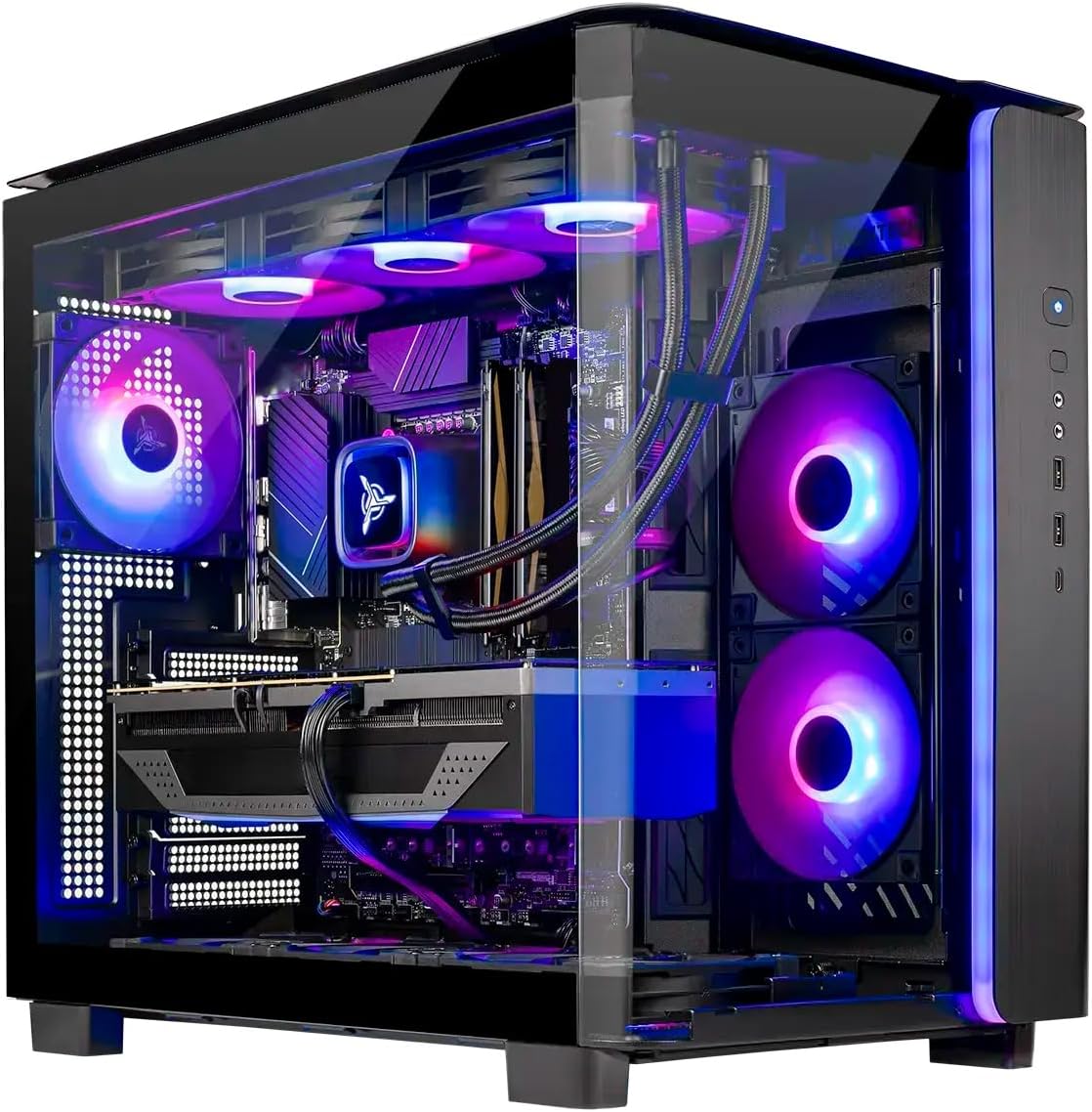
The YAWYORE Gaming PC offers an accessible entry point for gamers looking to play Kenshi and other modern titles without breaking the bank. Rated 4.5 stars, it combines reliable components that deliver consistent performance for most gaming needs.
We may earn a commission when you buy through this link, at no additional cost to you.
Powered by the AMD Ryzen 7 5700X and GeForce RTX 5060, this system handles multi-threaded tasks efficiently while providing capable graphics performance. The inclusion of 32GB of DDR4 RAM ensures smooth multitasking even when running background applications during gameplay.
Users should be aware that the older DDR4 memory standard may limit future upgrade paths compared to newer systems. Additionally, the cooling system is adequate but may not support extreme overclocking or sustained high thermal loads over long periods.
For budget-conscious buyers seeking a reliable machine that can handle demanding simulations effectively, this PC presents a compelling value proposition with strong overall performance.
The 8-core 16-thread Ryzen 5700X processor ensures smooth handling of multiple applications and background tasks while gaming.
Built-in WiFi and Bluetooth capabilities enable wireless connectivity for peripherals and devices without extra cables.
We may earn a commission when you buy through this link, at no additional cost to you.
The msi Codex Z2 Gaming Desktop delivers a strong balance of price and performance making it an attractive option for many gamers. With a rating of 4.3 stars, it provides the necessary hardware to run titles like Kenshi smoothly.
We may earn a commission when you buy through this link, at no additional cost to you.
Featuring the AMD Ryzen 7 8700F and RTX 5070 GPU this system offers powerful rasterization and ray tracing capabilities. The 32GB of DDR5 RAM ensures the system remains responsive during intensive gaming sessions and multitasking scenarios.
While the design is straightforward and modern it lacks extensive customization options found in higher-end builds. The cooling system includes fans but may not match the efficiency of liquid cooling solutions under extreme workloads.
For players seeking a well-rounded machine that offers modern features without excessive cost this PC provides reliable performance for demanding games.
The RTX 5070 GPU built on Blackwell architecture delivers significant generational leaps in graphics performance and efficiency.
Built-in RGB lighting allows users to customize the look of their battlestation with MSI Center software.
We may earn a commission when you buy through this link, at no additional cost to you.
The KOTIN Prebuilt Gaming PC stands out with its unique integrated smart display that shows real-time system information during gameplay. Rated 4.2 stars it offers a distinctive user experience alongside solid gaming performance.
We may earn a commission when you buy through this link, at no additional cost to you.
This system features the Ryzen 7 9700X paired with the RTX 5070 12GB GPU ensuring capable performance for high resolution gaming. The 32GB DDR5 RAM and 1TB NVMe SSD provide quick load times and smooth multitasking for modern titles.
The smart display is a novel addition that adds utility but may not appeal to all users. Additionally the 1TB storage is generous but may fill up quickly with large game libraries compared to systems with 2TB drives.
For those who appreciate innovative features and modern connectivity options this PC offers a unique setup that combines performance with functional design elements.
The built-in smart display shows CPU and GPU temperatures and usage allowing users to monitor performance at a glance.
WiFi 7 support ensures the fastest wireless networking speeds for seamless online gaming and streaming.
We may earn a commission when you buy through this link, at no additional cost to you.
The Skytech Gaming PC Desktop with RTX 5080 represents the pinnacle of performance in this roundup. With an impressive 4.8 star rating it delivers exceptional power for the most demanding gaming scenarios.
We may earn a commission when you buy through this link, at no additional cost to you.
Powered by the Ryzen 7 9850X3D and the RTX 5080 16GB GPU this system offers unmatched processing and graphical capabilities. The 32GB DDR5 RAM ensures smooth operation while the 2TB SSD provides ample space for games and applications.
The premium price reflects the high-end components and exceptional build quality which may not fit all budgets. The large King 95 case offers great aesthetics but requires significant desk space for installation.
For enthusiasts who want the absolute best performance and are willing to invest in top-tier hardware this PC delivers an unparalleled gaming experience.
The combination of the 9850X3D CPU and RTX 5080 GPU provides the fastest frame rates and highest settings for all modern titles.
High-spec AIO liquid coolers ensure the system runs cool and quiet even during intensive gaming sessions.
We may earn a commission when you buy through this link, at no additional cost to you.
The Skytech Gaming PC Desktop with RTX 5070 Ti provides a powerful balance of speed and storage capacity. Rated 4.1 stars it offers solid performance that is capable of handling demanding games and simulations efficiently.
We may earn a commission when you buy through this link, at no additional cost to you.
The AMD Ryzen 7 9800X3D processor ensures excellent multi-threaded performance while the RTX 5070 Ti 16GB GPU delivers capable graphics for 1440p gaming. The 32GB DDR5 RAM and 2TB SSD offer speed and space for extensive game libraries.
While the CPU is top tier the GPU may not support ultra settings at 4K resolution in the most demanding titles. This makes it a good choice for high refresh rate gaming but less ideal for maximum resolution visuals.
For players seeking strong performance with a clear path for future upgrades this PC offers a reliable foundation for a robust gaming setup.
The 2TB Gen4 NVMe SSD offers data transfer speeds up to 30 times faster than traditional HDDs for quick loading.
The 360mm AIO liquid cooler maintains optimal temperatures to ensure the CPU operates without thermal throttling.
We may earn a commission when you buy through this link, at no additional cost to you.
The KOTIN Gaming PC Desktop combines high-end components with unique features to create a versatile gaming machine. With a 4.3 star rating it delivers impressive performance for players seeking both speed and functionality.
We may earn a commission when you buy through this link, at no additional cost to you.
The Ryzen 7 9800X3D features 3D V-Cache technology which improves gaming responsiveness and frame-rate stability. Paired with the RTX 5070 12GB this system offers strong graphics performance for modern titles and streaming applications.
The 1TB SSD is adequate for most users but may fill up quickly with large game libraries. Additionally the integrated display adds functionality but may be distracting for some users during intense gameplay.
For gamers who want advanced processor features and convenient monitoring tools this PC offers a unique combination of performance and design.
The 96MB L3 cache from 3D V-Cache technology helps improve frame rates in CPU-intensive games.
The built-in display panel provides quick access to system stats without needing to open software utilities.
We may earn a commission when you buy through this link, at no additional cost to you.
The Skytech Gaming O11 Vision Gaming PC combines stunning aesthetics with robust performance in a visually striking package. Rated 4.5 stars it offers a unique blend of style and substance for discerning gamers.
We may earn a commission when you buy through this link, at no additional cost to you.
Equipped with the Ryzen 7 7700X and RTX 5070 12GB GPU this system delivers reliable performance for demanding gaming scenarios. The X670 motherboard and DDR5 RAM ensure compatibility with modern standards and efficient data handling.
The Lian Li O11 Vision case offers exceptional views of internal components but adds to the overall size of the build. While performance is strong users should consider desk space when choosing this visually impressive system.
For players who prioritize visual appeal alongside solid performance this PC delivers a premium experience that looks as good as it performs.
The Lian Li O11 Vision case with tempered glass showcases the system components for a visually stunning setup.
The X670 motherboard ensures support for high-speed peripherals and future expansion options.
We may earn a commission when you buy through this link, at no additional cost to you.
The Horizon Autherium Dragon RGB I9 RTX offers a workstation-level configuration that excels in both gaming and productivity tasks. Rated 4.7 stars it provides exceptional capacity and power for users who need extensive resources.
We may earn a commission when you buy through this link, at no additional cost to you.
Featuring a Core i9 Unlocked OC CPU and 64GB of RAM this system handles demanding simulations and heavy multitasking with ease. The 5TB total storage combines speed and capacity for an extensive game library and data storage.
The high price and complex configuration may be excessive for casual gamers. Additionally the large case and cooling requirements necessitate a dedicated setup area with adequate airflow.
For power users who require massive storage and top performance for gaming and creative work this PC delivers an all-encompassing solution.
With 1TB SSD for speed and 4TB HDD for capacity the system offers 5TB total storage for all your files.
2.5G Ethernet and high-speed WiFi ensure rapid data transfer and low latency for online gaming.
We may earn a commission when you buy through this link, at no additional cost to you.
The Lenovo Legion Tower 5i brings modern AI-powered architecture and sleek design to the gaming PC market. Rated 4.6 stars it offers a balanced experience with strong hardware and convenient user features.
We may earn a commission when you buy through this link, at no additional cost to you.
Powered by the Intel Core Ultra 7 265F and RTX 5070 Ti this system delivers efficient performance for gaming and creative tasks. The 32GB DDR5 RAM ensures smooth operation while the tool-less side panel allows for easy upgrades and maintenance.
The included 3 months of PC GamePass adds significant value but the 1TB storage may limit the number of games you can keep installed. Additionally some components may be proprietary limiting upgrade options compared to standard ATX systems.
For users seeking a modern system with strong performance and convenient design features this PC offers a compelling option for today's gamers.
The Core Ultra 7 processor is designed to optimize performance for the latest games and software.
The transparent tool-less side panel lets you easily upgrade components without needing extra tools.
We may earn a commission when you buy through this link, at no additional cost to you.
Choosing the right Gaming PC for Playing Kenshi involves evaluating several key hardware factors to ensure optimal performance and value.
A strong processor with multiple cores is essential for handling the complex simulations and logic calculations in games like Kenshi. Look for CPUs with at least 8 cores to ensure smooth performance and the ability to multitask.
Prioritize processors with high clock speeds and modern architecture for the best gaming experience.
The graphics card determines how well your system renders high-resolution textures and complex scenes. For modern titles, a GPU with at least 12GB VRAM is recommended for high settings.
Choose a card that supports ray tracing and DLSS technologies for enhanced visuals and performance.
Adequate RAM is crucial for smooth multitasking and preventing stuttering during intense gameplay. 32GB of DDR5 RAM is the recommended standard for future-proofing and handling large games.
Ensure the memory speed matches your motherboard support for optimal data transfer rates.
Fast storage drives significantly reduce load times and improve system responsiveness. Opt for NVMe SSDs over traditional HDDs for games.
A minimum of 1TB of storage is advised to accommodate games and updates without frequent management.
Effective cooling is necessary to maintain performance during long gaming sessions and prevent thermal throttling. AIO liquid coolers generally offer better thermal performance than air coolers.
Check that the system has adequate airflow and fan placement to dissipate heat efficiently.
A well-built PC with a solid warranty ensures longevity and protection against defects. Look for systems assembled by reputable companies with customer support.
Verify the terms of the warranty and ensure it covers parts and labor for peace of mind.
Modern connectivity standards like WiFi 7 and USB-C ensure compatibility with the latest peripherals and networks. Ensure the PC has enough ports for your setup.
Check for Ethernet ports and wireless capabilities to ensure stable internet connections for online gaming.
A reliable power supply with a high efficiency rating ensures stable power delivery and energy savings. Look for 80 Plus Gold or higher certifications.
Ensure the PSU has enough wattage to support your GPU and CPU without overloading.
To maintain optimal performance ensure your PC is placed in a well-ventilated area with enough space around the intake and exhaust fans. Regularly clean dust filters and internal components to prevent overheating.
Keep your operating system and drivers updated to ensure compatibility with the latest games and security patches. Utilize monitoring software to track temperatures and usage during gaming sessions.
Avoid placing liquids near your PC and use surge protectors to safeguard your investment from power fluctuations. Proper handling and regular maintenance will extend the life of your gaming machine.
While Kenshi is not extremely demanding, a modern GPU like an RTX 5060 or better ensures smooth performance with high settings. This allows for better visual fidelity and resolution options.
Yes, DDR5 RAM provides faster data transfer speeds which helps in loading assets and multitasking. While Kenshi does not require it, it contributes to overall system responsiveness.
Liquid coolers are not strictly necessary but offer better thermal performance than air coolers. They help maintain consistent clock speeds during long gaming sessions and keep noise levels lower.
At least 1TB of SSD storage is recommended to hold multiple large games without slowdown. Adding a secondary HDD can be useful for archiving files and games not currently in use.
Most prebuilt systems allow for some upgrades like RAM and storage. Check motherboard specifications to ensure compatibility with future CPU or GPU components.
Yes, all models listed come with Windows 11 Home or Pro pre-installed. This ensures immediate usability and compatibility with most gaming platforms.
32GB RAM allows for smoother multitasking between gaming and applications. It helps prevent stuttering in games that use a lot of system memory.
The top picks highlight that performance, budget, and specific needs guide the best choice for any gamer. From budget options to premium builds, each system offers a unique value proposition.
Prioritize the components that matter most to your playstyle such as GPU power or storage capacity. Ensure the system you choose aligns with both your current needs and future goals.
Remember to check current prices and availability as they may fluctuate over time. Selecting the right Gaming PC for Playing Kenshi today ensures a reliable gaming experience for years to come.