
HP OfficeJet Pro 8125
3.9Editor score
Compact home office design
Instant Ink trial included
Easy smartphone app control
Discover the top AI printers for home and office in October 2026. This guide compares features, performance, and smart capabilities to help you choose the
Artificial intelligence is transforming how we interact with everyday devices, and printers are no exception. AI-powered printers now offer smart features that streamline workflows, reduce waste, and enhance print quality. Whether you need a device for a home office or a creative studio, understanding these capabilities is essential for making an informed decision.
This comprehensive guide evaluates ten leading AI-capable printers available in the market today. We analyzed key performance metrics, connectivity options, and specific AI functions like automated layout optimization and failure detection. Our goal is to provide a clear comparison so you can find the machine that best fits your unique printing needs and budget constraints.
Each selection in this list highlights a specific strength, from cost-effective ink tank systems to high-speed 3D printing solutions. You will find detailed breakdowns of pros and cons, technical specifications, and user-focused insights for every model. Please note that availability and pricing may change frequently, so always verify current details before purchasing your next device.
3.9Editor score

4.0Editor score

4.7Editor score
The following table provides a side-by-side comparison of all ten AI-capable printers reviewed in this guide. It highlights key specifications such as print speed, connectivity options, and unique AI features to help you quickly identify the model that matches your requirements.




The HP OfficeJet Pro 9135 stands out as the top choice for professional environments requiring speed and smart capabilities. With a solid rating and advanced features, it delivers consistent results for demanding office workflows. Its AI tools help optimize document layout before printing, saving time and reducing errors.
We may earn a commission when you buy through this link, at no additional cost to you.
Key strengths include its impressive print speed of up to 25 ppm for black documents, which keeps productivity high. The large 4.3-inch touchscreen makes navigation effortless, while the single-pass duplex scanning ensures quick document digitization. Security is also a priority, with built-in protection against cyber threats.
Trade-offs involve the higher price point compared to basic models, though the features justify the investment. The reliance on HP's Instant Ink subscription after the trial period may be a consideration for some users. However, the convenience and savings on ink often outweigh the initial setup costs.
This printer is ideal for small businesses or home offices that need reliable, high-volume printing with minimal manual intervention. If you value speed, security, and smart optimization tools, this model offers the best balance of performance and usability in its class.
HP AI automatically adjusts web pages and emails to fit your paper, removing unnecessary whitespace and content.
HP Wolf Pro Security helps protect your network and data from potential cyber threats and unauthorized access.
We may earn a commission when you buy through this link, at no additional cost to you.
The HP OfficeJet Pro 8125 offers an accessible entry point into AI-enabled printing without sacrificing essential office functions. It is designed for home offices that need professional quality at a lower cost. The device balances speed and smart features effectively for everyday tasks.
We may earn a commission when you buy through this link, at no additional cost to you.
It prints black documents at up to 20 ppm and includes an automatic document feeder for multi-page jobs. The HP AI feature removes unwanted content from web pages, ensuring clean prints. Setup is straightforward, and the mobile app allows for convenient printing from anywhere.
While the color print speed is modest at 10 ppm, it is sufficient for typical home use. The device does require original HP cartridges, which can limit third-party options. However, the included Instant Ink trial helps offset initial costs and provides convenience.
This model is perfect for individuals or small home offices looking for a reliable, smart printer on a budget. If you prioritize cost-effectiveness and ease of use over raw speed, the 8125 delivers excellent value and performance.
Use the HP app to print, scan, or fax directly from your smartphone with intuitive controls.
The compact form factor fits easily on desks or shelves in smaller home office environments.
We may earn a commission when you buy through this link, at no additional cost to you.
The Bambu Lab P2S Combo redefines 3D printing with AI-driven speed and precision that rivals industrial machines. It is perfect for creators who demand high performance and reliability. The system integrates smart monitoring to prevent failures before they happen.
We may earn a commission when you buy through this link, at no additional cost to you.
With speeds up to 600 mm/s, this printer completes projects in a fraction of the time required by competitors. The AMS 2 Pro allows for multi-color printing with built-in filament drying. AI failure detection actively scans prints to ensure quality without constant supervision.
The cost is higher than standard 3D printers, but the efficiency gains justify the investment for serious users. Filament compatibility is specific to ensure optimal results with the adaptive airflow system. This ensures consistent quality across a variety of materials.
This is the ideal choice for professionals and hobbyists seeking top-tier 3D printing capabilities. If you need fast, precise, and multi-color results with minimal manual oversight, this premium system delivers unmatched performance.
Built-in AI monitors prints in real-time to detect and alert you to potential issues immediately.
The AMS 2 Pro enables seamless switching between colors and materials for complex prints.
We may earn a commission when you buy through this link, at no additional cost to you.
The HP Envy 6155 is tailored for households that prioritize colorful documents and borderless photos. It combines smart features with an easy-to-use interface for everyday printing needs. The device ensures that what you see on screen is what you get on paper.
We may earn a commission when you buy through this link, at no additional cost to you.
Its P3 technology delivers richer colors and sharper text compared to standard printers. The AI feature removes unwanted content from web pages for cleaner results. Setup is simple, and the compact design fits well in most home environments.
Text printing is slower at 10 ppm, which may affect heavy document users. The 100-sheet tray means frequent reloading for large jobs. However, for mixed home use, the print quality and smart tools are highly appreciated by users.
This printer is best for families or students needing high-quality color prints and photos. If vibrant output and smart layout tools are your priority, the Envy 6155 is a strong contender in the home category.
P3 technology ensures printed photos and documents match the vivid colors seen on your screen.
The printer is made with at least 60% recycled plastic content, supporting environmental goals.
We may earn a commission when you buy through this link, at no additional cost to you.
The HP Smart Tank 5003 offers exceptional value for high-volume users who want to avoid frequent cartridge changes. With up to three years of ink included, it significantly reduces long-term costs. The mess-free refill system makes maintenance simple for everyone.
We may earn a commission when you buy through this link, at no additional cost to you.
It prints up to 6,000 pages right out of the box, ideal for families or busy home offices. The cartridge-free design eliminates the hassle of tiny ink cartridges. Wireless connectivity ensures you can print from any device in the house.
The lack of an automatic document feeder might be a drawback for scanning heavy volumes. The unit is also larger than standard inkjet printers. However, the savings on ink and reliability make it a practical choice for daily use.
This printer is perfect for households printing hundreds of pages monthly. If you want to minimize ongoing costs and simplify ink management, the Smart Tank 5003 provides excellent performance and value.
Refillable ink tanks reduce waste and lower the cost per page significantly over time.
Plug-in bottles allow for easy refills without mess or complex maintenance procedures.
We may earn a commission when you buy through this link, at no additional cost to you.
The HP Smart Tank 7603 extends the value proposition with fax capabilities and even higher page yields. It is designed for home offices that need versatile all-in-one functions. The large ink supply ensures minimal interruptions for refills over months of use.
We may earn a commission when you buy through this link, at no additional cost to you.
It supports up to 8,000 color pages from the included ink, making it ideal for busy workloads. The magic touch control panel simplifies navigation despite the advanced features. Wireless printing works smoothly across different devices.
The machine is physically larger to accommodate the ink tanks and fax module. Some users may find the control panel initially complex. However, once set up, it handles large jobs effortlessly and saves on consumables.
Choose this model if you need fax support and high-volume capacity at home. It is a robust solution for managing heavy document loads without constant maintenance or ink worries.
Combine printing, scanning, copying, and faxing into one reliable and efficient device.
Built-in sensors track ink levels accurately to prevent unexpected runouts during tasks.
We may earn a commission when you buy through this link, at no additional cost to you.
The HP OfficeJet Pro 8139 is an excellent choice for home offices needing fax and long-term ink support. It balances professional performance with smart tools for better workflow efficiency. The year-long Instant Ink trial provides substantial value for new users.
We may earn a commission when you buy through this link, at no additional cost to you.
With print speeds up to 20 ppm, it handles document tasks efficiently. The ADF and duplex scanning allow for quick multi-page processing. AI features help format web pages correctly, reducing waste and improving presentation.
It is priced slightly higher than the 8125 due to the fax and extended trial. The reliance on original HP cartridges remains a constraint. Still, the extended ink supply and professional features make it worth the extra cost.
This model suits home-based businesses needing faxing and reliable daily printing. If you value convenience and long-term ink savings, the 8139 offers a solid and feature-rich option.
Instant Ink delivers cartridges before you run out, ensuring you never face a supply interruption.
The automatic document feeder simplifies scanning and copying of multi-page documents.
We may earn a commission when you buy through this link, at no additional cost to you.
The HP Smart Tank 7603 offers robust features for home offices requiring fax capabilities. It focuses on reducing ink costs over time with its tank system. The magic touch panel enhances usability for various tasks.
We may earn a commission when you buy through this link, at no additional cost to you.
Users benefit from up to 8,000 color pages right out of the box. The mess-free refill system ensures quick ink changes without spills. Wireless features enable printing from mobile devices seamlessly.
The initial investment is higher than standard printers, but the long-term savings are significant. The unit's size requires adequate desk space. However, the reliability and ink capacity make it a smart choice for busy environments.
This is a strong option for those needing fax support and low running costs. If you print regularly and want to avoid frequent cartridge replacements, this tank printer delivers steady performance.
Easy-access bottles allow for quick refills without mess or complex steps.
Create stunning photos and documents that extend fully to the edge of the paper.
We may earn a commission when you buy through this link, at no additional cost to you.
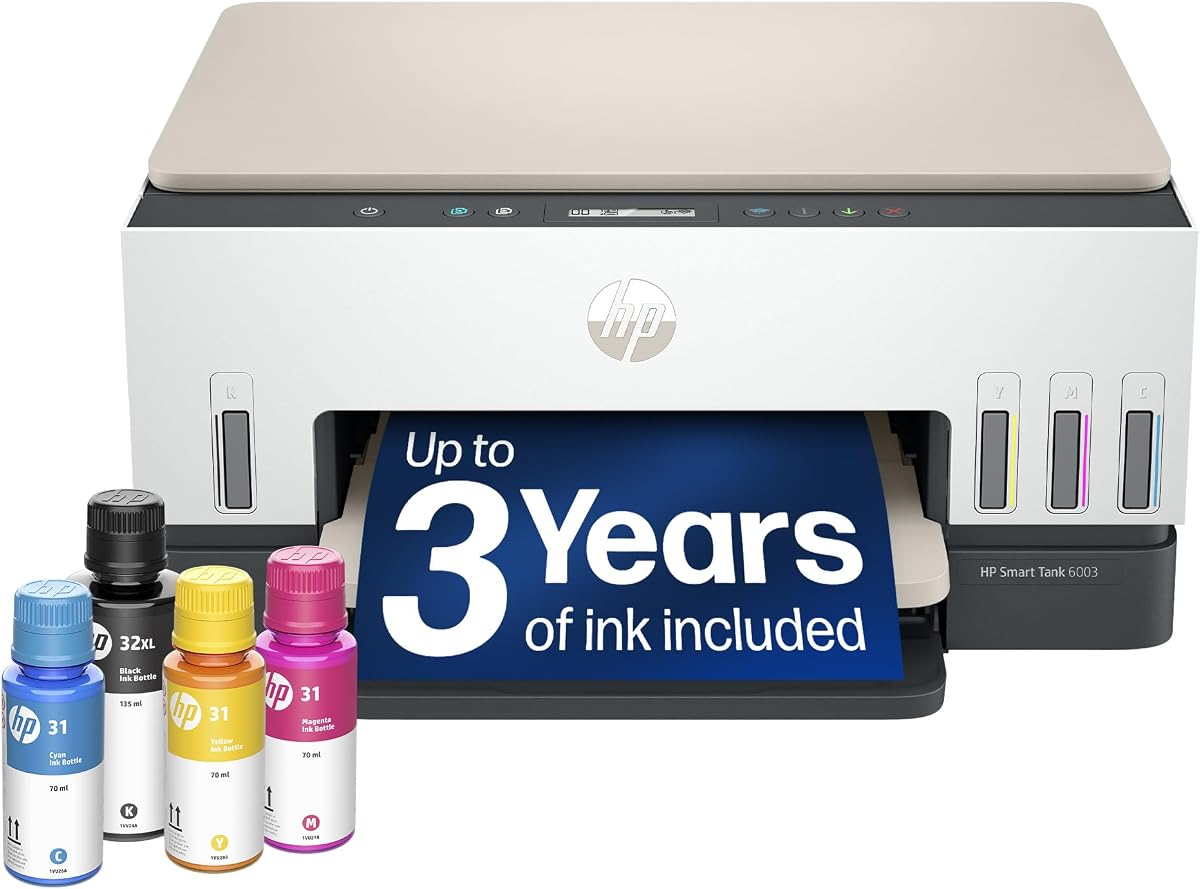
The HP Smart Tank 6003 brings tank technology to home users seeking high-volume capability. It removes the need for traditional cartridges, replacing them with refillable tanks. This design is perfect for families with heavy printing needs.
We may earn a commission when you buy through this link, at no additional cost to you.
It provides up to 8,000 color pages from the included ink, reducing trips to the store. The wireless features ensure easy connectivity with all home devices. Borderless printing allows for creative projects like posters and photo prints.
Lacks fax and auto document feeder features found in higher models. The refill process is clean but requires careful handling of bottles. Still, the overall value and reliability are strong for typical home use.
Ideal for households needing large print volumes without high ongoing costs. If you prioritize page yield and simplicity over advanced office features, this model is a reliable pick.
Designed to handle school projects and personal printing without expensive cartridges.
Borderless printing enables full-page photos and creative documents effortlessly.
We may earn a commission when you buy through this link, at no additional cost to you.
The Liene PixCut S1 is a specialized device for makers and creatives looking to make custom stickers. It combines printing and cutting in one step, powered by AI for precise results. This saves time and effort for craft projects.
We may earn a commission when you buy through this link, at no additional cost to you.
Its AI image extraction recognizes subjects and cuts them out automatically. Thermal dye-sublimation technology ensures vibrant, waterproof stickers that last. The app offers thousands of templates to spark creativity without design skills.
The focus is specifically on stickers and labels rather than general document printing. It may be specialized for users outside the craft niche. However, for DIY enthusiasts, the integration of printing and cutting is invaluable.
This machine is perfect for crafters, teachers, and small business owners. If you want to produce professional-quality custom labels or gifts easily, this all-in-one solution simplifies the workflow.
Upload a photo and let AI extract subjects for precise cutting lines automatically.
Laminated stickers are waterproof and scratch-resistant, ensuring long-lasting quality.
We may earn a commission when you buy through this link, at no additional cost to you.
Selecting the right AI printer requires understanding your specific workflow needs and the capabilities of modern smart features. This section breaks down the essential factors to consider before purchasing.
Consider how many pages you print monthly. High-volume users should look for models with faster pages per minute ratings and robust ink systems. Speed impacts productivity in busy office settings significantly.
Modern printers offer features like automated layout optimization and failure detection. Evaluate which AI tools align with your workflow needs. These smart features can save time and reduce waste over time.
Reliable Wi-Fi and mobile app support are essential for modern printing. Look for dual-band Wi-Fi to ensure stable connections in congested networks. Wireless capabilities allow printing from any device easily.
Decide between traditional cartridge systems and refillable ink tanks. Ink tanks offer lower long-term costs but may have higher upfront prices. Cartridges are convenient but cost more per page over time.
Automatic document feeders and duplex printing streamline document handling. These features reduce manual effort during scanning and copying tasks. Ensure the tray capacity matches your typical job size.
Protect sensitive data with built-in security protocols. Look for models that offer network protection and firmware updates. Security is crucial for business environments handling confidential documents.
Measure your available desk space before buying. Ink tanks and multifunction printers can be bulky. Ensure the device fits comfortably in your workspace without obstructing movement.
Calculate the total cost including initial purchase and consumables. Check for included ink trials and subscription options. Lower initial price may lead to higher costs if ink is expensive.
To maintain optimal performance, keep the printer firmware updated to the latest version. This ensures you have access to the latest security patches and AI features. Most models update automatically over Wi-Fi or via their app.
Clean the print heads regularly to prevent clogging, especially if you print infrequently. Use the manufacturer's cleaning tools found in the app or printer menu. Regular maintenance ensures consistent print quality over time.
Store ink tanks or cartridges in a cool, dry place away from direct sunlight. Extreme temperatures can affect ink viscosity and performance. Proper storage extends the life of your consumables significantly.
An AI-capable printer uses machine learning to optimize print jobs, detect errors, or format documents. Features include automatic layout adjustments, failure detection, and smarter ink management. These tools help improve efficiency and quality.
Most AI features are included in the printer software without a subscription. However, services like Instant Ink require a monthly plan for automatic delivery. Check the specific model details for any mandatory fees.
AI-enabled models often have a higher upfront cost due to advanced hardware and software. However, the efficiency and ink savings can offset this cost over time. Consider the total cost of ownership before buying.
Many modern printers are designed to work with original cartridges for best results. Using non-original ink may void warranties or trigger firmware blocks. Check the manufacturer policy before switching to third-party options.
No, the PixCut S1 is designed specifically for stickers and labels. It uses thermal dye-sublimation for color photos rather than standard document paper. It is a specialized tool for craft and DIY projects.
It uses cameras and sensors to monitor the print process in real-time. If a print deviates, the system stops the job and alerts you. This saves material and prevents wasted hours on failed prints.
Several models use recycled plastics in their construction. Ink tank printers reduce cartridge waste significantly over time. Always check the sustainability details in the product specifications for green features.
The HP OfficeJet Pro 9135 is often considered the top choice for balance of speed and features. It offers reliable performance and robust connectivity. The 8125 is better for tighter budgets and smaller spaces.
This guide has reviewed ten distinct printers tailored to different needs, from professional office tasks to creative projects. Each model brings unique smart capabilities that can transform how you interact with your device.
Prioritize your specific requirements such as print volume, ink cost, and connectivity needs. Understanding these factors will help you narrow down the best option for your situation efficiently.
Remember to verify current pricing and availability before purchasing since stock levels vary. Checking recent user reviews can also provide additional insights into real-world performance and support.