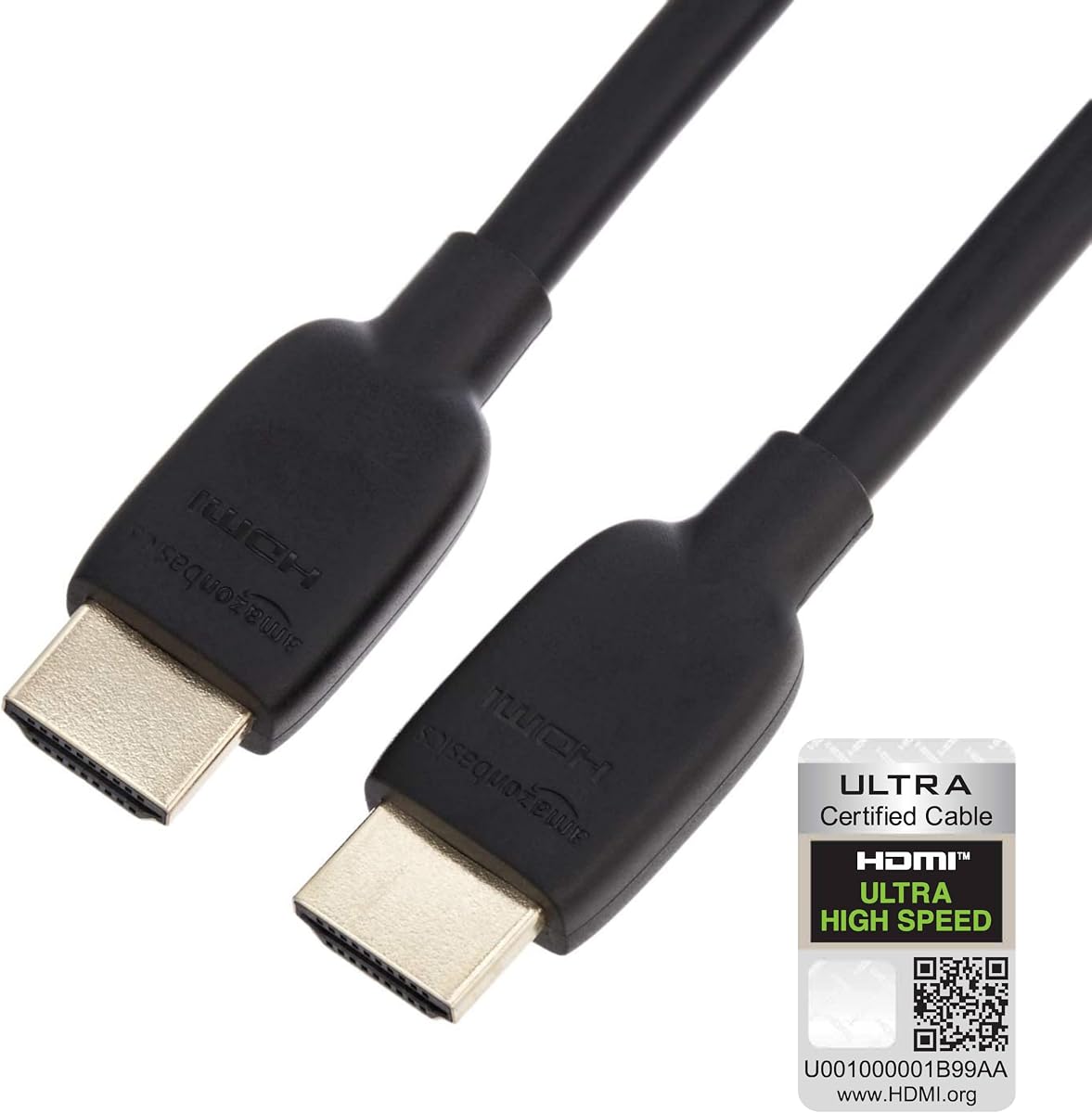
Amazon Basics HDMI 2.1 Cable
4.7Editor score
48Gbps Ultra High Speed
3 Feet Flexible PVC Cable
Gold Plated Connectors
Find the best HDMI cable for dual monitors with our expert guide comparing top models for speed, durability, and compatibility in October 2026.
Choosing the right HDMI cable for dual monitors ensures seamless connectivity and optimal performance for your workspace. Whether you need high refresh rates for gaming or stable connections for productivity, the correct cable matters greatly.
We evaluated leading HDMI 2.1 and DisplayPort to HDMI cables based on bandwidth, build quality, and compatibility. This list covers options from budget-friendly to premium choices suitable for various setups.
Each pick highlights key strengths and ideal use cases to help you decide quickly. Note that product availability and pricing fluctuate frequently so verify details before purchasing.
4.7Editor score

4.8Editor score

4.6Editor score
This side-by-side comparison highlights the unique strengths and specifications of each top-rated HDMI cable to help you choose the perfect fit for your dual monitor setup.



The UGREEN 8K HDMI 2.1 Cable stands out as a top choice for dual monitor setups needing high bandwidth and reliability. It holds official certification for 8K resolution and delivers 48Gbps speed.
We may earn a commission when you buy through this link, at no additional cost to you.
Its support for Dynamic HDR and eARC ensures rich visual detail and immersive audio across compatible screens. The robust aluminum alloy casing and nylon braiding protect against wear and interference.
While priced slightly higher than budget alternatives this cable provides premium durability and consistent signal transmission. Users report fewer connection drops over long term daily use in office environments.
This cable is ideal for professionals and enthusiasts who require flawless 4K or 8K output across multiple displays. It balances performance features with practical design for demanding workstations.
With 48Gbps bandwidth this cable handles high resolution video streams for both monitors without lag or signal loss.
The reinforced nylon braid and aluminum connectors ensure the cable resists bending stress and maintains signal integrity.
We may earn a commission when you buy through this link, at no additional cost to you.
The Amazon Basics HDMI 2.1 Cable offers exceptional value for dual monitor users needing reliable high speed connectivity. It supports 8K resolution with 48Gbps bandwidth for smooth video.
We may earn a commission when you buy through this link, at no additional cost to you.
Its gold plated connectors resist corrosion and maintain strong signals across multiple displays. The flexible PVC cable allows easy routing in tight desk spaces or behind setups.
The main limitation is the short three foot length which may require extension cables for larger offices. Durability is functional but less robust than braided alternatives for heavy daily use.
This cable is best for budget conscious buyers prioritizing performance over premium materials. It delivers essential HDMI 2.1 features at a minimal cost for effective multi-monitor work.
Despite the low price this cable meets 48Gbps standards for crisp high resolution dual screen output.
The three foot length makes it perfect for short distances between computers and nearby monitors.
We may earn a commission when you buy through this link, at no additional cost to you.
Belkin delivers a high end HDMI 2.1 cable built for users demanding top tier reliability and visual fidelity. It supports Dolby Vision and 8K resolution with 48Gbps speed.
We may earn a commission when you buy through this link, at no additional cost to you.
The two layer shielding design minimizes interference and protects delicate wiring from electrical damage. This makes it suitable for environments with many electronic devices near the cable path.
While the price is steep the durability and consistent performance justify the investment for long term setups. Users praise its stable connections and resistance to signal degradation over time.
This cable suits professionals and businesses seeking a premium solution for dual monitor displays. It combines advanced features with solid construction for uninterrupted work and entertainment.
The two layer shielding ensures minimal interference even in tech dense environments like offices.
Support for Dolby Vision brings richer color and contrast to compatible monitors for vivid visuals.
We may earn a commission when you buy through this link, at no additional cost to you.
Highwings offers a dual pack of 8K HDMI 2.1 cables ideal for connecting two monitors simultaneously. Each cable provides 48Gbps speed and supports high refresh rates like 120Hz.
We may earn a commission when you buy through this link, at no additional cost to you.
The upgraded aluminum alloy shell and anti-bending tail design improve durability against wear and tear. Military grade tensile nylon materials enhance longevity for daily office use.
Some users may find two cables unnecessary if only one display is needed. The anti-bending design helps prevent internal wire damage from frequent plugging or routing.
This dual pack is perfect for home offices setting up multiple screens at once. It provides convenience and consistent performance across both displays with reliable HDMI 2.1 features.
Getting two certified cables simplifies dual monitor installation without buying extras later.
Reinforced shells and nylon braiding ensure the cables withstand bending and stress over time.
We may earn a commission when you buy through this link, at no additional cost to you.
Silkland provides a certified HDMI 2.1 cable designed for gamers and creators needing high refresh rates. It supports 4K at 120Hz and 144Hz for smooth gameplay across monitors.
We may earn a commission when you buy through this link, at no additional cost to you.
The exclusive E-Braid technology and copper cores with ferrite beads ensure uninterrupted signals without flickering. This design reduces black screens and enhances transmission stability under load.
Its weight and stiffness from heavy braiding can be challenging to route in some setups. However the durability trade-off ensures long-term reliability for intense daily usage cycles.
This cable is recommended for dual monitor gaming or editing stations requiring high speed and low latency. Certified performance guarantees compatibility with modern consoles and graphics cards.
Support for 144Hz refresh rates delivers smooth motion and reduced screen tearing for gamers.
Double-layer E-Braid winding prevents signal interruptions and extends cable lifespan significantly.
We may earn a commission when you buy through this link, at no additional cost to you.
Acer delivers a reliable HDMI 2.1 cable with high purity copper cores for stable video and audio transmission. It supports 8K at 60Hz and 4K at 240Hz for sharp visuals.
We may earn a commission when you buy through this link, at no additional cost to you.
The durable braided design resists EMI and daily wear ensuring consistent performance in demanding environments. Plug-and-play functionality works seamlessly with PS5 Xbox and PCs.
Its shorter length variants may not suit larger office desks requiring longer runs. The straightforward packaging reflects focus on functionality over premium unboxing experience for users.
This cable is a solid choice for dual monitor setups needing dependable 4K performance. It offers Acer quality at a competitive price point for home and office users.
Pure copper conductors reduce signal loss and maintain clarity across multiple connected screens.
Support for 4K 240Hz ensures smooth high frame rate visuals for gaming or professional work.
We may earn a commission when you buy through this link, at no additional cost to you.
UGREEN HDMI 2.1 cable upgrades to 48Gbps for uncompressed 8K video transmission without signal loss. It delivers four times clearer quality than 4K 60Hz alternatives for sharp visuals.
We may earn a commission when you buy through this link, at no additional cost to you.
Dynamic HDR with 12-bit color accuracy produces realistic pictures while eARC provides full-resolution audio. Nickel-plated connectors and braided nylon ensure longer lifespan and frequent bend tests.
The thicker jacket may be less flexible in tight cable management scenarios compared to PVC options. However enhanced durability ensures consistent performance for dual monitor setups over years.
This cable suits users wanting vibrant color accuracy and robust build quality. It works across devices like PS5 Roku and Mac mini for seamless dual screen productivity.
Dynamic HDR and 12-bit color depth provide richer tones and contrast on compatible displays.
Nickel connectors and braided nylon resist wear and extend cable lifespan significantly.
We may earn a commission when you buy through this link, at no additional cost to you.
PowerBear offers a ten foot HDMI cable ideal for longer distances between monitors and desktops. It supports 4K at 60Hz with triple tin shielding and gold connectors.
We may earn a commission when you buy through this link, at no additional cost to you.
The CL3 rating allows in-wall installation for clean setups without visible wiring. Braided nylon and gold plating ensure durability and corrosion resistance for long-term use.
It lacks HDMI 2.1 speed limiting 8K or high refresh rate support for modern graphics cards. This makes it less suitable for next-gen gaming on dual screens.
This cable is best for basic dual monitor workstations needing extended reach. Its length and CL3 rating provide flexibility for hidden routing in home offices.
Ten feet reach allows easy placement of monitors far from the computer tower.
CL3 rating enables safe in-wall installation for tidy and professional looking office setups.
We may earn a commission when you buy through this link, at no additional cost to you.
AVACON provides a DisplayPort to HDMI cable for connecting PCs with DP ports to HDMI monitors. It supports 4K at 30Hz and 1080p at 60Hz with uncompressed audio.
We may earn a commission when you buy through this link, at no additional cost to you.
The uni-directional design ensures signal flows only from computer source to display preventing errors. Gold plated cord and shielding deliver reliable connectivity without software drivers needed.
At 4K resolution the 30Hz limit may feel slow for motion or gaming compared to 60Hz. It works best for static office displays where frame rate is less critical.
This cable suits desktop users with DisplayPort outputs needing HDMI monitors for dual setups. It is an affordable solution for extending workstations with compatible devices.
Connects DisplayPort equipped computers to HDMI monitors for flexible workstation configurations.
Foil and braid shielding minimize interference for clear video and synchronized audio.
We may earn a commission when you buy through this link, at no additional cost to you.
This two pack of DisplayPort to HDMI cables offers a cost-effective solution for dual monitor workstations. Each supports 4K Ultra HD and includes reinforced strain relief for durability.
We may earn a commission when you buy through this link, at no additional cost to you.
Both cables feature braided nylon jackets and aluminum housing ensuring consistent signal transmission. Plug-and-play design works with AMD NVIDIA graphics cards and common laptop brands.
The 30Hz limit at 4K may affect smoothness on motion compared to 60Hz cables. However it meets basic productivity needs for spreadsheets and office software.
Buyers seeking a complete dual monitor kit with DP sources will find this pack ideal. It provides reliable connectivity for both screens without needing extra purchases.
Two cables included simplify connecting both monitors for a unified workstation quickly.
Reinforced nylon braiding resists bending and ensures longevity in daily use environments.
We may earn a commission when you buy through this link, at no additional cost to you.
Selecting the right cable involves considering bandwidth, length, build quality, and compatibility with your specific devices and monitor setups.
Higher bandwidth like 48Gbps supports 8K and high refresh rates essential for modern graphics cards and dual monitor setups. Look for HDMI 2.1 certification to ensure full speed delivery.
Prioritize cables with certified bandwidth for smooth video and minimal signal loss across both screens.
Measure the distance from your computer to each monitor to choose the right length. Too short restricts placement while too long creates clutter and increases resistance risks.
Select cables that match your desk layout to maintain organization and signal integrity.
Materials like braided nylon and aluminum shells protect against bending and corrosion. Gold plated connectors resist oxidation and ensure stable electrical contact over time.
Invest in robust build materials to extend cable lifespan in active work environments.
Verify that the cable matches your port types such as HDMI 2.1 DisplayPort to HDMI or standard HDMI. Incompatible ports can limit resolution or refresh rates significantly.
Always confirm port standards on both devices before purchasing to ensure seamless connectivity.
Check that the cable supports your monitors max resolution and refresh rate like 4K 120Hz or 8K 60Hz. Lower bandwidth may cap performance regardless of device capabilities.
Match cable specifications to monitor requirements for optimal visual performance on both displays.
Proper shielding like foil or braid minimizes electromagnetic interference which can cause screen flickering or dropouts. This is crucial in offices with many electronic devices.
Choose cables with multi-layer shielding for stable signal transmission across monitors.
Advanced cables support eARC and Dolby Atmos for immersive audio paired with visuals. This is useful for entertainment monitors or presentations requiring synchronized sound.
Ensure audio features match your speakers or soundbars for a complete experience.
Reputable brands often provide better quality control and warranties for customer peace of mind. Official HDMI certification guarantees performance standards are met reliably.
Prefer certified products from trusted manufacturers for long-term reliability and support.
Start by unplugging both ends of the existing cable if replacing. Align the HDMI connectors firmly with the device ports until you hear a click to secure the connection.
Route cables neatly away from heat sources or moving parts to avoid damage. Use cable ties or clips to keep the path straight and reduce strain on connectors.
Periodically check connectors for dust or debris and wipe with a dry cloth. Avoid bending the cable sharply near connectors to prevent internal wire breakage.
Choose a cable that supports your monitors resolution and refresh rates like HDMI 2.1 for 4K 120Hz. Ensure bandwidth is sufficient for both screens and ports match your devices.
Yes HDMI 2.1 offers higher bandwidth 48Gbps allowing higher resolution and refresh rates across multiple displays. It reduces lag and supports advanced features like VRR.
Typically each monitor requires its own cable connection for independent displays. Some docks support multi-monitor over single connections but check compatibility first.
Measure from your computer to each monitor and add slack for routing. Common lengths are 6 feet but 10 feet or extensions work for larger setups.
Passive cables can lose signal over long distances beyond 10 feet. Use active or high quality shielded cables for runs longer to maintain stability.
Most support dual outputs but bandwidth must match both monitors. Higher speeds like 2.1 ensure consistent performance without drops on high refresh rates.
The top picks offer reliable high speed connectivity for various dual monitor setups with options ranging from budget to premium choices.
Prioritize bandwidth and build quality to ensure smooth performance across both displays without signal loss or flickering over time.
Prices and availability change frequently so check current deals before purchasing to get the best value for your specific needs.