
VSD Mini Macro Pad
4.1Editor score
Compact 6 key design
Dual side RGB lighting
Open-source SDK support
This comprehensive guide compares the top macro pads for streaming to help creators choose the best deck for OBS control, shortcuts, and productivity.
Streaming requires precise control over audio, video, and chat without interrupting your performance. A quality macro pad allows you to trigger complex actions instantly, freeing your hands for interaction and creativity. Choosing the right device ensures smooth transitions and efficient workflow management during live broadcasts.
We evaluated ten leading macro pads based on key count, software flexibility, build quality, and integration with major streaming platforms. Each model offers unique features like LCD keys, RGB lighting, and specialized knobs to enhance your setup. Our comparison highlights how each device performs under real-world content creation demands.
Each pick details specific strengths, ideal use cases, and trade-offs to help you find the perfect fit. Ratings reflect user feedback and reliability over time. Note that availability and pricing may fluctuate, so verify current stock before purchasing to ensure you get the latest version.
4.1Editor score

4.4Editor score

4.8Editor score
Below is a detailed side-by-side comparison of all ten macro pads analyzed in this guide. We highlight key specifications and unique features to help you quickly identify the model that best fits your streaming and production needs.





The VSD M18 Macro Pad stands out with its 18 programmable keys and customizable LCD interface. Rated highly for reliability, it offers a seamless way to manage streaming tasks. Its standout quality is the ability to assign complex sequences to a single tap.
We may earn a commission when you buy through this link, at no additional cost to you.
Users can program single actions or multi-step sequences for daily operations. The LCD keys support images and animations, making it easy to identify functions at a glance. This flexibility simplifies game combos, app launches, and media playback control efficiently.
While the RGB ring adds ambiance, the primary focus is functionality. The only trade-off is the lack of native Linux support, which may limit some users. However, SDK documents are available for custom development if needed.
This pad is ideal for streamers needing extensive control without cluttering the desk. It fits both gaming and office workflows. For those prioritizing key count and visual feedback, this is a top recommendation.
Each LCD key accepts JPG, PNG, and GIF images to mark separate functions clearly.
Trigger pre-set macros, input text, or switch OBS scenes with one tap for quick operation.
We may earn a commission when you buy through this link, at no additional cost to you.
The Stream Dock N1 is a top contender for budget-conscious streamers with a 4.7 rating. Its vertical design saves desk space while expanding shortcut keys. This makes it perfect for setups with limited room.
We may earn a commission when you buy through this link, at no additional cost to you.
It features three modes including a calculator mode usable without software. Drag files and apps to the 15 LCD keys for one-click access. The plugin marketplace offers hundreds of options to optimize workflows easily.
While the setup might take time to configure, the long-term efficiency gains are worth it. The only trade-off is needing the software for full function, but tutorials are provided.
Ideal for those needing a versatile tool that doubles as a calculator. It suits content creators who value space efficiency and extensive customization without high costs.
Vertical layout saves valuable desktop space while expanding shortcut keys for better organization.
Switch between left-hand shortcut, calculator, and numeric keypad modes to meet various needs.
We may earn a commission when you buy through this link, at no additional cost to you.
The Elgato Stream Deck MK.2 is a premium choice with a 4.8 rating. It provides 15 customizable LCD keys for instant control over apps and tools. This reliability makes it a standard for professional streamers.
We may earn a commission when you buy through this link, at no additional cost to you.
You can trigger single or multiple actions like launching social posts or adjusting audio easily. Visual feedback ensures you know commands are executed. The plugin support is vast, covering OBS, Twitch, and many more apps.
While it comes at a higher cost, the durability and ecosystem justify the investment. The fixed 15 keys are standard, which might limit complex needs. However, it handles most tasks efficiently.
Best for professionals who prioritize stability and broad compatibility. It is a safe, powerful choice for those wanting a proven tool with minimal friction.
Immediate visual feedback ensures you know your command has been executed successfully every time.
Access powerful plugins for 4KCU, OBS, Twitch, YouTube, and many other platforms instantly.
We may earn a commission when you buy through this link, at no additional cost to you.
The VSD M18 Stream Deck features 18 customizable macro keys and high-quality construction. Rated at 4.5, it is built for long-lasting performance. This deck offers endless possibilities for executing game combos or launching apps.
We may earn a commission when you buy through this link, at no additional cost to you.
You can personalize each LCD key with different images and animations for enhanced recognition. The operation follow feature lets you execute multiple macro steps in custom order. This gives you control over tasks effectively.
The RGB light ring adds style to your setup but is secondary to functionality. While it requires software installation, the free updates keep it current. This is a solid choice for consistent workflows.
Ideal for users needing a balance of visual appeal and utility. It is suitable for gamers and professionals alike who require precise task management during streaming.
Personalize each LCD key with images and animations for better function recognition.
Use the operation follow feature to execute macro steps in custom order or simultaneously.
We may earn a commission when you buy through this link, at no additional cost to you.
The VSD Mini Macro Pad is designed for users seeking a compact solution. With 6 fully customizable LCD keys, it acts as a portable shortcut keyboard. It simplifies daily operations without taking up much desk space.
We may earn a commission when you buy through this link, at no additional cost to you.
One tap switches OBS scenes or launches apps instantly. The dual side RGB light bars add a stylish ambient effect. This fits minimalist setups well while retaining full macro functionality.
While the key count is lower, it covers essential tasks efficiently. Users may find the limited space restrictive for complex workflows. However, the open-source SDK allows for personal adaptation.
Best for those with small desks needing basic controls. It delivers value for beginners and professionals who prefer simplicity over extensive feature sets.
Designed in mini portable size to save desk space while retaining full macro customization.
Dual side RGB light bars provide ambient lighting to upgrade your desk setup visually.
We may earn a commission when you buy through this link, at no additional cost to you.
The VSD N4 Pro is a powerful audio and studio controller with 10 LCD keys and 4 RGB knobs. Rated 4.4, it offers unlimited independent scene presets for seamless workflow automation. This makes it great for complex streaming tasks.
We may earn a commission when you buy through this link, at no additional cost to you.
You can convert complex operations into one-tap triggers without coding. The USB sound deck allows triggering sound effects instantly. The built-in passive USB dock adds extra ports for mice and storage.
While expensive, the added audio control and dock provide significant value. The ergonomic stand ensures comfortable viewing for long sessions. This device bridges the gap between standard pads and professional mixers.
Best for streamers needing audio control and extra ports. It suits creators who want an all-in-one solution for managing scenes and sound efficiently.
Convert complex repeated operations into one-tap triggers without needing technical knowledge.
Use the USB sound deck to trigger sound effects and adjust audio atmosphere instantly.
We may earn a commission when you buy through this link, at no additional cost to you.
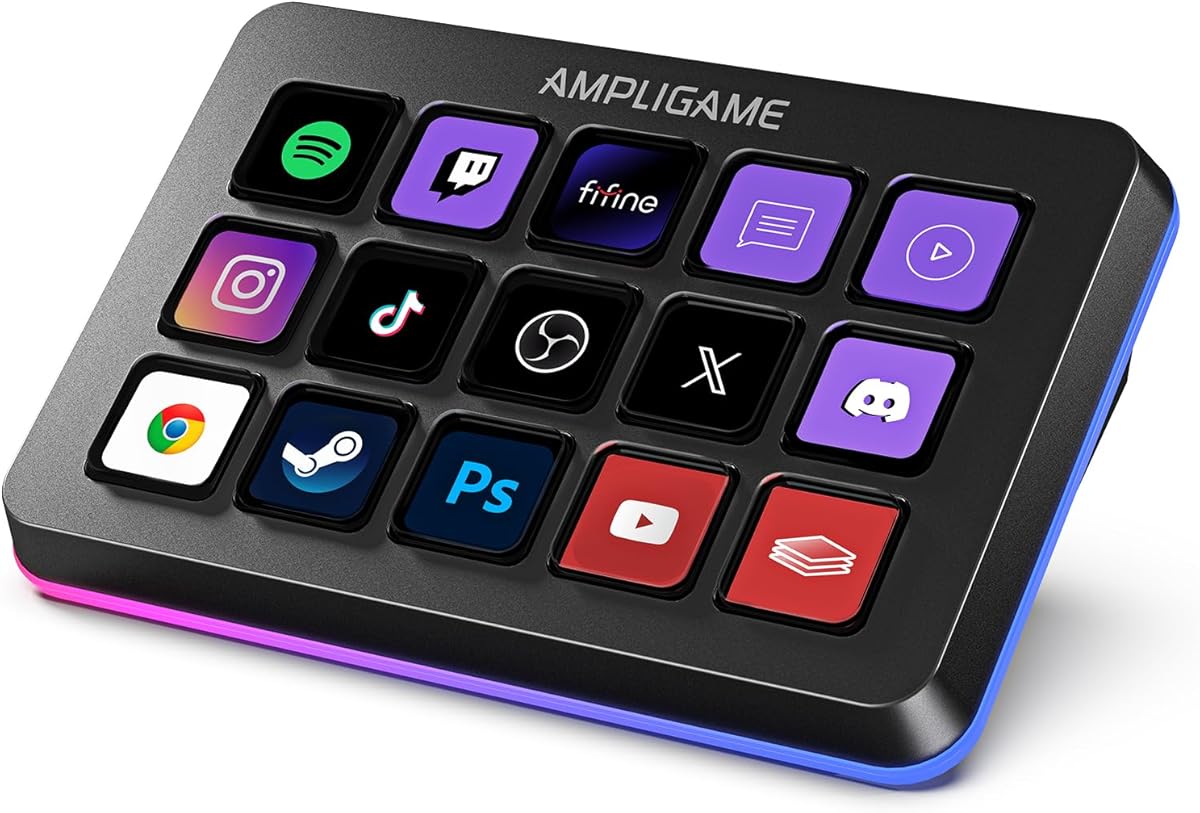
The fifine D6 RGB macro keyboard features 15 customizable macro keys for multi-tasking. Rated 4.6, it lets you create and assign operations based on your needs. This visual operation keypad streamlines your workflow significantly.
We may earn a commission when you buy through this link, at no additional cost to you.
You can drag-and-drop apps or scenes to the touchscreen. The RGB ring around the deck brightens your gaming setup with multiple modes. This helps create a vivid game impression for viewers.
While firmware and software must be updated before use, the interface is intuitive. The trade-off is managing updates, but the convenience of direct control is high. It fits various tasks well.
Ideal for users wanting direct visual control without navigating menus. It suits creators needing quick access to files, apps, and audio controls during sessions.
See applications on the touchscreen and press to control directly without opening interfaces.
Match the shortcut button look with dynamic RGB lighting to impress your viewers.
We may earn a commission when you buy through this link, at no additional cost to you.
The TreasLin VSDinside Deck offers 18 customizable macro keys and dynamic icon support. Rated 4.4, it goes beyond static pictures to include animated icons for unique styles. This helps transform your interface into a vibrant tool.
We may earn a commission when you buy through this link, at no additional cost to you.
You can switch between shortcut, calculator, and numeric keypad modes easily. The extensive plugin marketplace provides thousands of options for controlling apps. This flexibility makes it suitable for diverse workflows.
While it requires a Spotify premium account for integration, the other functions are robust. The USB-C connection ensures quick setup. This is a solid choice for creative setups.
Best for those wanting animated visuals and mode switching. It suits streamers who value variety in how they interact with their streaming tools.
Support dynamic animated icons to transform your interface from dull to vibrant.
Switch between shortcut, calculator, and numeric keypad modes for versatile daily use.
We may earn a commission when you buy through this link, at no additional cost to you.
The Streonor S15 Stream Controller features 15 LCD keys and 3 status display panels. Rated 4.6, it allows displaying real-time info like weather or CPU status. This keeps you informed while working or streaming.
We may earn a commission when you buy through this link, at no additional cost to you.
You can build dedicated layouts for streaming or editing scenarios. The action flows trigger multiple commands with one key. The 100+ plugins offer extensive customization for daily desktop tasks.
While Linux is not supported, Windows and macOS users benefit greatly. The need for direct USB connection ensures stability. This is a robust choice for professional environments.
Ideal for those needing system insights alongside controls. It suits users who value status monitoring and organized workflow layouts.
Display real-time system information like CPU temperature or memory usage instantly.
Build dedicated layouts for streaming or editing to organize your workspace efficiently.
We may earn a commission when you buy through this link, at no additional cost to you.
The Streonor S10 Stream Controller is a flagship console with 10 LCD keys and a touchscreen. Rated 4.9, it is designed for demanding workflows needing instant commands and precise adjustments. This console supports complex production needs.
We may earn a commission when you buy through this link, at no additional cost to you.
Assign actions to one key to launch apps or switch scenes. Use knobs for volume or timeline adjustments. The built-in mixer allows precise control over audio levels directly from the deck.
While the price is higher, the combination of touchscreen and audio controls is unmatched. Some third-party services may require subscriptions. This is a top choice for advanced users.
Best for those seeking a premium all-in-one control center. It suits creators needing both rapid commands and precise audio tuning.
Access supported information and controls through the interactive touchscreen panel.
Assign knobs to volume or media playback for accurate and immediate adjustments.
We may earn a commission when you buy through this link, at no additional cost to you.
Selecting the right macro pad requires considering several critical factors to ensure it meets your workflow needs. We break down the essential elements to help you make an informed decision.
Consider how many keys you need to manage your daily tasks effectively. Devices range from compact 6-key pads to full 18-key consoles. A larger layout provides more room for complex macros, while smaller ones save desk space.
Choose a key count that aligns with your complexity needs without cluttering your desk.
LCD keys offer visual feedback and customizable icons for better recognition. Physical keys provide tactile confirmation for some users. LCDs allow for dynamic content like GIFs or app icons.
Opt for LCD keys if visual identification is crucial for your workflow speed.
Ensure the device supports your operating system, such as Windows or macOS. Check if the software allows seamless integration with apps like OBS or Discord. Linux support varies significantly across models.
Verify system compatibility before purchasing to avoid installation issues.
Look for devices that support multi-step sequences or action flows. Some decks allow one-tap execution of complex workflows like launching apps. This reduces repetitive actions during live sessions.
Prioritize models with multi-step macro capabilities for advanced automation needs.
USB-C connectivity ensures faster data transfer and modern compatibility. Some models include passive docks for extra ports. Reliable connection stability is critical during live broadcasting.
Check connection types to ensure they match your computer's ports and needs.
High-quality materials ensure longevity and stable operation over time. Look for devices that pass rigorous quality inspections. Durability is essential for daily use in professional environments.
Invest in sturdy construction to guarantee consistent performance for years.
A robust plugin ecosystem expands the device's functionality significantly. Access to marketplaces with hundreds of plugins simplifies integration. This feature allows custom tweaks without coding.
Choose a device with a rich plugin market for extended utility.
RGB lighting and visual effects can enhance your desktop ambiance. While not essential for function, they add style to your setup. Adjustable lighting modes allow customization to match your theme.
Consider RGB features if visual appeal is a priority for your setup.
Start by downloading the official software for your device from the manufacturer's website. Follow the setup instructions to install drivers and plugins. Connect the macro pad via USB or USB-C for immediate recognition.
Customize each key by dragging apps or shortcuts into the interface. Assign unique icons or animations for better visual identification. Test macros in a safe environment before using them live to ensure accuracy.
Keep the device clean by avoiding liquids and dust. Regular software updates often bring performance improvements and bug fixes. Store it in a safe place when not in use to maintain its condition.
Yes, most macro pads designed for streaming integrate directly with OBS Studio. They allow you to switch scenes, start recording, or manage audio with a single tap. Always check the plugin list to confirm OBS compatibility before buying.
Absolutely, most macro pads are USB powered and work seamlessly with laptops. They provide a compact footprint suitable for smaller desk setups. Ensure your laptop has available USB ports for connection.
No, most devices feature user-friendly interfaces that require no coding. You can drag and drop actions to assign them to keys. Built-in tutorials help guide you through the configuration process easily.
Many models support macOS, though compatibility varies by brand. Always verify system requirements to ensure the software runs on your version of macOS. Some devices may need software updates for full functionality.
Most devices retain your macros even if the software restarts. The macros are stored locally on your computer's settings. Restarting the app usually restores your last configuration instantly.
Yes, many users assign different profiles for gaming and productivity tasks. You can switch between profiles quickly depending on your current activity. This versatility makes them ideal for multi-purpose setups.
Most reputable brands offer a warranty ranging from 12 to 24 months. Check the product details to understand coverage for defects. Customer support often includes technical help during the warranty period.
Use a soft, dry cloth to wipe the LCD surfaces gently. Avoid using harsh chemicals or water directly on the keys. Keeping them clean ensures touch sensitivity and display clarity.
The VSD M18, Stream Dock N1, and Elgato Stream Deck MK.2 offer top-tier options for different needs. Each brings unique strengths in key count, software, or build quality to support your streaming goals.
Prioritize features like macro complexity and software compatibility to match your specific workflow. Consider whether you need a compact layout or a full console for extensive control.
Remember to verify current availability and pricing before making your purchase. Models may vary in stock based on region. Choosing the right tool ensures smoother, more professional streams.