
Tomee 16MB Memory Card
4.7Editor score
251 blocks of memory
Standard 16MB capacity
Plug and play support
Affordable pricing option
This guide compares the top GameCube Memory Card options for saving data on Nintendo consoles, reviewing storage capacity, compatibility, and performance
Finding the right GameCube Memory Card is essential for preserving your hard-earned progress in classic titles. These accessories allow you to save settings, characters, and high scores without losing data during power outages or system resets.
We evaluated ten top-rated memory cards based on storage capacity, compatibility with GameCube and Wii models, and user reliability. Each product was reviewed for build quality, ease of use, and specific features like multi-area storage or high-speed chips.
Each pick below highlights key strengths and potential trade-offs to help you choose the best fit for your console. Please note that product availability and pricing can change frequently, so verify details before purchasing to ensure compatibility with your setup.
4.7Editor score

4.7Editor score

4.7Editor score
This table provides a side-by-side overview of all ten memory cards included in this guide. Compare storage sizes, block counts, compatibility notes, and key features to find the model that best suits your gaming needs.
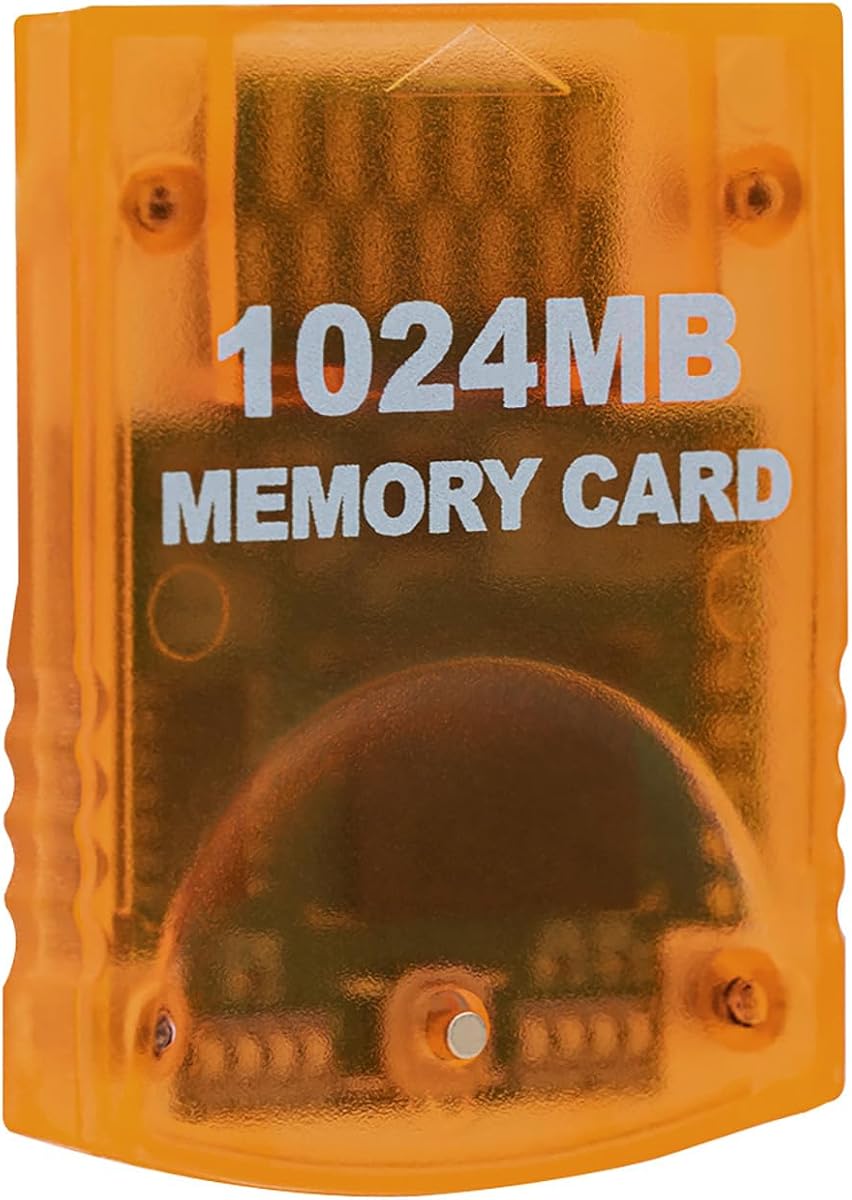


The Tolesum 1024MB Card stands out as the top choice for gamers needing extensive storage for GameCube and Wii titles. With a 4.7 rating, it offers genuine uncompressed blocks that ensure compatibility with games that might fail on compressed alternatives.
We may earn a commission when you buy through this link, at no additional cost to you.
Its key strength lies in the eight independent storage areas, allowing users to organize saves by game or category. The indicator lights make it easy to see which area is active, and the button press mechanism ensures quick switching without console menus.
While it is a third-party product, the build quality is robust and designed for the original RVL-001 Wii model. The trade-off is the lack of official Nintendo branding, but the functional advantages often outweigh this for serious collectors and players.
Buy this if you want maximum storage and reliability for your GameCube saves. It is ideal for players who manage multiple save files or play titles that require significant memory allocation.
The eight distinct areas allow you to segregate saves by game genre or player profile without deleting old data.
True uncompressed blocks mean you avoid the risk of save corruption common with cheaper, compressed memory cards.
We may earn a commission when you buy through this link, at no additional cost to you.
The Mcbazel 1024MB card is a strong contender for those seeking high-capacity storage for their GameCube games. It features 16344 non-compress blocks divided into eight parts, ensuring that your saves are secure and accessible.
We may earn a commission when you buy through this link, at no additional cost to you.
Users appreciate the efficiency and speed of this card, which prevents lag during save operations. The button on the card allows for quick switching between the eight parts, making it easy to manage different game profiles.
Although it is a third-party item, the card is built to be durable and easy to use. The main limitation is the strict compatibility with specific Wii models, so verifying your console model before purchase is essential.
Choose this card if you need significant space for saves and want a reliable plug-and-play solution. It fits well into the ecosystem of classic gaming enthusiasts who value storage flexibility.
Dividing the memory into eight parts helps keep your save files organized and prevents accidental overwrites.
The card is engineered for efficiency, ensuring that saving progress does not interrupt your gameplay flow.
We may earn a commission when you buy through this link, at no additional cost to you.
The Suncala Memory Card distinguishes itself with an upgraded innovation chip that processes saves 20 percent faster than older versions. This makes it a premium choice for gamers who prioritize speed and reliability in their memory solutions.
We may earn a commission when you buy through this link, at no additional cost to you.
It offers 16344 blocks across eight sections, with a fresh and elegant design that fits well with modern setups. The inclusion of a 60-month worry-free warranty adds significant peace of mind, backed by supportive customer service.
While the cost may be higher than standard options, the performance improvements and warranty coverage justify the investment for serious users. It is a solid premium pick for those who want the best available third-party experience.
This card is recommended for buyers who value long-term reliability and fast performance. It is an excellent upgrade for anyone looking to enhance their GameCube memory capabilities.
The upgraded chip ensures smooth and steady gameplay without interruptions during save operations.
A 60-month warranty provides extensive coverage, reflecting confidence in the product's durability and quality.
We may earn a commission when you buy through this link, at no additional cost to you.
The Tolesum 512MB card offers a budget-friendly balance of capacity and performance for GameCube users. With 8192 blocks divided into four data areas, it provides enough space for a variety of titles without the higher cost of larger cards.
We may earn a commission when you buy through this link, at no additional cost to you.
Its blue color adds a nice aesthetic touch, and the high-speed design ensures efficient data management. Users can switch between areas with a simple button press, maintaining the convenience found in higher-tier models.
As a third-party item, it may not match the exact branding of official cards, but it performs reliably for daily use. The main trade-off is the lower storage limit compared to 1024MB options.
This is the ideal choice for casual gamers or those on a budget who still want reliable storage. It covers essential needs without overspending on excess capacity.
This card provides a high-quality experience at a price point accessible to most gamers.
Four data areas are sufficient for most users who do not need massive multi-save management.
We may earn a commission when you buy through this link, at no additional cost to you.
The MAYFLASH 512MB memory card achieves an impressive 4.8 rating from users, reflecting its reliability and performance. It offers 8172 blocks across four storage areas, which is adequate for managing multiple game saves comfortably.
We may earn a commission when you buy through this link, at no additional cost to you.
Its blue design is visually distinct, and the simple button mechanism allows for easy switching between areas. Users appreciate the plug-and-play nature that makes setup straightforward without additional configuration.
While it is a third-party product, the high rating suggests consistent quality and customer satisfaction. The limitation is similar to others, with compatibility restricted to the RVL-001 Wii model.
Pick this card if you want a highly rated, dependable option for standard storage needs. It is a safe bet for players seeking stability and good user feedback.
The strong rating indicates that most users find this card reliable and easy to use in daily gaming.
Eight thousand blocks provide ample room for a typical library of GameCube games without excess cost.
We may earn a commission when you buy through this link, at no additional cost to you.
The Mcbazel 256MB card brings a distinctive pink color to the lineup, offering a stylish option for gamers who appreciate unique designs. It features a dual bank system with two 128MB sections for organized save management.
We may earn a commission when you buy through this link, at no additional cost to you.
The high-speed chip ensures efficient data transfer, and the button allows for quick switching between banks. Users can rely on this card for safe and easy use during their gaming sessions.
While the capacity is lower than 1024MB options, it serves well for those with fewer games or simpler storage needs. The pink aesthetic may also appeal to users looking for something beyond standard colors.
Choose this if you want a reliable memory card with a unique look. It is suitable for players who value style alongside functional performance.
The pink color option allows users to personalize their gaming setup with a distinctive accessory.
Two independent sections provide a simple way to separate saves without complex menus.
We may earn a commission when you buy through this link, at no additional cost to you.
The 16MB Gamecube Card represents a classic storage solution with 251 blocks of memory. It is designed for universal compatibility with both GameCube and Wii consoles, making it a straightforward choice for basic needs.
We may earn a commission when you buy through this link, at no additional cost to you.
Its shock-resistant build protects files from accidental drops, and the streamlined profile eliminates the card wobble issue found in generic alternatives. Users find it reliable for saving essential data without unnecessary complexity.
While the storage is limited to standard 16MB, it is sufficient for many users who do not need advanced multi-area features. The black design blends well with typical console aesthetics.
This card is best for players who want a simple, no-fuss replacement. It is a dependable option for standard GameCube gameplay requirements.
This card works seamlessly with standard GameCube and Wii RVL-001 consoles for easy plug-and-play use.
The shock-resistant design ensures your save files are protected from physical impacts during use.
We may earn a commission when you buy through this link, at no additional cost to you.
The Tomee 16MB Memory Card is a trusted standard option for GameCube and Wii users who need basic storage. With 251 blocks, it allows you to store levels, characters, and scores without issues.
We may earn a commission when you buy through this link, at no additional cost to you.
Users can easily load, save, copy, and delete game saves with the card's straightforward interface. It is fully compatible with GameCube games that have save options, ensuring no disruption to gameplay.
As a standard 16MB card, it is not as feature-rich as multi-area options but is highly effective for essential saving. It fits the needs of casual players who just need a reliable backup.
This is the right choice for a no-nonsense memory card. It provides the necessary storage for most game save requirements at a low cost.
Load, save, copy, and delete functions are easily accessible for quick save management.
Works fully with GameCube games that utilize save options, ensuring a compatible experience.
We may earn a commission when you buy through this link, at no additional cost to you.
The Official 16MB Card represents the standard specification model that many users recognize from the original console. It features 16MB of flash memory and holds 251 blocks for your games and settings.
We may earn a commission when you buy through this link, at no additional cost to you.
Being an official spec, it ensures the highest level of compatibility with all GameCube titles that require saving. While it is more expensive than third-party options, the reliability and brand recognition are valuable.
It lacks advanced features like multi-area storage, focusing instead on simple, effective save management. This makes it a good choice for those who prefer authentic or guaranteed compatibility.
Buy this if you want a standard, proven memory card. It is reliable for users who prioritize known specifications over extra features.
This card meets official specifications, ensuring it works with all standard GameCube save functions.
The 16MB flash memory provides stable storage for game files without complex configurations.
We may earn a commission when you buy through this link, at no additional cost to you.
The AreMe GC2SD Adapter offers a different approach by allowing the use of micro SD cards for storing games and data. It supports up to 512GB, providing immense storage flexibility compared to traditional memory cards.
We may earn a commission when you buy through this link, at no additional cost to you.
Users need to pair it with homebrew software like Swiss or Xeno to function fully, which means it is more advanced than standard memory cards. The transparent design adds a modern touch to your setup.
While it requires additional setup, the ability to load game lists from an SD card is a significant advantage for enthusiasts. It is a specialized tool rather than a direct replacement for standard saving.
Choose this if you are interested in modern storage solutions and homebrew features. It is ideal for users who want expanded storage beyond standard card limits.
Supporting up to 512GB of micro SD storage allows for vast collections of games and saves.
Requires homebrew software to function, offering advanced loading capabilities for tech-savvy users.
We may earn a commission when you buy through this link, at no additional cost to you.
Choosing the right GameCube Memory Card involves considering storage needs, console compatibility, and build quality. This guide covers the key factors to help you select the most suitable option for your console and gaming habits.
Memory cards come in various capacities such as 16MB, 512MB, and 1024MB. Larger capacities allow you to store more game saves, high scores, and custom settings across multiple titles without constantly deleting old data.
If you play many games with large save files, a higher capacity card like 1024MB is recommended. For casual players, 16MB may be sufficient for basic save requirements.
True uncompressed blocks are crucial for compatibility with all GameCube titles. Some cheaper cards may report high block counts through compression, which can cause issues with specific games that expect standard block structures.
Look for cards that specify 'real' or 'uncompressed' blocks to ensure stability and prevent potential save corruption during gameplay.
Not all Wii models have a memory card slot. Only the original RVL-001 model supports GameCube memory cards, while later models like the Family Edition and Wii Mini do not. Verify your console model before purchasing to ensure fit.
If you have a GameCube, almost any compatible card will work directly. For Wii users, confirm the RVL-001 model number on the bottom of your unit.
Cards with multiple storage areas allow you to switch between different save slots using a button on the card. This is useful for organizing saves by game or player profile without deleting existing data.
Consider cards with eight areas if you manage a large library, or four areas for simpler needs. This feature helps keep your saves organized and accessible.
Memory cards are inserted and removed frequently, so a durable build is essential to prevent connection issues. Shock-resistant materials and robust connectors help protect your data from accidental drops or power fluctuations.
Choose cards that are described as high-speed and efficient to ensure reliable performance during long gaming sessions.
Third-party brands often offer better value than official cards, but warranty coverage can vary. Some premium options include extended warranties like 60 months, which provides peace of mind for long-term use.
Check customer service reviews and warranty terms to ensure you are protected against defects. This helps maintain reliability over time.
Memory cards come in various colors and designs, from black to transparent or translucent. While aesthetics do not affect performance, a design that matches your console can improve the visual appeal of your setup.
Consider colors like blue or pink if you want to stand out, or black for a classic look that blends with your system.
Prices vary depending on capacity and brand. Third-party options are generally more affordable than official cards while still offering comparable performance. Evaluate the features against the cost to determine the best value for your budget.
A higher price does not always mean better quality. Read reviews and compare specifications to find a balance between cost and performance that suits your needs.
To begin, insert the memory card into the slot on your GameCube or compatible Wii console. Make sure the console is powered off before inserting or removing the card to prevent data corruption.
When saving a game, select the memory card as the storage device from the in-game menu. If your card has multiple areas, press the button on the card to switch to the desired section before saving.
To maintain your memory card, avoid touching the contacts and store it in a dry place when not in use. Regularly back up important saves if you are using advanced adapters to prevent loss due to hardware failure.
You can use a GameCube Memory Card on a Wii only if your console is the original RVL-001 model with a memory card slot. Later models like the Wii Family Edition or Wii Mini do not support GameCube memory cards directly. Always check the model number on the bottom of your unit before purchasing.
A 16MB card offers 251 blocks of storage for basic save needs, while a 512MB card provides around 8000 blocks for more extensive saving. Larger capacity cards allow you to store saves for multiple games without deleting old data and are ideal for collectors.
Most new third-party cards come pre-formatted and ready to use, but if you encounter errors, you may need to format it using the console menu. Follow the in-game instructions to format the card for your specific system before first use.
This may happen if your console model is incompatible or the card is damaged. Verify that your Wii model is RVL-001 and check the card for physical damage. If the card is compressed, some games may not read it properly.
No, GameCube Memory Cards are designed for saving GameCube disc titles. Wii games store their saves in internal memory or on an SD card depending on the title. You cannot save Wii game data to a physical memory card in the slot.
Many third-party cards are reliable and cost-effective alternatives to official Nintendo options. Look for products with positive user reviews and specifications that mention uncompressed blocks and high-speed chips. Warranty coverage can also indicate reliability.
The Tolesum 1024MB Card stands out as the top choice for players needing extensive storage and organization with multiple areas. For budget-conscious users, the Tomee 16MB card provides reliable standard storage at a low cost.
Prioritize true uncompressed block counts and console compatibility to avoid save issues. If you want faster performance and a strong warranty, the Suncala Memory Card is an excellent premium option.
Always check the current availability and model compatibility before buying to ensure a seamless setup. Prices and stock may vary, so verify your console model to make the best choice for your gaming needs.