
ASUS Dual GeForce RTX 5060 Ti 16GB
4.7Editor score
16GB GDDR7 memory
Blackwell architecture
Dual BIOS profiles
This guide compares the top GPUs for Davinci Resolve including NVIDIA and AMD options for color grading and rendering performance in 2026.
Choosing the right GPU for Davinci Resolve is critical for smooth playback and fast rendering. Professional editors need hardware that handles high resolution timelines and complex effects without lag.
We evaluated ten leading graphics cards based on performance, memory capacity, and architecture. Our analysis covers both consumer and professional models suitable for diverse video production workflows.
Each pick highlights key strengths and trade-offs for different budget levels. Prices change frequently so check current listings before purchasing to ensure you get the best value today.
4.7Editor score

4.6Editor score

4.3Editor score
This table provides a side-by-side comparison of all ten graphics cards analyzed in this guide. Use these specs to find the best fit for your specific editing and rendering needs.




The GIGABYTE GeForce RTX 5080 stands out as the top choice for editors needing high performance. With a 4.6 rating, it delivers smooth playback and rapid export times for demanding projects.
We may earn a commission when you buy through this link, at no additional cost to you.
Powered by the NVIDIA Blackwell architecture, this card accelerates AI tasks and rendering processes significantly. The 16GB GDDR7 memory ensures that even 8K timelines remain fluid during color grading.
While the cost is higher than mid-range options, the time saved on rendering justifies the investment for professionals. The WINDFORCE cooling system keeps temperatures low even during extended sessions.
Editors who prioritize speed and reliability should consider this card their primary workstation engine. It balances performance and thermal management exceptionally well for modern video production needs.
The Blackwell architecture provides a significant boost over previous generations in rendering complex effects and color grading tasks.
The WINDFORCE cooling system ensures the GPU remains cool and quiet during long rendering sessions.
We may earn a commission when you buy through this link, at no additional cost to you.
This Quadro card offers a professional entry point for users starting in high-end video production. Rated 4.4 stars, it provides reliable performance for standard editing workflows.
We may earn a commission when you buy through this link, at no additional cost to you.
The RTX technology enables real time rendering which is useful for clients requiring visual previews. Its compact design fits well into smaller workstation cases without compromising airflow.
Compared to modern cards, it lacks the raw power for heavy AI tasks but remains viable for many creative tasks. Professional drivers ensure stability during long editing sessions.
Ideal for students or freelancers on a budget who need professional certification. It provides a solid foundation for learning Resolve without overspending on unused features.
Quadro drivers are optimized for stability in professional creative applications like Davinci Resolve.
Built in ray tracing cores allow for faster simulation of lighting effects in 3D scenes.
We may earn a commission when you buy through this link, at no additional cost to you.
The Titan RTX remains a powerful option for users needing substantial compute power. With a 4.4 rating, it is well regarded for its raw processing capabilities.
We may earn a commission when you buy through this link, at no additional cost to you.
Its massive CUDA core count and Tensor cores excel at AI driven tasks like noise reduction and smart masking. The high memory bandwidth supports complex timelines without stuttering.
Power consumption is higher than newer cards which may require a stronger power supply. However, the performance per dollar can still be attractive for heavy compute workloads.
Workstations that prioritize raw rendering power over efficiency will find this card highly capable. It serves as a reliable backbone for serious video production environments.
Tensor cores enable faster AI based processing for tasks like denoising and upscaling.
The memory interface supports quick data transfer for large texture and video files.
We may earn a commission when you buy through this link, at no additional cost to you.
ASRock delivers a compelling AMD option with significant memory capacity for large projects. Rated 4.4 stars, it is designed for professional content creation workloads.
We may earn a commission when you buy through this link, at no additional cost to you.
The 32GB memory allows handling of massive 8K assets without constant swapping. RDNA 4 architecture provides modern features and improved performance over previous generations.
Blower style cooling is efficient for multi GPU setups but may generate more noise than open designs. Drivers are improving for professional apps like Resolve to ensure compatibility.
Teams using AMD ecosystems or needing high memory capacity at a competitive price will appreciate this card. It bridges the gap between gaming and professional workstation needs.
32GB VRAM allows for handling larger textures and timelines without performance drops.
Multiple DisplayPort 2.1a outputs support expansive multi monitor editing setups.
We may earn a commission when you buy through this link, at no additional cost to you.
This RX card offers impressive performance metrics for users seeking high value. With a 4.7 rating, it stands out as a strong performer in its price segment.
We may earn a commission when you buy through this link, at no additional cost to you.
The 16GB GDDR6 memory handles most editing tasks smoothly. PCIe 5.0 ensures that the card can scale with future motherboard technology and bandwidth needs.
Cooling is efficient and keeps noise levels manageable during typical workloads. While it is a gaming card, its raw power translates well to creative workflows.
Editors looking for raw performance without professional workstation pricing will find this a smart choice. It balances cost and capability effectively for mid tier users.
High raw performance allows for smooth playback and faster rendering times.
PCIe 5.0 support prepares your system for upcoming hardware upgrades.
We may earn a commission when you buy through this link, at no additional cost to you.
This is the ultimate GPU for studios needing maximum memory and reliability. Rated 4.3 stars, it is engineered for the most demanding professional compute workloads.
We may earn a commission when you buy through this link, at no additional cost to you.
96GB DDR7 memory allows for editing massive scenes and training local AI models. ECC memory ensures data integrity which is critical for high stakes production environments.
Cost is a significant barrier for individual users but justified for enterprise needs. The packaging is OEM focused so expect minimal consumer oriented accessories or manuals.
Studios and enterprises should look here for performance that exceeds consumer hardware capabilities. It is built to sustain heavy daily workloads without compromise.
96GB capacity supports complex scenes and AI models without bottlenecks.
5th Gen Tensor cores provide faster AI model processing for local workflows.
We may earn a commission when you buy through this link, at no additional cost to you.
ASUS TUF offers a rugged variant of the 5080 for users valuing longevity. With a 4.6 rating, it combines high performance with military grade durability standards.
We may earn a commission when you buy through this link, at no additional cost to you.
Phase-change thermal pads ensure optimal heat transfer which helps maintain boost clocks during long sessions. Military grade components deliver power stability and longer lifespan.
The physical size requires a large case which might be a constraint for some builds. Ensure clearance before purchase to avoid installation issues.
Users needing a reliable card for mixed use including heavy editing and other tasks should consider this. It offers peace of mind regarding hardware durability.
Components are rated for longer life and better stability under heavy loads.
Phase-change pads provide better cooling efficiency than standard thermal paste.
We may earn a commission when you buy through this link, at no additional cost to you.
This Intel option provides a cost effective solution with significant memory capacity. Rated 3.9 stars, it is positioned for users needing workstation features at a lower price.
We may earn a commission when you buy through this link, at no additional cost to you.
Twin media transcoders support AV1 and other formats for efficient export. The 24GB memory handles multiple streams or large textures without running out of VRAM.
Driver support for creative apps is improving but may not match NVIDIA yet. Users should verify compatibility with their specific Resolve plugins before purchase.
Budget conscious users looking for high VRAM capacity will find this attractive. It is a viable entry point for those testing Intel professional hardware.
Dual encode engines allow faster export of common video formats.
24GB VRAM supports complex timelines and multi application workflows.
We may earn a commission when you buy through this link, at no additional cost to you.
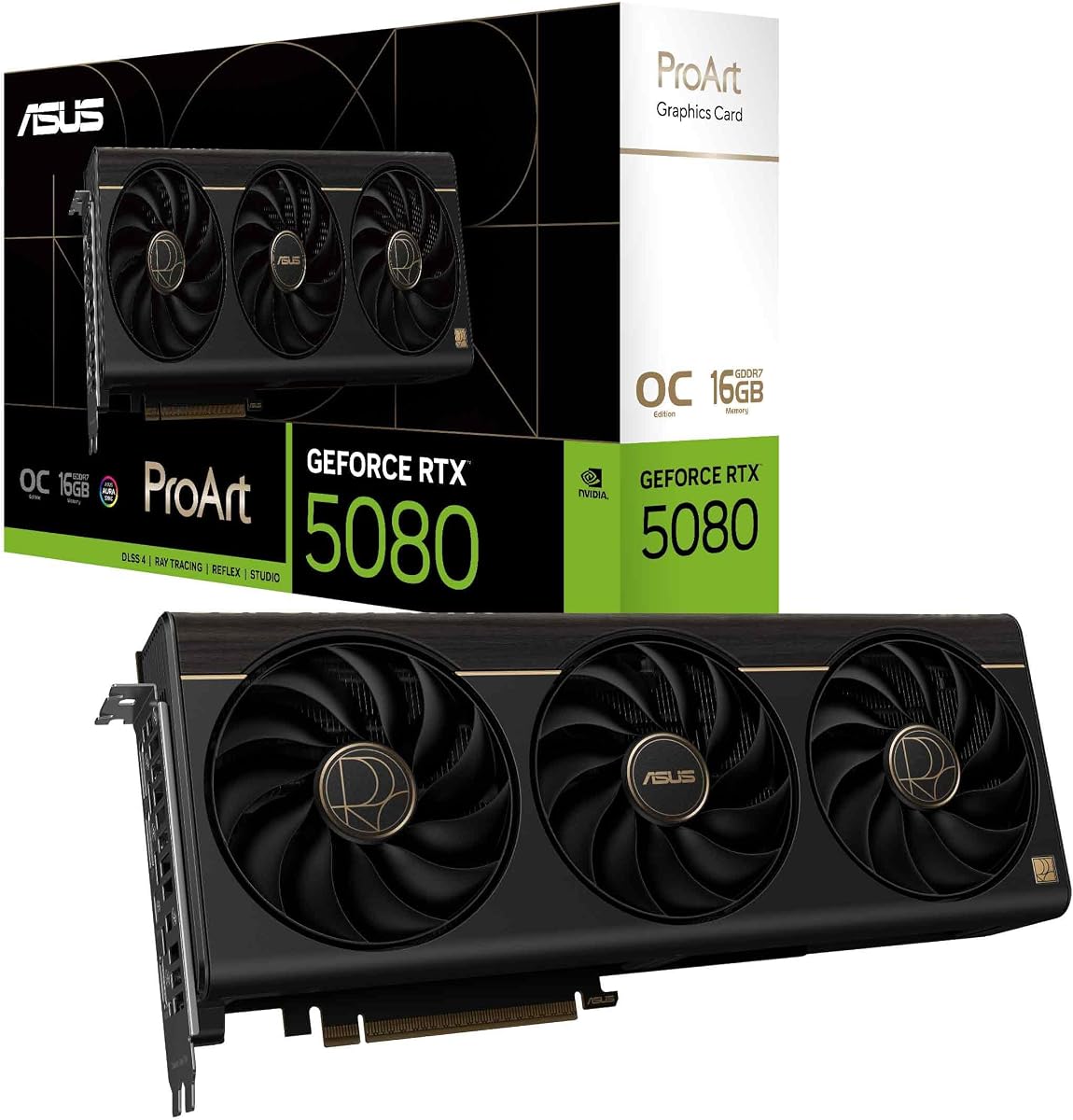
The ProArt series is designed specifically for creators requiring reliable performance. With a 4.9 rating, it is the highest rated option in this review.
We may earn a commission when you buy through this link, at no additional cost to you.
Features like the USB Type-C port enhance connectivity for peripheral devices. MaxContact heatsink and vapor chamber ensure efficient heat transfer and sustained performance.
The price reflects the premium build and design elements. For professionals who value aesthetics and reliability this is a top tier choice.
Creators who want a card optimized for studio environments will appreciate the attention to detail. It delivers top notch performance with excellent thermal characteristics.
Features like USB Type-C provide direct connectivity for studio peripherals.
MaxContact heatsink ensures efficient heat dissipation during heavy workloads.
We may earn a commission when you buy through this link, at no additional cost to you.
This card delivers strong performance for budget focused builds. Rated 4.7 stars, it offers excellent value with modern architecture and ample memory.
We may earn a commission when you buy through this link, at no additional cost to you.
16GB GDDR7 ensures that high resolution editing remains smooth. Dual BIOS allows toggling between performance and quiet modes based on workload.
The design is compact and efficient for smaller cases. It may not match workstation cards in raw power but excels in cost efficiency.
Beginners or budget users should consider this for the best balance of specs and price. It provides a solid entry into modern GPU performance.
Toggle between performance and quiet modes to match your workflow needs.
Axial tech fans provide high airflow with low noise in small spaces.
We may earn a commission when you buy through this link, at no additional cost to you.
Selecting the right GPU involves balancing performance capacity and budget. This guide breaks down the essential factors to consider before buying.
VRAM is critical for holding high resolution textures and timelines. Aim for at least 16GB for 4K and 32GB for 8K workflows.
Prioritize larger memory capacity to prevent bottlenecks in complex grading and effect timelines.
Modern architectures like Blackwell provide better AI acceleration and efficiency. Ensure the GPU supports relevant codecs like AV1 and H.265.
Choose a card with up to date codecs to simplify decoding and encoding tasks.
Davinci Resolve traditionally relies heavily on CUDA cores found in NVIDIA cards. While AMD is improving compatibility NVIDIA still leads in broad support.
NVIDIA GPUs are generally safer bets for maximum Resolve compatibility and features.
Long rendering sessions generate significant heat requiring effective cooling solutions. Look for cards with multiple fans or advanced heatsinks.
Ensure your case has adequate airflow to maintain stable performance under load.
High end GPUs demand robust power supplies to avoid instability. Check wattage requirements and connector types like 12VHPWR.
Invest in a high quality PSU to ensure consistent performance and safety.
Workstation GPUs come with drivers tested for creative apps. They offer stability for critical production environments.
Consider certified cards if budget allows for maximum system reliability.
PCIe 5.0 support ensures the card remains viable for future motherboard upgrades. Modern connectivity improves data transfer speeds.
Opt for newer interface standards to extend the useful life of your investment.
Balance the cost against your current workflow needs. A high end card is wasteful if your timeline does not demand it.
Evaluate your typical project complexity before spending on peak performance.
Install official drivers from the manufacturer to ensure stability and performance. Regularly update drivers to access new features and security patches.
Monitor temperatures during long sessions using tools like GPU Tweak. Adjust fan curves if necessary to maintain optimal cooling levels.
Keep your case clean from dust to prevent overheating. Schedule regular maintenance checks to ensure air filters remain unobstructed.
For smooth 4K editing aim for a GPU with at least 16GB of VRAM. Mid range RTX 5060 Ti models or higher provide sufficient performance for most workflows.
NVIDIA is generally better due to CUDA core support and driver maturity. AMD works well but may have limitations with specific AI features or effects.
Yes VRAM is crucial for holding color data. More memory allows for complex grading nodes and effects without slowdowns or crashes.
Only if you need maximum stability and certification. Gaming cards often deliver more raw power for the price.
8K workflows typically require 32GB or more of VRAM to handle timelines effectively. Professional GPUs often have this capacity.
The ASUS Dual RTX 5060 Ti offers strong value with 16GB VRAM. It balances performance and price well for entry level users.
The GIGABYTE RTX 5080 offers the best balance of power and features for most professionals. It handles complex tasks with ease and provides excellent reliability.
Prioritize memory capacity and architecture compatibility to ensure smooth editing experiences. Investing in a future proof GPU saves costs in the long run.
Prices and availability change so always check current listings before purchasing. Verify your system requirements to match the best choice for your workflow.