
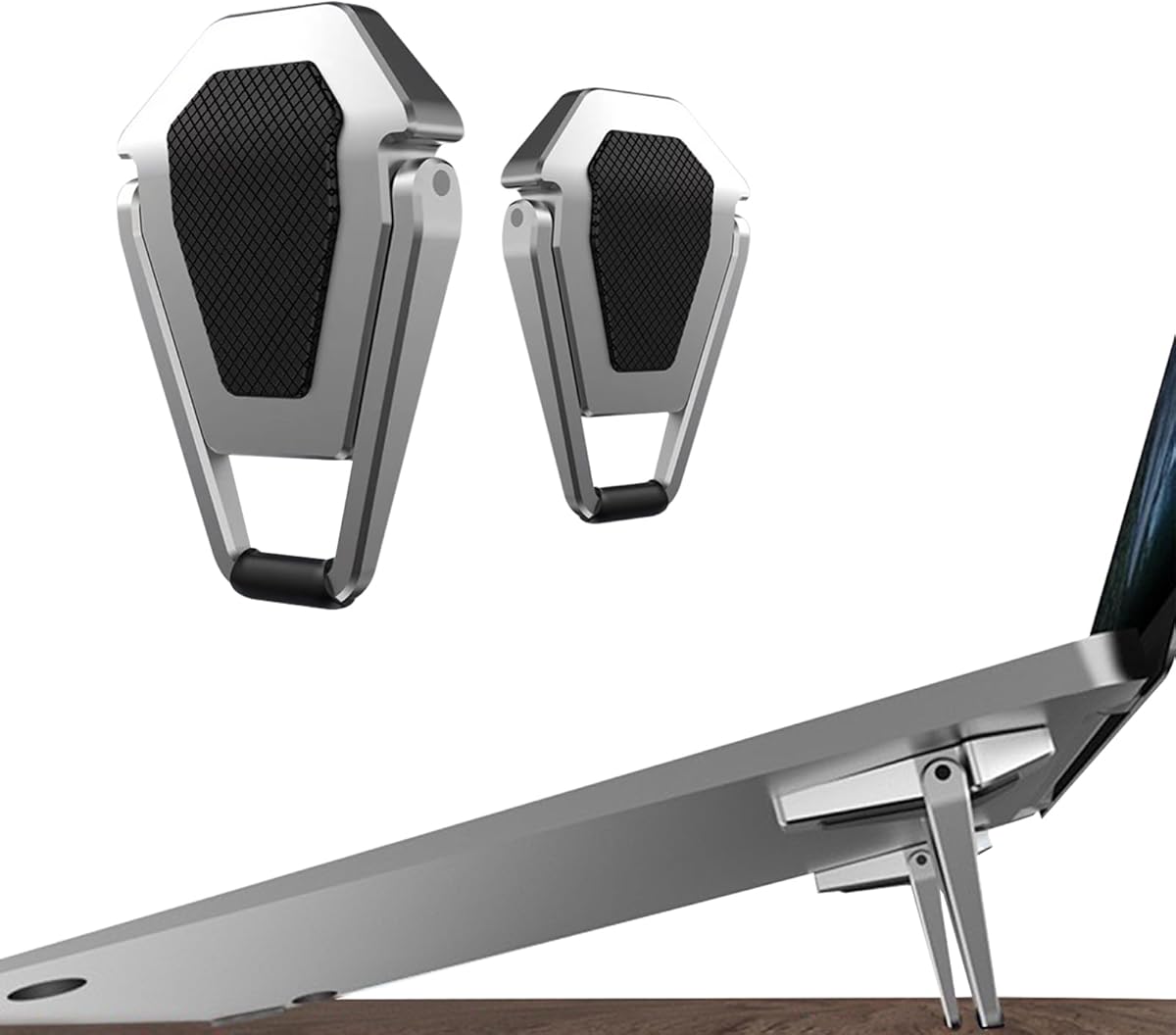
Penitue 2pcs Mini Portable Laptop Stand
4.6Editor score
Zinc alloy durable material
Compact foldable design
Anti-slip stickers included
Finding the right laptop kickstand can transform your workspace ergonomics and cooling performance. A good stand elevates your screen to eye level, reducing neck strain and allowing better airflow underneath your device for sustained usage.
We compared ten highly rated portable kickstand models based on build quality, adjustability, stability, and real-world performance. Each product was evaluated for its ability to support various laptop sizes while maintaining a slim profile for travel and daily use.
This list covers a range of options from invisible adhesive risers to versatile folding stands. Each pick highlights key strengths and trade-offs to help you decide. Note that availability and pricing may change over time so check current listings before buying.
4.6Editor score

4.6Editor score

4.7Editor score
As an Amazon Associate we earn from qualifying purchases.
The following comparison table outlines the core specifications and key attributes of each reviewed laptop kickstand. Use this data to quickly assess compatibility, material quality, and design features across all ten options.




The Hagibis Laptop Stand stands out as a top choice for users seeking adjustable height without sacrificing portability. With a solid 4.6 rating it offers a reliable solution for elevating laptops to ergonomic viewing angles while keeping airflow open for cooling.
We may earn a commission when you buy through this link, at no additional cost to you.
Its aluminum alloy construction acts as a thermal pad helping dissipate heat effectively. The three height options allow users to customize their setup based on typing preferences or desk height. The double stability design ensures the stand remains firmly in place during use.
While the adhesive backing is strong initially prolonged exposure to heat or frequent removal might reduce stickiness. This is a common trait among invisible stands but users should be mindful of repositioning limits. The limited size compatibility means checking your laptop dimensions before purchasing.
This stand is ideal for professionals who value a clean desk aesthetic and need ergonomic support. It balances durability with minimal footprint making it suitable for both home offices and travel setups. We recommend it for anyone prioritizing cooling and adjustable height.
The aluminum alloy material serves as a heat sink drawing warmth away from the laptop base for better performance during long sessions.
Three adjustable heights let you fine tune your screen position to reduce neck strain and improve posture throughout the workday.
We may earn a commission when you buy through this link, at no additional cost to you.
This two-pack of mini laptop stands offers exceptional value for budget-conscious buyers. Rated 4.6 by users it provides a sturdy aluminum solution for elevating keyboards and laptops. The simplicity of the design makes it easy to use without complex adjustments.
We may earn a commission when you buy through this link, at no additional cost to you.
The aluminum alloy ensures durability and helps with heat dissipation during extended use. Having two pieces allows you to use one for your laptop and another for your keyboard or keep a spare. It works with most major laptop brands making it versatile.
The lack of angle adjustment means you get a fixed lift which might not suit every typing preference. The basic black design blends in but does not offer premium styling. For the price point however these trade-offs are minimal for casual users.
Ideal for students or casual users needing a quick ergonomic boost without breaking the bank. This set is practical for desks where space is limited and budget is a priority. It delivers reliable performance with minimal fuss.
Receiving two stands lets you support both laptop and keyboard simultaneously for a fully elevated workstation setup at low cost.
Compatible with most laptops and keyboards ensures you can use this stand across multiple devices without compatibility worries.
We may earn a commission when you buy through this link, at no additional cost to you.
This invisible laptop stand combines premium materials with a discreet design. With a zinc alloy construction it supports up to 10kg ensuring stability even for heavier laptops. The adjustable tilt between 15 and 25 degrees offers ergonomic benefits without bulk.
We may earn a commission when you buy through this link, at no additional cost to you.
The compact size allows it to fold down to just 1.9 inches making it ideal for travel. Rubber pads protect your desktop and prevent slipping during use. Its compatibility with laptops from 12 to 20 inches covers most common sizes.
The weight may be slightly higher than plastic models which could matter for ultralight travel needs. The angle is adjustable but limited to a specific range which might not suit all typing styles. Overall it balances durability and portability well.
This is a great pick for professionals who want a reliable invisible stand that can handle larger devices. It is suitable for home office use and business travel. We recommend it for those prioritizing build quality and stability.
The zinc alloy material provides a high load capacity ensuring the stand supports your device securely without bending under weight.
Folding to under two inches allows easy storage in laptop bags or pockets without adding noticeable bulk to your carry-on.
We may earn a commission when you buy through this link, at no additional cost to you.
This adjustable stand offers versatility with two angle options and comes in a two-pack. The included webcam cover adds a bonus privacy feature. Made from ABS plastic it is lightweight and easy to move around your workspace.
We may earn a commission when you buy through this link, at no additional cost to you.
The dual angle switch allows you to choose between casual browsing and ergonomic typing modes quickly. The adhesive installation is simple and requires no tools. It fits laptops from 10 to 17 inches covering many common models.
ABS plastic is less durable than metal and may wear faster with frequent use. The lower rating suggests some users may have experienced stability or adhesion issues. However the value of two stands plus a privacy accessory is compelling.
Best for users who want flexibility and privacy protection at a budget friendly price. This set is suitable for occasional use or secondary workstations. It offers functional benefits without a high cost.
The included webcam cover provides an extra layer of digital security making this kit a smart choice for security conscious users.
Switch between two predefined angles instantly to adapt to different tasks without needing tools or complex adjustments.
We may earn a commission when you buy through this link, at no additional cost to you.
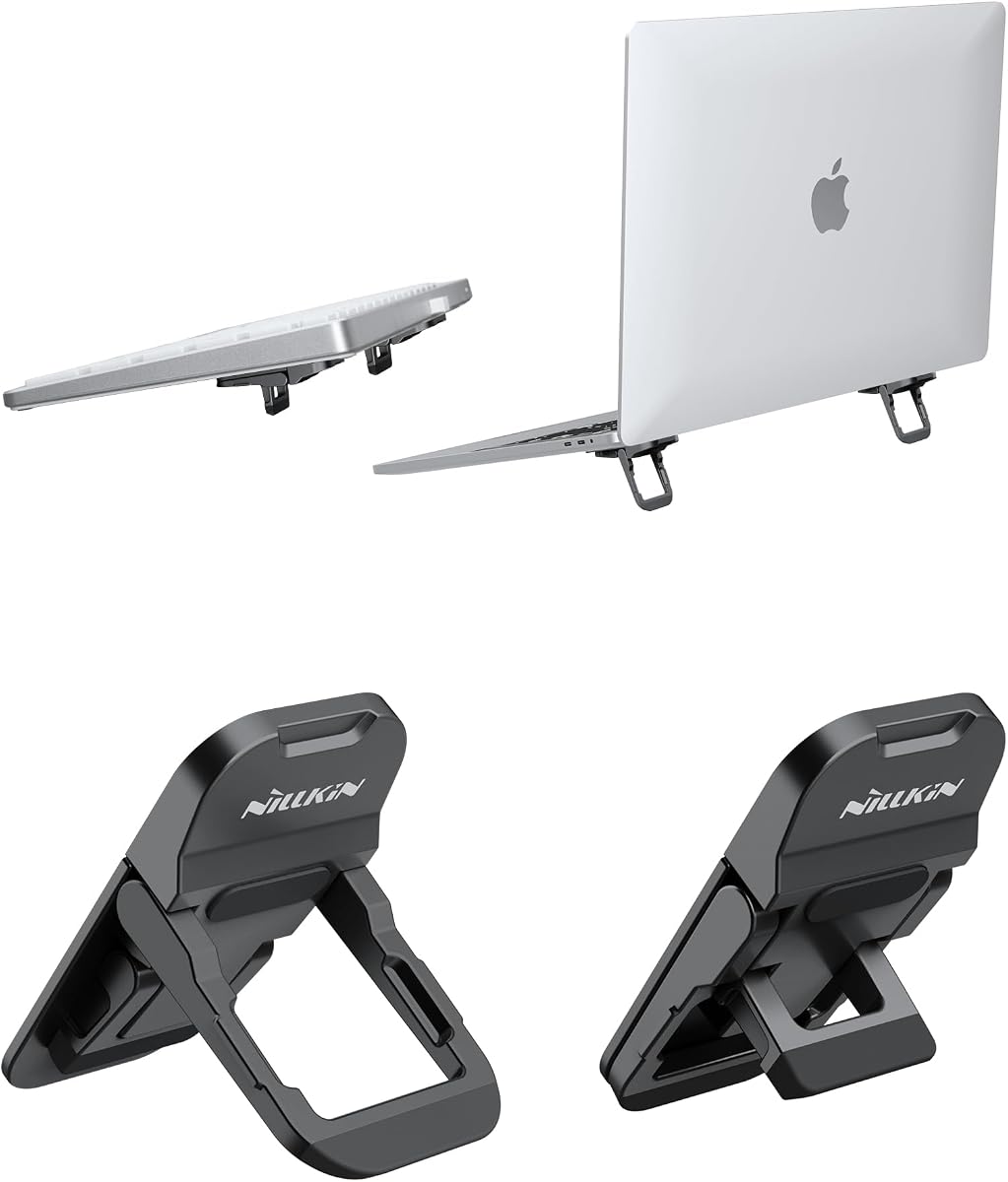
The Nillkin stand provides three precise angles for ergonomic typing and viewing. Made from zinc alloy it balances durability with a slim design. The nano adhesive ensures firm attachment without leaving residue when removed properly.
We may earn a commission when you buy through this link, at no additional cost to you.
Its open design enhances airflow preventing overheating during long work sessions. The foldable nature makes it easy to pack for travel. It supports laptops from 10 to 17 inches and many keyboards as well.
The adhesive requires one hour of curing for full strength which users must plan for. It is pricier than basic plastic stands but offers better build quality. Repeated removal may weaken adhesion so placement should be intentional.
Ideal for frequent travelers and professionals needing reliable ergonomic support. This stand is a solid middle ground between budget and premium options. We recommend it for those valuing angle precision and material quality.
Three distinct angles allow fine-tuned positioning to reduce strain on neck and shoulders during extended typing or viewing.
The nano adhesive bonds securely without leaving residue ensuring a clean removal process if you need to reposition.
We may earn a commission when you buy through this link, at no additional cost to you.
This two-pack of mini stands is exceptionally compact yet durable. The zinc alloy construction ensures they last while the foldable design allows easy storage. Included anti-slip stickers help secure your device and desktop surface.
We may earn a commission when you buy through this link, at no additional cost to you.
Their small size makes them easy to carry in bags or pockets for on-the-go use. They elevate laptops to improve posture and airflow. Despite being small they provide stable support for most laptops and desktop keyboards.
The fixed angle means you cannot adjust viewing height once installed. The small dimensions might not suit very heavy gaming laptops. For daily work however they offer excellent portability and value at a low cost.
Best for travelers and remote workers needing a lightweight solution. This set is suitable for multiple devices or sharing. It combines durability with extreme convenience for everyday use.
Weighing almost nothing and folding down to tiny dimensions ensures you can carry this stand anywhere without feeling the load.
Elevating your laptop allows air to circulate underneath helping cool the system and preventing thermal throttling during heavy tasks.
We may earn a commission when you buy through this link, at no additional cost to you.
This stand transforms from a laptop riser to a tablet easel phone holder and even a selfie stick. The aerospace aluminum offers rock-solid stability for heavy laptops. Eight height levels allow precise ergonomic alignment for various users.
We may earn a commission when you buy through this link, at no additional cost to you.
The integrated N52 magnetic core supports MagSafe iPhones for dual-screen setups. This versatility replaces multiple accessories making it ideal for hybrid work environments. The folding frame collapses quickly into a compact baton shape for transport.
The extra features may be unnecessary for those who only need a simple laptop lift. The cost is higher due to the multi-function design. For power users however this is a comprehensive solution.
Best for users wanting one device for multiple use cases. This stand is suitable for content creators and professionals with varied setups. It delivers premium build quality and functional flexibility.
Converting between laptop riser tablet stand and phone holder eliminates clutter and saves space in your travel bag or desk.
The built-in N52 magnet securely holds MagSafe devices enabling hands-free calls or video calls alongside your laptop.
We may earn a commission when you buy through this link, at no additional cost to you.
With a 4.7 rating this Ringke stand is a top choice for quality seekers. The zinc alloy and TPU grip ensure a secure hold on devices. Three height levels provide ergonomic flexibility for typing and viewing.
We may earn a commission when you buy through this link, at no additional cost to you.
Installation is straightforward using adhesives with no tools required. The lightweight design keeps the overall setup slim. It enhances airflow significantly helping to dissipate heat efficiently during use.
Once adhered moving the stand requires cleaning the surface and might reduce grip quality. The three fixed levels might not satisfy those needing custom angles. For general use however it is highly effective.
Ideal for users who prioritize build quality and stability. This stand is suitable for daily office work and light travel. We recommend it for those valuing a high customer satisfaction score.
Non-slip TPU grips hold your device firmly in place preventing accidental shifts during typing or movement.
Three selectable height levels help you find a comfortable position that reduces strain on your neck and shoulders.
We may earn a commission when you buy through this link, at no additional cost to you.
The Aulumu G07 features a unique spring-loaded pop-up design that deploys instantly. It is incredibly thin weighing only 1.4oz and fitting easily in bags. The zinc alloy construction ensures it remains sturdy when extended.
We may earn a commission when you buy through this link, at no additional cost to you.
This stand fits laptops from 8 to 20 inches covering a wide range of devices. The strong adhesive keeps it attached securely when not in use. The click mechanism adds a tactile quality users enjoy.
Mechanical moving parts could be a point of failure over years compared to solid stands. Adhesive prep is needed to ensure longevity. For speed and portability it is unmatched.
Best for users who need quick access to ergonomic elevation. This stand is suitable for frequent travelers and dynamic work environments. It combines convenience with a sleek aesthetic.
The spring mechanism pops the stand up in under a second so you can start working without fumbling with setup steps.
At just 0.16 inches thick it stays nearly invisible on your laptop base keeping your device looking slim and sleek.
We may earn a commission when you buy through this link, at no additional cost to you.
This slim adhesive stand offers a simple way to elevate devices without bulk. The smart folding design allows it to lie flat when not in use. Soft prevention pads protect your device from scratches while in use.
We may earn a commission when you buy through this link, at no additional cost to you.
It supports devices larger than 9 inches covering most laptops and tablets. The 3M adhesive provides a strong bond for daily use. Its weightless profile adds no strain to your device or bag.
Repeated removal may lower adhesive performance so plan placement carefully. The rating is slightly lower than other Ringke models suggesting minor usability quirks. Still it is a reliable option for simple needs.
Ideal for users wanting a minimal footprint for elevation. This stand is suitable for laptops and tablets needing occasional lifting. It balances simplicity with effective support.
The folding mechanism lets the stand lie flush against your laptop when not in use keeping your workspace clean.
Soft slide prevention pads ensure your laptop or tablet stays scratch-free and secure while using the stand.
We may earn a commission when you buy through this link, at no additional cost to you.
Selecting the right laptop kickstand depends on your specific needs regarding portability, material quality, and adjustability. This guide outlines key factors to help you make an informed decision.
Materials like aluminum and zinc alloy offer better durability and heat dissipation compared to plastic. Metal stands tend to last longer and provide a more premium feel.
Prioritize metal construction if you plan to use the stand daily or with heavier laptops.
For travelers look for foldable or adhesive designs that add minimal weight and bulk. Some stands fold down to less than two inches making them easy to fit in bags.
Choose compact models if you carry your laptop frequently to different locations.
Stands with multiple height or angle options allow better ergonomic customization. Fixed stands are simpler but may not suit all typing preferences or desk heights.
Opt for adjustable models if you need to fine-tune your viewing angle for comfort.
A good stand must not wobble when typing. Look for features like silicone pads, wide bases, or strong adhesive to ensure the device stays secure.
Check reviews for stability feedback especially if you use a heavier laptop model.
Ensure the stand supports your device size. Most universal stands fit 10 to 17 inch laptops but some have specific limits.
Verify device size compatibility before purchasing to avoid fit issues.
Elevating your laptop allows air to flow underneath reducing overheating risks. Aluminum stands often aid this process by acting as thermal sinks.
Choose a stand with an open design to maximize airflow around your laptop.
Adhesive stands offer permanent setups but limit repositioning. Portable stands can be moved but may add slight bulk to your bag.
Decide based on whether you need a fixed desk solution or a travel-friendly option.
Some stands come with extra features like webcam covers or phone mounts. These can add value but may increase price and complexity.
Consider whether extra features align with your specific workflow needs.
For adhesive stands clean the bottom surface of your laptop thoroughly before applying. Allow the adhesive to cure for at least one hour before placing the laptop to ensure a strong bond.
Avoid folding or adjusting adhesive stands while attached to your device as this can weaken the adhesive over time. If you need to reposition the stand remove it gently and clean the surface before reapplying.
Regularly wipe down metal stands with a soft cloth to remove dust and debris. This helps maintain grip and prevents scratches on your laptop surface during use.
Generally no when used properly. Look for models with soft silicone pads or protective coatings that prevent scratches. Adhesive stands may leave residue if removed frequently but this can be cleaned.
Yes but ensure the stand supports the weight. Models with aluminum or zinc alloy construction typically handle heavier loads better than plastic ones. Check the maximum load capacity before purchase.
Adhesive stands work best on smooth flat surfaces. Textured or uneven surfaces may reduce bond strength. If your laptop has a textured bottom consider a non-adhesive portable option.
Most portable stands provide between 1 and 5 inches of elevation. Adjustable models with multiple levels allow you to customize height based on your ergonomic needs and desk setup.
For daily users yes. They improve posture reduce neck strain and enhance cooling. Even budget options offer noticeable benefits compared to using a laptop directly on a flat surface.
Some stands allow removal but repeated use may weaken adhesion. It is best to plan placement carefully. Use cleaning wipes to remove residue if you intend to reposition.
Many universal stands support tablets and smartphones as well. Check the size compatibility range to ensure your tablet fits securely on the stand without slipping.
Use a soft dry cloth for metal stands to prevent scratches. Avoid harsh chemicals that might degrade adhesive or silicone pads. Keep the stand free from dust to maintain grip.
We reviewed ten laptop kickstands offering a mix of budget and premium options. The Hagibis adjustable stand leads overall while the Penitue mini stands offer budget value. Ringke stands provide premium build quality for demanding users.
When choosing prioritize material durability and portability based on your routine. Adjustable options add ergonomic benefits but fixed stands simplify travel. Consider whether adhesive or removable designs suit your workspace better.
Prices and availability change frequently so verify current listings before purchase. Check device compatibility and adhesive care tips to ensure long-term satisfaction with your chosen laptop kickstand.