
4U Server Chassis Rack Mount ATX Pc case
4.0Editor score
7 PCI expansion slots
Lockable front door
ATX Motherboard support
Compare the top 4U server chassis cabinet case options for storage cooling and rack compatibility to find the right fit for your home lab or data center.
Choosing the right 4U server chassis cabinet case is crucial for building a reliable and efficient server environment. These enclosures provide the structural support, cooling, and storage capacity needed for high-performance computing tasks.
We evaluated ten top-rated models based on build quality, thermal performance, drive bay capacity, and motherboard compatibility. Our analysis focuses on real-world usability for home labs, small businesses, and professional data centers.
Each pick highlights specific strengths like liquid cooling support, hot-swap bays, or budget-friendly designs. Keep in mind that availability and pricing fluctuate frequently, so verify current stock before purchasing any item.
4.0Editor score

4.2Editor score

4.3Editor score
This side-by-side comparison highlights key specifications across all ten selected 4U server chassis cabinet cases to help you quickly identify the model that best meets your specific hardware and cooling requirements.




The Rosewill RSV-L4500U stands out as a top choice for users needing extensive storage in a 4U form factor. With fifteen internal 3.5-inch HDD bays, it offers immense capacity for media servers or backup solutions. Its 4.2-star rating reflects strong reliability and performance in real-world server deployments.
We may earn a commission when you buy through this link, at no additional cost to you.
Cooling is a major strength here. The chassis includes eight pre-installed fans strategically placed to ensure optimal airflow across all drive bays. This passive and active cooling mix helps maintain safe operating temperatures even when the drives are fully loaded. Additionally, E-ATX support allows for high-end motherboards and expanded PCIe configurations.
While the size and weight are significant trade-offs, they are expected for a chassis of this magnitude. Assembly might require more effort due to the number of components, but the included tools and clear instructions help. The front panel lock adds a necessary layer of security for unattended installations.
This model is ideal for home labs, small businesses, or enthusiasts who prioritize storage density and thermal management. If you need a robust foundation for a high-capacity server without resorting to enterprise-grade pricing, this Rosewill chassis delivers exceptional value and performance.
Eight fans ensure drives stay cool under heavy load, preventing thermal throttling and extending hardware lifespan.
E-ATX support and multiple PCIe slots allow for future upgrades in GPU computing or additional network interfaces.
We may earn a commission when you buy through this link, at no additional cost to you.
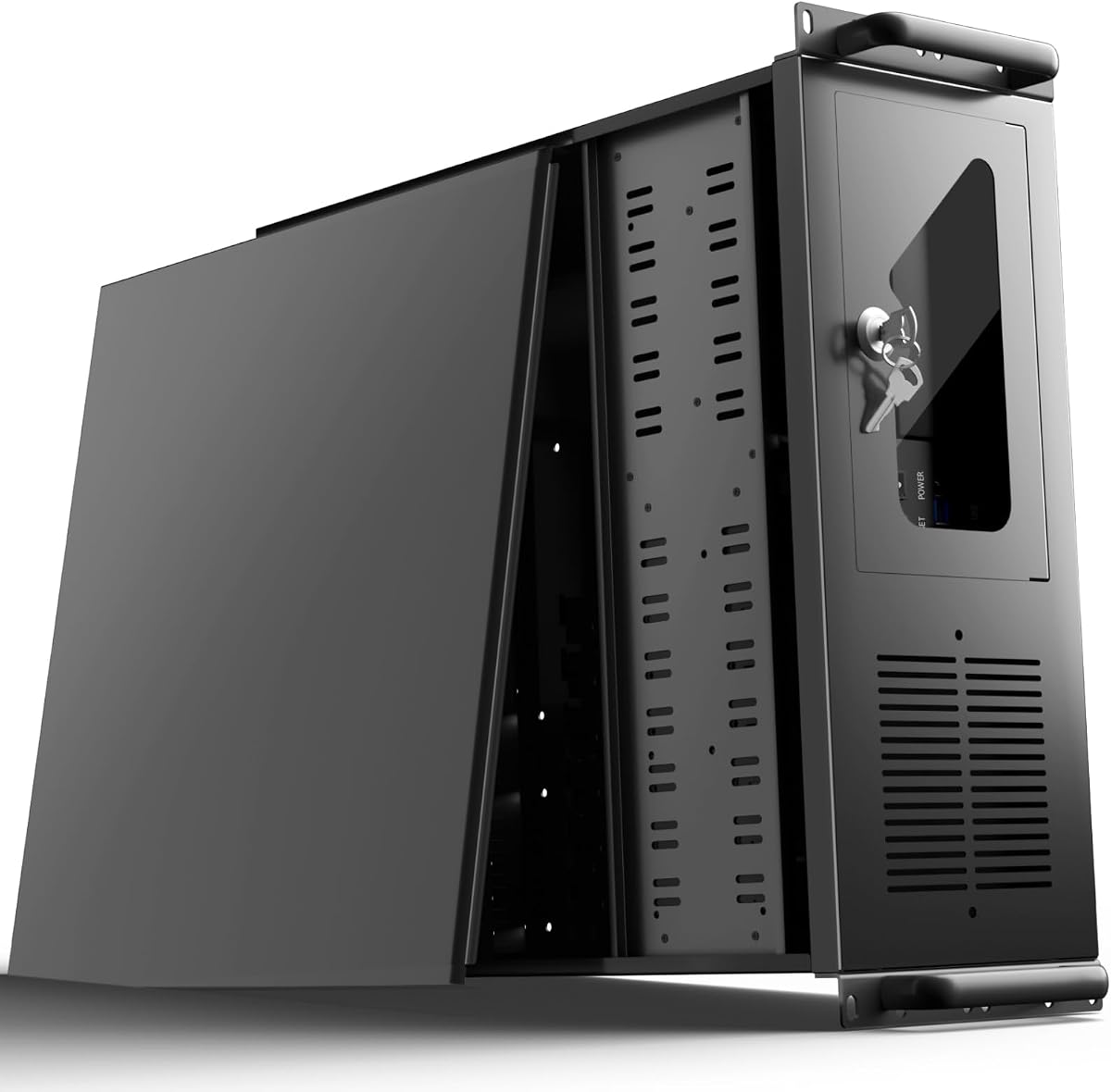
For budget-conscious builders, this 4U server chassis offers a practical entry point into rackmount server deployment. It balances basic functionality with security, featuring a lockable front door and support for standard ATX motherboards. Its 4.0 rating suggests it meets expectations for simple home lab or office use cases.
We may earn a commission when you buy through this link, at no additional cost to you.
The inclusion of seven PCI slots allows for decent expansion, whether adding RAID controllers or extra network cards. A foam filter on the front door helps reduce dust intake, which is vital for longevity in less filtered environments. USB 3.0 ports provide convenient peripheral access without needing to open the chassis.
However, it comes with only one fan, so users may need to add more cooling depending on their workload. The drive bay count is also lower than premium models, limiting storage density. These constraints are acceptable given the significantly lower price compared to high-end alternatives.
This chassis is best suited for lightweight server tasks like file sharing or network monitoring where cost efficiency is paramount. If you need a secure, standard-sized rackmount case without breaking the bank, this model provides solid foundational features.
The key lock mechanism helps prevent tampering and unauthorized access to internal server components.
Works with standard ATX, M-ATX, and Mini-ITX motherboards for flexible hardware configuration.
We may earn a commission when you buy through this link, at no additional cost to you.
The SilverStone RM44 is designed for users who demand high-performance cooling within a 4U form factor. Its ability to support 360mm radiators makes it unique among standard server cases, appealing to those running intensive workloads. With a 4.3 rating, it is respected for quality construction and thermal efficiency.
We may earn a commission when you buy through this link, at no additional cost to you.
It accommodates SSI-EEB and Extended ATX motherboards, giving significant freedom for custom hardware builds. The inclusion of a USB Type-C port modernizes connectivity options for future-proofing. Eight PCIe slots allow for multi-GPU setups or extensive peripheral integration, making it versatile for various high-power applications.
The main trade-off is the higher cost and the need to source compatible liquid cooling components separately. Assembly might require more precision to fit radiators and tubing correctly inside the chassis. These efforts are justified for users needing superior thermal management in a compact rackmount environment.
Ideal for workstations or small data centers requiring advanced cooling, this chassis delivers premium features that standard cases lack. If you plan to run high-clock CPUs or multiple GPUs, the RM44 provides the structural and thermal foundation you need.
Enhanced capability supports up to 360mm radiators for efficient thermal management under heavy loads.
USB Type-C interface ensures compatibility with newer peripherals and data transfer standards.
We may earn a commission when you buy through this link, at no additional cost to you.
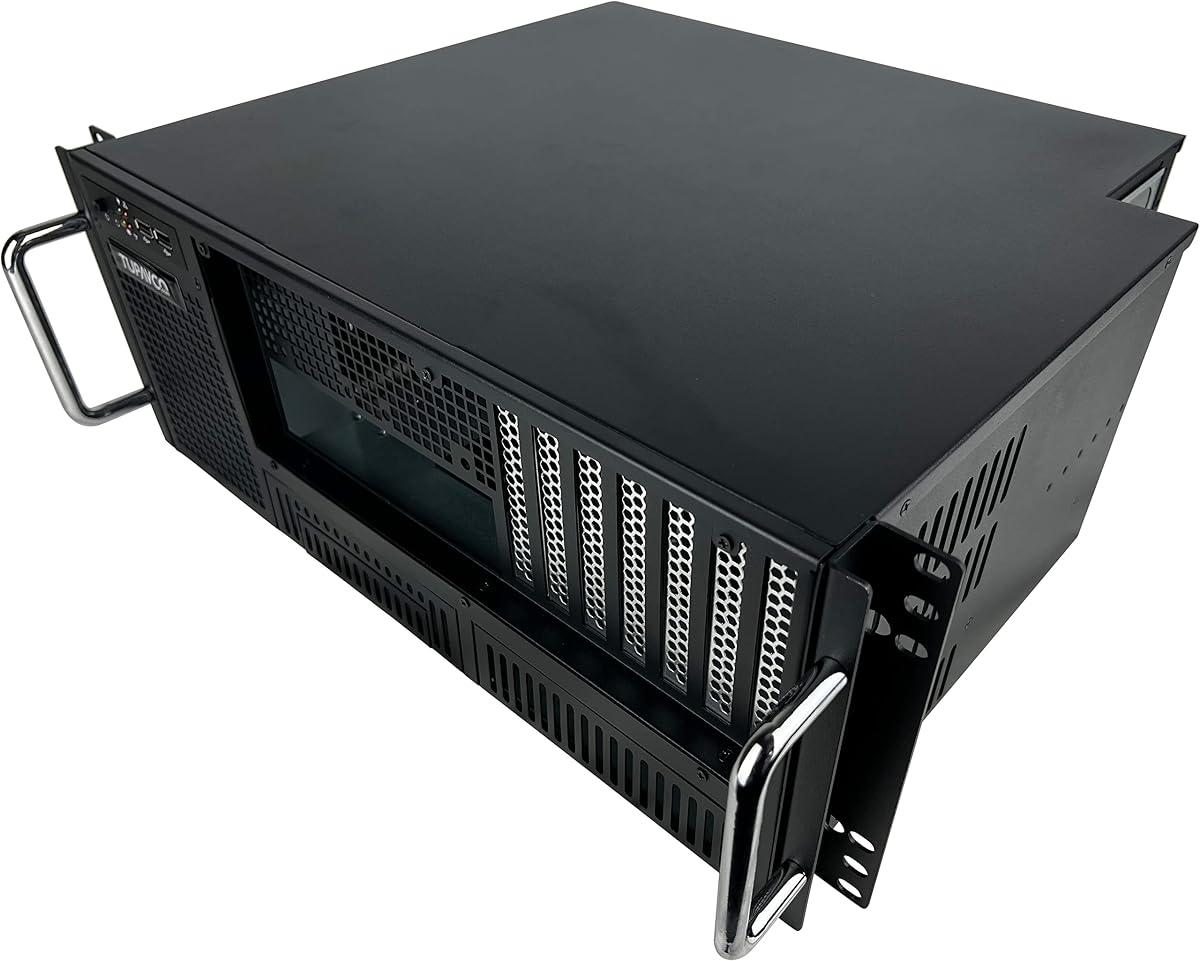
The Tupavco TP1842 emphasizes convenience with its front accessible expansion slots and I/O components. This design allows for easy hardware swaps without removing the chassis from the rack, saving time during maintenance. It is constructed from heavy-duty SGCC steel for durability and robustness in industrial settings.
We may earn a commission when you buy through this link, at no additional cost to you.
With seven full-height expansion slots and mixed drive bays, it offers decent flexibility for various hardware configurations. The power and reset switches along with LED indicators provide clear system status monitoring. However, its 3.9 rating suggests some users have encountered challenges with specific build aspects.
The included fans and power supply options are standard but may need upgrades for high-performance setups. While no assembly is required, the weight and rigidity might make initial rack mounting slightly challenging. These factors balance out its strong mechanical build quality.
This chassis is suitable for environments where frequent access to expansion cards is necessary. If your setup involves regular updates or troubleshooting, the front-access design provides operational efficiency that many competitors lack.
Heavy-duty steel construction ensures the chassis withstands physical stresses in demanding environments.
Front-accessible ports reduce downtime by simplifying cable management and component adjustments.
We may earn a commission when you buy through this link, at no additional cost to you.
The SilverStone RM4A is a versatile chassis supporting both large liquid cooling radiators and standard server motherboards. It offers a balance between traditional rackmount utility and modern cooling needs. With a 3.6 rating, it appeals to users seeking specific compatibility features like USB Type-C and E-ATX support.
We may earn a commission when you buy through this link, at no additional cost to you.
Its eight PCI slots and support for SSI-EEB motherboards make it a flexible choice for expansion-heavy tasks. The inclusion of two 80mm fans provides basic cooling, though additional fans might be needed for full thermal loads. Drive mounting on expansion card retainers adds an unusual but useful flexibility.
Users should be aware that assembly can be tricky due to the tight fit of radiators and motherboard brackets. The rating reflects some inconsistencies in user experience regarding build quality or instruction clarity. These issues are manageable for experienced builders comfortable with custom PC construction.
Best for those needing a bridge between server standards and high-performance PC needs, this chassis offers unique features. If you prioritize cooling potential and modern connectivity in a rackmount form factor, the RM4A delivers a compelling option despite its mixed feedback.
Designed to accommodate massive radiators, allowing for superior cooling efficiency in high-power builds.
Eight PCI slots enable extensive add-on cards for specialized networking or storage tasks.
We may earn a commission when you buy through this link, at no additional cost to you.
The RackChoice 4U is a strong contender for those wanting liquid cooling in a 4U case without the bulk of larger models. Its support for 360mm radiators makes it suitable for high-performance computing tasks. A 4.0 rating indicates satisfaction with its design and cooling capabilities.
We may earn a commission when you buy through this link, at no additional cost to you.
It supports EATX, ATX, and smaller motherboards, offering broad compatibility. The absence of sliding rails means users may need a rack shelf, which affects installation complexity. With only two internal drive bays, storage is limited, making it better suited for compute-heavy rather than storage-heavy roles.
The overall dimensions are optimized for standard 19-inch racks, ensuring it fits typical infrastructure setups. While not perfect for massive storage, its focus on cooling and motherboard flexibility shines for workstation-style servers. Users planning to add external storage arrays will find this limitation manageable.
Ideal for edge computing or small server nodes needing thermal efficiency, this chassis provides a solid foundation. If you value cooling performance over raw storage capacity and are comfortable with rack shelf installation, the RackChoice 4U is a reliable choice.
Supports large radiators to handle the heat output of high-end processors and GPUs effectively.
Compact footprint maximizes rack space for other devices while maintaining robust cooling support.
We may earn a commission when you buy through this link, at no additional cost to you.
The UTLGAMENG 4U chassis focuses heavily on storage expansion with twelve dedicated hard drive bays. This capacity makes it excellent for NAS setups or media centers requiring high data volume. Its 4.0 rating reflects consistent performance and thoughtful features like dust filters and USB 3.0 ports.
We may earn a commission when you buy through this link, at no additional cost to you.
A robust key-lock mechanism ensures physical security for valuable data inside the chassis. The inclusion of seven PCI slots allows for adding RAID controllers or network cards as needed. LED indicators provide immediate visual feedback on system power and drive status, aiding quick troubleshooting.
While the brand is less established, the chassis offers standard compatibility with ATX power supplies and motherboards. The maximum graphics card length of 230mm might be limiting for very large GPUs. These trade-offs are minor considering the high drive density and security features provided.
Best for users building a dedicated storage server or media hub, this chassis offers high scalability. If you need to house a large number of drives securely without investing in enterprise-grade hardware, this model delivers solid utility.
Twelve internal bays provide ample space for growing storage needs in a single 4U unit.
Key lock and dust filters protect components from unauthorized access and environmental contaminants.
We may earn a commission when you buy through this link, at no additional cost to you.
With twenty-four hot-swappable drive bays, this chassis is built for serious storage demands. The inclusion of a Mini SAS backplane simplifies cabling and improves data transfer efficiency. A 4.2 rating indicates it performs well in data center environments where uptime and capacity are critical.
We may earn a commission when you buy through this link, at no additional cost to you.
The cooling system includes multiple large fans to manage heat across all twenty-four drives. SATA and SAS support ensures compatibility with various drive types, offering flexibility in hardware selection. The design prioritizes reliability, making it suitable for mission-critical server applications.
However, the complexity of wiring twenty-four drives requires careful planning and potentially additional controllers. The price is higher than standard cases, reflecting its specialized nature. For those not needing such high density, simpler options might be more practical.
Ideal for enterprise backup servers or high-volume data repositories, this chassis excels in capacity and manageability. If your workflow requires frequent drive swapping or massive storage volumes, the hot-swap functionality is a game-changer.
Allows drive replacement without powering down the server, ensuring continuous operation and data safety.
Mini SAS backplane streamlines cabling and supports faster data throughput for multiple drives.
We may earn a commission when you buy through this link, at no additional cost to you.
The 4U Industrial Case balances professional-grade design with modern cooling capabilities. Support for a 360mm AIO liquid cooler makes it viable for high-performance computing. A 4.3 rating highlights its reliability for industrial or heavy-duty office server deployments.
We may earn a commission when you buy through this link, at no additional cost to you.
Extensive mesh ventilation on the front panel ensures optimal airflow, preventing overheating during intense workloads. USB 3.0 ports and accessible power buttons provide ease of use for on-site maintenance. The 19-inch width ensures compatibility with standard racks, simplifying integration.
While the industrial look might not appeal to everyone, the functionality is robust for its purpose. Assembly is straightforward, and the chassis feels sturdy enough for demanding environments. It is a practical choice for users prioritizing cooling and build quality over aesthetics.
Best for industrial computing or professional labs needing reliable cooling, this chassis offers a solid foundation. If you need to run intensive tasks without sacrificing rack compatibility, this model meets those needs effectively.
Mesh ventilation combined with liquid cooling support keeps internal temperatures stable during heavy use.
Power, reset, and USB ports are easily reachable for quick operations without opening the case.
We may earn a commission when you buy through this link, at no additional cost to you.
The Rackowl Server Case stands out with the highest rating in our selection, indicating broad user satisfaction. It supports a mix of HDD and 5.25-inch bays, allowing for optical drives or card readers alongside hard disks. With seven cooling fans, thermal management is exceptional for the price point.
We may earn a commission when you buy through this link, at no additional cost to you.
Support for E-ATX and CEB motherboards offers significant flexibility for custom builds. The front panel lock ensures security, while LED indicators provide quick status checks. Its dimensions provide ample room for complex cable management and component installation.
The dust filter is essential but requires regular maintenance to maintain airflow efficiency. The larger size might challenge smaller rack spaces but ensures hardware compatibility. Users appreciate the quiet performance despite the high fan count, thanks to optimized airflow design.
Best for home studios or small data centers seeking a balanced, high-reliability case, this model is highly recommended. If you want maximum motherboard support and cooling without compromising on security, the Rackowl case delivers consistently.
Support for multiple motherboard sizes allows users to tailor the server to exact performance needs.
Seven fans ensure excellent cooling while maintaining low noise levels through efficient airflow design.
We may earn a commission when you buy through this link, at no additional cost to you.
Selecting the right 4U server chassis involves evaluating several critical factors including cooling, storage capacity, and motherboard support. This guide breaks down the essential elements to consider before making your decision.
Ensure the chassis supports your specific motherboard form factor such as ATX, E-ATX, or CEB. Mismatched sizes can prevent installation or limit internal component placement.
Always verify dimensions against your motherboard manual to avoid fit issues.
Look for cases with adequate fan mounts or pre-installed fans based on your workload intensity. Liquid cooling support is crucial for high-performance CPUs or multiple GPUs.
Prioritize airflow paths that move cool air over heat-generating components directly.
Determine the number of drives you need immediately and plan for future expansion. Hot-swap bays simplify maintenance but cost more than fixed bays.
Check if the chassis includes backplanes to simplify cabling for multiple drives.
Measure your rack space carefully as 4U units vary in depth and width. Heavier chassis may require reinforced mounting rails or shelves.
Consider transport logistics since large server cases can be cumbersome to move.
Count the available PCI or PCIe slots to ensure you can add necessary network or RAID cards. Some chassis block slots if you use certain drive configurations.
Full-height slots are usually preferred for professional-grade expansion cards.
USB ports, audio jacks, and LED indicators improve daily usability and monitoring. A lockable front panel adds essential security for sensitive data centers.
Dust filters on intake fans reduce maintenance frequency and protect internal components.
Steel thickness and material quality impact durability and noise reduction. High-quality materials also prevent warping during shipping or installation.
Look for reinforced handles and sturdy mounting points for safety.
Establish a clear budget that accounts for the case, fans, and potential cooling upgrades. Cheaper cases often lack essential features like locks or dust filters.
Balance cost against critical features to avoid overpaying for unnecessary extras.
Install the motherboard first by aligning standoffs with the board's screw holes to prevent electrical shorts. Secure all I/O shields properly before inserting any hardware to ensure clean connections.
Route cables neatly using tie-downs to avoid blocking airflow paths. This practice helps maintain cooler internal temperatures and simplifies future troubleshooting or upgrades.
Regularly clean dust filters with compressed air to prevent airflow restriction. Check fan operation periodically and replace any noisy or failing units to maintain system health.
Not all 4U chassis are compatible with E-ATX motherboards. You must check the specific specifications for motherboard support. Many premium models list E-ATX compatibility explicitly while budget models may only support standard ATX.
Most 4U server chassis do not include power supplies unless specified. You typically need to purchase a compatible PSU separately to fit the form factor requirements of the enclosure.
A chassis is the bare metal frame for mounting hardware, while a cabinet often includes doors and panels for enclosure. Some products include both elements but it is good to confirm what comes in the box.
Sliding rails are rarely included and must be purchased separately or chosen as an option. Check the product details carefully to see if they are part of the package or require extra ordering.
Most 4U cases come with at least three to five fans for basic airflow. High-performance setups may require six to eight fans depending on the thermal load and CPU configuration you are running.
Yes, SSDs can be installed in most 4U chassis but mounting hardware may be required. Some bays are designed for 3.5-inch HDDs so you might need adapters for 2.5-inch SSDs.
Our top picks highlight diverse strengths from massive storage capacity to advanced liquid cooling support. The Rosewill model offers unmatched HDD bays while SilverStone excels in thermal performance.
Prioritize features that match your specific server needs such as drive count or motherboard type. Budget constraints should guide your choice between basic functionality and premium expandability options.
Remember to verify current availability and pricing as they change frequently. Checking multiple sources ensures you get the best deal for your specific configuration requirements.