Discover the top 90 degree Ethernet adapters for tight spaces. We compare ten reliable right-angle and rotatable connectors to ensure stable high-speed
As an Amazon Associate we earn from qualifying purchases. We may earn a commission when you buy through links on this page, at no additional cost to you. Read our affiliate disclosure.As an Amazon Associate we earn from qualifying purchases.Purchases through our links may earn us a commission, at no extra cost to you. Read our affiliate disclosure.
Connecting devices in confined areas often requires flexible cabling solutions. A right angle adapter helps route cables neatly without bending them sharply. This guide explores ten top-rated options for home and office setups.
We analyzed performance, durability, and user feedback to rank these adapters. Each product offers unique features like rotatable heads or specific angle designs. Our comparisons focus on real-world usability and network reliability standards.
Each pick highlights specific strengths and ideal use cases for your needs. Prices and availability may change frequently on retail platforms. Always verify current stock and warranty terms before making your final purchase decision today.
Top 3 Picks for Best 90 Degree Ethernet Adapter
Best Budget
SinLoon RJ45 Ethernet Adapter Cable – 90 Degree Upward Male to Female Switch Adapter for CAT 5/CAT 6 LAN Socket Connector (Upward)
Top 10 Best 90 Degree Ethernet Adapter in 2026 Compared
This table provides a side-by-side overview of key specifications for all ten selected adapters. Review each entry to find the specific angle or speed requirement matching your network infrastructure needs.
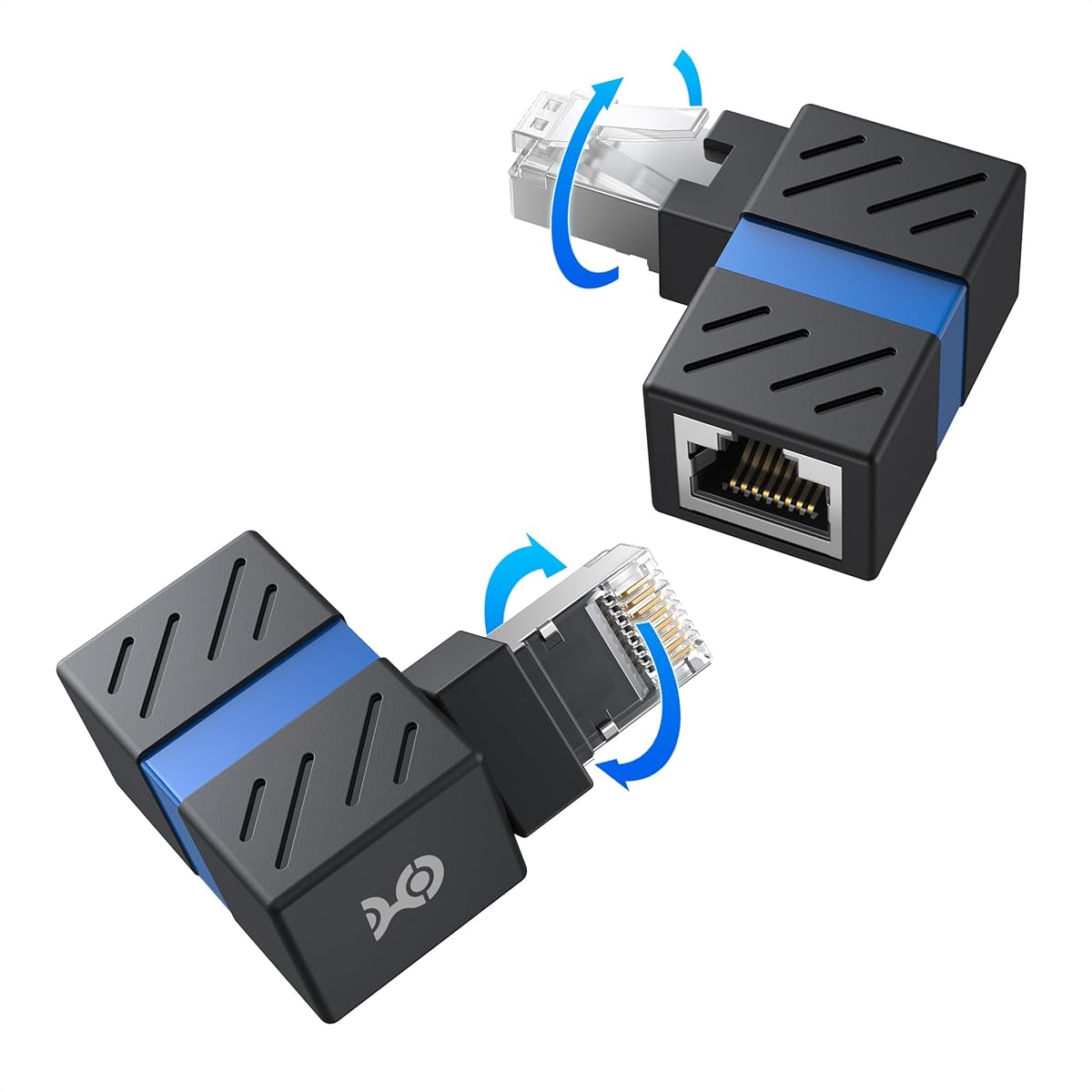
The Cable Matters adapter stands out with its fully rotatable 360-degree connector. It achieves a 4.6 rating from users who value flexible cable routing. This design ensures secure connections without bending cables sharply in tight spots.
Pros
Fully rotatable 360-degree connector
Supports Cat 6A standards
Ideal for tight spaces
High-quality material construction
Cons
May not fit extremely deep ports
We may earn a commission when you buy through this link, at no additional cost to you.
Its high-speed 10Gbps performance with Cat 6A support makes it perfect for demanding networks. The 90-degree angle saves space while maintaining connection integrity. Broad compatibility with Cat 5e and Cat 6 cables adds versatility to your setup.
Robust construction ensures frequent use does not wear down the adapter quickly. However, some deep port enclosures may still limit access despite the angle. These minor constraints are acceptable given the superior performance and reliability offered.
Buy this if you need reliable high-speed connectivity in crowded workspaces. It suits gamers and professionals requiring stable links. The rotatable feature resolves many routing issues common with standard straight adapters.
Maximum Flexibility for Routing
The 360-degree rotation allows you to align the cable exactly where needed behind furniture.
High Performance Standards
Supporting Cat 6A ensures minimal signal loss and maximum data throughput for modern devices.
CERRXIAN offers a straightforward 90-degree right angle adapter for tight spaces. It holds a 4.4 rating thanks to reliable performance and solid build quality. The gold-plated connectors help ensure efficient signal transfer across devices.
Pros
Compact 90-degree design
Gold-plated connectors
Protects computer network ports
Universal LAN compatibility
Cons
Fixed angle limits adjustability
We may earn a commission when you buy through this link, at no additional cost to you.
This extender protects your network port from constant plug and unplug wear. Its upward angle design connects equipment neatly behind routers or furniture. Compatibility with Cat5 to Cat6 standards covers a wide range of existing cables.
While fixed angles lack the flexibility of rotatable models, they remain sufficient for many setups. Users report stable connections for streaming and office tasks. The trade-off is simplicity over complex adjustment mechanisms.
Choose this if you need a basic, effective angle adapter at a reasonable cost. It works well for stationary devices like printers or media players. The gold plating ensures longevity compared to cheaper uncoated options.
Equipment Port Protection
Using this adapter reduces stress on your device port by avoiding sharp bends directly at the connection.
Gold Plated Reliability
Gold plating resists corrosion and maintains high-speed signal transfer over time.
SinLoon provides an affordable solution with a 90-degree upward male-to-female design. It earns a 4.6 rating for delivering solid performance at a budget price. The FTP gold-plated contact ensures efficient transfer for gigabit networks.
Pros
Affordable pricing option
90 degree upward design
Gold plated contacts
Gigabit Ethernet support
Cons
Shorter fixed length may limit reach
We may earn a commission when you buy through this link, at no additional cost to you.
At roughly 30cm, it serves well for short extensions where space is tight. Its backward compatibility with 10/100 Ethernet makes it versatile for older devices. The extension cable connects universally with common LAN components like routers.
The fixed length can restrict reach if devices are slightly further apart. However, for immediate port access, it remains highly effective. This trade-off is typical for budget-friendly adapters designed for simple setups.
Buy this if you need a cost-effective angle adapter for temporary or fixed connections. It suits students or home users extending links to media players. The gold plating adds durability often missing in cheaper alternatives.
Budget-Friendly Gigabit Support
Despite low cost, this adapter supports gigabit speeds reliably for everyday internet usage.
Universal Connectivity
Works with PCs, printers, and routers for broad application across different devices.
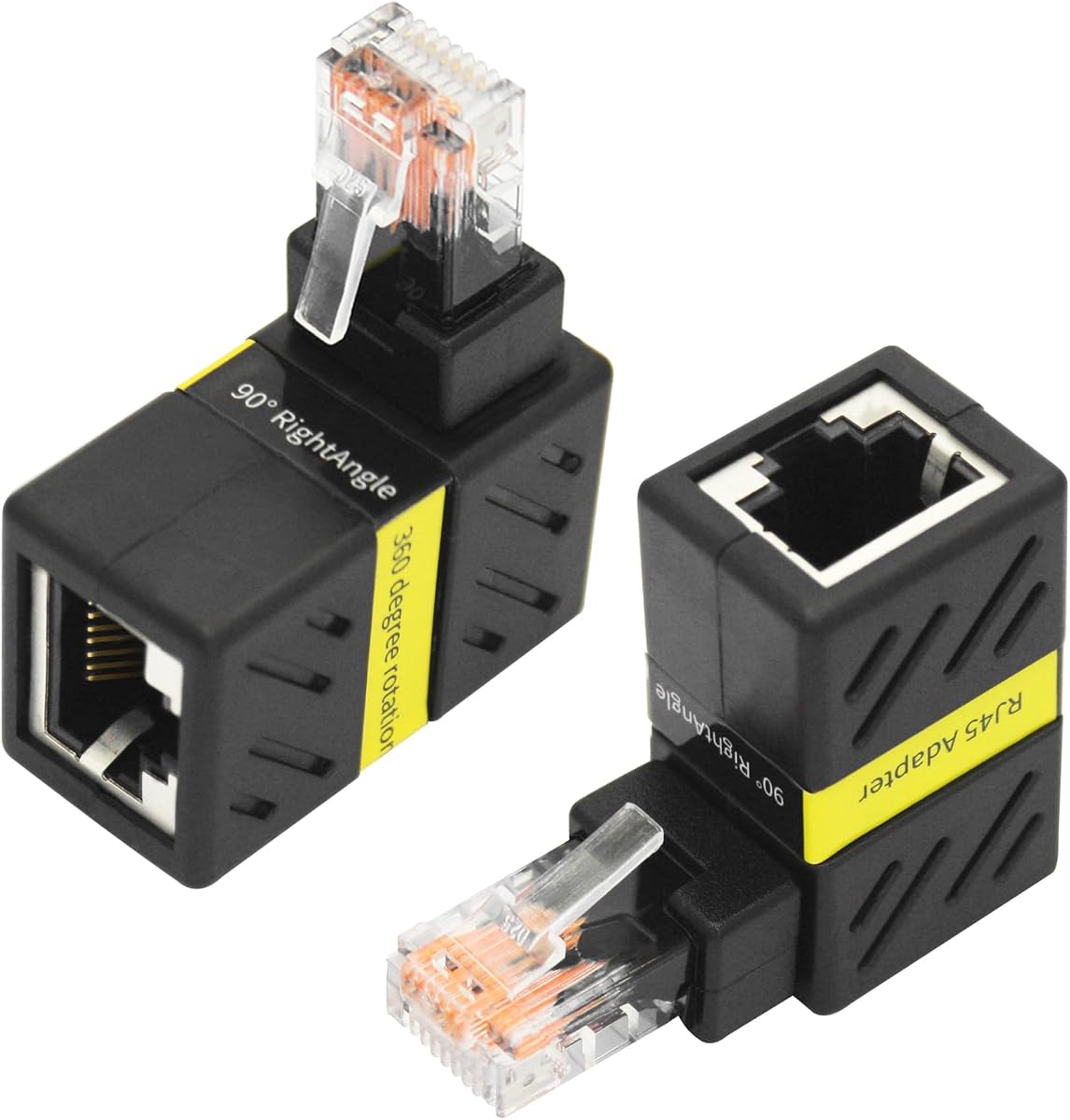
This 2-pack offers 360-degree rotatable angles for flexible cable management. Users rate it 4.4 stars for supporting reliable Cat6 gigabit performance. Its durable ABS housing withstands daily use without easily breaking or bending.
Pros
360-degree rotatable connector
Reliable gigabit performance
Durable ABS housing
Sold as a 2-pack
Cons
Rotation mechanism feels less sturdy
We may earn a commission when you buy through this link, at no additional cost to you.
The rotatable design lets you route cables upward, downward, or sideways as needed. It reduces stress on device ports and creates cleaner installations. This makes it suitable for routers, smart TVs, and game consoles in tight spots.
Some users find the rotation mechanism less robust than premium models. Still, it delivers stable plug-and-play networking without requiring drivers. The trade-off is acceptable for those needing multiple adapters at a lower cost.
Choose this if you need to outfit multiple devices with angled connections. The 2-pack value is excellent for offices or multi-device homes. It balances flexibility and durability for standard home networking needs.
Flexible Cable Routing
Rotate the connector to avoid wall obstacles or furniture blocks during installation.
Port Protection
Prevents sharp bends that could damage internal wires at the device interface.
CableCreation delivers a highly rated 4.8 shielded extension cable for stable transfers. The FTP shielding protects against electromagnetic interference in busy environments. It supports bandwidth up to 250mhz for fast upload and download speeds.
Pros
Highly rated shielded design
Robust interference protection
Up to 1000mbps speed
Backward compatible with Cat5e
Cons
Slightly higher price than non-shielded options
We may earn a commission when you buy through this link, at no additional cost to you.
Its angled design connects existing Ethernet to reach routers or network devices easily. Compatible with Cat5 and Cat6 standards, it fits most setups. The robust build ensures long-term use without performance drops over time.
The price is slightly higher than basic unshielded adapters but justified by stability. Users praise the durability and consistent signal quality. Investing in shielding minimizes risks in high-interference home network setups.
Buy this if you need interference-free performance near electronics or power lines. It suits office or high-demand home environments requiring stable links. The warranty and support add confidence to the purchase.
Robust Interference Shielding
FTP shielding prevents external noise from corrupting data during transmission.
Stable Transfer Speeds
Supports consistent 1000mbps speeds even under heavy network loads.
This adapter comes as a 2-pack with a compact 4-inch 90-degree design. It earns a 4.7 rating for maintaining original internet speeds without signal degradation. Its build protects Ethernet ports from repeated plugging wear.
Pros
Compact 4-inch length
Maintains full internet speed
Protects ports from wear
High user satisfaction
Cons
Short length limits reach significantly
We may earn a commission when you buy through this link, at no additional cost to you.
Constructed with high-quality conductors, it provides consistent signal integrity for streaming. Compatible with Cat5e to Cat8 cables, it covers modern networking needs. The angle is ideal for furniture or desks where space is limited.
The short length may not suit setups needing extra reach. However, it excels at keeping cables neat and stress-free nearby. Users accept this constraint for the port-saving benefits it provides.
Choose this if you need multiple compact adapters for nearby devices. It works well for routers directly behind media centers. The 2-pack ensures you have spares for future expansion needs.
Port Saver Benefits
Acting as an extension, it reduces direct stress on your device Ethernet port.
Stable Signal Quality
High-quality conductors ensure no bottlenecks in your data transmission speed.
This 2-pack offers a generous 20-inch length with a downward right angle design. It holds a perfect 5.0 rating from users valuing long reach and port protection. The downward clip facilitates cleaner cable routing on vertical surfaces.
Pros
20-inch length offers reach
Perfect 5.0 rating
Downward right angle design
Wide backward compatibility
Cons
Heavier cable may strain tight spaces
We may earn a commission when you buy through this link, at no additional cost to you.
Supporting bandwidth up to 250MHz, it ensures stable high-speed networking for HD streaming. Its compatibility extends from Cat5 to Cat7 cables, covering diverse network gear. The extension acts as a protective layer against plug-and-unplug damage.
The heavier cable might be stiff in very tight spots. However, its length solves access issues where routers are hidden far away. This trade-off is worth the convenience it brings to organized setups.
Buy this if you need extra length to reach wall-mounted devices easily. It suits setups where routers are deep inside cabinets. The 2-pack ensures redundancy for critical connections.
Extended Reach
The 20-inch length allows connections beyond immediate port limitations.
Cable Management
Downward clip design helps organize cables neatly without clutter.
CableGeeker delivers a premium 360° rotatable adapter tested for over 30,000 insertions. It earns a 4.5 rating for supporting Cat6A 550MHz and 10Gbps speeds. Its reinforced design protects joints from accidental bends in server racks.
Pros
Supports 10Gbps speeds
360-degree rotation
Reinforced right-angle design
Tested for durability
Cons
Higher cost than standard Cat6 models
We may earn a commission when you buy through this link, at no additional cost to you.
Full-rotation engineering adjusts effortlessly to confined workstations or cabinets. It converts standard RJ45 ports to right-angle connections universally. This suits VR applications and cloud computing requiring high bandwidth and stability.
Cost is higher than standard Cat6 options but justified by 10Gbps capability. Users appreciate the durability testing and robust materials. The premium price reflects the enhanced performance and longevity provided.
Choose this if you demand 10Gbps performance with maximum flexibility. It suits professional or high-end home offices. The rotation ensures ideal alignment without cable strain in complex setups.
High Bandwidth Support
Cat6A and 10Gbps support handles modern heavy data traffic easily.
Durability Testing
30,000 insertion tests confirm resistance to daily wear and tear.
SinLoon offers a downward variant with a 4.5 rating for practical use. The 90-degree downward connector routes cables neatly in confined spots. Gold-plated contacts ensure efficient signal transfer and corrosion resistance.
Pros
Downward angle flexibility
Gold plated contacts
Affordable price
Universal LAN connectivity
Cons
Short fixed length again
We may earn a commission when you buy through this link, at no additional cost to you.
Supporting Gigabit Ethernet, it connects universally with PCs and routers. The 30cm length works for short extensions where space is minimal. Backward compatibility covers most existing LAN networks smoothly.
Fixed length limits reach but keeps the design compact and simple. It suits temporary or conference room connections well. The trade-off is typical for budget-friendly, short adapters.
Buy this if you need a specific downward angle for vertical mounts. It works well for wall outlets or low sockets. The gold plating ensures reliable performance over time.
Downward Routing
Downward angle helps route cables down walls or behind desks efficiently.
Corrosion Resistance
Gold plating ensures the contact remains clean and conductive.
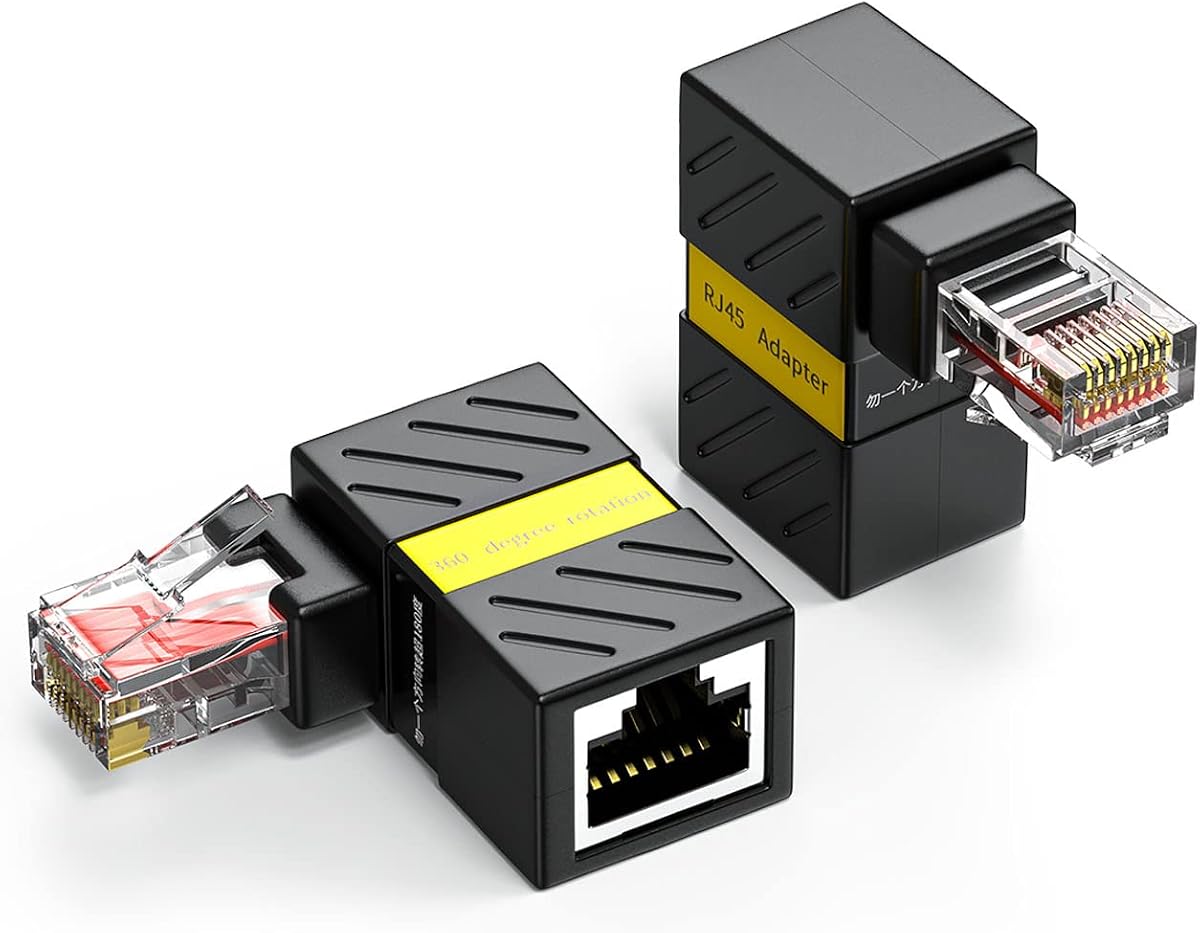
This 2-pack offers unique 180-degree rotation for flexible positioning. It earns a 5.0 rating for stable gigabit coupler performance. The 1000Mbps speed supports modern data transfer requirements reliably.
Pros
Perfect 5.0 rating
180-degree rotation
1000Mbps gigabit speed
Durable ABS shell
Cons
Rotation instructions may confuse first-time buyers
We may earn a commission when you buy through this link, at no additional cost to you.
Rotation allows adapting to Left, Right, Up, or Down angles as needed. The ABS plastic shell provides durable construction for daily connections. This adaptability makes it a versatile choice for tricky ports.
Rotation instructions require attention to avoid initial confusion. However, the functionality once set solves many routing challenges. The perfect rating confirms users find it reliable despite minor complexity.
Choose this if you need multiple orientation options for different devices. It suits dynamic setups where port access varies. The 2-pack ensures backups and multiple uses for versatile needs.
Orientation Flexibility
180-degree rotation adapts to Left, Right, Up, or Down directions.
Gigabit Reliability
Supports up to 1000Mbps for stable high-speed internet connections.
We may earn a commission when you buy through this link, at no additional cost to you.
Buying Guide – How to Choose the Best 90 Degree Ethernet Adapter
Selecting the right adapter depends on your space, speed needs, and budget. This guide outlines the key factors to consider before buying.
Rotation Flexibility
Some adapters rotate 360 degrees while others fix at 90 degrees. If your setup requires multiple orientations, a rotatable model offers better flexibility to avoid sharp bends or strain on the cable.
Prioritize rotatable designs if you route cables in tight or complex areas.
Cable Category Support
Check if the adapter supports Cat 6 or Cat 6A standards for higher speeds. Using a lower category adapter on high-speed cables can limit your network performance. Ensure compatibility with your existing Ethernet cables.
Select Cat 6A if you need 10Gbps speeds and robust interference protection.
Port Protection Features
Adapters often protect device ports from wear caused by frequent plugging. Look for designs that reduce cable strain at the connector point to extend the life of your router or PC ports.
Choose models with sturdy housings to prevent accidental damage to sensitive ports.
Connector Quality
Gold-plated connectors resist corrosion and ensure stable signal transfer. High-quality contacts reduce the risk of connectivity drops over time. Avoid uncoated connectors if you need reliable long-term performance.
Always check for gold plating if consistent signal quality is a priority.
Size and Length
Some adapters include short extension cables while others are pure connectors. If you need extra reach, measure your space carefully. Short adapters save space but limit flexibility in placement.
Match the adapter size to your available space and connection distance.
Durability and Warranty
Reputable brands offer warranties and durability testing like insertion counts. Look for ABS housing or reinforced designs that withstand daily use. A warranty protects against defects and premature failures.
Prioritize options with strong build quality and reliable manufacturer support.
Number of Units
Many products come as 2-packs to outfit multiple devices. Buying a pack reduces cost per unit compared to single adapters. Consider your total device count to avoid needing separate purchases later.
Opt for a 2-pack if you need to connect more than one device.
Price and Value
Budget options save money but may lack premium features like rotatable heads. Weigh your need for speed and flexibility against cost. Sometimes investing slightly more saves replacement costs later.
Balance your budget with the features you need most for daily use.
How to Use and Care for Your 90 Degree Ethernet Adapter
Start by inserting the male connector of the adapter into your device port. Ensure it clicks securely to confirm a stable connection without looseness. Then route the cable through the female side at the desired angle.
Avoid forcing the adapter if ports are tight or obstructed. If needed, check alignment before plugging to prevent pin damage. Gentle handling ensures longevity for both the adapter and your device.
Keep the connector area clean and dust-free. Periodically check that the cable angle remains stable without sharp kinks. Replacing worn units promptly maintains network performance and safety.
Frequently Asked Questions
Does a 90 degree adapter reduce internet speed?
No, adapters matching your cable standard like Cat 6 or Cat 6A maintain full speeds. Only lower-quality or mismatched adapters can degrade performance. Ensure you choose models supporting Gigabit or higher requirements.
Will this adapter work with all routers?
Yes, standard RJ45 ports on routers work with these adapters. Universal compatibility covers most PCs and network devices. Just verify your ports are Ethernet and not specialized proprietary interfaces.
How do I choose between upward and downward angles?
Choose upward angles if routing cables over or away from surfaces. Downward angles work for wall or desk outlets. Match the direction to where your cable naturally runs best.
Are these adapters suitable for gaming?
Yes, high-speed models with minimal signal loss support gaming needs. Stable connections reduce lag compared to wireless alternatives. Look for 1000Mbps or 10Gbps ratings for best results.
Can I use one adapter for multiple cables?
No, each adapter connects one cable at a time. Use multiple adapters in a pack to connect several devices. They are designed for point-to-point extensions not sharing connections.
What is the lifespan of a typical adapter?
High-quality adapters with reinforced joints last for years of daily use. Durability depends on material quality and insertion frequency. Proper handling extends their functional life significantly.
Do I need extra tools to install these?
No, these adapters use plug-and-play installation without tools. Just connect male to female ports and ensure secure clicks. No drivers or software changes are required for networking.
Final Thoughts on Choosing the Best 90 Degree Ethernet Adapter
Our top picks highlight the best overall rotatable and budget options. The Cable Matters and SinLoon adapters provide excellent value and performance. Each choice suits specific setup needs from high speed to basic connectivity.
Prioritize rotation flexibility and cable category support for modern needs. Durability and port protection ensure your setup lasts longer. Match your choice to your space constraints and device requirements.
Prices and availability change regularly on retail platforms. Check current stock and warranty terms before purchasing your final unit. Verify compatibility with your existing network gear to ensure smooth setup today.