
Fiber Optic hdmi Cable 100 ft
4.4Editor score
Slim 4.8mm Design
Immune To Interference
4K 60Hz Support
Discover the top 100 foot HDMI cable options for home theater and gaming setups. We compare fiber optic and copper models to help you find the right long-distan
Finding a reliable 100 foot HDMI cable is essential for connecting devices across large rooms or between buildings. Long distances can cause signal loss, so choosing the right technology matters for consistent performance.
We evaluated ten top-rated models based on bandwidth, durability, and compatibility with modern devices. Our analysis focuses on how well each cable handles high resolutions and refresh rates over extended lengths.
Each pick highlights key strengths and ideal use cases for different setups. Keep in mind that availability and pricing may fluctuate, so check current listings before making your final decision today.
4.4Editor score

4.5Editor score

4.3Editor score
This side-by-side comparison highlights the core specifications of each model. Review the table to see how features like bandwidth and jacket ratings differ across the top contenders.



This cable earns our Editor's Choice for users planning permanent installations. Its CL3 rating ensures safety when running cables inside walls, a critical feature for home theater builds.
We may earn a commission when you buy through this link, at no additional cost to you.
It delivers full 48Gbps bandwidth, enabling 8K video and advanced audio formats like eARC. The fiber optic core guarantees minimal signal loss even at 100 feet of length.
While it is unidirectional, the clear labeling prevents installation errors. The main trade-off is the cost compared to standard copper cables, but the longevity justifies the investment.
Choose this if you need a future-proof solution for hidden wiring. It balances high performance with safety compliance for professional setups.
The CL3 rating means the jacket meets fire safety codes for in-wall residential installations.
Variable refresh rate support ensures smooth gameplay without screen tearing on compatible monitors.
We may earn a commission when you buy through this link, at no additional cost to you.
This model stands out as the Best Budget choice for those needing long-distance 4K transmission. Its slim profile makes it easy to route through tight spaces or conduits.
We may earn a commission when you buy through this link, at no additional cost to you.
The German chipset ensures reliable conversion between optical and electrical signals. It handles HDR10 and eARC well, providing a solid experience for modern TVs.
Since it is limited to 4K, it may not suit users with 8K displays. However, for most current setups, the performance is excellent for the price point.
Buy this if you prioritize cost and flexibility. It offers the benefits of fiber optics without the premium price tag.
Fiber optics eliminate electromagnetic interference, ensuring a clean signal over long distances.
At just 4.8mm diameter, this cable is among the thinnest available for easy installation.
We may earn a commission when you buy through this link, at no additional cost to you.
This cable justifies its premium status with unique detachable connector technology. If a connector fails, you only replace the ends, saving the cost of a new cable.
We may earn a commission when you buy through this link, at no additional cost to you.
The stainless steel armor provides exceptional protection against physical damage and bending. This makes it highly reliable for environments where cables are subject to wear and tear.
It supports full 48Gbps bandwidth for 8K video. The full fiber optic construction ensures zero interference, which is crucial for sensitive equipment.
Select this for demanding installations like medical fields or engineering setups. The durability and repairability make it a long-term investment.
Detachable heads mean you can replace damaged ends without discarding the entire cable.
The armored structure resists compression and tension better than standard braided designs.
We may earn a commission when you buy through this link, at no additional cost to you.
This model offers a blend of high user satisfaction and technical performance. The smart chip helps maintain signal integrity over the full 100 feet.
We may earn a commission when you buy through this link, at no additional cost to you.
It supports the latest HDMI 2.1 standards, including VRR for smoother gaming. The aluminum alloy shell adds rigidity and durability to the connector areas.
The anti-bending tail design prevents stress on the cable during tight bends. This attention to detail extends the overall lifespan of the product.
Consider this for gaming setups where reliability is key. It delivers the speed needed for next-gen consoles without compromising on build quality.
Variable refresh rate technology matches the display to the console for tear-free visuals.
Reinforced tails and shells protect against common failure points like joint cracking.
We may earn a commission when you buy through this link, at no additional cost to you.
Snowkids provides a reliable 8K HDMI fiber optic cable with excellent 48Gbps bandwidth. It is designed to handle modern high-resolution video without signal drop.
We may earn a commission when you buy through this link, at no additional cost to you.
The military-grade nylon braid adds strength while maintaining flexibility. This ensures the cable can withstand frequent moves or tight bends in complex installations.
Gold-plated ports help resist corrosion for long-term connection integrity. The cable is also backward compatible with older HDMI versions for versatile use.
This is a strong choice for users seeking 8K future-proofing. It balances performance with durability at a competitive level.
Backward compatibility ensures the cable works with older devices and displays easily.
The nylon braid protects against tangles and abrasion during installation and use.
We may earn a commission when you buy through this link, at no additional cost to you.
BENFEI offers robust performance with support for 4K at 240Hz, a rare feature for long cables. This makes it ideal for high-performance PC gaming setups.
We may earn a commission when you buy through this link, at no additional cost to you.
The CL3 rating ensures it meets safety standards for in-wall use. You can run it through walls without violating code or risking fire hazards.
It includes full support for eARC and Dolby Atmos audio formats. The 18-month warranty adds peace of mind for long-term reliability.
Choose this for high-end gaming or home theater needs. It combines safety compliance with top-tier video performance.
240Hz support ensures ultra-smooth motion for competitive gaming at high resolutions.
CL3 rating means the cable jacket is fire-resistant for use in residential walls.
We may earn a commission when you buy through this link, at no additional cost to you.
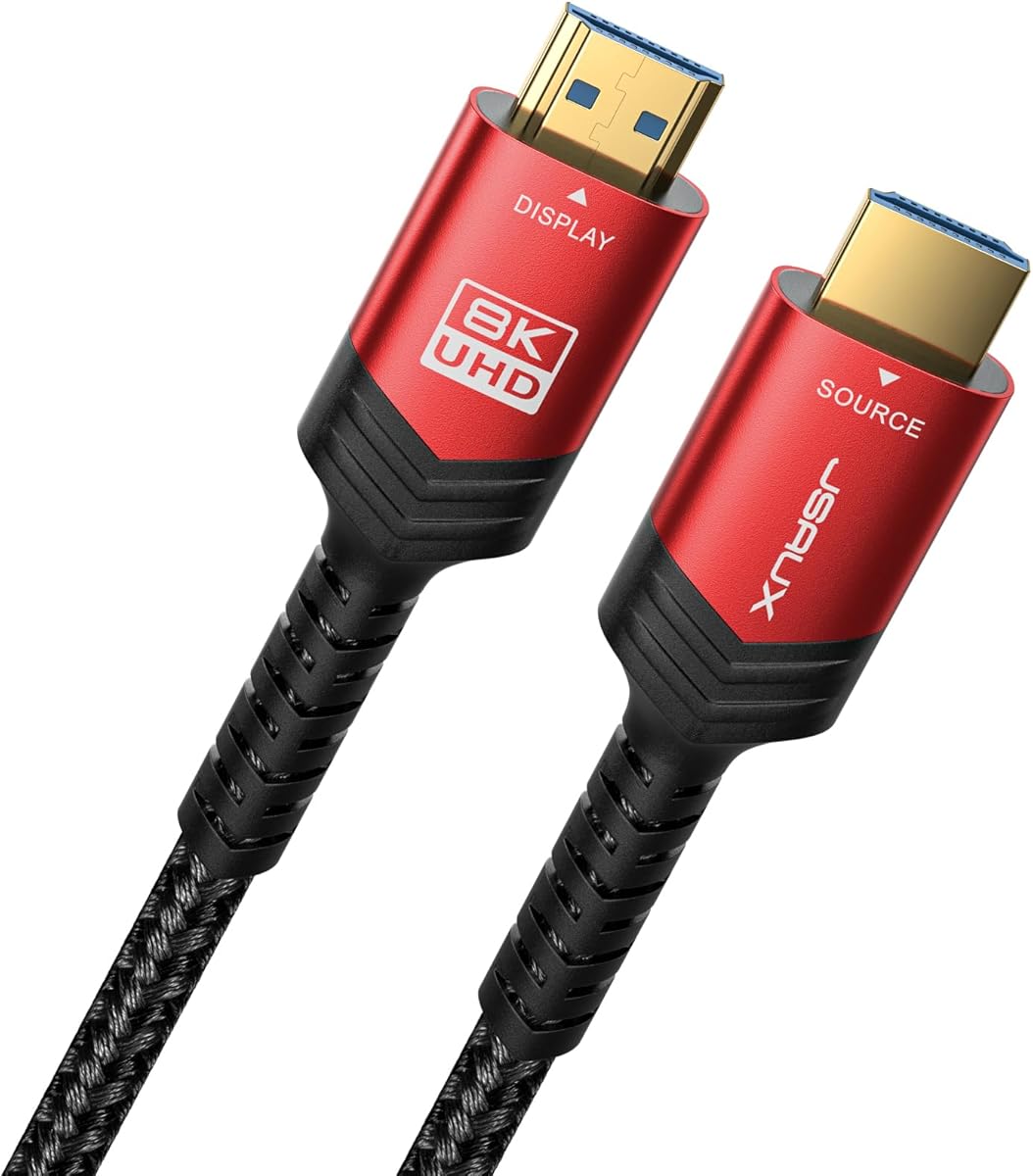
JSAUX delivers a robust HDMI 2.1 cable with heavy-duty shielding and nylon braiding. The build quality is evident in the triple tin shielding against interference.
We may earn a commission when you buy through this link, at no additional cost to you.
It supports a wide range of resolutions up to 8K and includes essential gaming features like ALLM. The gold-plated connectors ensure a reliable physical connection.
While the cable is somewhat thicker due to its shielding, it offers great protection for long runs. It is designed to handle demanding home theater environments.
Select this if build quality is your priority. It provides confidence in signal integrity and physical durability.
Triple tin shielding blocks external noise to maintain a stable signal over long distances.
Gold plating resists oxidation for consistent contact over years of use.
We may earn a commission when you buy through this link, at no additional cost to you.
This option uses traditional pure copper construction for stable signal transmission. It supports up to 4K at 60Hz with reliable performance over 100 feet.
We may earn a commission when you buy through this link, at no additional cost to you.
Triple shielding and gold-plated connectors protect against interference and corrosion. It is a standard choice for users who prefer copper over fiber optics.
The cable is slightly thicker than fiber options but offers robust handling for office or home setups. It meets HDMI 2.0 standards fully for current needs.
Choose this for straightforward 4K connections. It is a dependable solution without the complexity of active fiber components.
Passive copper design simplifies setup with no active components or directional requirements.
Triple shielding reduces noise from nearby power sources or electronic devices.
We may earn a commission when you buy through this link, at no additional cost to you.
This cable emphasizes flexibility and durability with its SR joint design. It resists cracking at the ends, a common point of failure in long cables.
We may earn a commission when you buy through this link, at no additional cost to you.
The fiber optic core allows for long-distance transmission without signal loss. It is ideal for routing around corners or through tight spaces easily.
While it supports 4K, it is not designed for 8K resolution. However, for standard high-definition needs, the performance is reliable and consistent.
Buy this for general home use where flexibility is needed. The joint protection ensures it withstands repeated adjustments.
The SR joint design reinforces the connector area to prevent breakage over time.
Fiber optic core allows the cable to bend more easily than copper alternatives.
We may earn a commission when you buy through this link, at no additional cost to you.
This model offers a balanced approach with full 8K support and premium build materials. The braided design adds a touch of style and physical protection.
We may earn a commission when you buy through this link, at no additional cost to you.
It handles dynamic HDR and 3D well, making it suitable for home theater setups. The interference resistance ensures clear audio and video over the full 100 feet.
The low attenuation means you get consistent quality without needing repeaters. It is a solid all-rounder for those wanting high specs.
Select this for home theater systems needing 8K capability. It delivers professional-grade performance at a competitive level.
Dynamic HDR support ensures high contrast and rich colors for compatible displays.
Fiber core minimizes data loss to keep video sharp even at 100 feet.
We may earn a commission when you buy through this link, at no additional cost to you.
Selecting the right long HDMI cable involves understanding bandwidth needs and physical constraints. This section breaks down the key factors to help you make an informed decision.
Bandwidth determines the maximum resolution and refresh rate a cable can support. For 8K video, you need 48Gbps, while 4K at 60Hz typically requires 18Gbps. Always match the cable specs to your device outputs.
Ensure your cable supports the bandwidth your devices output to avoid bottlenecks.
Fiber optic cables are generally preferred for lengths over 50 feet as they maintain signal quality better than copper. They are also lighter and thinner, making installation easier. Copper cables are passive but may suffer loss over 100 feet.
Opt for fiber optic for the most reliable long-distance signal transmission.
Many fiber optic HDMI cables are unidirectional, meaning they have a Source end and a Display end. Connecting them incorrectly results in no signal. Check the labeling carefully during installation to ensure correct orientation.
Verify the direction of flow before connecting the cable to avoid signal issues.
Look for connectors with gold plating to prevent corrosion and ensure a good electrical connection. Braided nylon jackets protect against physical wear and tangles. Reinforced joints help prevent breakage at the connector points.
Prioritize models with sturdy materials for long-term reliability in your setup.
If you plan to run the cable inside walls, ensure it has a CL3 rating. This certification indicates the jacket is fire-resistant and safe for in-wall residential installation. Using non-rated cables inside walls can violate safety codes.
Always check for CL3 certification if hiding cables within wall cavities.
Ensure the cable supports the HDMI version required by your devices, such as HDMI 2.1 for 8K. Also check for support of features like eARC for audio, VRR for gaming, and HDCP 2.2/2.3 for protected content.
Match the cable features to the specific capabilities of your TVs and consoles.
Long cables can be heavy or thick, making them hard to route through tight spaces. Fiber optics are usually thinner and lighter. If you are installing in a conduit or ceiling, consider the physical dimensions.
Choose a slimmer profile if routing through confined paths or conduits.
A good warranty indicates manufacturer confidence. Look for options that offer at least a year of coverage. Responsive customer support is also valuable if you encounter installation issues or signal problems.
Select a cable with a solid warranty and accessible technical support.
Before installation, verify the direction of the cable ends. Connect the Source end to your device and the Display end to your monitor or TV. Incorrect connection will result in no signal on the screen.
Avoid sharp bends or kinks in the cable when routing it around corners. Fiber optics have specific bend radius limits that if exceeded can damage the internal fibers. Use gentle curves for smooth routing.
Periodically check the connectors for dust or debris. Gently wipe them with a dry cloth to maintain a clean connection. Proper care extends the life and ensures consistent signal performance over time.
Yes, but it must be an HDMI 2.1 cable with 48Gbps bandwidth. Standard copper cables often fail at 8K over this distance. You should look for active or fiber optic options specifically rated for 8K to ensure stable transmission without signal drop.
Most fiber HDMI cables are unidirectional. If the Source and Display ends are swapped, there will be no image. Check the labels on the connectors to ensure correct orientation. If the orientation is correct, try restarting the devices.
Passive copper cables do not need external power as they rely on the device's HDMI port. However, active optical cables may draw power directly from the HDMI port or require a USB connection. Check the product details for power requirements.
Only if the cable has a CL3 safety rating. Standard HDMI cables are not rated for in-wall use and may violate fire codes. Look for CL3 marked cables to ensure safe installation within residential walls.
Yes, models supporting 48Gbps bandwidth can handle 4K at 120Hz. Ensure your TV and console also support this feature. Older cables may cap at 60Hz so check the specs carefully for high refresh rates.
Look for a cable that supports HDMI 2.1 features like VRR and ALLM. The fiber optic options in this list provide the speed and latency benefits needed for competitive gaming. Avoid standard cables if you want 4K at 120Hz.
Fiber optic cables are naturally immune to electromagnetic interference which is ideal for long runs. If using copper, choose cables with triple shielding. Avoid running cables parallel to power lines or near routers to minimize noise.
18Gbps is the limit for HDMI 2.0 which supports 4K at 60Hz. 48Gbps is the limit for HDMI 2.1 allowing 8K and higher refresh rates. If you need 8K or 120Hz gaming, the higher bandwidth is essential.
We reviewed ten distinct options for 100-foot HDMI connections ranging from budget fiber optic to premium armored models. The Highwings CL3 model stands out for in-wall safety while the RUIPRO leads in repairability and durability.
When prioritizing, focus on bandwidth requirements for your specific displays. If you need 8K support, ensure the cable supports 48Gbps. For general 4K use, lower bandwidth models may suffice without sacrificing reliability.
Prices and availability fluctuate so verify the current listings before purchasing. Always check the directional labels during installation to avoid signal issues. With the right cable your long-distance setup will deliver crystal clear audio and video.