XINLEI Keyboard Tray Under Desk
4.4Editor score
Affordable pricing option
Large platform size
Easy installation process
Finding the right keyboard tray for your standing desk is essential for maintaining proper ergonomics and reducing strain during long work sessions. A good tray should offer smooth adjustability, sturdy construction, and enough space for your keyboard and mouse while fitting securely under your desk.
We compared ten highly rated products based on their installation methods, height ranges, and adjustability options. Each model was evaluated for its compatibility with common desk types, weight capacity, and overall user satisfaction scores from verified buyers across different office environments.
Every pick in this list highlights key features like clamp types, dimensions, and ergonomic benefits. Prices and availability can change frequently, so please check the current listings on Amazon for the most up to-date information before making your final purchasing decision today.
4.4Editor score
4.4Editor score

4.2Editor score
As an Amazon Associate we earn from qualifying purchases.
The following table provides a side-by-side comparison of all ten products to help you quickly identify which model fits your specific desk dimensions and ergonomic needs without having to scroll through long text descriptions.


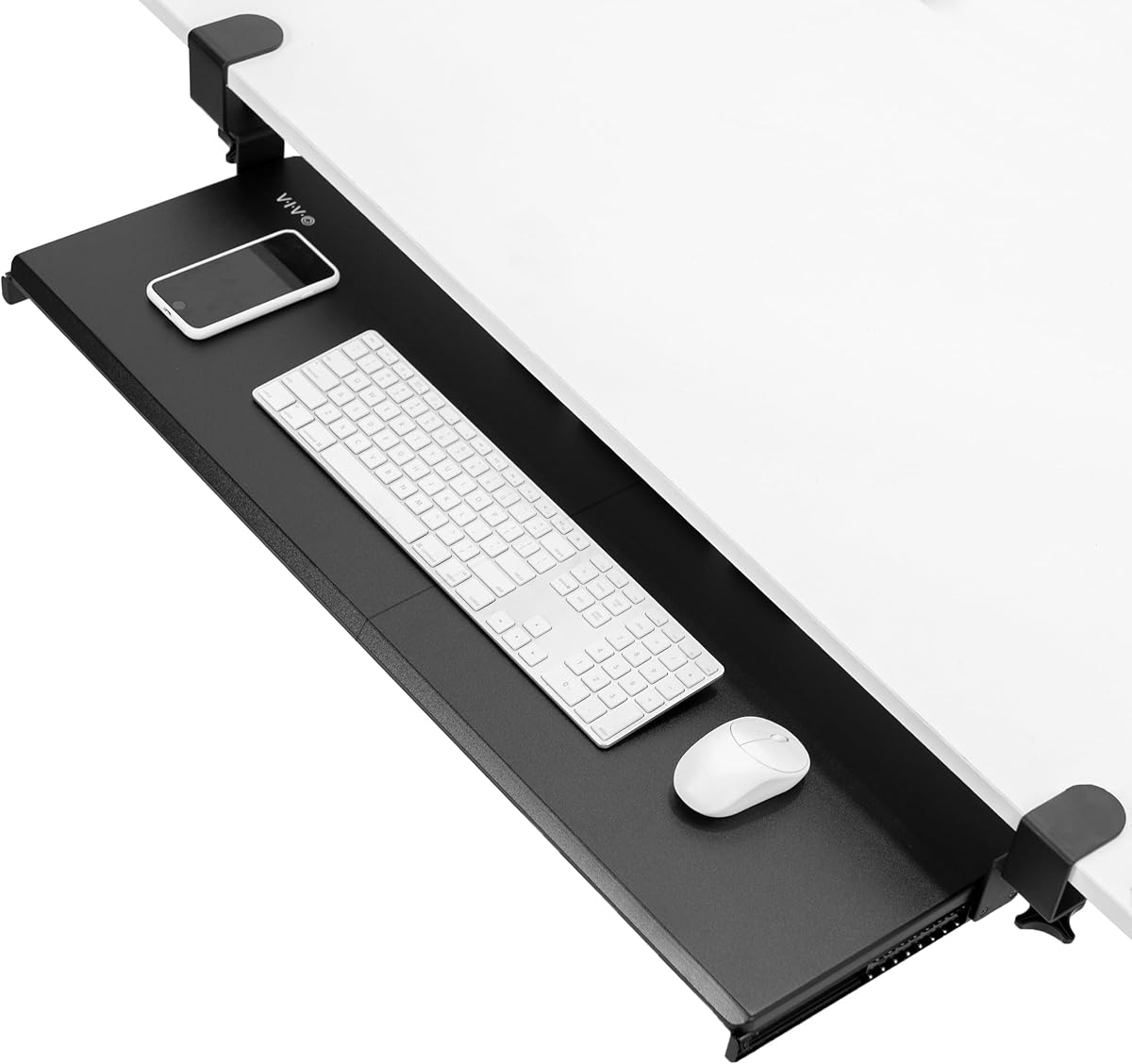
This VIVO keyboard tray stands out as the top pick for its extra-large 34 x 11 inch surface that accommodates full-size keyboards and mice comfortably. With a 4.4 rating from users, it delivers reliable performance for both standing and seated typing scenarios.
We may earn a commission when you buy through this link, at no additional cost to you.
The tray extends up to 8.5 inches from the desk edge, providing ample room for your peripherals while keeping your workspace clutter-free. Its sturdy C-clamps attach securely to desks up to 1.25 inches thick without causing damage during installation.
Users note the smooth sliding mechanism allows for easy retraction when not in use, maintaining a clean desk environment. The ergonomic typing angles help reduce stress on wrists and shoulders during long work sessions.
Ideal for professionals needing generous workspace, this tray is a solid investment for home or office setups. Check current listings to ensure your desk thickness meets the 1.25 inch maximum requirement before purchase.
The tray design promotes neutral wrist positioning to minimize strain during extended typing sessions.
Placing input devices under the desktop frees up valuable surface area for monitors and documents.
We may earn a commission when you buy through this link, at no additional cost to you.
The HUANUO tray is specifically designed to fit desks with cross beams, making it ideal for electric standing desks where clamps might not work. It holds a strong 4.3 rating for its durable roller track system tested for 20,000 cycles.
We may earn a commission when you buy through this link, at no additional cost to you.
Users appreciate the two installation brackets that accommodate flat bottoms or beams up to 2 inches in height. The tray supports up to 11 lbs and allows for a 180-degree swivel to adjust typing angles as needed.
Its height adjustment range of 6.3 inches supports both seated and standing positions comfortably. The installation process is simplified by the top plate hang design that avoids holding the entire tray while drilling.
Best for users with cross-beam desks, this model offers flexibility without sacrificing stability. Verify your desk depth exceeds 17 inches and thickness over 0.6 inches before ordering to ensure proper fit.
Specialized brackets allow secure mounting on desks with cross beams common in electric standing setups.
Full swivel capability lets users reposition the tray for collaborative work or multitasking scenarios.
We may earn a commission when you buy through this link, at no additional cost to you.
This Mount-It! tray excels for sit-to-stand use with a scissor-lift mechanism that adjusts from 1.7 to 15.6 inches. It holds a 4.4 rating and comes ready to use without assembly, making it convenient for quick setup.
We may earn a commission when you buy through this link, at no additional cost to you.
The platform measures 23.6 x 11.8 inches, holding up to 11 lbs for keyboards and mice. A wide, sturdy base with non-slip feet ensures stability during typing, so no need to replace your existing desk.
Users highlight the smooth height adjustment via a built-in release that locks the position securely. The lifetime manufacturer warranty and US-based support add confidence to the purchase for long-term use.
Perfect for those transitioning to standing desks, it provides immediate ergonomic relief without major installation. Ensure your desk can accommodate the base footprint for optimal performance in daily use.
The scissor mechanism goes lower than many risers for comfortable seated typing heights.
Lifetime coverage ensures peace of mind against defects during the lifespan of the product.
We may earn a commission when you buy through this link, at no additional cost to you.
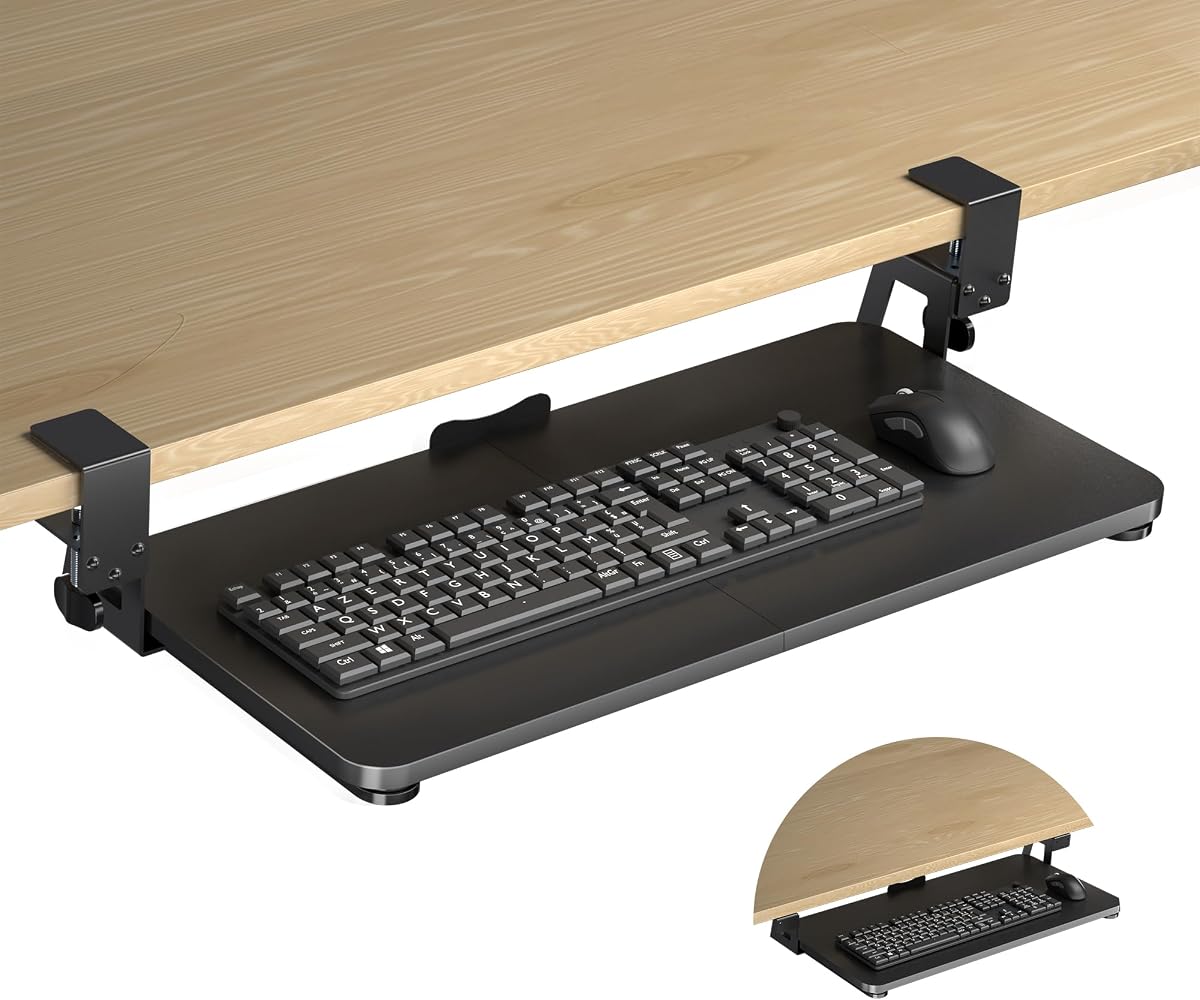
Offering exceptional value, the XINLEI tray delivers a 25.6 x 11.8 inch platform at a budget-friendly price while maintaining a solid 4.4 rating. It includes high-quality metal sliding rails for smooth operation and durability.
We may earn a commission when you buy through this link, at no additional cost to you.
The back baffle design prevents keyboards from falling off during use, and the tray extends up to 12.24 inches for comfortable access. Two installation methods allow flexible mounting for various desk thickness up to 1.63 inches.
Users appreciate the quiet glide mechanism and secure C-clamp hold that avoids desk damage. The screw mount option provides a neater look and is useful for thicker desktops where clamps might not work.
Ideal for cost-conscious buyers, this tray offers premium features without the high cost. Ensure you have the required desk edge clearance for full retraction before finalizing your order today.
A back baffle keeps your keyboard in place even during vigorous typing movements.
Choose between clamps or screws to match your desk type and thickness needs.
We may earn a commission when you buy through this link, at no additional cost to you.
This VIVO tray stands out with width adjustability from 8.8 to 10 inches to fit various desk depths. It carries a 4.3 rating and offers a 30-inch total length for ample keyboard and mouse space below desktop.
We may earn a commission when you buy through this link, at no additional cost to you.
Users find the height adjustable tray with five set points helpful for ergonomic customization. The included wrist pads and mouse rest add comfort during long work sessions without needing to buy extras separately.
The C-clamps handle desks up to 3.4 inches thick, providing versatile mounting options. The 22.5 x 30 inch surface keeps your workspace tidy by moving input devices under the desk for more room above.
Great for users needing flexible width settings, this tray balances adjustability with stability. Check if your desk edges are flat to ensure the clamps fit securely during installation.
Adjust the tray width to match your specific desk depth for optimal under-desk clearance.
Built-in wrist pads support neutral arm positions to reduce strain during typing.
We may earn a commission when you buy through this link, at no additional cost to you.
The BONTEC tray offers a 4.4 rating with no-drill installation via sturdy C-clamps for flat unobstructed desk undersides. Its 25.6 x 11.8 inch platform frees up desktop space for monitors and documents effectively.
We may earn a commission when you buy through this link, at no additional cost to you.
Users highlight the protective pads that prevent scratches on the desk surface during clamping. The tray supports up to 11 lbs and slides in and out smoothly for quick access when needed.
The ergonomic position supports natural wrist and arm posture for reduced fatigue. Installation takes just minutes without tools, and the clamps fit desks up to 1.97 inches thick securely.
Ideal for renters or those avoiding holes in desks, this model provides reliable support and comfort. Confirm your desk width exceeds 31.3 inches to avoid any fitment issues before purchasing.
C-clamps with pads secure the tray without drilling or permanent modification to your desk.
Pulling the tray under keeps the top surface clear for paperwork and additional gear.
We may earn a commission when you buy through this link, at no additional cost to you.
This VIVO universal tray provides a 4.2 rating with full side-to-side rotation and 5 inches of height adjustment. The 25 x 10 inch platform suits most standard keyboards and mice with easy mounting below desktop.
We may earn a commission when you buy through this link, at no additional cost to you.
Users appreciate the supportive rubber padding that reduces wrist soreness during use. The track system allows smooth forward and backward slides for comfortable typing positions in seated or standing work.
Installation is straightforward with all hardware included, though users with height adjustable desks may need a spacer bracket. The tray weight is 10 lbs, so ensure your desk can support this under-mounted load safely.
Best for those seeking a simple, functional upgrade, this tray offers versatile movement at a reasonable cost. Check your desk thickness minimum of 5/8 inch to ensure compatibility before ordering.
Designed to work with most standard desk types without custom modifications needed.
Full rotation lets you turn the tray aside for non-typing tasks easily.
We may earn a commission when you buy through this link, at no additional cost to you.
The HUANUO tray achieves a 4.3 rating with full 180-degree swivel and tilt options for improved comfort. It measures 25 x 9.84 inches to fit standard keyboards and includes a wrist rest for added support.
We may earn a commission when you buy through this link, at no additional cost to you.
Users highlight the 6.3 inches of height adjustment allowing sit and stand positioning easily. The platform disappears under the desk when not in use, saving valuable space for other items on the surface.
Installation requires checking clearance around legs and crossbars to ensure smooth rotation. The knob tightens to lock the tray in place during typing for stability and prevents unwanted movements.
Great for users needing flexible positioning, this tray adapts to various work habits. Ensure your desk width offers at least 35.4 inches for full rotation to avoid hitting side obstacles.
Tilt up or down by 6 or 22 degrees to find your most comfortable typing angle.
Slide the tray back to free up the desktop for documents or other tasks.
We may earn a commission when you buy through this link, at no additional cost to you.
Klearlook offers a premium tray with a 4.2 rating supporting both above-desk and under-desk mounting. The integrated drawer and headphone hanger make it an all-in-one workspace organizer for gaming or office use.
We may earn a commission when you buy through this link, at no additional cost to you.
Users appreciate the 360-degree rotation and 237-degree arm adjustment that accommodate various typing positions. A dedicated phone slot keeps your device accessible while the tray provides a smooth mouse pad for precise control.
The durable construction ensures minimal wobbling during typing for reliable stability. This design frees up valuable desk space while keeping essential items like headphones and phones neatly organized nearby.
Best for power users wanting extra features, this tray combines ergonomics with organization. Check if the above-desk option fits your monitor height before committing to this versatile setup.
Combine typing, storage, and audio access with one integrated stand.
Adjustable arms reduce neck strain by positioning input devices at eye level.
We may earn a commission when you buy through this link, at no additional cost to you.
This Mount-It! tray features a massive 30-inch wide platform and a 3.9 rating among users. It holds up to 11 lbs and fits desks up to 1.77 inches thick, which is wider than most competitors allow.
We may earn a commission when you buy through this link, at no additional cost to you.
Users highlight the smooth, wobble-free rails that keep the tray locked in position during typing. The no-drill clamp system installs in minutes with silicone padding to protect your desk surface from damage.
Lifetime warranty and US support add confidence for long-term use. The drop design promotes neutral wrist angles to reduce strain during long sessions or gaming activities effectively.
Ideal for those needing maximum width for large keyboards, this tray delivers robust performance. Confirm your desk has flat edges and no crossbars before ordering to ensure compatibility with the clamps.
Extra 30-inch width provides room for mechanical keyboards and large mouse pads.
Accommodates desk thickness up to 1.77 inches for more mounting flexibility.
We may earn a commission when you buy through this link, at no additional cost to you.
Selecting the right tray requires understanding your desk type, available space, and ergonomic needs.
Ensure your desk has a flat, unobstructed underside for clamp installation. Avoid models if your desk has beveled, curved, or rounded edges that prevent secure mounting.
Check the maximum and minimum thickness supported by the clamps. Most trays work best with thickness between 0.6 and 1.77 inches depending on the design and clamp strength.
Measure your keyboard and mouse dimensions plus needed clearance. Wider trays like 30 inches suit full-size setups while narrower ones save space.
Look for a slide range between 7 and 12 inches for easy access. Ensure there is enough under-desk clearance to retract the tray fully without hitting obstacles.
Adjustment between 6 and 15 inches allows both seated and standing use. Scissor lifts offer smoother transitions while clamps are fixed once set.
Choose clamps for no-drill setups or screws for thicker desks. Consider if your desk has cross beams that need special brackets for secure mounting.
Steel or metal rollers ensure long-term smooth sliding. Check weight capacity to ensure your keyboard and mouse do not exceed the limit during daily use.
Opt for models with lifetime warranties for long-term peace of mind. Reliable US-based support can resolve installation issues or defective parts quickly.
Clean the sliding rails with a soft cloth to maintain smooth operation. Periodically check clamps for tightness and adjust if your desk shifts during use.
Yes, many trays include cross-beam brackets to fit electric standing desks. Check the product description for specific cross-beam compatibility before buying.
Most clamp-on trays do not work with beveled edges. Look for screw-mounted options or alternative mounts designed specifically for non-flat edges.
Absolutely. Ensure the height range covers both your seated elbow height and standing height for optimal ergonomics.
Most trays support up to 11 lbs which covers standard keyboards, mice, and wrist rests safely.
Basic screwdrivers are usually included or required. No-drill clamp options minimize tool needs for most setups.
Use a non-slip pad or textured surface provided with the tray. Tighten the locking knob when in typing position to avoid movement.
Yes, if your new desk meets the thickness and edge requirements. Clamp models are designed to be removed and reinstalled easily.
Check that your desk depth exceeds 17 inches for proper under-desk clearance. Some models offer adjustable width to accommodate different depths.
Remember to check current listings for availability before finalizing your purchase decision today.