
HP 14 inch Laptop, 2027 Edition
4.5Editor score
Intel N150 processor for low heat
Lightweight portable design for travel
Multiple ports for versatile connectivity
Finding a laptop that operates without distracting fan noise is essential for focus and comfort. Silent devices ensure you can work in libraries, offices, or homes without interruption. Modern engineering has made quiet performance more accessible than ever before for users seeking peace.
We evaluated ten top-rated products including laptops and cooling solutions that prioritize quiet operation. Our comparison considers processor efficiency, thermal design, and real-world noise levels during typical daily tasks to help you find the perfect match for your needs.
Each selection highlights key features like low-power processors or optimized airflow that minimize acoustic output. Prices and availability can shift frequently so please verify current details before purchasing. This list aims to simplify your search for truly silent computing experiences today.
4.5Editor score

5.0Editor score
4.4Editor score
As an Amazon Associate we earn from qualifying purchases.
The following table offers a side-by-side look at each product including short names, key images, and direct links. We also list core specifications like processor type, memory, storage, and display details so you can quickly identify the right fit for your workflow.




The Aurant 15.6 Inch Laptop stands out as a top choice for quiet computing. With a perfect five-star rating it delivers reliable performance without the hum of aggressive fans. Its AMD Ryzen R5 processor ensures smooth daily operations while keeping noise levels low.
We may earn a commission when you buy through this link, at no additional cost to you.
This laptop features a 15.6 inch HD screen that provides clear viewing for work and entertainment. The full size keyboard includes a numeric keypad and backlighting which helps in low light environments. Stable wireless connection via Bluetooth and Wi-Fi ensures seamless connectivity without interruptions.
While the storage is modest at 128GB it is sufficient for cloud-based workflows. The battery life supports extended use away from power outlets. Its lightweight design makes it easy to carry for commuting or outdoor study sessions.
Ideal for students and professionals seeking value and silence this Aurant model is highly recommended. It balances essential features with a quiet chassis design. Users should consider external storage if local file needs grow over time.
The thermal management system keeps fan noise to a minimum allowing deep work sessions without distraction.
Full size keyboard with independent numeric keypad supports efficient data entry and typing comfort.
We may earn a commission when you buy through this link, at no additional cost to you.
The HP 14 inch Laptop is a fantastic budget option for silent operation. It runs on an Intel N150 processor that offers efficient performance without heat spikes. The 4GB DDR5 RAM and 128GB SSD provide a responsive start for basic tasks.
We may earn a commission when you buy through this link, at no additional cost to you.
Its slim 0.71 inch profile weighs only 3.24 pounds making it highly portable. The display offers clear visuals with anti-glare coating which reduces eye strain during long sessions. Connectivity is versatile with USB Type-C and Type-A ports plus HDMI and audio jack.
Cloud storage integration allows users to expand capacity without local limits. Microsoft 365 subscription adds value for document creation and productivity. The device is designed for mobility between home office and school seamlessly.
This laptop suits casual users and students needing affordability and quietness. While it handles web browsing and documents well it may struggle with heavy loads. Consider it for primary computing if cloud reliance fits your workflow.
The lightweight chassis ensures easy transport without sacrificing performance for daily tasks.
1TB Cloud Storage expands possibilities for file access without physical drive clutter.
We may earn a commission when you buy through this link, at no additional cost to you.
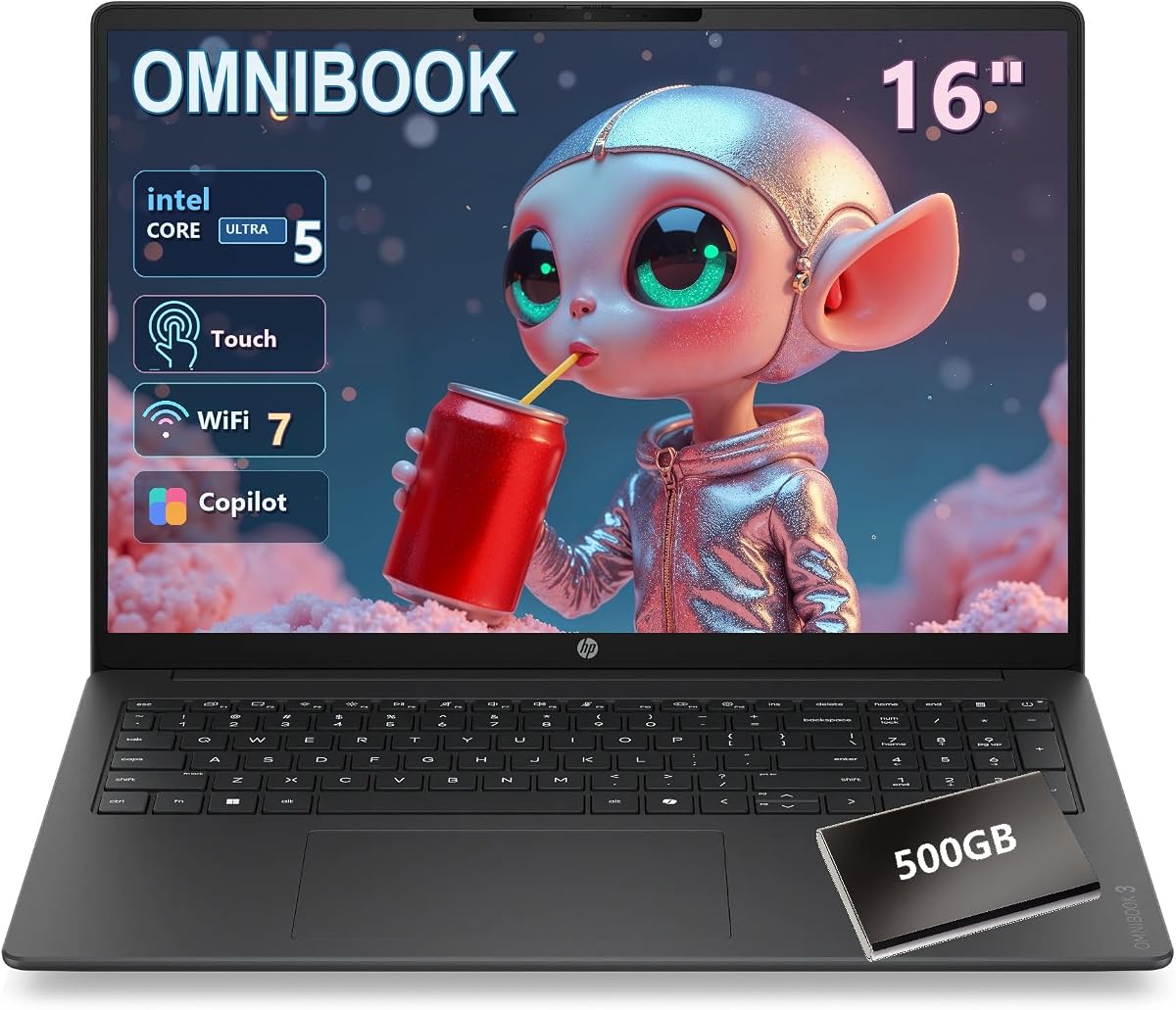
The HP OmniBook 3 delivers premium features with a focus on quiet productivity. Its Intel 12-Core Ultra 5 processor handles demanding tasks smoothly. The 16 inch WUXGA touchscreen offers immersive visuals with 88% screen-to-body ratio.
We may earn a commission when you buy through this link, at no additional cost to you.
Advanced AI Noise Reduction ensures clear communication during calls by filtering background sounds. Wi-Fi 7 and Bluetooth 6.0 provide ultra-low latency and reliable networking. The full-size keyboard with numeric keypad supports comfortable typing sessions.
Designed for professionals it includes a 512GB PCIe Gen4 SSD for fast storage access. The 45W USB-C GaN adapter keeps power needs minimal. Smart Display features enable easy multitasking across windows with one-click management.
This laptop is ideal for users seeking high-end capabilities in a quiet package. The AI integration and display quality justify the investment. While it runs cooler than many peers, intense workloads may require careful thermal management.
Advanced AI Noise Reduction filters out distractions during video calls for clearer interactions.
Wi-Fi 7 and Bluetooth 6.0 ensure future-proof speeds and stable connections.
We may earn a commission when you buy through this link, at no additional cost to you.
The ASUS Vivobook Go 15 combines performance with practical features for students and workers. Its AMD Ryzen 5 CPU delivers smooth multitasking for web browsing and document editing. The 8GB DDR5 RAM ensures fast startup and application switching.
We may earn a commission when you buy through this link, at no additional cost to you.
A 15.6 inch FHD NanoEdge display provides immersive viewing with slim bezels. AI Noise-Canceling Audio minimizes background noise for clear voice calls and remote meetings. The physical webcam Privacy Shutter adds an extra layer of security.
Connectivity includes Wi-Fi 6 and Bluetooth 5.3 for stable wireless performance. The ErgoSense keyboard offers natural typing comfort. A 180-degree lay-flat hinge allows flexible content sharing during collaboration.
This laptop suits those needing reliable hardware with thoughtful design. The privacy and audio features enhance remote work experiences. Users should expect consistent performance for daily productivity tasks without excessive heat.
Built-in Physical Webcam Privacy Shutter protects personal data from unauthorized access.
AI Noise-Canceling Audio ensures background noise does not disrupt virtual meetings.
We may earn a commission when you buy through this link, at no additional cost to you.
The Kootek Laptop Cooling Pad enhances airflow to reduce laptop fan noise. It features five quiet fans including one large and four smaller units with blue LEDs. Two switches allow control over fan usage and LED lights independently.
We may earn a commission when you buy through this link, at no additional cost to you.
Dual USB Hub provides extra ports for peripherals like mice or drives. The ergonomic design offers six height adjustments for comfortable typing angles. Secure stoppers on the front surface prevent laptops from sliding during use.
Compatible with laptops from 12 to 17 inches it fits most models. The blue LEDs add a stylish touch while maintaining functionality. It helps maintain cool temperatures during extended work or gaming sessions.
Ideal for users needing external cooling to lower internal noise this pad is a great solution. It balances performance with a quiet environment. Ensure your USB port can supply enough power for full fan operation.
6 adjustable height settings allow customization for optimal comfort during long sessions.
Dual USB Hub expands your connection options without needing separate hubs.
We may earn a commission when you buy through this link, at no additional cost to you.
The HP Everyday Slim Laptop prioritizes portability and silence. Powered by the Intel N150 Processor it runs quietly for basic tasks. The 4GB RAM and 128GB SSD ensure responsive startup and storage efficiency.
We may earn a commission when you buy through this link, at no additional cost to you.
Enhanced Video Calls feature a True Vision 720p HD camera with noise reduction. A dedicated Microsoft Copilot key helps with quick task organization. The thin design makes it easy to carry for daily commutes.
Microsoft 365 and Windows 11 provide a secure and easy-to-manage environment. Long Battery Life supports working away from power sources. The full-size keyboard with Imagepad ensures smooth navigation and input.
This device is perfect for users needing a quiet travel laptop. It handles documents and web browsing well without noise. Consider this if battery life and portability are your top priorities.
Dedicated Microsoft Copilot key allows instant access to AI assistance.
Temporal noise reduction on HD camera ensures clear voice during meetings.
We may earn a commission when you buy through this link, at no additional cost to you.
The havit HV-F2056 Cooling Pad is designed for portability and quietness. Its three ultra-quiet fans create a noise-free environment to keep your laptop cool. The slim lightweight body protects your investment wherever you go.
We may earn a commission when you buy through this link, at no additional cost to you.
Ergonomic Comfort is provided with two adjustable height settings for typing ease. The metal mesh surface ensures stable laptop placement. Extra USB Ports allow more devices to connect to your system.
Built for 15.6 to 17 inch laptops it fits standard sizes well. The power switch design allows you to manage power usage efficiently. It helps reduce thermal throttling during longer sessions.
This cooling pad suits users with limited space needing a quiet solution. It balances functionality with a sleek design. Ensure you have enough USB ports to support the connection.
Metal mesh provides a stable carrying surface for laptops during use.
Slim and lightweight build makes it easy to transport with your laptop.
We may earn a commission when you buy through this link, at no additional cost to you.
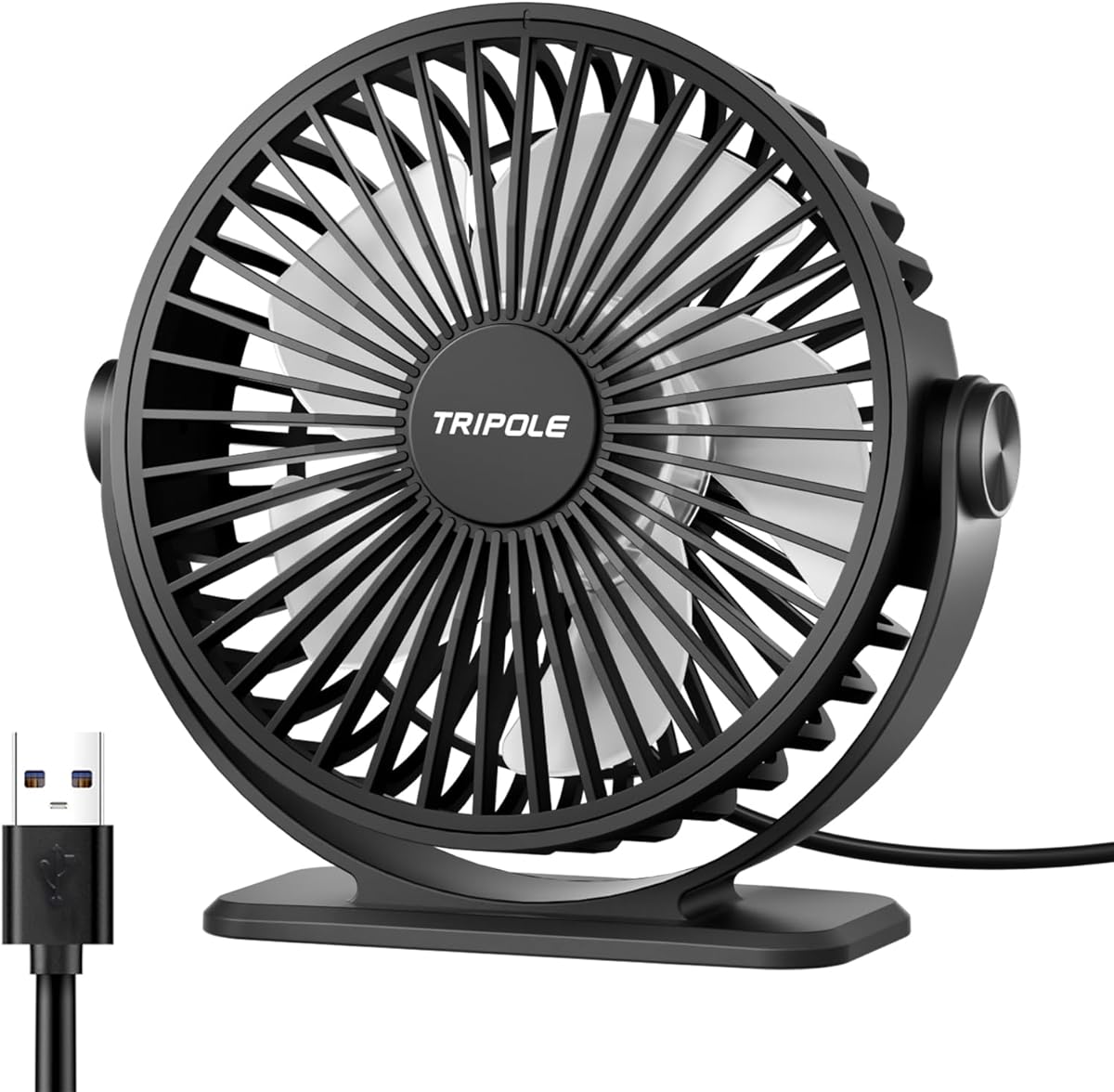
The TriPole USB Desk Fan offers personal cooling to reduce ambient noise. With three speed wind modes you can choose the airflow intensity. Its compact 4.5 inch diameter saves desktop space effectively.
We may earn a commission when you buy through this link, at no additional cost to you.
USB Powered Fan design allows connection to chargers computers or power banks. The stable base with silicone pads reduces vibration and noise. Adjustable Angle head rotates 360 degrees to direct air precisely.
Detachable Cover helps maintain cleanliness and air quality. It is a small personal fan for direct comfort not a cooling device for laptops. A 4.9ft longer cord solves outlet distance issues.
This fan is ideal for personal desks where quiet airflow is needed. It provides rapid cooling for users in warm environments. Ensure your USB port supplies 0.8A current for full performance.
Three speed wind modes provide flexibility for different airflow needs.
Compact size allows easy placement on desks or nightstands.
We may earn a commission when you buy through this link, at no additional cost to you.
The Targus 17 Inch Dual Fan Lap Chill Mat keeps you and your laptop cool. Its dual fans provide double cooling power via standard USB-A connection. The soft neoprene material offers cushioned comfort when on your lap.
We may earn a commission when you buy through this link, at no additional cost to you.
Open mesh top allows airflow to move away quickly ensuring constant cooling. Four rubber stops prevent the laptop from slipping. It fits most 17 inch laptops and smaller ones effectively.
Designed for ergonomic work the tilt makes typing easier on hands and wrists. The design focuses on lap use which makes it unique. It helps prevent heat buildup during casual or mobile work.
This mat is ideal for users working on laps rather than desks. It prioritizes comfort while maintaining cooling efficiency. Consider it if you need portable lap-based cooling solutions.
Soft neoprene bottom delivers superior comfort when resting on your lap.
Rubber stops on face help prevent laptop from slipping during use.
We may earn a commission when you buy through this link, at no additional cost to you.
The HP 17 inch Business Laptop offers a large screen for productivity. Its AMD Ryzen 5 CPU delivers performance with 16GB RAM. The 512GB SSD ensures ample storage for files and applications.
We may earn a commission when you buy through this link, at no additional cost to you.
Immersive Full HD Display with anti-glare provides sharp details and vivid colors. The built-in AI Copilot helps organize tasks and create content quickly. Office 365 for Web allows document creation and editing anywhere.
A full-size keyboard with numeric keypad supports efficient data entry. The sleek silver finish is durable and eye-catching. Long battery life and Fast Charge keep you powered during the day.
This laptop is perfect for users needing a large workspace and quiet operation. Its 17.3 inch screen is ideal for multitasking. Consider it if you prioritize display size over portability.
17.3 inch FHD display is perfect for multitasking and entertainment.
Full-size keyboard with 10-key number pad boosts productivity.
We may earn a commission when you buy through this link, at no additional cost to you.
Selecting a silent laptop requires understanding hardware and design factors. Use this guide to identify what matters most for your quiet computing needs.
Processors with low thermal design power (TDP) generate less heat reducing the need for loud fans. Look for efficient architectures like Intel N-series or AMD Ryzen U-series that balance performance with low energy consumption.
Choose processors designed for everyday tasks to ensure minimal fan activity during typical use.
Chassis materials and internal layout affect heat dissipation. Laptops with passive cooling or heat pipes can reduce reliance on active fans which lowers noise levels significantly.
Check if the manufacturer mentions silent modes or thermal optimization in their design.
Adequate RAM prevents slowdowns that cause fans to ramp up. Solid state drives (SSD) generate almost no noise compared to traditional hard drives making them essential for quiet systems.
Prioritize SSD storage and at least 8GB of RAM for smooth silent operation.
Larger screens often require more cooling due to increased space and heat. Smaller laptops like 14-inch models may have quieter thermal profiles. However many modern 15-inch models are engineered to stay cool.
Choose a screen size that fits your mobility needs without compromising thermal comfort.
Solid build materials reduce vibration and rattling noises from the chassis itself. Metal frames often dampen sound better than plastics. Ensure the hinge and keyboard feel sturdy to avoid mechanical noise.
High-quality assembly ensures that external sounds do not add to fan noise levels.
Software settings that control performance modes allow you to balance speed and silence. Look for laptops with silent or eco modes that throttle power to reduce heat generation.
Use power settings to disable background tasks that drive fans unnecessarily.
Modern USB-C ports often support faster data transfer without noise. Wireless connectivity like Wi-Fi 6 reduces lag and ensures stable connections without hardware interference.
Ensure all ports support your peripherals to avoid external cooling solutions.
Consider where you will use the device. Libraries or shared spaces need maximum silence. Home offices may tolerate slight hum. Matching the device to your environment ensures you get the quietness you need.
Define your primary usage case before selecting a specific model.
Keep your laptop on a hard flat surface to allow airflow. Avoid soft fabrics like beds or pillows that block vents. Proper ventilation reduces heat buildup and keeps fans from working harder than necessary.
Update your operating system and drivers regularly to maintain thermal efficiency. Modern updates often include power management optimizations that lower heat. Check manufacturer websites for specific driver patches that enhance silent modes.
Clean dust from vents periodically to prevent clogging. Use compressed air to blow out any accumulated particles gently. A clean internal system maintains optimal cooling and reduces the need for loud fan speeds.
True fanless laptops are mostly for low-power tasks. High-performance devices use passive cooling or whisper-quiet fans. Most modern efficient laptops use fans that only run when needed.
Use cooling pads or external airflow solutions. Ensure your software isn't running unnecessary background apps. Lowering screen brightness can also help reduce internal heat levels.
Yes cooling pads improve airflow and lower internal temperatures. This allows the internal fans to run at lower speeds or not at all. They help maintain a quiet working environment effectively.
Intel N-series or AMD Ryzen U-series processors are ideal. They generate less heat due to lower thermal design power. These chips prioritize efficiency for smooth silent performance daily.
More RAM can prevent slowdowns that drive fans higher. If your device supports upgrades adding memory helps reduce thermal load. Check manufacturer specs before attempting any hardware changes.
Heat generation and internal design affect noise most. Software tasks demanding high CPU usage will increase fan speed. Physical obstructions to airflow also raise operational noise levels.
This guide presented ten top-rated products that prioritize silent operation. From budget laptops to premium models each option offers a different balance of features and quiet performance. Whether you need a laptop or a cooling pad you have choices to suit your needs.
Prioritize processor efficiency and thermal design when selecting your device. Consider how you use your laptop daily to choose the right balance of power and silence. Investing in quality cooling accessories can also enhance your overall experience.
Remember that prices and availability change frequently so check current listings. Verify specs match your requirements before purchasing to ensure satisfaction. We hope this guide helps you find the perfect quiet computing solution for your workflow.