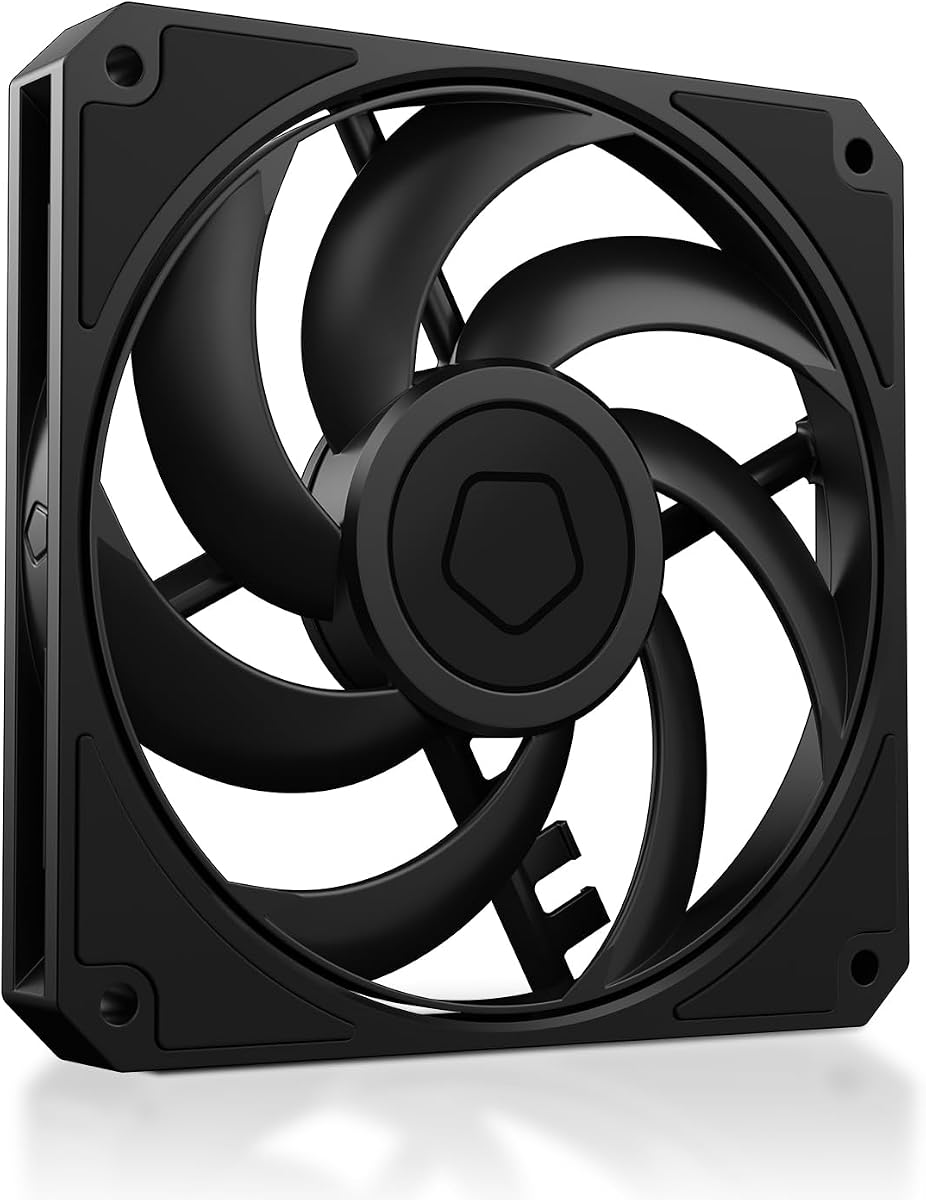
ID-COOLING AM-120-SLIM
4.8Editor score
Ultra-slim fifteen millimeter design
High airflow and static pressure
Quiet and reliable operation
This guide compares the top low profile case fans for small builds, focusing on airflow, noise levels, and slim designs for HTPC and ITX systems.
Low profile case fans are essential for compact builds where space is limited. They provide efficient cooling without the bulk of standard fans. Choosing the right slim fan ensures your system stays cool and quiet.
We compared ten top-rated slim fans based on performance, noise, and build quality. Each product was evaluated for its suitability in small form factor cases. Our list covers various sizes and price points to meet different needs.
Each pick highlights key features and specifications to help you decide. Prices and availability may change over time. Always check the latest details before making your final purchase decision for your PC build.
4.8Editor score

4.9Editor score

4.8Editor score
This side-by-side comparison highlights the key specifications and features of all ten products. It helps you quickly identify the best fit for your specific cooling requirements and case constraints.



The Noctua NF-A12x15 PWM is a premium slim fan designed for quiet cooling. It holds an exceptional rating and stands out for its balance of performance and noise reduction. This fan is ideal for users seeking the best overall experience.
We may earn a commission when you buy through this link, at no additional cost to you.
Its award-winning A-series design features Flow Acceleration Channels that optimize airflow efficiency. The Advanced Acoustic Optimisation frame significantly reduces vibration noise. With a maximum speed of 1850 RPM, it delivers strong cooling even in tight spaces.
The main trade-off is the higher price compared to budget alternatives. However, the included Low-Noise Adaptor allows for even quieter operation at lower speeds. The premium materials ensure long-term reliability and consistent performance.
This fan is perfect for HTPC builds, ITX systems, or low-profile CPU coolers. If you prioritize silence and quality above cost, this is the definitive choice. It remains the top recommendation for demanding small form factor applications.
The optimized frame and channels work together to minimize resonance and air noise effectively.
Includes anti-vibration mounts and screws for easy mounting on radiators or cases.
We may earn a commission when you buy through this link, at no additional cost to you.
The ID-COOLING AM-120-SLIM offers incredible value for budget builders. It provides high airflow and static pressure despite its affordable price. This fan is a top choice for those needing performance without breaking the bank.
We may earn a commission when you buy through this link, at no additional cost to you.
It delivers up to 59.6 CFM airflow and 2.7 mmH2O static pressure. This makes it suitable for both unrestricted airflow and restrictive heatsinks. The premium hydraulic bearing ensures smooth operation and longevity over time.
The trade-off involves slightly higher noise levels at maximum speed compared to premium brands. However, the PWM control allows you to balance performance and quiet operation easily. Most users find this acceptable given the cost savings.
This fan is ideal for SFF PC cases, HTPC builds, and tight radiator installations. If you need a reliable low-profile fan at a low cost, this model stands out. It effectively challenges more expensive competitors in performance tests.
The fan blades are optimized to move large volumes of air efficiently even in tight spaces.
Intelligent speed control adjusts RPM based on system temperature automatically for silence.
We may earn a commission when you buy through this link, at no additional cost to you.
The Noctua NF-A12x15 PWM chromax.Black.swap combines high performance with sleek aesthetics. It is designed for users who want black components in their build. This fan delivers the same quiet quality as the standard brown version.
We may earn a commission when you buy through this link, at no additional cost to you.
It features Flow Acceleration Channels and an Advanced Acoustic Optimisation frame. These technologies ensure quiet cooling while maintaining strong airflow. The chromax.black.swap edition allows for color customization via included anti-vibration pads.
The primary consideration is the premium price point compared to standard fans. However, the aesthetic value and customization options often justify the cost for enthusiasts. It remains a reliable choice for high-end SFF builds.
This fan is perfect for black-themed builds and users who dislike brown frames. It suits low-profile CPU coolers and ITX cases needing strong cooling without visual compromise. For style and performance combined, it is a top pick.
Includes red, black, white, blue, yellow, and green anti-vibration pads for style.
Delivers the same airflow and noise levels as the standard model.
We may earn a commission when you buy through this link, at no additional cost to you.
The ARCTIC P12 Slim PWM PST offers a three-pack of reliable cooling fans. It is an excellent choice for builders needing multiple fans at once. The pressure-optimised design ensures efficiency in restrictive environments.
We may earn a commission when you buy through this link, at no additional cost to you.
These fans feature upgraded engine technology and a new fan design. They operate from 300 to 2100 RPM with PWM control. This keeps noise low while ensuring maximum cooling performance when needed.
The trade-off is a slightly higher RPM range that can generate more noise. However, the inclusion of three fans provides great value for the price. The low installation height fits where standard fans cannot.
This pack is ideal for small form factor cases needing intake and exhaust pairs. It works well on heat sinks and radiators. For multi-fan setups on a budget, this offers strong practical value.
PWM PST allows multiple fans to be connected via a single header.
High static pressure guarantees efficient cooling even with air resistance.
We may earn a commission when you buy through this link, at no additional cost to you.
The ARCTIC P14 Slim PWM PST provides a larger 140mm option for slim cases. It delivers strong airflow while maintaining a low profile. This fan is suited for users needing 140mm cooling in tight spaces.
We may earn a commission when you buy through this link, at no additional cost to you.
It features high static pressure for efficient cooling against resistance. The motor is quiet at 150 to 1800 RPM. PWM control ensures low noise while maximizing cooling performance effectively.
The trade-off is that 140mm slim slots are rarer than 120mm. However, for those compatible cases, it offers significant airflow benefits. The low installation height makes it unique for larger slim applications.
This fan is ideal for 140mm radiator mounts or rear case slots. If your case supports it, this gives you better air volume than a 120mm. It balances quiet operation and performance well.
Upgraded engine technology keeps noise to a minimum.
Forty seven CFM ensures effective cooling in larger slim cases.
We may earn a commission when you buy through this link, at no additional cost to you.
The be quiet! Pure Wings 3 is designed for silent performance. It emphasizes quiet operation through optimized blade and frame design. This makes it ideal for users who prioritize a quiet PC environment.
We may earn a commission when you buy through this link, at no additional cost to you.
It features a long life rifle bearing with 80,000 hours of operation. The seven airflow-optimized blades reduce noise while ensuring performance. The frame is designed for peak performance on radiators.
The trade-off is less specific slim height data compared to others. However, its low RPM operation makes it inherently quiet. It is a solid choice for general case cooling needs.
This fan suits silent builds where noise is the primary concern. It is great for standard 120mm slots needing reliability. For quiet operation and durability, this German-engineered fan is a strong contender.
Designed and engineered in Germany for consistent quality and performance.
The rifle bearing ensures 80,000 hours of reliable operation.
We may earn a commission when you buy through this link, at no additional cost to you.
The Thermalright TL-C12015 offers a balanced performance profile. It is designed for small form factor cases needing good airflow. This fan provides a mix of performance and value for SFF builders.
We may earn a commission when you buy through this link, at no additional cost to you.
It features an S-FDB bearing to keep noise at the lowest level. The four corners have vibration-absorbing pads to reduce friction noise. Automatic speed control is managed via a 4pin PWM connection.
The trade-off is fewer accessories compared to top premium brands. However, the fan performs well for its class. It is suitable for CPU coolers and case mounts where space is restricted.
This fan is perfect for budget-conscious SFF builds needing reliable cooling. It balances airflow and noise effectively. For a standard slim fan without extra frills, it is a strong option.
Superior Fluid Dynamic Bearing extends service life and reduces noise.
Four vibration pads minimize resonance and friction caused by rotation.
We may earn a commission when you buy through this link, at no additional cost to you.
The Noctua NF-A9x14 HS-PWM is designed for 9cm CPU coolers. It maintains premium performance in a compact 92mm form. This fan is ideal for extremely compact builds needing efficient cooling.
We may earn a commission when you buy through this link, at no additional cost to you.
It features an AAO frame system for superior cooling and quiet operation. The speed range is 500-2500rpm for precise control. The chromax.black.swap edition allows for color customization easily.
The trade-off is the specific size requirement limiting compatibility. However, for those needing 92mm slim fans, it is unmatched. It fits well with HTPC and ITX builds using specific coolers.
This fan is perfect for NH-L9 series coolers and compact cases. If you need a small high-performance fan, this is the top choice. It ensures silence and performance in tight spaces.
Designed for 9 cm low-profile CPU coolers like the Noctua NH-L9 series.
Advanced Acoustic Optimisation frame ensures superior quiet cooling.
We may earn a commission when you buy through this link, at no additional cost to you.
The Noctua NF-A12x15 FLX offers manual speed control options. It uses a 3-pin connector for simplified connection and setup. This fan is suited for users who prefer fixed speed settings.
We may earn a commission when you buy through this link, at no additional cost to you.
It provides speed settings of 1850, 1400, and 950 RPM via Low-Noise Adaptors. This allows fine-tuning for maximum airflow or near-silent operation. It includes an extension cable and 3:4-pin adaptor.
The trade-off is the lack of automatic temperature-based speed control. However, the manual control offers predictable and stable fan behavior. It is ideal for systems that do not use PWM headers.
This fan is perfect for legacy systems or users who prefer manual tuning. It delivers the same high performance as the PWM version. For stable quiet cooling without PWM, this is a great pick.
Three speed settings allow customization for specific noise or airflow needs.
Includes adaptor for powering the fan directly from the power supply.
We may earn a commission when you buy through this link, at no additional cost to you.
The Noctua NF-A12x15 PWM provides standard automatic speed control. It is designed for reliable cooling with minimal noise. This fan offers a consistent experience across various system configurations.
We may earn a commission when you buy through this link, at no additional cost to you.
It features Flow Acceleration Channels for optimized airflow. The Advanced Acoustic Optimisation frame ensures quiet operation. Includes anti-vibration mounts and a Y-cable for running two fans on one header.
The trade-off is the standard brown color which may not match black cases. However, performance and reliability are top-tier. It is a solid choice for those seeking proven Noctua quality.
This fan is perfect for users wanting standard PWM automation and reliability. It works well with low-profile CPU coolers. For consistent performance and ease of use, this remains a favorite.
Includes a Y-cable to run two PWM fans on the same header easily.
Flow Acceleration Channels maximize air volume while minimizing turbulence.
We may earn a commission when you buy through this link, at no additional cost to you.
Choosing the right low profile case fan requires understanding your case constraints and cooling needs.
Most standard fans are 25mm thick, but low profile fans are typically 15mm or 14mm. Measure your case or cooler clearance carefully to ensure the fan fits without obstruction. This factor is critical for ITX and HTPC builds.
Always measure your available space before buying to avoid compatibility issues.
Static pressure is the ability to push air through resistance like radiators or heatsinks. Airflow is the volume of air moved. For restricted spaces, prioritize high static pressure for better cooling efficiency.
Look for static pressure ratings above 1.0 mmH2O for restricted environments.
Noise levels are measured in decibels or sones. Quiet fans often operate below 25 dB. Consider your tolerance for noise when selecting a fan, especially for living room PCs.
Choose fans with low noise specs if silence is a priority.
Bearing types like rifle, hydraulic, or FDB affect lifespan and noise. Quality bearings reduce friction and noise while extending the fan's operating life. Always check the MTTF rating for durability.
Higher quality bearings often lead to longer fan life and quieter operation.
PWM allows automatic speed control via motherboard headers. This balances cooling and noise based on temperature. Non-PWM fans may run constantly at full speed or require manual control via adapters.
Prioritize PWM versions for automated system cooling management.
Look for fans that include screws, anti-vibration mounts, and adapters. These accessories save time and improve installation quality. Y-cables allow running multiple fans on one header.
Included accessories simplify setup and improve acoustic performance.
Materials like plastic vs rubber frames affect vibration and durability. Quality builds resist wear over time. Premium brands often use better plastics and frame designs for longevity.
Invest in high build quality for long-term reliability.
Consider how the fan color matches your build. Some models offer chromax versions or customizable pads. Brown frames may not suit black builds. Aesthetics matter for visible fans.
Check color options to ensure your fan matches your system style.
Install the fan with proper screws to ensure stability. Secure mounting reduces vibration and noise effectively over time.
Connect the fan to the correct PWM header on your motherboard. This ensures automatic speed control and system integration works correctly.
Clean the fan blades periodically to remove dust buildup. Dust accumulation can reduce airflow and increase noise levels significantly.
Low profile fans can be quieter due to optimized designs and lower RPM options. However, smaller blades may sometimes require higher speeds for equal airflow. Quality models balance these factors to maintain low noise.
Yes, low profile fans work on standard heatsinks but may offer less airflow. They are designed to fit tight spaces without obstructing cooling. Ensure the fan frame does not block fins.
PWM fans offer automatic speed control via motherboard voltage. FLX fans use manual speed settings via adapters for fixed speeds. Choose PWM for automation and FLX for manual control.
Most premium models include screws and anti-vibration mounts. Budget models might require you to reuse old screws. Always check the product description before purchasing.
Yes, using a Y-cable allows running two fans on one PWM header. This saves header slots and simplifies wiring. Ensure the power draw does not exceed header limits.
mmH2O stands for millimeters of water pressure and indicates static pressure. Higher numbers mean the fan pushes air better through resistance. Look for higher mmH2O for radiators.
We recommend the Noctua NF-A12x15 PWM for overall quality and silence. The ID-COOLING AM-120-SLIM offers the best value for budget builds. Both models deliver strong performance for compact systems.
Prioritize static pressure and PWM control when selecting your fan. These features ensure efficient cooling and automated performance management. Choose accessories that match your case needs.
Always check current pricing and availability before buying. Prices may fluctuate and stock changes quickly. This ensures you get the best deal for your PC build.