
MAIWO Hard Drive Docking Station Cloner
4.5Editor score
48TB total capacity support
Built-in USB 3.0 hub with three ports
LED indicators show clone progress clearly
Finding the right hard drive duplicator cloner docking station is essential for efficient data management. These devices allow you to copy drives quickly without needing a computer. They support various drive sizes and connection types for maximum flexibility.
We evaluated ten top-rated models based on cloning speed, build quality, and compatibility. Our analysis covers dual-bay and multi-bay options from trusted brands. Each product offers unique features tailored to different user needs.
Every pick includes detailed specifications and real-world performance insights. Prices and availability change frequently so verify current details before buying. This guide helps you select the best solution for your storage requirements.
4.5Editor score

4.5Editor score

4.4Editor score
As an Amazon Associate we earn from qualifying purchases.
This side-by-side comparison highlights key specifications across all ten models. We focus on drive compatibility, connection speeds, and unique features to help you decide.


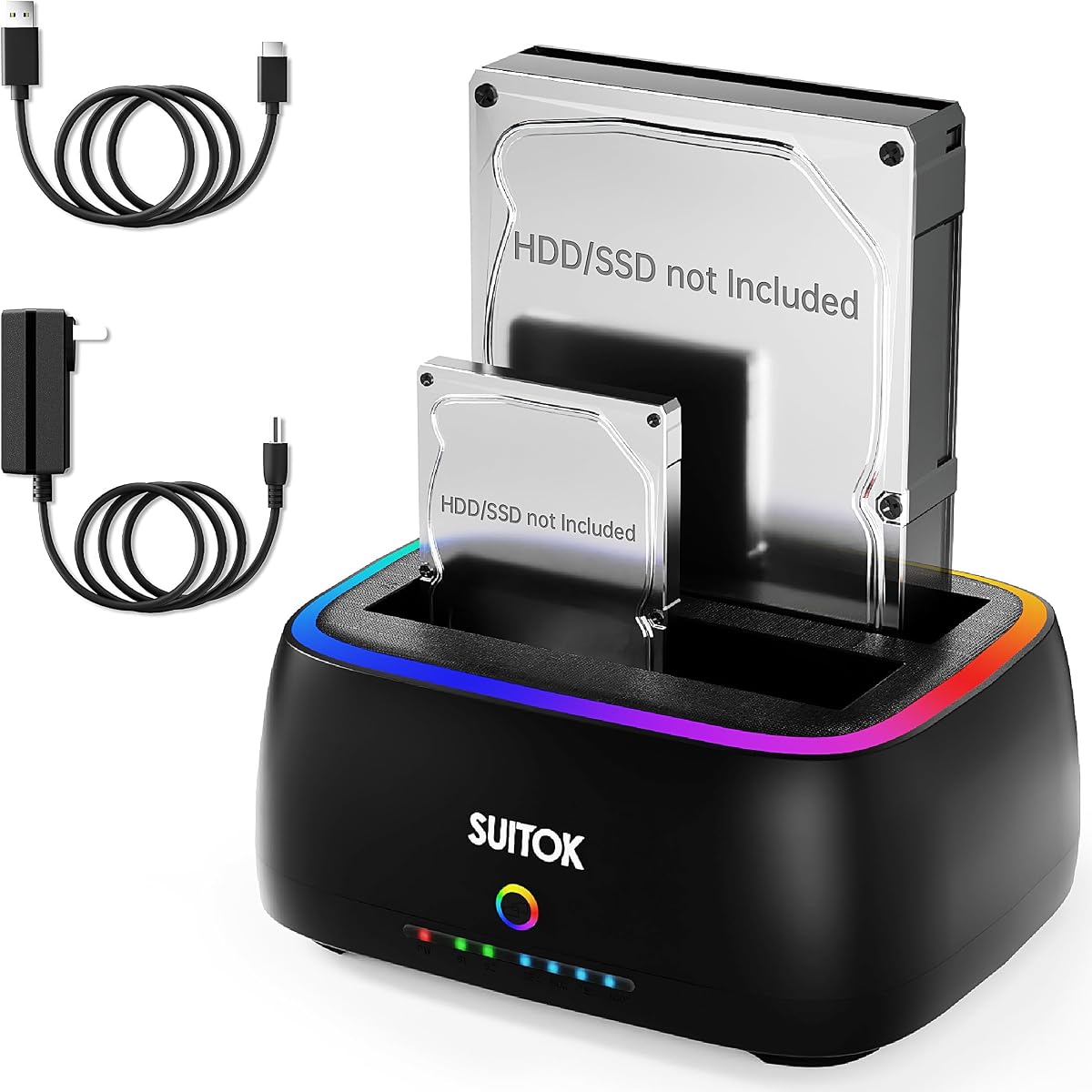
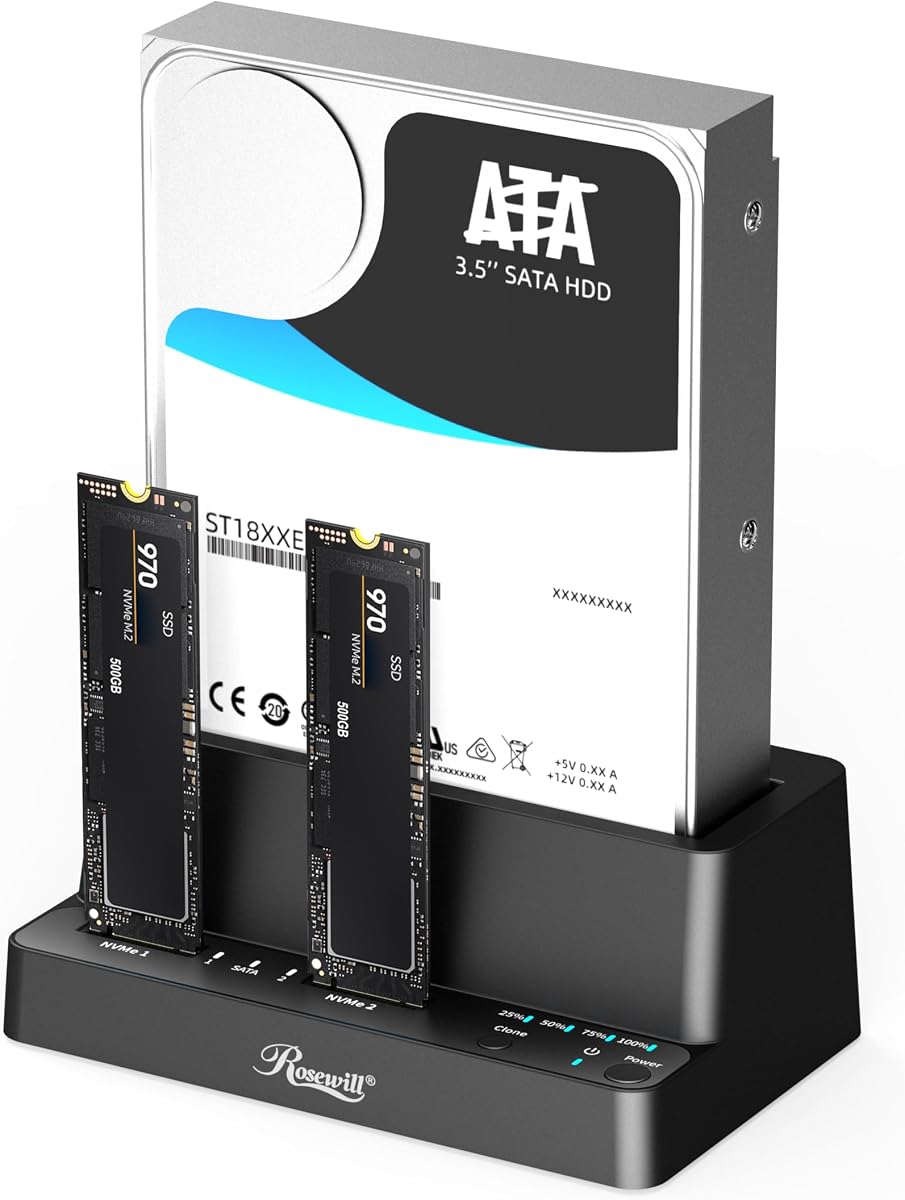


The SABRENT USB 3.0 Dual Bay Hard Drive Docking Station is a reliable choice for users needing basic cloning capabilities. It holds a strong rating for its ease of use and broad drive compatibility.
We may earn a commission when you buy through this link, at no additional cost to you.
This station supports standard 2.5 and 3.5 inch SATA drives up to 10TB. The offline cloning feature works independently of a computer. Transfer speeds reach 5Gbps via USB 3.0 for fast access.
While cloning caps at 60Mbps it remains sufficient for many backups. The plug and play design requires no driver installations. It lacks USB-C which limits modern connectivity options.
Ideal for home users needing occasional duplication without complex tools. Its balance of performance and simplicity makes it a top recommendation. Verify current stock before purchasing.
Clone drives by pressing a button without connecting to a PC.
Accommodates both small laptop and large desktop SATA drives effortlessly.
We may earn a commission when you buy through this link, at no additional cost to you.
This docking station brings USB-C connectivity to SATA drive management. It is excellent for users with modern laptops or tablets. The design supports both reading and writing independently.
We may earn a commission when you buy through this link, at no additional cost to you.
Offline cloning allows data transfer with the dock unplugged from a PC. This convenience speeds up workflow when dealing with multiple drives. Both bays mount separately when connected to a computer.
The target drive must match or exceed source size during cloning. Tool-free access makes swapping drives quick and easy. Ensure your device has the correct port or cable.
Perfect for tech enthusiasts upgrading to newer hardware interfaces. Its versatility supports diverse workflows including media editing. Check your computer ports before buying.
Connects directly to laptops with USB-C ports without adapters.
Both drives appear as separate volumes for easy file management.
We may earn a commission when you buy through this link, at no additional cost to you.
The ICY BOX docking station stands out with three bays and M.2 NVMe support. It offers maximum versatility for those managing diverse storage types. Performance benefits from USB 3.2 Gen 2 technology.
We may earn a commission when you buy through this link, at no additional cost to you.
You can clone between SATA and NVMe drives easily. One-touch cloning simplifies the process significantly. The tool-free design makes swapping drives fast. This is ideal for professionals handling mixed environments.
Real-world speeds depend on host device capabilities. Ensure your computer supports 10Gbps to utilize full potential. Compatibility covers Windows and macOS systems seamlessly.
Best suited for power users needing NVMe and SATA flexibility. It supports gaming consoles and mixed OS setups well. Verify cable type included with package.
Connect three drives simultaneously for efficient data migration workflows.
Up to 10 Gbps speeds via USB-C for rapid file access.
We may earn a commission when you buy through this link, at no additional cost to you.
This MAIWO model offers incredible value with high capacity support and extra USB ports. It supports up to 48TB total which is rare for this price point. The hub functionality adds versatility to your desktop.
We may earn a commission when you buy through this link, at no additional cost to you.
Offline cloning works automatically without needing a computer connection. LED lights indicate progress clearly during the process. The independent power supply ensures stable operation even with large drives.
Performance matches basic needs well without advanced features. The USB hub allows connecting peripherals alongside drives. It is suitable for IT batch processing tasks efficiently.
A top choice for budget conscious buyers needing capacity and ports. Check current availability as stock varies often. Ensure drive sizes match supported standards.
Built-in three port hub lets you connect additional devices easily.
Handles drives up to 24TB per bay for huge backups.
We may earn a commission when you buy through this link, at no additional cost to you.
This duplicator combines professional features with modern desktop aesthetics. It supports 40TB total and offers a sleek look for home offices. The RTL9201DP chip ensures stable transfers during operations.
We may earn a commission when you buy through this link, at no additional cost to you.
The vertical design improves heat dissipation significantly. Customizable RGB adds a touch of style without affecting function. Compatible with Windows, macOS, Linux, and Chrome OS.
Offline cloning includes clear progress monitoring for users. Anti-slip pads keep the unit secure on desks. The USB-C cable helps maintain high-speed transfer rates.
Recommended for users valuing design and ecosystem support. Check RGB customization options before purchasing. Verify your host port type first.
High-end fabric and RGB lighting elevate the desktop setup look.
Works with various devices including routers and TVs for media.
We may earn a commission when you buy through this link, at no additional cost to you.
Designed for IT professionals this model delivers high-speed duplication speeds. It includes TRIM support which extends SSD lifespan. The build quality reflects professional standards across all features.
We may earn a commission when you buy through this link, at no additional cost to you.
Standalone cloning works without computer involvement for efficiency. Sector-by-sector copying ensures all data including empty sectors are copied. Compatibility extends to various drive formats including 4Kn.
Technical assistance is available to assist with setup or issues. The top-loading design allows easy access to internal components. Durability supports 24/7 continuous operation in offices.
Ideal for IT admins handling enterprise backups regularly. Check power adapter requirements before installing. Ensure cables match your port types.
Maintains SSD health by allowing periodic garbage collection during use.
Built to withstand frequent use in professional IT environments.
We may earn a commission when you buy through this link, at no additional cost to you.
This Rosewill model is compact yet powerful for its size. It supports both NVMe and SATA drives with 10Gbps speeds. Ideal for users needing portability without sacrificing speed.
We may earn a commission when you buy through this link, at no additional cost to you.
Offline cloning allows drive duplication without host involvement. Tool-free installation simplifies maintenance tasks. The design supports various operating systems efficiently.
While compact it maintains stability during heavy operations. Ensure proper ventilation during extended cloning sessions. Compatibility covers desktops laptops and consoles easily.
Suitable for freelancers traveling between client sites. Check port types on laptop before purchasing. Verify cable length included.
Lightweight and compact build fits easily into a laptop bag.
10Gbps speeds allow rapid data migration tasks.
We may earn a commission when you buy through this link, at no additional cost to you.
For users needing massive storage expansion this model is unmatched. It supports up to 100TB and four simultaneous copies. The aluminum build ensures durability and efficient heat management.
We may earn a commission when you buy through this link, at no additional cost to you.
Cloning one drive to four copies at once saves time. S.M.A.R.T. support allows proactive health monitoring. USB-C connectivity supports modern laptops and desktops.
Anti-vibration pads protect drives during operation. Compatibility includes routers and smart TVs for media hubs. Check power adapter requirements before setup.
Best for photographers managing large image archives. Ensure power supply supports multiple drives. Verify space requirements before purchase.
Five bays allow for huge storage capacity growth.
Duplicate one source drive to four targets simultaneously.
We may earn a commission when you buy through this link, at no additional cost to you.
This docking station offers strong performance with UASP protocol. It supports both USB-A and USB-C connections for flexibility. The power control switch allows manual management of power.
We may earn a commission when you buy through this link, at no additional cost to you.
Cloning works offline without needing a computer. Hot-swapping is supported on most operating systems. Sleep mode saves energy after inactivity.
Note that M1 and M2 Macs are not compatible with this unit. Ensure your Mac version meets requirements. Ideal for Windows and Linux users.
Great for general home users needing versatility. Check Mac compatibility carefully. Ensure power adapter fits plug type.
Transfers up to 20% faster than standard USB 3.0.
Manual power switch and auto sleep conserve energy effectively.
We may earn a commission when you buy through this link, at no additional cost to you.
This high-end unit includes secure erasing features compliant with NIST standards. It allows cloning one drive to three simultaneously for rapid deployment. The LCD menu simplifies operation for users.
We may earn a commission when you buy through this link, at no additional cost to you.
Standalone cloning ensures data security without network exposure. IDE adapters support legacy drives often used in specialized environments. The professional warranty supports critical business needs.
Security modes include secure erase options for sensitive data. The unit is bulky and heavier than typical docks. Ensure power supply matches local voltage requirements.
Best for IT security and data sanitization tasks. Verify compatibility with your drive types. Check space availability for setup.
Meets NIST standards for secure wiping of sensitive data.
Duplicate one source drive to three targets simultaneously.
We may earn a commission when you buy through this link, at no additional cost to you.
Selecting the right docking station requires considering several factors. We break down the essential aspects to ensure you choose a model that meets your needs.
Check whether the unit supports 2.5 and 3.5 inch drives. Some models also support M.2 NVMe which expands flexibility significantly. Ensure the connector matches your existing hardware.
Verify supported drive capacity limits before purchasing to avoid issues.
Offline cloning speeds vary widely from 28 GB per minute to 60 Mbps. Faster speeds save time during large backups. Look for models with dedicated standalone cloning modes.
Higher speeds require compatible host devices to realize full potential.
USB 3.0 is standard but USB-C provides better future-proofing. USB 3.2 Gen 2 offers up to 10 Gbps for rapid data transfers. Verify your computer ports match the cable included.
Modern laptops often require USB-C adapters if only USB-A is provided.
Most units support drives up to 10TB or 20TB. Higher capacity models like those with 5 bays offer massive expansion. Ensure total supported capacity meets your backup needs.
Larger drives often require external power adapters for stable operation.
Aluminum alloy materials provide better heat dissipation than plastic. Vertical designs often cool drives more effectively during continuous operation. Look for anti-vibration pads to protect hardware.
Sturdy construction ensures longer lifespan under frequent use.
Most docks support Windows and macOS but check Linux compatibility. M1 and M2 Macs may have specific restrictions requiring verification. Ensure drivers are not required for plug and play.
Compatibility with multiple OS allows flexible use across devices.
Some units include USB hubs or secure erase modes. These features add versatility and security for professional workflows. Extra ports reduce cable clutter on your desk.
Prioritize features you actually need to avoid unnecessary costs.
Professional brands offer longer warranties and technical assistance. Look for at least two years of coverage for peace of mind. Lifeline technical support helps resolve issues quickly.
Reliable support ensures you can get help when problems arise.
Start by connecting the power adapter and USB cable to your computer. Ensure the unit is powered on before inserting drives to avoid corruption. Most docks feature tool-free slots for easy drive insertion.
For cloning, insert the source drive into the first bay and the target into the second. Press the cloning button and wait for the LED indicators to reach completion. Never remove drives until the process finishes.
Maintain the unit by keeping it in a well-ventilated area. Dust accumulation can block airflow so clean vents periodically with compressed air. Regularly check connections for wear and replace cables if damaged.
No. The target drive must be equal to or larger than the source drive capacity. If the target is smaller the cloning process will fail. Always ensure you have enough space for the complete copy.
Most modern docking stations support plug and play without installing drivers. They use standard USB mass storage protocols recognized by operating systems. Always check product specifications if you use older operating systems.
Offline cloning works without connecting to a computer while online cloning uses software on a PC. Offline is generally faster and simpler as it does not rely on system resources. It allows for standalone data migration tasks.
Yes most units support cloning between SATA SSDs and HDDs. Some models support cloning between NVMe and SATA SSDs too. Just ensure the target drive capacity matches or exceeds the source.
Cloning times vary based on drive size and speed. A 1TB drive might take 30 to 60 minutes depending on throughput. Offline cloning speeds are often capped at 60 Mbps for standard models.
Properly designed docking stations protect drives with surge protection and stable power. Ensure you use the correct power adapter. Avoid removing drives while the unit is active to prevent data loss.
We have reviewed ten models ranging from budget-friendly options to professional-grade units. The SABRENT Dual Bay remains a solid choice for general users. For advanced needs the StarTech Professional series delivers robust performance.
Prioritize drive compatibility and connection speed when selecting a unit. Ensure your system has the correct ports to avoid adapter issues. Consider total capacity needs for future growth and expansion.
Prices and availability change frequently so verify current details before buying. Always check warranty terms and support options for peace of mind. Choosing the right model ensures efficient and reliable data management.