
LONELY BINARY Logic Analyzer Kit
4.2Editor score
24MHz sampling rate on 8 channels
Includes breakout boards and test clips
Compatible with Windows Mac and Linux
This guide compares ten top logic analyzers for electronics projects, evaluating speed, channel count, and software features to help you choose the right tool.
Logic analyzers are essential tools for anyone working on electronics projects. They capture digital signals to help you debug communication protocols and understand circuit behavior. Choosing the right analyzer ensures you can test your designs accurately without frustration.
We evaluated ten popular logic analyzers based on their sampling rates, channel counts, and software compatibility. Each product offers unique strengths for hobbyists, students, and professionals. Our comparison highlights key specs to help you find the best fit for your needs.
Each pick in this list shows specific features and performance capabilities. You will see detailed reviews and a comparison table to guide your decision. Please note that product prices and availability can change over time on Amazon.
4.2Editor score

4.5Editor score
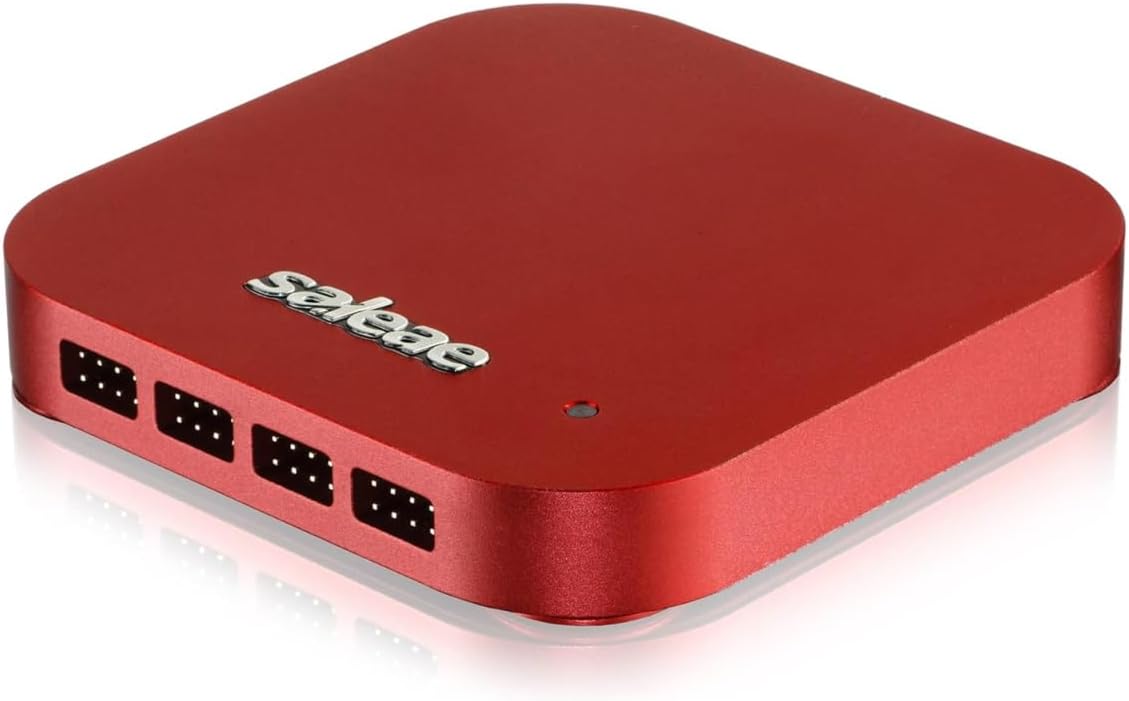
4.8Editor score
This table provides a side by side comparison of all ten logic analyzers. You can quickly see the sampling rate, channel count, and key software features for each model to make an informed decision.


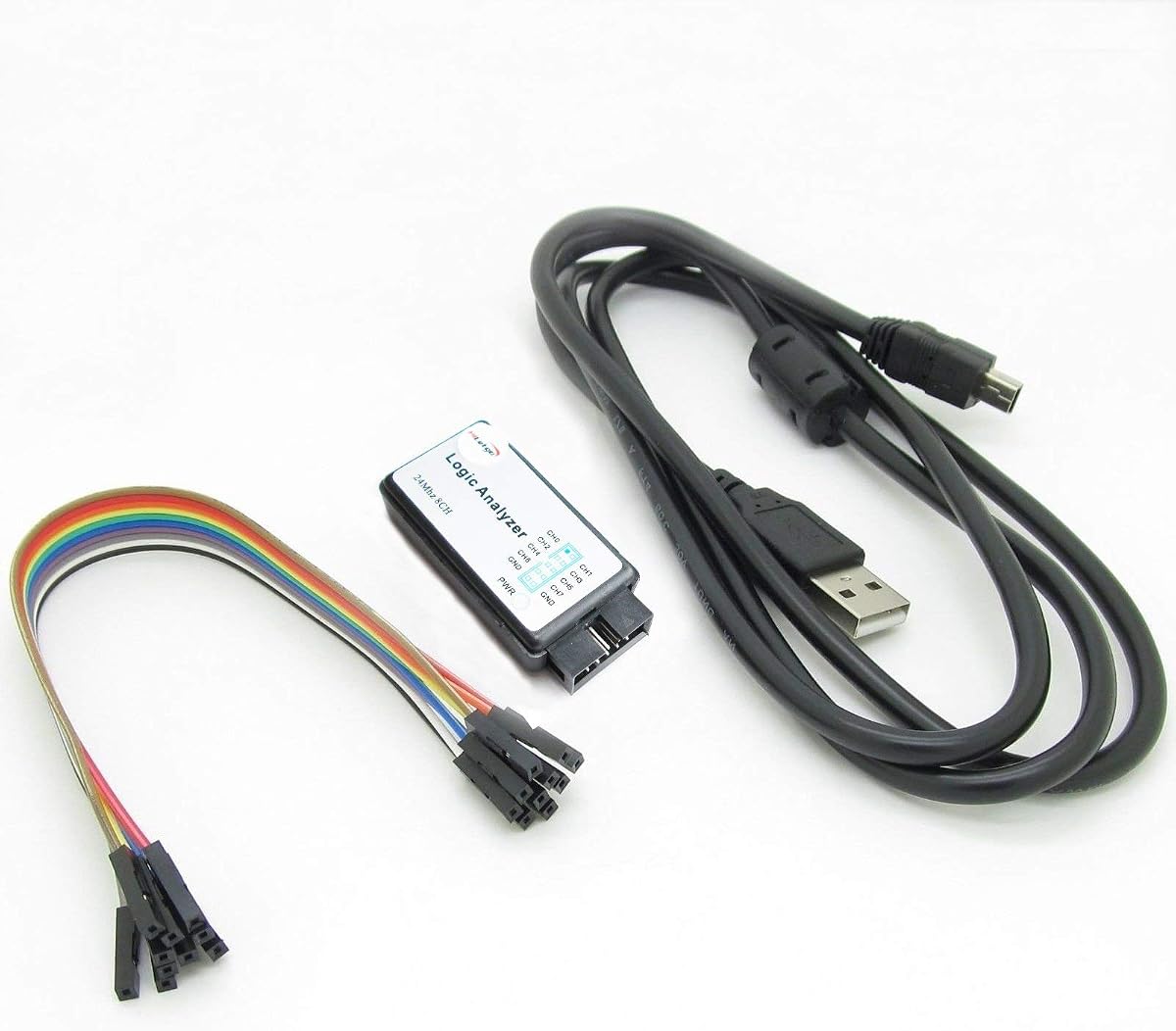


The LONELY BINARY Logic Analyzer Kit is an excellent entry point for hobbyists. It captures digital signals at 24MHz across 8 channels. This is sufficient for many common protocols like I2C and SPI.
We may earn a commission when you buy through this link, at no additional cost to you.
Its user friendly design simplifies connections to breadboards. The breakout board breaks out all channels to standard pins. This makes testing microcontrollers and embedded systems much easier.
While the sampling rate is lower than premium models, it handles typical STEM projects well. The included test clips and case reduce setup time and extra costs.
If you need a reliable tool for basic debugging without breaking the bank, this kit is a strong choice. It offers great value for students and beginners.
The logic level expansion board allows flexible connections using alligator clips or direct pins.
Dual USB connectivity ensures it works with older PCs and modern laptops seamlessly.
We may earn a commission when you buy through this link, at no additional cost to you.
The LA1010 USB Logic Analyzer stands out for its performance to price ratio. It offers 100MHz sampling per channel and 16 input channels. This allows for detailed analysis of complex digital systems.
We may earn a commission when you buy through this link, at no additional cost to you.
Real time signal visualization helps you see waveforms instantly on your PC. The included KingstVIS software supports over 30 standard protocols. This accelerates debugging by converting signals into human readable data.
The cross platform compatibility is a major benefit for mixed OS environments. Drivers auto install on Windows Mac and Linux. This saves setup time and reduces configuration hassles.
For developers needing more channels and speed without a huge investment, this is the ideal tool. It balances performance and affordability effectively for most embedded tasks.
Extract communication data from I2C SPI UART and CAN to speed up development cycles.
Low power consumption makes it suitable for long duration signal monitoring tasks.
We may earn a commission when you buy through this link, at no additional cost to you.
The Saleae Logic Pro 16 is the top choice for professionals requiring top tier performance. It delivers up to 500 MS/s digital sample rates. This ensures precise capture of high speed signals without data loss.
We may earn a commission when you buy through this link, at no additional cost to you.
Its ability to handle both digital and analog inputs makes it versatile. You can analyze mixed signal designs with a single device. The software provides deep protocol decoding for over 23 standards.
While the price is high, the time saved in debugging justifies the cost. The ultra portable design fits easily into a travel kit. It reduces frustration with its reliable performance.
If you are working on advanced FPGA or ARM projects, this analyzer is worth the investment. It sets the standard for quality and ease of use in the industry.
Capture billions of samples using your PC memory for extensive analysis sessions.
Full support for Mac Windows and Linux ensures flexibility across different workstations.
We may earn a commission when you buy through this link, at no additional cost to you.
The Logic Pro 8 offers the same high performance as the Pro 16 but with fewer channels. It maintains a 500 MS/s digital sample rate. This is ideal for projects where eight channels are sufficient.
We may earn a commission when you buy through this link, at no additional cost to you.
It uses the same robust software as the Pro 16. This means you get intuitive interface and powerful decoding features. The 10 billion sample capacity allows for long capture durations.
The device is compact and designed for portability. It connects via USB 3.0 for fast data transfer. This reduces lag when viewing large waveforms on your screen.
For users who do not need sixteen channels, this saves money while keeping quality. It is a reliable tool for engineers who value ease of use and speed.
Decode SPI I2C and 23 other analyzers for comprehensive embedded system debugging.
Supports analog inputs up to 50 MS/s for mixed signal verification needs.
We may earn a commission when you buy through this link, at no additional cost to you.
This USB Logic Analyzer is designed to be compatible with popular software like Saleae Logic. It provides a cost effective way to access powerful analysis tools. The 24MHz rate is adequate for many common microcontrollers.
We may earn a commission when you buy through this link, at no additional cost to you.
It supports a range of adjustable sample rates. You can choose between 24MHz down to 25KHz. This flexibility helps optimize memory usage for different project requirements.
The voltage threshold is fixed at 1.5V. This works well for 3.3V and 5V logic. However, it may not be suitable for more complex voltage domains.
If you want to use advanced software without buying expensive hardware, this is a good option. It is perfect for students and hobbyists on a tight budget.
Support for PulseView gives you additional open source analysis capabilities.
Automatically analyze UART IIC and SPI to speed up communication testing.
We may earn a commission when you buy through this link, at no additional cost to you.
The DSLogic Plus features dual mode support for stream and buffer modes. In stream mode, it captures long durations. In buffer mode, it achieves up to 400MHz sample rates. This offers versatile usage scenarios.
We may earn a commission when you buy through this link, at no additional cost to you.
Its 256Mbits on board memory ensures high capacity. The shielded fly wires help reduce noise for cleaner waveforms. This is critical for accurate debugging of sensitive circuits.
The DSView software is open source and highly customizable. It supports nearly a hundred protocol decoders. You can find the code on GitHub for modifications.
This analyzer is excellent for developers who want control over their tools. It balances high performance with an affordable price point.
Set threshold steps of 0.1V to match your specific logic levels precisely.
Get long sample durations in stream mode by transferring data to PC memory.
We may earn a commission when you buy through this link, at no additional cost to you.
The HiLetgo USB Logic Analyzer is a simple tool for basic debugging. It offers a 24MHz sampling rate across 8 channels. This is sufficient for UART SPI and IIC protocols commonly found in hobby projects.
We may earn a commission when you buy through this link, at no additional cost to you.
The cable includes an EMI ferrite ring to reduce noise. This helps ensure stable data transfer. The input voltage range is designed for standard 5V logic.
The crystal frequency is precise at 24MHz. This ensures accurate timing for your captures. While not as advanced as other models, it works reliably for simple tasks.
If you just need a quick way to check signals, this is a practical choice. It is compact and easy to keep in a toolbox.
The ferrite ring on the cable helps minimize electromagnetic interference.
Input range fits typical 3.3V and 5V logic systems for most devices.
We may earn a commission when you buy through this link, at no additional cost to you.
The Logic 8 is the entry level option from Saleae. It offers 100 MS/s digital sample rates. This is still quite fast for many protocols and general debugging.
We may earn a commission when you buy through this link, at no additional cost to you.
It uses the same software as the more expensive models. This provides a consistent experience for users who upgrade later. The 10 billion sample capacity is impressive.
The device connects via USB 2.0. While slower than USB 3.0, it is sufficient for most tasks. The interface is intuitive and easy to learn.
For those who want the Saleae experience without the high cost, this is a solid pick. It handles embedded systems well.
Runs on Windows Mac and Linux for easy integration into your workflow.
Supports SPI I2C and 23 more analyzers for broad protocol coverage.
We may earn a commission when you buy through this link, at no additional cost to you.
This version of the DSLogic Plus highlights its 16G sample depth. You can capture very long sequences in stream mode. The 400MHz rate ensures high detail in buffer mode.
We may earn a commission when you buy through this link, at no additional cost to you.
The adjustable threshold and shielded wires improve signal quality. The 256Mbits on board memory is used for buffer captures. This allows for fast sampling without PC dependency.
It works with Windows Mac and Linux. The software supports nearly 100 protocol decoders. Being open source allows for community contributions.
If you need deep memory at a reasonable price, this device is strong. It is great for analyzing long communication protocols.
Real time capture to PC memory allows for indefinite sample duration.
High sample rate capture stored in on board SDRAM for precision.
We may earn a commission when you buy through this link, at no additional cost to you.
The Analog Discovery 3 is more than a logic analyzer. It includes an oscilloscope waveform generator and variable power supplies. This makes it a complete lab on a stick.
We may earn a commission when you buy through this link, at no additional cost to you.
The logic analyzer offers 16 digital IO channels at 125 MS/s. You can also use the SDK for hardware control. This supports scripting in Python or C++.
It has a 1 year Multisim Live subscription. This adds simulation capabilities to your physical testing. The variable power supplies allow you to test circuits safely.
If you need multiple tools in one package, this is the best choice. It saves space and cost compared to buying separate instruments.
Combine logic analysis with oscilloscope and power supplies in one device.
Supports SPI I2C UART CAN and JTAG for complex embedded debugging.
We may earn a commission when you buy through this link, at no additional cost to you.
Selecting the right logic analyzer requires understanding your specific project needs. This guide covers the essential factors that influence performance and usability.
Sampling rate determines how fast the analyzer can capture data. Higher rates are necessary for fast digital signals. For slow protocols like I2C, 24MHz is sufficient.
Aim for at least 100MHz for modern microcontrollers to avoid missing details.
More channels allow you to capture more signals at once. 8 channels are often enough for small projects. 16 channels are better for complex buses like SPI.
Choose more channels if you need to view multiple lines simultaneously.
Software is key to interpreting the captured data. Look for tools that support your OS. Open source software allows for custom protocols.
Ensure the software can decode the protocols you use most.
Built in decoders save you from writing code to interpret signals. Check if the device supports I2C SPI and UART. Some tools support CAN and JTAG.
Verify the protocol list includes your specific communication standards.
Memory depth affects how long you can record at high speeds. More memory means longer traces. PC based tools often use system RAM for large captures.
Select higher depth if you need to capture infrequent events.
Connectors determine how easily you can attach the analyzer. Breakout boards and test clips are useful for breadboards. Standard headers fit direct PCB testing.
Look for models with accessories that match your work style.
Some projects require you to work outside or in the field. Compact devices with USB power are easier to carry. Larger units may need extra cables.
Choose a portable option if you move between labs often.
Prices range from cheap clones to premium professional models. Your budget dictates the speed and features available. Entry level tools cost under $20.
Balance cost with the features you need for your projects.
Start by connecting the analyzer to your circuit using ground and logic pins. Ensure the voltage levels match to avoid damage. Ground is usually the first pin to attach.
Open the software and select the protocol you want to decode. Set trigger conditions to capture specific events. This filters noise and shows relevant data.
Store your device in a dry place when not in use. Keep cables organized to prevent tangles. This extends the life of the hardware and accessories.
Yes for digital protocols. A logic analyzer sees 0s and 1s clearly without analog noise. An oscilloscope shows voltage levels but requires more work to interpret logic states.
24MHz is usually enough for Arduino serial and I2C. For faster SPI communication, aim for 100MHz. This ensures you see every bit accurately.
Most modern devices are plug and play. Some older models require specific drivers for Windows. Always check the product page for OS requirements.
Yes many models support macOS. The Saleae and LA1010 work well with Mac OS. Check the software requirements before purchasing.
Stream mode saves data to PC RAM for long capture. Buffer mode uses device memory for high speed capture. Choose based on duration and speed needs.
Check your ground connections and voltage threshold. Ensure the probe is on the correct pin. Verify the software settings match your logic levels.
Most support 5V logic. Ensure the input voltage range includes 5V. Do not connect to high voltage lines without proper protection.
Open source software allows custom decoders. Saleae has a decoder library. You can often find community plugins for your specific protocol.
We reviewed ten analyzers to help you find the right tool. The top picks cover budget, performance, and all in one needs. Each offers distinct strengths for different users.
Prioritize sampling rate and channel count for your specific tasks. Software features can save you hours of debugging time. Ensure the tool fits your workflow.
Remember to check current prices before purchasing. Products may go on sale or change in stock. Use the provided links to find the best deals.