
ASUS Prime X470-Pro
4.6Editor score
5-Way Optimization Tuning
SafeSlot PCIe Protection
8-Channel HD Audio
This guide compares the top AMD Ryzen Gen 2 X470 motherboards for performance, features, and value to help you choose the right platform for your build.
Selecting the right motherboard is crucial for maximizing your AMD Ryzen system potential. The X470 chipset offers robust support for Ryzen 2nd Gen processors with advanced features like overclocking and multi-GPU setups.
We evaluated ten top models based on power delivery, connectivity, cooling, and user feedback. Each product was assessed for compatibility, build quality, and value to ensure you get reliable performance for your needs.
Our picks highlight the best options across different budgets and use cases. Please note that availability and pricing can change frequently, so verify current details before making your final purchase decision online.
4.6Editor score

4.3Editor score

4.4Editor score
Here is a detailed side-by-side comparison of all ten selected motherboards to help you understand their key specifications and differences at a glance.


This motherboard stands out as a top choice for AM4 users looking for high performance. It has a 4.6 rating from users and features robust connectivity like WiFi 6E and PCIe 4.0. Its power stages ensure stable operation for demanding Ryzen processors.
We may earn a commission when you buy through this link, at no additional cost to you.
The 12+2 teamed power stages provide steady voltage for heavy loads and overclocking. Networking is excellent with Intel 2.5Gb Ethernet and WiFi 6E. The BIOS flashback feature lets you update without a CPU, which is very helpful for upgrades.
While it is a newer board, some users might prefer the specific features of older X470 models like certain legacy support. The price is also higher than budget options but justified by the performance and features included in the package.
This board is ideal for gamers and creators who need fast networking and power. It offers a modern feature set that keeps your system relevant for longer. We highly recommend it for anyone building a high end AM4 system now.
The 12+2 power stages ensure your processor gets clean power even under stress.
With PCIe 4.0 and WiFi 6E, you are ready for the latest peripherals and speeds.
We may earn a commission when you buy through this link, at no additional cost to you.
This X470 board is a favorite among enthusiasts for its premium features. It holds a 4.3 rating and supports Ryzen 2nd Gen with powerful cooling. The audio and WiFi components are top notch for a gaming experience.
We may earn a commission when you buy through this link, at no additional cost to you.
The 10+2 phase digital PWM design gives precise power control for Ryzen CPUs. The Fins-Array heatsink keeps temperatures low even during intense sessions. WiFi Wave2 and the ESS 9018 DAC provide great connectivity and sound.
It is expensive compared to standard boards which might not fit all budgets. The design is quite aggressive which may not suit every case style but it looks great in gaming rigs.
If you want the best X470 experience with high end audio and networking this is the pick. It is perfect for those who do not want to compromise on build quality or features for their AMD build.
The ESS 9018 DAC delivers studio grade sound for immersive gaming and music.
Direct Touch Heatpipes move heat away from VRMs quickly for stable performance.
We may earn a commission when you buy through this link, at no additional cost to you.
This board offers a great balance of performance and features for AMD users. It has a 4.4 rating and supports Ryzen 2nd Gen processors well. The multi GPU support makes it unique among X470 options available.
We may earn a commission when you buy through this link, at no additional cost to you.
The 8+3 phase hybrid PWM ensures reliable power for overclocking tasks. Its Dual Armor design protects the board and adds to durability. USB 3.1 Gen 2 ports provide fast data transfer for peripherals.
It lacks integrated WiFi which means you need a card or adapter for wireless. The power delivery is strong but not the absolute highest on this list yet it is still very capable for most users.
Buy this if you plan to use multiple graphics cards or want a durable X470 board. It offers excellent value for those needing specific features like CrossFire support without paying the top premium.
Supports 2 Way CrossFire and SLI for expanded graphical performance options.
Dual Armor tech shields the board from physical damage and stress.
We may earn a commission when you buy through this link, at no additional cost to you.
This is a highly rated board known for its reliability and price. It holds a 4.6 rating and is perfect for budget conscious builders using Ryzen 2nd Gen. It includes essential features without unnecessary extras.
We may earn a commission when you buy through this link, at no additional cost to you.
The 5-Way Optimization makes tuning easy for any skill level. SafeSlot PCIe protects your GPU while the Realtek S1220A delivers great sound. Fan Expert 4 gives you precise control over system noise and temps.
It lacks some of the high end connectivity found on costlier models like advanced USB. The RGB is functional but not as customizable as other boards in this lineup for enthusiasts.
This board is perfect for anyone wanting a solid Ryzen platform without overspending. It is reliable and fast which makes it our top budget pick for X470 systems today.
5-Way Optimization auto configures your system for peak performance instantly.
Realtek S1220A provides high definition audio for games and media.
We may earn a commission when you buy through this link, at no additional cost to you.
This Micro-ATX board is great for compact builds with modern features. It has a 4.4 rating and supports Ryzen 5000 series with PCIe 4.0. Its size and connectivity make it a flexible choice for small PCs.
We may earn a commission when you buy through this link, at no additional cost to you.
The 3+3 VRM design is sufficient for most CPUs without extreme overclocking. It includes two M.2 slots for fast storage. The memory support allows for high profile kits to run well.
VRM cooling is basic so it may get warm with very high end CPUs. Limited expansion slots mean you might run out of ports if you have many add on cards.
Pick this if you need a small board that still supports latest Ryzen speeds. It balances cost and modern tech well for compact gaming or office systems.
Micro-ATX design fits in smaller cases without sacrificing key features.
Two M.2 slots allow for fast dual SSD storage setups.
We may earn a commission when you buy through this link, at no additional cost to you.
This board is solid for users needing reliable modern features. It has a 4.5 rating and supports Ryzen 3rd Gen effectively. The mix of USB and wireless is very practical for everyday use.
We may earn a commission when you buy through this link, at no additional cost to you.
The 8+1 DrMOS stages provide stable power for Ryzen. Front USB-C adds convenience for peripherals. OptiMem helps memory to run better with lower voltage for efficiency.
WiFi 5 is good but slower than newer WiFi 6E options found elsewhere. The protection features are comprehensive but may not be needed for all home users.
This is a smart choice for those who want good performance and connectivity without overspending. It is reliable and versatile for most AM4 system configurations today.
Front USB Type-C makes it easy to connect devices directly.
DrMOS stages offer efficiency and stability for CPU loads.
We may earn a commission when you buy through this link, at no additional cost to you.
This board is perfect for gamers who want power and visuals. It holds a 4.5 rating and supports Ryzen 5000 with PCIe 4.0. The USB and RGB support enhance its appeal for custom builds.
We may earn a commission when you buy through this link, at no additional cost to you.
The 10+3 phase design ensures stable power under load. Q-Flash Plus allows BIOS updates without a CPU which is very convenient. Front USB-C helps with quick charging and data access.
It lacks WiFi which means an adapter is needed for wireless setups. The RGB might need software to sync which is minor but worth noting for simple setups.
Choose this if you want strong performance and good customization features. It is a great fit for DIY builders looking for ease of use and stability.
Q-Flash Plus lets you update BIOS easily before installing components.
10+3 Twin design handles heavy CPUs with ease for overclocking.
We may earn a commission when you buy through this link, at no additional cost to you.
This board is a top pick for small high speed systems. It has a 4.5 rating and supports Ryzen 3rd Gen with WiFi 6. The HDMI 2.1 allows for great video output to modern monitors.
We may earn a commission when you buy through this link, at no additional cost to you.
The WiFi 6 ensures stable fast internet without cables. PCIe 4.0 safeSlot protects your graphics card. OptiMem layout helps RAM performance for better stability under load.
Limited slots might restrict expansion for storage or capture cards. No rear USB-C means you rely on front headers for Type-C ports.
This is ideal for small form factor builds needing strong connectivity. It offers excellent modern features in a compact package for any user.
WiFi 6 offers lower latency and higher speeds than older standards.
HDMI 2.1 supports 4K at 60Hz for smooth gaming video.
We may earn a commission when you buy through this link, at no additional cost to you.
This board is known for stability and ease of use. It holds a 4.6 rating and works well with Ryzen 3rd Gen. The audio and boost features add value to any build.
We may earn a commission when you buy through this link, at no additional cost to you.
The Turbo M.2 provides fast storage speeds for games. DDR4 Boost optimizes memory for better performance. Audio Boost gives great sound for gaming and calls.
It lacks PCIe 4.0 which limits future upgrade paths for drives. The chipset is older which means fewer modern features compared to X470.
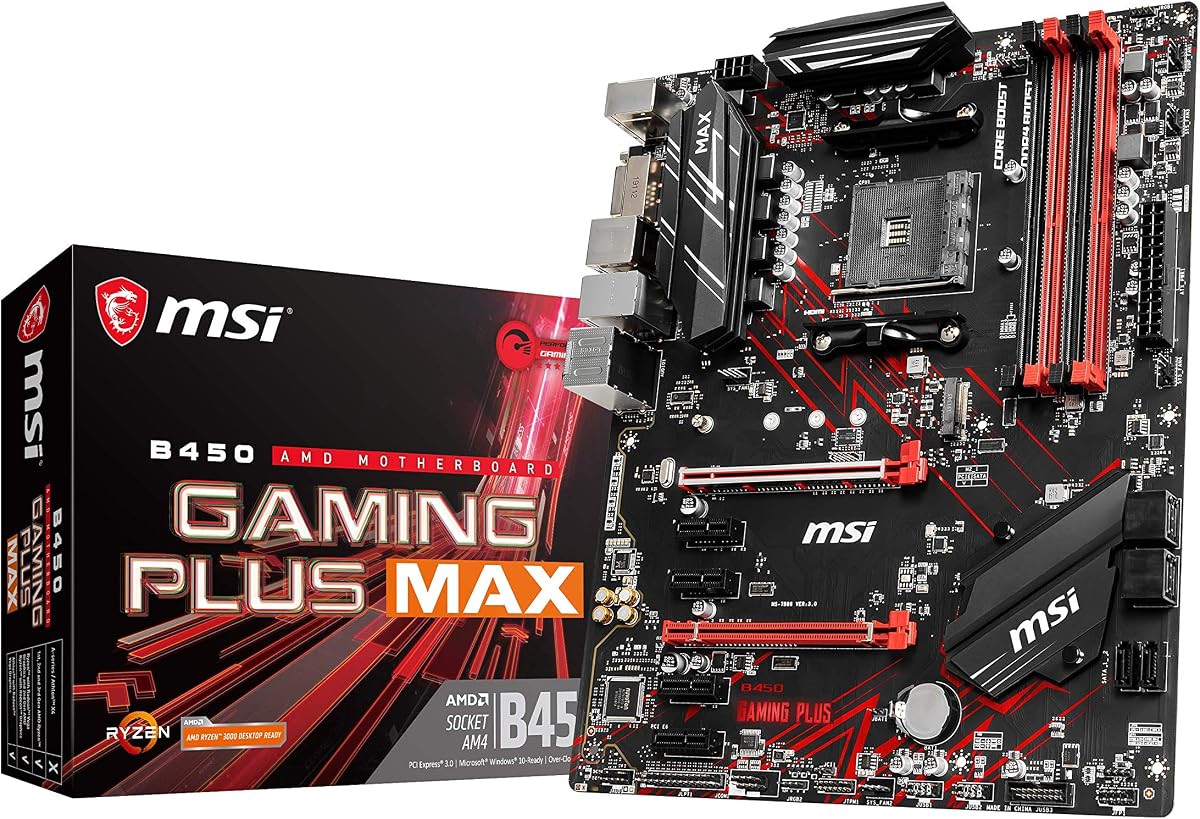
Pick this for a reliable older platform that still performs well. It is a great choice for budget builds needing solid audio and USB speeds.
DDr4 Boost ensures data signals are pure for better gaming.
Turbo M.2 allows for fast boot and load times.
We may earn a commission when you buy through this link, at no additional cost to you.
This variant offers similar strong performance at a competitive price. It has a 4.6 rating and supports Ryzen 3rd Gen. The Crossfire feature allows for multi GPU setups for gamers.
We may earn a commission when you buy through this link, at no additional cost to you.
SATA 6Gb/s is standard for storage needs. The BIOS is easy to use for most users. It fits ATX cases well with reliable power delivery for daily use.
Older generation means no PCIe 4.0 or WiFi without cards. Crossfire may not be useful for all users depending on their needs.
This is a solid budget alternative for those who need Crossfire support. It is reliable and affordable for standard gaming and office systems.
Crossfire support allows you to link GPUs for more power.
User friendly BIOS makes setup easy for everyone.
We may earn a commission when you buy through this link, at no additional cost to you.
Choosing the right motherboard involves looking at several key factors to ensure compatibility and performance.
Ensure the board uses the AM4 socket and supports Ryzen 2nd Gen CPUs like Ryzen 5 2600 or 7 2700X. X470 boards support overclocking better than B350 or B450 variants.
Look for explicit support lists from the manufacturer to confirm your CPU works without needing complex BIOS updates.
VRMs regulate power to the CPU. More phases like 10+2 ensure stable voltage for overclocking. Higher phase counts reduce heat and improve longevity.
If you plan to overclock, prioritize boards with robust heatsinks on the VRMs to prevent throttling.
Check how many PCIe slots you need for GPUs and expansion cards. X470 usually offers multiple PCIe slots for SLI or CrossFire.
Ensure there are enough M.2 slots for fast NVMe storage which improves load times and system speed significantly.
Some boards include WiFi 5 or 6 while others require add on cards. Ethernet speed like 1Gb or 2.5Gb matters for gaming and streaming.
Check USB ports including Type-C for modern peripherals. Ensure the rear I/O meets your daily needs.
Effective cooling keeps performance steady. Look for VRM heatsinks and chipsets fans on X470 boards to manage heat.
Good airflow and thermal design prevent slowdowns during long gaming sessions or heavy workloads.
Audio codecs vary by board. High quality codecs like Realtek ALC1220 or ESS DACs provide better sound for games and music.
If you use high end headphones or speakers check the board specs for audio features and noise reduction.
A good BIOS helps tuning and updates. Features like Flashback allow updates without a CPU which saves time.
Look for intuitive interfaces and tools like fan control or performance presets for easy setup.
ATX boards fit most cases but larger may not fit smaller towers. Micro-ATX offers flexibility for compact builds.
Measure your case and plan space for GPUs and cooling to ensure everything fits correctly.
Install the board in a static free area using the provided standoff screws. Connect the CPU power and RAM before installing the GPU for first power on.
Regularly update the BIOS to ensure stable performance with new CPU microcode. Use only official updates from manufacturer to avoid damage.
Keep dust out of the motherboard using compressed air every few months to maintain cooling efficiency and reduce overheating risks.
Yes but you will likely need to update the BIOS first. Most X470 boards support Ryzen 3000 with a simple flash using the provided tools.
Yes X470 chipsets are designed for overclocking. They offer better voltage control than B350 or B450 boards for stable performance.
DDR4 3000 to 3600 MHz is ideal. Faster RAM can improve Ryzen performance but ensure your board supports it.
It depends on the model. Some X470 boards include built in WiFi while others require an add on card or dongle.
Check the CPU support list on the manufacturer website. Look for your specific model number to confirm compatibility.
Yes for budget builds since it supports Ryzen 2nd Gen and 3rd Gen with good features. It is a reliable platform for gaming.
Our top picks like the GIGABYTE X470 AORUS Gaming 7 WIFI and ASUS Prime X470-Pro offer excellent value and features for different budgets.
Prioritize power delivery and cooling if you plan to overclock. Networking and USB options should match your specific setup needs.
Prices change frequently so check current availability and deals before finalizing your purchase to get the best value today.