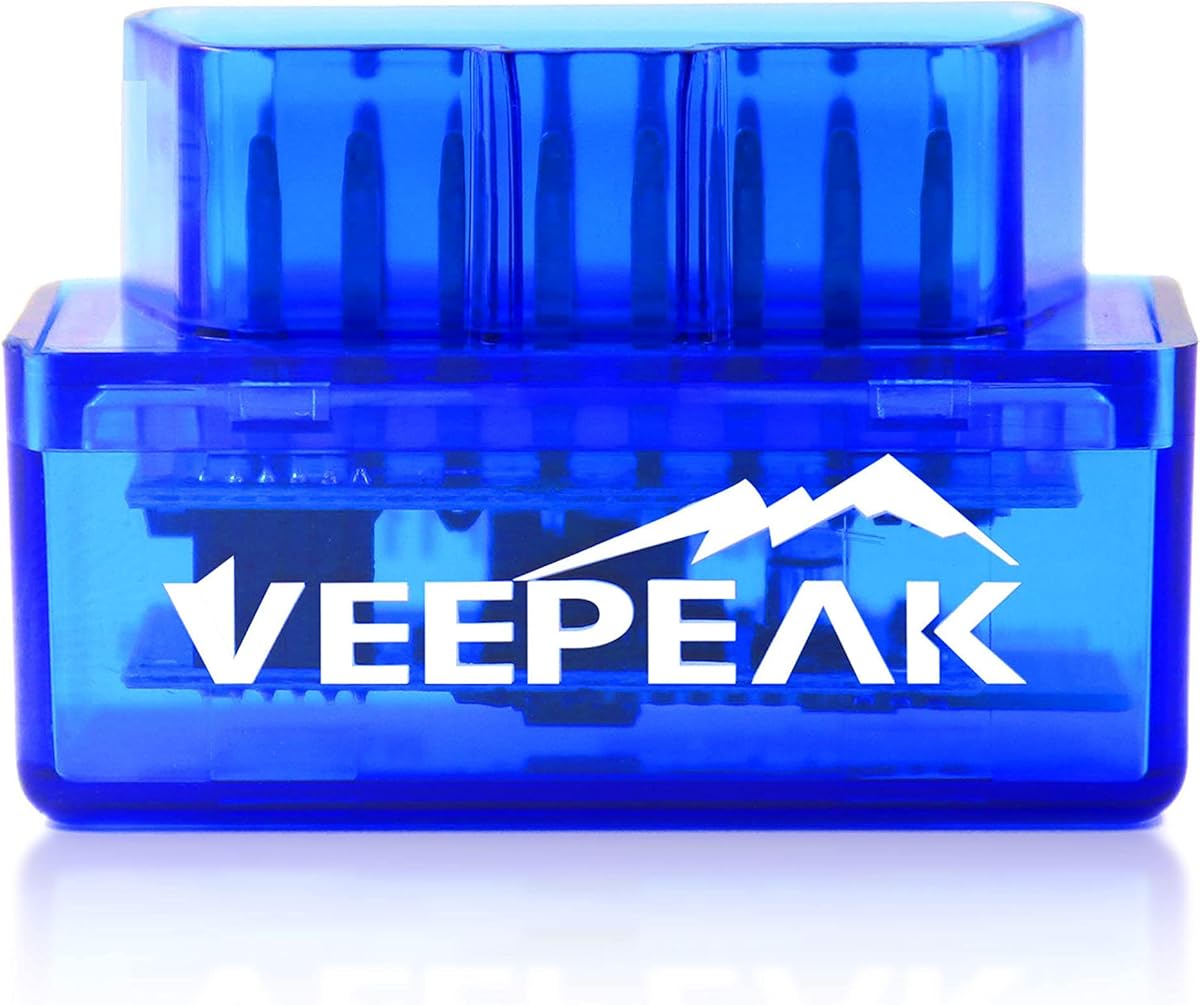
Veepeak Mini Bluetooth OBD2 Scanner
4.4Editor score
Compact design
Classic Bluetooth support
Android only compatibility
Compare the top Android OBDII scanner tools for 2026. This guide reviews features compatibility and performance to help you choose the right diagnostic tool
Modern vehicles rely heavily on complex electronic systems that require precise diagnostics when issues arise. An Android OBDII scanner tool provides a convenient way to access these systems using your smartphone. These devices connect wirelessly to your car to port allowing you to read trouble codes and monitor engine performance in real time.
We evaluated ten leading scanners based on connectivity stability app compatibility and diagnostic depth. Our analysis considers how well each tool integrates with Android devices and the range of vehicle systems it can access. We also looked at ease of use and the quality of support resources available to users.
Each pick highlights key strengths and ideal use cases to help you find the right match. Note that availability and features may vary by region and vehicle model. Always verify compatibility with your specific car before purchasing to ensure optimal performance and functionality.
4.4Editor score

4.5Editor score

4.6Editor score
This table provides a side-by-side overview of key specifications and capabilities for each scanner. Use it to quickly identify which tool offers the features you need for your specific vehicle and diagnostic requirements.


The BlueDriver OBD2 Scanner stands out as a top choice for Android users seeking professional-grade diagnostics. Its ability to provide technician-verified repair reports matched to your VIN sets it apart from standard code readers.
We may earn a commission when you buy through this link, at no additional cost to you.
Users benefit from unlimited access to repair reports that include definitions causes and confirmed fixes for trouble codes. The scanner also supports enhanced diagnostics for systems like ABS SRS and TPMS on compatible vehicles.
While it requires a dedicated app the integration is seamless and the data presentation is clear. The one-time purchase model ensures no ongoing costs which adds long-term value for frequent users.
This tool is ideal for car owners who want accurate diagnostics without dealership visits. Its robust feature set and reliable performance make it a strong investment for maintaining vehicle health.
Access technician-verified repair reports that match your specific VIN for accurate troubleshooting and cost savings.
Connect wirelessly via Bluetooth to your smartphone for hassle-free diagnostics without bulky cables or hardware.
We may earn a commission when you buy through this link, at no additional cost to you.
The OBDLink MX+ delivers premium performance with enhanced support for major vehicle manufacturers. It is recommended for advanced apps like FORScan and BimmerCode which unlock deeper diagnostic capabilities.
We may earn a commission when you buy through this link, at no additional cost to you.
Its robust build includes over-voltage and battery drain protection ensuring device longevity during extended diagnostic sessions. Firmware updates are included to maintain compatibility with new vehicle models over time.
Android users will appreciate the stable Bluetooth connection and support for live parameters beyond basic engine codes. The scanner works across multiple platforms making it versatile for tech-savvy users.
Investing in this tool makes sense if you need detailed access to vehicle systems. Its reliability and expanded OEM support justify the price for serious car enthusiasts and DIY mechanics.
Gain deeper access to manufacturer-specific systems with strong support for Ford GM Toyota and other major brands.
Built-in protection against over-voltage and battery drain keeps the adapter safe during regular diagnostic use.
We may earn a commission when you buy through this link, at no additional cost to you.
The Veepeak Mini offers an entry-level solution for Android users needing basic OBDII diagnostics. Its compact design makes it easy to store in a glove box or tool kit for occasional use.
We may earn a commission when you buy through this link, at no additional cost to you.
It supports live sensor data and freeze frame viewing which helps identify intermittent issues when paired with compatible third-party apps. The classic Bluetooth connection ensures compatibility with a wide range of Android devices.
While it lacks advanced features like ABS or SRS diagnostics it covers essential engine troubleshooting needs effectively. This makes it suitable for users who primarily want to check and clear check engine lights.
For those on a tight budget this scanner provides solid value without compromising on core functionality. Just ensure your vehicle and app choices align with its supported protocols before purchase.
Its small profile allows for easy storage and transport without taking up space in your vehicle or toolkit.
Monitor real-time sensor readings like RPM and coolant temperature to diagnose issues as they occur.
We may earn a commission when you buy through this link, at no additional cost to you.
The Veepeak OBDCheck BLE provides a versatile option for users who want a single tool for multiple platforms. It focuses on standard OBDII functions making it reliable for general engine diagnostics.
We may earn a commission when you buy through this link, at no additional cost to you.
Users can view freeze frame data and I/M readiness which is useful for emission testing preparation. The adapter requires a third-party app but works with many popular choices like Torque and Car Scanner.
It does not support advanced resets like oil light or injector coding which limits its use for routine maintenance tasks. However for basic troubleshooting it performs consistently across most 1996 and newer vehicles.
This scanner is a practical choice for households with multiple devices or vehicle types. Its simplicity and broad compatibility make it a good starting point for casual diagnostics.
Designed to work with both iOS and Android devices offering flexibility for households with mixed smartphone types.
View I/M readiness status to ensure your vehicle is prepared for upcoming emission inspection tests.
We may earn a commission when you buy through this link, at no additional cost to you.
The Veepeak OBDCheck BLE+ improves on the standard model by supporting both Bluetooth LE and classic Bluetooth. This dual support ensures compatibility with a wider range of third-party applications.
We may earn a commission when you buy through this link, at no additional cost to you.
Users can monitor advanced data like transmission temperature or battery health if their vehicle and app support it. The adapter remains compact and connects wirelessly for convenient diagnostics without physical tethering.
While it does not include advanced diagnostics by default it enables them through compatible paid apps. This modular approach keeps initial costs lower while allowing upgrades as needs evolve.
This tool suits users who want flexibility in app choice without sacrificing connection stability. Verify app profiles for your specific vehicle to maximize the available features.
Support for both LE and classic Bluetooth increases compatibility with various apps and Android devices.
Access manufacturer-specific data like transmission temp if your vehicle and app support these enhanced functions.
We may earn a commission when you buy through this link, at no additional cost to you.
The ANCEL AD310 is a handheld scanner that does not require a smartphone or app. It offers a straightforward solution for users who prefer physical devices over mobile connectivity.
We may earn a commission when you buy through this link, at no additional cost to you.
It supports all OBDII protocols including KWP2000 and CAN which ensures compatibility with most 1996 and newer vehicles. The device draws power directly from the OBDII port so no batteries are needed.
While it lacks wireless features it is compact and lightweight making it easy to carry in a toolkit. The screen is clear and buttons are labeled for quick navigation during troubleshooting.
This reader is ideal for those who want a dedicated tool without relying on phone batteries or apps. Its simplicity and durability make it a reliable backup for basic engine diagnostics.
Support for all OBDII protocols ensures it works with most domestic and foreign vehicles from 1996 onward.
Compact dimensions and lightweight build make it easy to store and transport for on-the-go diagnostics.
We may earn a commission when you buy through this link, at no additional cost to you.
The FOXWELL NT301 bridges the gap between basic readers and professional scan tools. It offers live data graphing which helps visualize sensor trends and identify intermittent faults more easily.
We may earn a commission when you buy through this link, at no additional cost to you.
Features like one-click I/M readiness checks and O2 sensor tests add value for emission preparation and fuel system diagnostics. The color screen is readable in daylight and provides clear feedback.
Lifetime free updates keep the scanner current with new vehicle codes without extra fees. This long-term support makes it a cost-effective choice for users who plan to keep the tool for years.
This tool is best for DIYers who want more than basic code clearing without using a smartphone. Its professional features and reliable performance make it a strong contender in its category.
View sensor data in easy-to-read graphs to spot anomalies that raw numbers might miss.
Quickly check I/M readiness status with dedicated keys to confirm your vehicle is test-ready.
We may earn a commission when you buy through this link, at no additional cost to you.
The BlueDriver Next-Gen builds on the original with enhanced communication for select 2024 and newer models. It maintains the core benefits like verified repair reports and no subscription fees.
We may earn a commission when you buy through this link, at no additional cost to you.
Users gain expanded coverage for Nissan and Mazda models among others. The tool continues to support essential systems like ABS and TPMS on compatible vehicles for comprehensive diagnostics.
As a newer release some users may need to verify compatibility with their specific year and model. However the improvements suggest better performance on recent vehicles compared to earlier versions.
This update is worth considering for owners of newer cars who want the BlueDriver experience. It offers the same trusted support with refinements for modern vehicle architectures.
Optimized for select 2024 plus models including newer Nissan and Mazda vehicles for improved compatibility.
Access unlimited technician-verified repair reports matched to your VIN for accurate troubleshooting every time.
We may earn a commission when you buy through this link, at no additional cost to you.
The XTOOL A30D stands out with bidirectional control allowing you to test components like fuel pumps and valves actively. This capability speeds up troubleshooting by confirming part function without disassembly.
We may earn a commission when you buy through this link, at no additional cost to you.
It includes 19 reset functions such as oil and TPMS resets which cover most routine maintenance needs. The all-system scan provides access to major modules like ABS and transmission for deeper insight.
Users must confirm compatibility for specific functions like FCA support as some require additional accounts. The tool supports 22 languages making it accessible for a wide range of users globally.
This scanner is ideal for users who need active diagnostics without buying a professional shop tool. Its feature set offers significant value for home garage enthusiasts and small repair shops.
Send commands to vehicle components to test functions like windows or wipers directly from your phone.
Perform 19 different reset functions including oil and parking brake services without visiting a shop.
We may earn a commission when you buy through this link, at no additional cost to you.
The V011 OBD2 Scanner features Bluetooth 5.4 for faster and more reliable connections than older models. It comes with a dedicated app that simplifies setup and data interpretation for users.
We may earn a commission when you buy through this link, at no additional cost to you.
Data is presented in clear charts which helps beginners understand readings like coolant temperature or speed. The tool supports a wide range of brands and includes tutorials to guide users through repairs.
While new to the market it offers extensive compatibility and language support. Users should ensure their vehicle is powered on before connecting to avoid pairing issues during diagnostics.
This scanner is a good option for those who want modern connectivity and easy-to-read results. Its user-friendly design makes it accessible for both novices and experienced car owners.
Enjoy faster and more stable wireless connections with the latest Bluetooth technology.
View sensor readings in clear charts to quickly understand your vehicle status without technical jargon.
We may earn a commission when you buy through this link, at no additional cost to you.
Selecting the right OBDII scanner depends on your vehicle type diagnostic needs and budget. Consider these factors to find a tool that fits your requirements effectively.
Connectivity determines how the scanner communicates with your device. Bluetooth options offer wireless convenience while wired devices may provide more stable connections for complex diagnostics.
Choose Bluetooth for ease of use with smartphones or wired if you prefer a standalone handheld device.
Ensure the scanner supports your vehicle's make model and year. Some tools have limited OEM support which affects access to manufacturer-specific codes and functions.
Verify compatibility lists before purchasing to confirm the tool works with your specific car.
Basic readers clear engine codes while advanced tools access ABS SRS and transmission systems. Consider whether you need live data or component testing capabilities.
Select a tool with depth that matches your troubleshooting needs and technical comfort level.
Many scanners require third-party apps which vary in features and cost. Check if the scanner works with apps you already use or plan to download.
Prefer tools with compatible free apps to avoid recurring subscription fees.
Vehicle codes evolve so regular software updates are essential for accuracy. Some tools include lifetime updates while others charge fees.
Look for lifetime free updates to ensure long-term compatibility with new vehicles.
Durability matters for tools used in varying conditions. Sturdy casing and reliable connectors prevent damage during regular use.
Invest in well-constructed devices to avoid frequent replacements and connection failures.
Access to manuals tutorials and customer support helps resolve issues quickly. Tools with active communities or responsive teams improve the user experience.
Choose brands known for reliable support to reduce downtime during diagnostics.
Prices range from budget-friendly to premium depending on features. Balance cost against the diagnostic capabilities you truly need.
Prioritize tools that offer essential features without unnecessary expenses for your use case.
To begin connect the scanner to your vehicle's OBDII port usually located under the dashboard near the steering column. Ensure the ignition is on but the engine is off for initial pairing.
Launch the companion app and follow setup instructions to pair via Bluetooth. Select the vehicle profile to tailor the interface to your car's systems.
After use unplug the scanner to prevent battery drain. Store it in a dry place and avoid exposing connectors to moisture or dirt to maintain performance.
Many tools like BlueDriver offer one-time purchases with no subscription fees. Always check the product details as some apps may charge for advanced features.
Compatibility varies by make and year. Verify the tool supports your vehicle using the manufacturer's compatibility chart before buying.
Yes most OBDII scanners can read and clear engine trouble codes. Ensure the underlying issue is fixed before clearing to avoid reappearances.
Generic diagnostics cover standard OBDII codes while OEM access specific manufacturer systems. Tools with enhanced OEM support provide deeper vehicle insights.
Yes quality scanners are designed to read data without harming vehicle electronics. Avoid leaving them plugged in for long periods to protect the car battery.
Some tools require app updates while others use firmware updates. Follow the included instructions or visit the manufacturer website for update procedures.
The top picks offer a range of options from budget-friendly basics to advanced diagnostic tools. BlueDriver leads for verified repair guidance while XTOOL provides bidirectional control for active testing.
Prioritize connectivity and vehicle compatibility to ensure the tool meets your needs. Consider whether you need live data or system resets before making a decision.
Always check current availability and features as technology evolves. Selecting the right scanner helps you maintain your vehicle confidently and avoid unnecessary repair costs.