
LinkStation 210
3.9Editor score
6TB capacity included
RAID support enabled
Subscription free cloud
This guide compares ten top Buffalo NAS models for home and business, evaluating storage capacity, security features, and performance to help you choose the
Network attached storage devices provide centralized access to files across multiple devices without relying on public cloud services. Buffalo offers a wide range of NAS solutions tailored for home users, small offices, and professional environments requiring reliable data protection.
We evaluated ten current Buffalo NAS models based on storage capacity, drive inclusion, network connectivity options, and security features. Each product was assessed for ease of setup, compatibility with major operating systems, and the value provided by included hard drives and warranty coverage.
Each pick below highlights specific strengths such as budget-friendly entry points, high-performance business features, or specialized Windows Server integration. Prices and availability may change over time, so verify current details before making your final purchase decision for your storage needs.
3.9Editor score

4.8Editor score
4.3Editor score
The following table provides a side-by-side comparison of all ten Buffalo NAS models evaluated in this guide, highlighting key specifications and features to help you differentiate between options quickly.


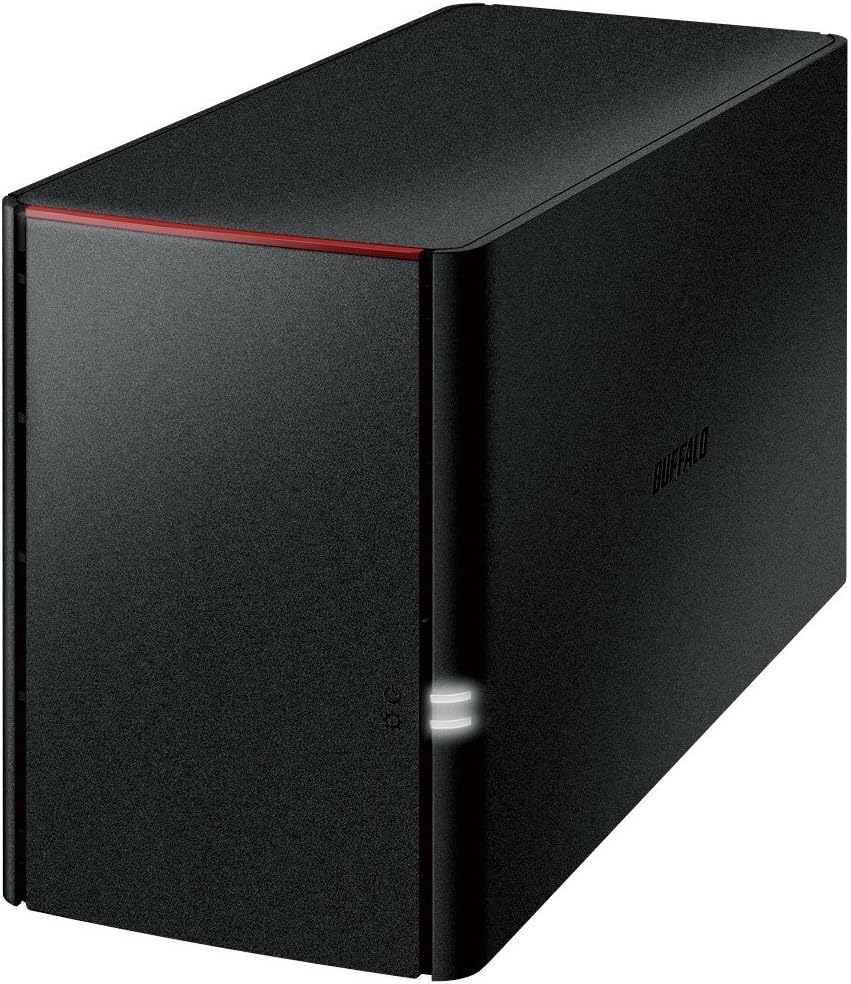


The LinkStation 210 serves as an accessible entry point for users seeking network attached storage without complex configuration. With a 3.9 rating, it offers reliable centralized storage for home environments needing basic file sharing and backup capabilities.
We may earn a commission when you buy through this link, at no additional cost to you.
Its 6TB capacity provides ample space for media libraries and documents while eliminating the need to purchase drives separately. The closed system design enhances security by reducing vulnerabilities from third party apps and ensures secure file transfers via SSL encryption.
Users should note that single bay models lack the redundancy of multi bay systems if the drive fails. However the included hard drive warranty and US based support mitigate risks for those prioritizing cost effective storage over advanced RAID options.
This device is ideal for home users wanting a plug and play solution to share files across Windows and Mac devices without monthly cloud fees. It balances affordability with essential features for personal data management and backup tasks.
Access your files from anywhere without paying monthly storage charges through the subscription free personal cloud feature included with this unit.
Configure individual access restrictions for folders to ensure data privacy while securely sharing storage space with family and friends.
We may earn a commission when you buy through this link, at no additional cost to you.
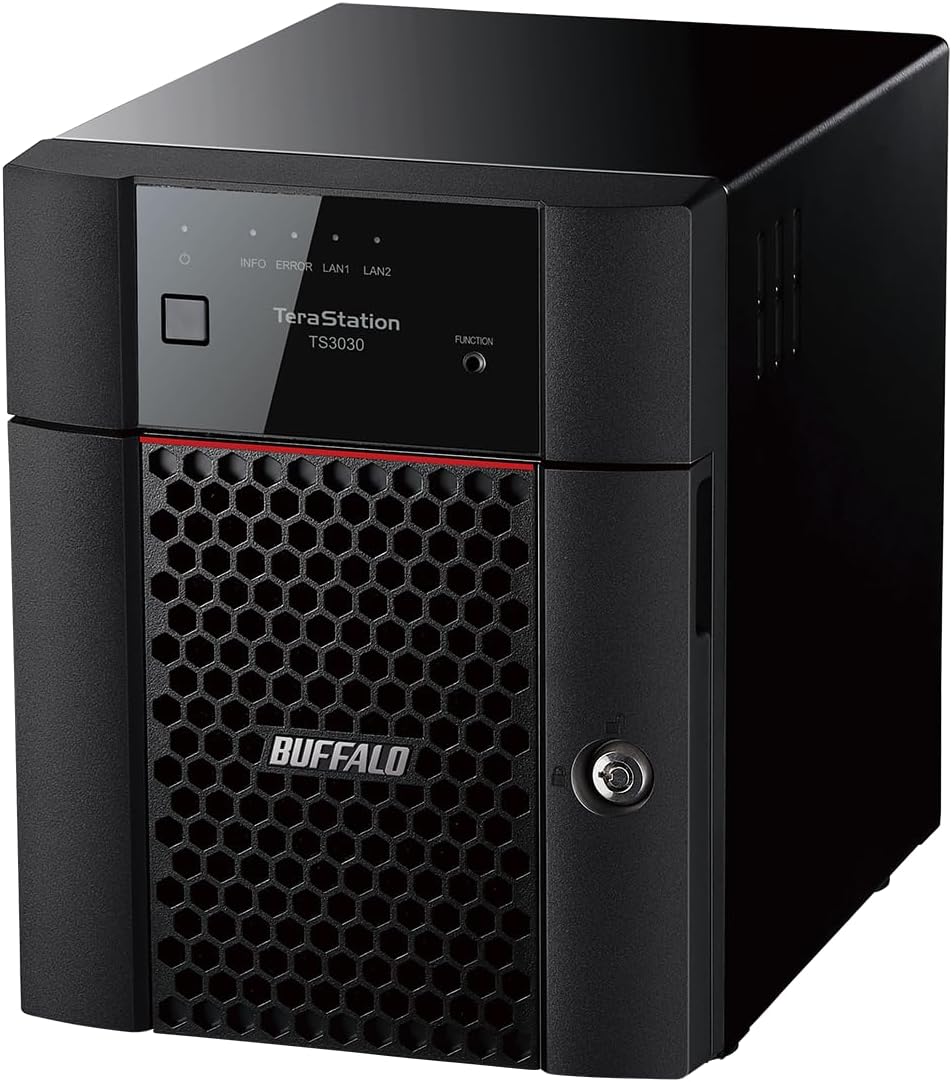
The TeraStation Essentials 2025 delivers professional grade network attached storage with 24TB of included capacity for demanding home or small office needs. Rated 4.3 stars, it combines robust data protection features with fast network connectivity for efficient file transfers.
We may earn a commission when you buy through this link, at no additional cost to you.
Its 2.5GbE port enables high speed file transfers without requiring cable upgrades while the closed system ensures data safety through 256 bit drive encryption. The RAID pre-configuration simplifies setup providing out of the box protection for valuable files and media.
While the cost is higher than entry models the included drives and hybrid cloud sync options provide significant long term value. The 3 year warranty covering hard drives and award winning US based support add peace of mind for critical data storage scenarios.
Choose this NAS if you need substantial storage capacity with professional security features and hybrid cloud capabilities for a business or power home environment. It excels in reliability and performance for users requiring more than basic home cloud storage.
Sync with Amazon S3 Dropbox Azure and OneDrive to create a hybrid cloud for extra data security cost savings and flexible scalability.
Native 2.5GbE port supports high speed file transfers with no cable upgrade needed for modern network environments.
We may earn a commission when you buy through this link, at no additional cost to you.
The TeraStation 5420DN stands out as a full scale professional network attached storage solution with an impressive 4.8 rating. It offers 32TB of capacity and advanced features like iSCSI and native 10GbE ports for high performance business environments needing file server capabilities.
We may earn a commission when you buy through this link, at no additional cost to you.
Snapshots enable instant data backup and recovery with minimal system disruptions which is critical for mitigating ransomware threats in business settings. The closed system with two factor authentication and 256 bit drive encryption ensures your data remains secure against unauthorized access and external threats.
The cost reflects enterprise level capabilities including optional extended warranties and data recovery services that may exceed needs for typical home users. However small businesses requiring high throughput and robust redundancy will find the investment justified by the reliability and speed offered.
Select this model if you need a powerful file server with 10GbE speeds and instant recovery features for protecting critical business data. It represents the pinnacle of Buffalo NAS performance for environments where data integrity and transfer speed are paramount.
Snapshots can be created and used to recover data near instantaneously with little or no system disruptions to mitigate ransomware threats.
Native 10GbE port enables high speed file transfers with no cable upgrade needed for professional network infrastructures.
We may earn a commission when you buy through this link, at no additional cost to you.
The LinkStation SoHo 220 is optimized for small office home office environments needing secure shared storage and backup capabilities. With a 4.1 rating and 4TB capacity it provides a balanced solution for organizing and protecting important files across multiple devices.
We may earn a commission when you buy through this link, at no additional cost to you.
Its USB direct copy feature allows backing up devices without a computer which is convenient for quick photo or file transfers. The included hard drives in RAID 1 configuration offer automatic backup protection ensuring data remains safe even if one drive fails.
The total 4TB capacity may limit long term growth for users with large media libraries or extensive document archives. However the subscription free personal cloud and easy sharing options make it a strong choice for small teams needing affordable centralized storage.
Choose this NAS for home offices that prioritize ease of use and direct device backups without requiring constant computer connections. It delivers essential security and sharing features at a competitive price point for small business needs.
Direct Copy lets you back up your devices via USB to copy photos videos and files without a computer for quick transfers.
Ships in RAID 1 for automatic backup providing immediate data protection when one drive fails without complex setup.
We may earn a commission when you buy through this link, at no additional cost to you.
The TeraStation Essentials Rackmount offers a space efficient solution for server rooms needing professional grade network attached storage. With a 4.4 rating and 4 bay design it fits standard racks while delivering reliable storage for organizing and backing up everyday files.
We may earn a commission when you buy through this link, at no additional cost to you.
Its 2.5GbE port supports high speed transfers without cable upgrades and the pre-configured RAID provides out of the box protection. The hybrid cloud sync capabilities allow extra data security by combining local storage with cloud services like Dropbox and Amazon S3.
At 8TB capacity this model suits environments where rack space is more critical than maximum storage volume. The 3 year warranty covering hard drives and award winning support ensure long term reliability for business infrastructure deployments.
Ideal for small IT departments requiring rackable storage with professional security features and flexible cloud backup options. It balances form factor convenience with essential data protection for managed network environments.
Value-focused rackmount NAS designed for professional use with included drives and RAID pre-configuration for hassle-free setup.
Sync with cloud services to create a hybrid cloud for extra data security cost savings and versatile data backup options.
We may earn a commission when you buy through this link, at no additional cost to you.
The TeraStation WS5220DN provides native Windows Server IoT 2025 support making it ideal for small businesses already using Microsoft workgroup environments. While rating data is unavailable its unique operating system integration offers cost effective data management without requiring client access licenses.
We may earn a commission when you buy through this link, at no additional cost to you.
Included NovaBACKUP software licenses enable professional level server and PC backups directly on the device enhancing data protection. Cloud service integration with Azure and OneDrive creates a hybrid cloud allowing additional security and flexibility for critical business data.
Users invested in Windows ecosystems will appreciate the seamless integration but general users may find the specialized OS less flexible. The 4TB capacity and RAID 1 default provide solid entry level protection though it suits smaller deployments primarily.
Choose this NAS if you need a Windows compatible server that simplifies licensing and backup management for small business workgroups. Its specialized features offer distinct value for Microsoft-centric IT environments.
No Client Access Licenses required simplifying setup for small business NAS with Windows Server enhanced data management features.
Includes NovaBACKUP software licenses for versatile professional level server and PC backups to protect critical data.
We may earn a commission when you buy through this link, at no additional cost to you.
The LinkStation 220 offers a straightforward 4TB NAS solution with DLNA and USB connectivity for basic media sharing needs. Rated 4.0 stars it provides a reliable network storage option for users requiring simple file access and media streaming to connected devices.
We may earn a commission when you buy through this link, at no additional cost to you.
Its Gigabit LAN connection ensures stable transfer speeds while the USB 2.0 port allows external backup or device expansion. This model functions as a dedicated media server enabling access to photos and music across home network devices easily.
Users should note older hardware specifications may limit performance compared to newer models with faster Ethernet or USB ports. However it remains a solid choice for legacy systems or environments where basic media streaming is the primary requirement.
Select this model for straightforward file sharing and DLNA media streaming without needing advanced enterprise features. It serves well for home media servers requiring reliable network access.
Built-in DLNA support enables streaming photos music and videos to compatible devices across your home network.
USB 2.0 port allows external connectivity for additional device expansion or backup options on the network.
We may earn a commission when you buy through this link, at no additional cost to you.
The TeraStation 1200D provides a cost effective 4TB desktop NAS solution for small offices and home users needing multiple device access. Rated 4.0 stars it includes pre-tested hard drives in RAID 1 ensuring data redundancy and ease of setup via router connection.
We may earn a commission when you buy through this link, at no additional cost to you.
Business level server and PC backup software is bundled allowing users to schedule automated backups without additional subscriptions. The free personal cloud enables access to files from any PC Mac or smartphone providing flexible remote access for home and travel.
Ships in RAID 1 which means usable capacity is effectively 2TB rather than full 4TB limiting storage space for large media collections. However the included drives and strong warranty support make it an economical choice for essential file sharing.
Choose this NAS for home offices needing shared storage with free remote access and backup capabilities. It offers solid foundational features for centralized data management at an affordable price.
Free personal cloud enables access from any PC and Mac computer tablet and smartphone for remote file management.
Business level server and PC backup software bundled provides automated data protection without extra costs.
We may earn a commission when you buy through this link, at no additional cost to you.
The LS220dg Series is designed with smartphone and tablet users in mind offering seamless mobile access to network storage. With a 3.9 rating and 4TB capacity it provides a reliable solution for protecting important files and enjoying more TV programs on mobile devices.
We may earn a commission when you buy through this link, at no additional cost to you.
The mirroring function ensures photos and music are protected against drive failure by duplicating data across two drives effectively halving usable capacity. This security focus makes it suitable for users prioritizing data safety over maximum storage space.
Limited to 1 year warranty compared to other models may raise concerns about long term reliability for mission critical data. However its ease of setup and mobile friendly design appeal to casual users needing accessible network storage.
Select this NAS if mobile accessibility and data mirroring are your primary needs for home entertainment and file backup. It offers a straightforward path to networked storage with mobile optimization.
Mirroring function protects family photos music and important files against drive failure ensuring data remains safe.
Designed for Smartphone Tablet and PC network access enabling easy file management across mobile devices.
We may earn a commission when you buy through this link, at no additional cost to you.
The DriveStation Duo offers an 8TB desktop external hard drive solution with USB 3.2 connectivity for direct storage access. While not a network attached device it supports RAID 1 with hot swap capabilities allowing drive replacement without powering down the unit.
We may earn a commission when you buy through this link, at no additional cost to you.
Its universal connectivity works with both PC and Mac making it versatile for creative professionals or server backups. Time Machine support enables scheduled backups for Mac computers ensuring data safety across Apple ecosystems effectively.
As a DAS rather than a NAS it lacks network sharing capabilities which limits access to a single connected computer. However it remains a solid option for users needing high capacity local storage with redundant protection.
Choose this model if you require large local storage with hot swap features and Time Machine support for Mac backups. It serves well as a centralized backup target for creative workflows.
Hot swap feature allows a user to replace a hard drive in the event of failure without powering down the device.
Time Machine support offers scheduled backups for protecting Mac computers ensuring data remains safe.
We may earn a commission when you buy through this link, at no additional cost to you.
Selecting the right Buffalo NAS involves evaluating storage capacity network speed and security features to match your environment requirements.
Determine total storage needs by considering current data volume and future growth projections for files and media.
Choose capacities ranging from 4TB for home use to 32TB for business to ensure ample space for backups.
Evaluate network ports to ensure speeds match your router and device capabilities for efficient file transfers.
Opt for 2.5GbE or 10GbE ports if high throughput is required for business environments.
Understand RAID modes to select the balance between usable space and data redundancy based on priorities.
RAID 1 offers protection with half capacity while RAID 5 provides more space with drive redundancy.
Look for encryption SSL and closed system designs to prevent unauthorized access to stored data.
Choose models with two factor authentication and drive encryption for sensitive business information protection.
Assess cloud sync capabilities to create hybrid setups combining local storage with remote backup services.
Ensure compatibility with preferred services like Dropbox Azure or OneDrive for flexible backup strategies.
Check warranty duration and coverage details for hard drives and the device itself to ensure long term protection.
Prioritize models offering US based support and extended warranty options for business critical deployments.
Verify the NAS supports your primary operating systems to ensure seamless access across Windows Mac and mobile.
Consider specialized OS models like Windows Server if your IT infrastructure requires native integration.
Select a form factor that fits your physical space constraints whether desktop or rackmount for server rooms.
Desktop models are ideal for home offices while rackmount units suit professional data centers.
Connect the NAS to your router using Ethernet and plug in power to begin the setup process through the provided management software.
Create user accounts and configure RAID settings based on your priority between storage capacity and data redundancy for protection.
Schedule regular backups and check drive health status periodically to ensure your data remains safe and the system runs smoothly.
A NAS connects to a network allowing multiple devices to access files simultaneously whereas an external drive connects via USB to one computer. NAS offers centralized storage and remote access capabilities essential for sharing across devices efficiently.
Most Buffalo NAS models in this guide include pre-tested hard drives for ready to use operation out of the box. Check specific product details as capacities and configurations vary between models.
Yes Buffalo NAS devices are compatible with macOS allowing seamless file sharing and backups. Some models may require formatting for full Time Machine support or feature compatibility on the latest versions.
Choose RAID 1 for maximum redundancy protecting against single drive failures while sacrificing half capacity. RAID 5 offers better space utilization with protection suitable for general file storage needs.
Access remotely via the personal cloud feature by configuring your device through the management utility. Ensure proper port forwarding and security settings to access files from outside your home network.
Buffalo provides 24/7 US based support with installation walkthroughs and warranty service. Most models come with extended warranties covering hard drives and recovery services for peace of mind.
Yes most models support drive expansion or replacement though RAID configurations may need reconfiguration. Hot swap features allow replacing drives without powering down the device in compatible models.
Buffalo NAS includes subscription free personal cloud for remote access but hybrid cloud sync requires external service subscriptions. Check specific models for bundled backup software or integration options.
The TeraStation 5420DN LinkStation 210 and TeraStation Essentials 2025 lead our selection offering distinct advantages for business budget and premium home storage.
Prioritize storage capacity and security features based on whether you need centralized media sharing or critical business data protection.
Verify current pricing and availability before purchasing to ensure you select the right model for your evolving network storage needs.