
Ai Pen, Chat Gpt Pen
5.0Editor score
HD touchscreen interface
Offline translation support
Voice recording feature
AI Scan Pens with Chatgpt are transforming how we interact with printed text by offering instant translation and intelligent answers. These devices combine optical character recognition with generative AI to streamline learning and productivity for users worldwide.
We compared ten leading models based on accuracy, language support, and AI integration capabilities. Our analysis focuses on real-world performance for students, professionals, and language learners seeking efficient digital note-taking solutions today.
Each pick highlights unique strengths like offline translation or voice recording features. Prices fluctuate frequently so verify current listings before purchasing to ensure you get the best value for your specific study or work requirements.
5.0Editor score

3.3Editor score

4.0Editor score
As an Amazon Associate we earn from qualifying purchases.
This side-by-side comparison outlines the core specifications of all ten selected AI Scan Pens to help you identify the right model for your specific reading and translation needs.


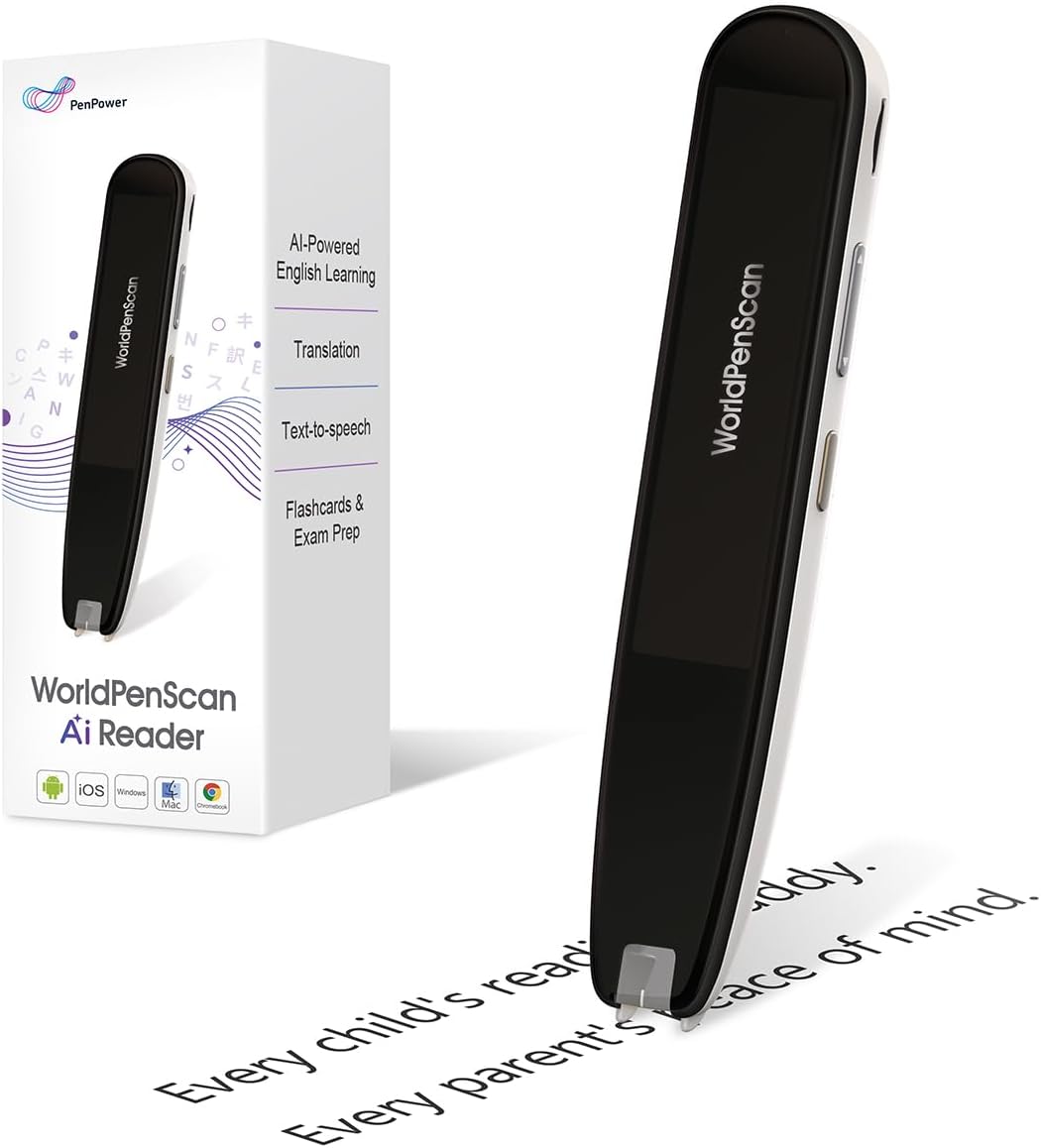


The Scanmarker AI Pen stands out as a leading choice for those needing instant text conversion. It offers a built-in screen for immediate feedback and supports ChatGPT for deeper queries.
We may earn a commission when you buy through this link, at no additional cost to you.
Its OCR technology is highly accurate for scanning books and documents. The text to speech function helps users with reading difficulties by reading aloud clearly.
While the price is higher than basic models the build quality justifies the cost. Users appreciate the ease of exporting notes to computers for further editing later.
This pen is ideal for students and professionals who prioritize speed and accuracy. We recommend it for anyone needing a reliable tool for daily study sessions.
The pen scans words and phrases instantly displaying them on the screen without delay.
Clear audio playback helps auditory learners grasp complex material quickly and easily.
We may earn a commission when you buy through this link, at no additional cost to you.
This pen is designed specifically to support dyslexia learners and language students. It features an AI homework checker and real-time chat capabilities for instant help.
We may earn a commission when you buy through this link, at no additional cost to you.
The device supports 112 languages which is impressive for translation needs. You can adjust reading speeds to match your personal processing rate effectively.
Syncing data to your phone is seamless via Bluetooth. However the smaller screen might require squinting for some users during extended sessions.
It is a strong choice for those who need versatile translation tools. The adjustable reading speeds make it accessible for various skill levels today.
Check answers and get explanations for math problems instantly with AI power.
Special fonts and adjustable speeds help reduce reading stress significantly.
We may earn a commission when you buy through this link, at no additional cost to you.
This set bridges the gap between traditional writing and digital organization. You write on real paper while the app digitizes your strokes via Bluetooth.
We may earn a commission when you buy through this link, at no additional cost to you.
The AI features help summarize lectures and auto-tag notes for easy searching later. The battery lasts up to 17 hours which is excellent for long days.
You need to use specific notebooks which might add to the cost over time. But the convenience of searchable handwritten notes is a major benefit for students.
It is perfect for those who prefer pen and paper but need digital backup. The included refills make it ready to use right out of the box.
Write naturally on standard paper without feeling the friction of a tablet.
The app automatically tags your notes so you can find them easily.
We may earn a commission when you buy through this link, at no additional cost to you.
This device focuses heavily on translation capabilities for global travelers. It supports 142 languages online and offers offline translation for ten languages.
We may earn a commission when you buy through this link, at no additional cost to you.
The built-in 5MP camera allows for photo translation which is great for menus. It reads text aloud to help with pronunciation and comprehension.
The interface is straightforward but might lack some advanced features found in pricier models. Still it handles the core tasks of scanning and translating very well.
We recommend this for travelers needing quick translation without internet access. The offline mode is a lifesaver in areas with poor connectivity.
Translate text even when you do not have an internet connection available.
Point the camera at any text to get instant translations via photo.
We may earn a commission when you buy through this link, at no additional cost to you.
This model offers a large HD touchscreen at a very competitive price point. It includes built-in GPT for intelligent study help beyond simple scanning.
We may earn a commission when you buy through this link, at no additional cost to you.
With offline translation for over 150 languages it is incredibly versatile for travelers. The touch interface makes navigating menus and results quite smooth.
The build quality is lighter than premium pens which some may find less durable. But for the price the feature set is hard to beat in the market.
It is perfect for students who want advanced AI features without the high cost. We suggest it for anyone looking for value on a budget today.
Get instant AI answers for math history and other subjects easily.
Interact with a clear large touch interface for easy navigation.
We may earn a commission when you buy through this link, at no additional cost to you.
This pen is designed to help children build reading confidence independently. The Quick AI feature provides simplified explanations that match their reading level.
We may earn a commission when you buy through this link, at no additional cost to you.
It works well with English Spanish and Chinese texts which suits bilingual households. The built-in dictionary ensures learning continues even offline.
While it supports fewer languages than others it excels in educational quality. The reading quizzes reinforce what children learn during their study sessions.
Parents will appreciate how it helps children solve challenges on their own. We recommend it for kids needing extra reading support at home.
Get age-appropriate explanations for difficult words instantly.
Use dictionary and speech features without needing an internet connection.
We may earn a commission when you buy through this link, at no additional cost to you.
This pen focuses on providing instant AI answers for various subjects. It integrates ChatGPT to help you brainstorm ideas and refine your essays quickly.
We may earn a commission when you buy through this link, at no additional cost to you.
You can use offline translation for over 50 languages which is convenient for travel. It also records lectures and syncs them to your devices via WiFi.
The lack of user ratings makes it harder to judge long-term reliability. However the features are strong for a device at this price point.
It is a solid choice for those who need quick AI assistance. We suggest it for students who want to integrate AI into their workflow.
Interact with knowledge like never before through an intuitive interface.
Record lectures and meetings to review key insights later easily.
We may earn a commission when you buy through this link, at no additional cost to you.
This set is ideal for professionals who need to capture meeting notes efficiently. It converts your voice into text in real time via the built-in microphone.
We may earn a commission when you buy through this link, at no additional cost to you.
The app recognizes handwriting and generates editable Word documents for you. Wireless charging makes it easy to keep the device powered up for work.
You can reuse the paper by erasing it which helps reduce waste over time. The setup requires an app but the convenience is worth the initial effort.
We recommend it for office workers looking to digitize their workflow. It simplifies recording ideas and meeting content significantly.
Convert spoken words into text for editing instantly with ease.
Write erase and rewrite without worrying about wasting paper.
We may earn a commission when you buy through this link, at no additional cost to you.
This device is tailored for users with dyslexia and other reading challenges. It reads text aloud instantly while highlighting words on the screen for clarity.
We may earn a commission when you buy through this link, at no additional cost to you.
It supports over 100 languages including offline options for common European ones. The compact design makes it easy to carry in your bag.
While it lacks advanced AI chat features it does the core job well. The Bluetooth headphone support allows for private listening in public places.
It is perfect for learners needing straightforward translation and reading aid. We suggest it for students requiring focused language support.
Listen to text read aloud clearly to improve comprehension.
Lightweight and portable for easy travel and daily use.
We may earn a commission when you buy through this link, at no additional cost to you.
This pen is designed for travelers needing simple and fast translation. It handles 142 languages and supports photo translation for signs and menus.
We may earn a commission when you buy through this link, at no additional cost to you.
It also functions as a music player and voice translator which adds utility. The compact form factor fits easily in any pocket or purse.
It lacks sophisticated AI features but covers the basics of translation and reading. The price point makes it accessible for casual users.
We recommend it for travelers who want a simple tool for communication. It ensures you can scan and translate text quickly while abroad.
Scan signs and menus instantly with the built-in camera.
Listen to your music while you travel with ease.
We may earn a commission when you buy through this link, at no additional cost to you.
Selecting the right AI Scan Pen involves evaluating specific features like AI integration language support and battery life.
Look for pens that offer built-in ChatGPT or similar AI capabilities to enhance your study experience. These tools allow for deeper explanations and summarizing complex text beyond simple translation.
Prioritize models with strong AI features if you need more than just translation.
Ensure the device supports the languages you need for your studies or travels. Many pens offer over 100 languages but offline capabilities are crucial for areas without internet.
Check if offline translation covers your primary languages before purchasing.
Optical Character Recognition accuracy determines how well the pen scans printed text. High accuracy is essential for scanning handwritten notes or complex document layouts effectively.
Choose a model with proven OCR performance for your specific text types.
Text to speech features help improve comprehension for auditory learners or those with reading difficulties. Ensure the audio quality is clear and supports different accents if needed.
Select a pen with high-quality audio for better learning support.
Long battery life ensures you can use the pen throughout the day without recharging frequently. Look for models offering at least 10 to 17 hours of continuous use.
Prioritize battery life if you travel often or use the pen for long study sessions.
Consider how easily you can save and export scanned notes to your computer. Bluetooth and WiFi sync options allow you to manage digital files more effectively.
Ensure the device supports your preferred file formats for easy sharing.
Durability is key for a device used daily in schools or offices. Look for sturdy designs that can withstand drops and regular wear and tear.
Choose a model with a solid build for long-term reliability.
Balance the cost with the features you actually need. Some models offer high-end features that might not be necessary for basic scanning tasks.
Assess your budget against your specific feature requirements before buying.
To start using your pen simply charge it fully using the provided cable. Once charged turn it on and download the companion app from your device store.
Position the pen tip close to the text and move it slowly along the words you wish to scan. The device will capture the text instantly and display it on the screen.
Store your pen in a protective case when not in use to prevent physical damage. Keep the optical sensor clean by wiping it gently with a soft cloth regularly.
Many modern AI Scan Pens offer offline translation for a limited set of languages like English and Spanish. However advanced AI features like ChatGPT typically require an internet connection to function properly.
While some advanced models can read neat handwriting most pens perform best with printed text. Accuracy for handwriting varies significantly by brand and software version so check product specs before buying.
Most pens allow you to connect to a computer via USB or Bluetooth. You can then save files in formats like TXT DOC or PDF to edit or share with others easily.
Yes many models feature child-friendly designs and specific reading modes that simplify explanations. Some even offer quizzes and age-appropriate learning tools to engage young students effectively.
Battery life varies by model but most devices offer between 10 to 17 hours of use on a single charge. Charging times usually range from 1 to 2 hours depending on the power source used.
Most of the top models include text-to-speech functionality to read scanned text aloud. This feature is essential for auditory learners and individuals with reading difficulties like dyslexia.
Yes many pens support photo translation which allows you to point the camera at menus to get instant translations. This is extremely useful for travelers visiting countries with foreign languages.
Reputable brands provide customer support through email or online help centers. Check the warranty terms included with your purchase to ensure you get assistance if the device malfunctions.
We reviewed ten top models ranging from budget-friendly options to premium devices with advanced AI. The Scanmarker AI Pen leads for overall speed while the Ai Pen offers great value for beginners.
Focus on language support and AI capabilities when deciding which model fits your needs best. Battery life and offline features are also critical for travelers and students without constant internet access.
Remember that prices change frequently so always check the latest listings before making your final purchase decision. Choose the pen that aligns best with your daily workflow requirements today.