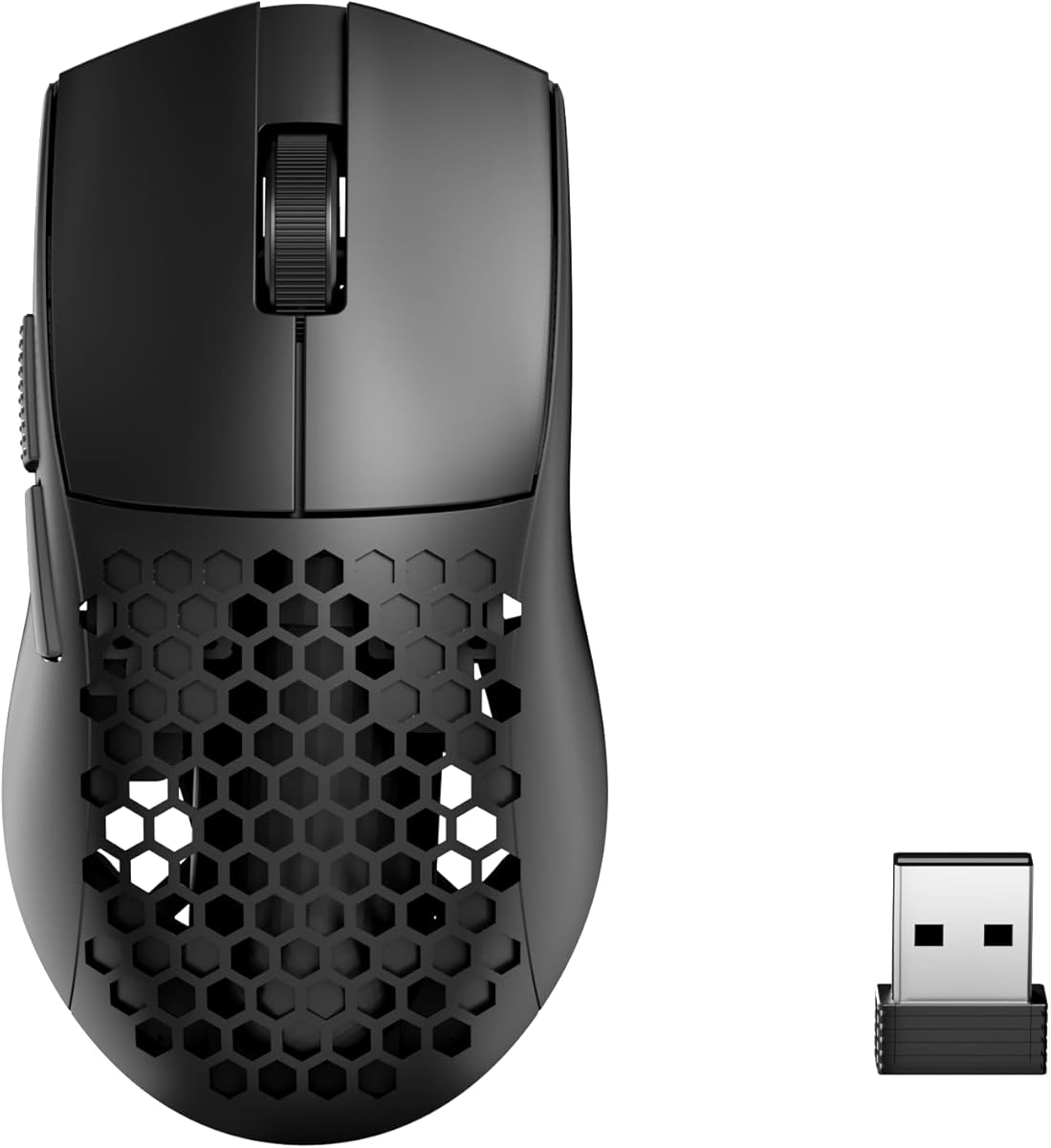
Redragon M725 Honeycomb Shell Gaming Mouse Wireless
4.4Editor score
Tri-mode connectivity options
49 grams lightweight design
8000 DPI sensor
This guide compares the lightest mice for gaming to help you find the perfect ultralight option for speed and precision in competitive play.
Finding the right gaming mouse can transform your experience. Lightweight models reduce fatigue and improve speed. We explore top options for competitive play and daily use.
Our team analyzed performance, sensor quality, and build materials. We focused on wireless options that maintain reliability. Each pick offers unique features for different grip styles.
Each review highlights strengths and weaknesses openly. Prices may change over time. Check current listings for the best value before you commit to a new device.
4.4Editor score

4.5Editor score

4.3Editor score
The following table lists each model side by side for quick comparison of weight, connectivity, and sensor capabilities.


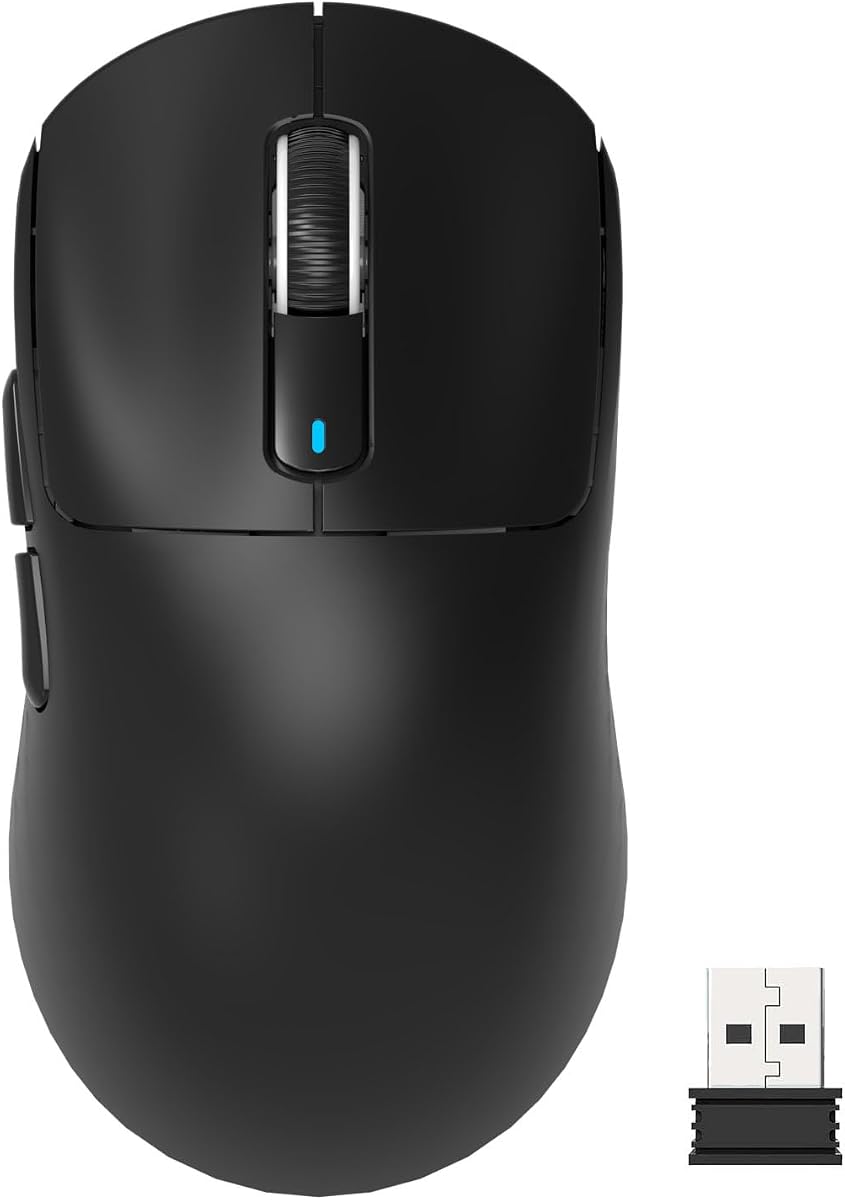


The Logitech G PRO X Superlight 2 is a top contender for competitive gamers. It offers exceptional wireless performance with minimal weight. The HERO 2 sensor ensures precise tracking across surfaces.
We may earn a commission when you buy through this link, at no additional cost to you.
Its 60-gram build reduces fatigue during long sessions. The 8 kHz polling rate delivers fast response times. Battery life supports extended use without frequent charging.
The switch mechanism is tactile and responsive. While expensive, the build quality and performance justify the cost. It remains a favorite among pros.
Ideal for serious gamers who value speed. This mouse is a solid choice for those seeking top-tier wireless performance without compromise.
At 60 grams, this mouse feels nearly weightless. This helps with rapid movements and reduces strain over time.
The HERO 2 sensor tracks accurately on most surfaces. It offers high DPI settings and smooth movement.
We may earn a commission when you buy through this link, at no additional cost to you.
This model redefines lightweight gaming with its 37-gram frame. It feels nearly weightless during play. The sensor provides fast tracking for competitive needs.
We may earn a commission when you buy through this link, at no additional cost to you.
The symmetrical shape suits claw grips well. It includes unique skates for smooth gliding. Wireless connectivity offers freedom from cables.
The minimalist design is durable despite low weight. Some users might find it too small. However, it delivers high performance.
Best for gamers seeking minimal weight. This mouse is great for fast-paced titles where speed matters most.
At just 37 grams, this mouse is incredibly light. It reduces strain and allows quick flicks.
The XS-1 sensor ensures accurate tracking. It supports high speeds and DPI settings for precision.
We may earn a commission when you buy through this link, at no additional cost to you.
The Razer Viper V3 HyperSpeed offers a solid wireless experience. It balances weight and durability well. The Focus Pro 30K sensor is highly accurate.
We may earn a commission when you buy through this link, at no additional cost to you.
Its 280-hour battery life is excellent. The mechanical switches provide tactile feedback. The shape supports palm grips comfortably.
It is heavier than some competitors. However, this adds to its sturdy feel. The performance remains consistent.
Good for gamers who value durability. This mouse is a reliable choice for daily competitive play.
With up to 280 hours of use, this mouse lasts long. It reduces the need for frequent charging.
The Hyperspeed connection ensures low latency. It works well even in crowded wireless environments.
We may earn a commission when you buy through this link, at no additional cost to you.
This model offers great value for its price. It is light and supports multiple connection types. The honeycomb shell aids weight reduction.
We may earn a commission when you buy through this link, at no additional cost to you.
It includes software for macro customization. The buttons are easy to program. It is suitable for casual gaming.
The sensor is good but not top-tier. It may not suit pro FPS users. However, it is a solid budget pick.
Best for casual players on a budget. This mouse provides essential features without high cost.
It supports Bluetooth, 2.4GHz wireless, and wired connections. This offers flexibility for different setups.
Five buttons can be customized easily. Macros help streamline complex in-game actions.
We may earn a commission when you buy through this link, at no additional cost to you.
The Logitech G305 is a proven wireless model. It delivers lag-free performance at a fair price. The HERO sensor ensures accuracy.
We may earn a commission when you buy through this link, at no additional cost to you.
Battery life supports long play sessions. It uses a single AA battery. The design is compact and portable.
It is heavier than newer models. However, this is acceptable for its price range. The wireless speed is excellent.
Good for general use and light gaming. This mouse offers great reliability for its cost.
The wireless connection is fast and stable. It feels like a wired mouse for most users.
It lasts hundreds of hours on one battery. This reduces the need for constant replacements.
We may earn a commission when you buy through this link, at no additional cost to you.
This mouse focuses on performance and lightness. The 8 kHz polling rate ensures fast response. It weighs just 39 grams for speed.
We may earn a commission when you buy through this link, at no additional cost to you.
It supports wired and wireless connections. The driver allows detailed customization. The 8K receiver improves tracking.
The brand is newer than others. Some users may worry about longevity. However, specs are impressive.
Best for enthusiasts wanting high polling. This mouse delivers strong performance for the price.
This rate updates inputs quickly. It can offer smoother tracking for fast games.
Use Bluetooth, 2.4G wireless, or wired. This covers most usage scenarios easily.
We may earn a commission when you buy through this link, at no additional cost to you.
This model brings wireless freedom at a low cost. The PAW3395 sensor is a known flagship. It weighs just 49 grams.
We may earn a commission when you buy through this link, at no additional cost to you.
Switches provide crisp feedback. The tri-mode setup offers flexibility. It supports both wireless and wired modes.
Software is less advanced than big brands. However, hardware quality is strong. It suits casual competitive play.
Best for budget-conscious gamers. This mouse offers reliable performance for the money.
This sensor is known for accuracy. It tracks well on various surfaces.
The Kailh switches offer tactile feedback. They feel responsive for clicks and actions.
We may earn a commission when you buy through this link, at no additional cost to you.
This model offers a premium wireless experience. Its medium size suits various grips. The weight is only 39 grams.
We may earn a commission when you buy through this link, at no additional cost to you.
It includes unique skates for gliding. The sensor ensures precise movement. It is built to last.
The cost is high compared to rivals. It is best for users who want top specs. Performance is outstanding.
Ideal for gamers wanting the best. This mouse is a solid pick for serious players.
Included skates help smooth movement. They reduce friction on the pad.
The XS-1 sensor offers high precision. It supports fast speeds and DPI settings.
We may earn a commission when you buy through this link, at no additional cost to you.
The ASUS ROG Harpe Ace Mini is designed for precision. It is compact for smaller hands. The weight is 49 grams.
We may earn a commission when you buy through this link, at no additional cost to you.
Its sensor tracks glass and various surfaces. Tri-mode connectivity offers flexibility. The software is detailed for users.
It may feel too small for some users. However, it fits pro specs well. The wireless speed is strong.
Best for FPS gamers needing precision. This mouse is great for those who want control.
The shape suits claw and fingertip grips. It is refined for competitive needs.
This feature allows tracking on glass. It works on many surfaces easily.
We may earn a commission when you buy through this link, at no additional cost to you.
This model is a strong wired option. It includes RGB lighting and many buttons. The weight is low for a wired mouse.
We may earn a commission when you buy through this link, at no additional cost to you.
Software allows full customization. The sensor supports high DPI. The design feels durable.
It lacks wireless freedom. However, wired gaming has benefits. This fits budget needs.
Best for those who want RGB. This mouse delivers features at a fair price.
The RGB effects can be customized easily. It adds visual appeal to the desk.
Seven buttons can be set for macros. This helps with complex tasks in games.
We may earn a commission when you buy through this link, at no additional cost to you.
Selecting a lightweight gaming mouse involves weighing several key factors. This guide explains what to look for when making your choice.
Weight impacts speed and fatigue. Lighter models help with fast movements. Aim for under 60 grams for competitive play.
Look for low weight to enhance agility.
The sensor determines tracking accuracy. High DPI and good IPS ratings ensure reliability. Top models use flagship optical sensors.
Choose high-quality sensors for precision.
Wireless offers convenience while wired avoids lag. Modern wireless tech is stable. Choose based on your setup needs.
Decide between wireless and wired based on setup.
Switches define click feel and durability. Optical switches last longer. Mechanical switches offer a tactile click.
Select switches that match your click preference.
Shape affects grip comfort. Symmetrical shapes work for claw grips. Ergonomic shapes support palm users.
Pick a shape that fits your hand.
Battery life is key for wireless. Longer life reduces interruptions. Aim for at least 70 hours.
Ensure long battery life for usage.
Cost varies by features and brand. Budget options lack top sensors. Invest in value for your needs.
Balance cost with performance features.
Use a quality mouse pad for smooth gliding. It protects your mouse and improves tracking. Keep the surface clean.
Update firmware using software tools. This ensures your mouse has latest features. Check for updates regularly.
Clean the surface with a soft cloth. Avoid harsh chemicals on the shell. Dust can collect inside vents.
Lighter mice reduce arm fatigue and allow quicker movements. This is useful for fast games. Many pros prefer them for control.
Modern wireless mice have low latency. They match wired performance for most. Many esports pros use wireless gear.
Competitive gamers often prefer 60 grams or less. Heavier mice feel stable but slow. It depends on personal preference.
Some light mice lack RGB or extra buttons. Focus stays on core performance. Many include good sensor options.
Check product dimensions for length and width. Compare them to your hand. Shape type affects comfort too.
Yes, many models work for daily tasks. They reduce strain over long sessions. Comfort is good for typing.
Any smooth pad works. High-quality cloth pads help with glide. Glass pads suit some sensors.
Optical switches use light to register clicks. They last longer than mechanical. They reduce issues with double clicks.
These picks offer strong options for speed. Top models include Logitech and Pulsar. Each fits different needs.
Focus on weight and sensor when buying. Also consider shape and price. Find a match for your style.
Prices may vary over time. Check listings for best deals. Selecting a lightweight mouse improves play.