
Dell 24 240Hz Gaming Monitor
4.7Editor score
240Hz refresh rate
0.5ms response time
IPS panel technology
Finding the right 24 inch G Sync monitor can transform your gaming experience by eliminating screen tearing and stuttering. These displays offer smooth visuals crucial for competitive play.
We evaluated ten leading models based on refresh rate, response time, panel type, and G Sync compatibility. Our analysis focuses on performance metrics that matter most to gamers.
Each pick highlights key strengths and trade-offs to help you decide. Note that availability and pricing can fluctuate, so check current listings before purchasing your next display.
4.7Editor score
4.9Editor score

4.4Editor score
As an Amazon Associate we earn from qualifying purchases.
The following table provides a side-by-side overview of the top ten 24 inch G Sync monitors. Compare key specifications to find the perfect match for your setup.


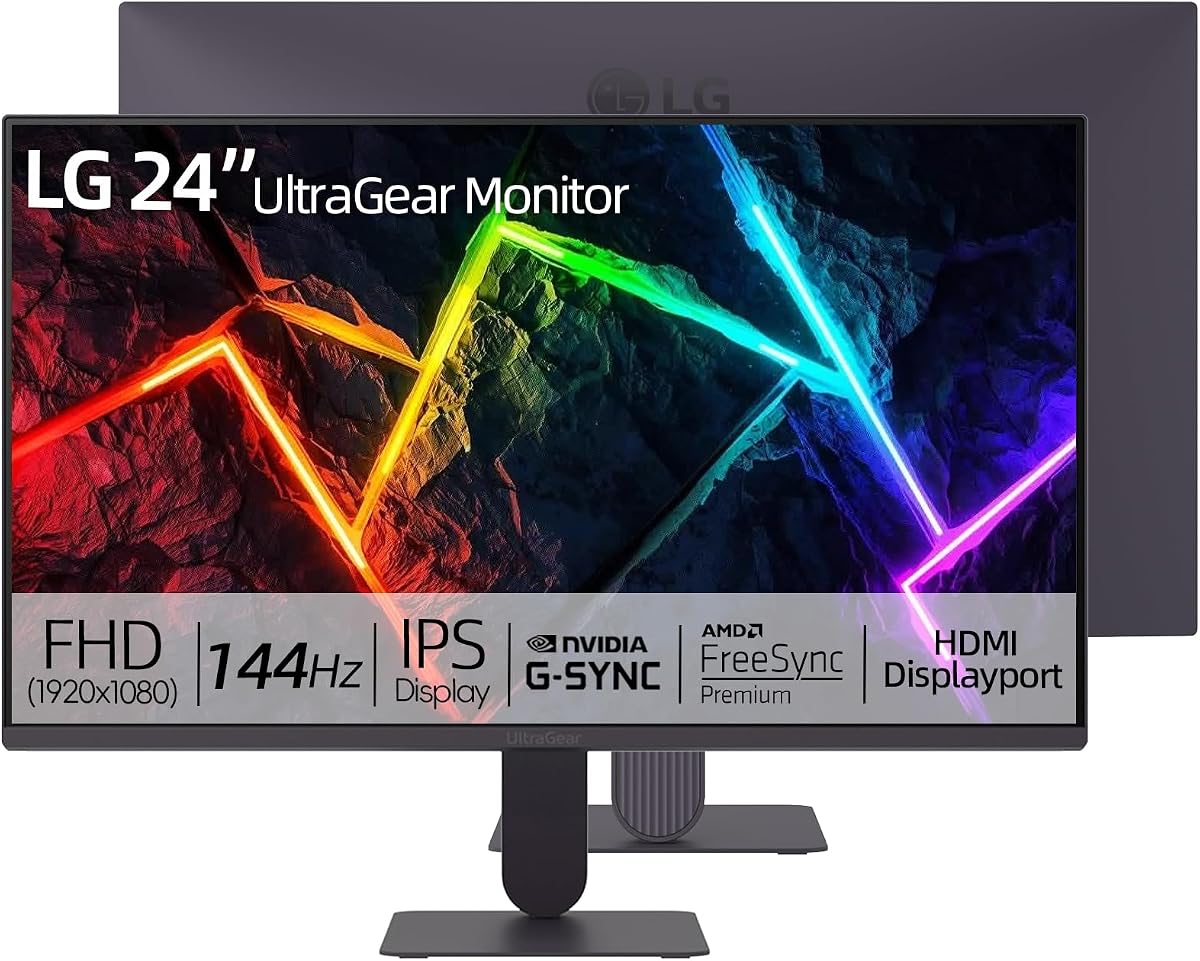
The LG 24G411A-B stands out as a top choice for gamers seeking reliable performance without breaking the bank. With a 144Hz refresh rate and 1ms MBR, it delivers smooth visuals essential for competitive play.
We may earn a commission when you buy through this link, at no additional cost to you.
Its IPS panel ensures vivid colors and wide viewing angles, while HDR10 support adds depth to supported content. G Sync compatibility guarantees tear-free gaming across various GPU setups.
While HDR brightness is modest, the monitor compensates with features like Black Stabilizer for low-light visibility and Crosshair tools for precision. The slim bezel enhances immersion significantly.
This model is ideal for budget-conscious gamers who prioritize smooth frame rates and color accuracy. It offers a balanced package that performs well in both gaming and multimedia tasks.
The 144Hz refresh rate and 1ms MBR minimize motion blur, ensuring sharp visuals during fast-paced action sequences.
Ultra-slim bezels and a minimal stand create a floating-like look that reduces distractions during gameplay.
We may earn a commission when you buy through this link, at no additional cost to you.
The Dell SE2426HG offers exceptional speed at a budget-friendly price point. Its 240Hz refresh rate and 0.5ms response time make it perfect for fast-paced competitive shooters.
We may earn a commission when you buy through this link, at no additional cost to you.
Fast IPS technology provides excellent color accuracy and wide viewing angles. FreeSync Premium support ensures smooth gameplay with AMD GPUs, while TÜV certification reduces eye strain.
Though it lacks official G Sync branding, HDMI VRR delivers similar benefits for compatible setups. The tilt-only stand limits ergonomic adjustments but keeps costs low.
This monitor is ideal for gamers who prioritize frame rates and response times over advanced features. It delivers high performance without the premium price tag.
At 240Hz, this monitor keeps motion exceptionally smooth, giving you a competitive edge in fast-paced games.
TÜV Rheinland 3-star certification ensures low blue light emission without compromising color quality.
We may earn a commission when you buy through this link, at no additional cost to you.
The ASUS TUF Gaming VG249QML5A is built for serious competitors who demand top-tier performance. Its 240Hz refresh rate and 0.3ms response time ensure minimal latency and blur.
We may earn a commission when you buy through this link, at no additional cost to you.
ELMB SYNC technology allows simultaneous use of motion blur reduction and variable refresh rates, a rare feature that enhances visual clarity. The ergonomic stand supports height adjustment for comfort.
While the price is higher than budget options, the 3-year warranty and Adobe Creative Cloud subscription add significant value. It suits professional gamers seeking reliability.
This monitor is best for those willing to invest in premium specs. The combination of speed, color accuracy, and durability makes it a standout choice for dedicated setups.
ELMB SYNC combines variable refresh rate and motion blur reduction for tear-free visuals without ghosting.
The height-adjustable stand allows customization of viewing position to reduce neck strain during long sessions.
We may earn a commission when you buy through this link, at no additional cost to you.
The LG 24G414B-B provides a balanced mix of features suitable for casual and competitive gaming alike. Its 144Hz refresh rate and 1ms MBR ensure fluid visuals and quick response times.
We may earn a commission when you buy through this link, at no additional cost to you.
Built-in stereo speakers add convenience for those who prefer not to use headsets. G Sync compatibility eliminates screen tearing, while the slim bezel enhances immersion.
Adjustable stand options improve ergonomics, though HDR performance remains standard. It is a solid choice for general gaming without extreme high-end demands.
This monitor is well-suited for gamers needing reliable performance with added audio features. It offers good value for those wanting a complete package.
Integrated stereo speakers provide clear sound for gaming and streaming without extra peripherals.
Ultra-slim bezels create a seamless display feel that pulls you deeper into the game world.
We may earn a commission when you buy through this link, at no additional cost to you.
This ASUS model delivers high-speed performance with a 200Hz refresh rate and 0.3ms response time. It is designed for gamers seeking ultra-smooth gameplay without extreme pricing.
We may earn a commission when you buy through this link, at no additional cost to you.
The anti-glare matte screen supports multi-system compatibility, working well with Windows, Mac, and Linux systems. G Sync and FreeSync Premium ensure tear-free visuals.
With 99% sRGB coverage, colors remain vibrant and accurate for both gaming and content creation. It is a versatile choice for mixed-use setups.
Ideal for users needing high refresh rates and broad OS support. This monitor balances performance and versatility effectively for diverse needs.
The anti-glare matte screen works seamlessly across various operating systems for flexible gaming and office use.
99% sRGB color gamut ensures vivid and consistent visuals for immersive gaming experiences.
We may earn a commission when you buy through this link, at no additional cost to you.
With a near-perfect 4.9 rating, this LG monitor is a customer favorite. It delivers a 144Hz refresh rate, 1ms MBR, and HDR10 support for a well-rounded experience.
We may earn a commission when you buy through this link, at no additional cost to you.
G Sync and FreeSync technologies ensure seamless, tear-free gaming. Pro-level tools like Black Stabilizer and Crosshair enhance performance in FPS titles.
Vivid IPS colors and wide viewing angles make it great for media consumption too. While the stand offers only tilt adjustments, the performance speaks for itself.
This model is perfect for those seeking a reliable, high-rated monitor. It excels in gaming performance while maintaining quality visuals for general use.
Black Stabilizer and Crosshair features help players spot threats and improve targeting accuracy.
sRGB 99% coverage delivers rich, lifelike colors for an immersive gaming world.
We may earn a commission when you buy through this link, at no additional cost to you.
Achieving a perfect 5.0 rating, this LG monitor excels in color performance and gaming smoothness. HDR10 technology and 99% sRGB coverage deliver rich, nuanced color gradations.
We may earn a commission when you buy through this link, at no additional cost to you.
Native 120Hz refresh rate boosts to 144Hz for stable visuals in fast-moving scenes. Dynamic Action Sync further reduces input lag for precise responses.
Slim bezels and customizable layouts boost productivity as well as gaming. It balances visual fidelity with performance effectively.
This model is ideal for users wanting top-tier visuals. It stands out for its color accuracy and smooth gaming experience.
HDR10 and IPS panel deliver authentic visual performance for gaming and design work.
Screen partitioning and customizable layouts enhance multitasking efficiency.
We may earn a commission when you buy through this link, at no additional cost to you.
This ASUS monitor focuses on competitive play with a 200Hz refresh rate and 0.3ms response time. It reduces motion blur and input delay for responsive gameplay.
We may earn a commission when you buy through this link, at no additional cost to you.
G Sync Compatible and FreeSync Premium technologies ensure seamless frame performance. ELMB Sync further minimizes ghosting during high-frame-rate sessions.
Eye care technologies reduce strain during extended use. Connectivity includes multiple HDMI and DisplayPort options for flexible setups.
It suits competitive gamers prioritizing speed and clarity. The monitor delivers ultra-smooth visuals and reliable performance.
200Hz refresh rate paired with 0.3ms response ensures minimal blur for competitive play.
Low Blue Light and Flicker-Free technologies reduce eye strain during long sessions.
We may earn a commission when you buy through this link, at no additional cost to you.
Another 5.0-rated LG model, this monitor shines with immersive HDR10 color and smooth 144Hz gameplay. It offers 99% sRGB coverage for vibrant visuals.
We may earn a commission when you buy through this link, at no additional cost to you.
G Sync and FreeSync compatibility ensure tear-free gaming. Dynamic Action Sync improves responsiveness for precise interactions.
Ultra-slim bezels and efficient multitasking features make it versatile for work and play. Adjustable tilt and eye-care technology ensure comfort.
Ideal for those seeking top visual quality. It stands out for its color performance and sleek design.
HDR10 technology delivers authentic and natural visual performance for gaming and design.
Slim minimalist design and adjustable tilt angle ensure comfort during extended use.
We may earn a commission when you buy through this link, at no additional cost to you.
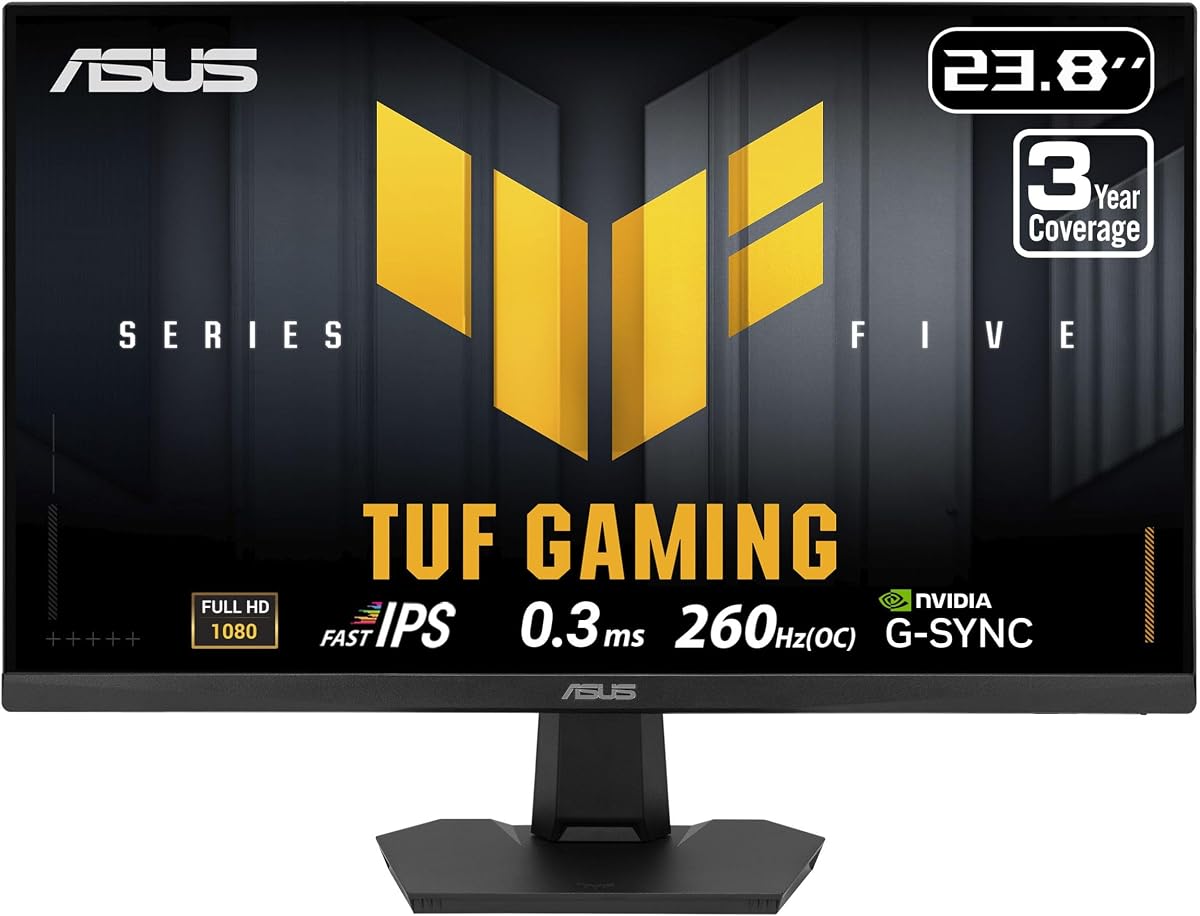
This ASUS model leads in speed with a 260Hz refresh rate and 0.3ms response time. It delivers ultra-sharp visuals for competitive gaming scenarios.
We may earn a commission when you buy through this link, at no additional cost to you.
TUF Gaming A.I. technology and Shadow Boost enhance gameplay visibility. G Sync compatibility eliminates tearing and stuttering for a seamless experience.
HDR10 support and sRGB coverage ensure rich visuals. The 3-year warranty provides long-term reliability assurance.
Best for enthusiasts demanding maximum refresh rates. It delivers cutting-edge performance for serious gamers.
At 260Hz, motion remains exceptionally smooth for ultra-responsive competitive play.
Shadow Boost and GamePlus modes improve visibility and targeting accuracy.
We may earn a commission when you buy through this link, at no additional cost to you.
Choosing the right monitor involves understanding key technical specs and features that impact gaming performance and visual quality.
Refresh rate determines how many frames per second your monitor displays. Higher rates like 144Hz or 240Hz provide smoother motion and are essential for competitive gaming.
Look for rates matching your system capabilities to maximize visual fluidity.
Response time measures how quickly pixels change colors. Lower values like 1ms or 0.3ms reduce motion blur and ghosting for clearer action shots.
Fast response times are critical for competitive shooters and fast-paced games.
IPS panels offer better color accuracy and wider viewing angles compared to TN panels. They are preferred for vibrant visuals and consistent color reproduction.
Choose IPS for immersive gaming experiences with rich, accurate colors.
G Sync compatibility ensures your monitor syncs with your graphics card to eliminate screen tearing. This feature is vital for seamless, low-latency gameplay.
Verify official NVIDIA G Sync Compatible certification before purchasing for guaranteed performance.
HDR10 support enhances contrast and color depth in supported content. While basic HDR may not be as impactful as high-end HDR, it still improves image quality.
Prioritize HDR if you consume mixed media or prefer deeper visual details.
Multiple ports like HDMI and DisplayPort ensure compatibility with various devices. DisplayPort often supports higher refresh rates and resolutions more effectively.
Check available ports to match your current hardware and future upgrade plans.
Adjustable stands with height and tilt options improve comfort during long sessions. VESA mount compatibility allows for custom mounting solutions.
Opt for ergonomically adjustable monitors to prevent strain and enhance viewing comfort.
Features like Black Stabilizer, Crosshair, and eye-care technologies enhance gaming performance and comfort. These add-ons provide tangible benefits beyond basic display capabilities.
Consider these extras based on your specific gaming needs and play style.
Connect the monitor using DisplayPort for best compatibility with high refresh rates and G Sync features. Ensure your graphics card supports the selected features for optimal performance.
Calibrate display settings to match your gaming needs. Adjust brightness, contrast, and color modes to reduce eye strain and enhance visual clarity.
Clean the screen regularly with a microfiber cloth to avoid scratches. Avoid harsh chemicals and keep cables organized to maintain a safe setup.
G Sync Compatible means the monitor has been certified by NVIDIA to work with G Sync technology. It synchronizes the refresh rate with your graphics card to eliminate screen tearing and stuttering during gameplay.
Yes, higher refresh rates like 144Hz or 240Hz provide smoother motion and faster response times. They are especially beneficial for competitive gaming where every millisecond matters.
You need a compatible NVIDIA or AMD graphics card to use G Sync or FreeSync features. While powerful PCs maximize performance, these technologies also help lower-end setups by adapting refresh rates.
Absolutely. Many of these monitors feature IPS panels with accurate colors suitable for content creation and office tasks. Their ergonomic designs support comfortable extended use.
1ms MBR refers to motion blur reduction technology, while 0.3ms is the actual pixel response time. Both aim to reduce blur but measure different aspects of display performance.
Most models listed support VESA mounts for wall or arm installation. Check individual product specs to confirm exact mounting dimensions before purchasing a mount.
This guide highlights top options ranging from budget-friendly to high-performance choices. Each monitor offers distinct advantages depending on your priorities for speed, color, or price.
Prioritize features like refresh rate and response time if competitive gaming is your focus. For mixed use, consider color accuracy and ergonomic design as well.
Always verify current availability and compatibility with your system before purchasing. Checking updated listings ensures you get the best value and performance.