
ASUS ProArt PA32QCV
3.9Editor score
Factory calibrated color
MacBook color matching
5-year warranty included
Choosing the right display is critical for modern creative workflows. A 32 Inch 6K Monitor provides exceptional clarity and workspace efficiency for designers and editors.
We evaluated ten leading models based on resolution, color accuracy, connectivity options, and build quality. Our analysis highlights strengths in productivity and visual fidelity.
Each pick showcases specific advantages for different use cases. Note that prices fluctuate frequently, so verify current offers before purchasing your new professional display.
3.9Editor score

3.8Editor score

5.0Editor score
As an Amazon Associate we earn from qualifying purchases.
This side-by-side comparison details the specifications and key features of all ten selected monitors to help you identify the best fit for your needs.


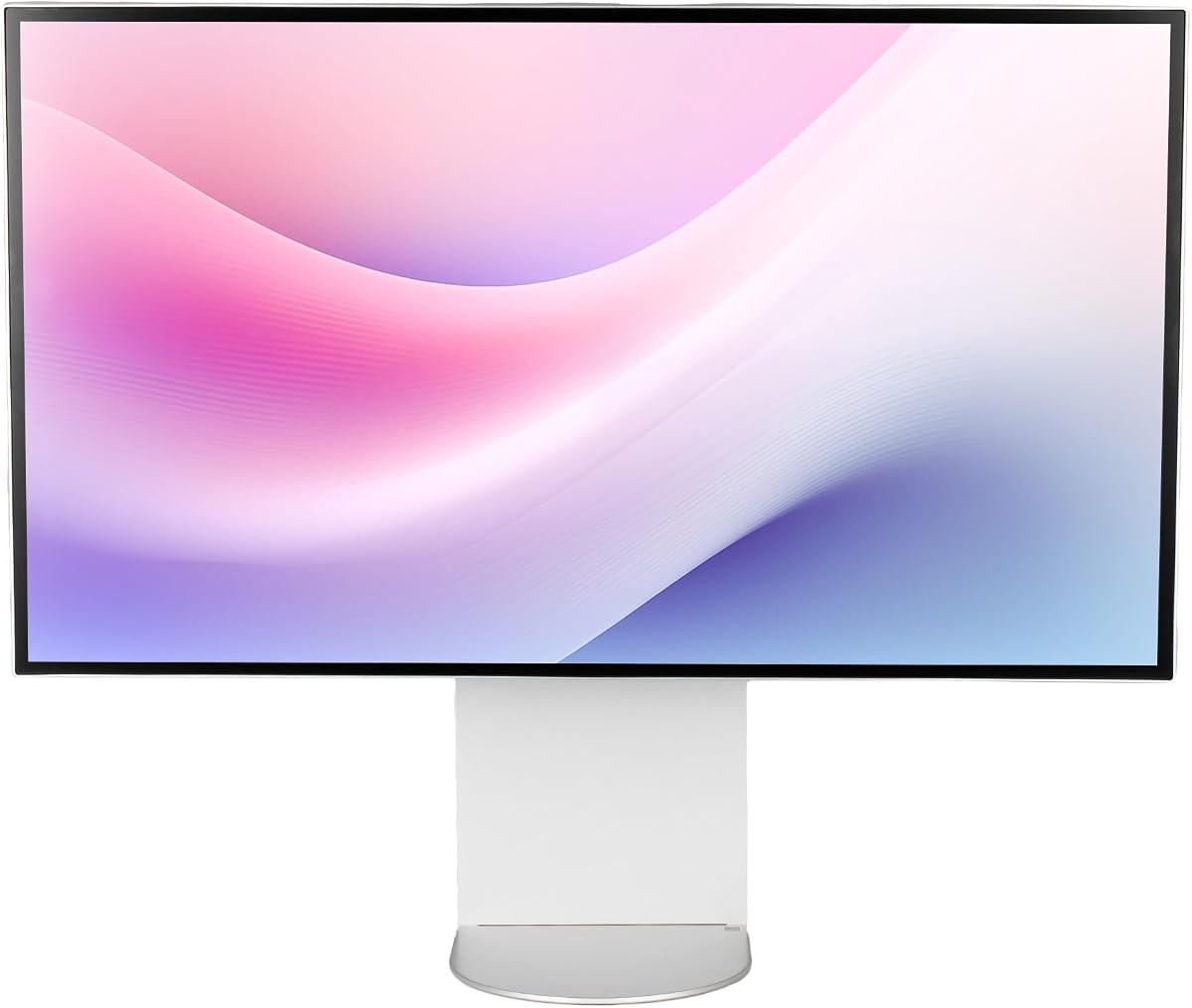
The LG 32U990A-S stands out as a top choice for creatives needing high resolution and color precision. Its Nano IPS Black panel delivers deep blacks and rich shadows essential for professional work.
We may earn a commission when you buy through this link, at no additional cost to you.
With Thunderbolt 5, this monitor offers ultra-fast data transfer and seamless connectivity for modern workstations. The 6K resolution provides ample workspace for multitasking across design tools.
While the price is high, the performance justifies the investment for those requiring exact color fidelity. The contrast ratio surpasses standard IPS panels for better depth perception.
Buy this if you need a reliable hub for Mac or Windows setups. It is ideal for video editors and designers who value visual clarity above all else.
Thunderbolt 5 enables faster data speeds and daisy chaining for expanded workflows without cable clutter.
Nano IPS Black technology ensures deeper blacks and higher contrast for more accurate image representation.
We may earn a commission when you buy through this link, at no additional cost to you.
The ASUS ProArt PA32QCV offers exceptional value for professionals seeking color accuracy without breaking the bank. It comes factory calibrated to ensure reliable performance out of the box.
We may earn a commission when you buy through this link, at no additional cost to you.
Its MacBook color matching mode simplifies workflows for Apple users. The wide color gamut coverage ensures content looks consistent across devices.
While it lacks some advanced features found in pricier models, its reliability and warranty make it a smart choice. The Thunderbolt 4 support is sufficient for most needs.
Choose this if you want a dependable display for daily editing tasks. It balances cost and performance effectively for small studios.
Delta E < 2 accuracy ensures professional-grade color reproduction for print and digital media.
A 5-year warranty provides peace of mind for long-term use and investment protection.
We may earn a commission when you buy through this link, at no additional cost to you.
The ALOGIC Clarity Touch is the world's first 6K touchscreen monitor, designed for artists who need direct interaction. Its resolution ensures every touch is precise.
We may earn a commission when you buy through this link, at no additional cost to you.
With an included stylus, it functions as a massive digital drafting board. The 360-degree stand allows flexible positioning for drawing or presentation.
While expensive, it removes barriers between ideas and execution. The touch interface transforms standard workflows into more intuitive experiences.
This is best for illustrators and architects who need large-scale touch capability. It offers a unique advantage unmatched by other 6K displays.
Touch control simplifies navigation and editing for intuitive creative workflows on a large canvas.
Pressure-sensitive input allows for detailed drawing and annotation directly on the screen surface.
We may earn a commission when you buy through this link, at no additional cost to you.
The Samsung Odyssey G8 is a versatile option for users who game and create. It offers the rare combination of 6K resolution and a high refresh rate.
We may earn a commission when you buy through this link, at no additional cost to you.
Dual Mode allows switching between 6K for detail and 3K for speed. This flexibility supports both productivity and fast-paced gaming without compromises.
While primarily marketed for gaming, its color performance suits content creators too. The Fast IPS panel ensures quick response times for smooth visuals.
Choose this if you need a single screen for work and play. It balances high resolution with speed better than most competitors.
Switch between 6K clarity and 3K speed effortlessly to optimize your current task.
165Hz refresh rate and low response time ensure fluid motion during intense gameplay.
We may earn a commission when you buy through this link, at no additional cost to you.
The Dell UltraSharp U3224KB focuses on productivity and clarity for office environments. Its resolution helps users see detailed spreadsheets and documents without zooming.
We may earn a commission when you buy through this link, at no additional cost to you.
A built-in webcam enhances video conferencing experiences. The USB-C hub simplifies connections for laptops with limited ports.
It is not as color accurate as ProArt monitors, but it is reliable for daily tasks. The brightness ensures visibility in bright office settings.
Buy this if you need a dependable tool for administrative work. It offers a solid user experience with minimal setup.
High resolution helps manage complex documents and data with ease during daily tasks.
USB-C ports provide easy data transfer and charging for connected peripherals and devices.
We may earn a commission when you buy through this link, at no additional cost to you.
This bundle offers the full LG UltraFine experience with added accessories for immediate use. The cleaning kit helps maintain the screen for optimal performance.
We may earn a commission when you buy through this link, at no additional cost to you.
KVM functionality allows control of multiple computers with one keyboard. This streamlines workflows for users switching between personal and work devices.
While the price includes extras, the monitor itself is the same high-quality unit. It is ideal for new users needing a complete package.
Select this if you want convenience and all necessary tools included. It saves time and ensures you have everything ready for setup.
Cleaning kit and cable ties help organize workspace and maintain screen clarity.
Built-in KVM lets you control two systems with one set of input devices.
We may earn a commission when you buy through this link, at no additional cost to you.
The G32X offers a clean and minimalist look suitable for modern desks. Its design emphasizes simplicity without sacrificing performance features.
We may earn a commission when you buy through this link, at no additional cost to you.
With 500 nit brightness and 100W power delivery, it is capable for most creative tasks. The stand provides a range of ergonomic adjustments.
This monitor is a solid choice for those valuing style and function. It balances high specs with an understated appearance.
Choose this if you want a display that complements any workspace. It delivers strong specs while maintaining a minimal profile.
A clean profile fits well in any environment without distracting from the screen.
Powerful USB-C port charges laptops efficiently while transmitting high resolution video.
We may earn a commission when you buy through this link, at no additional cost to you.
The G32P features a glossy panel that delivers vibrant and immersive colors. It is designed to provide a cinematic viewing experience.
We may earn a commission when you buy through this link, at no additional cost to you.
Cooling features ensure stability during long sessions. The honeycomb design helps dissipate heat efficiently for consistent performance.
While it lacks a stand, its build quality is robust. It is best for users who prefer custom mounting solutions.
Buy this if you want high contrast and vivid images. It is ideal for creative work where color richness is key.
Glossy finish enhances contrast and color saturation for a more engaging display.
Honeycomb cooling system maintains performance during extended use and high load.
We may earn a commission when you buy through this link, at no additional cost to you.
This bundle adds a two-year protection plan to the standard monitor model. It is ideal for organizations needing secure and reliable equipment.
We may earn a commission when you buy through this link, at no additional cost to you.
Cables are included to reduce setup time. The monitor maintains the same high resolution and reliability as the standard version.
Protection packs provide peace of mind for business users. While the cost is higher, it reduces long-term maintenance risks.
Select this for business deployments where reliability is essential. It ensures minimal downtime and added security for your investment.
CPS Protection Pack ensures extended coverage and peace of mind for business users.
All necessary cables included allow for quick installation without extra purchases.
We may earn a commission when you buy through this link, at no additional cost to you.
The standard LG Ultrafine provides the core 6K experience without extra bundles. It is a clean option for those who want the essentials.
We may earn a commission when you buy through this link, at no additional cost to you.
With HDR 600 support, it handles bright scenes well. The stand offers tilt and height adjustment for comfort.
While it has fewer ports than Pro versions, it is sufficient for most setups. It is a reliable choice for general professional use.
Choose this for a straightforward high-resolution display. It delivers quality visuals and standard usability for daily work.
Provides the core 6K resolution and HDR support needed for professional tasks.
VESA compatibility allows flexible mounting options for various workspace configurations.
We may earn a commission when you buy through this link, at no additional cost to you.
Selecting a monitor requires understanding how resolution, color, and connectivity impact your specific workflow needs.
6K resolution offers over 21 million pixels for sharp text and images. This density reduces eye strain and increases usable workspace compared to 4K.
Look for at least 6000 pixels width to ensure clarity for design and coding tasks.
Professional work demands precise color. Look for 99% Adobe RGB and 98% DCI-P3 coverage with factory calibration.
Ensure Delta E is below 2 for accurate color reproduction in print and digital projects.
Thunderbolt 5 or 4 is essential for fast data and video transfer over one cable. HDMI 2.1 and DisplayPort 2.1 support modern standards.
Check that the monitor supports Power Delivery to charge laptops without extra adapters.
IPS panels offer the best viewing angles and color consistency. Nano IPS Black enhances contrast for deeper blacks and shadows.
Choose IPS for professional work; TN or VA are less suitable due to viewing angles.
Adjustable stands with tilt, swivel, and pivot help reduce neck strain. VESA mount readiness offers flexibility for custom arms.
Select a stand that allows height adjustment to position the screen at eye level.
For design, 60Hz is sufficient. If you need gaming or fast motion, look for 120Hz or higher with low response times.
Ensure response time is under 5ms to prevent motion blur during dynamic content.
Professional monitors often come with extended warranties. Five-year coverage indicates manufacturer confidence in durability.
Check for on-site repair options to minimize downtime if the unit fails.
Prices vary widely for 6K models. Bundle options may offer better value if accessories are needed.
Set a clear budget and prioritize features that directly improve your daily workflow.
Connect your device using a certified Thunderbolt or USB-C cable to ensure full 6K support. Adjust resolution settings to native 6144 x 3456 for best clarity.
Calibrate the monitor using included software or tools for consistent color. Set brightness and contrast based on your room lighting to protect eyes.
Clean the screen with a microfiber cloth to avoid scratches. Keep cables organized and avoid bending them to extend port life.
Yes, 6K allows editing footage in native resolution with room for cropping. It provides high quality for final export and detailed workflow management.
All reviewed models support both Mac and Windows. Thunderbolt ensures seamless connectivity for both operating systems with no driver issues.
Yes, 6K rendering needs a strong graphics card. Ensure your PC or Mac has a recent GPU to handle the high pixel count smoothly.
Thunderbolt 5 offers faster data transfer and video bandwidth than previous versions. It supports multiple 6K displays with a single cable.
For professionals needing space and color, yes. For casual users, 4K may suffice depending on your specific workflow and budget.
Use a soft microfiber cloth and mild screen cleaner. Do not spray liquid directly on the panel to avoid internal damage.
The LG 32U990A-S and ASUS ProArt PA32QCV lead the list for professional needs. They offer high color accuracy and reliable connectivity.
Prioritize panel quality and connectivity when choosing. Ensure the model fits your budget and supports your daily creative tasks effectively.
Always check current offers before buying to secure the best deal. Prices vary and bundles may offer better overall value for your setup.