Discover the top Bluetooth USB Audio Transmitter options for gaming and streaming. We compare latency, codec support, and compatibility to help you choose.
As an Amazon Associate we earn from qualifying purchases. We may earn a commission when you buy through links on this page, at no additional cost to you. Read our affiliate disclosure.As an Amazon Associate we earn from qualifying purchases.Purchases through our links may earn us a commission, at no extra cost to you. Read our affiliate disclosure.
Finding the right Bluetooth USB Audio Transmitter can transform your gaming and media setup instantly. These small devices add wireless audio capabilities to consoles and computers that lack native support.
We evaluated ten leading models based on latency performance, codec support, and ease of use. Our analysis focuses on real-world compatibility with popular headphones and gaming systems.
Each pick highlights key strengths and ideal use cases for different users. Please note that availability and specific model details may change over time.
Top 3 Picks for Best Bluetooth USB Audio Transmitter
Best Budget
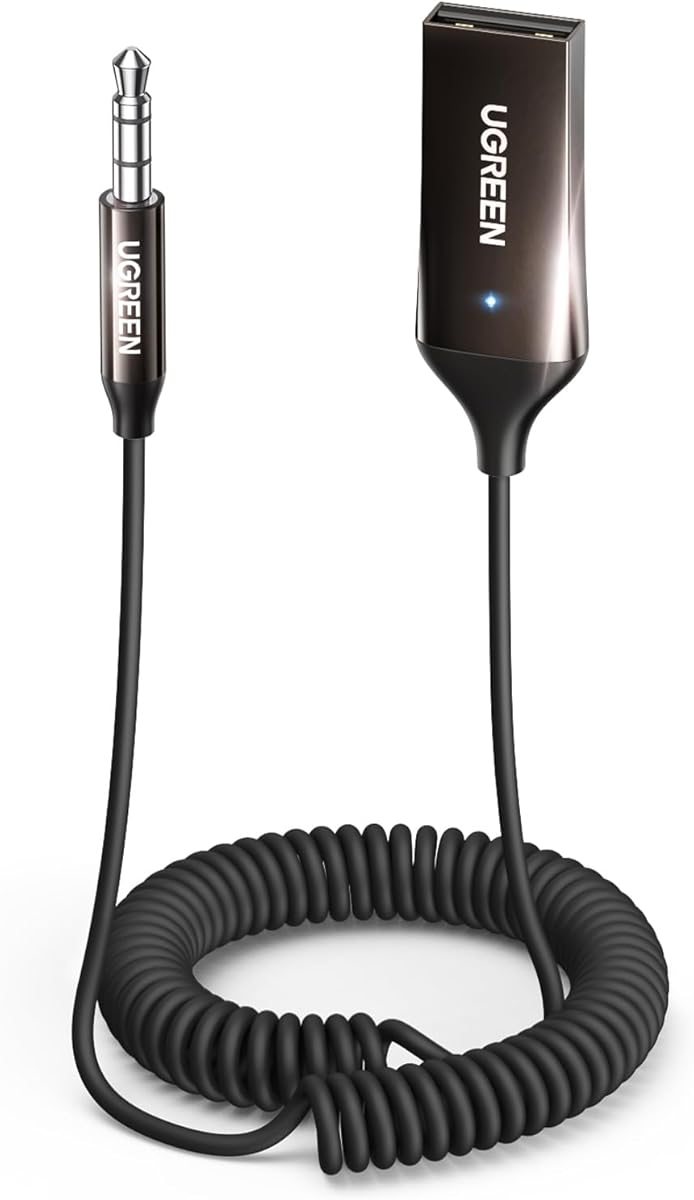
UGREEN Aux to Bluetooth 6.0 Adapter 3.5mm Bluetooth Receiver for Car USB 2.0 to 3.5mm Jack Kit with Built-in Microphone Aux Input for Hands-Free Calls Compatible with Car Speaker and Home Audio
Top 10 Best Bluetooth USB Audio Transmitter in 2026 Compared
This side-by-side comparison highlights the core technical specifications and connectivity options across all ten selected models to help you identify the best fit for your needs.
UGREEN USB-C Bluetooth Adapter for PS5 with APTX Low Latency/aptX-Adaptive
aptX Adaptive Codec
Less than 100ms Latency
USB-C Connection
Qualcomm Chipset
The UGREEN USB-C Bluetooth Adapter stands out as a top choice for gamers and PC users needing wireless audio. It holds a strong rating and delivers on its promise of low latency with aptX Adaptive technology.
Pros
Excellent audio synchronization
Simple plug and play setup
Supports high quality codecs
Reliable stable connection
Compact design
Cons
Not compatible with PS4
Microphone mode degrades audio
We may earn a commission when you buy through this link, at no additional cost to you.
Its Qualcomm chipset ensures stable connectivity and supports high-fidelity audio streams including aptX HD and SBC. The device works seamlessly with PS5 and Windows PCs without requiring extra drivers or software installation.
Users should note that microphone use requires enabling a specific mode that lowers audio quality. Additionally it is not compatible with PS4 systems which limits its utility for some console owners.
This adapter is ideal for PS5 owners seeking high fidelity wireless audio with minimal lag. It offers a reliable solution for connecting wireless headphones to systems lacking native Bluetooth support.
Gaming Audio Performance
The low latency certification ensures audio remains synchronized with on-screen action for an immersive experience.
Ease of Setup
Connect via USB-C and select the device in system settings for immediate wireless audio capability.
UGREEN Bluetooth 5.3 Adapter for PS4 PS5 APTX USB Audio Transmitter
Bluetooth 5.3 Technology
aptX Adaptive Codec
Less than 60ms Latency
3.5mm Microphone Included
This UGREEN adapter bridges the gap for PS4 and PS5 users wanting wireless audio. It features Bluetooth 5.3 technology which significantly reduces lag to under sixty milliseconds.
Pros
Very low audio latency
Works with PS4 and PS5
Includes microphone for calls
Long wireless range
Supports multiple codecs
Cons
Requires manual mic setup
Limited to audio only
We may earn a commission when you buy through this link, at no additional cost to you.
The inclusion of a 3.5mm microphone allows for voice chat which is often missing in basic transmitters. It supports aptX HD and adaptive codecs for high quality sound reproduction.
Users need to configure the microphone correctly as it requires physical connection or button toggling. The device is strictly for audio transmission so file transfers are not supported.
It is an excellent choice for console gamers needing low latency audio and voice chat capabilities. The long range ensures you can move around without losing connection.
Console Compatibility
Designed specifically for PlayStation systems to unlock native Bluetooth headphone support easily.
Voice Communication
An included mic plug-in enables clear team communication during multiplayer gaming sessions.
UGREEN USB-C Bluetooth Adapter for PS5 / PC with LE Audio, aptX Adaptive
Bluetooth 6.0 Chip
LE Audio Mode Support
aptX Adaptive Codec
Dual Device Pairing
This adapter introduces LE Audio support which is a significant step forward for wireless audio fidelity. It uses a Bluetooth 6.0 chip to maintain strong connections even in interference-prone environments.
Pros
Supports new LE Audio
Advanced Qualcomm chipset
Dual pairing capability
High quality audio modes
Reliable signal
Cons
LE mode needs new headphones
Not for mice or keyboards
We may earn a commission when you buy through this link, at no additional cost to you.
Users can switch between low latency modes for gaming and high quality modes for music listening. The dual pairing feature allows multiple listeners to enjoy audio from one source.
The LE Audio functionality requires headphones that specifically support this newer standard which may limit immediate utility. It is designed strictly for audio devices and not for input peripherals.
It is ideal for early adopters wanting to prepare their setup for new wireless audio standards. The robust build ensures it will remain relevant for future gaming and media devices.
Audio Technology
LE Audio offers better efficiency and sound quality compared to classic Bluetooth versions.
Multi-User Experience
One transmitter can broadcast to multiple headphones for shared movie watching or gaming.
Creative BT-W5 Smart Bluetooth 5.3 Audio Transmitter with aptX Adaptive
24-bit 96kHz Streaming
aptX Adaptive Codec
Device Switching
Low Latency Performance
The Creative BT-W5 focuses on delivering high-resolution audio for audiophiles and content creators. It supports 24-bit 96kHz streaming which preserves more detail in your music and media.
Pros
High resolution audio support
Easy device switching
Multi device memory
Voice chat enabled
Plug and play
Cons
Memory limited to four devices
Higher price point
We may earn a commission when you buy through this link, at no additional cost to you.
Its smart codec technology automatically adjusts bitrates based on the environment and content type for optimal performance. The device can remember up to four connected devices for quick switching.
While the audio quality is superb the switching button is physical which may be less intuitive than software control. It does not require external drivers making it easy to set up on PCs.
This model is best suited for users who prioritize sound fidelity over basic connectivity. It bridges the gap between professional audio needs and convenient wireless transmission.
Fidelity Focus
The high bitrate support ensures that you hear every nuance in your favorite tracks.
Convenience
Seamlessly switch between your phone and computer with a single button press.
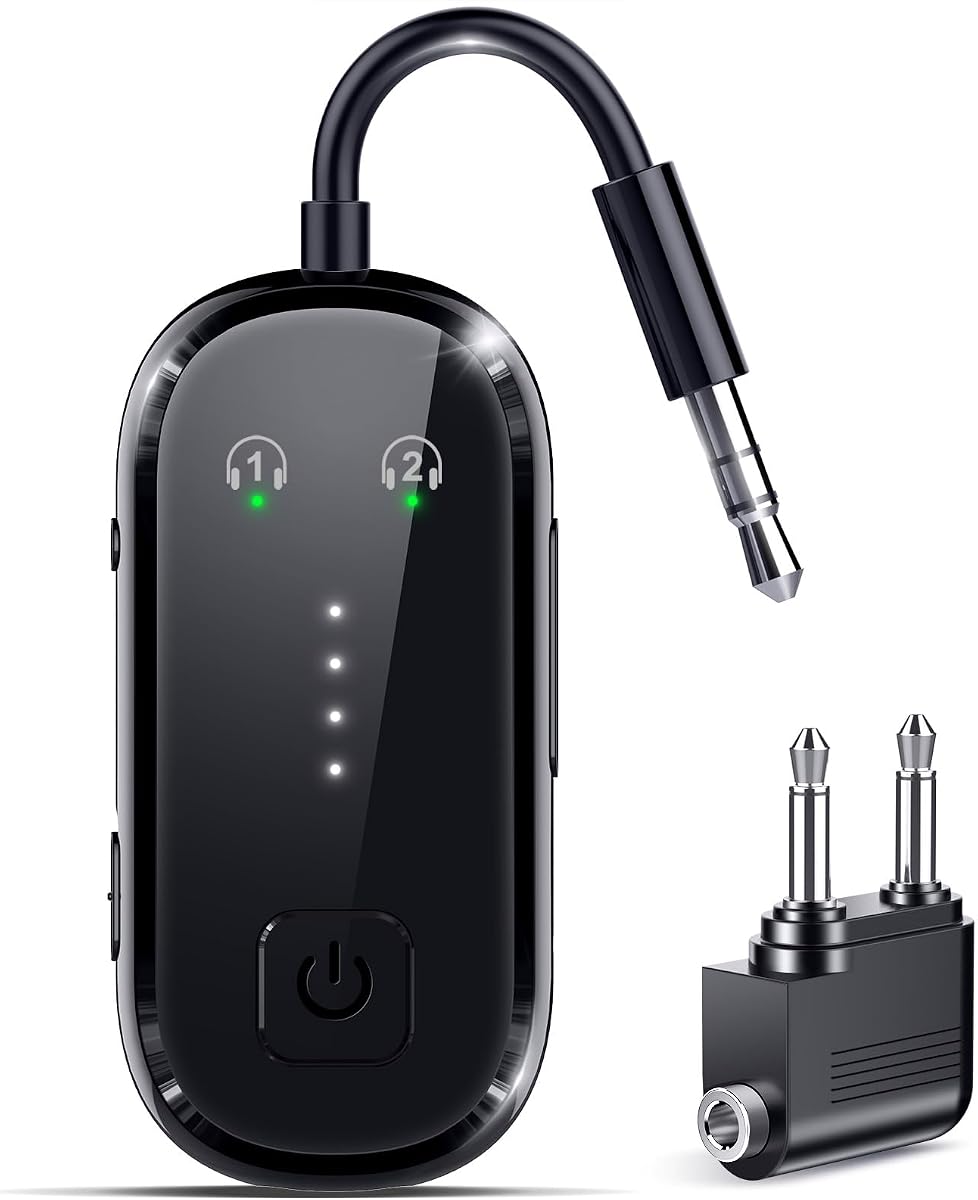
2026 Upgrade Pro Bluetooth 6.0 Transmitter Receiver – 2-in-1 Adapter
TX and RX Modes
20+ Hours Battery
Bluetooth 6.0 Tech
Dual-Listener Sharing
This 2-in-1 adapter offers exceptional flexibility for travelers by supporting both transmit and receive modes. It allows you to send audio to headphones or receive audio from your phone to any speaker.
Pros
Versatile transmit receive modes
Long battery life
Fast USB-C charging
Compact travel design
Supports dual headphones
Cons
Not for live instruments
Not for hearing aids
We may earn a commission when you buy through this link, at no additional cost to you.
The built-in battery provides over twenty hours of continuous use which is ideal for long flights or days away from power. Fast charging via USB-C ensures it is ready when you need it.
The device is optimized for streaming rather than live instrument input which limits its use for musicians. It is designed for casual listeners and commuters needing a reliable portable solution.
It is the perfect choice for frequent travelers who need a single device for multiple scenarios. The dual listener feature makes it great for sharing entertainment on the go.
Travel Utility
Keep your entertainment system connected during long journeys without draining your phone battery.
Power Management
The efficient battery system ensures days of use between charges for uninterrupted listening.
The Sennheiser BTD 700 sets a high standard for premium Bluetooth audio transmission. It supports aptX Lossless which delivers CD-quality sound over a wireless connection without compression.
Pros
Lossless audio quality
Extremely low latency
Future Auracast ready
Works with both ports
Plug and play
Cons
Higher cost than others
Best with Sennheiser gear
We may earn a commission when you buy through this link, at no additional cost to you.
Its gaming mode reduces latency to just thirty milliseconds ensuring perfectly synced audio for competitive play. The device also prepares you for the future with Auracast multi-streaming capability.
While it performs excellently across brands it integrates most seamlessly with Sennheiser headphones. The premium build and features come at a higher price point than standard adapters.
This dongle is ideal for audiophiles and serious gamers who demand the highest fidelity and lowest latency. It offers a future-proof solution for evolving wireless audio standards.
Audio Fidelity
aptX Lossless ensures no data is sacrificed during transmission for pristine sound quality.
Future Connectivity
Auracast support allows one source to stream to many receivers simultaneously for shared experiences.
The Sennheiser BTD 600 offers a balanced and reliable experience for everyday wireless audio needs. It uses Bluetooth 5.2 to maintain a stable connection with low latency for smooth playback.
Pros
Reliable connection
Low latency performance
Works with both ports
Easy setup
Stays paired
Cons
No Auracast support
Standard codec support
We may earn a commission when you buy through this link, at no additional cost to you.
The dongle stays paired even when moved between devices which simplifies switching between PCs or laptops. It includes an adapter for USB-C connectivity ensuring compatibility with modern computers.
It lacks the advanced Auracast feature found in higher-end models but remains a solid performer for standard use. The build quality reflects Sennheiser reputation for durability and consistent audio.
This device is best for users seeking a dependable adapter without needing cutting-edge features. It provides a straightforward way to add quality Bluetooth audio to a workstation.
Connectivity Stability
Advanced Bluetooth version ensures fewer dropouts during important calls or gaming sessions.
Port Flexibility
Included adapter means it works with older desktops and newer laptops alike.
Creative BT-W5 70SA018000002 Bluetooth Network Adapter, Black
24-bit 96kHz Resolution
Smart Codec Tech
Multi-Device Memory
Hands-Free Profile
This variant of the Creative BT-W5 is engineered for users who demand high-quality audio streaming from their PC. It supports 24-bit 96kHz resolution to match high-end audio systems.
Pros
High resolution audio
Adjustable bit rate
Multi device memory
Voice chat support
Power efficient
Cons
Physical switch required
Limited to four devices
We may earn a commission when you buy through this link, at no additional cost to you.
The smart codec feature ensures you always get the best quality possible from your connected headphones automatically. It remembers up to four devices making it easy to switch between sources quickly.
Setup is physical via a button press which can be less convenient than automatic switching systems. The device is low power and draws negligible energy from your USB port.
It is a great choice for desktop users needing reliable high-fidelity audio for media and calls. The multi-device memory makes it convenient for switching between work and personal devices.
Smart Audio Tech
The device optimizes your connection settings automatically for the best listening experience.
Multi-Device Management
Keep multiple Bluetooth connections ready to go without re-pairing every time.
Sennheiser BTD 700 Bluetooth Dongle with aptX Lossless
aptX Lossless Support
30ms Latency Gaming
Auracast Streaming
Weather-Resistant Case
This bundle offers the same high-end BTD 700 technology with added protection for your investment. It features a weather-resistant hard-shell case designed to keep your dongle safe during travel.
Pros
Includes durable case
Lossless audio quality
Ultra-low latency
Auracast capable
High build quality
Cons
Price includes accessory
Case adds slight bulk
We may earn a commission when you buy through this link, at no additional cost to you.
The audio performance remains identical to the standard model with lossless streaming and low latency. The case includes a mesh pocket and carabiner for organized storage and portability.
The case makes it slightly more expensive but adds significant value for travelers who protect their gear. It ensures your dongle stays safe in a bag or backpack during daily commutes.
It is the perfect choice for users who need high performance and reliable protection. The included case ensures your device stays in good condition for years of use.
Protection Value
The hard-shell case ensures your premium dongle survives rough handling and travel.
Travel Ready
The built-in carabiner allows easy attachment to backpacks for immediate access.
UGREEN Aux to Bluetooth 6.0 Adapter 3.5mm Bluetooth Receiver for Car
3.5mm Input Jack
Bluetooth 6.0 Tech
Hands-Free Calling
Compact Design
The UGREEN Aux Adapter transforms older car and home speakers into modern Bluetooth speakers instantly. It connects via a standard 3.5mm jack which is widely available on stereo systems.
Pros
Universal 3.5mm support
Hands-free calling
Stable connection
Compact size
Durable connectors
Cons
Requires USB for power
Not for gaming latency
We may earn a commission when you buy through this link, at no additional cost to you.
The built-in microphone supports hands-free calls allowing you to answer phones without reaching for your device. Its Bluetooth 6.0 chipset ensures a stable and reliable connection for music streaming.
It requires a USB power source which means you need a free port in your car or home. It is not designed for low latency gaming but perfect for music and calls.
This adapter is the best choice for adding Bluetooth to older car stereos or home audio systems. It offers a practical and affordable solution for upgrading your sound setup.
Car Integration
Turn any car with an aux jack into a smart Bluetooth-enabled entertainment system.
Audio Streaming
Enjoy high-fidelity music streaming with minimal latency and stable connection.
We may earn a commission when you buy through this link, at no additional cost to you.
Buying Guide – How to Choose the Best Bluetooth USB Audio Transmitter
Choosing the right transmitter depends on your specific needs such as gaming latency or audio fidelity.
Latency Performance
Latency refers to the delay between audio generation and playback. For gaming or video streaming this delay should be under 100ms to avoid lip-sync issues.
Prioritize models with aptX Adaptive or Low Latency modes if you are watching videos or playing games.
Codec Support
Codecs determine audio quality and compression. Look for aptX HD or Lossless codecs if you use high-end headphones.
Standard SBC is adequate for casual listening but may lack detail for audiophiles.
Connection Type
Check whether you need a USB-A or USB-C connector. Most modern PCs use USB-C while older devices use USB-A.
Some dongles include adapters for both ensuring compatibility with your specific hardware ports.
Console Compatibility
Not all transmitters work with gaming consoles like PS5 or Switch. Verify that the product lists your specific console explicitly.
Consoles often have stricter Bluetooth protocols requiring specialized adapters rather than generic ones.
Microphone Support
If you need to talk to friends you need a transmitter that supports voice calls. Some models include a 3.5mm mic or support HFP mode.
Note that enabling microphone mode can lower audio quality due to bandwidth sharing.
Range and Stability
Bluetooth range affects how far you can move before the sound cuts out. Look for Bluetooth 5.3 or newer for better stability.
A quality chipset reduces dropouts caused by interference from other electronic devices.
Battery Life
Transmitters with built-in batteries offer portability but require recharging. Those without batteries draw power from the host device.
Choose a battery model if you travel often or use the device away from a power source.
Device Pairing Limits
Some adapters allow multiple connections simultaneously. This is useful for sharing audio with another person via dual pairing.
Check the specs to see how many devices can be stored or connected at once.
How to Use and Care for Your Bluetooth USB Audio Transmitter
Plug the transmitter into an available USB port on your computer or console. For PS5 navigate to sound settings and select the adapter as your output device.
Put your headphones into pairing mode and wait for the transmitter to connect. Most adapters have LED lights to indicate a successful connection status.
Keep the device clean and store it in a protective case when not in use to prevent port damage or dust buildup.
Frequently Asked Questions
Do I need to install drivers for these adapters?
Most modern adapters are plug and play and do not require manual driver installation. They appear automatically as audio devices in your system settings once connected.
Will these work with my Sony PlayStation 5?
Many models specifically support PS5 audio output. Ensure the product description lists PS5 compatibility and follow the specific setup steps for the console settings.
Can I use these for voice chat?
Some adapters support hands-free profiles for voice chat. This often requires a physical microphone or enabling a specific mode on the device.
What is the typical range of these transmitters?
Bluetooth range varies by model but generally extends up to 30 to 50 feet in open spaces. Walls and other electronics may reduce this range.
Why is my audio lagging?
Audio lag usually occurs if your headphones do not support low latency codecs. Check if your device supports aptX or specific low latency modes.
Are these compatible with Mac computers?
Most USB transmitters work with macOS but check specific Linux compatibility as it is often excluded. macOS usually recognizes them as standard audio outputs.
Can I use these with my car stereo?
If your car has an aux input you can use a 3.5mm adapter to stream music via Bluetooth. USB-only transmitters will not work directly without an adapter.
How do I switch between devices?
Devices with multi-point pairing allow switching via buttons on the adapter. For single-point devices you may need to disconnect from one before pairing with another.
Final Thoughts on Choosing the Best Bluetooth USB Audio Transmitter
These ten models cover a wide range of needs from gaming to travel and home entertainment. The UGREEN PS5 adapter remains a strong choice for console users.
Prioritize low latency and codec support if you want high-quality sound without delay. Travelers should look for battery options that offer long life and versatility.
Always check current availability and model details as technology evolves quickly. The right adapter will significantly improve your wireless audio experience.