
Dexpt 65W Laptop Charger Replacement for ASUS VivoBook ZenBook Chromebook
4.5Editor score
Compatible with 65W 45W 33W
Includes three connector sizes
One year manufacturer warranty
Compare top rated ASUS Vivobook and Zenbook power cord options for reliable charging, fast power delivery, and compatible connectors across all your devices.
Finding the right power supply for your ASUS laptop is crucial for maintaining performance and battery health. A reliable charger ensures your device stays powered during work or travel without interruptions.
We evaluated ten top-rated chargers based on compatibility, build quality, safety features, and user feedback. This guide helps you choose the best replacement or backup option for your specific model.
Each pick highlights key specs and real-world performance to simplify your decision. Remember that prices and availability can change, so verify details before purchasing to get the best deal.
4.5Editor score

4.4Editor score
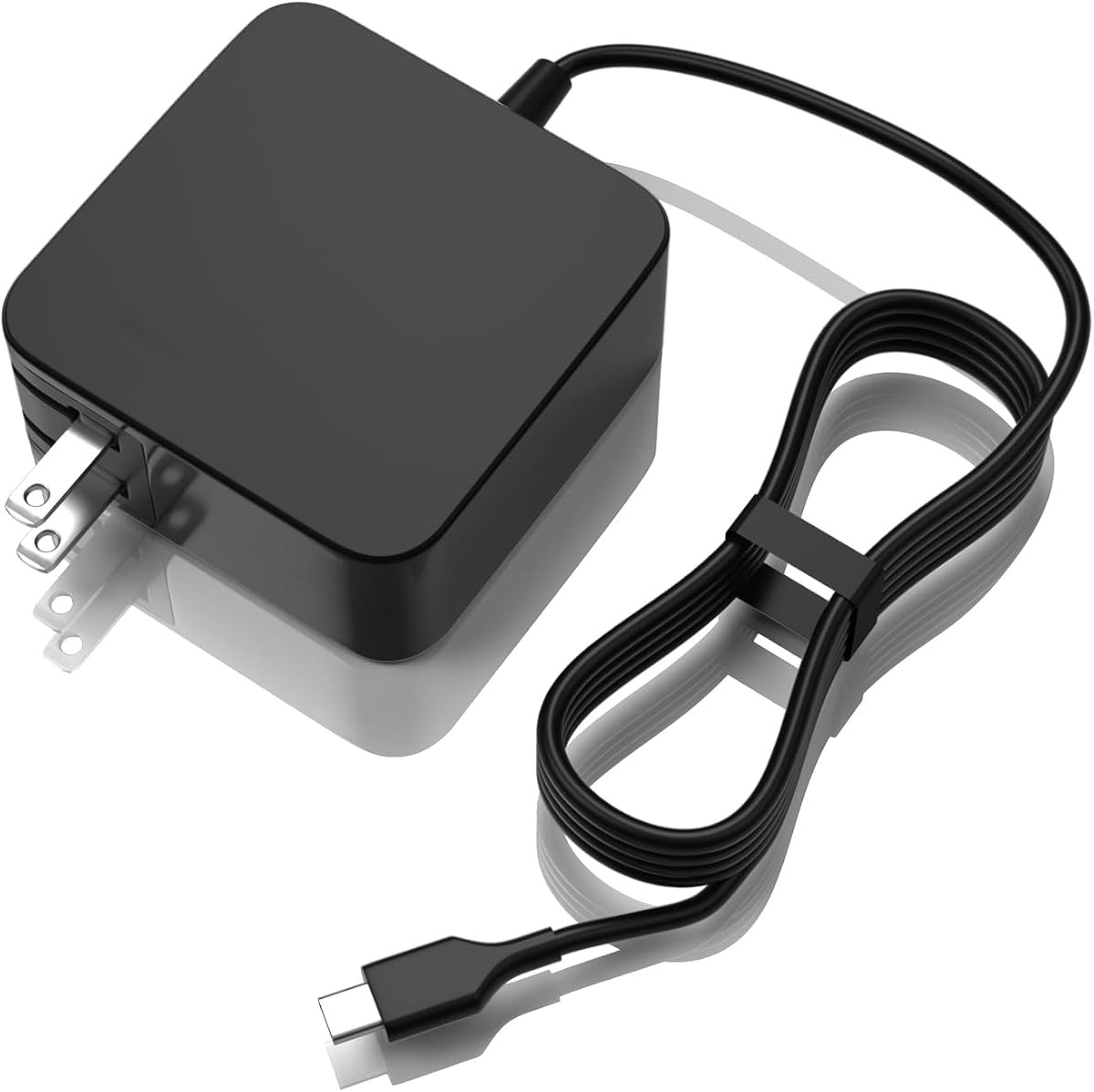
4.8Editor score
This side by side comparison reviews all ten chargers to highlight key differences in wattage, connector types, and compatibility. Use this table to quickly find the model that matches your device requirements.


The Superer 65W charger offers a reliable solution for ASUS laptops requiring round barrel connectors. With a solid 4.4 rating, it delivers consistent power for VivoBook and ZenBook models up to 65W.
We may earn a commission when you buy through this link, at no additional cost to you.
Its standout feature is the set of four switchable connectors, allowing you to match various pin sizes without buying multiple adapters. The 19V 3.42A output ensures stable charging for your device.
Keep in mind it excludes many high performance ROG and TUF models which need more power. If your laptop uses USB-C or higher wattage, this won't work. For standard models it is a solid choice.
This charger is best for budget conscious users needing a dependable replacement for older or mainstream ASUS laptops. Always check your connector size before ordering to ensure a perfect fit.
The included set of four switchable tips covers most standard barrel plug sizes found on legacy ASUS devices.
A 24 month manufacturer warranty provides peace of mind against potential defects or early failure issues.
We may earn a commission when you buy through this link, at no additional cost to you.
Dexpt offers a user friendly design with an LED indicator to show when power is active. It fits many standard VivoBook and ZenBook models needing round connectors up to 65W.
We may earn a commission when you buy through this link, at no additional cost to you.
The 7.5ft cord gives you more reach for workspace flexibility compared to shorter adapters. Its four detachable connectors ensure you can find the right fit for your specific device model.
Gaming laptops requiring higher wattage or USB-C are not supported here. Verify your connector size carefully as some users report fit issues with certain tip combinations on newer machines.
Choose this if you need a simple reliable replacement with extra cord length. The LED light helps confirm charging status at a glance which is convenient for daily use.
A 7.5ft cord provides better reach for desks or beds where outlets are far from your seating area.
The built in LED indicator lights up when connected so you know power is flowing without checking the laptop.
We may earn a commission when you buy through this link, at no additional cost to you.
The Powseed charger stands out with comprehensive safety protections and a two year warranty. It supports 65W 45W and 33W needs for most VivoBook and ZenBook series with round barrels.
We may earn a commission when you buy through this link, at no additional cost to you.
Its four interchangeable DC tips cover a broad range of pin sizes including 4.5mm 4.0mm 3.0mm and 5.5mm options. This makes it a versatile choice for households with multiple ASUS laptops.
The main limitation is no support for modern USB-C charging laptops. Also tips may not have clear labels so measuring your port first is recommended. Still it delivers solid performance.
This is our top pick for most standard users seeking reliable power. The balance of price safety and compatibility makes it the go to option for traditional ASUS laptops.
Built-in short circuit protection and voltage regulation keep your device safe from power surges during charging.
A full two year warranty covers defects longer than many competitors offering one year of protection.
We may earn a commission when you buy through this link, at no additional cost to you.
This 90W USB-C charger delivers rapid power for newer VivoBook and ZenBook models supporting USB-C charging. With a 4.6 rating it stands out for speed and reliability.
We may earn a commission when you buy through this link, at no additional cost to you.
It outputs up to 20V 4.5A which meets the demands of high performance OLED laptops. Certifications like FCC CE and RoHS ensure safe and efficient power delivery during daily use.
It will not work with older devices using barrel connectors so verify your laptop uses USB-C. The price is higher than standard adapters but worth it for faster charging needs.
Ideal for users with modern ASUS devices needing quick top ups. This charger simplifies travel as USB-C can also power phones and tablets with the same cable.
90W power ensures even demanding models like OLED ZenBooks charge quickly without throttling performance.
Full FCC CE and RoHS certifications guarantee the charger meets strict international safety and quality benchmarks.
We may earn a commission when you buy through this link, at no additional cost to you.
Rated 4.8 this charger excels at delivering fast reliable power to premium ASUS laptops. It supports 90W output and adapts to 5V 9V 15V and 20V for versatile device needs.
We may earn a commission when you buy through this link, at no additional cost to you.
It is explicitly compatible with ZenBook 14X OLED and Vivobook S series which demand stable high wattage charging. Rigorous testing ensures no overheating or damage during prolonged use.
The main drawback is the cost compared to basic adapters. Also it only fits USB-C devices so older models cannot use it. For modern laptops it is top tier.
Buy this if you own a high-end OLED ASUS device. Its performance and safety make it the most trusted premium option for keeping your laptop running at full speed.
Specifically tested for ZenBook 14X OLED and Vivobook S models to ensure safe fast charging without heat issues.
Outputs adjust automatically to 5V 9V 15V or 20V so it charges various devices safely without external adapters.
We may earn a commission when you buy through this link, at no additional cost to you.
LAP POW offers a compact USB-C charger ideal for travel and daily commutes. It provides up to 65W for many Chromebook and ZenBook models with USB-C ports.
We may earn a commission when you buy through this link, at no additional cost to you.
The foldable plug prevents scratches in your bag and saves space. A 5.9ft cord gives enough reach for most desks without adding bulk to your carry-on luggage.
It lacks barrel connectors so it is strictly for USB-C laptops. Some users may find the build feels lighter than premium brands but it performs reliably for everyday tasks.
Perfect for students or professionals needing a portable backup charger. The foldable design makes it easy to throw in a backpack without worry about damaged outlets.
The plug folds flat to prevent scratches on other items in your bag and reduces bulk significantly.
A 5.9ft cable balances reach and portability so you are not stuck near a wall outlet.
We may earn a commission when you buy through this link, at no additional cost to you.
Nicpower targets many standard VivoBook and ZenBook models with round barrels. It supports 65W 45W and 33W needs for users needing a simple replacement charger.
We may earn a commission when you buy through this link, at no additional cost to you.
Its strength lies in covering specific series like VivoBook 15 14 Go and certain ZenBook vintage models. The 19V 3.42A output matches original specs for most compatible laptops.
It excludes many newer USB-C devices and specific sub-models like S531 FL so check compatibility first. The package includes just one tip which limits versatility compared to multi-tip options.
A solid choice for users with older standard ASUS laptops needing a direct replacement. Always verify your exact model is in the supported list before buying to avoid returns.
Designed specifically for VivoBook Go and certain ZenBook models ensuring a reliable fit for these devices.
Matches original 19V 3.42A output for safe stable charging without voltage fluctuations during use.
We may earn a commission when you buy through this link, at no additional cost to you.
This 45W charger is perfect for lighter ASUS laptops needing less power. It supports 45W 33W models with a 4.0mm tip and works well with older ZenBook series.
We may earn a commission when you buy through this link, at no additional cost to you.
It is fully backward compatible with 33W laptops meaning it adjusts power correctly to avoid damage. The lightweight build and foldable plug make it ideal for travel bags.
It will not fit laptops requiring 5.5mm tips or USB-C. The wattage is low so high-performance models will charge slowly or not at all. Verify your wattage first.
An excellent budget option for students or light users with specific small ASUS laptops. The price is very competitive and performance is stable for daily basic tasks.
Adjusts safely to supply correct power for 33W laptops without risking damage to lower wattage devices.
The foldable plug reduces bulk and prevents accidental damage when packed inside a laptop bag or pouch.
We may earn a commission when you buy through this link, at no additional cost to you.
Dexpt provides a simple solution for VivoBook ZenBook and Chromebook models using round connectors. The 4.5 rating indicates consistent performance for most compatible users.
We may earn a commission when you buy through this link, at no additional cost to you.
It includes three connector sizes 4.5mm 5.5mm and 4.0mm so you can try them to find the right fit. This is helpful if you are unsure which size your laptop needs.
It does not support USB-C or square tips so check your port shape first. Tips are not always labeled clearly so testing all three is necessary before use.
A solid choice for Chromebook users or those with older ASUS laptops. The multiple tips reduce the risk of buying the wrong size and ensure broader compatibility.
Supports many Chromebook models like C423 and CX1400 which require round barrel charging ports.
Three included connector sizes let you test each one to find the exact fit for your laptop.
We may earn a commission when you buy through this link, at no additional cost to you.
EERSY stands out with an extra long 8.8ft cord that provides unmatched reach in any room. It supports 65W 45W and 33W needs for many VivoBook and ZenBook series.
We may earn a commission when you buy through this link, at no additional cost to you.
Its 4.8 rating reflects strong satisfaction among users. The charger plugs into various socket types including 4.0mm 4.5mm and 5.5mm which broadens its compatibility significantly.
The long cord can sometimes tangle during storage so it needs careful handling. It does not include multiple tips so ensure you have the right connector for your device.
Choose this if cable reach is your main priority. The high rating and affordability make it a reliable pick for users needing to charge across a large workspace.
An 8.8ft cord lets you place your laptop far from the outlet without stretching or using extension cords.
A 4.8 rating shows strong customer satisfaction with performance build quality and value for money.
We may earn a commission when you buy through this link, at no additional cost to you.
Selecting the right power cord requires checking your laptop model wattage and connector type. This guide covers essential factors to ensure you buy a compatible and safe charger.
ASUS laptops use either USB-C ports or round barrel connectors. For barrel types you must match the outer diameter and inner pin size like 4.5mm 3.0mm or 5.5mm 2.5mm. Check your original adapter or port with calipers.
Always verify the tip size before purchasing to avoid return hassles. Many chargers include multiple tips but knowing your exact size saves time.
Your laptop needs specific wattage to charge properly. Most standard VivoBook and ZenBook models require 65W or 45W. High-performance OLED or gaming laptops may need 90W or more to maintain speed.
Using a lower wattage charger may lead to slow charging or discharging during use. Always choose a charger that meets or exceeds your original wattage requirement.
Voltage must match exactly typically 19V for many ASUS models. Amperage can vary but the charger should provide at least the required amps like 2.37A or 3.42A.
Mismatched voltage can damage your device. Ensure the label on the charger matches your laptop's original specs to guarantee safe operation.
Look for chargers certified by FCC CE or RoHS. These mark that the product meets safety standards against overvoltage short circuits and overheating.
Certifications protect your device from power surges and ensure the charger operates within safe thermal limits during long use.
A good charger comes with at least a one year warranty. Some brands offer two years or more. Reliable customer support helps if you face issues with fit or performance.
Check return policies and warranty terms before buying. Longer warranties indicate manufacturer confidence in product durability and quality.
Cord length affects usability in your workspace. Standard cords are around 6 feet but some offer up to 8.8 feet. A longer cord gives you flexibility to sit away from outlets.
Consider your typical setup and choose a length that avoids clutter while keeping your laptop accessible.
Some chargers exclude gaming or OLED models. Make sure the listing explicitly supports your specific series like Vivobook 15 Zenbook 14X or Chromebook. Reading the about section is crucial.
When in doubt check the laptop model number and compare it to the supported list in the product details to confirm compatibility.
If you travel often choose a lightweight charger with a foldable plug. Bulky adapters add weight and may scratch other items in your bag.
Look for compact designs that fit easily in laptop sleeves or backpacks for daily commutes and business trips.
Always plug the charger into a stable power outlet before connecting it to your laptop. This reduces the risk of power surges during connection that could harm your device.
Avoid winding the cord tightly around the adapter as it can damage internal wires. Use a loose wrap or cable tie to store it neatly without stressing the cable.
Check the connector tip regularly for dust or debris. Gently clean it with a dry cloth to ensure a solid connection and prevent charging interruptions.
No USB-C chargers cannot power laptops that use barrel plugs unless you use a specific adapter. These adapters are often not reliable for high wattage needs. It is safer to use a charger with the correct barrel connector for your model.
Chargers generate heat during normal operation but excessive heat may signal overloading or poor ventilation. Ensure the adapter is not covered by fabric and has airflow. If it becomes very hot or shuts off often replace it to avoid damage.
The laptop may charge slowly or only charge when powered off. In some cases it might not charge at all during heavy use. For best performance use a charger that meets the original wattage requirement of your device.
Check the original charger label or measure the port with calipers. Common sizes are 4.5mm 4.0mm or 5.5mm. Most product pages include images of tips so compare them to your laptop port before buying to ensure a match.
Yes if they have safety certifications like FCC CE or RoHS. These ensure the charger meets voltage and current standards. Avoid cheap no-brand chargers that lack testing as they may damage your device or battery.
Many models listed support specific Chromebook series with round connectors. Check the product description for Chromebook model compatibility. USB-C Chromebooks may require a USB-C charger instead of a barrel plug adapter.
We reviewed ten top chargers ranging from budget options to premium USB-C adapters. The Powseed 65W stands out for versatility while the 90W USB-C options excel for modern OLED devices.
Prioritize matching your exact connector size and wattage before considering price. A compatible charger protects your laptop and battery health over the long term.
Prices change so verify current deals and availability on Amazon. Always double check your model number and port type to avoid returns and ensure a seamless purchase.