
HP 15 Notebook Laptop
4.3Editor score
Intel Core i5-1135G7
32GB DDR4 RAM
Full HD Display
Choosing a laptop with upgradeable RAM is essential for long-term performance and flexibility. As software demands grow, having the ability to increase memory ensures your device stays relevant and responsive for years to come without needing a full replacement.
We have carefully evaluated ten distinct models available on the market today. Our analysis focuses on physical accessibility of memory slots, overall system architecture, and real-world performance metrics to ensure you get a machine that truly supports future enhancements.
Each pick in this list highlights specific strengths tailored to different user needs. Please note that pricing and availability can fluctuate frequently, so checking the latest details before purchasing is always recommended to secure the best value.
4.3Editor score

4.9Editor score

4.5Editor score
As an Amazon Associate we earn from qualifying purchases.
This side-by-side comparison breaks down the key specifications of all ten selected laptops. We examine processor power, memory configurations, and storage options to help you quickly identify the model that best fits your specific workflow requirements.




The ASUS Vivobook 15 stands out as the top choice for users seeking high performance and upgradeability. It combines a powerful Intel Core i9 processor with a massive amount of memory. This configuration ensures smooth handling of complex tasks without needing further intervention soon.
We may earn a commission when you buy through this link, at no additional cost to you.
Its standout quality is the integration of Next Gen AI readiness alongside robust thermal management. The included PCO Cooler helps maintain peak frequencies during intense workloads. This design choice directly addresses common overheating issues found in high-performance thin-and-light laptops.
While the original seal was opened to accommodate the RAM and SSD upgrades, this is a standard practice for these specific bundles. The trade-off is acceptable given the extended warranty coverage provided specifically for the upgraded components. It offers peace of mind for the modifications.
This laptop is ideal for professionals and creators who need desktop-level performance in a portable form factor. Whether you are running simulations or creative software, this machine delivers. We recommend it for anyone prioritizing raw power and future-proofing in their next purchase.
The Intel Core i9-13900H processor is optimized for AI workloads, ensuring seamless multitasking and handling of complex simulations with elite-level efficiency.
Exclusive cooling solutions prevent thermal throttling, allowing the processor to maintain high speeds for longer durations during heavy computational tasks.
We may earn a commission when you buy through this link, at no additional cost to you.
The Dell Latitude 5531 offers a solid foundation for business users who value reliability. It comes with a robust 14-core processor and substantial memory to handle daily enterprise applications. The renewed status makes it an attractive option for budget-conscious professionals seeking high specifications.
We may earn a commission when you buy through this link, at no additional cost to you.
This model focuses on delivering core performance without unnecessary bloat. The inclusion of Windows 11 Pro ensures compatibility with enterprise management tools. It is designed to support professional workflows efficiently while maintaining a standard form factor that fits easily into mobile office setups.
One consideration is the renewed nature of the unit, which means it has been inspected and restored. While this lowers the cost, users should be aware of potential cosmetic differences compared to brand new units. However, the functionality remains aligned with Dell's high standards.
We recommend this laptop for business environments where uptime and manageability are critical. It balances cost and capability well for general office tasks. If you need a reliable workhorse that supports multi-tasking, this Latitude model fits the bill effectively.
Built with enterprise needs in mind, this laptop features a durable design and high-performance CPU to handle rigorous daily schedules.
The renewed option allows access to premium specs at a lower price point, ideal for teams needing reliable machines quickly.
We may earn a commission when you buy through this link, at no additional cost to you.
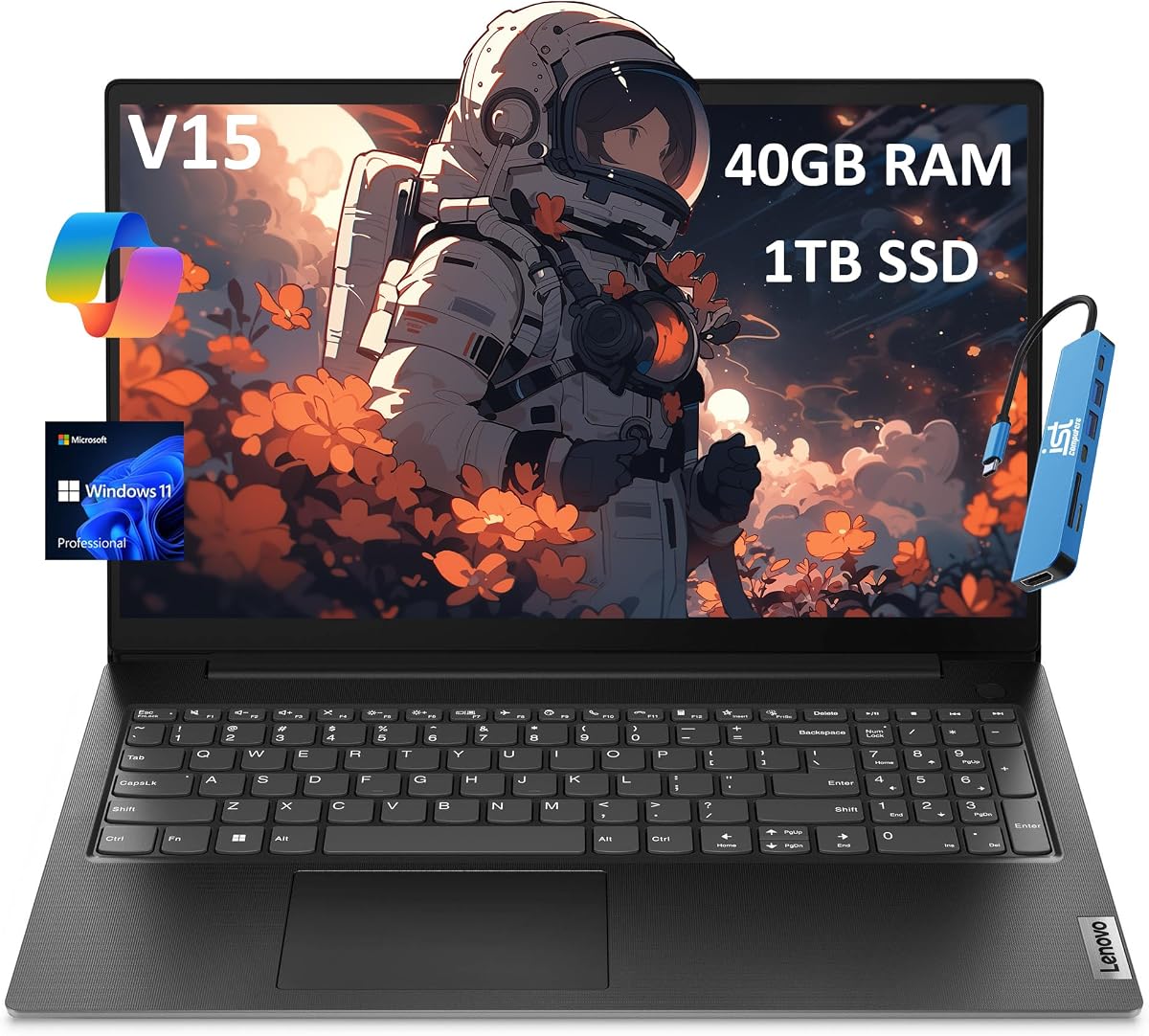
The Lenovo V-Series V15 provides excellent value for users needing significant memory capacity. It features an AMD Ryzen 7 processor paired with an impressive amount of RAM. This combination is particularly beneficial for multitasking across multiple browser tabs and applications simultaneously.
We may earn a commission when you buy through this link, at no additional cost to you.
A key feature is the inclusion of a numeric keypad and RJ45 port, catering to data entry and networking needs. These physical connectivity options reduce the need for dongles. The Windows 11 Pro operating system adds enterprise features that help organize apps and streamline collaboration.
While the display is adequate for general work, users working in bright environments might find the brightness levels limiting. However, for indoor office or home use, the visual output is clear and functional. The focus here is on raw computing power and connectivity.
We suggest this laptop for small business owners or students who need reliable performance without a premium price. It is well-suited for environments where connectivity and memory are more important than graphical rendering. The upgrade flexibility adds long-term utility.
With 40GB of RAM, you can run multiple heavy applications without slowing down, ensuring a smooth experience during peak work hours.
The inclusion of HDMI and RJ45 ports means you can connect to external monitors and networks directly without adapters.
We may earn a commission when you buy through this link, at no additional cost to you.
The HP 255 G10 brings modern efficiency to the business laptop market. It utilizes the AMD Ryzen 7 7730U processor which offers strong performance per watt. This makes it a good choice for users who balance performance with energy consumption and heat generation.
We may earn a commission when you buy through this link, at no additional cost to you.
The display uses IPS technology with anti-glare coating, which improves viewing angles and reduces eye strain. Combined with Wi-Fi 6 connectivity, it ensures fast and reliable network access. The system includes Windows 11 Pro for enhanced security and management features out of the box.
While the RAM is sufficient for most tasks, users should note the specific configuration regarding upgradeability before purchasing. The included 32GB is generous for general use. However, for highly specialized workloads, checking the maximum supported capacity is advisable.
We recommend this laptop for professionals who need a reliable daily driver for email, documents, and web work. It handles business tools well and offers a clean typing experience with the numeric keypad. It is a strong contender in the mid-range business category.
Wi-Fi 6 provides faster speeds and better stability in crowded network environments, keeping your work flowing without interruption.
The anti-glare IPS screen ensures that your content remains clear and comfortable to view for long periods of daily use.
We may earn a commission when you buy through this link, at no additional cost to you.
The ASUS Vivobook 16 offers a larger screen real estate compared to standard 15-inch models. This extra space is valuable for multitasking and content creation. It pairs a powerful Core i9 processor with significant RAM to keep performance smooth even with many windows open.
We may earn a commission when you buy through this link, at no additional cost to you.
The unique storage setup includes a 1TB SSD and a 1TB docking station, offering flexibility in data management. This allows users to separate work files from personal storage easily. The WUXGA display provides a higher resolution than typical FHD screens for sharper text and images.
One potential drawback is the external nature of the additional storage which requires carrying an extra component. For those who prefer all-in-one solutions, this might be less convenient. However, the expandability is a major benefit for users needing substantial space.
We suggest this laptop for students and professionals who benefit from a bigger visual workspace. The backlit keyboard and fingerprint reader add convenience and security. If you value screen size and memory, this model is a compelling option to consider.
The 16-inch WUXGA display offers more vertical space and higher resolution, making it ideal for reading documents and editing code.
With an external docking station included, you can easily offload files and free up internal drive space for critical applications.
We may earn a commission when you buy through this link, at no additional cost to you.
The HP 15 Notebook Laptop is an excellent entry point for those needing more memory without breaking the bank. It features an Intel Core i5 processor upgraded with a significant amount of RAM. This makes it capable of handling everyday tasks with ease and speed.
We may earn a commission when you buy through this link, at no additional cost to you.
Its key strength lies in the balance of cost and capability. The inclusion of a PCIe NVMe SSD ensures that boot times and file access are quick. The design is sleek and lightweight, making it easy to carry around for remote work or school.
One trade-off is that it comes with Windows 11 Home rather than Pro. For most personal and general business users, this is sufficient. However, organizations requiring specific enterprise management tools might need to look elsewhere for the operating system features.
We recommend this laptop for students, casual users, or small business owners on a tight budget. It offers the memory capacity needed for smooth operation today and leaves room for future expansion. It is a smart value choice in this category.
The PCIe NVMe SSD ensures your system starts up rapidly, saving you time and getting you to work faster every day.
USB Type-C and Wi-Fi support allow for fast data transfers and reliable internet connections wherever you go.
We may earn a commission when you buy through this link, at no additional cost to you.
The Lenovo V15 Gen 4 Business Laptop represents a premium offering in the mid-range category. It combines the latest 13th Gen Intel processor with a high capacity of RAM. This setup ensures that demanding applications run smoothly without any noticeable lag or stuttering.
We may earn a commission when you buy through this link, at no additional cost to you.
Key strengths include the security features such as the camera privacy shutter. This physical cover gives users peace of mind regarding their digital privacy. Additionally, the Windows 11 Pro system supports efficient multitasking and organized workflows out of the box.
The main trade-off is the price compared to lower-spec models. However, the included storage and memory levels are high, reducing the need for immediate upgrades. For professionals who rely on their laptop for critical tasks, this investment pays off in reliability.
We recommend this laptop for business users who need robust performance and security features. It is well-suited for executives or consultants who travel and require a trustworthy machine. The balance of speed and storage makes it a top contender for premium business use.
The HD camera includes a physical privacy shutter, allowing you to block the lens instantly when not in use for total security.
Windows 11 Pro offers powerful management tools and enhanced security protocols for a secure professional computing environment.
We may earn a commission when you buy through this link, at no additional cost to you.
The Lenovo V15 Gen 4 is positioned as a durable solution for various environments including business and military use. It meets MIL-SPEC requirements which suggests a robust build capable of withstanding harsh conditions. This makes it a reliable choice for field work or tough daily use.
We may earn a commission when you buy through this link, at no additional cost to you.
Performance is driven by a 13th Gen Intel Core i5 processor paired with ample RAM. The inclusion of Windows 11 Pro with AI Copilot adds intelligent assistance for tasks. This feature helps automate routine activities and boosts productivity for the user.
One limitation is the lack of a backlit keyboard which affects usability in low light. Also the battery life is standard but not exceptional for all-day unplugged work. However, the durability and memory capacity offset these minor drawbacks for many buyers.
We recommend this laptop for users who prioritize ruggedness and memory over portability. It is a great fit for technical roles or environments where devices face more stress. The AI features add a modern touch to a sturdy business machine.
MIL-SPEC testing ensures the laptop can withstand shocks, vibrations, and extreme temperatures, making it suitable for tough environments.
Windows 11 Pro includes AI Copilot to assist with writing, summarizing, and managing tasks more efficiently.
We may earn a commission when you buy through this link, at no additional cost to you.
The HP 255 G10 is designed as an entry-level option for basic computing needs. It features an AMD Ryzen 3 processor and decent memory for general tasks. The design is thin and light, making it easy to transport between locations.
We may earn a commission when you buy through this link, at no additional cost to you.
Its value is in providing a clean visual experience on a Full HD display. This is useful for watching videos and browsing the web comfortably. The system runs Windows 11 Home which supports a wide range of consumer applications and Android apps.
One trade-off is the limited storage and processor tier which may not suit heavy multitasking. However, for standard web browsing and document editing, it is sufficient. It serves well as a secondary machine or for educational purposes.
We suggest this laptop for students or casual home users who need a simple device. It handles everyday tasks well and remains budget-friendly. For those needing more power, upgrading RAM later might be necessary depending on the slot availability.
The slim and light design makes it easy to carry anywhere, perfect for students moving between classes or remote workers.
The Full HD display delivers clear and crisp visuals, enhancing the experience of streaming media and reading content.
We may earn a commission when you buy through this link, at no additional cost to you.
The 15.6 inch Laptop is unique for its focus on future-proofing through a dual-slot memory design. Although it ships with basic specs, the empty slot allows users to add more RAM later. This makes it a versatile choice for those planning to upgrade over time.
We may earn a commission when you buy through this link, at no additional cost to you.
Its standout quality is the active cooling system which prevents thermal throttling even with low-power components. The privacy shutter on the webcam adds a layer of security. These features ensure the device remains functional and safe for daily online use.
One trade-off is the base configuration which is quite low by modern standards. Users will likely need to install their own memory modules immediately to get good performance. However, the cost savings and flexibility make this a strategic purchase for DIY enthusiasts.
We recommend this laptop for users who enjoy customizing their systems and want maximum control. It is ideal for light tasks but becomes much stronger with an upgrade. If you value the ability to tailor the device to your needs, this is a strong candidate.
The dual-slot configuration allows you to add up to 16GB of RAM yourself, adapting the laptop to your growing needs over years.
An active cooling fan ensures the processor stays cool during multitasking, preventing slowdowns and maintaining stability.
We may earn a commission when you buy through this link, at no additional cost to you.
Selecting a laptop with upgradeable memory requires careful attention to hardware architecture. This guide outlines the critical factors to consider to ensure your device remains useful and fast for years.
The most important factor is whether the RAM slots are accessible. Some modern laptops have soldered memory which cannot be changed. Always check if the device has SO-DIMM slots that allow for adding or replacing modules.
Look for models with one or two free slots to support future expansion. This ensures you can increase capacity as software demands grow.
The processor limits the maximum speed and capacity of memory you can use. Newer CPUs like Intel Core 13th Gen support faster DDR5 RAM. Matching the CPU generation with the right memory type is key for performance.
Ensure the CPU supports the memory speed you intend to use. This prevents bottlenecks and ensures the RAM runs at optimal speeds.
A fast SSD is necessary to balance the speed of the RAM. NVMe M.2 SSDs provide significantly faster read and write speeds than older SATA drives. This combination reduces load times for applications and files.
Choose a model with at least one free M.2 slot if you plan to expand storage. This allows you to add a second drive for more space.
Thinner laptops often sacrifice upgradeability to save space. Thicker models usually have better internal airflow and easier access to components. Decide if portability is more important than hardware flexibility.
Consider the weight and thickness when choosing. A slightly bulkier chassis often means easier maintenance and upgrades later.
Windows 11 supports larger amounts of memory than older versions. It also has better management for multi-tasking with high RAM capacity. Ensure your license supports the features you need.
Pro versions offer additional tools for businesses. For personal use, Home is sufficient but check specific requirements before buying.
Ports play a role in your workflow efficiency. USB-C allows for modern charging and data speeds. Ethernet ports are useful if you need a stable wired connection.
Check for HDMI and USB-A ports to avoid carrying dongles. These reduce clutter and make connections easier.
High performance generates heat. Good cooling systems prevent thermal throttling which reduces speed. Look for fans or larger cooling fins if you plan on heavy workloads.
A well-designed cooling system keeps the laptop quiet and stable. This extends the lifespan of the components significantly.
Upgrading hardware can void warranties. Check if the provider covers modified components. Some sellers offer extended warranties on upgraded RAM and SSDs.
Buying from reputable sellers who cover upgrades ensures protection. This gives you confidence to modify the system safely.
When upgrading RAM, power down the device and remove the back cover carefully. Match the new modules with the existing ones in speed and voltage to ensure compatibility. Press the new sticks into the slots until they click into place securely.
Keep the laptop on a hard surface to allow airflow. Using a cooling pad can reduce heat during intensive tasks. This helps maintain performance levels and prevents overheating.
Regularly update your drivers and operating system to get the best performance. Use disk cleanup tools to keep the SSD fast and responsive. These steps ensure your laptop remains reliable for years.
No, not every laptop allows for RAM upgrades. Many modern ultrabooks have soldered memory that cannot be changed. Always check the manufacturer specifications for accessible SO-DIMM slots before assuming you can upgrade. This ensures you purchase the right device for your needs.
Adding RAM helps if your current memory is full and causing slowdowns. If you already have sufficient RAM for the game, adding more may not increase speed. It helps in multitasking while gaming but does not boost frame rates alone.
Most laptops use DDR4 or DDR5 SO-DIMM modules. Check your CPU generation to determine which type is supported. Using the wrong type will not work. Always match the speed and capacity to what your system allows for stability.
It is safe if you follow proper precautions like grounding yourself to avoid static. Ensure the device is powered off and unplugged. Use the correct tools and refer to the service manual for the specific laptop model to avoid damage.
Some manufacturers void the warranty if you open the device or install third-party parts. However, many retailers offer separate warranties for the upgrades. Check the terms of your purchase to understand what coverage remains after modifications.
For general use, 16GB is the minimum recommended. For professional work like video editing or coding, 32GB or more is better. Consider future needs to ensure your device stays fast for several years without needing replacement.
Yes, Windows 11 supports up to 128GB for Home and 2TB for Pro versions. This allows for significant future expansion. Ensure your hardware limits do not prevent you from using the full capacity available in the OS.
If the RAM is not compatible, the laptop may fail to boot or crash frequently. Always check the supported speed and voltage before buying. If unsure, consult the motherboard manual or use a memory compatibility checker online.
We have highlighted ten laptops that offer strong performance and memory flexibility. The ASUS Vivobook 15 stands out for its balance of speed and practicality. Other options like the HP 15 Notebook offer great value for those on a budget.
Prioritize a model with accessible slots to ensure long-term usability. Check the processor and memory type to ensure compatibility with future upgrades. This approach keeps your system relevant as software requirements increase over time.
Prices and availability change often so always check current listings before buying. We hope this guide helps you find the perfect laptop for your workflow needs. Choosing wisely today means less hassle and more productivity in the future.