
PS to HDMI Converter for PS1 / PS2
4.3Editor score
S-Video based conversion
Includes HDMI and power cables
Compact design
This guide compares the top HDMI adapters for PS1 to help you choose the best converter for connecting classic PlayStation consoles to modern displays.
Connecting your beloved PlayStation 1 to a modern television requires a reliable HDMI adapter to ensure a smooth gaming experience. The right converter transforms analog signals into crisp digital output, preserving the nostalgia of classic games while delivering enhanced visual clarity for today's high-definition screens.
We evaluated ten top-rated adapters based on signal quality, compatibility, ease of use, and build durability. Our analysis includes detailed reviews and technical specifications to help you identify the model that best fits your gaming setup and budget requirements.
Each pick highlights unique strengths and potential trade-offs to guide your decision-making process effectively. Keep in mind that prices and availability may vary over time, so checking the latest offers before purchasing is always recommended for the best value.
4.3Editor score

4.6Editor score

4.2Editor score
This table provides a side-by-side comparison of all ten adapters to help you quickly identify the best option for your specific console model and display needs.



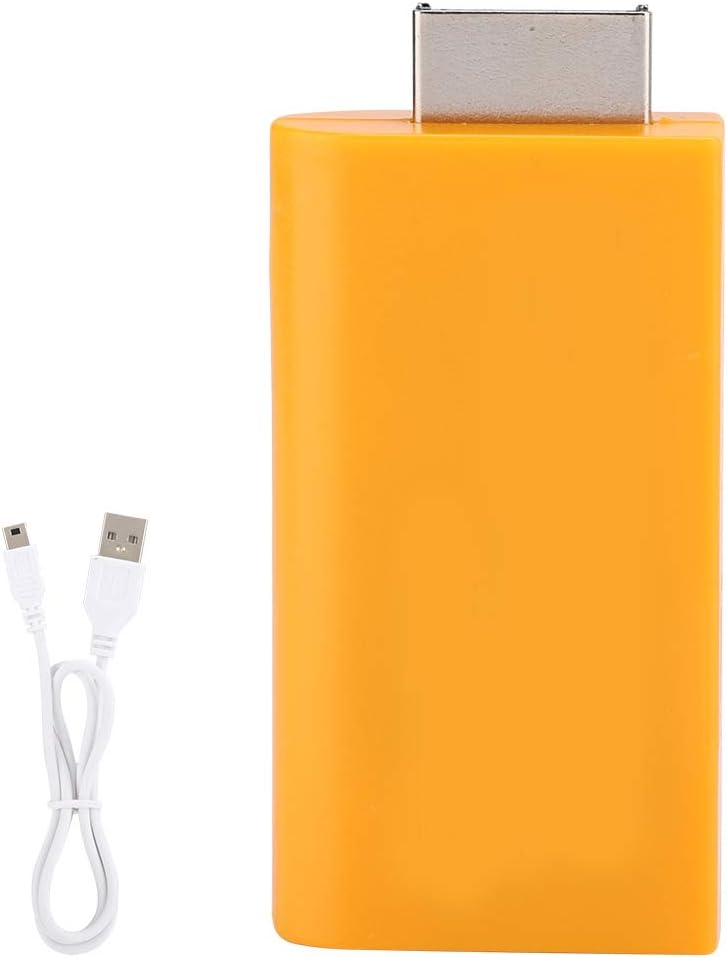

The HD Link HDMI Cable stands out as the top choice for connecting PS1 consoles to modern displays. It delivers exceptional upscaled signal processing with great precision, colors, resolution, and details at a competitive price point.
We may earn a commission when you buy through this link, at no additional cost to you.
Its ability to convert analog RGB signals to digital HDMI signals ensures compatibility with modern HDTVs, monitors, and projectors. The toggle switch supports both 4:3 and 16:9 aspect ratios, allowing gamers to maintain authentic retro visuals or adapt to widescreen setups effortlessly.
While it does not include an HDMI cable, the detachable design allows for high-end or extended HDMI cables to be used as needed. The unnoticeable lag during gameplay makes it ideal for competitive or fast-paced retro games.
This adapter is perfect for enthusiasts who prioritize visual fidelity and flexibility. With a one-year warranty and proven performance, it remains the best overall option for connecting your PS1 to modern screens.
The adapter provides advanced signal processing that ensures great precision and accurate color reproduction for an immersive gaming experience.
Support for both 4:3 and 16:9 aspect ratios allows seamless switching between classic and widescreen display modes.
We may earn a commission when you buy through this link, at no additional cost to you.
This PS to HDMI Converter offers an affordable solution for connecting PS1 and PS2 consoles to modern HDMI TVs, monitors, and projectors. Its S-Video based conversion provides a cleaner signal path than standard composite video conversion.
We may earn a commission when you buy through this link, at no additional cost to you.
The package includes a 1.5m HDMI cable and a Micro USB power cable, ensuring you have everything needed for immediate use. It requires a 5V USB power source, but the adapter itself does not include a dedicated power supply.
While the display quality depends on the original console signal and display settings, this converter simplifies connecting classic game systems to modern displays. The simple setup and no-driver requirement make it a convenient choice for beginners.
Ideal for budget-conscious gamers, this adapter delivers solid performance without sacrificing essential features. Its compact design and comprehensive kit make it a practical option for retro gaming setups.
The package includes both HDMI and Micro USB power cables, ensuring a hassle-free setup without additional purchases.
Utilizing the console's S-Video Y/C signal for HDMI conversion provides a cleaner and more accurate video output.
We may earn a commission when you buy through this link, at no additional cost to you.
The Kaico PS1 HDMI / PS2 AV Cable offers premium component cable quality with HDMI output for all PlayStation output resolutions. It includes a built-in RGB to YPbPr switch for accurate mode selection based on your console.
We may earn a commission when you buy through this link, at no additional cost to you.
Designed as a durable PlayStation HDMI converter, it supports all PlayStation 1 and 2 models with plug-and-play functionality. Its component-level performance ensures high-quality visuals on modern HD TVs.
Users must be sure to change between RGB and Component modes for the correct settings, which may require initial calibration. However, this flexibility allows for optimized signal quality across different display types.
With a 12-month repair or replacement warranty, this adapter provides reliable long-term support. It is perfect for enthusiasts seeking the highest audio and visual fidelity for their retro gaming setup.
This adapter delivers component-quality display performance with HDMI output, ensuring the best visuals for PlayStation consoles.
Built with robust materials, this converter ensures long-lasting reliability for daily retro gaming sessions.
We may earn a commission when you buy through this link, at no additional cost to you.
This HDMI Cable for PlayStation 2 and PlayStation 1 Console provides True RGB signal output for connecting Sony PlayStation consoles to HDTVs. It offers advanced signal processing with great precision, colors, and details without requiring any driver installation.
We may earn a commission when you buy through this link, at no additional cost to you.
Designed to be portable and flexible, this adapter allows for easy plug-and-play setup. It includes a male PS2 input and HDMI output port, eliminating the need to buy additional HDMI cables.
Users should note that this device transfers video signals only and cannot improve the original video quality. It is also not compatible with BlackMagic brand televisions or displays, which limits compatibility for some setups.
Ideal for users seeking a simple and affordable solution, this adapter delivers decent performance for basic retro gaming needs. Its plug-and-play convenience makes it accessible for casual gamers.
This adapter ensures True RGB signal output for accurate color reproduction and enhanced clarity during gameplay.
The portable and flexible design makes it easy to carry and set up in different locations without hassle.
We may earn a commission when you buy through this link, at no additional cost to you.
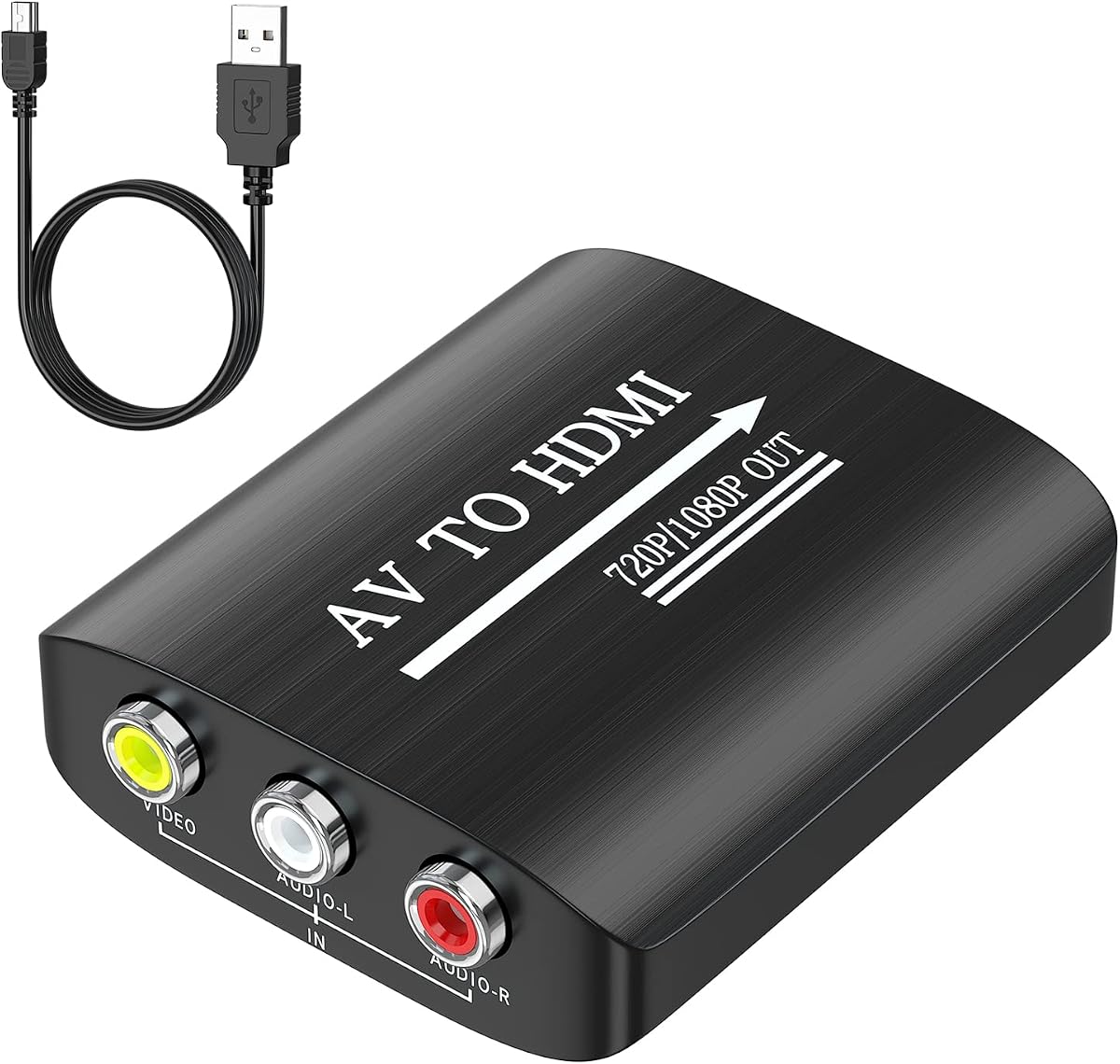
The GINGIN AV to HDMI Converter transforms analog AV composite inputs into HDMI 720p/1080p output, making it ideal for PS1, PS2, and other classic gaming systems. Its plug-and-play design eliminates the need for drivers or complex setups.
We may earn a commission when you buy through this link, at no additional cost to you.
This adapter supports a wide range of devices, including Xbox, N64, Wii, VHS, VCR, and DVD players, ensuring versatility across multiple retro systems. It includes a USB power cable that must be connected to a 5V power source during use.
Users should note that this converter cannot improve the original video quality, relying on the source signal for output. It works best when PS2 is set to RGB output for optimal results.
With its broad compatibility and affordable price, this converter is perfect for users with multiple retro systems. Its simple setup ensures quick access to classic games on modern displays.
This adapter supports a wide range of retro consoles and devices, making it a versatile choice for multiple setups.
No drivers or complex setup are required, ensuring immediate use with compatible gaming consoles and displays.
We may earn a commission when you buy through this link, at no additional cost to you.
The Tengchi RCA to HDMI Converter is a simple solution for connecting PlayStation 1 and other devices to modern 1080p HD TVs. It features RCA female inputs and HDMI 1.3 outputs for easy installation and operation.
We may earn a commission when you buy through this link, at no additional cost to you.
This adapter supports multiple TV formats, including PAL, NTSC, and SECAM, ensuring compatibility across different regions and consoles. It includes an HDMI cable and USB power cable for immediate setup and use.
While it does not support 3D or 4K resolutions, it delivers reliable performance for standard retro gaming needs. Its plug-and-play design ensures quick use without technical complexity or additional software.
With a one-year warranty, this converter offers reliable protection for your investment. Its simplicity and ease of use make it ideal for users seeking a straightforward HDMI connection for their PS1.
Supports multiple TV formats including PAL, NTSC, and SECAM, ensuring global compatibility across different console regions.
The adapter features a plug-and-play design that requires no additional software or complex configuration steps.
We may earn a commission when you buy through this link, at no additional cost to you.
The BITFUNX PS2/PS1 to HDMI Adapter upscale analog RGB and Component signals to digital 1080P HDMI output for modern HDTVs. It supports all classic PS1, PS ONE, PS2 Fat, and PS2 Slim models for comprehensive compatibility.
We may earn a commission when you buy through this link, at no additional cost to you.
This adapter supports multiple resolutions, including 240p, 288p, 480i, and 576i, ensuring flexible output for various gaming systems. It also includes a built-in RGB-YPbPr switch for accurate signal configuration on PS2 consoles.
Users should ensure they change between RGB and Component modes correctly to avoid signal issues. The full digital HDMI-compatible format ensures zero transmission loss and advanced signal processing for vibrant visuals.
With its robust performance and wide support, this adapter is perfect for enthusiasts seeking high-quality retro gaming. Its ability to upscale and maintain signal integrity makes it a top performer for modern displays.
This adapter ensures zero transmission loss by converting signals to full digital HDMI-compatible format for optimal performance.
Advanced signal processing delivers enhanced color and resolution, improving the visual experience of classic games.
We may earn a commission when you buy through this link, at no additional cost to you.
The CAMWAY PS1/PS2 to HDMI Converter offers a plug-and-play solution for connecting classic consoles to modern 1080P displays. It features a built-in aspect ratio button for switching between 4:3 and 16:9 modes effortlessly.
We may earn a commission when you buy through this link, at no additional cost to you.
This adapter works without changing console video output configurations, making setup faster and easier for users. It supports PAL, NTSC, SECAM, and other video formats for compatibility across different regions and consoles.
While it transmits original resolution without improving video quality, its compact design makes it ideal for travel or family game nights. HDMI cable is not included, so users must provide their own for connection.
Perfect for casual gamers, this converter ensures quick and easy setup for retro gaming. Its lightweight and portable design allows flexibility for various entertainment setups.
Switch between classic 4:3 and widescreen 16:9 modes to match your display preferences for an authentic retro experience.
Unlike other converters, this adapter works without manual video output settings, ensuring quick plug-and-play use.
We may earn a commission when you buy through this link, at no additional cost to you.
This PS1 PS2 to HDMI Converter offers plug-and-play convenience for immediate signal conversion without driver installation. Its anti interference design maintains signal clarity during extended gaming sessions for consistent performance.
We may earn a commission when you buy through this link, at no additional cost to you.
Each internal copper wire is tinned to resist oxidation and reduce interference for long-term use, ensuring durability. The compact and portable design makes it easy to store and carry for gaming setups at home or on the go.
While it focuses on essential functionality, this adapter provides reliable video and audio conversion for HDTVs and monitors. Its lightweight and practical design suits users seeking straightforward connectivity solutions.
Ideal for casual retro gamers, this adapter delivers dependable performance without complexity. Its portability ensures flexibility for various entertainment setups and travel scenarios.
Built with an anti jamming interface and tinned connectors to maintain signal clarity during extended gaming sessions.
A palm-sized form factor makes it easy to carry and store, perfect for gaming setups at home or on the go.
We may earn a commission when you buy through this link, at no additional cost to you.
The Y.D.F PS2 to HDMI Adapter offers a plug-and-play solution for connecting PlayStation 1 and 2 consoles to HDTVs. It supports HDMI 16:9/ 4:3 output switching for flexible display options on modern screens.
We may earn a commission when you buy through this link, at no additional cost to you.
Users benefit from portable design and no need for driver installation, ensuring straightforward setup. It supports RGB signal mode display for enhanced visual quality during gameplay.
While this converter only transfers video signals and cannot improve original quality, it provides reliable compatibility for PS1 and PS2 consoles. Its basic feature set keeps costs low while meeting core conversion needs.
Ideal for users seeking a simple and affordable adapter, this converter delivers essential functionality. Its plug-and-play convenience ensures quick setup for retro gaming on modern displays.
Supports both 16:9 and 4:3 aspect ratios to match your display preferences for an authentic retro gaming experience.
Plug and play functionality eliminates the need for driver installation, ensuring quick and straightforward setup.
We may earn a commission when you buy through this link, at no additional cost to you.
Selecting the right HDMI adapter for your PlayStation 1 involves evaluating signal quality, compatibility, and ease of use to ensure a seamless retro gaming experience on modern displays.
Signal quality is critical for retaining the visual fidelity of classic games. Look for adapters that offer upscaled signal processing to enhance resolution and color accuracy without introducing lag or distortion during gameplay.
Prioritize models with advanced signal processing to ensure crisp, clear images that match the capabilities of modern HDTVs and monitors for an immersive retro experience.
Ensure the adapter is compatible with your specific PlayStation 1 model, including original PS1, PS One, Fat PS2, or Slim PS2. Some adapters support only certain configurations, which can limit functionality depending on your console version.
Choose adapters with broad compatibility to guarantee seamless connection and optimal performance across different PlayStation variants and display setups.
Modern displays often use widescreen formats, while PS1 games were designed for 4:3 aspect ratios. Select an adapter with a toggle switch or software option to switch between 4:3 and 16:9 modes for authentic viewing.
Aspect ratio switching ensures you can maintain original game visuals or adapt to widescreen setups based on your preferences for flexibility and visual accuracy.
Most adapters require external power via USB or a dedicated adapter. Verify whether the package includes a power cable and confirm your setup has access to a suitable power source for consistent operation.
Check power requirements to avoid setup issues and ensure reliable performance during extended gaming sessions without unexpected interruptions.
Plug-and-play adapters eliminate the need for drivers or complex configuration, making setup quick and accessible for all users. Look for models that require minimal technical knowledge for immediate use.
Prioritize ease of setup to ensure hassle-free installation and instant access to classic games without technical delays or additional tools.
Durable construction ensures longevity, especially for daily use. Look for adapters with reinforced cables, shielding, and connectors designed to resist oxidation and signal interference over time.
Invest in adapters with robust build quality to ensure reliable performance and reduce the risk of signal loss or hardware failure during gameplay.
Some adapters come bundled with HDMI cables or power adapters, while others do not. Check what is included to avoid additional purchases and ensure you have all necessary components for immediate use.
Choose adapters with comprehensive kits to simplify setup and ensure you have all required components ready for instant connection to modern displays.
Warranty coverage provides peace of mind against potential defects or failures. Look for adapters with at least one-year warranties and responsive customer support for troubleshooting or replacement needs.
Verify warranty terms and support options to ensure reliable assistance if issues arise during regular use or extended gaming sessions.
To use your HDMI adapter, connect the appropriate input cable to your PlayStation 1 console and the HDMI output to your TV or monitor. Ensure the adapter is powered via USB or a dedicated power source before turning on the console.
Select the correct HDMI input on your display using the remote and adjust settings like aspect ratio if supported. Test gameplay to confirm signal quality and make any necessary adjustments for optimal visuals.
Maintain your adapter by avoiding sharp bends in cables and keeping it in a cool, dry environment. Clean connectors gently with a soft cloth and store it in a protective case when not in use to prevent damage.
Most adapters transfer original signals and cannot inherently improve video quality, but some include signal processing that enhances resolution and clarity. Always check specifications to understand what upgrades the adapter provides.
Most PS1 HDMI adapters require external power via USB or a dedicated adapter. Ensure you have access to a 5V USB source or included power adapter before connecting the device to your console.
Many adapters support both PS1 and PS2 consoles. Check product descriptions to confirm compatibility with your specific console model to avoid setup issues or signal problems.
Most adapters work with modern HDMI TVs, but some may not be compatible with specific brands like BlackMagic. Verify compatibility before purchase to ensure seamless operation with your display.
Some adapters include HDMI cables, while others do not. Always check the product specifications or package contents to confirm whether you need to purchase an HDMI cable separately.
Many adapters feature a physical toggle switch or button to switch between aspect ratios. Consult the user manual for specific instructions on adjusting display modes based on your preferences.
Most adapters come with at least a one-year warranty covering defects or failures. Review warranty terms and contact customer support for assistance if issues arise during regular use.
Some adapters support multiple retro systems like PS2, PS3, Xbox, and more. Check compatibility lists to ensure your specific console is supported before making a purchase.
Choosing the best HDMI adapter for PS1 ensures your classic games remain accessible on modern displays. Whether you prioritize signal quality, versatility, or budget, these top picks offer reliable solutions for every gaming setup.
Focus on adapters with robust signal processing, broad compatibility, and ease of use for the best experience. Consider power needs, included accessories, and warranty coverage to ensure long-term reliability.
Remember that prices and availability may change, so review current offers before purchasing. With the right adapter, your PlayStation 1 can deliver nostalgic gameplay with enhanced visual quality.