
Raywego 49 Inch Curved Ultrawide Gaming Monitor
4.6Editor score
165Hz refresh rate for smooth motion
1500R curved immersion screen
Dual QHD resolution clarity
Adaptive Sync support included
Finding the right display is crucial for any serious sim racer looking to maximize immersion and reaction times. A 49 inch ultrawide monitor for SIM racing offers a panoramic view that mimics a real cockpit dashboard effectively. This expansive screen real estate allows drivers to see more track ahead without constant head movements. It creates a sense of speed and presence that standard monitors simply cannot match for enthusiasts.
We have analyzed ten leading models currently available on the market to help you make an informed decision. Our comparison focuses on key performance metrics such as refresh rate response time and panel technology. We also consider build quality ergonomic features and connectivity options that matter most for racing setups. Each product has been evaluated based on user feedback and technical specifications provided by manufacturers.
Every selection in this list highlights specific strengths tailored to different budgets and performance needs. You will find options ranging from entry level VA panels to premium OLED displays with stunning contrast. Prices and availability can change frequently so please check the linked product pages for current details. Use this guide to identify the best fit for your specific racing simulation hardware and space.
4.6Editor score

4.3Editor score

4.1Editor score
As an Amazon Associate we earn from qualifying purchases.
The following table provides a side-by-side comparison of all ten selected monitors. It highlights key specifications such as resolution refresh rate curvature and panel type to help you quickly identify the model that best suits your sim racing requirements and budget constraints.





The Raywego 49 inch curved ultrawide gaming monitor offers an excellent entry point for sim racers seeking high immersion without breaking the bank. With a strong user rating of 4.6 stars it stands out as a reliable choice for those prioritizing value. Its standout quality lies in delivering a massive panoramic screen at a price point significantly lower than premium competitors.
We may earn a commission when you buy through this link, at no additional cost to you.
Key strengths include its 165Hz refresh rate and 1ms response time which ensure smooth motion during fast racing sequences. The 1500R curvature wraps around your field of vision enhancing the feeling of speed and presence in games like iRacing or Assetto Corsa. Additionally the VA panel provides decent contrast ratios that help in seeing dark corners on tracks.
Honest trade-offs involve the inherent limitations of VA panels compared to IPS or OLED regarding viewing angles and response time variability. While the screen tearing reduction via Adaptive Sync is present it may not match the performance of higher-end models under extreme GPU loads. However these compromises are generally acceptable given the budget-friendly positioning of this unit.
This monitor is ideal for enthusiasts building their first dedicated sim rig or those upgrading from dual monitors. It provides the workspace of two QHD screens without a bezel which is perfect for telemetry and chat overlays. We recommend it for anyone wanting substantial screen real estate and solid performance at a competitive price.
The 32:9 aspect ratio expands your view to see more of the track ahead allowing for better anticipation of turns and braking points.
Adaptive Sync support helps reduce screen tearing and stuttering making fast-paced gameplay feel fluid and responsive without distracting artifacts.
We may earn a commission when you buy through this link, at no additional cost to you.
The Samsung 49 Odyssey OLED G9 represents a significant leap forward in display technology for simulation racing enthusiasts. Boasting a 4.3 rating it captures the attention of users who demand the highest visual fidelity available today. Its standout quality is the QD-OLED panel which delivers unmatched color depth and contrast that traditional LCDs cannot replicate.
We may earn a commission when you buy through this link, at no additional cost to you.
Key strengths include the near-instant 0.03ms response time and the ability to display true blacks which enhances the perception of depth in night races. The wider color spectrum ensures that liveries and environments look vibrant and realistic under different lighting conditions. Thermal modulation systems help manage heat and brightness to maintain consistent image quality during long sessions.
Potential downsides revolve around the inherent risks of OLED technology such as potential burn-in if static HUD elements are left on screen for extended periods. The peak brightness is also lower than some high-end mini-LED options which might be noticeable in very bright rooms. However for most sim racing applications the benefits of color and contrast outweigh these concerns.
We recommend this monitor for serious sim racers who prioritize visual immersion above all else and are willing to invest in premium hardware. The combination of G-Sync and FreeSync compatibility ensures smooth visuals across different GPU setups. If you want the most lifelike track and car models this screen delivers an unparalleled experience.
QD-OLED technology provides a wider color range that makes environments and car details pop with lifelike accuracy and depth.
Near-instant reaction times ensure that fast moving cars and camera pans remain sharp without ghosting or motion blur.
We may earn a commission when you buy through this link, at no additional cost to you.
The Samsung 49 Odyssey G9 Series DQHD is designed for users who want the absolute best in terms of speed and immersion. With a 4.1 rating it has carved a niche among competitive gamers and sim racers who refuse to compromise on performance. Its standout quality is the 1000R curvature which wraps tightly around the viewer for a cockpit-like experience.
We may earn a commission when you buy through this link, at no additional cost to you.
Key strengths include the 240Hz refresh rate that eliminates lag and ensures ultra smooth action even in fast paced scenarios. The 1000 nit peak brightness and high contrast ratio allow for enhanced color expression and depth making bright sunlit tracks look brilliant. CoreSync technology projects on-screen colors into the real world adding another layer of immersion.
Trade-offs include the extremely aggressive curve which might require adjustment periods for users coming from flatter displays. The physical size and stand design also demand significant desk space which can be a constraint for smaller setups. However for those who can accommodate it the visual impact is arguably the most immersive currently available.
We suggest this model for dedicated racing rigs where desk space allows and performance is paramount. The adaptive picture sensor adjusts brightness based on lighting conditions to keep eyes comfortable during long sessions. If you seek maximum speed and visual impact this monitor sets a high standard for modern gaming displays.
The 1000R curvature closely matches the human eye for a deeply enveloping field of view that mimics a real car cockpit.
A 240Hz refresh rate ensures that high speed action appears fluid and lag-free for competitive advantage and visual clarity.
We may earn a commission when you buy through this link, at no additional cost to you.
The INNOCN 49 Curved Monitor Ultrawide Gaming stands out for its versatile connectivity options and balanced design. Holding a 4.2 rating it appeals to users who need a single screen solution for both gaming and productivity tasks. Its standout quality is the inclusion of USB Type-C power delivery which simplifies setups for laptop users significantly.
We may earn a commission when you buy through this link, at no additional cost to you.
Key strengths include the 99% sRGB color gamut which ensures accurate representation of track surfaces and car liveries. The 1800R curvature offers a more gentle curve compared to extreme options making it easier on the eyes during mixed usage. Built-in speakers provide basic audio feedback which is convenient for those who do not use external headsets.
Trade-offs involve the 120Hz refresh rate which is lower than the 144Hz or 240Hz found on other gaming focused units. While sufficient for many sim racing titles it might feel less fluid to competitive players used to higher rates. Additionally the HDR capabilities are standard rather than exceptional limiting the dynamic range impact.
This monitor is well suited for hybrid users who play sims and work on productivity tasks needing strong connectivity. The PIP and PBP features allow simultaneous viewing of different content sources enhancing multitasking capabilities. We recommend it for those prioritizing flexible connectivity and solid color performance over peak refresh rates.
USB-C power delivery and multiple ports allow easy connection of laptops and peripherals without needing a dock.
The 1800R curvature reduces eye fatigue compared to flatter screens while still providing a wide field of view.
We may earn a commission when you buy through this link, at no additional cost to you.
The SAMSUNG 49-inch Odyssey G9 G91F offers a robust balance of immersion and performance for modern sim racing. With a 4.4 rating it is recognized for delivering a consistent experience without extreme trade-offs. Its standout quality is the combination of 1000R curve and 144Hz refresh rate which creates a highly immersive environment.
We may earn a commission when you buy through this link, at no additional cost to you.
Key strengths include the DisplayHDR 600 certification which provides deeper blacks and brighter whites than standard displays. Auto Source Switch helps reduce waiting times when switching between devices like PCs and consoles efficiently. The ergonomic stand ensures you can tilt and adjust to find the perfect viewing angle for long sessions.
Trade-offs include that the feature set is somewhat standard compared to the OLED or extreme high refresh rate models. You might not get the infinite contrast of OLED or the 240Hz speed of the top tier G9. However for the price it offers a reliable and high-quality screen that covers most needs well.
We recommend this model for gamers who want a high-end curved experience without paying premium OLED prices. It is particularly suitable for those who value Samsungs software integration and reliable hardware performance. If you want a straightforward setup that performs well in various titles this is a strong contender.
The 1000R curve wraps around your vision while DisplayHDR 600 ensures details remain clear even in dark scenes.
Auto Source Switch technology detects connected devices and switches inputs instantly so you get to your game faster.
We may earn a commission when you buy through this link, at no additional cost to you.
The CRUA 49 DQHD 165Hz Ultrawide Curved Gaming Monitor delivers strong visual fidelity at a competitive price. With a 4.4 rating it is appreciated for its color performance and solid gaming specs. Its standout quality is the 120% sRGB coverage which ensures vibrant and accurate colors for content creation and gaming.
We may earn a commission when you buy through this link, at no additional cost to you.
Key strengths include the 165Hz refresh rate that supports smooth motion and AMD FreeSync to reduce tearing effectively. The 1500R curvature enhances immersion while the flicker-free technology helps reduce eye strain during long hours of play. It serves well as a replacement for dual monitors providing a seamless workspace for multitasking.
Trade-offs include the lack of built-in speakers which means external audio solutions are required for sound. The stand offers basic adjustments and lacks the premium feel of higher-end models. However for users who prioritize screen quality over extra features this monitor offers excellent value.
We recommend this model for those seeking a high color gamut and refresh rate without spending a fortune. It is particularly useful for mixed use cases where graphic design or video editing accompanies sim racing. If you need vibrant visuals and smooth performance on a budget this unit delivers.
120% sRGB color coverage ensures that tracks and car details look rich and true to life.
The 165Hz refresh rate combined with FreeSync delivers fluid gameplay without distracting screen tearing.
We may earn a commission when you buy through this link, at no additional cost to you.
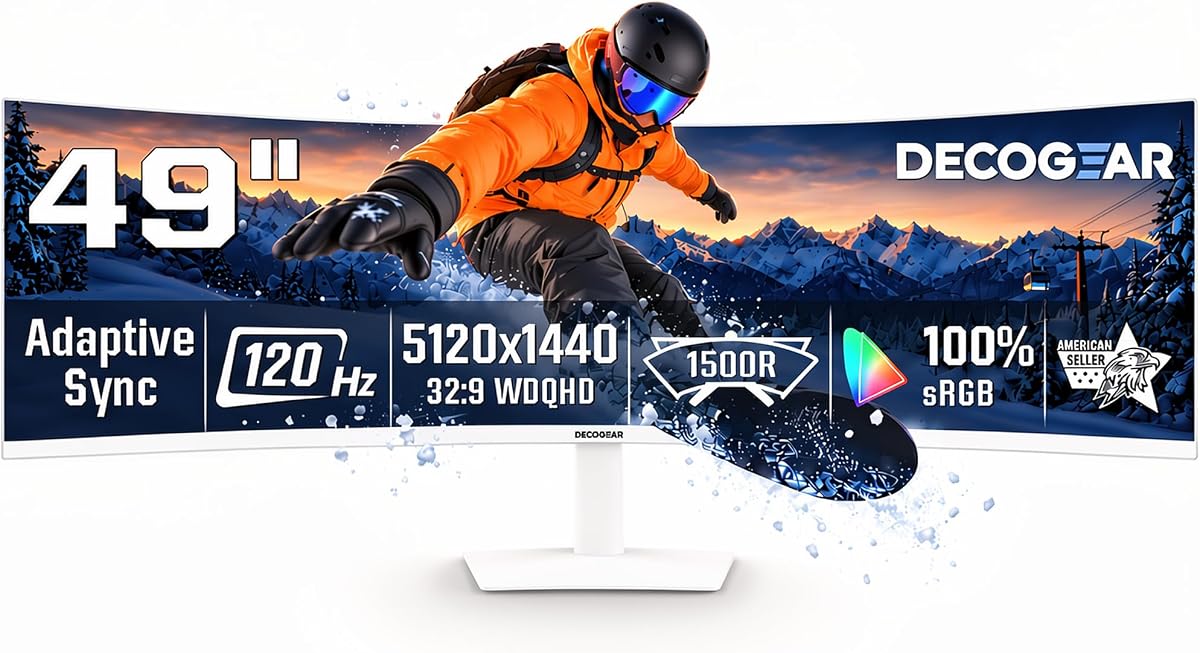
The Deco Gear 49 Super Ultrawide Curved Monitor is tailored for users who juggle multiple systems and tasks. Holding a 4.1 rating it is valued for its versatile connectivity and workspace management features. Its standout quality is the KVM functionality which lets you control two computers with one keyboard and mouse setup.
We may earn a commission when you buy through this link, at no additional cost to you.
Key strengths include the 100% sRGB coverage that ensures consistent color for documents and media. The 120Hz refresh rate provides a smooth experience for general gaming while the 65W USB-C supports laptop connections without extra chargers. PIP and PBP features allow you to view content from two sources side by side effectively.
Trade-offs include a refresh rate that is lower than the 144Hz or 240Hz found on dedicated gaming units. For competitive sim racing titles this might not be the fastest option available. Additionally HDR performance is standard and does not reach the levels of premium gaming monitors.
We recommend this monitor for professionals who also game and need strong connectivity and multitasking tools. It is ideal for setups where one screen needs to handle work and play simultaneously. If you need a single monitor to manage multiple systems efficiently this is a practical choice.
KVM switching allows you to control two computers with a single keyboard and mouse reducing desk clutter.
PIP and PBP features let you view content from two inputs simultaneously improving productivity and workflow.
We may earn a commission when you buy through this link, at no additional cost to you.
The ASUS ROG XG49VQ is a reliable choice for sim racers who prefer established gaming hardware brands. With a 4.4 rating it is praised for its ergonomic design and useful gaming overlays. Its standout quality is the GamePlus overlay system that allows you to track timers and aim points directly on the screen.
We may earn a commission when you buy through this link, at no additional cost to you.
Key strengths include the 144Hz refresh rate that ensures fluid motion and HDR 400 certification which offers better contrast than standard screens. The 1800R curve wraps around your field of vision providing good immersion without extreme distortion. Eye Care technology minimizes blue light and flicker to keep eyes comfortable during long sessions.
Trade-offs include a resolution of 1080p across the width which may appear less sharp than DQHD models to some users. It is an older design compared to the latest 5K2K monitors available on the market. However the solid build quality and useful software features remain appealing for many gamers.
We recommend this model for users who value brand reliability and specific gaming utility features over raw resolution. It is particularly suitable for those who need eye comfort features for extended play sessions. If you want a trusted brand with solid ergonomics this unit delivers a good experience.
Exclusive GamePlus overlays provide timers and reticles that enhance competitive gameplay and strategy.
Flicker-free backlighting and blue light filters minimize strain keeping you comfortable during marathon racing sessions.
We may earn a commission when you buy through this link, at no additional cost to you.
The Z-Edge 5K 49 Inch Curved Gaming Monitor delivers high speed and sharp visuals at a competitive price. With a strong 4.5 rating it is recognized for combining a high refresh rate with solid color accuracy. Its standout quality is the 240Hz refresh rate that ensures incredibly smooth motion for competitive gaming.
We may earn a commission when you buy through this link, at no additional cost to you.
Key strengths include the 5K2K resolution which provides crisp details for reading telemetry and seeing distant track markers. The 99% sRGB gamut ensures rich and vivid colors for an immersive experience. Built-in speakers and USB-C support add convenience for users who want a streamlined setup without extra docks.
Trade-offs include the brands lower market presence compared to major names which might raise concerns about long term support. Panel quality can sometimes vary between units so checking reviews is advisable. However the specifications offered are impressive and match high-end competitors at a more affordable price point.
We recommend this model for gamers who want top tier refresh rates and resolution without paying a premium price. It is ideal for those who prioritize smooth motion and clear text and visuals. If you need a high performance screen for sim racing this monitor offers excellent value.
240Hz refresh rate delivers unprecedentedly smooth motion handling intense competitive scenarios with ease.
5K2K resolution provides ultra-high detail ensuring that text and track elements remain clear and legible.
We may earn a commission when you buy through this link, at no additional cost to you.
The Samsung 49 Odyssey G93SC Series offers a premium OLED experience tailored for high-end gaming setups. With a 4.1 rating it stands out for its combination of OLED visuals and fast refresh rates. Its standout quality is the DisplayHDR True Black 400 certification which delivers true blacks and rich dark tones.
We may earn a commission when you buy through this link, at no additional cost to you.
Key strengths include the QD-OLED panel that provides a brighter screen with brilliant colors and intense contrast. The 240Hz refresh rate ensures near-instant reaction times keeping you ahead in competitive scenarios. The premium metal finish adds a modern touch to your gaming station elevating the overall look of the setup.
Trade-offs include the high cost and the inherent risk of burn-in if static elements like HUDs remain visible for long periods. Care must be taken to use screen savers or adjust settings to mitigate this risk. For the price however the visual fidelity is unmatched by LCD technologies.
We recommend this model for enthusiasts who want the absolute best in color and contrast and have a dedicated gaming environment. It is ideal for those who want a premium design and OLED performance. If you prioritize visual excellence and can manage the risks this screen offers a truly immersive experience.
DisplayHDR True Black 400 delivers true blacks without light bleed enhancing the depth and realism of night scenes.
A metal finish and thin profile elevate the look of your gaming station with a sleek and modern aesthetic.
We may earn a commission when you buy through this link, at no additional cost to you.
Choosing the right monitor involves balancing resolution refresh rate curvature and panel technology to fit your specific racing needs and budget constraints.
Resolution determines how sharp track details and text appear on screen. For 49 inch displays DQHD or 5K2K resolutions are recommended to avoid pixelation at close viewing distances.
Look for at least 5120 x 1440 resolution to ensure clear visibility of telemetry and distant track markers.
Refresh rate impacts how smooth motion looks during high speed racing. A higher refresh rate like 144Hz or 240Hz reduces motion blur and improves reaction times in competitive scenarios.
Aim for 144Hz or higher with response times under 1ms to ensure fluid visuals during rapid car movements.
Curvature affects how the screen wraps around your field of vision. A tighter curve like 1000R offers more immersion while a gentler curve like 1800R is more comfortable for mixed use.
Select a curvature that feels natural to your eyes without causing distortion at the edges.
Panel type dictates color accuracy and contrast. VA panels offer deep blacks but may suffer from slower response times. OLED panels provide infinite contrast and speed but cost more.
Choose VA for budget options and OLED for top-tier color and speed if your budget allows.
Color coverage ensures that liveries and environments look realistic. High sRGB or DCI-P3 coverage ensures accurate and vibrant colors that match what developers intended.
Prioritize monitors with at least 99% sRGB coverage for reliable color reproduction.
Modern monitors should support HDMI 2.1 and DisplayPort 1.4 to handle high refresh rates and resolutions. USB-C with power delivery is a bonus for laptop users.
Ensure the monitor has enough ports to connect your PC and any peripherals without adapters.
Adjustable stands help reduce strain during long sessions. Look for options that allow tilt swivel and height adjustments to suit your seating position.
VESA mount compatibility is useful if you prefer to use an articulating arm for flexible positioning.
Extra features like PIP PBP and GamePlus overlays can improve workflow and gameplay utility. These allow for multitasking and better visibility of in-game stats.
Consider if these features align with your workflow before purchasing to ensure they add value.
To maintain optimal performance clean the screen with a soft microfiber cloth and avoid harsh chemicals that can damage the panel coating. Dust accumulation can obscure details so regular gentle cleaning helps keep visuals clear.
Adjust your sitting position so that your eyes are level with the center of the screen to reduce neck strain. The wide aspect ratio allows for a natural viewing angle but proper posture remains essential for long sessions.
Calibrate color settings using the built-in menu options or external software to match your content needs. For sim racing ensure that HDR settings are configured correctly to maximize contrast and visibility in dark scenes.
Yes it provides a wide field of view that mimics a real cockpit allowing you to see more track ahead. The immersive format enhances reaction times and spatial awareness during races.
Running at high refresh rates and resolutions requires a strong GPU. Ensure your graphics card can handle the load to avoid frame drops and maintain smooth performance.
A refresh rate of 144Hz or higher is recommended to reduce motion blur and improve responsiveness. Higher rates provide smoother motion which helps in judging braking points accurately.
Curved monitors are generally preferred as they wrap around your field of vision for better immersion. A curvature between 1000R and 1800R offers a balance of immersion and comfort.
Many ultrawide monitors support PIP and PBP modes to display content from two sources. Use the monitor menu to configure these settings for multitasking or telemetry display.
Yes many models support HDMI 2.1 which is compatible with current generation consoles. Check the specific connectivity specs to ensure support for 4K or 120Hz gaming on consoles.
Avoid leaving static elements on screen for long periods. Enable screen savers and use features that dim static parts of the screen like taskbars or logos to reduce risk.
Most models come with adjustable stands that allow tilt and height changes. Many also support VESA mounts if you wish to use an articulating arm for more flexibility.
We have explored ten distinct models that cater to different performance needs and budgets ranging from the budget-friendly Raywego to the premium Samsung OLED options. Each monitor brings unique strengths to the table whether it is speed color or connectivity.
Prioritize resolution and refresh rate if you want competitive performance and clarity. Consider curvature and panel type based on your preference for immersion versus color accuracy for your specific racing titles.
Remember that prices and availability can change so verify the latest details on the product pages before purchasing. With the right setup you can transform your racing experience into a truly immersive virtual journey.