
Roku 65-Inch Select Series Smart TV 2026-4K (2160p) QLED TV TV
4.4Editor score
Sharp 4K QLED picture
Fast streaming apps
Simple setup process
Choosing the right display for next-gen consoles is crucial for immersive gameplay. The latest 4K TVs offer high refresh rates and low input lag to handle demanding titles like GTA 6.
We analyzed ten top-rated models focusing on gaming features such as HDMI 2.1, variable refresh rate, and HDR support. Each model was evaluated for compatibility with PS5 and Xbox Series X.
Our selections highlight key performance aspects and real-world usability. Prices and availability may vary, so verify current listings before purchasing your new gaming display.
4.4Editor score

4.6Editor score

4.3Editor score
As an Amazon Associate we earn from qualifying purchases.
This table provides a side-by-side comparison of all ten selected televisions. It highlights critical gaming specifications and key features to help you decide quickly.




The Hisense 65" U7 Mini-LED stands out as a top-tier option for next-gen gaming. With a high rating, it promises superior picture quality essential for titles like GTA 6.
We may earn a commission when you buy through this link, at no additional cost to you.
Its native 165Hz refresh rate and Mini-LED technology deliver crisp motion and vibrant colors. The anti-reflection layer ensures clarity even in well-lit rooms during long sessions.
While the price point is higher than entry-level models, the performance justifies the cost. Gamers will appreciate the low lag and vivid detail in dark and bright scenes alike.
If you want a high-performance display that handles PS5 and Xbox Series X content beautifully, this model is a strong recommendation. It balances premium features with practical usability.
The 165Hz native refresh rate ensures fluid motion during fast-paced gameplay, reducing blur and input lag significantly.
Mini-LED backlights provide exceptional brightness levels that enhance HDR content, making highlights pop and shadows stay deep.
We may earn a commission when you buy through this link, at no additional cost to you.
The iFFALCON 65" MiniLED TV is engineered for serious gamers needing multiple connections. It supports PS5 and Xbox Series X natively with four HDMI 2.1 ports.
We may earn a commission when you buy through this link, at no additional cost to you.
Features like Dolby Vision Gaming and variable refresh rates up to 288Hz ensure smooth visuals. The integrated sound system supports Dolby Atmos for immersive audio experiences.
The interface is straightforward but may require setup to maximize performance. Despite minor hurdles, the hardware capabilities make it ideal for multi-console households.
For those who want direct access to next-gen features without compromising on ports, this TV is a great choice. It offers robust support for current and future gaming demands.
Four HDMI 2.1 ports allow you to connect multiple consoles and devices without constant cable swapping.
This feature ensures HDR gaming looks its best with optimized brightness and contrast settings for interactive content.
We may earn a commission when you buy through this link, at no additional cost to you.
The Roku 65-Inch Select Series offers excellent value for budget-conscious gamers. It provides a crisp 4K QLED display that looks great for everyday viewing.
We may earn a commission when you buy through this link, at no additional cost to you.
While it lacks high refresh rates found in premium models, it handles standard gaming content well. The setup is simple and the remote control is intuitive.
Gamers needing low latency might prefer higher-end options but this model works for casual play. The picture quality remains clear with accurate colors for most content.
For those prioritizing cost without sacrificing screen size or resolution, this TV is a solid pick. It brings reliable performance and easy streaming to any living room.
Users get access to QLED panel benefits like wide color gamut at a price point friendly to most buyers.
Quick setup and a clean home screen make it easy to start watching and playing within minutes of unboxing.
We may earn a commission when you buy through this link, at no additional cost to you.
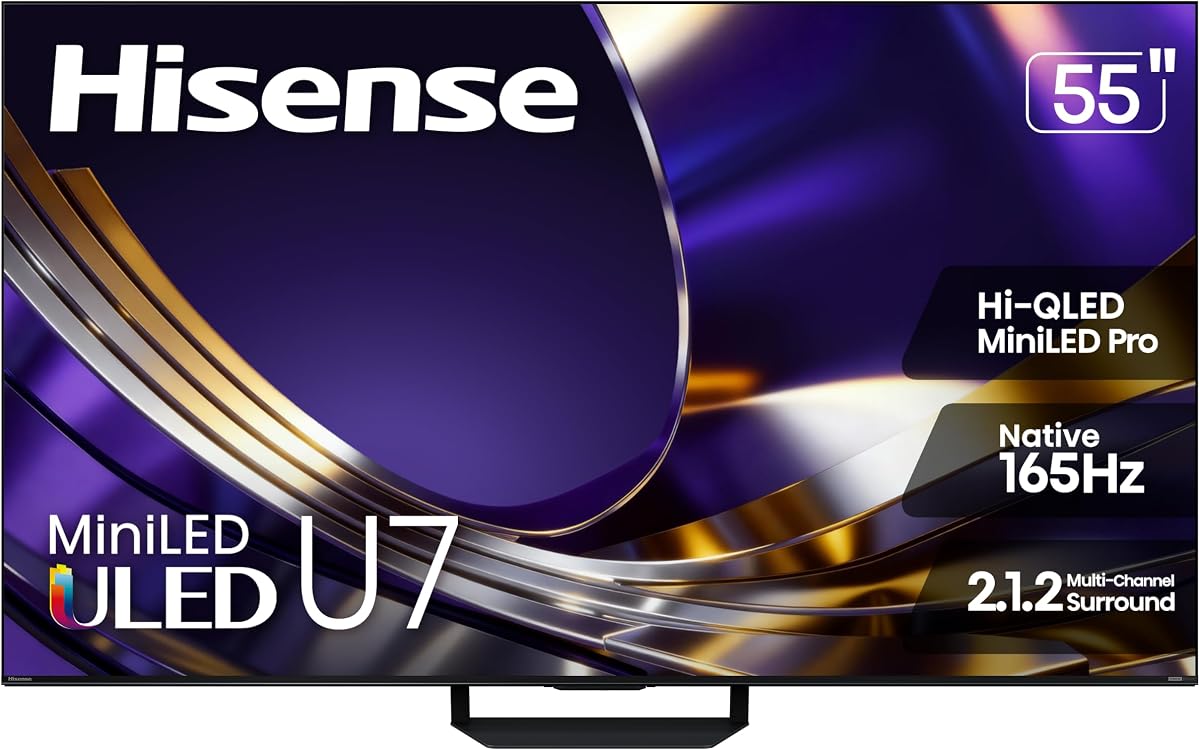
This 55-inch model from Hisense brings premium gaming features to a compact format. It shares many specs with the larger U7 series including high refresh rates.
We may earn a commission when you buy through this link, at no additional cost to you.
The Mini-LED backlighting ensures deep blacks and vibrant highlights even in darker scenes. AI processing adjusts picture settings automatically for optimal viewing.
While smaller than 65-inch alternatives, it fits well in standard bedrooms or apartments. The performance remains high making it suitable for competitive gaming.
Choose this if you need a smaller footprint without compromising on gaming performance. It delivers quality visuals and responsive controls for modern consoles.
The 55-inch screen maintains high refresh capabilities ideal for rooms where space is limited.
Smart AI processing continuously analyzes scenes to enhance contrast and color dynamically.
We may earn a commission when you buy through this link, at no additional cost to you.
Samsung's M70H series combines Mini-LED technology with smart gaming features. It delivers bright images and deep blacks suitable for varied lighting conditions.
We may earn a commission when you buy through this link, at no additional cost to you.
The Motion Xcelerator ensures smooth visuals during action sequences. Built-in Gaming Hub consolidates apps though it may not replace dedicated console use.
Color performance is excellent with a wide spectrum enhancing visual appeal. However, the remote lacks advanced gaming buttons found on higher-end models.
This TV suits those wanting Mini-LED benefits at a reasonable price. It balances performance with smart features effectively for most home setups.
Mini-LED technology provides precise backlight control for better contrast and deeper blacks.
Advanced motion tech reduces blur making fast-paced scenes easier to follow during gaming.
We may earn a commission when you buy through this link, at no additional cost to you.
The Samsung 50-Inch U8000H offers an accessible entry into 4K gaming. It uses a Crystal Processor to upscale content for better clarity.
We may earn a commission when you buy through this link, at no additional cost to you.
Motion Xcelerator helps reduce blur during sports and casual gaming. Color Booster enhances visual vibrancy though HDR performance is standard.
Setup is straightforward and the interface remains intuitive for new users. While not a top choice for competitive gaming, it fits budget needs well.
Buyers looking for basic 4K performance with smart features will find this reliable. It works well for mixed media use beyond just gaming.
Enhanced upscaling ensures lower resolution content looks sharper on a 4K screen.
Color Booster adjusts hues to make scenes look more vivid and engaging.
We may earn a commission when you buy through this link, at no additional cost to you.
LG's QNED73 series delivers accurate colors and solid AI processing. The A7 Processor enhances picture details for an immersive view.
We may earn a commission when you buy through this link, at no additional cost to you.
FreeSync Premium support reduces tearing during PC gaming. Filmmaker Mode preserves original intent though brightness may lag behind competitors.
WebOS provides easy access to streaming apps. The design is elegant with a gallery-style finish enhancing room aesthetics.
Ideal for viewers prioritizing color accuracy and design. While gaming specs are good, it stands out more for general media use.
Certified 100% Color Volume ensures consistent and vibrant colors across the screen.
The intuitive OS streamlines access to various apps and services.
We may earn a commission when you buy through this link, at no additional cost to you.
The TCL 65 Inch QM6K offers premium features at a competitive price. Mini-LED and Quantum Dot deliver rich colors and contrast.
We may earn a commission when you buy through this link, at no additional cost to you.
Halo Control minimizes blooming around bright objects. Audio from Onkyo adds depth to sound without external speakers needed.
Google TV ensures easy app access though remote functionality is basic. The large screen is great for cinematic experiences.
Buyers seeking a large panel with solid gaming specs will appreciate this model. It balances performance and price well for most users.
Advanced local dimming reduces halos around bright objects for sharper detail.
Onkyo sound system delivers robust audio that enhances the immersive experience.
We may earn a commission when you buy through this link, at no additional cost to you.
The Sony BRAVIA 3 II offers tailored features for PS5 owners. Auto HDR Tone Mapping optimizes visuals automatically for supported games.
We may earn a commission when you buy through this link, at no additional cost to you.
Motionflow XR reduces blur in sports and action. Dolby Vision and Atmos provide cinematic quality though local dimming is absent.
Setup is straightforward with Google TV and Gemini assistance. The minimalist bezel design enhances viewing immersion.
Perfect for Sony console enthusiasts seeking seamless integration. It delivers reliable performance and advanced processing for quality viewing.
Exclusive PS5 features streamline settings for automatic optimal gaming visuals.
The XR Processor uses AI to enhance clarity and color in real time.
We may earn a commission when you buy through this link, at no additional cost to you.
The Hisense 50" E7 brings Mini-LED technology and high refresh rates. AI Picture enhances content dynamically without manual intervention.
We may earn a commission when you buy through this link, at no additional cost to you.
Sports Mode optimizes settings for motion clarity. FALD zones provide deep contrast though the interface may show ads.
Fire TV offers broad app support and voice control via Alexa. The setup process is quick and straightforward for most users.
This model suits those wanting high-end features in a 50-inch frame. It balances performance with practical smart home integration.
Specialized settings recognize sports content to enhance motion and crowd audio.
Access to thousands of apps and voice control adds convenience for daily use.
We may earn a commission when you buy through this link, at no additional cost to you.
Selecting a TV for next-gen gaming requires attention to specific technical features. This guide breaks down key factors to help you make an informed choice.
A high refresh rate such as 120Hz or higher ensures smooth motion during fast-paced gameplay. Look for native rates rather than interpolated motion to avoid blur and stuttering effects.
Prioritize displays with high native refresh rates for the smoothest gameplay experience possible.
HDMI 2.1 ports support higher bandwidth needed for 4K at 120Hz. Ensure your TV has enough ports to connect all consoles and accessories without adapters.
Verify that your selected TV includes multiple HDMI 2.1 ports for full console compatibility.
VRR technology synchronizes the display's refresh rate with the console output to eliminate screen tearing. This creates a smoother visual experience during intense gaming scenes.
Always choose a TV that supports VRR standards like FreeSync or HDMI VRR for best results.
Low input lag means controls respond instantly on screen. Gaming modes usually reduce processing delays to improve reaction time during competitive matches.
Select models with dedicated gaming modes to ensure minimal latency during play.
Support for formats like Dolby Vision and HDR10+ enhances brightness and color depth. A broad HDR range ensures scenes look accurate across different content sources.
Check that your TV supports modern HDR formats for dynamic contrast and color.
Resolution is standard at 4K but size impacts immersion. Larger screens provide better detail visibility but require adequate viewing distance to avoid pixelation.
Balance screen size with room dimensions to achieve the best visual comfort.
Integrated platforms like Google TV or WebOS simplify streaming without extra devices. Voice control and app ecosystems can enhance usability beyond gaming.
Choose a smart platform that matches your preferred streaming services and ease of use.
Built-in speakers vary widely so consider audio output capabilities. Support for Dolby Atmos or eARC allows connection to external soundbars for richer audio.
Assess audio capabilities and look for eARC if using external sound systems.
Set your console to output 4K resolution in settings to utilize the TV's full capabilities. Adjust brightness and contrast based on room lighting conditions.
Clean the screen regularly with a microfiber cloth to remove dust without scratching. Avoid using harsh chemicals or spraying water directly on the display.
Update firmware regularly to ensure compatibility with new gaming features. Proper ventilation around the unit helps maintain long-term performance and stability.
Yes, HDMI 2.1 cables are required to access 4K at 120Hz features. Most modern TVs include these cables but verify compatibility before use.
A native 120Hz or higher refresh rate ensures smooth gameplay. Look for TVs that support VRR to eliminate tearing during fast action.
Access the settings menu and enable Game Mode or Auto Low Latency Mode. This minimizes processing delays for better control responsiveness.
Dolby Vision and HDR10+ offer dynamic contrast adjustments. Consoles support these formats for optimized brightness in supported content.
Yes, TVs with HDMI eARC allow high-quality audio output to soundbars. This improves sound quality beyond built-in speakers.
Anti-glare helps reduce reflections from lights and windows. This improves clarity and reduces eye strain during long sessions.
Our top picks include the Hisense U7 series and iFFALCON MiniLED models for their excellent refresh rates and connectivity. Each offers unique strengths tailored to next-gen gaming needs.
Prioritize features like HDMI 2.1 ports and low input lag to maximize console performance. Budget options remain viable if you prioritize screen size over advanced specs.
Prices and availability can change so check current listings before purchasing. Your ideal TV depends on balancing gaming features with room setup and personal budget.