
GIGABYTE B550 Gaming X V2
4.5Editor score
Supports Ryzen 5000 series
PCIe 4.0 M.2 slot
Affordable pricing point
This guide compares ten top Gigabyte motherboard models for AMD and Intel platforms helping you choose the right board for your build needs.
Choosing the right motherboard is critical for any computer build. A good Gigabyte motherboard offers reliability, strong power delivery, and essential connectivity features for modern hardware.
We evaluated ten current models based on socket support, VRM quality, thermal design, and expansion options. This list covers both AMD AM5 and Intel LGA 1700 or 1851 platforms.
Each pick highlights specific strengths like budget pricing, premium features, or specific chipset capabilities. Keep in mind that prices and availability can change frequently.
4.5Editor score

4.4Editor score

4.2Editor score
The following table provides a quick side-by-side look at the key specifications for all ten models reviewed in this guide.


The Gigabyte B650 AORUS Elite AX stands out as a top recommendation for builders seeking AMD AM5 reliability. With a 4.4 star rating, it balances performance and value exceptionally well.
We may earn a commission when you buy through this link, at no additional cost to you.
Its twin 14+2+1 phase power design with 70A power stages ensures stable operation even with high core count processors like the Ryzen 9 950X. The 8-layer PCB and extensive heatsinks keep temperatures in check under load.
While the price point is higher than basic B650 models, the inclusion of WIFI6E and multiple PCIe 5.0 slots justifies the investment for future-proofing. The EZ-Latch mechanisms make removing GPU cards significantly easier.
This board is ideal for gamers and creators who want a solid foundation for next-gen Ryzen CPUs without overspending on flagship X870E boards.
The 14+2+1 VRM phases provide clean power for overclocking and sustained boost clocks on Ryzen 7000 and 9000 series CPUs.
6mm heatpipes and fully covered MOSFET heatsinks work together to dissipate heat efficiently across the entire board.
We may earn a commission when you buy through this link, at no additional cost to you.
The X870 AORUS Elite WIFI7 represents the bleeding edge of AMD motherboard technology. It brings WIFI7 and USB4 to a mid-tier pricing bracket which is significant.
We may earn a commission when you buy through this link, at no additional cost to you.
Connectivity is the headline feature here. Dual USB4 ports allow for high-speed external storage or docking stations while four M.2 slots enable extensive storage arrays without needing add-on cards.
Power delivery uses a 16+2+2 phase design with VRM and M.2 thermal guards. This ensures stability even when running demanding workloads alongside multiple NVMe drives.
Buyers looking for future connectivity standards or needing multiple fast drives will find this board offers excellent value compared to higher X870E models.
WIFI7 offers lower latency and higher speeds than WIFI6E making it perfect for online gaming and large file transfers.
Four M.2 slots allow you to install multiple PCIe 5.0 or 4.0 SSDs for gaming libraries or creative project storage.
We may earn a commission when you buy through this link, at no additional cost to you.
For white-themed builds the X870E AORUS PRO ICE is a stunning choice. It pairs high-end chipset features with a cohesive white color scheme across PCB and heatsinks.
We may earn a commission when you buy through this link, at no additional cost to you.
Performance matches the elite features. The 16+2+2 power design with 80A smart stages handles Ryzen 9 processors easily. Thermal guards protect your M.2 drives from throttling.
Beyond looks it includes Sensor Panel Link for custom displays and dual USB4 ports. This level of integration is usually reserved for much more expensive boards.
This model is perfect for enthusiasts who want a high-performance system without compromising on aesthetics or build quality.
The all white design creates a striking visual appeal especially when paired with white case fans and lighting.
Enhanced cooling on the VRM and M.2 slots ensures consistent performance even during extended sessions.
We may earn a commission when you buy through this link, at no additional cost to you.
The Z890 AORUS Master targets professional creators and high-end users using the new Intel Core Ultra processors. It brings flagship features to the latest Intel socket.
We may earn a commission when you buy through this link, at no additional cost to you.
Key highlights include dual Thunderbolt 4 ports for rapid external storage and five M.2 slots for extensive storage capacity. The 10GbE LAN ensures fast local network transfers.
Power delivery is robust with an 18+1+2 phase design and 110A smart power stages. This supports heavy multi-threaded workloads without power constraints.
Ideal for workstations where speed and connectivity are critical this board maximizes the potential of new Intel hardware.
Thunderbolt 4 provides up to 40Gbps data transfer and supports multiple 4K monitors simultaneously.
The 10GbE LAN port significantly outperforms standard gigabit networking for file servers and NAS setups.
We may earn a commission when you buy through this link, at no additional cost to you.
The B650 Eagle AX offers an impressive entry point into the AM5 ecosystem. With a 4.6 rating it proves that affordability does not require sacrificing core features.
We may earn a commission when you buy through this link, at no additional cost to you.
It supports PCIe 5.0 on one M.2 slot while offering three total M.2 slots. This is rare at this price point and allows flexible storage upgrades.
Power delivery uses a 12+2+2 phase solution which is more than enough for Ryzen 5 and 7 CPUs. WIFI6E is included for modern wireless networking.
For gamers on a budget who still want DDR5 and modern connectivity this board is a top contender.
It brings modern DDR5 memory support to budget builds without breaking the bank.
Multiple M.2 slots let you add more storage later without needing add-in cards.
We may earn a commission when you buy through this link, at no additional cost to you.
This board is perfect for users upgrading from Ryzen 3000 to 5000 without changing their DDR4 memory. It refines the previous Elite AX with better networking.
We may earn a commission when you buy through this link, at no additional cost to you.
The 12+2 power phase design handles Ryzen 9 5900X upgrades well. Thermal armor keeps VRMs cool and the integrated I/O shield speeds up build times.
Connectivity includes WIFI6 and a 2.5GbE LAN port which is a step up from standard gigabit. Q Flash Plus allows BIOS updates without a CPU installed.
Ideal for budget focused upgraders or those building secondary PCs with existing DDR4 parts.
Keeps your existing DDR4 RAM usable while offering access to newer Ryzen 5000 CPUs.
The 2.5GbE LAN provides faster wired connections than standard 1GbE ports found on cheaper boards.
We may earn a commission when you buy through this link, at no additional cost to you.
The Z790 Eagle AX is a capable choice for Intel 14th Gen processors. It brings DDR5 and PCIe 5.0 to a mid-range price point.
We may earn a commission when you buy through this link, at no additional cost to you.
Three M.2 slots provide ample storage and the 12+1+1 power phases ensure stability for non-K or mild K series chips. WIFI6E and 2.5GbE cover network needs.
Thermal design includes enlarged MOSFET heatsinks and M.2 thermal guards to maintain performance during long gaming sessions.
This board suits builders who want a Z790 experience without paying premium flagship prices.
Compatible with 12th 13th and 14th Gen Intel Core processors for a range of performance options.
Includes PCIe 5.0 support for future graphics cards and storage drives.
We may earn a commission when you buy through this link, at no additional cost to you.
The Z790 AORUS Elite AX pushes features further than the Eagle model. It offers more M.2 slots and a stronger VRM for overclocking.
We may earn a commission when you buy through this link, at no additional cost to you.
With 16+1+2 phases it handles high wattage processors without issues. Four M.2 slots allow for massive storage capacity directly on the motherboard.
Thermal design uses fully covered heatsinks and PCIe armor to protect components. The EZ-Latch mechanism makes GPU swaps simple.
Great for users who need extensive storage or plan to push their CPU performance to the limits.
The 16+1+2 phase design ensures stable power for intensive workloads and overclocking.
Four M.2 slots provide room for multiple NVMe drives without expansion cards.
We may earn a commission when you buy through this link, at no additional cost to you.
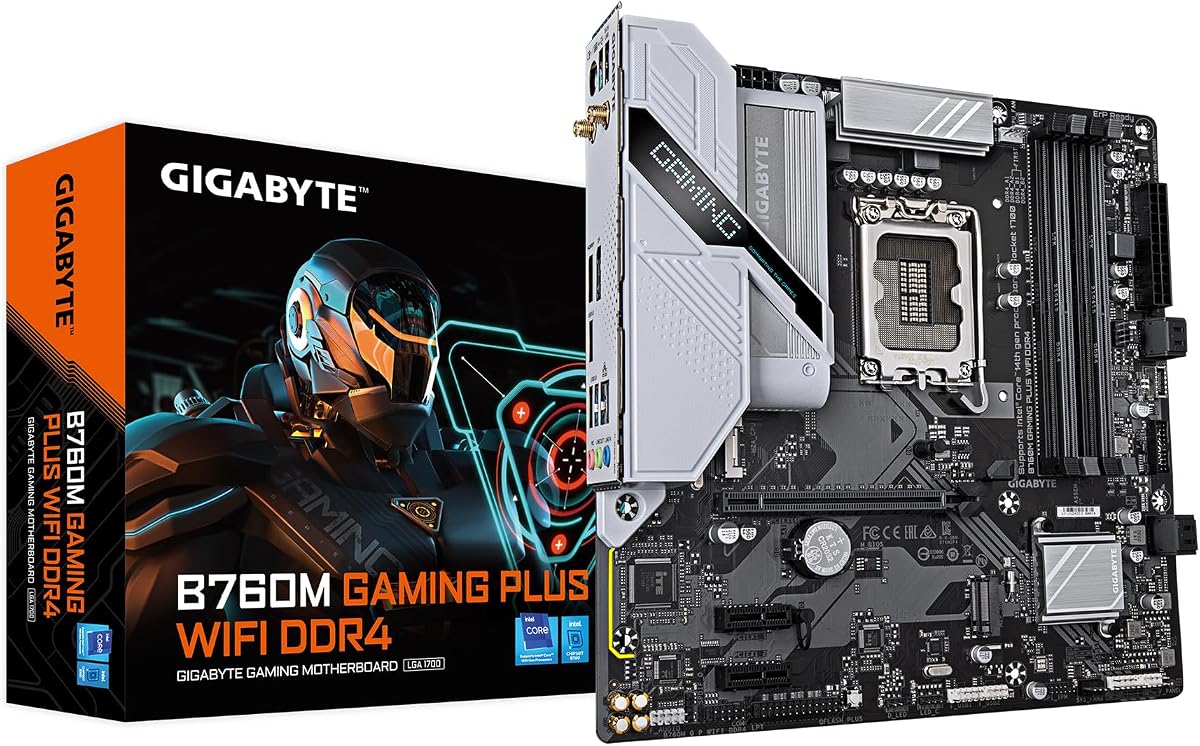
This M-ATX board is ideal for compact builds. It supports Intel 12th through 14th Gen CPUs and includes WIFI despite the lower B760 chipset.
We may earn a commission when you buy through this link, at no additional cost to you.
The hybrid digital 4+1+1 power design is sufficient for non-K processors. Enlarged MOSFET heatsinks ensure the VRMs stay cool in smaller cases.
Two M.2 slots cover most needs for gaming systems and DDR4 support keeps memory costs down. Q Flash Plus simplifies BIOS management.
Perfect for small form factor builds or budget gaming PCs where size matters.
The M-ATX layout saves space and fits in smaller PC cases without sacrificing functionality.
Using DDR4 memory and a budget chipset lowers the total cost of your system.
We may earn a commission when you buy through this link, at no additional cost to you.
The B550 Gaming X V2 is the most cost-effective option on this list. It supports Ryzen 5000 and includes essential PCIe 4.0 features.
We may earn a commission when you buy through this link, at no additional cost to you.
While the VRM is basic 10+3 phases it handles standard Ryzen 5 and 7 CPUs fine. Integrated I/O shield speeds up assembly.
It lacks WIFI but provides USB-C and RGB Fusion features. This makes it a great starting point for budget gamers.
Buy this if you want to minimize motherboard cost while keeping upgrade paths open for Ryzen 5000.
This board keeps the entry price for AM4 systems extremely low.
Supports Ryzen 5000 series allowing you to reuse DDR4 memory and CPU sockets.
We may earn a commission when you buy through this link, at no additional cost to you.
Selecting the right motherboard involves understanding your CPU socket chipset and required features like wireless networking or storage speed.
Always verify that the motherboard supports your processor. AM5 is for new Ryzen 7000/9000 CPUs while LGA 1700/1851 serves Intel Core. AM4 is for older Ryzen chips.
Check the manufacturer compatibility list before buying to ensure BIOS updates aren't required for your specific CPU.
DDR5 is standard on modern AM5 and LGA 1700/1851 boards. DDR4 remains available on budget and older AM4 options which saves cost but limits speed.
Ensure the board supports at least two sticks of RAM for dual channel performance.
Power phases determine how stable the board is under load. More phases are better for overclocking or high core count CPUs like Ryzen 9.
Look for VRM heatsinks to keep power components cool during long usage.
PCIe 5.0 offers future proofing but PCIe 4.0 is currently sufficient for most GPUs. M.2 slots should match your drive needs and support NVMe speeds.
Check if M.2 slots use top slots or share bandwidth with other ports.
Wi-Fi 6E or 7 and 2.5GbE LAN are valuable features for wireless or fast wired connections. USB-C ports on the rear I/O are convenient for peripherals.
If you plan to connect multiple fast drives ensure USB 3.2 Gen 2×2 ports are available.
ATX boards fit most cases and offer more slots while M-ATX save space for smaller builds. Ensure your case supports the motherboard size.
Small cases may not accommodate ATX boards without checking dimensions carefully.
Look for Q-Flash Plus for easy BIOS updates without a CPU. RGB Fusion allows lighting control if you care about aesthetics.
Check the warranty length as some premium models offer five year coverage for peace of mind.
When installing your motherboard secure it to the standoffs and plug the power connectors firmly. Ensure CPU pins are not bent during mounting.
Keep fans clean and air filters dust free to maintain thermal efficiency. Use the included thermal paste for CPU cooling solutions.
Update the BIOS regularly using Q-Flash Plus to ensure compatibility with new CPUs and fix bugs.
The B550 AORUS Elite AX V2 is highly rated for Ryzen 5000 due to its strong power delivery and WIFI6 support. It handles most upgrades easily without overheating.
Z790 and B650 allow CPU overclocking while lower B760 or B550 do not. If you do not plan to overclock B760 or B550 offers great value.
AM5 uses DDR5 memory and supports new Ryzen 7000 and 9000 CPUs. AM4 uses DDR4 and supports older Ryzen 3000 and 5000 chips.
Yes it matters if you lack Ethernet cables. WIFI6E and WIFI7 provide faster wireless speeds and lower latency than older standards.
Most users need two slots. If you require massive storage choose boards with three or four M.2 slots for direct NVMe connections.
RGB Fusion only controls lighting colors and intensity. It does not impact performance but can be useful for synchronized aesthetic builds.
The Gigabyte B650 AORUS Elite AX remains our top pick for overall value and reliability on AMD platforms. It balances features and cost perfectly.
For Intel users the Z790 AORUS Elite AX or Z890 AORUS Master provide excellent stability and connectivity depending on budget.
Always check current prices and availability as deals change frequently and new models may arrive throughout the year.