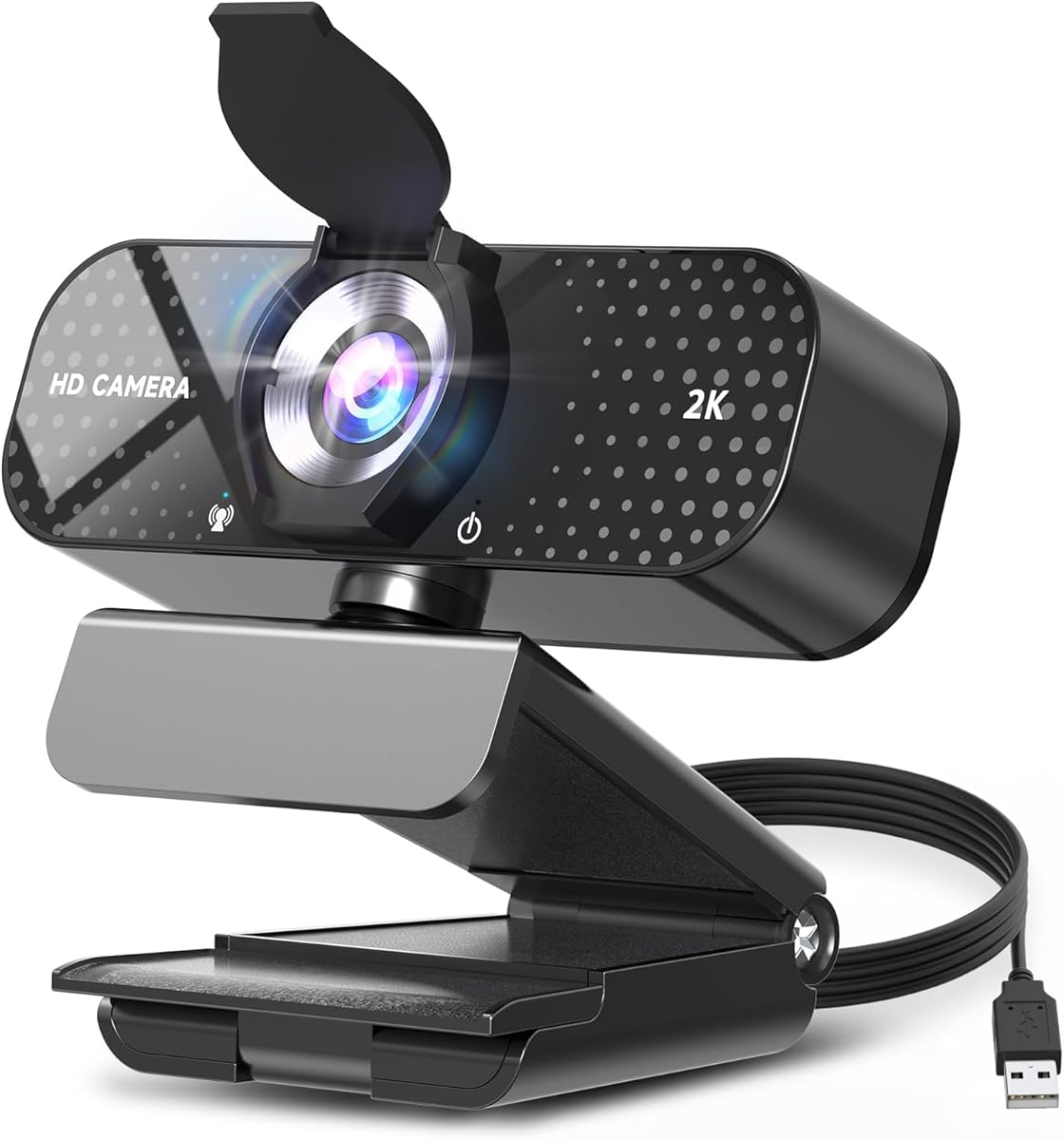
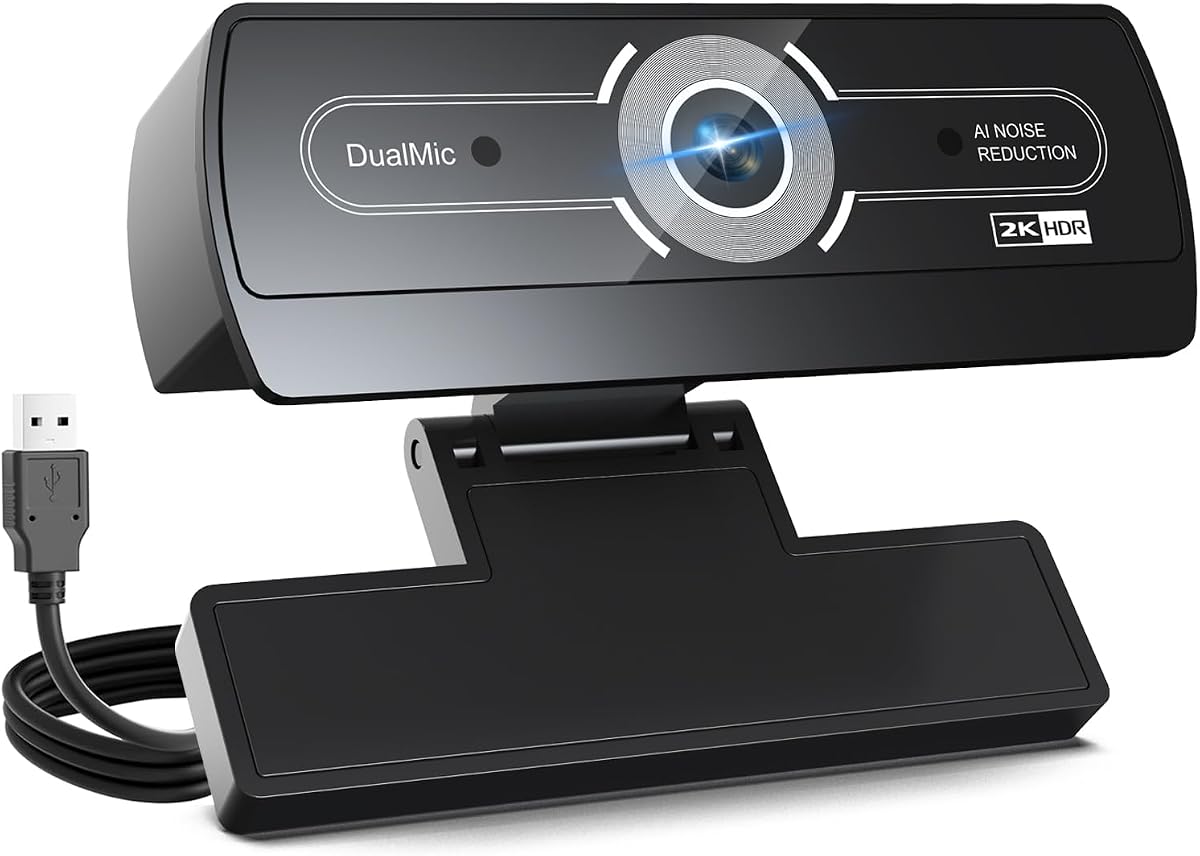
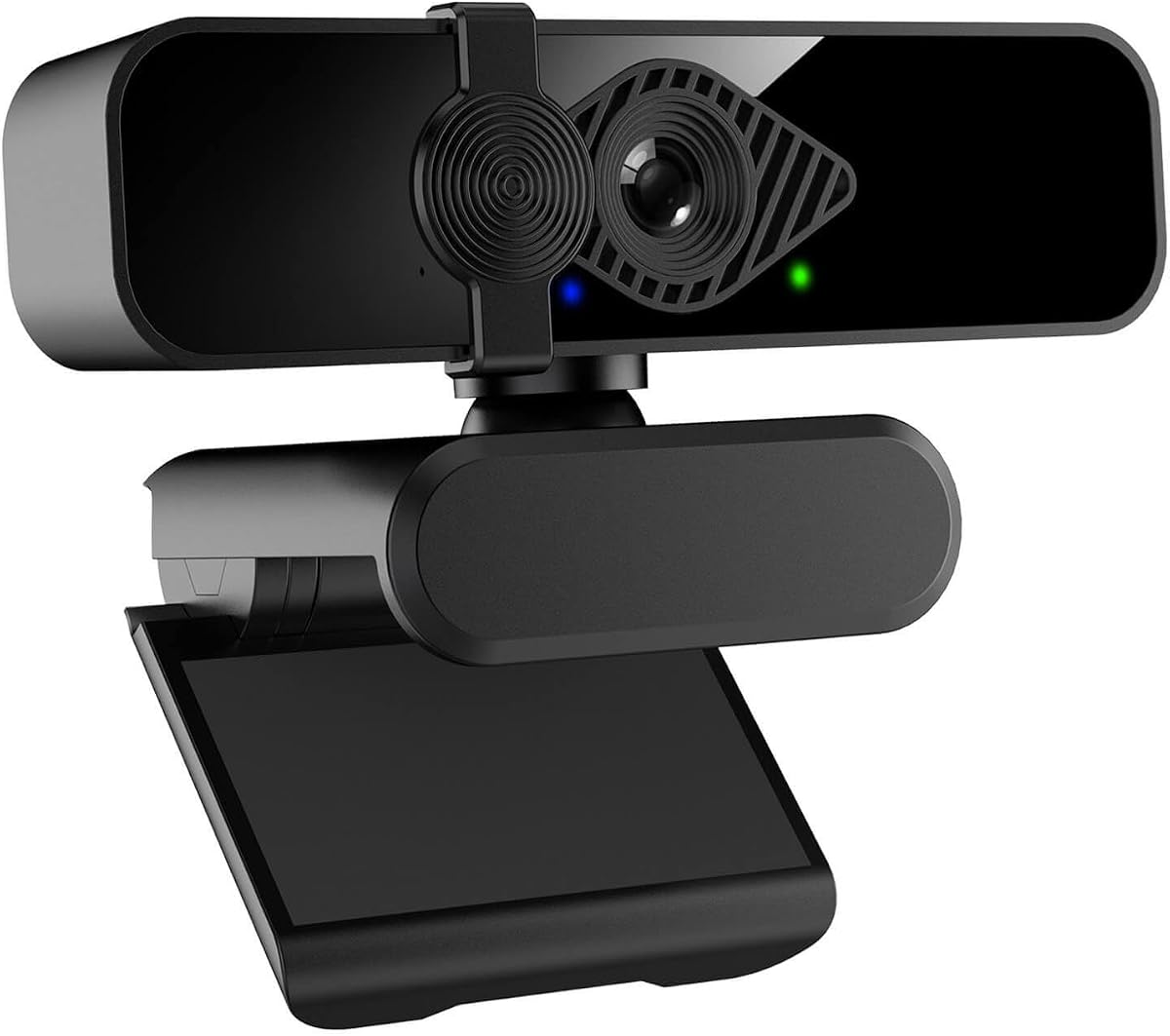
Compare the top 2K Hd Webcam under 50 for clear video calls and streaming with privacy covers, noise-canceling mics, and wide compatibility across devices.
As an Amazon Associate we earn from qualifying purchases. We may earn a commission when you buy through links on this page, at no additional cost to you. Read our affiliate disclosure.As an Amazon Associate we earn from qualifying purchases.Purchases through our links may earn us a commission, at no extra cost to you. Read our affiliate disclosure.
Finding the right webcam for your workspace means balancing resolution, audio quality, and build durability without overspending on premium models. Today we focus on affordable 2K options that deliver sharp visuals for meetings, classes, and content creation while keeping costs low. These units often include essential features like privacy covers and auto light correction to handle various room conditions effectively.
We compared ten real products based on sensor quality, focus technology, microphone performance, and overall user satisfaction scores. Our analysis highlights which models offer true 2K resolution versus interpolated claims and evaluates their ease of setup across different operating systems. This list covers everything from budget-friendly picks to feature-rich units that compete with expensive brands.
Each pick shows specific strengths like autofocus speed, wide-angle lenses, or durable mounting clips to help you decide quickly. Please note that prices and availability can change frequently on retailer sites so always check current listings before purchasing. Use this guide to find a reliable camera that fits your exact needs and budget constraints today.
Top 3 Picks for Best 2K Hd Webcam under 50
Best Budget
Hprosper 2K Webcam with Microphone, Automatic Light Correction & Privacy Cover, Wide Angle USB Camera for PC, Laptop, Mac, Zoom, Gaming, Streaming, Conference Room, Video Conferencing
The UGREEN 2K Webcam stands out as a top pick for users seeking a balance of performance and value. It delivers 2K resolution at 30fps which ensures smooth and clear video for meetings. The dual microphones enhance communication by reducing background noise effectively during calls.
Pros
Sharp 2K video
Dual mic clarity
Privacy cover included
Wide FOV for groups
Easy plug play
Cons
Fixed focus only
No digital zoom
We may earn a commission when you buy through this link, at no additional cost to you.
Its 95-degree field of view is excellent for group meetings or showing physical objects without cropping important details. The auto-adjust light feature helps maintain a professional look even in dimmer rooms. Build quality is solid with a durable clip that fits most monitors and laptops securely.
The fixed-focus technology means you cannot adjust focus manually which might be a limitation for close-up shots. However for general desk use the focus range is sufficient. Privacy is well considered with a physical cover that slides easily when the camera is idle.
This webcam is ideal for professionals and students who need reliable video quality without complex setups. The 360-degree rotation allows flexible positioning to suit any desk layout. Overall it offers excellent value for the price point.
Superior Microphone Performance
The dual microphones work together to capture clear voice audio while minimizing distractions from keyboards or fans.
Flexible Viewing Angles
With 360-degree rotation and a wide lens you can easily adjust the camera to frame yourself perfectly.
TRAUSI offers a compelling option for those who often struggle with varying lighting conditions. The automatic light correction technology ensures your face is visible clearly whether in bright sunlight or low light rooms. This adaptability makes it great for home offices with limited control over lighting.
Pros
Dynamic light adjustment
Clear noise-canceling mic
Easy setup
Wide angle view
Eco-friendly design
Cons
Rating slightly lower
Fixed focus
We may earn a commission when you buy through this link, at no additional cost to you.
Its built-in microphone includes noise-canceling features that prioritize your voice over background sounds like doorbells or chatter. The wide-angle lens captures more space which is useful if you need to show objects during presentations. Setup requires no drivers and works with most operating systems.
Some users note that while the image is sharp the fixed focus can be less forgiving for macro shots. The privacy cover is included and slides smoothly to protect the lens when not in use. It is a sustainable choice using eco-conscious materials and efficient tech.
This model is best for streamers and educators who need consistent image quality across different environments. The plug-and-play feature saves time and reduces technical hassles during urgent meetings. It remains a strong contender for budget-conscious buyers.
Light Management Features
Advanced sensors adjust brightness and color automatically to ensure you always look your best on camera.
Audio Clarity
The noise-canceling mic focuses on your voice making conversations clearer even in noisy home offices.
EMEET focuses on stability and durability which is evident in its metal clip design. This ensures the webcam stays securely on monitors without slipping even when adjusting angles. The integrated cable keeps your workspace tidy by eliminating loose wires or extra storage.
Pros
Durable metal clip
Integrated cable
Software controls
High build quality
Wide compatibility
Cons
Fixed focus range
Software needed for settings
We may earn a commission when you buy through this link, at no additional cost to you.
It delivers 2K resolution at 30fps for smooth meetings and classes without lag or interruptions. The built-in microphone captures clearer voice than laptop audio making extra gear unnecessary. Privacy is handled well with a rotating shutter that protects the lens from dust and scratches.
Software control via EMEETLINK allows you to adjust brightness exposure and saturation to fix dark or overexposed scenes. The anti-flicker feature keeps video stable under indoor lighting which is common in offices. This level of control is rare at this price point.
Ideal for professionals who want a reliable and sturdy device for daily calls. The metal construction suggests longevity and it supports tripods for flexible setups. It is a practical choice for hybrid work environments.
Secure Mounting System
The sturdy metal clip holds firmly in place preventing falls and allowing precise angle adjustments.
Customizable Image Settings
Control brightness and color through software to ensure optimal visuals for your specific room lighting.
This webcam stands out with PDAF autofocus technology which locks onto your face instantly. Whether you lean in or move around during calls the focus stays sharp without hunting or blurring. This is a major advantage over fixed-focus models especially for dynamic presenters.
Pros
Fast PDAF focus
Dedicated audio chip
Flexible cable length
USB-C compatibility
Professional image quality
Cons
Higher price point
Large package size
We may earn a commission when you buy through this link, at no additional cost to you.
The dual-mic array uses a dedicated noise-canceling chip to suppress background noise like fans and keyboard clicks. This hardware-level audio solution ensures your voice is heard clearly from up to 16 feet away. It is perfect for busy offices or shared spaces.
Flexibility is a key strength with a 360-degree clip and a 6.6-foot cable for extended reach. The included USB-C adapter ensures compatibility with both new laptops and older USB-A devices. Privacy is covered by an integrated cover that flips down to block the lens.
Best suited for professionals and streamers who need high-end features without buying expensive cameras. The build quality is robust and it works instantly across major platforms. This unit offers near flagship performance for a fraction of the cost.
Phase Detection Autofocus
Fast and precise focusing technology ensures your image remains sharp even when you move during calls.
Hardware Audio Filtering
Dedicated chip processes audio to filter out ambient noise more effectively than standard software.
Hprosper delivers excellent value by offering true 2K resolution at a very competitive price. The wide-angle lens ensures you and your background are captured smoothly at 30fps. It is a great choice for those who want high resolution without spending a lot.
Pros
Very affordable price
True 2K resolution
Auto light correction
Wide compatibility
Flexible mounting
Cons
Basic build materials
Standard mic performance
We may earn a commission when you buy through this link, at no additional cost to you.
Automatic light correction balances brightness to ensure you look good even in dim rooms or against bright windows. The built-in microphone filters out background noise to ensure your voice is heard distinctly. A physical privacy cover slides over the lens to guard against unauthorized access.
Plug-and-play setup means you can connect it via USB and start using it immediately without drivers. The flexible clip mounts securely on monitors or laptops for quick and stable setup. It supports a wide range of devices including Android and Nintendo Switch.
Ideal for students and casual users who need reliable video quality for daily calls. The affordable price makes it accessible for everyone. It is a solid entry point into high resolution webcams.
Affordable 2K Performance
Get 1440p resolution at a low price point that fits easily into any budget.
Quick Setup Process
No drivers needed so you can start video chatting in seconds after plugging it in.
XOCLON provides a 4MP CMOS sensor that captures genuine 2K QHD resolution. The wide-angle lens keeps the focus on you rather than distracting background elements. It is designed for seamless compatibility with macOS and Windows systems.
Pros
True QHD resolution
PDAF focus
Wide angle lens
AI audio tech
Compact design
Cons
Lower user rating
Shorter cable length
We may earn a commission when you buy through this link, at no additional cost to you.
PDAF autofocus ensures crisp stable focus during meetings or lectures. Auto light correction adapts to bright or low-light conditions for consistent visual quality. The built-in dual microphones use noise-canceling algorithms to eliminate background noise effectively.
Its minimalist compact design mounts on your screen without obstructing your high definition display. The 59-inch cable provides decent reach for most desk setups. It is suitable for online classes and remote collaboration.
Best for streamers and online teachers who need clear visuals. The lightweight build ensures it is easy to transport. It is a practical tool for virtual interactions.
Wide Angle Focus
A broad field of view ensures you and your immediate surroundings are captured clearly.
AI Audio Tech
Advanced algorithms isolate your voice to reduce ambient noise during critical discussions.
This model delivers 2K resolution at 30fps for enhanced clarity and detail. It features a noise-reduction microphone that ensures your voice comes through natural and clear. The movable privacy cover allows you to protect the lens whenever not in use.
Pros
High resolution video
Full rotation
Extendable base
Privacy cover
Easy setup
Cons
Narrower FOV
Short cable
We may earn a commission when you buy through this link, at no additional cost to you.
Full 360-degree rotation lets you adjust the angle to find the perfect view. The wide-angle lens ensures every detail is captured during video calls. An extendable base can open to 180 degrees for versatile positioning.
It works seamlessly with USB 2.0 requiring no additional drivers. Simply plug the cable into any Windows or Mac device and you are ready to use in under a minute. It supports major video software like Zoom and Skype.
Ideal for home offices and gaming setups where visual clarity is key. The base design allows for both clamp and desktop setups. It is a versatile tool for video calls.
Flexible Mounting Base
The base opens wide to support both monitor clamping and standalone desk placement.
Privacy Security
Slide the movable cover to block the lens and ensure privacy when the camera is idle.
This webcam shines with sharp resolution and premium image quality suitable for Mac users. It captures every facial texture and object contour with stunning clarity. The dual noise reduction merges hardware filters with AI software to scrub away ambient light and pixel noise.
Pros
High image clarity
Dual noise reduction
Detachable cover
High compatibility
After-sales support
Cons
Requires USB-C adapter
Smaller form factor
We may earn a commission when you buy through this link, at no additional cost to you.
The detachable privacy cover provides a physical barrier to block the lens when not in use. This prevents unauthorized surveillance and protects the lens from dust and scratches. It is a key feature for privacy-conscious users.
You can use it just out of the box without needing drivers. The compatibility with PCs laptops and smart TVs makes it perfect for virtual meetings and online classes. After-sales service is available for any problems with the product.
Best for professionals seeking high resolution visuals on Mac devices. The high pixel density ensures crisp lifelike imagery. It is a reliable choice for daily video conferencing.
Advanced Noise Reduction
Combining hardware filters with AI software reduces grainy footage in dimly lit rooms.
Physical Privacy Cover
A detachable cover offers maximum security by physically blocking the lens from view.
This webcam supports 2K resolution and features manual focus to deliver crisp vivid images. The freely adjustable gooseneck stand allows effortless angle positioning for different setups. A physical sliding privacy cover protects the lens when not in use.
Pros
Manual focus control
Gooseneck stand
Document scanning
Image flipping
Desktop clamp
Cons
Manual setup needed
Unique cable length
We may earn a commission when you buy through this link, at no additional cost to you.
The noise-canceling microphone filters out ambient noise ensuring your voice remains clear and loud. It connects via USB 2.0/3.0 interfaces and requires no additional drivers. Plug and play functionality means you can start capturing high-definition video immediately.
Uniquely it can serve as a document camera capturing detailed images of documents during video calls. The image flipping functionality supports shooting from any angle for teaching materials. This feature is excellent for online tutoring and presentations.
Ideal for teachers and professionals who need to show physical documents clearly. The gooseneck stand offers flexibility that fixed cameras cannot match. It is a practical tool for hybrid work.
Document Camera Mode
Capture and display documents easily during calls using its unique shooting and flipping features.
Flexible Stand Design
The gooseneck stand lets you position the camera at any angle to fit your desk.
This webcam delivers incredibly detailed visuals capturing every facial texture and object contour with stunning clarity. The dual noise reduction merges hardware infrared filters with AI-powered software to scrub away ambient light interference. It processes multiple frames to smooth out digital noise for pristine footage.
Pros
Detailed visuals
Dual noise reduction
Detachable cover
Easy to use
High compatibility
Cons
Standard cable
No extra features
We may earn a commission when you buy through this link, at no additional cost to you.
The detachable privacy cover provides a physical barrier to block the lens when not in use. This prevents unauthorized surveillance and protects the lens from dust and scratches. It is a critical feature for protecting privacy in homes and offices.
You can use it just out of the box without needing any drivers. The high-res clarity adapts to offices studios or living rooms with plug-and-play ease. It supports a wide range of devices including tablets and smart TVs.
Best for users prioritizing privacy without sacrificing image quality. The detachable cover allows for flexible security options. It is a reliable tool for professional use.
Detachable Security
A removable cover offers easy access to the lens while ensuring it is protected when idle.
Noise Reduction Tech
Advanced tech smooths digital noise to keep footage clear even in challenging lighting.
We may earn a commission when you buy through this link, at no additional cost to you.
Buying Guide – How to Choose the Best 2K Hd Webcam under 50
Selecting the right webcam involves considering resolution focus capabilities and audio quality to match your specific needs.
Resolution Quality
2K resolution delivers sharper and clearer video compared to standard 1080p options. Look for models that offer true 2K QHD (2560×1440) rather than interpolated claims which may not provide genuine detail. High resolution ensures your facial expressions and background details are visible without pixelation during video calls.
Always check if the webcam supports 30fps to ensure smooth and lag-free motion. A higher pixel count helps maintain image clarity even when digital zoom or cropping is applied during meetings.
Focus Technology
Fixed focus is common and sufficient for desk use but autofocus allows the camera to adjust to your position. Phase detection autofocus (PDAF) locks onto your face instantly which prevents blurring when you move around. This is especially important for dynamic presentations or casual interactions where you shift seats.
Manual focus options give you precise control over sharpness for specific tasks like document scanning. Decide if you need automatic convenience or manual control based on your typical usage scenarios and desk setup.
Microphone Performance
Clear audio is crucial for effective communication and many webcams include built-in microphones. Look for noise-canceling features that filter out keyboard clicks fan noise and background chatter. Dual mic arrays often perform better by focusing on your voice while suppressing ambient sounds.
Hardware-level noise cancellation provides more consistent audio than standard software filters. This ensures your voice remains clear even in noisy environments like home offices or shared workspaces.
Light Correction
Automatic light correction helps balance brightness and color to ensure you look good in any lighting. Models with this feature adjust exposure dynamically to handle backlit rooms or dim environments effectively. This removes the need for extra lighting equipment to maintain a professional appearance.
Advanced units process multiple frames to smooth out digital noise in low light conditions. Good light correction ensures you do not appear grainy or washed out during evening calls or early mornings.
Privacy Features
Privacy covers are essential for security and protect the lens from unauthorized access when not in use. Look for physical covers that slide smoothly or attach detachably to your camera. This simple feature prevents potential malware or hacked systems from capturing video of your private space.
A sturdy cover also shields the lens from dust and scratches which helps maintain image quality over time. Ensure the mechanism is durable so it lasts through daily opening and closing cycles.
Compatibility
Most webcams support Windows Mac and Linux via USB plug-and-play connections without extra drivers. Check if the webcam works with your specific video conferencing apps like Zoom Teams or Meet. Broad compatibility ensures you can switch devices or platforms without technical issues.
USB 3.0 ports offer faster data transfer for 2K resolution compared to USB 2.0. Always verify that your ports support the bandwidth required for high-resolution video streaming smoothly.
Field of View
Field of View (FOV) determines how much of your room the camera captures during video calls. Wider angles like 90 or 100 degrees are great for group meetings or showing physical objects. Narrower angles suit solo use by keeping the focus on your face.
A versatile FOV range allows you to frame yourself perfectly without cropping out important details. Consider your typical environment whether it is a home office or a shared workspace to choose the best angle.
Mounting Flexibility
A sturdy clip ensures the webcam stays securely on monitors or laptops without slipping. Look for 360-degree rotation to easily adjust the viewing angle for any setup. Some models include tripod threads which allow for more stable and flexible mounting options.
Flexible mounting supports both clamshell laptop use and desktop monitor setups. A good base design adapts to different surfaces and heights for optimal video framing.
How to Use and Care for Your 2K Hd Webcam under 50
Connect the USB cable directly to your computer and switch the input device to the webcam in your settings. Ensure your video conferencing app recognizes the camera before starting any calls or meetings.
Clean the lens gently with a soft microfiber cloth to remove dust or smudges. Avoid using harsh chemicals that might damage the protective coating on the glass surface.
Store the webcam in a dry place when not in use to prevent moisture damage. Close the privacy cover to keep the lens free from scratches and debris.
Frequently Asked Questions
Does 2K resolution require faster internet?
Yes streaming 2K video needs more bandwidth than 1080p. Ensure you have a stable high-speed connection to avoid lag or pixelation during video calls. If the connection is slow the software may automatically lower the resolution.
Do I need to install drivers for these webcams?
Most modern webcams are plug-and-play and work instantly without extra drivers. Simply connect the USB cable and the system detects the camera automatically. Check product details if using older operating systems.
How do I fix a dark image on my webcam?
Check if your camera has automatic light correction enabled in the settings. Adjust your room lighting to face towards a light source instead of having bright windows behind you. Software settings allow manual brightness adjustments in many models.
Can I use these webcams on Linux?
Most webcams are compatible with Linux via UVC protocols that do not require drivers. Always check product specifications to ensure support for your specific Linux distribution. Standard video apps like OBS usually work without issues.
What is the difference between PDAF and fixed focus?
PDAF allows the camera to adjust focus instantly when you move around while fixed focus stays set. PDAF is useful for dynamic use cases like presentations or moving during calls. Fixed focus is sufficient for static desk use.
Are privacy covers included with these webcams?
Most models in this guide come with a physical privacy cover. Ensure the cover slides smoothly or is detachable based on your preference. This feature blocks the lens when not in use to protect privacy.
Can I connect this to my laptop via USB-C?
Some models include a USB-C adapter or have a USB-C cable for modern laptops. If only USB-A is available you may need an adapter to connect to USB-C ports. Always verify the included accessories before purchase.
Final Thoughts on Choosing the Best 2K Hd Webcam under 50
Our top picks include the UGREEN webcam for overall value and the Hprosper for budget buyers seeking high resolution. The PDAF model stands out for professionals needing autofocus and clear audio features during calls.
Prioritize features like noise-canceling microphones and light correction if you work in variable environments. A good privacy cover adds a necessary layer of security for remote workers and home users.
Remember to check current prices and availability before buying as these may fluctuate frequently. Use this guide to find a reliable and affordable webcam that meets your daily video conferencing needs.