
3DMakerpro Fox Entry-Level Scanner
3.2Editor score
Accessible entry-level pricing
0.07mm accuracy
Markerless AI tracking
3D scanning technology has evolved rapidly, offering professionals and hobbyists alike the ability to capture real-world objects with incredible precision. Whether you need to reverse engineer parts, create digital twins, or archive heritage items, the right scanner makes all the difference in your workflow efficiency and output quality.
This comprehensive guide evaluates ten leading 3D scanners available today. We examined specifications like accuracy, scanning speed, software compatibility, and ease of use. Our goal is to highlight devices that balance performance with value across various use cases and budgets.
Each product entry includes detailed pros, cons, and key specifications. You will find honest assessments based on manufacturer data and user feedback. Keep in mind that availability and pricing can shift quickly, so always verify current details before making a final purchase decision.
3.2Editor score

5.0Editor score

As an Amazon Associate we earn from qualifying purchases.
This side-by-side comparison outlines the core specifications and capabilities of each scanner. Use this table to quickly identify which device matches your required accuracy, scanning volume, and connectivity needs without reading every full review.


The Creality Pika stands out as a top contender in the handheld 3D scanning market. With its impressive 5.0 rating and high precision capabilities, it offers professional results in a lightweight form factor. This device is ideal for users needing both accuracy and portability.
We may earn a commission when you buy through this link, at no additional cost to you.
Its dual-mode scanning allows you to switch between blue laser for fine details and NIR structured light for larger body scans. The AI-powered features automate complex tasks like body completion and hole filling, significantly reducing post-processing time. Wi-Fi 6 ensures smooth data transfer without cables.
While the Pika is powerful, it does require a stable environment for optimal results. The reliance on the CrealityScan app means you need a compatible mobile device to control it fully. However, these trade-offs are acceptable given the advanced features and speed.
Anyone looking for a versatile tool for 3D printing or reverse engineering will find this scanner valuable. It balances ease of use with industrial-grade specs. We recommend it for hobbyists and professionals who want a reliable, all-in-one solution.
The built-in AI tools automatically repair scans and map textures, saving hours of manual editing in third-party software.
Switching between laser and structured light modes lets you capture everything from tiny gears to full-body models with one device.
We may earn a commission when you buy through this link, at no additional cost to you.
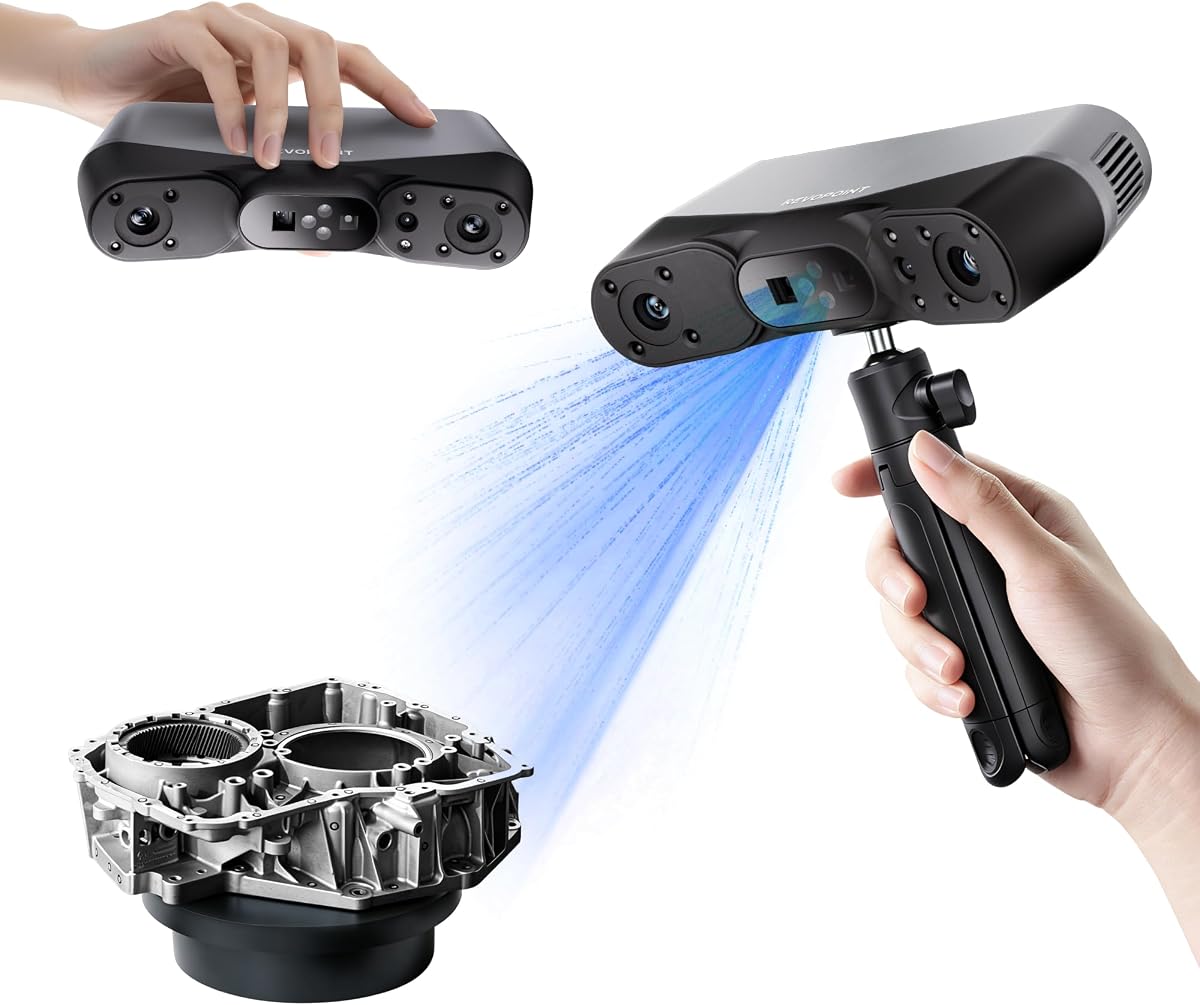
The Revopoint POP 4 is designed for users who need high fidelity in their digital models. It delivers industrial-grade accuracy with a wide range of scanning modes to suit different object types. This makes it suitable for both design and archival work.
We may earn a commission when you buy through this link, at no additional cost to you.
One of its standout features is the 3D Gaussian Splatting capability, which converts point clouds into photorealistic models. This is particularly useful for gaming and VR applications. The outdoor filters allow you to scan in bright sunlight without losing data quality.
However, the ecosystem relies heavily on Windows-based software for advanced features like Revo Design. The initial hardware cost is significant, but the included battery grip extends usability for field work. These limitations are balanced by the raw power of the hardware.
Professionals in architecture or game development will appreciate the photorealistic output. The ability to handle large scenes efficiently is a major plus. We suggest this model for those who prioritize visual fidelity and need robust outdoor performance.
Gaussian Splatting technology creates lifelike models that retain true-to-life textures and lighting details from real photos.
Outdoor filters and VCSEL modes ensure stable scanning even in challenging lighting conditions like direct sunlight.
We may earn a commission when you buy through this link, at no additional cost to you.
The INSPIRE 2 is optimized for fieldwork where portability is key. It balances high precision with a very light weight, making it easy to carry to remote sites. The infrared laser lines help capture details on difficult surfaces without additional prep.
We may earn a commission when you buy through this link, at no additional cost to you.
Its optical zoom feature allows you to focus on specific surface details, which is rare at this price point. The wireless streaming lets you control the scan from a tablet, freeing you from being tethered to a PC. The full-color capture adds realism to your models.
The scanning range is somewhat limited compared to larger industrial units. Also, the full software suite requires purchasing Revo Design separately. These are minor constraints considering the device focuses on mobility and ease of use in semi-bright outdoor environments.
For archaeologists or surveyors needing a portable tool, this scanner is an excellent choice. It handles common field challenges well. We recommend it for users who need a reliable, lightweight scanner for medium-sized outdoor projects.
Adjustable zoom magnifies the projected light to capture intricate textures on mixed-geometry surfaces easily.
WiFi 6 interactive streaming enables seamless remote operations and mobile control during scanning sessions.
We may earn a commission when you buy through this link, at no additional cost to you.
The MetroY Ultra is engineered for strict tolerance measurement and quality inspection tasks. Its high precision ensures that parts fit together perfectly, which is critical in manufacturing. The laser technology handles reflective surfaces that typically disrupt standard scanners.
We may earn a commission when you buy through this link, at no additional cost to you.
With 90 FPS speed, the scanning process is fast, reducing downtime on production lines. The included battery grip supports extended field work where power outlets are scarce. Multiple modes cover everything from small screws to large machinery components.
To get the most out of this device, you may need a powerful PC with an NVIDIA GPU. The price reflects its specialized capabilities, which might be overkill for casual hobbyists. However, for industrial applications, the return on investment is clear.
If you work in automotive or mechanical inspection, this scanner provides the reliability you need. It minimizes manual prep and accelerates data acquisition. We suggest this model for professionals requiring top-tier precision in their workflow.
Laser modes scan black and high-gloss parts directly, eliminating the need for messy spraying processes.
The 34-laser cross-line mode captures large areas quickly without compromising data quality or detail.
We may earn a commission when you buy through this link, at no additional cost to you.
The MetroX Pro focuses on automating the scanning process for repetitive tasks. Its built-in turntable allows for one-click scanning of complex objects, reducing human error. This makes it ideal for small production batches or cataloging items.
We may earn a commission when you buy through this link, at no additional cost to you.
The blue laser ensures high precision for engineering parts, while the RGB camera captures true colors for visual models. Real-time streaming lets you monitor progress on a tablet, keeping you flexible in the workshop. The software tools support direct CAD export.
Setup requires a stable desk environment to use the turntable effectively. The software ecosystem is robust but depends on paid tools for full reverse engineering capabilities. Despite these needs, the automation features save significant time.
Businesses needing to digitize parts quickly will find this scanner efficient. It reduces the labor cost of scanning complex geometries. We recommend this model for prototyping labs and small manufacturing shops requiring consistent results.
The dual-axis turntable automates complex scans, allowing you to capture detailed models without manual rotation.
Feature, marker, and global tracking modes ensure accurate capture for flat or intricate shapes.
We may earn a commission when you buy through this link, at no additional cost to you.
The Fox by 3DMakerpro is designed to lower the barrier to entry for 3D scanning. It offers reasonable accuracy for hobbyists who want to prototype without breaking the bank. The included software handles most of the heavy lifting for beginners.
We may earn a commission when you buy through this link, at no additional cost to you.
Markerless AI tracking helps prevent errors when your hand moves too fast during a scan. This feature is great for users who are still learning proper scanning techniques. The medium-format capability covers a good range of common objects like tools and models.
The accuracy is not as high as industrial units, so it may not suit precision engineering. However, it is sufficient for most creative projects and basic reverse engineering. The workflow is streamlined, making it less intimidating for new users.
Beginners looking for a cost-effective solution should consider this device. It balances cost with enough features to learn the basics of scanning. We suggest it for hobbyists starting their journey in 3D design and printing.
JMStudio software integrates editing and optimizing into one seamless process, reducing complexity for new users.
AI recognition relocks onto your object quickly, eliminating the need to place physical markers on surfaces.
We may earn a commission when you buy through this link, at no additional cost to you.
The Otter Lite offers a wide scanning range that accommodates everything from coins to large furniture. Its quad-camera system ensures that both fine details and large surfaces are captured effectively. This versatility makes it useful for varied project sizes.
We may earn a commission when you buy through this link, at no additional cost to you.
The eye-safe infrared technology is perfect for scanning people or pets without concerns. The full color capture brings models to life with accurate textures. Wi-Fi 6 support ensures smooth data streaming to your mobile devices during the process.
The scanning speed is moderate, requiring patience for larger objects. Additionally, using the optional bridge accessory adds to the overall setup cost. However, the color accuracy and range make it a strong contender for visual documentation projects.
Artists and archivists needing realistic color reproduction will appreciate this device. It handles dark surfaces well without extra prep. We recommend it for users prioritizing color fidelity and object size flexibility.
Dual long and short focal lenses provide fine detail capture and large coverage in one system.
Class I infrared light allows for safe face and full-body scanning without risking vision damage.
We may earn a commission when you buy through this link, at no additional cost to you.
The Ferret SE introduces anti-shake technology designed to help beginners maintain steady scans. This feature significantly improves success rates, making it easier to capture clear data without perfect technique. It is a forgiving tool for new users.
We may earn a commission when you buy through this link, at no additional cost to you.
Its color camera captures vivid details, while the scanning range allows for medium-sized objects. The no-spray feature for dark surfaces saves time on preparation. However, the accuracy is lower than higher-end units, limiting precise measurement tasks.
The desktop focus means it may not be the best for large field projects. Also, the resolution is adequate but not suitable for high-fidelity reproduction. Despite this, it remains a solid choice for casual 3D printing prep.
Novices looking for an easy start into scanning should find this accessible. The anti-shake feature removes a common barrier to entry. We suggest this model for hobbyists who want straightforward scanning for simple projects.
One-shot imaging enhances tracking to ensure error-free results even with rapid movements.
The built-in camera captures intricate details and original colors for lifelike models.
We may earn a commission when you buy through this link, at no additional cost to you.
The Ferret Pro adds wireless capabilities that increase mobility during scanning. The WiFi 6 bridge ensures faster and more stable data transfer to your mobile devices. This is useful when you need to work away from a dedicated workstation.
We may earn a commission when you buy through this link, at no additional cost to you.
It maintains the anti-shake features of the SE version, making it reliable for users with less steady hands. The outdoor performance is decent for shaded conditions. The multi-platform support means you can use iPhones and Android tablets comfortably.
Precision remains moderate, and highly reflective surfaces still require care. The price reflects the added connectivity features, offering good value for mobile workflows. It bridges the gap between basic scanners and more connected tools.
Users who need flexibility and mobile support will find this scanner practical. It simplifies the process of moving data to editing software on the go. We recommend it for field testers and mobile design professionals.
WiFi 6 bridge provides speeds 3x faster than WiFi5 for stable high-precision scanning and efficient workflow.
Support for iOS and Android allows for wireless scanning support for enhanced mobility with dedicated bridges.
We may earn a commission when you buy through this link, at no additional cost to you.
The MIRACO Plus combines scanning and metrology into a single device, eliminating the need for separate tools. With its integrated photogrammetric kit, it measures large objects with high accuracy. This all-in-one approach is valuable for quality control and inspection.
We may earn a commission when you buy through this link, at no additional cost to you.
Its hardware is powerful, featuring 32GB RAM and an 8-core processor to handle complex point clouds locally. The flip screen allows for flexible viewing angles during use. The fast charging ensures minimal downtime between long scanning sessions.
The high cost limits this to professionals with substantial budgets. Also, the software is specific to x86 architecture, which may restrict some users. However, the standalone nature reduces the need for external computers during the scan.
For large-scale industrial inspections, this device offers unmatched convenience. The ability to process data on the device saves time and resources. We recommend it for enterprises needing a self-contained, high-accuracy solution.
The 32GB RAM and powerful processor allow for local processing of massive scans without external computers.
Photogrammetric metrology kit ensures length accuracy and high resolution capture for complex measurements.
We may earn a commission when you buy through this link, at no additional cost to you.
Selecting the right 3D scanner depends on your specific project needs and budget. This guide covers the essential factors to consider to ensure you invest in a device that meets your workflow requirements.
Accuracy determines how closely the digital model matches the real object. For functional parts, look for precision under 0.1mm. For creative models, slightly lower accuracy may be acceptable.
Focus on devices that specify single-frame accuracy and volumetric accuracy to ensure consistent results across the model.
Fast scanning speeds reduce the time required to capture large objects. Higher frame rates mean smoother motion tracking and less risk of movement errors.
If you scan frequently, prioritize models with high FPS to improve overall workflow efficiency and reduce fatigue.
Many scanners struggle with shiny, black, or transparent surfaces. Look for models that use blue laser or structured light to scan these materials without spraying.
Scanners offering multi-mode capabilities ensure you can handle a wider variety of object surfaces without extra prep work.
Check if the scanner connects via USB or Wi-Fi for better mobility. Ensure the software supports your operating system and exports the formats you need.
A compatible software ecosystem is crucial for post-processing. Verify if advanced tools are included or require additional purchases.
If you plan to use the scanner outdoors or away from a desk, battery life and weight matter significantly. Look for lightweight designs with long-lasting batteries.
A handheld design with optional accessories like battery grips extends the usability of the device in field conditions.
Entry-level models are great for hobbyists but may lack industrial precision. Higher-end units offer better accuracy and speed but come with a higher price tag.
Consider the long-term value of the device. A slightly more expensive scanner with better support may save money over time through improved efficiency.
Always calibrate your scanner before starting a new session. Use the included calibration board to ensure the device is measuring accurately and aligned correctly.
Maintain a stable scanning environment with consistent lighting. Avoid direct sunlight or shadows that might interfere with the laser or structured light patterns.
Clean the lenses and sensors regularly with a soft cloth. Store the device in a protective case to prevent damage during transport and maintain its longevity.
Many scanners can operate standalone or with mobile devices, but advanced post-processing often requires a PC with decent RAM and a GPU. For the best experience, check the software requirements on the product page.
Yes, but you will need a scanner with a large volumetric scanning range. Some models allow stitching multiple scans together to cover large surfaces like vehicles or rooms.
Most scanners export common formats like OBJ, STL, and PLY. These are compatible with most 3D printing and CAD software. Always verify compatibility with your specific design tools before buying.
High-quality scanners with laser or structured light can often scan dark or shiny surfaces without spray. Look for features like 'no spray' or 'blue laser' if you want to avoid messy prep.
Industrial-grade models offer accuracies down to 0.01mm, which is sufficient for reverse engineering. Entry-level scanners are better suited for visualization and prototyping rather than strict measurements.
Most modern scanners use eye-safe infrared or laser technology. Always check safety certifications to ensure the device is safe for full-body scanning or capturing faces.
We have reviewed ten top options ranging from budget-friendly hobbyist tools to advanced industrial machines. Each scanner offers unique strengths tailored to different needs and skill levels.
Prioritize accuracy and surface handling if you work with functional parts. For creative projects, focus on color capture and ease of use. Consider your budget and software needs to find the best fit.
Prices and availability can change frequently. Always check the latest listings and verify compatibility with your current workflow before making your final decision.