
Epson Workforce Pro WF-7310
3.8Editor score
High-speed PrecisionCore printing
500-sheet paper capacity
Wireless Wi-Fi connectivity
This comprehensive guide compares the top ten A3 printers for 2026, evaluating speed, quality, and features to help you choose the right model.
Choosing the right A3 printer can transform how you handle large documents and creative projects. Whether you need sharp text for office reports or vibrant colors for marketing materials, the right machine makes a difference. Modern models offer wireless connectivity and efficient ink systems to meet diverse needs.
We analyzed ten leading A3 printers based on performance, reliability, and user feedback. Our evaluation focused on print quality, speed, connectivity options, and overall value. This list covers a range of options from budget-friendly to premium models suitable for various work environments.
Each pick highlights specific strengths and ideal use cases to guide your decision. Note that availability and terms may change over time. We recommend checking current details before purchasing to ensure the model meets your specific requirements.
3.8Editor score

4.2Editor score

4.3Editor score
This side-by-side comparison highlights the key specifications and capabilities of the top ten A3 printers to help you quickly identify the best fit for your workflow.


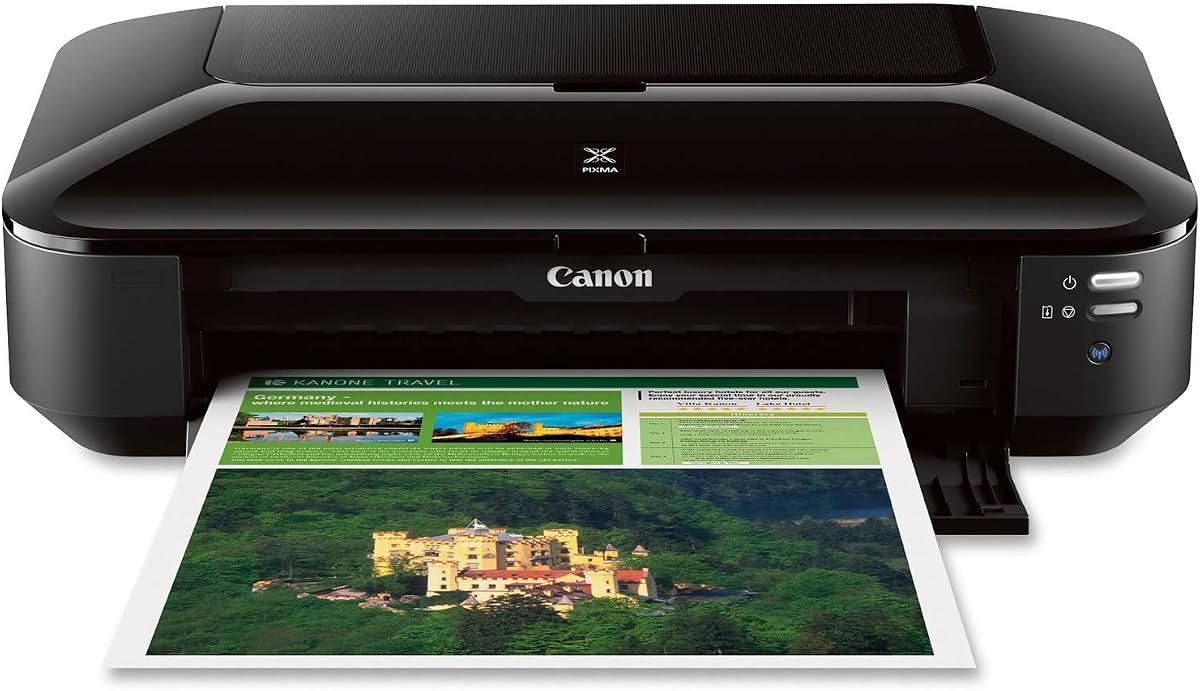


This A3 printer stands out for its ability to produce lab-quality photos and graphics. It earns a 4.0 rating for its reliable performance and impressive output. The standout feature is the EcoTank system that eliminates cartridge waste.
We may earn a commission when you buy through this link, at no additional cost to you.
The Claria ET Premium inks deliver vibrant colors and sharp text. Users save significantly on photos and creative projects. Replacement bottles are included for up to two years of printing without frustration.
While the initial investment is higher, long-term savings are substantial. The lack of cartridges reduces waste and costs. This trade-off is acceptable for users who print regularly.
It is ideal for creative professionals and home offices. The wireless features enhance productivity. We recommend it for high-quality output needs.
The EcoTank system uses refillable bottles that provide thousands of pages. This design reduces waste and saves money over time.
Wireless options allow easy printing from various devices. The system integrates smoothly with modern workflows.
We may earn a commission when you buy through this link, at no additional cost to you.
This model offers reliable wide-format printing at an accessible price point. It holds a 3.7 rating for consistent performance in office settings. The PrecisionCore technology ensures speed without compromising quality.
We may earn a commission when you buy through this link, at no additional cost to you.
High-speed printing up to 25 ppm black boosts productivity. The large paper capacity allows for efficient heavy workloads. Security features protect network access and data.
Genuine ink usage is required for warranty coverage. This limits flexibility but ensures consistent output quality. The trade-off supports long-term device reliability.
It suits businesses needing efficient document production. The touchscreen simplifies navigation. We recommend it for budget-conscious offices.
Auto duplex printing and a large tray minimize interruptions. This design supports continuous workflow in busy environments.
The Smart Panel App enables control from mobile devices. This connectivity allows remote management of print tasks.
We may earn a commission when you buy through this link, at no additional cost to you.
This printer delivers wide-format output efficiently for office needs. It achieves a 3.8 rating for durability and consistent performance. PrecisionCore Heat-Free technology streamlines workflow tasks.
We may earn a commission when you buy through this link, at no additional cost to you.
The 500-sheet paper capacity handles high-volume printing easily. Zero warm-up time allows immediate printing. DURABrite Ultra ink ensures sharp text and vivid colors.
The display is smaller compared to premium models. This does not impact core functionality but may affect navigation speed. The efficiency gains outweigh this minor limitation.
It is perfect for businesses focused on productivity. The wireless options ensure seamless integration. We recommend it for value-driven offices.
The design minimizes downtime and energy use. This supports sustainable business practices effectively.
Multiple trays allow flexible paper handling. This ensures uninterrupted operation during busy periods.
We may earn a commission when you buy through this link, at no additional cost to you.
This model provides solid wide-format capabilities for small businesses. It holds a 4.1 rating for reliability and output clarity. The system supports multiple cloud printing services seamlessly.
We may earn a commission when you buy through this link, at no additional cost to you.
The high resolution ensures professional quality for documents. Individual ink tanks allow cost-effective replacement. AirPrint compatibility simplifies mobile printing tasks.
The paper capacity is standard compared to larger models. This may require more frequent refills in high-volume settings. The compact design makes up for this limitation.
It suits small offices needing reliable quality. The cloud features enhance flexibility. We recommend it for streamlined printing needs.
Built-in cloud support enables remote printing. This connectivity is essential for modern offices.
The fine print head ensures detailed output. This results in professional documents consistently.
We may earn a commission when you buy through this link, at no additional cost to you.
This printer offers a balance of cost and performance. It earns a 4.2 rating for its Supertank efficiency. The high duty cycle supports demanding office schedules.
We may earn a commission when you buy through this link, at no additional cost to you.
The resolution ensures excellent readability for all documents. Ink bottles reduce replacement frequency significantly. USB, LAN, and Wi-Fi options enhance productivity.
Color printing speed is slower than black. This may affect workflows needing heavy color output. The cost savings often justify this trade-off.
It is suitable for businesses focused on value. The all-in-one functions simplify tasks. We recommend it for frequent printing needs.
The Supertank system minimizes ongoing expenses. This makes it ideal for high-volume printing.
Multiple ports ensure seamless network integration. This supports various device connections easily.
We may earn a commission when you buy through this link, at no additional cost to you.
This model provides robust printing for office environments. It holds a 3.9 rating for consistent reliability. PrecisionCore technology produces high-quality results quickly.
We may earn a commission when you buy through this link, at no additional cost to you.
The 500-sheet capacity meets demanding office needs. DURABrite Ultra ink ensures fast drying. Built-in wireless offers cable-free convenience for users.
Initial setup might take some time for configuration. This is a minor hurdle compared to long-term benefits. The speed justifies the initial setup effort.
It fits well in mid-sized offices. The connectivity allows remote management. We recommend it for consistent daily use.
High-speed printing ensures quick turnaround times. This supports busy office workflows effectively.
Wireless solutions simplify document management. This keeps staff connected and productive.
We may earn a commission when you buy through this link, at no additional cost to you.
This printer brings smart features to office printing. It achieves a 4.0 rating for speed and efficiency. HP AI helps optimize print formatting automatically.
We may earn a commission when you buy through this link, at no additional cost to you.
Fast color printing boosts team productivity significantly. The touchscreen simplifies navigation for all users. Wolf Pro Security protects network data from threats.
Cartridge restrictions limit ink options. This may frustrate users preferring alternatives. The performance often outweighs this limitation for many.
It is ideal for tech-forward businesses. The AI features reduce waste. We recommend it for modern office settings.
HP AI optimizes layouts automatically. This reduces wasted paper and effort.
Data protection is built-in by default. This ensures sensitive info remains secure.
We may earn a commission when you buy through this link, at no additional cost to you.
This printer delivers rapid output for business needs. It holds a 4.2 rating for speed and reliability. The INKvestment system offers high yield options.
We may earn a commission when you buy through this link, at no additional cost to you.
MAXIDRIVE technology ensures fast page throughput. Single-pass duplex scanning enhances document workflows. The mobile app simplifies device management.
The touchscreen is standard size for navigation. This limits advanced touch features. The speed benefits outweigh this for most users.
It suits high-volume business environments. The wireless options ensure flexibility. We recommend it for rapid production.
Fast print and scan speeds save time. This is vital for busy teams.
High yield cartridges lower long-term costs. This ensures predictable expenses.
We may earn a commission when you buy through this link, at no additional cost to you.
This printer excels at high-quality wide-format tasks. It earns a 4.3 rating for exceptional performance. PrecisionCore technology delivers stunning results effortlessly.
We may earn a commission when you buy through this link, at no additional cost to you.
The borderless prints are ideal for professional graphics. The large tray supports mixed media. Ethernet and Wi-Fi ensure network flexibility.
The physical size is substantial. This requires dedicated workspace. The output quality justifies the space requirement.
It suits graphic studios and design firms. The quality is top-tier. We recommend it for precision work.
Borderless printing enhances visual impact. This is essential for creative projects.
Support for multiple paper types increases options. This ensures versatility.
We may earn a commission when you buy through this link, at no additional cost to you.
This printer targets professionals needing color accuracy. It holds a 3.9 rating for reliability. The P3 gamut ensures vibrant and true-to-screen prints.
We may earn a commission when you buy through this link, at no additional cost to you.
HP AI optimizes formatting to save pages. Dual-band Wi-Fi ensures stable connections. The touchscreen offers intuitive user navigation.
Ink options are limited by original chips. This restricts third-party alternatives. The color quality often justifies the restriction.
It suits design and marketing teams. The color accuracy is key. We recommend it for screen-accurate output.
Wide gamut ensures vibrant outputs. This is crucial for design work.
The interface simplifies task management. This improves user experience.
We may earn a commission when you buy through this link, at no additional cost to you.
Selecting the right A3 printer requires understanding your specific workflow and output needs. We break down the key factors to consider before purchasing.
Consider how many pages you print monthly. High duty cycles ensure reliability for heavy users. Check the manufacturer specifications.
Choose a model that matches your expected workload to avoid downtime.
Evaluate cartridge versus tank systems. Tanks offer lower cost per page. Cartridges may have higher upfront ease.
Select the system that fits your budget and frequency.
Look for Wi-Fi, Ethernet, and USB options. Modern offices need wireless flexibility. Mobile apps enhance usability.
Ensure the printer supports your existing network devices.
Speed impacts workflow efficiency. Check ppm ratings for both black and color. High-volume offices need fast throughput.
Prioritize speed if time is critical for your tasks.
Larger trays reduce manual refills. Look for 250 sheets or more. Rear feed supports specialty paper.
Choose capacity that matches your daily printing habits.
Resolution defines clarity and detail. 300 DPI is standard. Higher DPI suits images. Check sample outputs.
Ensure quality meets your professional standards.
Decide on all-in-one needs. Scanning and copying save space. Fax remains relevant in some sectors.
Select only the features you actively use.
Network security protects data. Look for encryption and secure erase. Enterprise models offer advanced protection.
Verify security protocols match your privacy needs.
Start by installing the latest drivers. Follow manufacturer guidelines for setup. Ensure stable power and network connections. Keep firmware updated.
Use quality paper to avoid jams. Regularly clean nozzles and rollers. Store ink in cool conditions to prevent drying. Perform test prints weekly.
Schedule professional maintenance annually. Monitor ink levels to avoid running dry. Use recommended supplies for warranty compliance. Clear jams gently to avoid damage.
A3 printers support larger paper size for wide documents. A4 printers are standard for office letters. A3 is needed for blueprints and posters. A4 suits general documents.
Cost depends on ink system. Tank models offer lower per-page costs. Cartridge models may cost more. Evaluate based on your volume.
Many support high-resolution outputs. Some have photo-specific ink. Check model specs for image quality. Ideal for posters and prints.
Wireless allows flexible access. It supports mobile and cloud tasks. Ethernet offers stability. Choose based on connectivity needs.
Ideally 15+ ppm for black. Color may be slower. Higher speed helps workflows. Balance speed and quality for use.
Regular cleaning extends life. Update drivers for performance. Run nozzle checks frequently. Follow manuals for care.
Tank models reduce waste. Recycled plastic units exist. Energy-saving modes help. Check sustainability features.
Standard is one to three years. Check support terms. Buy from authorized sellers. Consider extended coverage.
The top picks highlight diverse strengths. Each suits specific needs. Evaluate your requirements against these models.
Prioritize speed and cost for business. Quality and capacity matter for creative work. Consider connectivity for flexibility.
Remember to verify current availability and details. Prices may change over time. Make an informed decision for your workflow.