
Mini Voice Sticker Printer
5.0Editor score
Ultra lightweight portable design
Seven unique art styles
Color preview screen included
Discover the top AI sticker printer maker options for kids and creators in October 2026 with detailed reviews of voice activated thermal printers.
AI sticker printer makers are revolutionizing how children and creative enthusiasts bring their imaginations to life. These devices use voice commands to generate unique designs that print instantly on thermal paper without any ink or toner. Parents and educators love them for fostering creativity while keeping screens at bay during playtime.
To compile this guide we evaluated ten top rated models based on ease of use print quality and safety features. We compared their AI capabilities portability and included accessories to find the best value for families. Each product was analyzed for its ability to inspire artistic expression through simple spoken prompts.
Every selection in this list offers a distinct approach to sticker creation ranging from simple voice boxes to advanced all-in-one cutting machines. You will find detailed insights on performance and privacy features alongside practical usage tips. Please note that prices and availability may change so check current listings before purchasing.
5.0Editor score

4.8Editor score

4.2Editor score
This side by side comparison highlights the key specifications and capabilities of each AI sticker printer maker available today. Whether you need a simple voice box for toddlers or a professional cutter for adults this table helps you decide quickly.

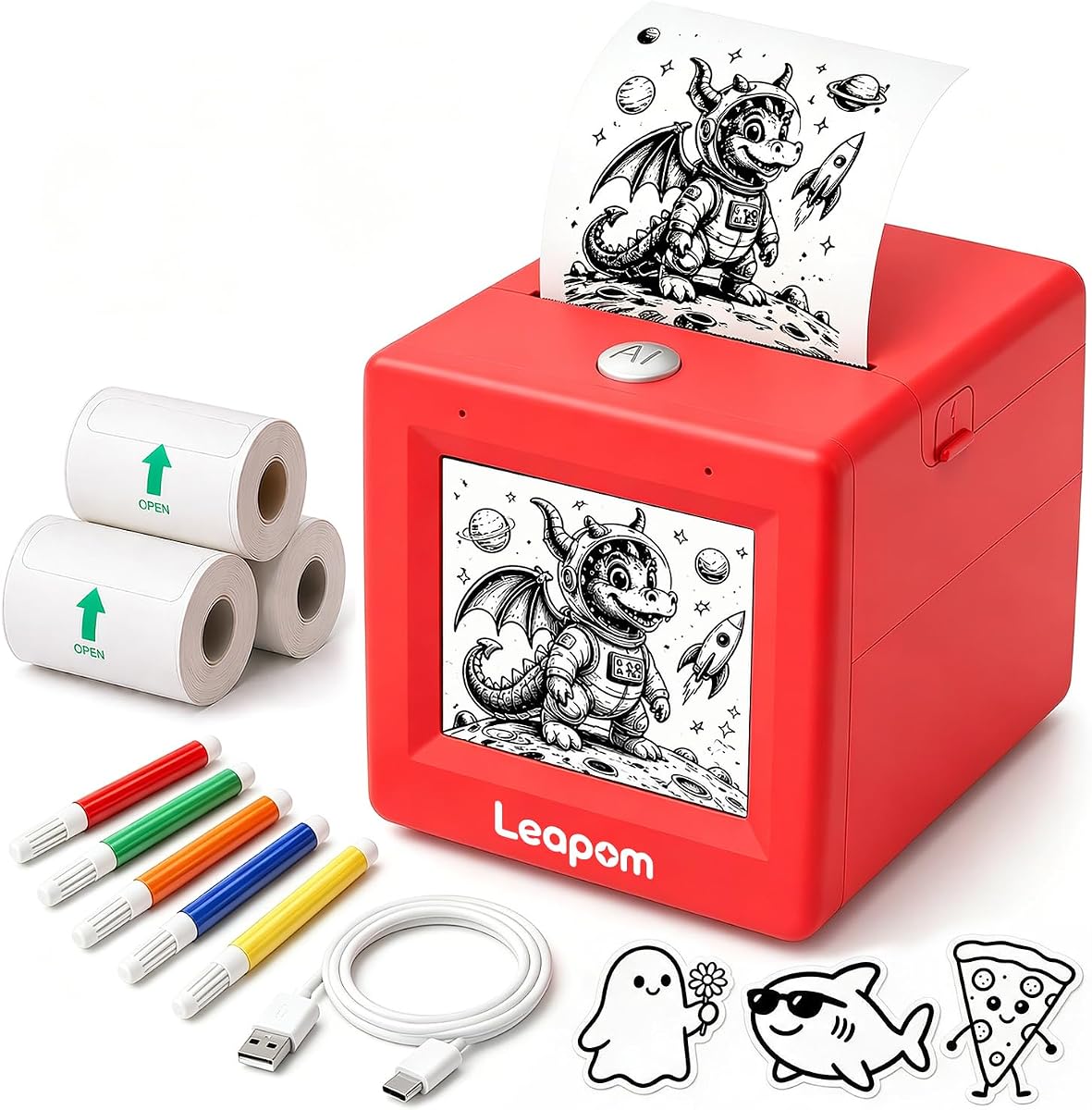


The Memoking AI Sticker Maker leads our list with its seamless integration of voice recognition and thermal printing. It offers a perfect balance of ease of use and creative freedom for children aged four and up. The device connects directly via Wi-Fi without needing a smartphone app which simplifies the process for parents.
We may earn a commission when you buy through this link, at no additional cost to you.
Its standout feature is the ability to turn spoken words into printable line art instantly. Kids can describe a scene like a dragon eating a taco and watch the printer produce it in seconds. The included watercolor pens encourage them to add their own vibrant colors to the black and white outlines.
While it does not print in color the thermal technology ensures no messy ink cartridges are ever needed. The content filtering provides peace of mind by blocking inappropriate prompts automatically. Some users might miss the option to print photos but the focus remains on creating new imaginative stickers.
We recommend this for families seeking a low maintenance creative toy that encourages storytelling. It stands out as a top choice for birthday gifts or school projects. Its reliable performance and kid friendly design make it a strong contender in the market.
Users simply press a button and speak their idea making it accessible even for young children who cannot type.
The device does not store personal data ensuring that creative sessions remain private and secure for all users.
We may earn a commission when you buy through this link, at no additional cost to you.
The Liene PixCut S1 is designed for serious crafters who need professional quality results. It combines a high resolution photo printer with a precise cutting machine in one compact unit. This all-in-one solution eliminates the need for separate devices and saves valuable workspace in your craft room.
We may earn a commission when you buy through this link, at no additional cost to you.
Its thermal dye-sublimation technology produces stunning 300 DPI prints with millions of vibrant colors. The AI auto-cutting feature follows the edges of your designs with pinpoint accuracy ensuring clean professional lines every time. You can create waterproof and scratch-resistant stickers that last for years.
The main drawback is the higher cost compared to basic thermal printers. It also requires a smartphone app which adds a step before printing. However for those who want full color and precision cutting the investment pays off in the quality of the final product.
This machine is ideal for small business owners or enthusiasts making custom labels and gifts. It delivers a level of finish that other consumer printers cannot match. If budget is not a concern this is the ultimate tool for DIY sticker projects.
The dye sublimation process ensures that colors are vibrant and fade resistant over time.
Smart sensors guide the cutter to follow complex shapes exactly without manual trimming needed.
We may earn a commission when you buy through this link, at no additional cost to you.
This Mini Voice Sticker Printer delivers impressive performance at a fraction of the cost of other models. It is perfect for on-the-go creative sessions where portability is key. The device is so light and small that kids can easily carry it in their backpacks for school projects.
We may earn a commission when you buy through this link, at no additional cost to you.
Users can choose from seven distinct art styles like Anime or Sketch to match their vision. The color preview screen allows you to check the design before committing to paper which reduces waste. The USB-C charging ensures you can use it for hours without needing a power outlet.
While it lacks color printing capabilities it excels at providing quick fun line art for coloring. Some users may find the paper size small for larger detailed drawings but it is sufficient for stickers. The build quality is surprisingly robust for such an affordable device.
We highly recommend this for families on a budget who want to test the concept. It is also great for travelers who need a creative distraction. The value it offers makes it a top pick for casual users.
Switching between styles lets users explore different artistic expressions with the same prompt.
The preview feature ensures you only print designs you love saving paper and resources.
We may earn a commission when you buy through this link, at no additional cost to you.
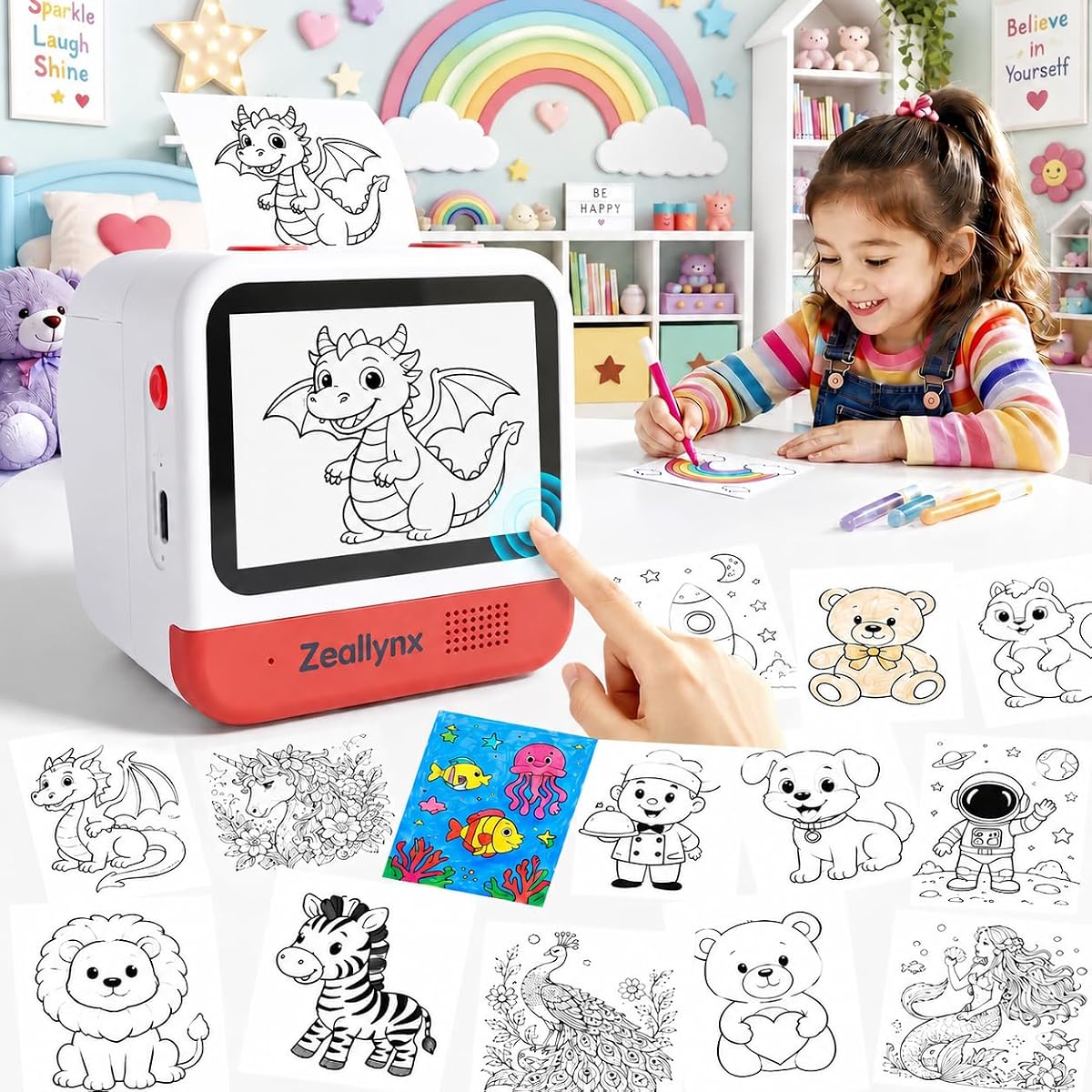
This Sticker Printer stands out by removing the need for a smartphone app entirely. Children can operate it directly using the intuitive touchscreen which empowers independent play. The device connects via Wi-Fi to generate images without requiring any external downloads.
We may earn a commission when you buy through this link, at no additional cost to you.
It offers ten creative modes ranging from comic strips to stories. This variety keeps kids engaged longer than standard drawing options. The included TF card support allows you to save your favorite designs to print again later which is useful for repeated use.
The lack of an app means fewer distractions but also limits photo editing options. You cannot customize images before printing as much as app-connected devices. However for pure creation and simplicity this model shines for young users who want immediate results.
We suggest this for classrooms or homes where app installation is not desired. It is a robust tool for independent creativity. The touch interface makes it accessible for kids who might struggle with physical buttons.
Children can navigate menus and print without needing parental help or a phone nearby.
Save your best designs directly on the device to reuse without needing to recreate them.
We may earn a commission when you buy through this link, at no additional cost to you.
The Stickerbox AI Voice-Powered Mini Sticker Maker is designed to keep kids away from screens. It uses a simple button to activate voice recognition which then prints the result immediately. This focus on physical output helps maintain healthy screen time habits.
We may earn a commission when you buy through this link, at no additional cost to you.
Safety is a priority here with COPPA compliance and strict content filters. Parents can feel confident that children are only accessing age appropriate content. The absence of a screen prevents kids from getting distracted by other apps or games while using it.
Without a screen you cannot see the design before it prints which might lead to some waste. The creative possibilities are limited to what the voice can describe accurately. However the simplicity makes it easy for very young children to use without frustration.
This is a great gift for families prioritizing offline play. It fosters imagination and communication skills effectively. If you want a dedicated toy that encourages talking and coloring this is an excellent choice.
By removing the screen this device encourages children to engage in physical creative activities.
Safety certifications ensure that the device meets strict standards for protecting children's privacy.
We may earn a commission when you buy through this link, at no additional cost to you.
This AI Voice Sticker Maker is tailored for children aged three and up who are just starting to explore technology. It is lightweight and portable allowing kids to take it anywhere. The included markers mean you can start coloring immediately after printing.
We may earn a commission when you buy through this link, at no additional cost to you.
The device supports photo printing via an app which adds versatility to its voice features. This allows kids to print pictures of themselves or their favorite toys as stickers. The safety filters ensure that only safe prompts are processed by the AI engine.
The print quality is adequate for stickers but not for detailed images. Some users may experience shorter battery life during heavy use. It is a simple tool that prioritizes fun and accessibility over high-end features.
We recommend this for toddlers who need a durable and simple toy. It helps develop early motor skills and language skills. The included accessories make it ready to use right out of the box.
The interactive nature of voice commands helps young children practice speaking and listening.
Parents can use the app to turn family photos into fun stickers for children.
We may earn a commission when you buy through this link, at no additional cost to you.
This AI Voice Activated Sticker Printer includes an HD screen that helps users preview designs before printing. It comes with five rolls of paper so you have plenty of supplies for family activities. The device is portable enough to be used in the classroom or on trips.
We may earn a commission when you buy through this link, at no additional cost to you.
It supports daily labeling tasks which adds utility beyond just creative play. Kids can use it to label books or containers. The thermal printing technology ensures that there are no smudges or messy inks to clean up after use.
The screen is small which might make detailed adjustments difficult. The app features are basic compared to other models. However the included supplies and ease of use make it a practical choice for households.
We suggest this for families looking for a versatile tool for both fun and utility. It balances creativity with practical tasks well. The included paper rolls provide immediate value for new users.
The HD screen allows you to see exactly what will be printed before using paper.
Use it for creative art projects or practical labeling tasks around the house.
We may earn a commission when you buy through this link, at no additional cost to you.
The Memoking T02 is a palm-sized printer ideal for students who need to print notes quickly. It supports AI photo cutout which helps in creating flashcards. The device connects via Bluetooth to your phone making it easy to print from any mobile device.
We may earn a commission when you buy through this link, at no additional cost to you.
It can scan documents and print them directly which is useful for homework. The AI features allow for creative fun too making it versatile. It is small enough to fit in a pencil case or pocket without taking up space.
You need to use a specific app to get the most out of it which might be a hurdle for some. It does not support computer printing so mobile use is mandatory. The battery life is decent for a device this size.
This is perfect for school students or anyone who needs portable printing. It simplifies study sessions and makes learning fun. The AI cutout feature adds a professional touch to simple notes.
Students can print notes and diagrams instantly to study on the go.
The smart AI automatically extracts subjects from photos for clean sticker printing.
We may earn a commission when you buy through this link, at no additional cost to you.
The UtechSmart Voice Maker allows you to choose from six different art styles for your stickers. This variety makes it suitable for a wide range of creative projects from anime to cartoons. It connects via Wi-Fi for direct voice printing without needing the app every time.
We may earn a commission when you buy through this link, at no additional cost to you.
The AI filtering ensures that all output is safe for children. It is a reliable device for daily use at home or school. The USB-C charging ensures that you never run out of power during a session.
The hardware feels a bit basic compared to higher end models. It does not offer color printing. However the style options make it stand out for kids who want variety in their designs.
We recommend this for creative kids who enjoy different art forms. The balance of features and safety makes it a solid choice. It is a great option for those who want more than just basic line art.
Select from anime cartoon or sketch styles to match your project mood.
Use Wi-Fi to print directly without relying on a smartphone connection.
We may earn a commission when you buy through this link, at no additional cost to you.
This Voice Maker features a 3.5 inch touchscreen that allows kids to navigate without apps. It sets up quickly on Wi-Fi so you can start printing in minutes. The AI chat feature helps kids come up with ideas if they are stuck.
We may earn a commission when you buy through this link, at no additional cost to you.
The safety filters block inappropriate content automatically. It is a self-contained unit that works well for independent play. The device is portable and durable enough for daily use by children.
It lacks color printing which limits the visual impact. Battery life might be shorter during heavy use. However the ease of use makes it a favorite for parents who want a plug-and-play solution.
We suggest this for kids who want a simple and safe printing experience. The chat feature adds a helpful educational element. It is a great choice for quick creative sessions.
Get started in minutes with a streamlined connection process.
The built-in chat helps users brainstorm ideas and improve their prompts.
We may earn a commission when you buy through this link, at no additional cost to you.
Choosing the right sticker printer involves looking at connectivity safety and printing technology. We have identified six key factors to help you make an informed decision for your family.
Look for devices that offer Wi-Fi or Bluetooth options. Wi-Fi allows direct printing from the device while Bluetooth requires an app. Choose based on whether you want app control or independence.
Opt for Wi-Fi direct if you want simplicity for children.
Ensure the device has strict content filtering and does not store data. Privacy-focused designs protect children from inappropriate content and safeguard personal information. COPPA compliance is a good indicator of safety.
Prioritize devices with built-in filters for peace of mind.
Thermal printing is standard and does not need ink. Color dye-sublimation offers higher quality but costs more. Decide if you need black and white line art or full color photos.
Choose thermal for cost-effective daily printing.
Check how many rolls of paper and pens are included. Some kits provide starter packs while others require you to buy refills separately. This affects the initial cost and convenience.
Select kits that come with enough paper to start.
If you plan to use it on the go choose a lightweight portable design. Battery life is crucial for extended use without a power source. Compact sizes fit easily in backpacks.
Look for USB-C charging and long battery life.
Consider if you want app support for extra features. Apps may offer photo editing or stickers not available on-device. However app-free options are simpler for young children.
Balance advanced features with ease of use.
To get started charge the device fully and connect it to your Wi-Fi network if required. Follow the on-screen instructions to set up the language and preferences. Test the microphone by pressing the voice button and speaking a simple command.
When printing hold the paper roll correctly in the slot to ensure smooth feeding. If the paper jams gently remove it and check for any debris before continuing. Always use the included paper rolls for best results.
Clean the screen with a soft dry cloth to keep it responsive. Store the device in a dry place away from direct sunlight to protect the battery. Regular updates may be available via the app to improve performance.
No most models use thermal printing technology which requires no ink or toner. They only need heat-sensitive paper to produce images. This makes them cleaner and cheaper to maintain over time.
Yes many models are designed with simple touchscreens and voice controls. They allow children to create without constant supervision. However parental setup is required for Wi-Fi connections.
Most thermal stickers are not waterproof unless specifically noted. Some premium models use dye-sublimation to create durable waterproof labels. Check the specs before buying for outdoor use.
Always use the manufacturer's recommended thermal paper rolls. Using non-compatible paper can damage the printer head. Stick to the specified width and length for best performance.
Most are designed for mobile devices or Wi-Fi direct. Computer support is rare and usually requires specific drivers. Check compatibility if you need desktop printing.
Battery life varies by model but typically lasts several hours. Look for USB-C rechargeable options for convenience. Keep the device charged to avoid interruptions.
We reviewed ten top AI sticker printer makers to help you find the perfect creative tool. From budget-friendly options to premium cutters each device offers unique benefits for different needs.
Prioritize safety and ease of use when buying for children. Ensure the device has strong filtering and simple controls to make it accessible and safe.
Remember to check current prices and availability before purchasing. Deals may vary so verify details on the product pages for the best value.