
msi Touch Screen All-in-One Business Desktop
4.0Editor score
Intel Core 7 150U
23.8 FHD Touchscreen
Wireless KB Mouse
Modern workspaces demand versatility and sleek design. An All in One Desktop PC with Touchscreen combines powerful computing with intuitive interaction. These devices eliminate cable clutter while offering premium displays for professionals and students alike.
We evaluated ten leading models based on processor speed, memory capacity, and display fidelity. Our analysis focuses on real-world performance for multitasking, creative work, and seamless touch navigation. Each product offers unique strengths for specific user needs.
Every pick highlights key features like AI capabilities, connectivity options, and warranty support. Please note that pricing and availability fluctuate frequently. We recommend checking current listings before making your final decision to ensure you get the best value.
4.0Editor score

4.7Editor score

5.0Editor score
As an Amazon Associate we earn from qualifying purchases.
This side-by-side comparison highlights key specifications across all ten selected models to help you identify the right fit for your workflow and budget requirements quickly.




The HP 27 All in One Desktop stands out as the top choice for professionals needing AI assistance. It received a strong rating of 4.7 stars from users who praise its workflow optimization capabilities.
We may earn a commission when you buy through this link, at no additional cost to you.
This model features the AMD Ryzen AI 7 350 processor which delivers blazing-fast processing for daily tasks. The 16GB DDR5 RAM ensures smooth multitasking even with multiple browser tabs open simultaneously.
While the price is higher than average the included accessories like the touchscreen pen and USB drive add significant value. The anti-glare panel reduces eye strain during long working hours.
We recommend this device for business users who want a complete workspace right out of the box. Its seamless integration of AI tools makes it ideal for modern office environments.
The dedicated Copilot key provides instant access to AI assistance for drafting emails and summarizing documents efficiently.
The HP True Vision FHD IR camera ensures vibrant clarity in low light conditions for professional virtual meetings.
We may earn a commission when you buy through this link, at no additional cost to you.
The MSI Touch Screen All-in-One Business Desktop offers an affordable solution for small businesses and students. It provides essential features without breaking the bank while maintaining solid performance.
We may earn a commission when you buy through this link, at no additional cost to you.
Powered by the 14th Gen Intel Core 7 processor this unit handles productivity apps smoothly. The FHD display ensures crisp visuals for presentations and document work.
One trade-off is the base memory configuration but the support for dual external monitors expands workflow flexibility significantly. This makes it versatile for desktops requiring extra screen real estate.
This device is best suited for budget conscious buyers who prioritize connectivity and display options over raw processing power. It is a practical choice for educational settings.
Dual external monitor support allows users to connect multiple screens for enhanced multitasking capabilities in office environments.
Includes a wireless keyboard and mouse combo ensuring a clean and cable-free workspace setup immediately after installation.
We may earn a commission when you buy through this link, at no additional cost to you.
The Dell 24 All-in-One Desktop is the ultimate premium choice for users seeking future proof technology. It boasts a perfect 5.0 rating from verified buyers impressed by its cutting edge specifications.
We may earn a commission when you buy through this link, at no additional cost to you.
Equipped with the Intel Ultra 7 processor and 32GB of DDR5 RAM this model handles demanding creative workloads effortlessly. The Wi-Fi 7 support ensures ultra fast network connectivity.
While the screen size is slightly smaller than some rivals the display quality remains exceptional with vivid colors. The premium design adds a professional touch to any modern office space.
We recommend this machine for professionals who need maximum speed and long term durability. Its advanced connectivity ensures compatibility with next generation wireless networks.
Wi-Fi 7 technology delivers significantly faster data transfer rates for seamless cloud syncing and video streaming.
The sleek light ash finish and compact footprint reduce desk clutter while adding a sophisticated look to the workspace.
We may earn a commission when you buy through this link, at no additional cost to you.
The ASUS VM670 offers an impressive 27 inch display paired with powerful internal components for heavy users. It maintains a 5.0 user rating due to its smooth operation and generous memory capacity.
We may earn a commission when you buy through this link, at no additional cost to you.
Its 32GB of DDR5 RAM allows for extensive multitasking without slowdowns. The AMD Ryzen AI 7 processor ensures that AI driven applications run efficiently during daily work.
One trade-off is the cost which is higher than average models. However the HDMI in and out ports provide unique flexibility for using the screen as a second monitor.
This device is ideal for power users who need screen space and memory to handle complex projects. The built-in security features also protect sensitive corporate data effectively.
HDMI in allows external devices to use the screen while HDMI out supports connecting a second monitor easily.
Microsoft Pluton and BIOS protection offer advanced security to safeguard your system from unauthorized access.
We may earn a commission when you buy through this link, at no additional cost to you.
The Dell 23.8 All-in-One focuses heavily on visual comfort and audio quality for home users. It holds a solid 4.5 rating from customers who appreciate its eye protection features.
We may earn a commission when you buy through this link, at no additional cost to you.
ComfortView Plus reduces blue light emissions significantly to protect eyes during long sessions. The display offers vivid colors with 99% sRGB coverage for accurate work.
While the Core 5 processor is not the fastest it handles everyday tasks well enough for most users. The included onsite service provides peace of mind for warranty support.
We suggest this model for students and home users prioritizing health and service quality. The audio system provides immersive sound for media consumption without external speakers.
ComfortView Plus is designed to reduce harmful blue light emissions keeping your eyes comfortable during extended use.
One year onsite service ensures Dell support comes to your location if hardware issues cannot be resolved remotely.
We may earn a commission when you buy through this link, at no additional cost to you.
The ASUS 27 All-in-One PC delivers a robust experience for business professionals needing reliable performance. It has earned a 5.0 rating from users who value its enterprise grade features.
We may earn a commission when you buy through this link, at no additional cost to you.
Its 32GB DDR5 RAM handles multiple applications seamlessly during workdays. The AMD Ryzen AI 7 processor accelerates AI tasks for enhanced productivity.
Although the price is on the higher side the included Pro OS and ExpertMeet feature justify the cost. These tools streamline collaboration and document management significantly.
This model is perfect for corporate environments needing stability and strong AI integration. The anti-glare screen ensures clarity even in bright office conditions.
AI ExpertMeet improves voice clarity and reduces background noise ensuring professional and clear video conference calls.
Windows 11 Pro provides advanced security and management tools ideal for business and educational organizations.
We may earn a commission when you buy through this link, at no additional cost to you.
The HP 27 inch All-in-One Desktop PC offers a large display ideal for media consumption. Users gave it a 4.4 rating appreciating its balance of performance and screen real estate.
We may earn a commission when you buy through this link, at no additional cost to you.
Its AMD Radeon graphics support light gaming and media editing smoothly. The 27 inch touchscreen allows intuitive navigation through streaming services.
The onboard memory is non-upgradable which is a trade-off for its thin design. However it handles standard web browsing and video playback with ease.
We recommend this for home users wanting a spacious screen for movies and casual gaming. The Pro OS adds extra security for family computing environments.
The large 27 inch screen provides an immersive viewing experience for movies and streaming content at home.
Built-in speakers deliver clear sound for everyday use without needing external audio devices.
We may earn a commission when you buy through this link, at no additional cost to you.
The Dell 27 All-in-One Desktop provides a spacious workspace for professionals needing room to work. It holds a 4.3 rating from users impressed by its large screen and memory.
We may earn a commission when you buy through this link, at no additional cost to you.
Its 32GB RAM ensures smooth performance even with heavy applications. The 27 inch display delivers vibrant visuals with high contrast for clear images.
While the price is steep the included onsite service adds value for business users. The stand design keeps the desk organized by storing the keyboard underneath.
This device is best for designers or writers needing a larger canvas for detailed work. The high resolution display ensures accuracy and sharpness in all tasks.
An innovative stand design provides dedicated space to house your keyboard underneath the display for a clean look.
The FHD IPS display offers 99% sRGB coverage for vivid true to life colors during creative work.
We may earn a commission when you buy through this link, at no additional cost to you.
The HP 24 Touchscreen All-in-One Desktop is a solid choice for students and general home use. It has a 4.3 rating from users who find it reliable for daily tasks.
We may earn a commission when you buy through this link, at no additional cost to you.
Equipped with 16GB of RAM it handles research and homework efficiently. The 1TB SSD offers ample storage for files and assignments without needing cloud storage.
The Intel N100 processor is not the fastest but it is sufficient for basic web browsing. This trade-off helps keep the price affordable for families.
We recommend this model for schools or families needing a simple and affordable device. The touchscreen adds an interactive layer for learning applications.
A massive 1TB PCIe SSD provides lightning fast boot times and space for all your study files.
WiFi 6 support ensures stable and fast internet connections for online classes and video conferencing.
We may earn a commission when you buy through this link, at no additional cost to you.
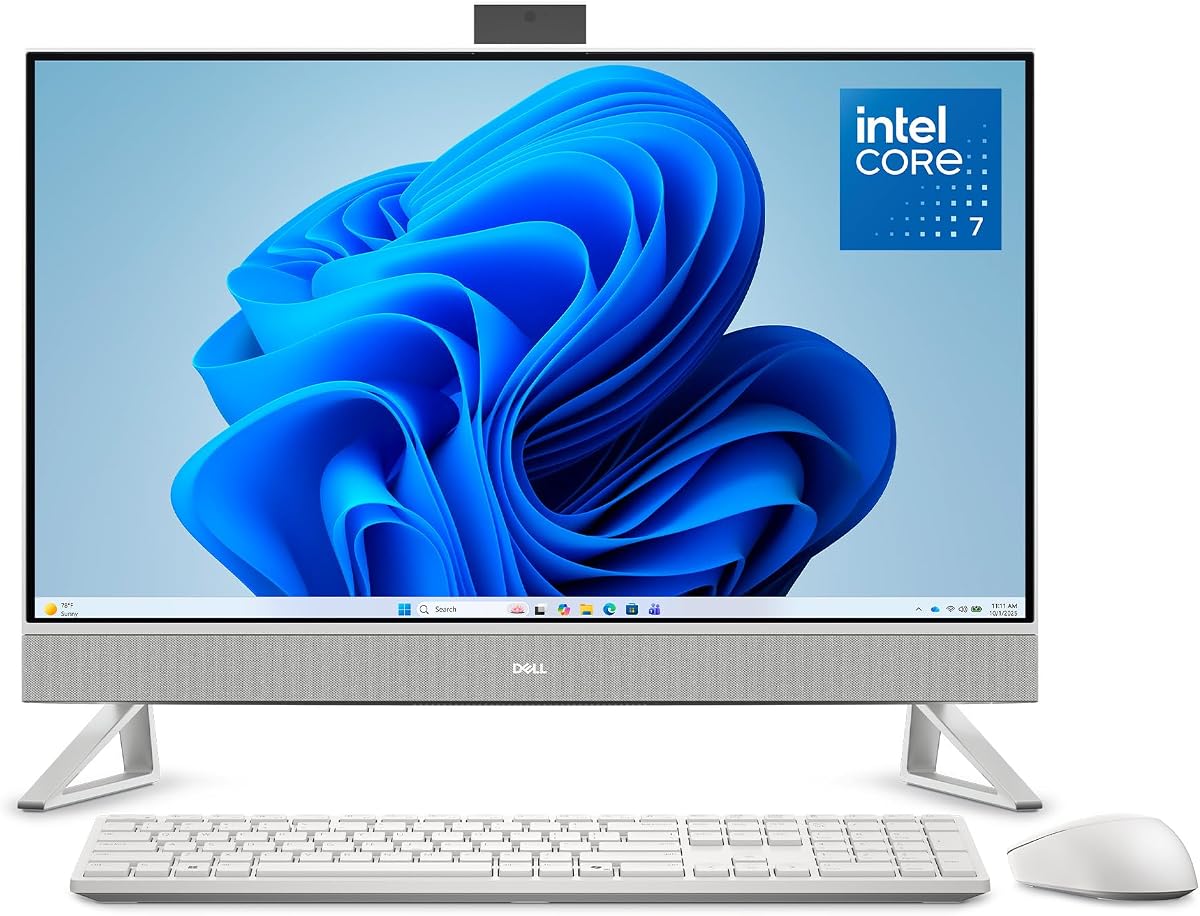
The Dell All-in-One 24 Touchscreen Desktop offers a compact yet powerful solution for professionals. It earned a 5.0 rating for its efficient design and reliable performance.
We may earn a commission when you buy through this link, at no additional cost to you.
Its 10 core processor handles multitasking effectively despite its small size. The 16GB RAM supports smooth workflow across various productivity apps.
The storage capacity is smaller at 512GB but speeds are fast. This makes it ideal for users with cloud storage preferences over local data.
We suggest this for small offices or home workspaces where desk space is limited. The built-in privacy shutter adds a secure touch for remote workers.
The webcam includes a physical shutter so you can push it down to hide it for privacy when not in use.
With 10 cores the Intel Core 7 processor delivers strong performance for demanding daily applications.
We may earn a commission when you buy through this link, at no additional cost to you.
Selecting the right All in One Desktop PC with Touchscreen requires understanding specific hardware needs. We break down the essential factors to help you make a smart decision.
The display is the primary interface for a touchscreen device so prioritize quality. Look for Full HD resolution or higher with IPS panels for accurate colors and wide viewing angles.
Choose a size that fits your desk comfortably while allowing for comfortable viewing distances.
The processor determines how fast your system runs daily tasks. Modern Intel Core or AMD Ryzen AI processors provide excellent speed for multitasking and AI applications.
Ensure the processor supports the latest AI features if you need intelligent productivity tools.
Memory and storage affect how smoothly you can run applications. Aim for at least 16GB of DDR5 RAM to prevent slowdowns during heavy use.
Solid State Drives are standard now so look for 512GB or larger to store files quickly.
A versatile device needs multiple ports for peripherals. Check for USB ports HDMI outputs and Wi-Fi 6 or 7 support for stable internet connections.
Bluetooth 5.3 or higher ensures smooth pairing with wireless keyboards and mice.
Video calls are common so a high-quality webcam is essential. Look for 1080p resolution and IR sensors for facial recognition login.
Noise reduction technology in the microphone array improves voice clarity during meetings.
Windows 11 Pro offers advanced security and management features compared to Home. It is better for business and school environments requiring extra controls.
Home versions are sufficient for casual users who do not need network domain features.
Since the device is all-in-one build quality ensures longevity. Check for adjustable stands that allow tilting for comfortable viewing angles.
Slim bezels enhance the viewing experience by maximizing screen real estate relative to size.
Warranty coverage protects your investment against hardware failures. Onsite service options mean technicians come to you rather than shipping the unit away.
Review the service terms to ensure quick resolution for any potential issues during the first year.
To begin use simply connect the power cable and wait for the system to boot. Once you see the desktop navigate by tapping icons or using the included wireless mouse.
Clean the touchscreen regularly with a soft lint-free cloth to remove fingerprints and dust. Avoid harsh chemicals that might damage the screen coating over time.
Adjust the stand tilt to a comfortable angle to prevent neck strain during long sessions. Use the built-in privacy shutter on the camera when not in video calls for security.
Yes many models feature high color accuracy displays that are great for creative tasks. However for professional 3D work a dedicated graphics card in a desktop tower may be better.
Most modern models have HDMI-out ports that allow you to connect a secondary display. This expands your workspace significantly for multitasking across multiple screens.
Use a microfiber cloth lightly dampened with water or a screen safe cleaner. Avoid spraying liquid directly on the screen to prevent seepage into the edges.
Absolutely you can connect external storage via USB ports to back up files. This is useful if the internal storage fills up with large documents or media.
Many models come with a wireless keyboard that is easily detachable. Some have keyboards stored under the stand which you can pull out when needed.
Most All in One PCs have non-upgradable memory soldered to the motherboard. It is best to choose the RAM size that fits your needs at the time of purchase.
We reviewed ten top models ranging from budget friendly options to premium machines. The HP 27 All in One Desktop leads for AI productivity while the MSI Business Desktop offers great value.
Prioritize the processor speed and memory capacity based on your daily tasks. For heavy multitasking look for 32GB RAM models while basic users can save with 16GB options.
Remember to check the latest pricing as it often changes online. Always verify that your final choice meets your specific connectivity and display requirements.