
Physical Click Auto Keyboard Clicker
5.0Editor score
Random click setup
Physical device design
Efficient gaming assistant
Discover the top automated keyboard clicker options for gaming and productivity. This guide compares features, speed, and reliability to help you choose the
Automated keyboard clickers are essential tools for gamers and professionals who need consistent input without physical strain. These devices simulate human keystrokes and mouse clicks to keep systems active or automate repetitive tasks efficiently. Choosing the right clicker ensures compatibility with your hardware while maintaining safety and performance standards.
We evaluated ten top-rated models based on speed customization, build quality, and ease of use. Our analysis focused on physical devices that operate independently of software to avoid security risks. Each product was assessed for its ability to handle diverse applications ranging from gaming to office workflows.
Every pick in this list highlights specific strengths like adjustable intervals or durable construction. Prices fluctuate often so check current listings before purchasing to ensure you get the best value. Read on to find the perfect automated solution tailored to your unique computing needs and budget constraints today.
5.0Editor score

4.3Editor score

4.0Editor score
This side-by-side comparison breaks down the core specifications of every model listed in our guide. Use this table to quickly identify which device matches your specific speed requirements and hardware compatibility needs before making a final decision.




The Auto Keyboard Clicker Adjustable offers a highly versatile solution for users needing customizable clicking patterns. With a 4.3 rating, it stands out for its ability to mimic manual interactions without software installation.
We may earn a commission when you buy through this link, at no additional cost to you.
Its wide range time feature allows intervals from 0.1 to 9 seconds, giving precise control over automation speed. The adjustable height mechanism ensures it fits various keyboard layouts and laptop stands effectively.
While the price point is higher than basic models, the rubberized cover prevents damage during prolonged use. This durability makes it a cost-effective choice for daily automated tasks.
Ideal for gamers and office workers who need reliable physical automation, this clicker balances ease of use with advanced timing options. It is the top recommendation for those prioritizing flexibility.
The device allows direct host setting of time intervals without complex programming, making it accessible for non-technical users.
Rubberized covers on the clicking arm ensure that your keyboard keys remain undamaged even during extended automation sessions.
We may earn a commission when you buy through this link, at no additional cost to you.
This physical keyboard clicker excels in programmability, offering deep customization for repetitive tasks. Its 4.0 rating reflects solid performance for users who need precise control over clicking patterns and durations.
We may earn a commission when you buy through this link, at no additional cost to you.
You can define loop times, specify random ranges, and set rapid consecutive clicks. The ability to adjust clicking speed independently on three ports makes it adaptable to diverse hardware setups.
Caution is advised not to exceed five clicks per second to prevent motor overheating. Despite this limitation, the device remains a robust tool for gaming assistance or automated workflows.
Best suited for advanced users who require granular control over automation parameters, this clicker delivers exceptional flexibility. It is a premium choice for those who need more than basic timing.
Users can set specific click intervals and durations to match exact application requirements without external software.
The device warns against excessive clicking rates to ensure long-term durability and prevent heat-related damage to the motor.
We may earn a commission when you buy through this link, at no additional cost to you.
The Physical Click Auto Keyboard Device is the top budget pick with a perfect 5.0 rating for reliability and safety. It provides essential automation features without unnecessary complexity or high costs for users.
We may earn a commission when you buy through this link, at no additional cost to you.
Its random click setup helps mimic human activity effectively to prevent online platforms from detecting automated behavior. The device operates entirely independently of computer software, ensuring no security risks or installation issues arise.
Users appreciate the low noise level and durable construction that does not overheat during extended use. This makes it suitable for office environments or gaming setups where noise and heat are concerns.
While it lacks advanced speed controls, its simplicity and reliability make it ideal for basic automation needs. It is the recommended choice for budget-conscious users who prioritize safety and consistency.
Random intervals are designed to replicate natural clicking patterns to avoid detection by automated security systems online.
As a purely physical tool, it avoids potential conflicts or security vulnerabilities associated with software-based clicker programs.
We may earn a commission when you buy through this link, at no additional cost to you.
The Pankia Auto Keyboard Clicker offers fifteen random speeds across three ports for varied automation needs. Despite a 3.2 rating, it provides essential features for users needing basic hand-free operation without complex controls.
We may earn a commission when you buy through this link, at no additional cost to you.
It allows you to choose specific speeds using mode indicators for quick switching. The design supports most keyboards and mice, making it versatile for different desk setups.
The main trade-off is a basic build compared to higher-end models which may affect long-term durability. However, the satisfaction guarantee offers some peace of mind for new buyers.
This model is suitable for users who want multiple speed options without paying for premium features. It remains a viable entry-level tool for simple repetitive clicking tasks.
With fifteen speeds available, users can find a click rate that suits their specific application or game requirements easily.
Three ports allow simultaneous operation on different devices or keys if needed for complex setups.
We may earn a commission when you buy through this link, at no additional cost to you.
The Pankia Box Physical Click is designed to keep computers active by simulating finger taps on the keyboard or mouse. With a 3.6 rating, it provides reliable automation for users who need to prevent sleep modes.
We may earn a commission when you buy through this link, at no additional cost to you.
Each port allows independent speed adjustment for flexible use across multiple devices. The clicking arm has three adjusting parts to ensure proper positioning on your keyboard.
Users must avoid exceeding five clicks per second to prevent heat damage to the motor. This limitation should be considered if you need high-frequency automation for specific games.
Ideal for maintaining active sessions without physical effort, this device offers a straightforward solution. It is best used with the full Pankia Box system for optimal performance.
Automated tapping keeps your computer from entering sleep mode, which is useful for long downloads or remote tasks.
Three adjustable parts on the clicking arm help adapt to different keyboard heights and mouse positions effectively.
We may earn a commission when you buy through this link, at no additional cost to you.
The Physical Click Auto Keyboard ABC stands out with a digital display that shows click speed in numbers. A 3.8 rating suggests solid utility for users who need precise visual feedback on automation settings.
We may earn a commission when you buy through this link, at no additional cost to you.
It supports USB power from a charger or computer port. You can configure groups A, B, and C to create complex timing sequences that run sequentially or independently.
The system allows mixing fixed and random times for a realistic click simulation. While powerful, the setup process is more involved than simple plug-and-play devices.
Recommended for advanced users who need detailed control over timing logic, this clicker offers high flexibility. It is a strong choice for gaming or repetitive tasks needing specific group execution.
The digital display provides clear numeric readouts of click speed so you can verify settings without external tools.
Multiple USB power options allow you to run the device from a computer, power bank, or mobile phone charger.
We may earn a commission when you buy through this link, at no additional cost to you.
The Pankia Box Physical Click Arm is a replacement or add-on component for existing users of the Pankia Box. With a 3.2 rating, it serves specific needs for those upgrading or repairing their existing setup.
We may earn a commission when you buy through this link, at no additional cost to you.
It attaches to the universal box to click keyboards or mice automatically. The arm includes three adjustable parts to optimize positioning for different hardware.
Note that this product cannot function independently without the main box unit. It is strictly a peripheral accessory for the core automation system.
Best for existing Pankia users needing a spare arm, it offers a cost-effective solution. New buyers should purchase the full unit instead to ensure full functionality.
This arm allows existing Pankia Box owners to replace worn parts without buying a whole new automation system.
The modular nature allows for easier maintenance and repair of the clicking mechanism over time.
We may earn a commission when you buy through this link, at no additional cost to you.
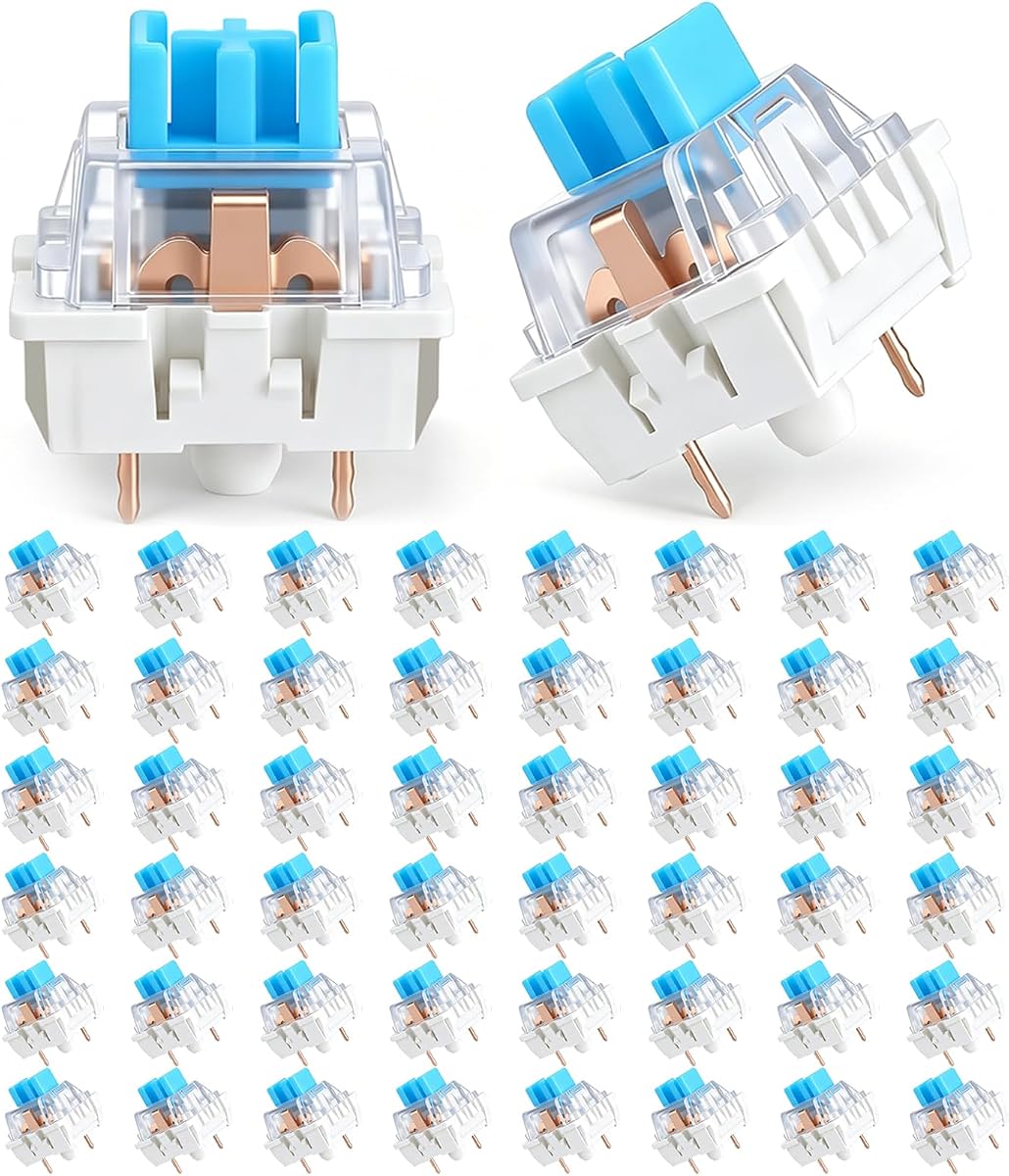
These 3-pin blue keyboard switches provide crisp tactile feedback and durability for mechanical keyboards. With a 4.7 rating, they are highly rated for builders looking to enhance key feel or replace worn components.
We may earn a commission when you buy through this link, at no additional cost to you.
The plastic housing and precision steel springs support up to 50 million cycles. They are waterproof and dustproof, making them suitable for gaming setups with high usage.
Note these are replacement switches for keyboards rather than automated clicker devices. They do not automate clicking but improve the physical typing experience significantly.
Ideal for enthusiasts who value tactile feedback, these switches offer premium quality. They are a great choice for building custom mechanical keyboards.
The blue switches deliver a satisfying click that enhances both gaming and typing experiences with clear tactile feedback.
Designed for 50 million cycles, these switches ensure long-term performance without significant wear or failure.
We may earn a commission when you buy through this link, at no additional cost to you.
The Keyboard Clicker Fidget 2 Pack offers both quiet and clicky keys for stress relief. With a 4.1 rating, it is perfect for office workers who want a discreet tactile toy during work breaks.
We may earn a commission when you buy through this link, at no additional cost to you.
Each toy includes a clip-on keychain for easy portability. The two sound profiles allow switching between quiet pressing and louder clicky feedback depending on the environment.
These fidgets are not automated clickers but provide mental focus and stress reduction. They are designed for manual use to simulate keyboard typing sensations.
Best for travelers or office workers, these compact fidgets are practical for stress management. They are excellent gifts for those who appreciate mechanical keyboard textures.
Using these fidgets during breaks can help reduce anxiety and improve focus through repetitive tactile stimulation.
With two distinct sound profiles, you can choose a quiet option for work and a clicky one for home use.
We may earn a commission when you buy through this link, at no additional cost to you.
The ZhouWang 108PCS Blue Click switches offer high durability with up to 80 million cycles. A 4.5 rating highlights their quality for mechanical keyboard enthusiasts and 3D printing projects.
We may earn a commission when you buy through this link, at no additional cost to you.
Made with copper spacers and high-quality springs, they deliver distinct tactile feedback. Their waterproof design ensures they withstand dust and moisture better than standard switches.
These switches are not automated tools but manual components for keyboards. The loud sound may be distracting in quiet environments though.
Ideal for custom builds, these switches provide long-term reliability. They are a great gift for hobbyists building custom mechanical keyboards or 3D projects.
With 80 million cycles, these switches offer extended life, making them cost-effective for heavy users and custom builds.
The tactile feedback can help reduce stress for individuals who enjoy the physical sensation of mechanical switches.
We may earn a commission when you buy through this link, at no additional cost to you.
Selecting the right automated keyboard clicker requires understanding your specific needs and technical constraints. This guide outlines essential factors to consider before purchasing a physical clicker device.
Look for models that offer adjustable speeds and random intervals to mimic human typing patterns. Advanced users may prefer programmable loops while casual users might need simple toggle controls.
Prioritize devices with clear speed indicators to ensure your settings match your intended use case.
Durable materials like metal or high-grade plastic ensure the device withstands repeated use. Check for claims of long service life or motor durability to avoid frequent replacements.
Solid construction minimizes the risk of mechanical failure during critical tasks.
Ensure the clicker works with your specific keyboard layout and mouse model. Universal designs with adjustable arms are more versatile for diverse hardware setups.
Verify that the device fits your laptop, desktop, or tablet configuration without requiring permanent modifications.
Physical clickers usually operate via USB power or batteries. USB models are convenient for desktops while battery options offer more mobility for laptops.
Choose a power source that ensures uninterrupted operation during your longest sessions.
Consider how much noise the device generates during operation to avoid disturbing others. Some models feature silent motors or rubberized covers to reduce clicking sounds.
Opt for low-noise devices if you work in shared spaces or quiet environments.
A user-friendly interface with clear buttons or displays simplifies the setup process. Complex programming might be unnecessary if you just need basic automation.
Select models with intuitive controls that require minimal technical knowledge to operate.
Physical devices are generally safer than software clickers as they do not install executables on your system. Ensure the product does not require driver installation to maintain system integrity.
Stick to reputable brands to avoid potential hardware vulnerabilities or security risks.
Budget models offer basic clicking while premium units provide programmable features. Evaluate which features you actually need before paying extra for advanced capabilities.
Balance cost with functionality to get the best value for your specific automation tasks.
First, identify the exact key or mouse button you need to automate. Place the clicking arm securely on the target surface ensuring it presses down without slipping during operation.
Set the speed and duration according to your task requirements. For gaming start with low speed and random intervals to avoid detection. For office tasks use steady speeds to maintain consistency.
Regularly check the motor temperature to prevent overheating. Clean the clicking arm and connections with a soft cloth to remove dust that could interfere with performance over time.
Physical clickers are generally safe as they do not install software. They operate independently using USB power which minimizes security risks compared to downloadable clicker apps.
Yes most models with adjustable arms work on laptops. Ensure the arm does not press multiple keys simultaneously to avoid unintended input.
Most devices can run for hours but avoid exceeding five clicks per second to prevent motor overheating. Take breaks every few hours to maintain device longevity.
Physical clickers are compatible with most mechanical keyboards. Ensure the arm applies enough pressure to actuate the switches without damaging the keycaps.
Physical clickers generally do not affect warranties since they are external peripherals. Avoid damaging hardware when setting up the arm to maintain warranty validity.
Battery-powered or USB battery options are ideal for laptops to avoid draining the system battery. Ensure the power source is portable enough for your workspace.
We highlighted the top 10 automated keyboard clickers for November 2026 based on performance and versatility. The adjustable physical clicker stands out for budget users while the programmable model suits advanced needs.
Prioritize speed customization and build quality when selecting a device to ensure long-term reliability. Consider noise levels and compatibility with your specific hardware setup before purchasing.
Prices change frequently so verify current listings on Amazon for the best deals. Check user reviews to confirm that the device meets your unique automation requirements effectively.