
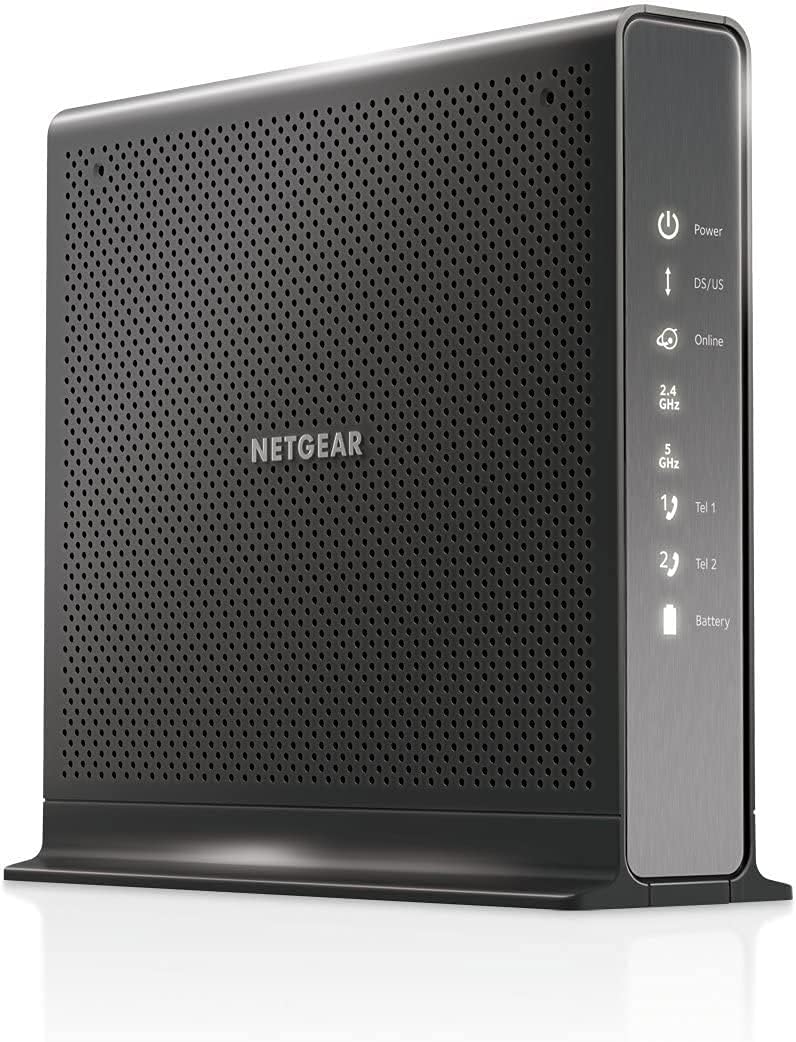
NETGEAR CM500V
4.2Editor score
Affordable entry-level option
Works with Xfinity Voice
DOCSIS 3.0 support
This guide compares the top cable modems with phone ports for voice service, featuring detailed reviews and specs to help you choose the right modem for your
Finding a reliable cable modem with phone capabilities is essential for households that depend on voice services alongside high-speed internet. These devices combine connectivity with telephony support, ensuring seamless communication and data access in one unit.
Our team evaluated ten leading models based on speed, compatibility, voice features, and user feedback. We focused on DOCSIS standards, Ethernet port counts, and provider certifications to ensure accurate and actionable recommendations for buyers.
Each product entry highlights key strengths and limitations to help you match a modem with your specific service plan. Prices and availability may fluctuate, so verify current details before purchasing to confirm compatibility with your provider.
4.2Editor score

4.0Editor score

4.3Editor score
The following comparison table outlines the key specifications for each modem to simplify your decision-making process. Review features like channel bonding, voice support, and Ethernet capabilities side-by-side.



The NETGEAR Nighthawk CM2050V stands out as the top choice for users seeking maximum performance. It supports cable plans up to 2.5Gbps and includes essential voice features for home telephony.
We may earn a commission when you buy through this link, at no additional cost to you.
Its DOCSIS 3.1 technology ensures compatibility with the latest ISP upgrades. The 2.5Gbps Ethernet port allows wired devices to benefit from multi-gig speeds without bottlenecks.
While the price is higher, the future-proofing justifies the investment. Users planning to upgrade their internet plan will find this modem ready for higher tiers.
Buyers on Xfinity Voice plans who want high-speed internet should prioritize this model. It balances voice and data needs effectively for modern households.
The 2.5Gbps Ethernet port enables full-speed wired connections for gaming consoles and desktop computers.
Two phone lines support enhanced call features like caller ID and conference calling for seamless communication.
We may earn a commission when you buy through this link, at no additional cost to you.
The CAX30 merges modem and router capabilities into one unit. It delivers WiFi 6 coverage and supports major ISPs like Xfinity and Spectrum for broadband needs.
We may earn a commission when you buy through this link, at no additional cost to you.
Its AX2700 rating provides reliable wireless speeds throughout the home. The DOCSIS 3.1 modem ensures stable internet connectivity for all connected devices.
Note that this unit does not include phone ports. Voice service users may need a separate VoIP adapter or router integration for telephony.
Choose this if you prefer an all-in-one setup without voice port integration. It simplifies network management for general internet usage.
Combining modem and router functions saves space and reduces cable clutter in your home office or living area.
Dual-band AX2700 performance ensures smooth streaming and gaming across multiple devices simultaneously.
We may earn a commission when you buy through this link, at no additional cost to you.
The CM500V offers an accessible entry point for Xfinity Voice users. It supports plans up to 300Mbps and provides two telephone lines for home calls.
We may earn a commission when you buy through this link, at no additional cost to you.
Its DOCSIS 3.0 technology handles standard broadband efficiently. The modem saves rental fees by replacing rented equipment from your provider.
Higher speed tiers exceed this device capabilities. If you need gigabit speeds, consider upgrading to a DOCSIS 3.1 model for better performance.
Budget-conscious buyers on standard plans will find this value excellent. It meets basic voice and internet needs without unnecessary features.
Purchasing this modem eliminates monthly rental fees, saving hundreds over time for household internet bills.
Two phone lines support enhanced calling features like caller ID and call forwarding for daily use.
We may earn a commission when you buy through this link, at no additional cost to you.
The T25 bridges the gap between basic and high-end modems. It supports DOCSIS 3.1 standards and handles internet plans up to 800Mbps reliably.
We may earn a commission when you buy through this link, at no additional cost to you.
Its two voice ports allow for telephony integration without additional adapters. Two gigabit Ethernet ports ensure stable wired connections for devices.
While not supporting multi-gig tiers, it offers solid performance for mid-tier plans. Users planning upgrades can rely on this modem for stable connectivity.
Buyers needing moderate speeds and voice support will appreciate its balance. It is a practical choice for Xfinity users seeking value.
Newer technology provides better security and reduced latency compared to older DOCSIS versions.
Combines telephone services with high-speed internet in a single certified device for home networks.
We may earn a commission when you buy through this link, at no additional cost to you.
The C7000 combines modem and router functions in one box. It delivers AC1900 wireless speeds and works with major ISPs like Xfinity and Cox for internet.
We may earn a commission when you buy through this link, at no additional cost to you.
While it lacks phone ports, it offers robust connectivity. The USB port allows additional device connections for file sharing or printing needs.
Users requiring voice capabilities should consider other models. This unit is ideal for those focusing solely on internet performance.
Families needing a complete network solution on a budget will find this useful. It simplifies setup by merging two devices into one.
Integrated AC1900 Wi-Fi reduces equipment clutter while delivering reliable wireless coverage throughout your home.
Works with multiple major providers to ensure flexibility for users considering switching service plans.
We may earn a commission when you buy through this link, at no additional cost to you.
The CM1150V supports plans up to 800Mbps and includes voice features for home telephony. It works seamlessly with Xfinity internet services.
We may earn a commission when you buy through this link, at no additional cost to you.
Its four Ethernet ports provide ample wired connections. Link aggregation allows combining ports for faster wired speeds on specific devices.
While it lacks wireless, it offers solid wired performance. Users with a separate router can leverage its robust connectivity.
Buyers needing high-speed data and voice ports will value this model. It serves as a stable foundation for home networks.
Four Gigabit Ethernet ports offer multiple wired connections for PCs, gaming consoles, or media players.
Two phone lines support standard voice services with enhanced features for clear communication at home.
We may earn a commission when you buy through this link, at no additional cost to you.
The CM3000 is designed for maximum internet performance. It features mid-split technology enabling speeds beyond what standard modems support.
We may earn a commission when you buy through this link, at no additional cost to you.
Its 2.5Gbps Ethernet port ensures wired devices get full speed. Link aggregation further enhances connectivity for demanding wired tasks.
Voice users may need a separate modem due to lack of phone ports. Internet performance, however, remains top-tier for modern networks.
Premium buyers focused on speed and future upgrades will find this ideal. It sets the standard for high-performance home connectivity.
Revolutionary technology unlocks faster upload speeds and prepares the modem for next-generation plan tiers.
Combine Ethernet ports to achieve 2Gbps wired speeds for high-demand devices like gaming PCs.
We may earn a commission when you buy through this link, at no additional cost to you.
The C7100V combines internet and voice capabilities with wireless routing. It supports plans up to 600Mbps for integrated home networking.
We may earn a commission when you buy through this link, at no additional cost to you.
Two phone lines and AC1900 Wi-Fi streamline device connections. This unit removes the need for separate modem and router components.
Plans exceeding 600Mbps may require an upgrade. For mid-tier users, this offers convenient all-in-one functionality.
Buyers seeking simplicity will appreciate this unified solution. It effectively balances voice, data, and wireless in a single package.
Combines modem, router, and telephony to reduce equipment count and simplify network administration.
Certified for seamless voice service integration with caller ID and conference calling features.
We may earn a commission when you buy through this link, at no additional cost to you.
The MT7711 provides a complete networking solution for Xfinity users. It supports plans up to 400Mbps and includes phone ports for voice.
We may earn a commission when you buy through this link, at no additional cost to you.
As a renewed unit, it offers value for budget shoppers. AC1900 Wi-Fi ensures consistent coverage for connected devices.
Performance is adequate for standard households. High-speed plans may exceed its capabilities, so check compatibility carefully.
Cost-conscious buyers needing a combo device will find this useful. It offers reliability without the cost of new equipment.
Purchasing renewed products helps save money while maintaining quality for home internet setups.
Eliminates extra cabling by integrating routing and telephony directly into the modem unit.
We may earn a commission when you buy through this link, at no additional cost to you.
The SVG2482AC merges internet and voice with wireless in one device. It supports Xfinity plans up to 600Mbps and includes phone ports.
We may earn a commission when you buy through this link, at no additional cost to you.
As a renewed product, it provides cost-effective value. AC1750 Wi-Fi ensures basic wireless connectivity for standard devices.
It may struggle with top-tier gigabit plans. For basic internet needs, it offers all necessary features.
Buyers needing an affordable combo with voice will find it suitable. It is a practical solution for entry-level requirements.
Integrated telephone capabilities remove the need for external adapters or separate phone modems.
Renewed units offer tested performance at a lower cost, ideal for budget-conscious internet subscribers.
We may earn a commission when you buy through this link, at no additional cost to you.
Selecting the right modem involves considering provider compatibility, speed support, and voice features. This section details factors to evaluate for optimal performance.
Ensure the modem is certified for your specific cable provider. Products designed for Xfinity may not work with other networks.
Check the product description for approved ISPs to avoid activation issues.
DOCSIS 3.1 offers better speed and security than 3.0. Newer standards future-proof your setup for speed upgrades.
Prioritize 3.1 if you plan to upgrade internet tiers later.
Look for modems with dedicated phone ports if you use cable phone services. Some models include caller ID and conference features.
Confirm compatibility with your voice service provider.
Match the modem's maximum speed with your internet plan. Higher tiers require modems supporting DOCSIS 3.1.
Avoid devices capped below your plan speed to prevent throttling.
Multiple Gigabit ports provide wired connectivity for devices like PCs and consoles. Link aggregation allows combining ports for speed.
Select units with enough ports for your wired needs.
Some modems include a built-in router. Choose combo units if you want a single device solution.
Ensure the router supports modern Wi-Fi standards if buying a combo.
Purchasing your modem can save monthly rental fees over time. Calculate long-term savings versus monthly ISP charges.
Consider buying if you plan to stay with a provider long-term.
Entry-level models suit basic plans while premium units offer advanced features. Determine your budget range for purchase.
Balance cost with necessary features to maximize value.
Connect the coaxial cable to the modem and then to your ISP outlet. Plug in the power adapter and wait for the LED lights to stabilize indicating a successful connection.
Link your router or computer to the Ethernet port. If voice ports are present, connect telephone handsets to the designated jacks for service.
Keep the modem in a cool, well-ventilated area. Regularly restart the device to maintain optimal performance and clear temporary glitches.
Not all modems are universal. Always check the product specifications for certified providers before purchasing. Using an uncertified modem may result in activation failure.
Most cable modems support cable voice services rather than generic VoIP. Check if the modem supports your specific telephony features for compatibility.
Use the ISP app or website to register the MAC address of the new device. Follow the provided steps to complete activation on your account.
Yes, for future-proofing. It supports higher speeds and better efficiency. If your plan allows, 3.1 ensures longevity for network upgrades.
No, cable modems are specific to coaxial cable networks. They will not function with DSL or fiber connections which use different technologies.
Buying saves on recurring rental fees over time. You also gain control over the hardware and may upgrade at your own pace.
No, standalone modems do not include routers. Combo units integrate both but may have limited customization compared to separate devices.
Connect standard telephone handsets to the phone ports on the modem. Ensure voice service is active on your account to enable calls.
The NETGEAR CM2050V and CM500V lead as top choices for performance and budget respectively. Both deliver reliable voice and internet integration for Xfinity users.
Prioritize compatibility with your current plan and provider to avoid disruptions. Consider DOCSIS standards and port requirements for optimal setup.
Prices and availability fluctuate so verify current deals before finalizing your purchase. Ensure you select a modem that meets both speed and voice needs effectively.