
15.6 Laptop Computer 12GB RAM 128GB SSD
5.0Editor score
Pentium Gold 6500Y Processor
12GB RAM for Multitasking
Fast SSD Storage
This guide compares the best cheap laptops for recording music, focusing on performance, audio interface support, and value for home studio producers.
Finding a cheap laptop for recording music can be challenging for budget conscious musicians. You need reliable performance to handle audio software without lag or crashes during sessions.
We compared ten affordable models based on processor speed, RAM capacity, and storage options. Each device was evaluated for its ability to run digital audio workstations smoothly.
Every pick includes detailed specs and pros to help you decide. Prices fluctuate often so check current listings before purchasing to ensure the best deal.
5.0Editor score
4.3Editor score

4.4Editor score
The following table provides a side by side comparison of all ten laptops reviewed in this guide. Use it to quickly assess key specifications like processor type, memory, and storage capacity.


This laptop offers an affordable entry point for music recording tasks. It scores a perfect five stars for its value proposition among budget devices.
We may earn a commission when you buy through this link, at no additional cost to you.
The 12GB RAM allows for reasonable multitasking between audio software and browsers. Storage is expandable which helps with saving project files.
However the processor may struggle with complex audio effects chains. It is best for basic recording and editing without heavy plugins.
Buy this if you need a cheap device for light home studio work on a tight budget.
Its lightweight build makes it easy to transport between rooms or to school.
The M.2 slot supports upgrades up to 1TB for more project storage space.
We may earn a commission when you buy through this link, at no additional cost to you.
This Chromebook provides excellent battery life and built-in dual microphones. It is rated 4.4 stars for general performance and portability.
We may earn a commission when you buy through this link, at no additional cost to you.
The dual mics help with basic voice recording tasks directly without external gear. The secure OS ensures smooth updates and safe browsing.
However Chrome OS limits professional audio software compatibility. You may need cloud tools rather than full desktop DAWs.
Ideal for students needing a portable device for basic recording and online music classes.
Integrated dual array digital microphones allow for clear voice captures during calls.
Users can enjoy up to 13 hours of wireless streaming on a single charge.
We may earn a commission when you buy through this link, at no additional cost to you.
This model runs up to 1.5 times faster than entry level laptops with less RAM. It holds a 4.2 star rating for everyday productivity use.
We may earn a commission when you buy through this link, at no additional cost to you.
The privacy slider adds security for remote sessions. The IPS screen ensures wide viewing angles for content creation.
Storage is limited initially but expandable via TF card. Performance is smooth for basic tasks but may lag on heavy audio loads.
A solid choice for students needing privacy features and decent performance for light editing.
A physical camera privacy slider lets you cover the lens securely when not in use.
Includes multiple USB ports HDMI and USB C for easy peripheral connections.
We may earn a commission when you buy through this link, at no additional cost to you.
The BLUEING 2026 offers a vibrant 1080p display and privacy features. It rates 4.3 stars for general daily use tasks.
We may earn a commission when you buy through this link, at no additional cost to you.
The 100% sRGB gamut makes colors vivid for visual content. Battery life is improved to handle longer work sessions.
However 8GB RAM may limit heavy multitasking during recording. It is best for light editing and web based tools.
Consider this for portable work where visual quality and privacy are prioritized.
Enjoy a vibrant visual experience with 100% sRGB color gamut on the FHD display.
The manual privacy slider allows you to securely cover the camera when not recording.
We may earn a commission when you buy through this link, at no additional cost to you.
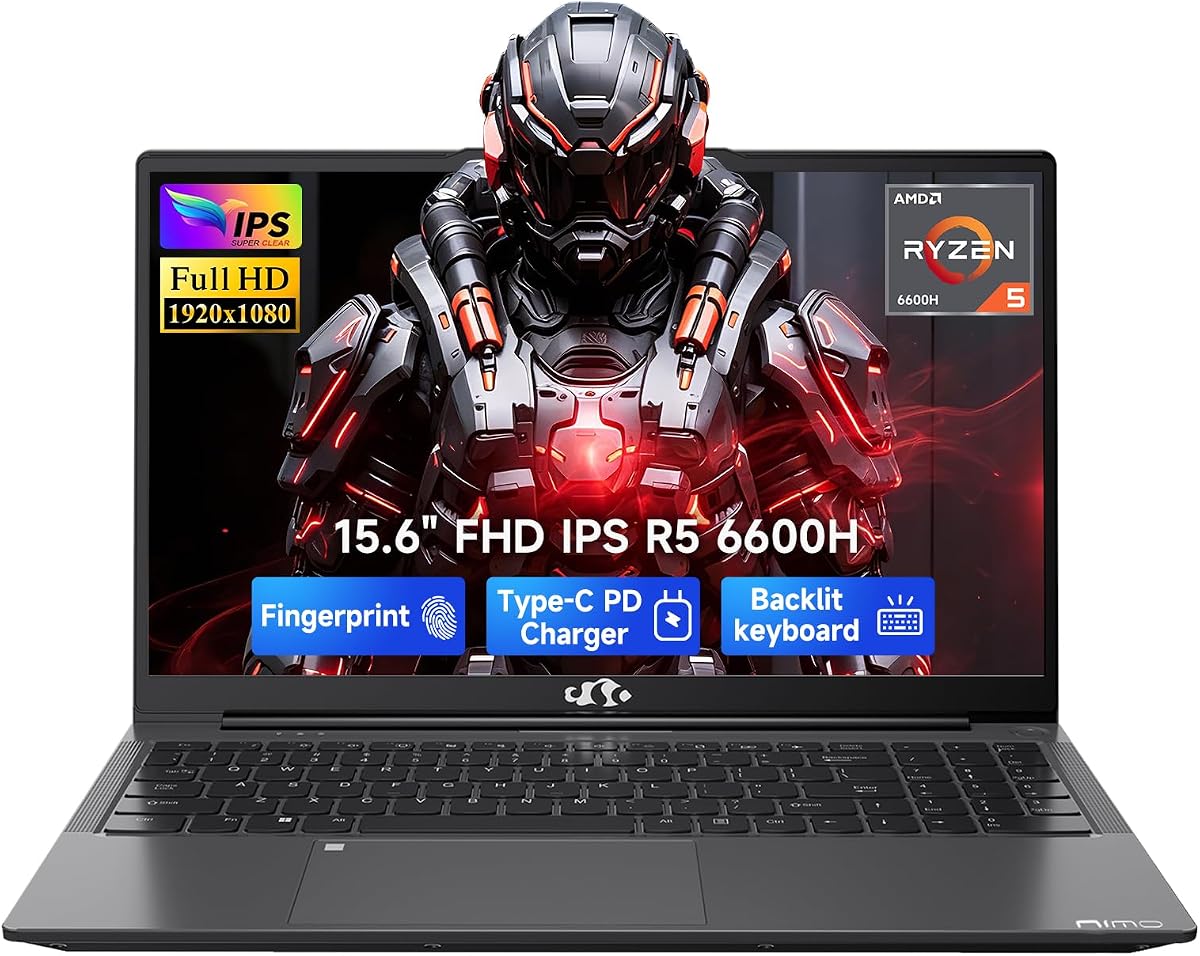
This creator laptop features a powerful Ryzen 5 processor and 16GB DDR5 RAM. It earns an Editor Choice badge for its robust performance specs.
We may earn a commission when you buy through this link, at no additional cost to you.
The 12 threads ensure smooth handling of multi track audio projects. The large SSD provides ample space for sample libraries and recordings.
Integrated graphics may limit video rendering speeds but are fine for audio. The fingerprint login adds security and convenience.
A top pick for serious hobbyists needing reliable performance for complex home studios.
The Ryzen 5 6600H processor delivers stronger performance for multitasking and content handling.
16GB DDR5 memory and a 512GB SSD ensure smooth out of the box performance.
We may earn a commission when you buy through this link, at no additional cost to you.
This version boosts storage to 256GB while keeping 12GB RAM for multitasking. It rates 4.2 stars for balanced daily productivity.
We may earn a commission when you buy through this link, at no additional cost to you.
The larger SSD allows for more audio files without immediate upgrades. The ergonomic keyboard improves comfort during long typing sessions.
However the CPU is still entry level for heavy audio processing. Use it for basic mixing or file management tasks.
Good for users who need more storage out of the box without spending much.
The 256GB SSD offers ample space for running applications and multiple workflows.
A full-size ergonomic keyboard enhances your typing experience for productivity tasks.
We may earn a commission when you buy through this link, at no additional cost to you.
This laptop focuses on quiet operation and privacy with its webcam cover. It holds a 4.2 star rating for classroom and home use.
We may earn a commission when you buy through this link, at no additional cost to you.
The quiet fanless design helps maintain focus during recording sessions. The hinge supports wide viewing angles for comfort.
Battery life is average so keep a charger nearby. Performance is adequate for light editing but not complex production.
Ideal for students needing a silent device for study and basic music projects.
Enjoy quiet performance suitable for classrooms offices and home environments.
Dual Type C ports and HDMI provide flexible connectivity for monitors and accessories.
We may earn a commission when you buy through this link, at no additional cost to you.
This model offers a larger 15.6 inch display with FHD resolution. It is rated 4.0 stars for general utility and visual clarity.
We may earn a commission when you buy through this link, at no additional cost to you.
The storage can be expanded up to 4TB which is great for large audio libraries. The privacy slider ensures security during video calls.
However 8GB RAM may slow down when running many apps simultaneously. It is best for static recording setups.
Choose this for a larger workspace and expandable storage needs.
Expand the storage up to 512GB using a TF card or upgrade SSD to 4TB.
Offers extensive connection ports including USB C and HDMI for peripherals.
We may earn a commission when you buy through this link, at no additional cost to you.
This laptop uses a fanless design to ensure absolute silent operation. It receives a high 4.8 rating for quiet daily tasks.
We may earn a commission when you buy through this link, at no additional cost to you.
The lack of a fan prevents noise interference during audio recording. Type C PD charging is compact and fast for travel.
However RAM is limited to 4GB which restricts multi track usage. Best for very basic tasks or voice notes.
Perfect for recording voiceovers where silence is critical and performance needs are low.
The fanless solid-state design ensures absolute silent operation and prevents internal dust.
Features 45W Type C PD fast charging for rapid power without bulky adapters.
We may earn a commission when you buy through this link, at no additional cost to you.
This device balances light weight with decent specs for daily workflows. It is rated 5.0 stars for smooth everyday responsiveness.
We may earn a commission when you buy through this link, at no additional cost to you.
The laptop is thin enough to slip easily into any bag for travel. Security features like the Kensington lock protect against theft.
Performance is adequate for web based audio tools but not heavy local production. Battery endurance is solid for short sessions.
Ideal for students needing a reliable portable machine for music theory or light editing.
The entire machine measures just 17mm thin and weighs 1.63kg for easy transport.
Integrated Kensington lock slot lets you tether the laptop to a desk for safety.
We may earn a commission when you buy through this link, at no additional cost to you.
Choosing a budget laptop for music production requires balancing processing power with affordability. Here are key factors to consider.
The processor handles audio calculations and plugin processing. Look for at least a dual-core chip with high clock speeds.
Higher clock speeds reduce latency and improve real-time recording performance.
RAM determines how many tracks and plugins you can run simultaneously. Aim for at least 8GB for basic projects.
12GB or 16GB is better for multitasking between DAW and other software.
Solid State Drives offer faster load times than hard drives for audio files. SSDs ensure quick project loading and saving.
Minimum 256GB is recommended to store sample libraries and recordings effectively.
USB ports are essential for connecting audio interfaces and MIDI controllers. Ensure there are enough USB 3.0 ports.
USB C support is a plus for modern peripherals and charging options.
Long battery life allows recording sessions without being tethered to an outlet. Look for at least 6 hours of endurance.
Better battery life ensures uninterrupted work during mobile recording sessions.
A clear screen helps you see waveforms and plugin settings accurately. IPS panels provide better viewing angles and color accuracy.
High resolution displays help reduce eye strain during long editing sessions.
Ensure your laptop supports external audio interfaces via USB or Thunderbolt. Driver stability is crucial for low latency recording.
Check reviews to confirm compatibility with popular audio interface brands.
Durable build quality ensures the laptop survives frequent transport to sessions. Lightweight materials help reduce strain during travel.
Solid hinges and sturdy keyboards improve longevity and user experience.
Connect your audio interface using a high-speed USB port to ensure low latency. Install the latest drivers for your operating system to avoid compatibility issues.
Keep your system organized by storing projects on external drives or cloud storage. This prevents the internal drive from becoming full and slowing down performance.
Clean the keyboard and screen regularly to prevent dust buildup. Use compressed air for vents to maintain optimal cooling performance during recording.
Yes but options are limited to web-based DAWs. Chromebooks struggle with heavy plugins so consider a Windows or Mac laptop for full software support.
For professional results yes. Built-in sound cards often have latency issues. External interfaces provide better input quality and monitoring options.
8GB is the minimum for basic recording. 12GB to 16GB is recommended if you plan to use multiple plugins and virtual instruments simultaneously.
Yes SSDs load samples and projects much faster than HDDs. They reduce latency and improve overall system responsiveness during recording sessions.
Windows offers more affordable options while macOS is popular for stability. Both support major DAW software so choice depends on budget and preference.
Install ASIO drivers and increase buffer size in your DAW settings. Ensure your USB connection is direct and not using a hub for better stability.
These ten laptops offer a range of options for budget-conscious musicians. The NIMO model stands out for performance while the 15.6 inch option is great for savings.
Prioritize RAM and processor speed to handle your specific DAW needs. Expandable storage also helps manage large project files over time.
Prices change frequently so verify current listings before buying. Select a model that fits your current workflow and budget constraints.