
Cosmo Mini 100 Copy Stand
4.3Editor score
Compact and portable design
Assembles in under one minute
Includes floating magnet board
This guide compares the top copy stands for film scanning and photo digitizing to help you find the best setup for archiving your memories.
Finding the right copy stand for film scanning and photo digitizing ensures your old memories get preserved with high quality and minimal distortion. A good stand provides stability and alignment tools that make digitizing easier.
We compared ten real products based on stability, build quality, and compatibility with cameras and smartphones. Our analysis focuses on practical features that help hobbyists and professionals capture images accurately without expensive scanners.
Each pick highlights unique strengths like floating magnet boards or heavy-duty columns. Prices change frequently, so check current listings before buying to ensure you get the best value for your specific digitizing needs today.
4.3Editor score

4.8Editor score

4.2Editor score
Below is a side by side comparison of all ten products reviewed in this guide. Each entry shows key specifications to help you quickly identify which stand fits your camera and project requirements.


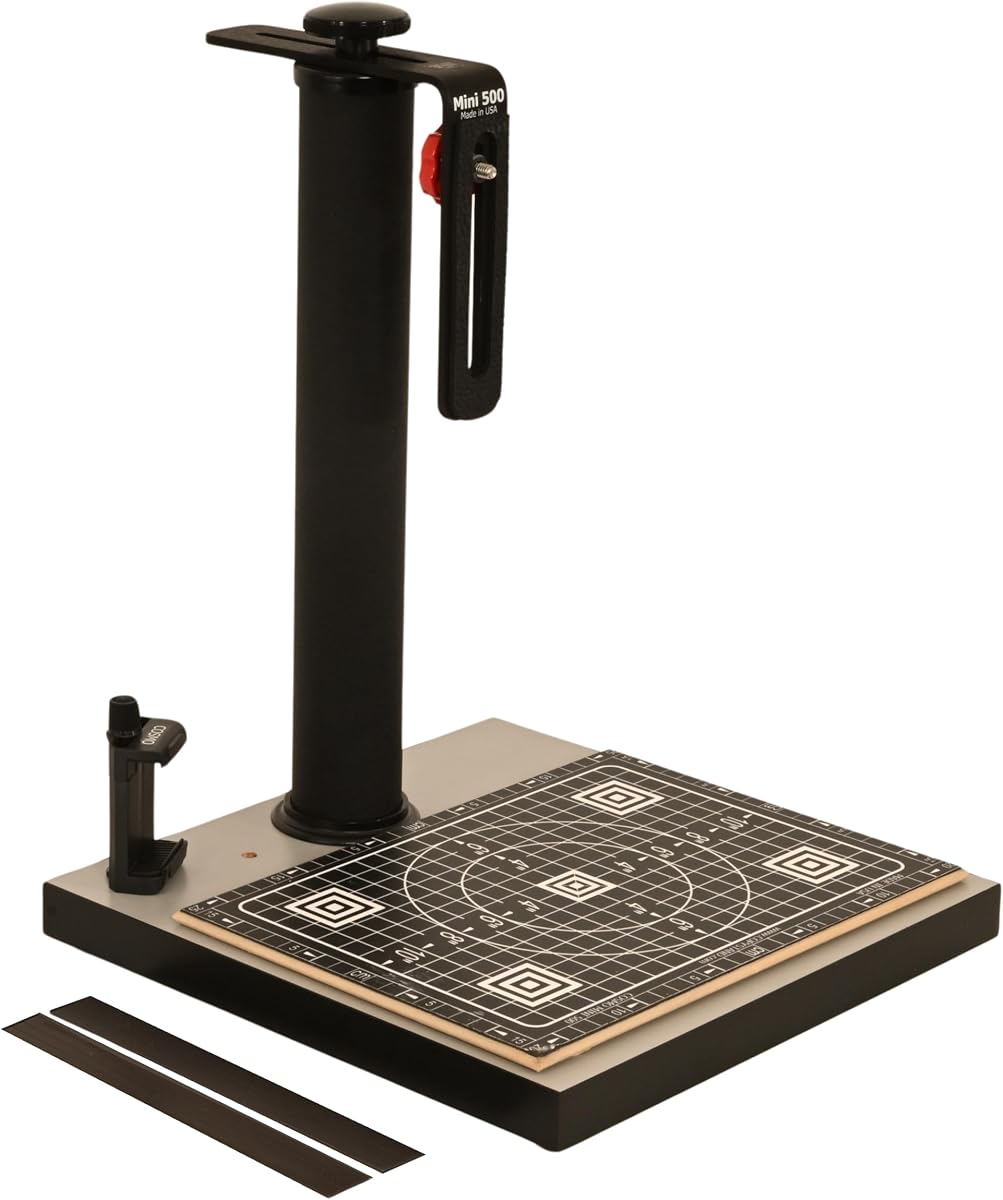
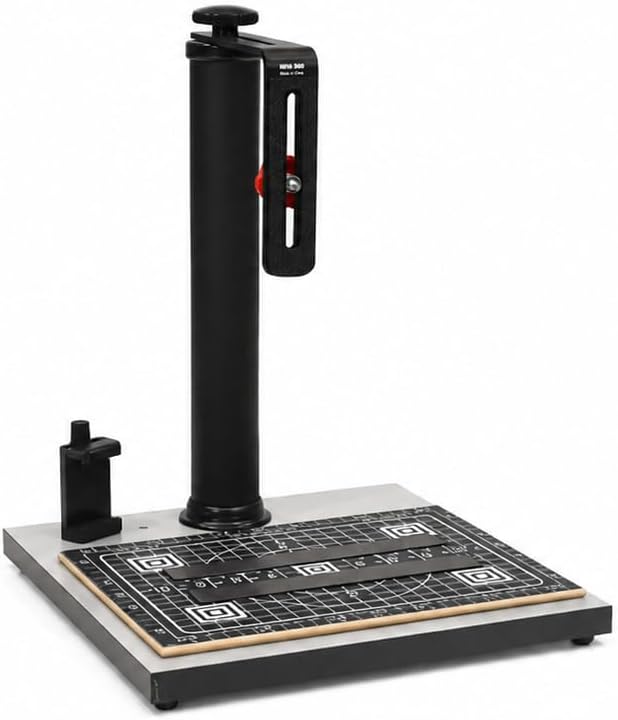
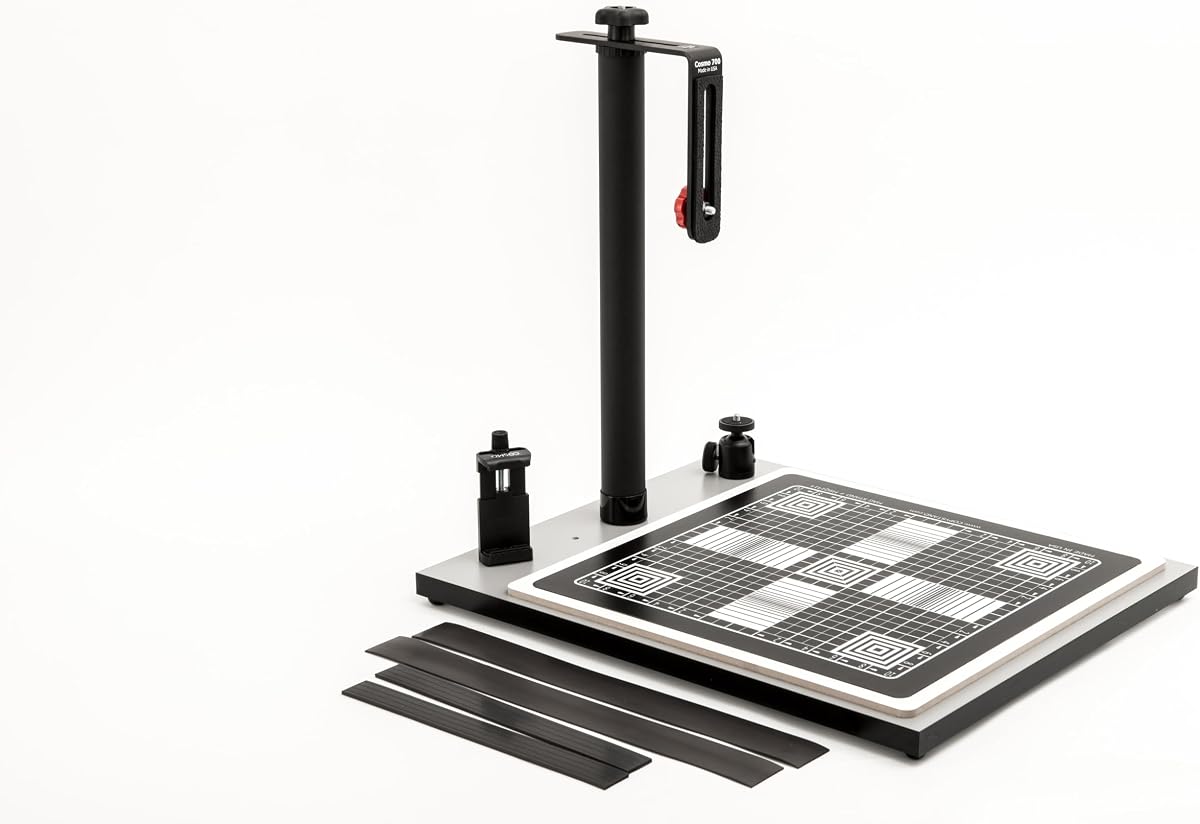

The Cosmo Mini 700 Copy Stand is a versatile tool for capturing large items with high precision. It holds a strong rating among users who need space for photos or documents. Its standout feature is the massive floating magnet board that keeps originals perfectly flat.
We may earn a commission when you buy through this link, at no additional cost to you.
This model excels in stability and flexibility for diverse shooting scenarios. The baseboard dimensions provide ample room for large prints without cramping the setup. The adjustable L bracket allows you to position your camera or phone exactly where needed for perfect alignment.
While it is heavier than smaller options, the added weight ensures minimal vibration during use. The magnetic strips hold originals securely so you do not need clips that might cast shadows. This design choice simplifies the workflow significantly for archiving projects.
Anyone digitizing large collections or selling items online will benefit from this setup. The included phone holder and ball head make it easy to switch between devices. We recommend this stand for those prioritizing workspace size and build quality.
The 15.5 by 18.5 inch base allows you to digitize full page documents or large photos without cropping edges during the shoot.
The 15 by 15 inch magnet board features grid lines and magnetic strips to hold items flat for distortion free results.
We may earn a commission when you buy through this link, at no additional cost to you.
The Cosmo Mini 100 Copy Stand is an ideal entry level solution for hobbyists and students. It offers a solid foundation for digitizing small photos and jewelry with ease. Users appreciate its quick assembly time and portable nature.
We may earn a commission when you buy through this link, at no additional cost to you.
This stand focuses on simplicity and cost effectiveness without sacrificing core functionality. The baseboard includes a center hole for cameras and a side hole for smartphones to ensure precise alignment every time. The included magnet board helps keep checks and documents flat.
It is not designed for heavy professional equipment or large format work. The column supports lighter setups which limits lens choices for some photographers. However for casual archiving and social media content it performs reliably.
We recommend this model for anyone starting their digitizing journey on a budget. It is perfect for archiving family photos or depositing checks remotely. The value proposition is strong given the included accessories and US manufacturing.
You can assemble this stand in under one minute making it easy to transport for scanning sessions anywhere.
Side holes in the baseboard ensure your phone camera aligns perfectly over the center of the board for consistent framing.
We may earn a commission when you buy through this link, at no additional cost to you.
The Kaiser RS1 Copy Stand represents the pinnacle of professional digitizing equipment available today. It is designed for serious photographers who need absolute stability for film scanning and macro work. The build quality is unmatched in its class.
We may earn a commission when you buy through this link, at no additional cost to you.
This stand features an extra-wide column that minimizes vibration during long exposures. The roll-off spring mechanism provides weight compensation for heavier lenses ensuring smooth adjustments. Bushings allow compatibility with various camera mounts and accessories.
The complexity and cost make it less suitable for casual hobbyists. It requires careful setup to utilize all features effectively. However for high volume scanning or critical color work it is an investment that pays off in image quality.
We recommend this stand for studios or professionals archiving fragile negatives and slides. The precision and stability ensure consistent results over thousands of shots. It is the top choice for those who cannot compromise on image fidelity.
The extra-wide column eliminates camera shake ensuring sharp images even with high resolution sensors and macro lenses.
Roll-off spring system compensates for heavy camera weight allowing smooth height adjustments without sudden drops.
We may earn a commission when you buy through this link, at no additional cost to you.
The Cosmo Mini 300 Copy Stand offers a balanced compromise between size and capability. It is ideal for hobbyists who need more space than the mini 100 provides. Users report satisfaction with its durability and flexibility.
We may earn a commission when you buy through this link, at no additional cost to you.
This model features a reversible L bracket that offers horizontal adjustment options. The column height range allows for varied shooting angles and perspectives. The floating magnet board ensures originals stay flat for accurate digitizing.
While sturdy it is not designed for heavy professional DSLR setups. The weight may make it less portable than smaller options. However for desk based scanning tasks it provides excellent stability and consistency.
We recommend this stand for archiving photo collections and scanning artwork. The build quality justifies the price for regular users. It is a reliable workhorse for home offices and creative spaces.
The reversible L bracket allows multiple horizontal positions so you can frame your subject without moving the baseboard.
Column adjusts from 7 to 17 inches providing flexibility for different lens lengths and overhead shooting needs.
We may earn a commission when you buy through this link, at no additional cost to you.
This Copy Macro Stand is designed specifically for DSLR macro shooting and film digitization. It offers a robust platform for users with heavier camera setups. The quick release plate makes swapping cameras faster and more convenient.
We may earn a commission when you buy through this link, at no additional cost to you.
The built-in bubble level ensures your camera stays perfectly perpendicular to the subject. This feature is crucial for maintaining image fidelity during scanning tasks. Leveling feet allow you to stabilize the stand on uneven surfaces.
Lack of customer ratings makes it harder to gauge long term reliability. The design is functional but may lack some refinement compared to established brands. It serves well for focused macro projects and film scanning.
We recommend this stand for photographers who need precise macro alignment. The leveling features save time during setup. Consider checking recent reviews before purchasing to confirm compatibility with your gear.
The quick release plate allows you to attach and detach your DSLR camera quickly without fiddling with screws.
Built-in bubble level ensures perfect alignment preventing lens tilt that can distort scanned images.
We may earn a commission when you buy through this link, at no additional cost to you.
The Kaiser 205411 Copy Stand offers professional features in a compact design. It is suitable for smaller SLR cameras and digital photography needs. Users rate it highly for its build quality and functional design.
We may earn a commission when you buy through this link, at no additional cost to you.
This stand features a rotatable column that allows flexible positioning for different angles. The matte base reduces reflections which helps during critical photography. It supports standard threads for easy attachment of accessories.
While excellent it is priced higher than generic alternatives. Lighting kits are sold separately which adds to the total cost. However the build quality and usability justify the investment for regular use.
We recommend this stand for photographers needing a reliable desktop setup. It balances portability with professional features well. Ideal for studios with limited desk space who require precise control.
The column rotates 180 degrees allowing you to position the camera arm from multiple angles easily.
Matte gray base board minimizes glare ensuring cleaner images during digitization of reflective objects.
We may earn a commission when you buy through this link, at no additional cost to you.
The Cosmo Mini 500 Copy Stand provides robust support with an integrated phone holder. It is designed for durability and long term use in creative work. Users appreciate the stability provided by its square base.
We may earn a commission when you buy through this link, at no additional cost to you.
This stand includes a reversible aluminum bracket for flexible camera positioning. The phone holder allows smartphone digitizing without extra clamps. The steel column ensures rigidity even with heavy lenses attached.
The weight makes it less portable than mini options. It is best suited for permanent desk setups. The build quality ensures it lasts longer than lightweight competitors in the market.
We recommend this stand for creative professionals and home studios. It supports a wide range of devices and cameras. The integrated features save money on accessories.
Built-in phone holder eliminates need for separate clamps making smartphone digitizing easier and faster.
Fixed steel column ensures rigidity preventing sway during long exposures or precise macro work.
We may earn a commission when you buy through this link, at no additional cost to you.
This Cosmo Mini 500 model offers a wide base for enhanced stability during digitizing. It is ideal for users who prioritize steadiness over portability. The design supports both cameras and smartphones effectively.
We may earn a commission when you buy through this link, at no additional cost to you.
The floating magnet board keeps originals flat for consistent results. The adjustable bracket allows horizontal and vertical movement for perfect framing. Integrated phone holder adds versatility for mobile users.
The lack of ratings makes reliability harder to assess initially. Its weight might limit travel use compared to smaller stands. However for desk use it provides a very steady platform.
We recommend this stand for static scanning tasks at home. The wide base reduces vibration risks. Ideal for archiving projects requiring consistent alignment over time.
The 13 by 12.5 inch base ensures the stand remains steady even when using heavier DSLR cameras.
Magnet board includes grid lines and strips to hold documents flat and aligned for accurate digitization.
We may earn a commission when you buy through this link, at no additional cost to you.
This Cosmo Mini 700 variant is excellent for food photography and large objects. The oversized base accommodates plates and documents without crowding. Users appreciate the ball head for precise angle adjustments.
We may earn a commission when you buy through this link, at no additional cost to you.
The large floating magnet board supports wide framing for content creation. It allows you to shoot large images and 3D objects easily. The steel column ensures it remains stable under weight.
It requires significant desk space which might not suit all setups. The ball head adds value but requires care to avoid damage. Overall it is a versatile tool for e-commerce sellers.
We recommend this stand for food bloggers and online sellers. The size supports diverse product photography needs. It simplifies capturing overhead shots consistently.
The 15.5 by 18.5 inch base provides ample room for food plates and large documents without moving items.
Included ball head allows smooth precise angle adjustments for perfect overhead photography every time.
We may earn a commission when you buy through this link, at no additional cost to you.
The Photography Copy Holder Mag Stand is a high quality document holder for quick copying. It achieves a perfect rating due to its build and ease of use. It can sit on any desk without a full stand.
We may earn a commission when you buy through this link, at no additional cost to you.
Its surface includes printed precision grids for alignment and sizing tasks. The magnetic strips hold originals securely without damaging edges. The wood construction ensures durability and stability during use.
It does not include a vertical arm so you need a separate camera mount. This limits its use to flatbed or handheld scenarios. For document digitizing it is highly efficient.
We recommend this stand for office and administrative digitizing. It simplifies document scanning significantly. The precision grids help achieve accurate results without extra tools.
Surface printed with half inch grids assists with initial settings, focusing, and sizing for accurate results.
Can be placed on a desk or on the base of a copy stand for versatile digitizing setups.
We may earn a commission when you buy through this link, at no additional cost to you.
Choosing the right copy stand depends on your camera type, workspace, and the size of items you plan to digitize. Below are key factors to consider.
The base size determines how large of items you can digitize. Larger bases like those on the Cosmo Mini 700 accommodate full page documents and food plates. Stability is crucial to prevent blur during shooting.
Look for wider bases for larger items to ensure your stand does not tip when using heavier cameras.
Columns made from steel or aluminum provide better rigidity than lightweight plastic. Heavier columns reduce vibration which is vital for macro photography and film scanning. Check the column diameter for robust support.
Prioritize heavier metal columns if you plan on using DSLR lenses.
Height adjustment allows you to frame different sized items. A wider range like 7 to 19 inches gives flexibility for macro and overhead shots. Ensure knobs are easy to tighten securely.
Choose stands with wide vertical ranges to adapt to varying lens lengths.
Floating magnet boards keep originals flat without clips that cast shadows. This feature is common in Cosmo models and ensures consistent results. Check grid lines for alignment accuracy.
Ensure the magnet board is large enough for your specific document sizes.
Check the load capacity before buying. Some stands support only one pound while others support up to three pounds for DSLRs. Ensure standard mounting threads are included.
Match the load capacity to your camera and lens weight to avoid damage.
Integrated phone holders and ball heads add convenience. These accessories save money on third party clamps. Check if lighting kits are included or sold separately.
Look for built-in holders to streamline your setup process.
If you travel or move setups often, lightweight models are better. Heavier stands offer stability but are harder to transport. Consider weight limits for your workspace.
Choose lighter mini models for portability and desk stands for permanence.
Manufacturers offering warranties protect against defects. Check if the product is US made or imported to gauge quality. Durable finishes resist wear over time.
Prioritize brands with warranties for long-term reliability and support.
First ensure your stand is placed on a flat and stable surface. Adjust the leveling feet to prevent wobbling during shooting which causes blur. Tighten all locking knobs before mounting your camera.
Second align your camera using the base holes for perfect centering. Use the floating magnet board to hold your originals flat. If using grid lines, align your subject to ensure accurate framing.
Third clean the baseboard and magnet board regularly to remove dust. Dust on your originals will show up in high resolution scans. Store your stand in a dry place to avoid rusting metal parts.
The Cosmo Mini 100 is ideal for beginners due to its low cost and quick assembly. It includes a floating magnet board and works well with smartphones. It is portable and perfect for small archiving projects.
No special camera is required as smartphones work well with these stands. However DSLRs offer higher resolution for film negatives. Ensure your camera is light enough for the stand's load capacity.
Use the included floating magnet board to hold originals flat without clips. This prevents shadows and ensures the film stays centered. Grid lines help align the negative perfectly under the lens.
Only stands like the Cosmo Mini 500 and 700 support heavier DSLR loads up to three pounds. Lighter models may not support heavy macro lenses. Check the max load before attaching gear.
Base size determines document capacity. Large stands like the Cosmo Mini 700 handle full page documents easily. Mini models work best for photos and small notes under eight inches wide.
Yes, large models like the Cosmo Mini 700 are perfect for food and product photography. The wide base holds plates without cropping and the ball head allows precise overhead angles.
Wipe the base regularly to remove dust and keep magnets effective. Ensure knobs are tight to prevent drift. Store in a dry place to avoid metal corrosion over the years.
Most stands do not include lighting kits as they vary by project needs. You can often purchase optional lights separately to ensure proper illumination for transparent film.
We reviewed ten stands ranging from budget mini models to professional heavy duty units. The Cosmo Mini 700 offers the best balance for large items and the Kaiser RS1 for professional needs. Each option serves specific workflow requirements.
Prioritize stability and base size based on your most common digitizing tasks. If you use heavy cameras, ensure the load capacity is high. For mobile work, choose a portable model with an integrated holder.
Prices for these stands fluctuate often so check current listings before buying. Verify availability of accessories like lighting kits or extra boards for your needs. With the right stand, digitizing becomes efficient and accurate.