
Dell Latitude 5350 Touch
5.0Editor score
13.3 Inch Touchscreen
Ultra 7 Processor
32GB DDR5 RAM
Choosing the right business laptop requires balancing power, portability, and reliability. Dell Latitude laptops stand out as industry leaders for enterprise needs. They offer robust security features, durable chassis designs, and long battery life. Whether you are a developer or an executive, finding the perfect model ensures productivity.
We evaluated ten distinct Dell Latitude models based on processor speed, memory capacity, and display quality. Our analysis focuses on real-world performance for multitasking, video conferencing, and data processing. We also considered connectivity options and build quality to ensure these devices handle demanding workflows without overheating or lagging during intense use.
Each pick in this list highlights specific strengths like AI integration, touchscreen options, or extended battery life. While prices fluctuate based on configuration and retailer, these models represent the current best values available. Always verify current stock and warranty terms before purchasing to ensure you get the latest hardware specifications for your needs.
5.0Editor score

4.6Editor score

4.5Editor score
As an Amazon Associate we earn from qualifying purchases.
This comprehensive comparison table details the key specifications of the top ten Dell Latitude laptops available today. We compare processor types, memory sizes, storage capacities, and display resolutions to help you make an informed decision based on your specific workflow requirements.




This model represents the pinnacle of business mobility with its Intel Ultra 7 processor. It achieves top ratings by combining speed with reliability. The build quality ensures durability for daily commuting and office use.
We may earn a commission when you buy through this link, at no additional cost to you.
The 32GB of DDR5 RAM allows for seamless multitasking across dozens of applications. Storage is handled by a fast 1TB NVMe SSD ensuring quick boot times. The 14 inch display offers sharp visuals perfect for detailed work.
While it offers premium features, the price point reflects its high-end components. Some users may find the weight marginally higher than ultrabooks but acceptable for the power provided. The trade-off ensures longevity and performance under heavy loads.
Professionals seeking a reliable daily driver will find this laptop ideal. It suits developers, analysts, and executives needing power without sacrificing portability. The advanced security features and AI capabilities make it a top choice.
Integrated AI accelerators optimize video calls and document workflows automatically for efficiency.
Multiple Thunderbolt 4 ports enable fast data transfer and multi-monitor setups easily.
We may earn a commission when you buy through this link, at no additional cost to you.
The Dell Latitude 5350 Touch is a standout for professionals who prefer direct screen interaction. It balances high-end specs with a compact 13.3 inch form factor. The touch interface adds versatility to presentations and document reviews.
We may earn a commission when you buy through this link, at no additional cost to you.
Powered by the Ultra 7 processor this device handles demanding AI workflows with ease. The 32GB DDR5 RAM ensures smooth performance even with multiple heavy apps open. Storage is generous at 1TB PCIe SSD for quick access to files.
Battery life is good though touch usage can reduce it slightly compared to non-touch models. Port selection is standard but might require dongles for legacy hardware. These minor issues are outweighed by the premium build and display quality.
Ideal for consultants and designers needing portability and interactivity. It supports remote work effectively with high-quality webcams and secure login options. This model justifies its premium price with exceptional build and features.
Touchscreen technology allows for intuitive navigation and annotation during client meetings.
Lightweight design makes it easy to carry during frequent business travel and commutes.
We may earn a commission when you buy through this link, at no additional cost to you.
This laptop offers exceptional value for small businesses or students needing reliable performance. It features DDR5 RAM which is rare in this price range. The chassis meets military standards ensuring durability without the premium cost.
We may earn a commission when you buy through this link, at no additional cost to you.
The Intel i3 processor handles everyday tasks like browsing and word processing efficiently. 16GB of memory prevents slowdowns during standard multitasking sessions. The 512GB SSD provides ample space for system files and essential applications.
While not built for heavy rendering or gaming it excels at administrative work. Storage expansion might be necessary for users with large media libraries. This limitation is acceptable given the overall value and portability of the device.
Recommended for entry-level professionals or administrative staff needing a dependable machine. It ensures you get essential modern features like fast charging and secure login. The cost-effectiveness makes it a smart choice for bulk fleet deployments.
Delivers modern DDR5 performance at a price point accessible for small businesses.
MIL-STD tested chassis ensures resilience against daily wear and accidental drops.
We may earn a commission when you buy through this link, at no additional cost to you.
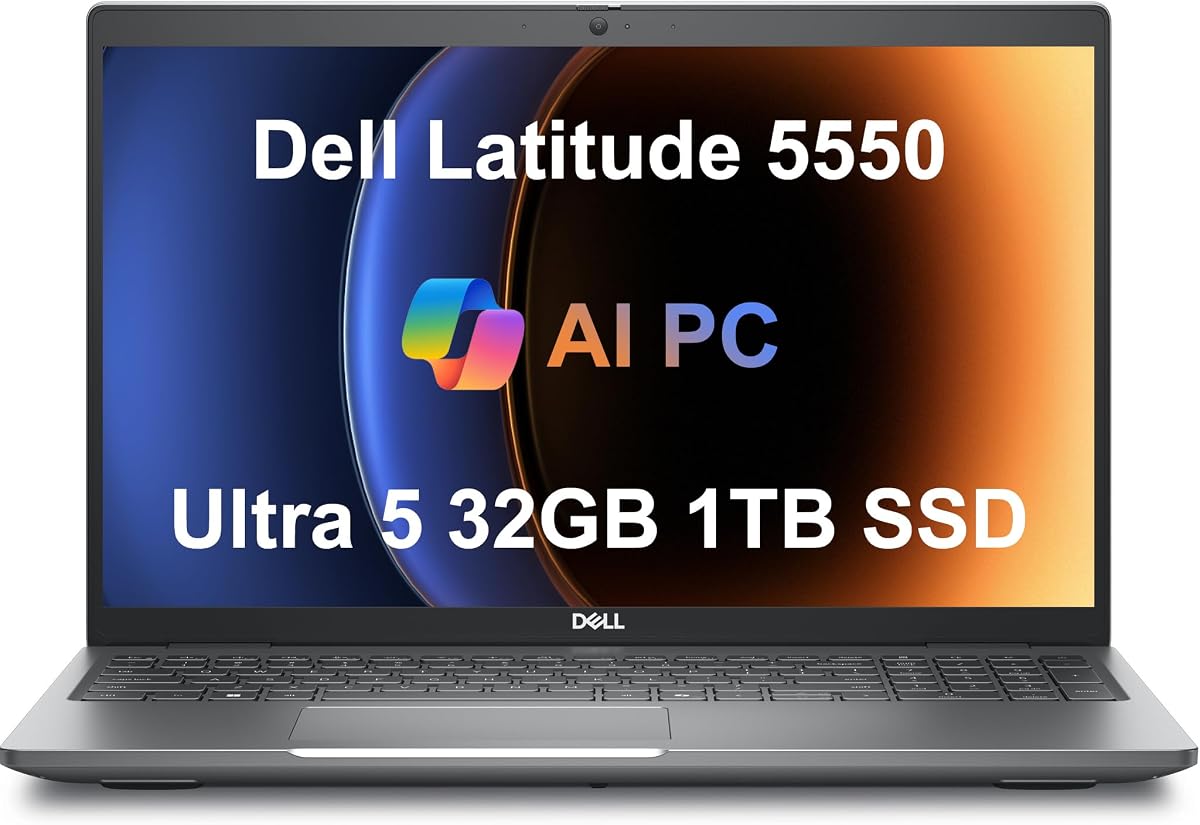
The 15.6 inch display provides ample screen real estate for multitasking applications. This model uses the new Ultra 5 processor for balanced speed and efficiency. 32GB of RAM ensures smooth operation for virtualization and data analysis.
We may earn a commission when you buy through this link, at no additional cost to you.
Storage is flexible with dual SSD slots allowing easy upgrades. Connectivity includes Thunderbolt 4 for high-speed external drives and monitors. The build feels robust suitable for long-term enterprise usage environments.
Portability is reduced compared to 13 inch models due to the larger size. This trade-off is worth it for users who need a larger canvas for spreadsheets. The weight may be noticeable during daily travel over long periods.
Ideal for finance professionals or data analysts needing screen space and power. It supports complex workflows without thermal throttling during heavy sessions. The design prioritizes function over ultra-portability for stationary desk work.
Larger display reduces eye strain when working with complex data grids and charts.
Dual M.2 slots allow for storage expansion as data needs grow over time.
We may earn a commission when you buy through this link, at no additional cost to you.
This model bridges the gap between budget and premium with modern specs. The 16 inch display offers high resolution for sharp visuals and text. It includes a Core 5 processor designed for efficiency and responsiveness.
We may earn a commission when you buy through this link, at no additional cost to you.
Battery capacity is high supporting long workdays without constant charging. Durability is confirmed through rigorous military standard testing for tough environments. This makes it a reliable choice for field work or travel.
While RAM is standard at 16GB it handles most office tasks well. The webcam quality is functional but not the sharpest for professional video calls. Upgrading storage is easy if more space is needed later on.
Best for general business users needing a larger screen without high cost. It supports multiple external displays for expanded workstation setups. The price point makes it accessible for small businesses needing multiple units.
WUXGA resolution provides crisp text and images for detailed design and data work.
Ruggedized chassis withstands environmental stress ensuring reliability in demanding settings.
We may earn a commission when you buy through this link, at no additional cost to you.
Designed for mobility this laptop weighs under three pounds for easy carrying. It integrates AI features that enhance video calls with automatic framing and noise reduction. The Ultra 5 processor delivers quick response for daily business tasks.
We may earn a commission when you buy through this link, at no additional cost to you.
Security is paramount with facial recognition and encrypted data tools. Battery life is improved over previous generations allowing for all day work. Fast charging technology minimizes downtime when power is running low.
Port selection is streamlined favoring modern USB-C connectors over legacy options. Users might need dongles for HDMI or USB-A peripherals. This is a minor inconvenience for the significant gain in weight reduction.
Perfect for sales teams and executives who travel frequently. It balances performance with portability better than most competitors in this category. The build quality ensures it survives the rigors of airport commutes.
Lightweight form factor fits easily into carry-on bags without adding bulk.
AI driven audio and video tools improve communication clarity during virtual meetings.
We may earn a commission when you buy through this link, at no additional cost to you.
This renewed model offers significant savings while maintaining high performance specs. The 32GB of RAM supports heavy multitasking and virtualization tasks well. Storage is generous at 1TB ensuring plenty of space for large files.
We may earn a commission when you buy through this link, at no additional cost to you.
Despite being a previous generation it handles business applications efficiently. The Thunderbolt port allows for fast external storage connections. This makes it a smart pick for budget-conscious buyers needing power.
Screen resolution is standard HD which might limit detail compared to newer FHD panels. Battery health varies on renewed units but typically remains functional. Users should check warranty terms carefully before finalizing the purchase decision.
Best suited for stationary office environments where cost is a priority. It handles database access and spreadsheet work effectively without slowdowns. This model proves older hardware can still serve enterprise needs well.
Provides enterprise grade specs at a fraction of the cost of new devices.
Large SSD ensures ample space for archives without needing external drives.
We may earn a commission when you buy through this link, at no additional cost to you.
This notebook emphasizes AI capabilities to enhance productivity and workflow automation. It runs the latest Windows features designed for intelligent task management. The display offers full HD clarity suitable for professional presentations and documents.
We may earn a commission when you buy through this link, at no additional cost to you.
Connectivity is robust with Wi-Fi 6E ensuring fast data speeds. The keyboard includes backlighting for working in dim environments. These details show attention to user comfort during extended work sessions.
RAM is decent but might limit heavy virtualization users. Storage is sufficient for most business apps but power users might need external drives. This trade-off keeps the weight manageable while delivering strong performance.
Ideal for users wanting a balance between AI tech and traditional utility. It is suitable for hybrid work setups requiring reliable wireless and secure access. The design supports long-term use without feeling outdated quickly.
Built-in neural processing units accelerate specific tasks like video processing automatically.
Wi-Fi 6E ensures stable connections in crowded offices and conference centers.
We may earn a commission when you buy through this link, at no additional cost to you.
The 3550 balances power and price effectively for mid-sized businesses. The Ultra 7 processor offers high core counts for heavy computing tasks. It includes a 1TB SSD which is generous for this price point.
We may earn a commission when you buy through this link, at no additional cost to you.
Security features like fingerprint readers help protect sensitive company data. The display provides clear text and color for daily document work. This model is designed for practical reliability in busy office settings.
Design aesthetics are functional rather than sleek which keeps costs down. Weight is typical for 15 inch models and may not suit travelers. However it provides a stable and responsive platform for daily operations.
Best for teams needing consistent performance without premium costs. It handles standard business applications smoothly without lag. The value proposition is strong for bulk office setups requiring multiple units.
Biometric login options ensure quick access while maintaining enterprise security standards.
High core count processor handles multi-threaded workloads efficiently during peak times.
We may earn a commission when you buy through this link, at no additional cost to you.
This device is a budget-friendly entry into the modern business laptop segment. It offers a 16 inch screen at a competitive price for small businesses. The DDR5 RAM ensures fast system responsiveness for typical office tasks.
We may earn a commission when you buy through this link, at no additional cost to you.
The 120U processor handles standard apps and web browsing smoothly. It is not designed for heavy rendering but sufficient for data entry and writing. The build is durable enough for general office use and light travel.
Storage is standard but can be upgraded if needed for more files. The webcam and microphone are adequate for virtual meetings without issues. Users prioritizing screen space on a budget will find this model suitable.
Recommended for students and entry-level staff needing a modern machine. It provides essential features like Windows 11 Pro and fast connectivity. This model proves affordable devices can still deliver reliable daily performance.
Larger display improves readability and reduces eye strain during long document editing.
DDR5 technology provides faster access speeds than older DDR4 memory modules.
We may earn a commission when you buy through this link, at no additional cost to you.
Selecting the right Dell Latitude involves understanding your workflow needs and balancing hardware specs with portability requirements.
The processor dictates speed and efficiency for multitasking. Ultra 7 offers top speed while i5 and i3 handle standard tasks well.
Prioritize newer Ultra series processors for future-proofing and AI capabilities.
RAM impacts how many apps you can run simultaneously. 16GB is minimum for modern Windows 11 usage effectively.
Choose 32GB for virtualization or heavy data analysis workflows.
NVMe SSDs ensure fast boot times and file access. 512GB is standard but 1TB offers more headroom.
Look for dual M.2 slots if you plan to expand storage later.
13 inch models are highly portable but limit workspace. 15 and 16 inch versions offer better comfort for spreadsheets.
Choose screen size based on how often you will carry the device.
Full HD is standard but WUXGA or higher provides sharper text. Brightness levels matter for use in bright offices.
Higher resolutions are better for design work or detailed visual tasks.
Ensure the laptop has the ports you need without dongles. Thunderbolt 4 enables fast transfer and external monitors.
Check for HDMI and Ethernet if you connect to wired networks regularly.
Long battery life is essential for remote work and travel. Look for models with ExpressCharge for quick top-ups.
Check reviews for real-world usage times rather than just marketing claims.
Business laptops should offer biometric login options for secure access. Fingerprint and facial recognition add layers of protection.
Ensure the device supports BitLocker for enterprise data encryption standards.
Start by setting up Windows 11 Pro security features like BitLocker encryption. Ensure all drivers are updated for optimal performance and battery efficiency.
Keep the vents clean and free of dust to prevent overheating during intensive tasks. Use a cooling pad if you work on soft surfaces like beds or couches.
Update the firmware regularly through Dell Command Update to maintain system stability. Back up important files to cloud storage or external drives daily for safety.
The 5000 series offers premium materials and higher performance options compared to the 3000. It is designed for executives while the 3000 suits general staff.
Yes models with Ultra 7 processors and 32GB RAM handle basic editing well. Professional work may require an external GPU for optimal rendering speeds.
Battery life varies by model but typically ranges from 8 to 12 hours on moderate use. ExpressCharge helps recover hours of power in under an hour.
Some models have soldered RAM while others allow upgrades. Check the specific model specs before purchase for memory flexibility options.
Most Latitude models support multiple monitors via Thunderbolt 4 and HDMI ports. You can often run up to three external displays without a dock.
Yes several 13 and 15 inch models come with touchscreen display configurations. This adds interactivity for presentations and drawing tasks.
Standard warranty covers hardware defects for one year with ProSupport options available. Some listings include extended third-party warranties for memory upgrades.
The Intel processors support Hyper-V and other virtualization tools. Ensure you have enough RAM for running multiple VMs simultaneously.
The Dell Latitude 5450 stands out as our top choice for general professionals needing balanced power. It combines speed and security in a durable chassis suitable for any environment.
For budget buyers the Latitude 3450 offers incredible value with essential modern specs. Those needing portability will love the lightweight Latitude 5350 Touch.
Prices and stock change regularly so always verify the latest offers before purchasing. These models are built for longevity ensuring they serve your needs for years.