
Rongta Bluetooth Shipping Label Printer
4.0Editor score
Affordable wireless thermal option
Automatic label identification
Compatible with iOS and Android
This guide compares the top DHL label printers for small businesses, evaluating speed, connectivity, and platform compatibility to help you choose the right
Finding the right DHL label printer is crucial for efficient shipping operations. A good printer offers fast speeds, reliable connectivity, and compatibility with major platforms like DHL, ensuring your packages are labeled quickly and accurately without hassle.
We compared ten top-rated thermal printers based on speed, connectivity options, ease of use, and platform support. Each model was evaluated for its ability to handle high-volume shipping tasks while maintaining print quality and reducing operational costs for small businesses.
Each pick highlights key features, pros, and cons to help you decide. Note that prices and availability change frequently, so check current listings before purchasing. Our goal is to provide clear, honest insights to streamline your shipping workflow effectively.
4.0Editor score

4.6Editor score

4.1Editor score
Below is a side-by-side comparison of all ten printers. This table highlights key specifications and features to help you quickly identify which model fits your specific shipping volume and connectivity requirements best.






The Rollo USB Shipping Label Printer stands out as the top choice for businesses needing reliable performance. With a 4.6 rating, it delivers consistent results for DHL and other major carriers through its robust build quality.
We may earn a commission when you buy through this link, at no additional cost to you.
Its direct thermal technology prints at 150mm/s, ensuring quick label production. The high-resolution 203 DPI head guarantees clear barcodes and text, which reduces scanning errors during shipping and improves operational efficiency.
While it lacks wireless options, the USB connection remains stable and straightforward. Some users might prefer Bluetooth for flexibility, but the trade-off offers a steady workflow ideal for dedicated shipping stations.
This printer is best for high-volume shippers who prioritize speed and reliability. Its compatibility with platforms like DHL, FedEx, and Amazon makes it a versatile tool for growing businesses.
Prints one 4×6 label per second to keep up with busy order volumes.
Works seamlessly with ShipStation, Shopify, and DHL to streamline workflows.
We may earn a commission when you buy through this link, at no additional cost to you.
The Rongta Bluetooth Shipping Label Printer offers an affordable entry point for small businesses. With a 4.0 rating, it provides essential features like wireless printing and automatic label detection for DHL labels.
We may earn a commission when you buy through this link, at no additional cost to you.
Its automatic label identification simplifies setup by detecting width and feeding correctly. The Bluetooth connection allows printing from mobile devices, which is convenient for on-the-go shipping tasks.
Build quality is adequate for low-volume use but may not withstand heavy daily stress. Users should manage expectations regarding longevity compared to commercial-grade models.
This printer is ideal for startups or occasional shippers on a tight budget. It handles DHL and other major platforms efficiently without breaking the bank.
Connect via Bluetooth app to print labels from phones without cables.
Automatically detects label size to reduce manual adjustments and jams.
We may earn a commission when you buy through this link, at no additional cost to you.
The Rollo Wireless Shipping Label Printer represents premium functionality for flexible offices. With a 4.1 rating, it supports Wi-Fi AirPrint, enabling seamless printing from iPhones and iPads without Bluetooth pairing.
We may earn a commission when you buy through this link, at no additional cost to you.
Its printhead lasts significantly longer than standard models, reducing replacement costs over time. This durability makes it cost-effective for high-volume operations despite the higher upfront investment.
Initial network setup can be slightly complex compared to USB models. However, once configured, the wireless freedom adds considerable value to busy shipping environments.
Best for businesses needing versatile connectivity and long-term reliability. It handles DHL and other carriers efficiently, making it a robust choice for professional use.
Print directly from Apple devices via Wi-Fi without installing drivers.
Extended printhead life reduces long-term maintenance and replacement needs.
We may earn a commission when you buy through this link, at no additional cost to you.
The JADENS Bluetooth Thermal Shipping Label Printer offers strong value with reliable performance. Rated 4.4, it features a high-tech Japanese thermal head that ensures clean prints for DHL labels without ink mess.
We may earn a commission when you buy through this link, at no additional cost to you.
It supports both fanfold and roll labels, giving flexibility in material choices. The wireless functionality via Bluetooth works well on Windows and Mac, though mobile users need the specific app.
Users should note that label calibration is required when changing sizes. This step ensures accuracy but adds a minor task to setup routines.
This printer suits small businesses seeking quality without high costs. Its broad platform compatibility makes it a safe bet for various shipping needs.
Accepts both roll and fanfold labels for varied supply preferences.
Includes U-Disk with drivers and videos for smoother initial configuration.
We may earn a commission when you buy through this link, at no additional cost to you.
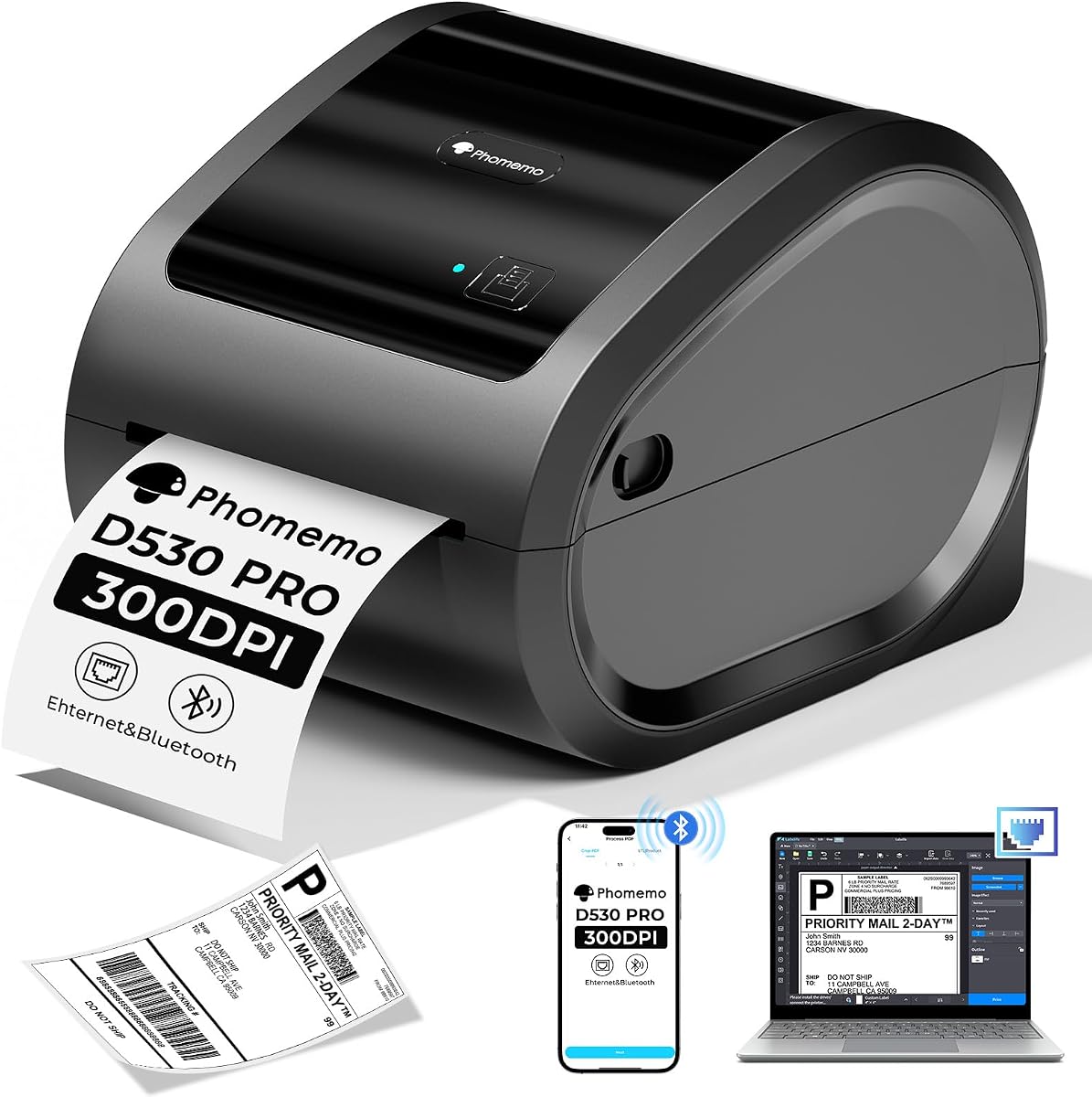
The Phomemo 300DPI Ethernet Thermal Label Printer delivers exceptional clarity. With a 4.1 rating, its 300 DPI resolution ensures crisp details for complex barcodes required by DHL and other carriers.
We may earn a commission when you buy through this link, at no additional cost to you.
The built-in paper bin saves desk space by holding up to 500 labels. The return function helps save labels by retracting unused material, reducing waste effectively.
Ethernet connectivity provides stable connections but requires running a cable. Wireless users might find this less convenient, though it ensures reliability in busy environments.
Best for businesses needing high-quality prints and organized workspaces. It handles DHL labels well, making it a practical choice for professional use.
Built-in paper bin holds rolls to keep desktops organized.
300 DPI ensures sharp text and barcodes for scanning accuracy.
We may earn a commission when you buy through this link, at no additional cost to you.
The MUNBYN Bluetooth Thermal Label Printer excels in quiet environments. Rated 4.2, its 60 dB operation ensures noise stays below typing levels, ideal for shared offices or libraries.
We may earn a commission when you buy through this link, at no additional cost to you.
The DAC chip auto-calibrates labels, reducing misalignment issues common in other models. This tech improves accuracy and speed without constant manual adjustments during tasks.
Font legibility reaches 0.1 mm, ensuring even tiny text is readable. While this is great for detail, ensure label contrast is high enough for scanning.
This printer is perfect for noise-sensitive spaces. It handles DHL labels efficiently, making it a reliable choice for home offices or quiet workplaces.
60 dB output keeps office noise levels low during busy times.
DAC chip detects labels automatically to prevent alignment errors.
We may earn a commission when you buy through this link, at no additional cost to you.
The KNAON Bluetooth Thermal Shipping Label Printer stands out for speed and flexibility. With a 4.4 rating, it prints at 180mm/s, faster than many competitors, which is great for high-volume DHL shipping.
We may earn a commission when you buy through this link, at no additional cost to you.
The app offers over 3000 templates, adding versatility beyond shipping labels. This feature supports personal use, making it a dual-purpose tool for small businesses.
Setup is simplified by the included USB drive with drivers and videos. While mobile users need the app, this ensures consistent performance across devices.
Ideal for small businesses needing speed and variety. Its compatibility with DHL and other platforms makes it a solid choice for growth.
180mm/s speed accelerates shipping processes during peak hours.
Thousands of templates allow custom labels beyond standard shipping.
We may earn a commission when you buy through this link, at no additional cost to you.
This Thermal Shipping Label Printer 4×6 is designed for efficiency and ease. Rated 4.4, it comes with labels and cables, ensuring you can start printing immediately without extra purchases.
We may earn a commission when you buy through this link, at no additional cost to you.
Offline capability allows local template storage, reducing dependency on cloud connectivity. This ensures uninterrupted workflow even if internet access fluctuates during peak times.
The FlashLabel Pro app provides extensive templates but requires a download. Users should expect a slight learning curve to utilize all its features effectively.
Best for users who want a complete package. It handles DHL and other major carriers well, making it a practical choice for new businesses.
Includes printer, cables, and 25 labels for immediate setup.
Stores templates locally to ensure printing even without internet.
We may earn a commission when you buy through this link, at no additional cost to you.
The Nelko Bluetooth Thermal Shipping Label Printer focuses on cost efficiency. With a 4.3 rating, it eliminates ink costs through direct thermal technology, keeping operational expenses low.
We may earn a commission when you buy through this link, at no additional cost to you.
USB and Bluetooth connectivity work well, though Mac OS requires USB. This distinction is important for users with mixed device environments.
Setup is supported by videos and drivers included on U-Disk. This aids beginners in getting the printer running smoothly without technical hassle.
Ideal for budget-conscious small businesses. It supports DHL and other platforms effectively, ensuring reliability without high investment.
Direct thermal technology removes ink costs to reduce operational spending.
U-Disk includes videos to guide users through configuration steps.
We may earn a commission when you buy through this link, at no additional cost to you.
The DYMO LabelWriter 550 Series offers premium control with exclusive labels. With a 3.6 rating, its automatic recognition minimizes waste by printing exact quantities needed for tasks.
We may earn a commission when you buy through this link, at no additional cost to you.
It uses only authentic DYMO labels, which are high quality but cost more than generic options. This ensures consistent results but increases long-term supply costs.
The printer's design emphasizes efficiency and environmental standards with plastic-free packaging. This appeals to users prioritizing sustainability in their operations.
Best for those willing to pay for quality and simplicity. It supports major shipping tasks effectively, though cost may be a factor for high-volume shippers.
Prints exact quantities to reduce paper waste and improve sustainability.
Labels are detected automatically for easier operation and accuracy.
We may earn a commission when you buy through this link, at no additional cost to you.
Choosing the right DHL label printer involves weighing several critical factors. This guide outlines the essential aspects to consider before making a purchase.
Connectivity determines how you interact with the printer. USB offers stability but limits location, while Bluetooth and Wi-Fi provide flexibility for mobile or remote printing.
Speed impacts how quickly you can process orders. Look for models with at least 150mm/s to ensure efficiency during peak shipping times.
Ensure the printer works with your shipping software. Most modern thermal printers support DHL, eBay, and Amazon, but verify specific app integrations.
Standard DHL labels are 4×6 inches. Check if the printer supports this size and other formats like 2×4 or 2×6 for versatility.
Durability affects long-term performance. Commercial-grade printers usually have better components and printhead lifespans than consumer models.
Quick setup minimizes downtime. Look for printers with auto-detection or easy driver installation to get started faster.
Consider ongoing costs like labels and maintenance. Thermal printers eliminate ink but still require paper supplies, which vary in price.
A solid warranty protects your investment. Check for customer support availability and terms before purchasing.
Clean the printhead regularly with isopropyl alcohol to prevent smudges. Keep the printer covered when not in use to protect against dust.
Most thermal printers support generic labels as long as they are 4×6 inches. However, ensure they are thermal paper, not inkjet, to work correctly with your printer.
You typically need shipping software like ShipStation or a DHL app to generate labels. The printer acts as an output device, printing the PDFs generated by these tools.
Skipping often happens due to incorrect calibration or sensor misalignment. Use the feed button to calibrate the printer to the correct label size.
Download the manufacturer's app, enable Bluetooth on your phone, and pair through the app settings. Direct Bluetooth pairing usually isn't supported without the app.
No, thermal printers use heat-sensitive paper and do not need ink or toner. This reduces ongoing costs and simplifies maintenance for shipping tasks.
Yes, most printers support mobile printing via Bluetooth apps. Ensure your phone has the required app installed to generate and send labels wirelessly.
For high-volume shipping, look for speeds of 150mm/s or faster. This ensures labels print quickly, keeping your workflow efficient.
Most support macOS via USB or Bluetooth. However, check specific app compatibility as some features may vary between operating systems.
Prices and availability change frequently, so verify details before purchasing. With the right printer, you can streamline your shipping process effectively.