
EVISTR L357
4.2Editor score
64GB storage capacity
One click record save
Noise reduction technology
This guide compares the top digital voice recorder models for 2026 focusing on audio quality storage capacity battery life and smart features to help you
Finding the right digital voice recorder can transform how you capture lectures meetings and interviews. Modern devices offer high fidelity audio long battery life and smart features like AI transcription. These tools ensure you never miss important details during critical sessions.
We evaluated ten leading models based on recording clarity storage options and ease of use. Our analysis covers traditional recorders and new AI powered devices that summarize content automatically. Each product was selected for its reliability and performance in real world scenarios.
Each pick highlights specific strengths such as budget friendly options or premium AI capabilities. You will see detailed reviews and comparison tables to simplify your decision. Please note that product availability and pricing may change over time.
4.2Editor score

4.5Editor score

4.5Editor score
The following table provides a side by side overview of the top digital voice recorder models available in 2026. Compare key specifications like storage capacity battery life and audio formats to find the device that best fits your professional or academic needs.


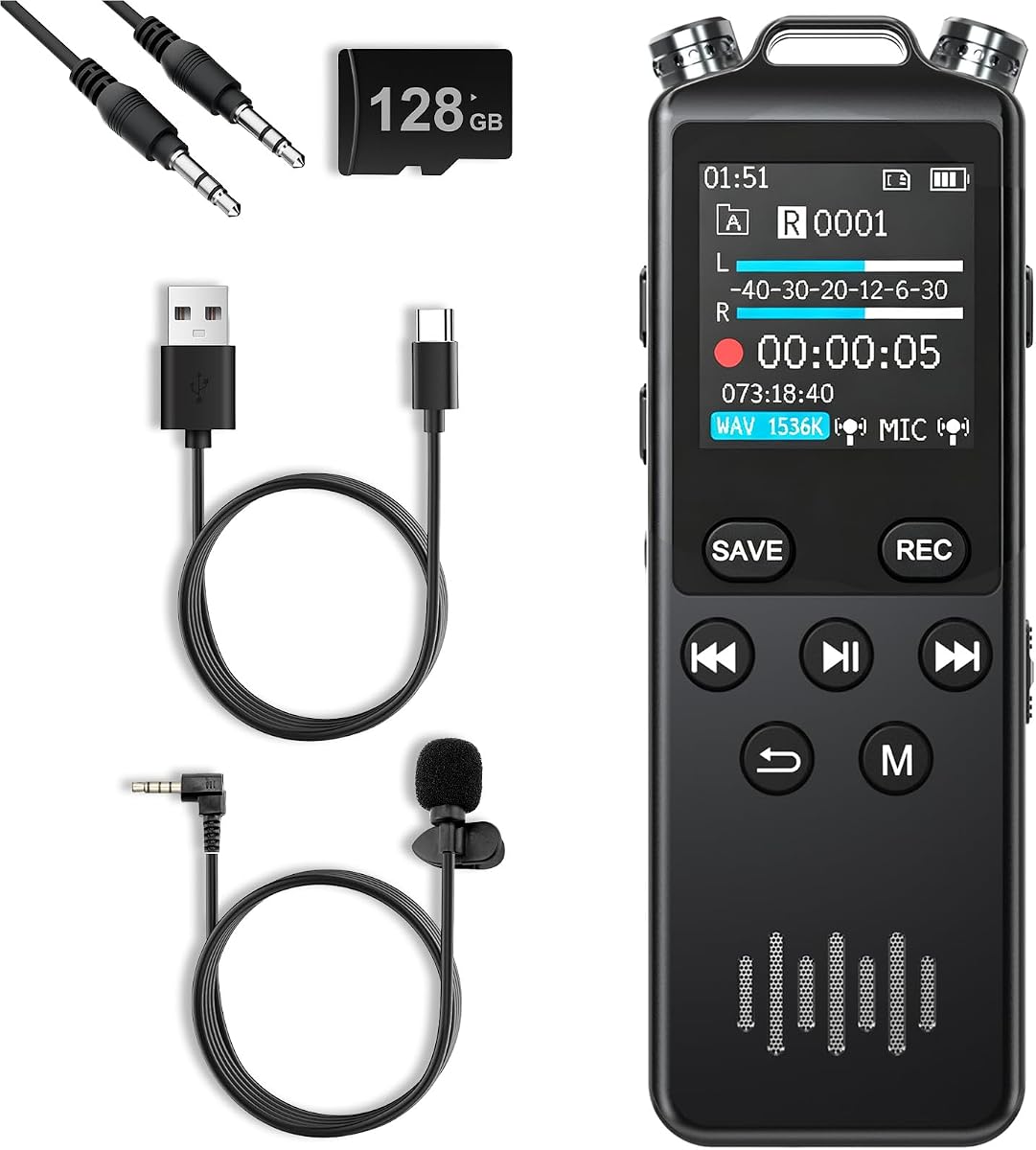


The Tonfarb 136GB Digital Voice Recorder stands out as a top choice for users needing extensive storage and clear audio. With a rating of 4.2 stars it balances affordability with high performance features suitable for professionals and students alike.
We may earn a commission when you buy through this link, at no additional cost to you.
Its dual noise reduction microphones ensure crystal clear sound capture even in noisy environments. The 136GB storage capacity including a complimentary TF card allows for up to 9775 hours of recording. This is ideal for long lectures or multiple meetings without worrying about running out of space.
While the device offers one click recording for quick access the interface may take some time to learn fully. Users must ensure they understand the save and record button mechanics to avoid losing important audio clips during sessions.
This recorder is highly recommended for journalists students and anyone who needs reliable long term audio capture. Its durability and battery life make it a practical investment for daily use in various settings.
The built-in noise reduction technology filters out background chatter ensuring your voice remains the primary focus of the recording.
With a 1100mAh battery this device supports up to 68 hours of continuous recording making it perfect for all-day conferences.
We may earn a commission when you buy through this link, at no additional cost to you.
The EVIDA 9296 Hours recorder is designed for users who prioritize massive storage and versatile functionality. It offers 128GB of memory which is sufficient for thousands of hours of audio files making it a robust tool for extensive documentation needs.
We may earn a commission when you buy through this link, at no additional cost to you.
Its voice activated recording feature allows you to set different decibel levels to capture speech while ignoring background noise. The device also functions as a USB flash drive and MP3 player providing added value beyond simple audio recording.
Some users might find the initial setup of voice levels slightly complex compared to simpler models. Additionally the physical size might be less convenient for those who prefer ultra compact devices that fit easily in small pockets.
This model is best suited for business professionals and educators who need to store large volumes of meeting notes or lecture transcripts. The included customer support ensures you can get help if you encounter any technical issues during setup.
The four folder storage system helps you organize recordings into categories like A B C and D for quick retrieval later.
By adjusting voice sensitivity levels you can ensure the recorder only starts when meaningful speech is detected saving battery life.
We may earn a commission when you buy through this link, at no additional cost to you.
The Olympus WS-853 is a premium choice for those who demand high fidelity audio recording. Its true stereo microphone captures a wider range of sound which is essential for music or detailed interviews where nuance matters.
We may earn a commission when you buy through this link, at no additional cost to you.
With 8GB of internal memory and a micro SD card slot this device offers flexibility in storage expansion. The variable speed playback feature allows you to listen to recordings faster or slower which is incredibly useful for study sessions.
While the price is higher than budget options the build quality and audio performance justify the cost for serious users. It lacks some smart features like voice activation found in other models but excels in pure audio capture.
This recorder is ideal for journalists and musicians who need professional grade sound. The inclusion of a carrying case adds value and protects the device during travel ensuring it remains in good condition over time.
The direct USB connection allows you to transfer files and charge the device without needing a separate cable for your PC.
Adjusting playback speed helps you review long recordings more efficiently saving valuable time during study or work.
We may earn a commission when you buy through this link, at no additional cost to you.
The EVISTR L357 offers exceptional value for users on a budget who still need reliable recording capabilities. Its 64GB storage provides ample space for lectures and meetings while maintaining a low price point compared to competitors.
We may earn a commission when you buy through this link, at no additional cost to you.
PCM intelligent noise reduction technology ensures that your recordings are clear even in less than ideal environments. The file naming system uses timestamps making it easy to locate specific recordings quickly without scrolling through endless lists.
Battery life is decent but not the longest on the market requiring regular charging for extended use. The metal body is durable but the menu system lacks the advanced customization found in higher end models.
This device is perfect for students and casual users who need a straightforward recording tool. Its simplicity and reliability make it a strong contender for those who want quality audio without paying for advanced features.
The dynamic noise reduction microphone captures sound in 360 degrees ensuring voices are picked up from any angle.
Auto naming files by date and time streamlines the process of organizing and retrieving specific audio clips later.
We may earn a commission when you buy through this link, at no additional cost to you.
The Plaud Note Pro is a groundbreaking device that combines recording with advanced artificial intelligence capabilities. It offers transcription and summarization features that can transform raw audio into actionable notes instantly for busy professionals.
We may earn a commission when you buy through this link, at no additional cost to you.
Its AI directional audio minimizes noise to capture voices with crystal clarity even in busy environments. You can interact with your recordings using the Ask Plaud feature to ask questions or extract key points without manually listening to the whole file.
While the hardware is excellent the reliance on subscriptions for full features can be a drawback for some users. The premium price tag reflects the advanced technology but might be too high for simple recording needs.
This device is ideal for executives and researchers who need efficient note taking solutions. The security compliance features ensure that sensitive business data remains protected while leveraging AI for better productivity.
You can ask specific questions about your recordings to get immediate answers and next step suggestions.
The ability to add photos and notes while recording enriches the context of the audio for better understanding later.
We may earn a commission when you buy through this link, at no additional cost to you.
The Tonfarb 64GB offers a practical solution for users who need a reliable recorder with good storage. Its large screen makes navigation easy and the built-in memory card provides plenty of space for daily recordings.
We may earn a commission when you buy through this link, at no additional cost to you.
The one click record and save function ensures you never miss a moment during important meetings. Password protection keeps your files secure and the MP3 player function adds extra utility for listening to music on the go.
Battery life is average compared to high-end models so frequent charging might be needed for long sessions. It lacks some advanced AI features but remains a solid tool for traditional audio capture needs.
This recorder is suitable for general office use or classroom lectures. It balances usability and functionality well without requiring a large investment or complex setup for the user.
The big screen helps you see recording levels and file lists clearly without squinting or guessing.
Built-in password protection ensures that your confidential meeting notes remain private and accessible only to you.
We may earn a commission when you buy through this link, at no additional cost to you.
The 160GB Voice Recorder is designed for users who need maximum storage and durability. With 11500 hours of capacity it allows for years of recording without needing to delete old files or manage space constantly.
We may earn a commission when you buy through this link, at no additional cost to you.
Its HD stereo recording captures true to life sound making it suitable for music and detailed interviews. The zinc alloy body ensures it can withstand daily wear and tear while maintaining a professional look in any setting.
The weight might be slightly higher due to the large battery and storage components. While the interface is basic it includes essential features like scheduled recording and A-B repeat for effective audio review and management.
This device is perfect for field researchers or long-term archivists who need extensive storage. Its durability and capacity make it a reliable tool for projects that require uninterrupted recording over long periods.
The 1100mAh battery supports extended use ensuring you can record through long meetings without interruption.
Choose from multiple modes like meeting or outdoor to optimize audio capture for different environments easily.
We may earn a commission when you buy through this link, at no additional cost to you.
The EVISTR L359 brings AI transcription capabilities to a more affordable price point. It allows you to convert speech into text and generate smart summaries using the companion app for better productivity.
We may earn a commission when you buy through this link, at no additional cost to you.
With 128GB of storage it offers plenty of space for high quality recordings. The wired OTG connection ensures stable and fast data transfer to your phone which is often more reliable than wireless options.
Using the full AI features requires downloading an app which might be a minor inconvenience for some users. The wired transfer also means you cannot move files without a physical connection or extra cables.
This device is great for students and professionals who want AI features without a high cost. It balances modern technology with traditional recording needs making it a versatile tool for daily use.
The app can generate mind maps and speaker identification to help you organize notes from group meetings.
Wired OTG connection ensures your files are transferred safely without relying on Bluetooth or unstable WiFi.
We may earn a commission when you buy through this link, at no additional cost to you.
The aiworth E36 offers a feature rich experience with a large storage capacity and useful playback controls. Its variable play speed allows for efficient review of recordings which is helpful for studying long lectures or interviews.
We may earn a commission when you buy through this link, at no additional cost to you.
The dual microphones ensure high quality recording that captures voices clearly. Password protection adds a layer of security ensuring that your private recordings remain accessible only to you.
Some users may find the setup slightly complex due to the number of features available. The physical design is durable but might be heavier than ultralight models for those who prioritize portability above all else.
This device is best for users who need a comprehensive set of tools in one device. The balance of storage security and playback features makes it a strong choice for serious recording tasks.
Adjusting playback speed allows you to hear every word clearly or speed up review sessions as needed.
Power on password protection ensures no one can access your device or files without the correct code.
We may earn a commission when you buy through this link, at no additional cost to you.
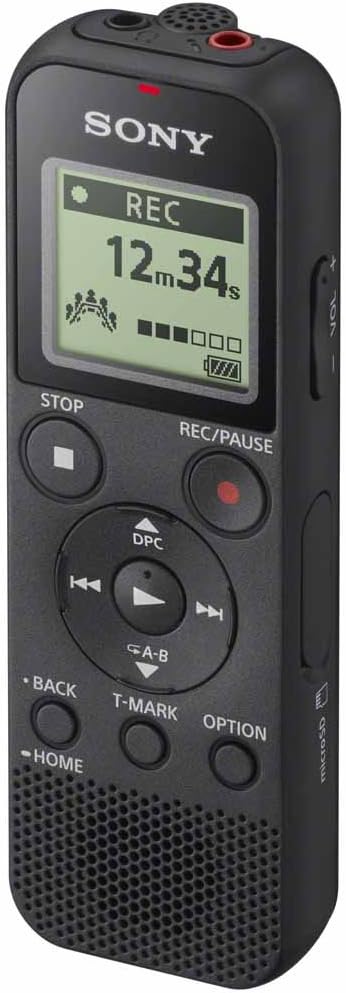
The Sony ICD-PX370 is a simple reliable tool for users who prefer straightforward functionality without complex features. Its built-in USB makes file transfer quick and easy without the need for separate cables or dongles.
We may earn a commission when you buy through this link, at no additional cost to you.
The mono recording is sufficient for clear speech capture in meetings or lectures. With up to 57 hours of battery life it ensures you can record for long periods without needing to recharge frequently.
Lacking stereo audio and advanced editing features this model is less suitable for music or high fidelity needs. However its ease of use and trusted brand reputation make it a great choice for basic tasks.
This recorder is ideal for casual users who want a dependable device for notes and interviews. Its simplicity ensures that you can start recording immediately without spending time learning complex menus or settings.
Record MP3 audio quickly and easily with a simple interface that requires minimal setup or learning time.
Built-in direct USB connection allows you to plug directly into your PC for fast file transfer.
We may earn a commission when you buy through this link, at no additional cost to you.
Selecting the right digital voice recorder involves considering several key factors to ensure it meets your specific needs. This guide breaks down the essential features you should evaluate before making a purchase.
Storage capacity determines how many hours of audio you can record before running out of space. Devices range from a few gigabytes to over 100GB allowing for days or weeks of continuous recording.
Look for models with expandable memory or large internal storage if you record long lectures or meetings regularly.
High quality audio ensures clarity and reduces the need for editing later. Models with stereo microphones or noise reduction technology capture voices more accurately than basic mono devices.
Prioritize PCM recording and noise reduction features if you need professional grade sound for interviews or music.
Long battery life is crucial for all-day recording sessions without interruptions. Some devices offer over 60 hours of continuous recording while others may require frequent recharging.
Choose a model with a rechargeable battery and fast charging capabilities to maximize your recording time.
An intuitive interface ensures you can operate the device without confusion. One click record buttons and clear screens make capturing audio simple and efficient.
Test the device ergonomics to ensure it fits comfortably in your hand or pocket for easy transport.
Modern recorders often include AI transcription and summarization tools that save time. These features allow you to convert audio to text automatically for better documentation.
Consider devices with smart capabilities if you need to organize notes quickly after recording sessions.
Password protection and encryption keep your sensitive recordings private from unauthorized access. This is vital for business meetings or personal notes.
Ensure the device offers robust security features to protect your intellectual property and confidential information.
Fast file transfer options like USB or OTG connections streamline workflow. Wireless options are convenient but wired connections often offer more stability.
Check that the device supports standard file systems compatible with your computer and phone for easy access.
A durable build ensures the device withstands daily wear and tear. Metal or reinforced plastic casings protect the internal components better than flimsy materials.
Invest in a device with a rugged design if you plan to carry it frequently in a bag or pocket.
To start recording ensure the device is fully charged and the memory is not full. Press the record button to begin capturing audio and stop it when you are finished to save the file.
Regularly update the firmware of your device to ensure optimal performance and security. Use a soft cloth to clean the exterior and store the recorder in a protective case to prevent physical damage.
Organize your recordings into folders or use the device naming system to keep files manageable. Regularly backup your audio files to a computer or cloud service to prevent data loss.
PCM recording captures audio in an uncompressed format which provides higher quality but larger file sizes. MP3 is compressed which saves space but may lose some audio detail. Choose PCM for professional needs and MP3 for casual use.
Most recorders have a USB connection or OTG port that allows you to connect directly to a computer or phone. Once connected the device acts as a drive where you can copy and paste audio files to your storage.
Yes many models support stereo recording which is suitable for capturing music. However for professional music production dedicated audio interfaces are recommended due to their higher fidelity and better input options.
Not all models include password protection so it is important to check the specifications before purchasing. Look for devices that offer encryption or password features if you need to secure sensitive information.
Many modern AI equipped recorders support multiple languages for transcription and processing. Traditional recorders typically handle audio files that can be translated using external software regardless of language.
Using voice activation mode reduces unnecessary recording when no one is speaking which conserves power. Lowering screen brightness and avoiding frequent file transfers also help extend the battery between charges.
Choosing the right digital voice recorder depends on your specific needs whether it is for academic professional or personal use. The models covered in this guide offer a range of options from budget friendly to advanced AI enabled devices.
Prioritize features like storage capacity and audio quality to ensure the device meets your expectations. Consider smart features like transcription if you need to manage large amounts of content efficiently.
Prices and availability may change so check current listings before making your final decision. With the right choice you can capture important moments with confidence and clarity.