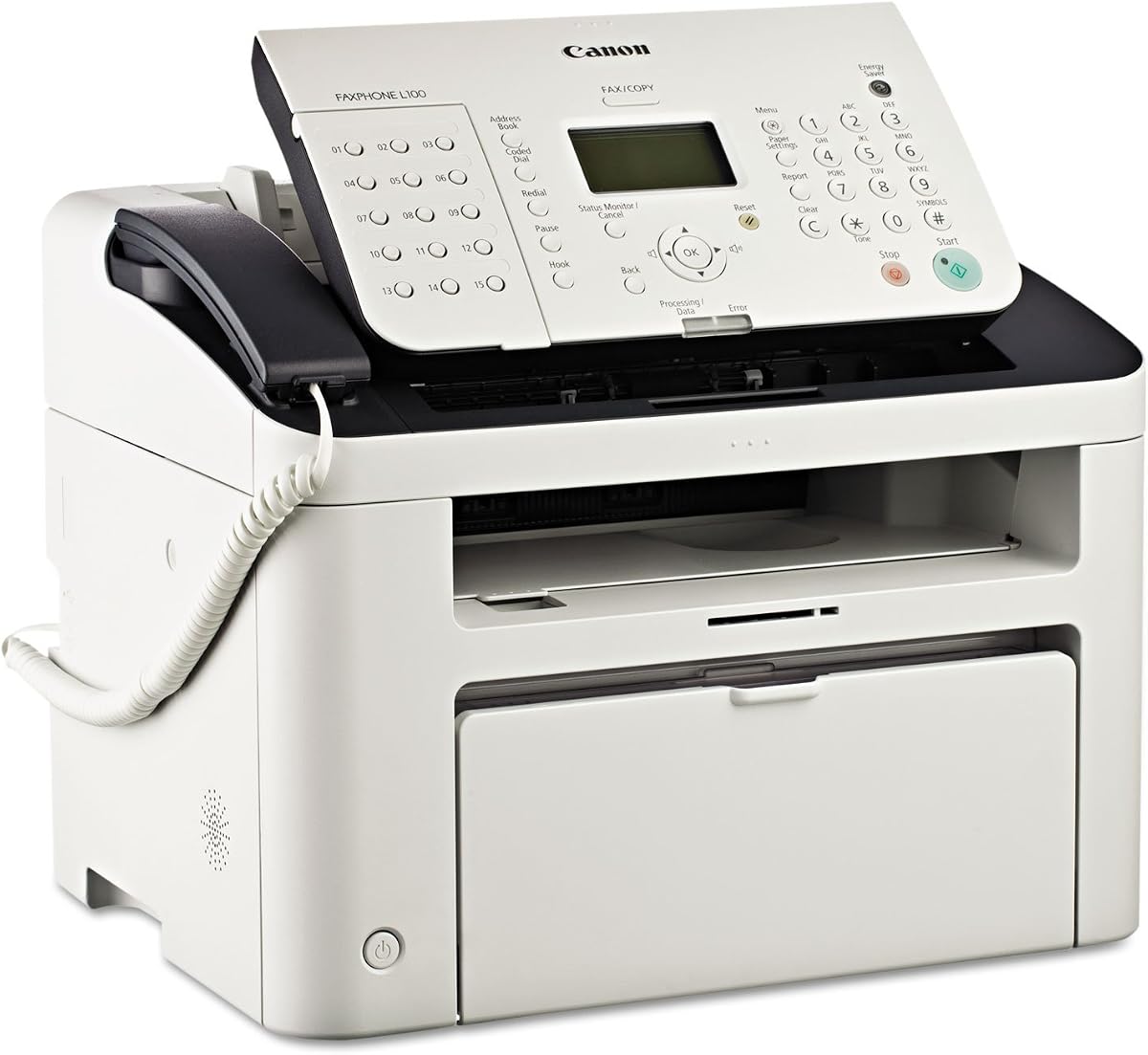
Canon FAXPHONE L100
4.1Editor score
Print up to 19 pages per minute
Up to 512 sheets memory capacity
150 sheets paper capacity included
Finding a reliable fax machine with phone capabilities is essential for many businesses and home offices that still require traditional document transmission methods for legal and professional purposes.
We have evaluated ten top-rated models based on their fax speeds, memory capacity, paper handling, and integrated phone features to ensure you get the best value for your investment.
Each pick below highlights specific strengths and trade-offs so you can make an informed decision. Please note that pricing and availability may change frequently on online marketplaces.
4.1Editor score

4.4Editor score

4.0Editor score
As an Amazon Associate we earn from qualifying purchases.
The following table provides a side-by-side comparison of all ten selected models, highlighting their key specifications and capabilities to help you quickly identify the right fit for your workflow.


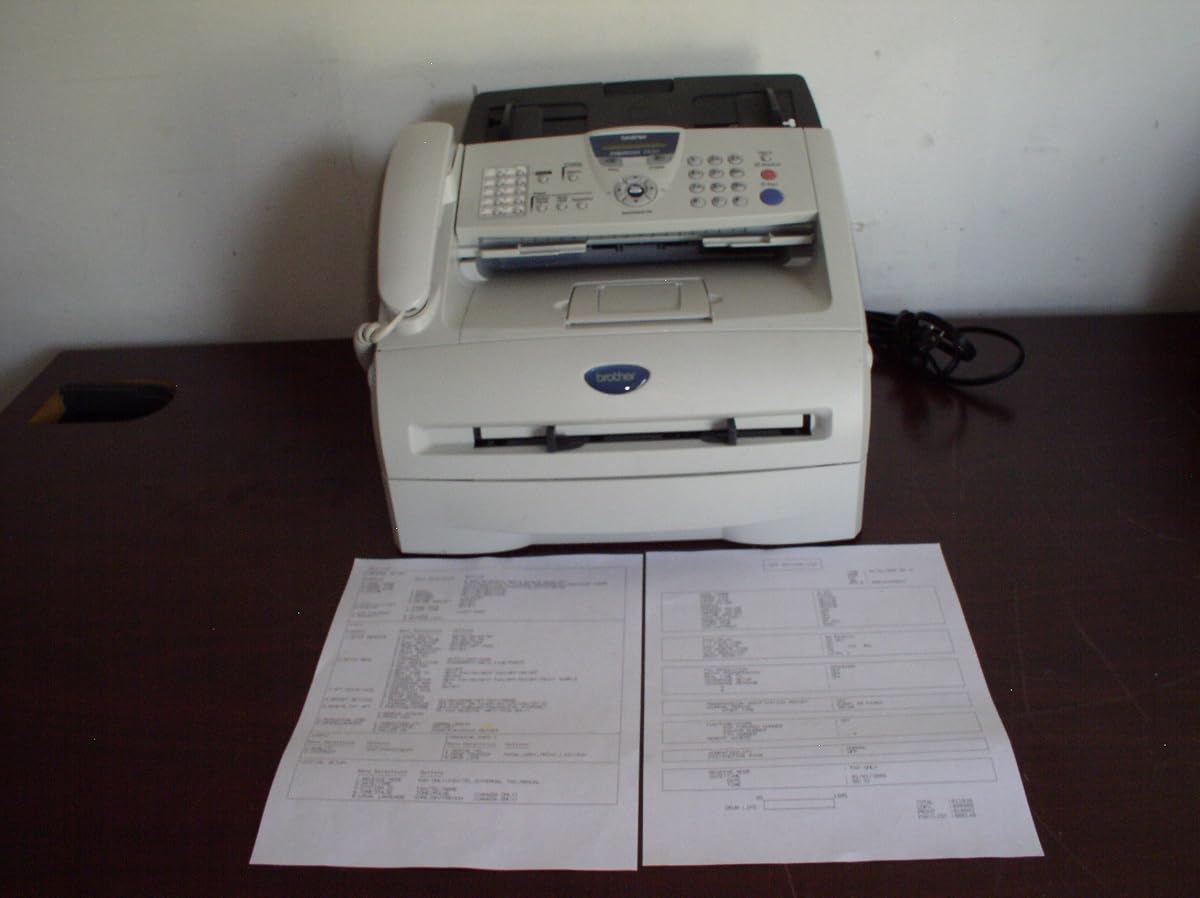

The Brother PPF4750E stands out as a high-performance business-class laser fax machine designed to handle demanding office tasks with precision and speed.
We may earn a commission when you buy through this link, at no additional cost to you.
Its Super G3 fax type ensures fast transmission over standard phone lines while the laser monochrome printing technology delivers crisp text documents every time.
While it lacks modern network connectivity found in newer models, its reliability and speed make it a strong contender for offices that prioritize consistent output over digital integration.
If you need a workhorse fax machine that can handle frequent copying and faxing without jamming or slowing down, this model remains a top recommendation for 2026.
This device is engineered for high-volume environments where downtime is not an option and consistent performance is required for daily operations.
Unlike thermal paper faxes this unit uses standard plain paper which is easier to store and write on after receiving important documents.
We may earn a commission when you buy through this link, at no additional cost to you.
The Canon FAXPHONE L100 offers an impressive combination of speed and memory capacity at a budget-friendly price point suitable for small offices or home users.
We may earn a commission when you buy through this link, at no additional cost to you.
It can print up to 19 pages per minute and stores multiple faxes in its 512 sheet memory capacity ensuring you never miss an important document during busy periods.
While the auto document feeder simplifies sending multi-page documents you should be aware that toner replacements can become a recurring cost over time.
For those looking for a reliable laser fax that saves on initial costs while maintaining good performance the L100 is an excellent value choice.
This model uses less than 2 watts in Energy Saver mode which helps reduce electricity bills during idle times when the device is not in use.
With up to 150 sheets paper capacity and a 30-sheet auto document feeder you can handle large batches without constant reloading.
We may earn a commission when you buy through this link, at no additional cost to you.
The CimFAX A5 represents a modern approach to faxing by allowing users to send and receive faxes directly from their computers or mobile devices without using paper.
We may earn a commission when you buy through this link, at no additional cost to you.
This paperless system is ideal for environmentally conscious businesses that want to reduce paper waste while maintaining the legal validity of faxed documents.
Although it requires a connection to a PC or mobile phone and a higher upfront cost the ability to auto forward incoming faxes as PDF files to your email is a major convenience.
If you prefer digital workflows and want to eliminate the need for paper storage and physical fax machines this premium solution is worth the investment.
You can send faxes from Android or iOS smart phones with just a few taps making it easy to transmit documents while on the go.
Auto saving faxes on local or network shared folders as PDF ensures you have digital backups that are easy to search and archive.
We may earn a commission when you buy through this link, at no additional cost to you.
The Brother FAX-575 is a personal fax phone and copier combo designed for users who need reliable document transmission without complex setup procedures.
We may earn a commission when you buy through this link, at no additional cost to you.
Its convenient easy-to-operate interface makes it accessible for home users or small offices that do not require high volume business features.
The 9,600 BPS fax modem transmits pages in about 15 seconds which is acceptable for occasional use though it may lag behind faster modern standards.
For personal or light office use where simplicity and reliability are more important than speed this model offers a solid foundation for communication needs.
This unit fits easily on smaller desks and workspaces which is ideal for home offices where space is at a premium compared to larger business models.
The 512 KB memory can store up to 25 pages which allows you to queue multiple documents to send when the phone line becomes available.
We may earn a commission when you buy through this link, at no additional cost to you.
The Brother MFC7240 combines printing scanning copying and faxing into a single unit which saves space while providing essential office communication tools.
We may earn a commission when you buy through this link, at no additional cost to you.
Its ability to print and copy at up to 21 pages per minute ensures that high volume tasks do not slow down your daily workflow unnecessarily.
While it offers a 250-sheet capacity paper tray and a 20-page auto document feeder it does not have network connectivity which limits remote access options.
This all-in-one machine is perfect for small offices that need a central device for all document handling tasks without needing separate machines for each function.
With up to 2400 x 600 dpi print resolution you get crisp text and clear graphics which is important for professional document appearance.
The adjustable paper tray supports various paper sizes including legal and letter which adds flexibility for different types of document requirements.
We may earn a commission when you buy through this link, at no additional cost to you.
The Panasonic KX-FHD331 is a plain paper fax machine that includes features like caller ID and an answering machine interface for basic communication needs.
We may earn a commission when you buy through this link, at no additional cost to you.
While it offers standard fax functions and uses plain paper which is convenient for writing notes on received documents its modem speed is relatively slow compared to newer models.
Users should be aware of its lower rating score which may indicate potential reliability or usability issues that could affect long term satisfaction with the device.
This model might suit users who need basic fax capabilities at a standard cost and do not require high speed transmission or advanced digital features.
Being caller ID compatible allows you to see who is sending a fax before answering which helps manage incoming communications more efficiently.
It comes with a 6-month warranty with an exchange program which provides some peace of mind against early manufacturing defects or malfunctions.
We may earn a commission when you buy through this link, at no additional cost to you.
The Brother PPF-2800 is a plain paper fax machine that offers practical features like auto dialing and memory storage for efficient document management in small offices.
We may earn a commission when you buy through this link, at no additional cost to you.
It prints at 10 pages per minute which is adequate for light use but may be slower than desired for high volume operations requiring quick turnaround times.
With up to 90 pages of memory and a 108-station auto dialing feature you can schedule broadcasts and manage incoming documents without constant monitoring of the device.
This machine is a practical choice for users who need standard fax capabilities without the expense of more advanced laser or digital connectivity options.
The 108-station auto dialing memory allows you to store frequently used numbers which saves time when sending faxes to the same contacts regularly.
You can make up to 99 copies at once which is useful for distributing important fax documents to multiple people within your office team.
We may earn a commission when you buy through this link, at no additional cost to you.
The Brother IntelliFax 2820 is a laser fax machine and copier that provides robust memory capacity and auto dialing features for managing large volumes of document traffic.
We may earn a commission when you buy through this link, at no additional cost to you.
With 8 MB of memory you can store up to 500 pages in the device which is ideal for busy offices that need to queue many documents during peak hours.
The 220-station auto dialing memory allows for extensive broadcasting capabilities although it lacks network connectivity which limits modern integration options.
For offices prioritizing internal document storage and frequent faxing to a set list of recipients this machine offers excellent value and performance for the price.
Storing up to 500 pages means you can send faxes even when the phone line is busy without losing any data in the queue.
It includes a USB 2.0 interface for future printing which supports optional drivers if you need to connect it to a computer for direct printing.
We may earn a commission when you buy through this link, at no additional cost to you.
The Brother FAX-575 Renewed offers the same core features as the new model at a lower price point which can be attractive for budget conscious buyers needing basic fax capabilities.
We may earn a commission when you buy through this link, at no additional cost to you.
It provides convenient easy-to-operate faxing with a resolution of up to 400 x 400 dpi ensuring readable documents for standard office communications.
While it is a renewed product which may come with limited warranties compared to new units the cost savings often outweigh the risks for those willing to accept used equipment.
For those looking to equip a home office on a tight budget this renewed model is a solid alternative to purchasing a brand new fax machine.
Buying renewed allows you to access high quality features without paying the premium for brand new packaging and initial depreciation of the device.
The 9,600 BPS fax modem transmits at about 15 seconds per page which matches the performance of the new model ensuring consistent speed.
We may earn a commission when you buy through this link, at no additional cost to you.
The Canon FAXPHONE L80 is a laser fax printer that includes a telephone handset and offers quality laser output for clear and professional document transmission.
We may earn a commission when you buy through this link, at no additional cost to you.
It features a 33.6 Kbps modem which is faster than some older models but prints at only 6 pages per minute which may be too slow for high volume needs.
The USB interface allows for connection to a computer and the 1-year warranty with exchange provides some assurance against defects during the initial ownership period.
This model is suitable for users who prioritize laser print quality over speed and need a standalone unit that handles faxing and basic printing functions effectively.
Quality laser output ensures that text remains sharp and readable which is critical when sending contracts or formal business documents.
The telephone handset is included which means you do not need to buy a separate phone to handle voice calls on the same line.
We may earn a commission when you buy through this link, at no additional cost to you.
Choosing the right fax machine with phone involves understanding your specific volume needs connectivity options and budget to ensure the device fits your workflow.
Fax speed determines how quickly your documents are transmitted over the phone line and faster modems reduce wait times during high volume usage.
Look for modems with speeds of 33.6 Kbps or higher for efficient transmission compared to older slower models that may take minutes per page.
Memory capacity allows you to store outgoing faxes when the phone line is busy or incoming faxes when the device is offline and printing is needed.
Higher memory capacities such as 500 pages or more are essential for businesses that send or receive large batches of documents regularly.
Paper type refers to whether the machine uses plain paper thermal paper or laser toner which impacts the usability and quality of received documents.
Plain paper is recommended for its ease of writing on and storage and higher paper capacity reduces the frequency of manual refills during busy periods.
An automatic document feeder allows you to send multiple pages at once without loading them one by one which improves efficiency and reduces paper jams.
Look for models with at least 20 pages capacity if you regularly send multi-page documents to save time and improve workflow speed.
Auto dialing memory enables you to store frequently used numbers which simplifies sending faxes to the same contacts without entering numbers manually.
Broadcasting allows sending a single fax to multiple recipients at once so check the number of stations supported if you have regular mass distribution needs.
Connectivity options like USB or network interfaces allow you to integrate the fax machine with computers or digital systems for easier document management.
Modern digital fax solutions may eliminate the need for a physical phone line entirely if you prefer cloud based transmission for greater flexibility.
A solid warranty and accessible technical support are important for ensuring that any hardware issues can be resolved quickly without long downtime.
Look for manufacturers that offer at least one year of warranty and clear support channels to protect your investment in the long term.
The price of a fax machine varies widely depending on its features so balance the cost against the specific capabilities you need for your business.
Consider the total cost of ownership including consumables like toner and paper to ensure the device remains affordable over its lifespan.
To set up your fax machine with phone ensure the device is connected to a working phone line and powered correctly according to the manufacturer instructions.
Load paper into the tray making sure it is aligned properly and the paper guides are adjusted to prevent jams during printing or receiving.
Regularly clean the scanner glass and document feeder rollers with a soft cloth to maintain high quality scans and prevent smudged fax transmissions.
While some modern digital fax solutions do not require a phone line traditional fax machines typically need a dedicated or shared analog phone line to transmit documents effectively.
Some models with USB connectivity allow you to send faxes from your computer but most traditional machines still require sending documents directly via the machine interface.
Plain paper faxes use standard paper that can be written on and stored easily while thermal faxes use special heat sensitive paper that may fade over time and requires less ink.
Check that the phone line is connected properly ensure the recipient number is correct and verify that the machine has enough paper and toner before resending the fax.
Yes fax machines remain useful in industries that require legally binding signed documents transmitted securely so fax machines still provide necessary functions for businesses.
Ensure the original document is clear and high contrast clean the scanner glass regularly and adjust the fax resolution settings to optimal for better image clarity.
We have reviewed ten top fax machines with phone features ranging from budget-friendly personal models to high-performance business-class units to meet diverse needs.
When choosing prioritize factors like speed memory capacity and paper handling to ensure the device fits your specific workflow and volume requirements.
Remember that prices and availability can change so check current listings before purchasing to secure the best deal on your selected model.