
Time Clock for Small Business Employee Hours
4.8Editor score
Standalone operation
No monthly fees
Multi-language support
This guide compares the top fingerprint time clocks for employees, evaluating biometric accuracy, cloud features, offline storage, and pricing for small to
Finding the right time tracking solution is essential for modern businesses aiming to improve accuracy and reduce administrative burdens. Fingerprint time clocks offer a secure and efficient way to manage employee attendance without relying on outdated paper systems or vulnerable PIN codes.
We have evaluated ten leading models based on their recognition speed, storage capacity, connectivity options, and ease of use. Our analysis focuses on devices that deliver reliable performance across various environments, from retail counters to industrial warehouses and office settings.
Each pick highlights specific strengths such as cloud access, standalone operation, or multi-factor verification. While prices may fluctuate due to market conditions, these selections represent the best value and functionality available for businesses seeking to streamline their workforce management today.
4.8Editor score

4.6Editor score

4.4Editor score
The following table provides a side-by-side comparison of all ten products, highlighting key specifications and features to help you identify the most suitable option for your specific workforce needs.

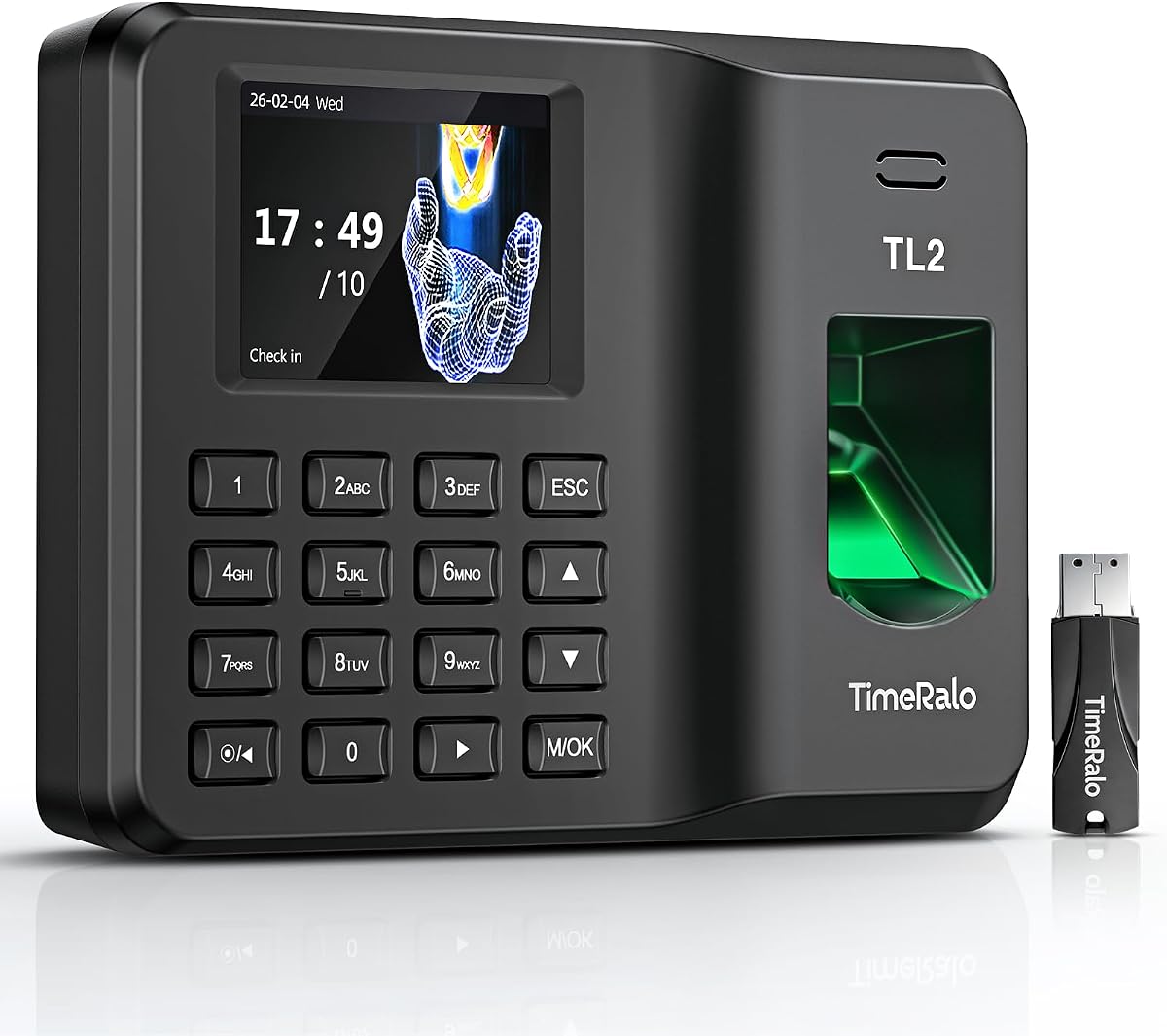


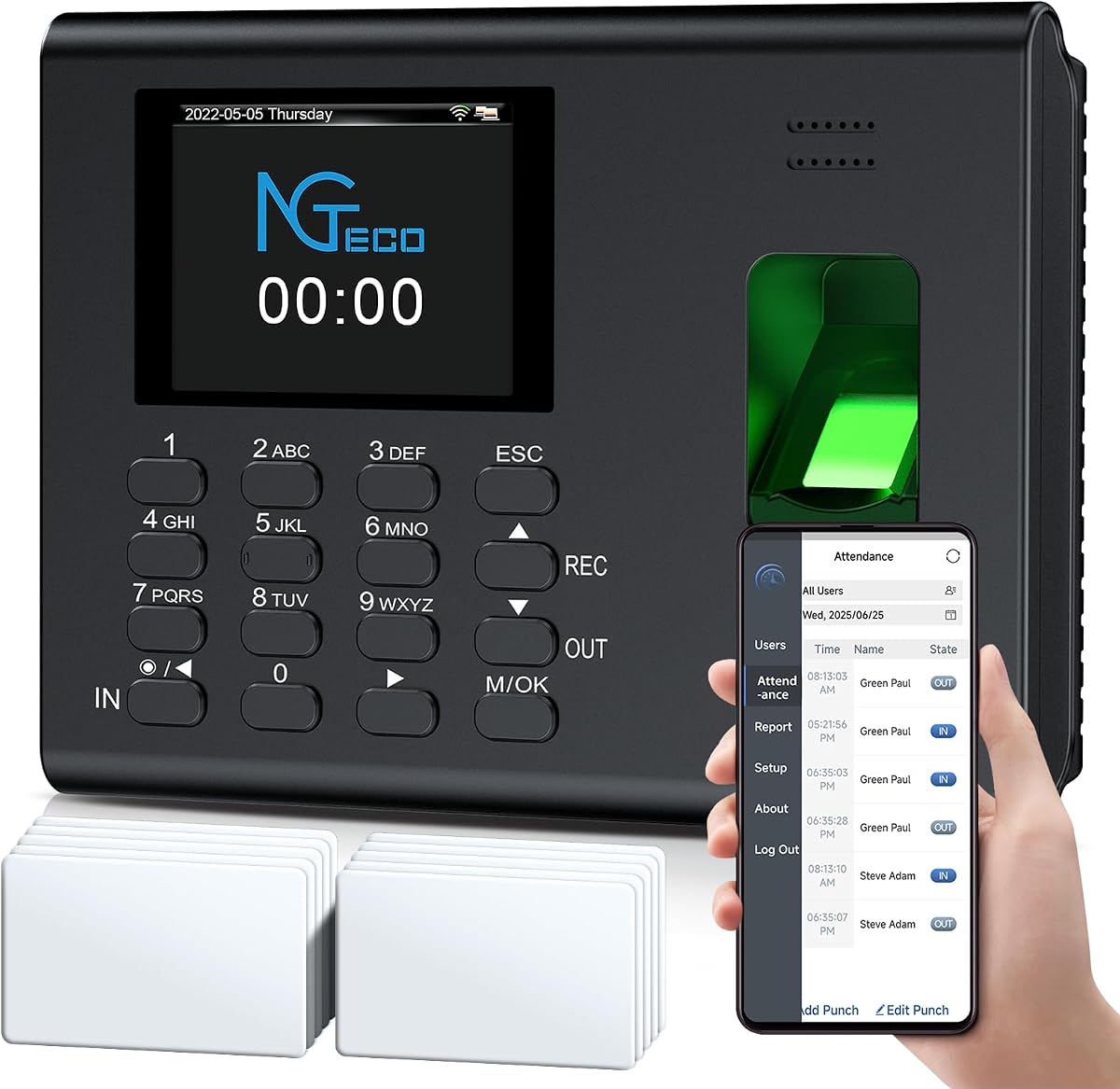
The NGTeco Time Clock stands out as a top performer in the fingerprint time clock category. With a high user rating of 4.6 stars, it delivers consistent performance for small businesses needing accurate attendance records without complex setup.
We may earn a commission when you buy through this link, at no additional cost to you.
Its advanced sensor authenticates wet or dry fingerprints in just 0.5 seconds, ensuring quick clock-ins for all shifts. The streamlined scheduling feature auto-calculates work hours and syncs in real-time, significantly reducing administrative overhead for managers.
While it requires a local network for app sync, the built-in data protection ensures records are safe during power outages. The ability to export timesheets via email or USB makes payroll processing error-free and efficient.
This device is ideal for growing teams that value speed and accuracy. We recommend it for businesses seeking a reliable balance between standalone functionality and modern connectivity features.
The sensor recognizes fingerprints in half a second, minimizing wait times even during peak shift changes.
Align tracked hours with any payroll cycle and export data effortlessly to ensure accurate payment processing.
We may earn a commission when you buy through this link, at no additional cost to you.
This HapAttend time clock offers exceptional value with the highest user rating in our lineup. It is fully standalone, meaning it operates without WiFi or internet, making it perfect for locations with limited network access.
We may earn a commission when you buy through this link, at no additional cost to you.
The device automatically calculates working hours and supports overnight shifts, eliminating manual errors. It features a 3-in-1 verification system using fingerprint, RFID card, and PIN to prevent buddy punching and ensure secure attendance tracking.
Despite its low cost, it includes a built-in backup system to protect data during power outages. The one-time purchase model means there are no recurring fees, offering long-term savings for small businesses.
Ideal for straightforward operations, this clock is a great choice for businesses prioritizing simplicity and cost-effectiveness. We recommend it for teams needing reliable tracking without complex software dependencies.
Enjoy full system functions with a one-time purchase and avoid monthly subscription fees or hidden charges.
Keep attendance data private and secure with local storage and export reports easily via USB drive.
We may earn a commission when you buy through this link, at no additional cost to you.
This model combines modern design with advanced cloud features, offering a premium experience for businesses. The 4.3-inch high-definition touchscreen provides an intuitive user experience, reducing wait times and enhancing efficiency at the point of clock-in.
We may earn a commission when you buy through this link, at no additional cost to you.
It supports four flexible punch methods including facial recognition, fingerprint, RFID, and PIN. Dual-band WiFi ensures stable connectivity, and all data is protected with end-to-end encryption on compliant US-based AWS servers.
Remote access via web or mobile app allows managers to adjust schedules and generate reports on the go. While some advanced features require a subscription, the core functionality remains robust for daily operations.
Best suited for businesses wanting a high-tech solution with remote capabilities. We recommend it for companies needing flexible shift management and secure cloud storage.
The high-definition touchscreen offers a smooth experience and simplifies the punch process for all users.
Stay connected to your attendance system anytime and anywhere with real-time monitoring and adjustment tools.
We may earn a commission when you buy through this link, at no additional cost to you.
This NGTeco model is designed for businesses needing a hassle-free standalone solution. It requires no WiFi or complex software, allowing for quick setup and immediate use. Data is exported via USB drive with ready-to-use Excel reports.
We may earn a commission when you buy through this link, at no additional cost to you.
The device supports up to 500 user profiles and 50,000 punch records, making it scalable for growing teams. Its durable construction ensures it can withstand daily use in environments like warehouses or retail counters.
By ditching paper cards and ribbons, this system helps cut supply costs and reduces waste. The internal backup preserves punch data during power loss, ensuring no data loss or reset hassle.
It is a solid choice for businesses prioritizing durability and simplicity over connectivity. We recommend it for teams looking for a robust paperless tracking system.
Get started in minutes with no WiFi or complex software needed for immediate operation.
Combine accuracy with eco-friendly efficiency by cutting supply costs associated with paper cards.
We may earn a commission when you buy through this link, at no additional cost to you.
This standalone time clock offers a straightforward solution for businesses without complex scheduling needs. It requires no software and can be set up in minutes. Transfer attendance data effortlessly via USB flash drive with Excel reports for easy integration.
We may earn a commission when you buy through this link, at no additional cost to you.
It stores up to 500 fingerprints and 50,000 punch records, supporting teams of up to 500 employees. The high-quality ABS plastic construction ensures long-term durability in various workplace environments.
The built-in backup system safeguards punch data and employee details during unexpected power outages. This ensures zero data loss and hassle-free use without needing to reset the machine.
Ideal for small businesses seeking a cost-effective upgrade from manual systems. We recommend it for workplaces needing reliable tracking without internet dependencies.
Set up in minutes for immediate use without complex software or recurring monthly costs.
Built-in backup system safeguards all data during unexpected outages ensuring no loss or reset.
We may earn a commission when you buy through this link, at no additional cost to you.
This device is designed for busy managers who need to monitor attendance from anywhere. With intuitive mobile app and web portal access, you can track real-time clock-ins and generate detailed reports on the go.
We may earn a commission when you buy through this link, at no additional cost to you.
It is equipped with both 2.4GHz and 5GHz WiFi for fast stable connectivity. The system supports diverse shift types and flexible overtime rule configuration, simplifying complex attendance management workflows.
Your attendance data is fully protected with AWS cloud storage and end-to-end encryption. A built-in 2000mAh battery keeps the clock running even during power cuts to maintain continuous tracking.
Best for businesses with distributed teams or remote management needs. We recommend it for companies requiring secure cloud storage and remote access capabilities.
Manage your small business attendance effortlessly from anywhere with our intuitive mobile app and web portal.
Your attendance data is fully protected with AWS cloud storage and end-to-end encryption standards.
We may earn a commission when you buy through this link, at no additional cost to you.
This model makes employee time tracking effortless and accurate with a cloud-based system designed for efficiency. It completes payroll tasks with ease by automating payroll and handling tax filings directly.
We may earn a commission when you buy through this link, at no additional cost to you.
You can view track and manage employee attendance in real-time from any device providing flexibility and control. The intuitive interface and straightforward setup process make it accessible for any team regardless of technical skill.
Gain valuable insights into attendance trends productivity and labor costs with comprehensive reporting tools. Data security is maintained with automatic cloud backups ensuring peace of mind and reliable access when needed.
Suitable for businesses wanting an all-in-one solution. We recommend it for teams needing integrated tax and payroll support.
With uAttend automate payroll with time and attendance data handle tax filings and make switching easy.
View track and manage employee attendance in real-time from any device providing flexibility and control.
We may earn a commission when you buy through this link, at no additional cost to you.
This cloud-connect time clock allows you to access real-time punch data from anywhere. It benefits from accurate hour calculations and automatic report generation through any web browser for convenient management.
We may earn a commission when you buy through this link, at no additional cost to you.
Shift configurations are fully flexible suiting all team structures from fixed to rotating. The system supports custom weekly overtime rules enabling precise payroll calculations that align with diverse company compensation policies.
Powered by AWS US servers with end-to-end encryption your attendance data is stored securely. Offline punch capture syncs automatically to the cloud once network is restored ensuring no data loss.
Best for businesses needing flexible shift rules. We recommend it for teams prioritizing data security and flexible work patterns.
Fully flexible shift configurations suit all team structures and eliminate manual scheduling errors effectively.
Powered by AWS US servers with end-to-end encryption your attendance data is stored securely.
We may earn a commission when you buy through this link, at no additional cost to you.
This clock features self-service attendance allowing staff to view timesheets on their phone without approval needed. It eliminates delays and boosts transparency while cutting admin hassle for managers.
We may earn a commission when you buy through this link, at no additional cost to you.
Remote access via the TimeRalo mobile app lets you view correct attendance and set custom rules in real time. The setup is simple requiring no professional skills and can be running in 3 minutes.
Built-in intelligence calculates working hours overtime and auto-deducts lunch time. Payroll-ready reports are generated automatically and sent directly to your email reducing paperwork and errors.
Ideal for high-turnover teams needing transparency. We recommend it for businesses wanting streamlined payroll-ready reports.
Staff can view their timesheets on their phone without approval needed and eliminate delays.
This employee time clock has a simple 3-step setup with no technical expertise required.
We may earn a commission when you buy through this link, at no additional cost to you.
This time clock features fingerprint PIN code and card swiping recognition modes to effectively prevent buddy punching. It comes with 10 RFID cards and records clock-in/out with real-time alerts eliminating manual errors.
We may earn a commission when you buy through this link, at no additional cost to you.
Enable real-time remote management via NGTeco App on the same local network. Remotely view and edit attendance data and auto-generate and export standardized reports with one click.
Support custom flexible schedules and night shift settings to fit diverse business operation modes. The plug-and-play design needs no complex configuration and can be fully set up in minutes.
Best for businesses needing reliable local tracking. We recommend it for teams wanting a practical zero-fee solution.
Features fingerprint PIN code and card swiping recognition modes to effectively prevent buddy punching.
Enable real-time remote management via NGTeco App on the same local network efficiently.
We may earn a commission when you buy through this link, at no additional cost to you.
Choosing the right time clock requires understanding your specific business needs regarding connectivity storage and budget.
Decide between standalone devices and those with cloud capabilities. Standalone models work without internet and are ideal for locations with poor connectivity. Cloud models allow remote management and real-time data access but require a stable network connection.
Choose standalone for simplicity and offline reliability. Choose cloud for remote monitoring and seamless data sharing.
Look for multiple verification methods to prevent buddy punching. The most secure units offer fingerprint PIN and RFID card options. This multi-factor approach ensures only authorized employees can clock in.
Prioritize models with at least two or three verification methods for enhanced security.
Ensure the device can store enough records for your team size. Some models support up to 500 users and 50,000 punches. For larger teams or long retention needs verify the memory limits before purchasing.
Select a device with sufficient storage to avoid frequent data exports or overwrites.
Modern time clocks often come with companion apps for viewing reports or editing punches. Check if these apps require subscriptions or if they are free with purchase. Features like auto-calculated hours simplify payroll significantly.
Opt for systems with intuitive apps that reduce administrative workload and offer transparent pricing.
Power failures can occur unexpectedly so look for built-in backup batteries. Cloud storage options add another layer of protection against local hardware failures. Ensure data is encrypted during transmission and storage.
Always choose a model with backup power or cloud redundancy to protect attendance records.
Efficient payroll processing requires easy export of attendance data. Look for models that allow USB drive or email exports. Reports should be in compatible formats like Excel for quick integration.
Prioritize devices that offer flexible export options to match your current payroll workflow.
In industrial or high-traffic environments durability is crucial. Industrial-grade materials ensure the device withstands daily use. Consider wall-mountable vs desktop designs based on your physical workspace layout.
Choose robust units with flexible mounting options to suit your specific environment.
Beyond the purchase price consider any subscription fees. Some models charge for advanced cloud features. A one-time purchase model may be cheaper over time compared to recurring fees.
Evaluate long-term costs including potential subscription fees to budget accurately.
Begin by setting up the device according to the manual. Register employees by scanning their fingerprints or inputting PINs. Ensure the device is connected to power and network if required.
Regularly export data to keep records secure. Check for firmware updates to ensure the latest security patches are applied. Clean the fingerprint scanner gently with a soft cloth.
Train staff on proper usage to avoid errors. Remind them to keep fingers dry and clean for accurate recognition. Adjust settings as needed for shifts or holidays to maintain accuracy.
Most modern models feature advanced sensors that can read wet or dry fingerprints. However, extremely wet fingers may require drying for best results. Check the product specs for specific sensor capabilities to ensure reliability in your environment.
No remote access requires an internet connection or local network. Standalone models without WiFi do not support remote data access. For remote viewing you will need a cloud-enabled device with network connectivity.
Many units have built-in backup batteries to preserve data during outages. This ensures your attendance records remain safe even if the power goes down. Always verify backup specs before purchasing for uninterrupted tracking.
Most models allow exporting data via USB drive or email. The exported files are typically in Excel format for easy payroll integration. Follow the device manual for specific steps on generating reports.
Storage capacity varies by model. Some support up to 500 users and 50,000 punch records. Ensure the device matches your current team size and growth plans to avoid data limits.
Yes many offer encryption and secure data storage options. Fingerprint verification is more secure than PIN codes alone. Always choose reputable brands that adhere to data protection standards for employee privacy.
Some models offer direct payroll integration features. Others allow export of files that can be imported into your payroll system. Check compatibility with your existing software before purchasing to ensure smooth workflow.
Most devices come with a one-year warranty and technical support. Verify warranty terms as they may vary by manufacturer. Ensure support is available in your region for assistance if needed.
The NGTeco Time Clock for Small Business leads our list with its balance of speed and functionality. It offers reliable recognition and app support that simplifies daily attendance management for most teams.
For those prioritizing cost savings the HapAttend time clock delivers robust standalone features without monthly fees. It proves that accurate tracking does not require complex cloud subscriptions or internet dependencies.
Remember to verify current pricing and availability as market conditions change. Investing in the right system now can prevent future administrative headaches and ensure compliance with labor laws.