
SANDISK 256GB Phone Drive
4.3Editor score
Dual Connector Support
Smart Backups
Reliable Transfers
This guide compares the top flash drives for iPhone to help you choose the best storage solution for backing up photos videos and files on your device.
Finding the right flash drive for your iPhone is essential when you need to manage storage efficiently. These devices allow you to offload photos and videos quickly without relying on cloud services or cables.
We evaluated ten top-rated models based on compatibility speed and build quality. Our analysis ensures you receive reliable options that work seamlessly with iOS and other devices for versatile data management.
Each selection highlights key features and real-world performance to help you decide. Note that availability and pricing may change so always check current listings before purchasing to ensure you get the best value.
4.3Editor score

4.4Editor score

4.3Editor score
The following table provides a side-by-side comparison of all ten selected drives to help you quickly identify the best fit for your specific storage needs and device compatibility.


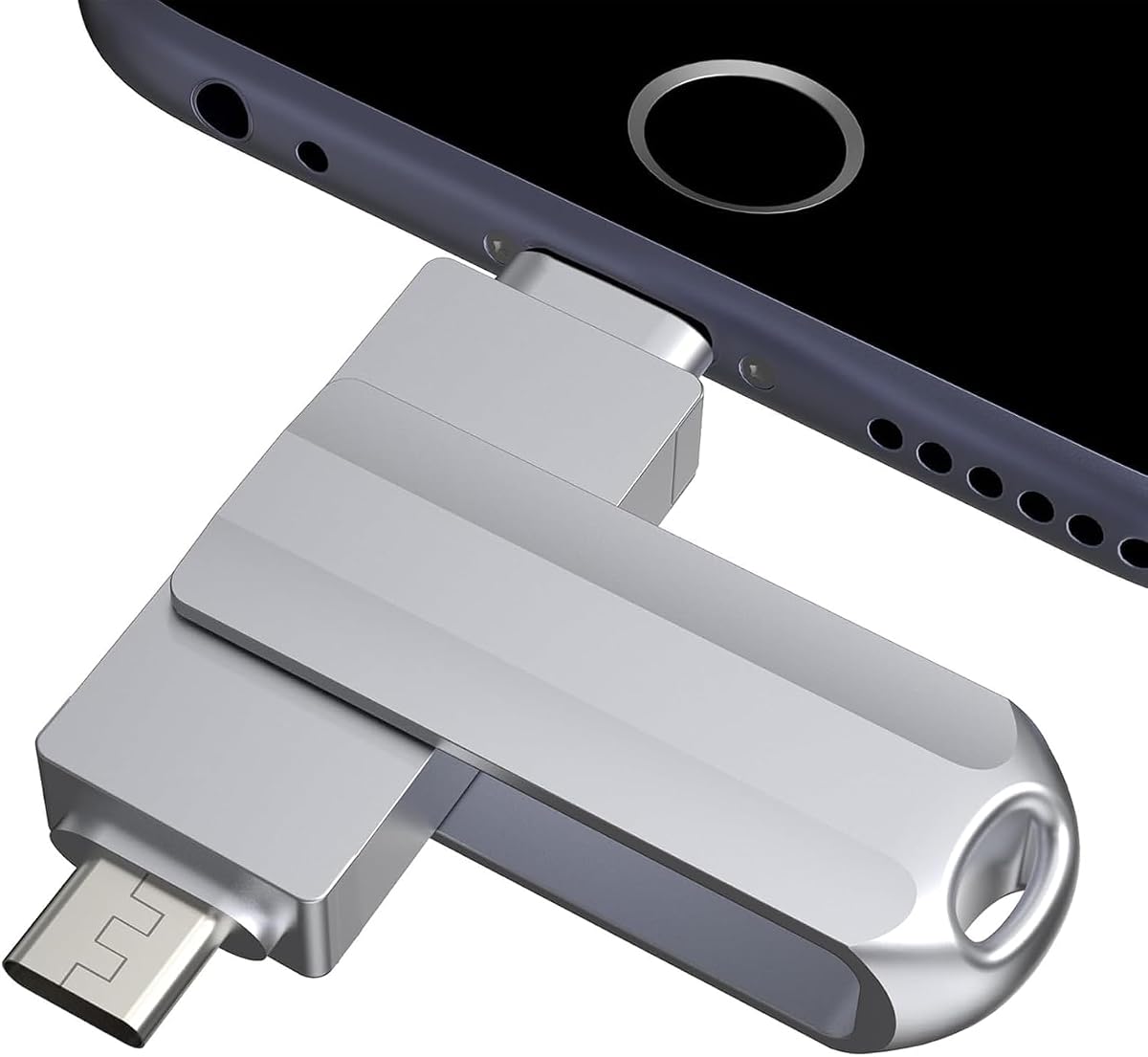


This flash drive offers a versatile 256GB solution with MFi certification to ensure safe data storage. Its dual interface support allows seamless transfers between iPhones iPads and other devices.
We may earn a commission when you buy through this link, at no additional cost to you.
Users appreciate the ability to backup photos and videos with one click via the dedicated app. The drive also supports on-the-go playback so you can watch stored movies directly from the device.
While the drive requires an app for iOS functionality it provides robust security with file encryption options. The metal housing ensures durability against drops and dust which is essential for mobile storage.
If you need a reliable and high capacity drive that works well across multiple platforms this is a strong choice. The included keychain adds a nice touch for keeping it safe while traveling.
The drive connects to USB Lightning and Type-C ports allowing easy data transfer between Windows Mac and mobile devices without extra cables.
You can encrypt the entire drive or specific files using Touch ID or a passcode to protect sensitive data effectively.
We may earn a commission when you buy through this link, at no additional cost to you.
This compact drive provides 128GB of storage with MFi certification to protect your data from loss. It supports three interface types making it easy to switch between devices effortlessly.
We may earn a commission when you buy through this link, at no additional cost to you.
The ability to backup files with one click saves time and frees up space on your mobile device. Automatic storage ensures all photos captured are saved to the drive immediately.
The metal build is durable and the keychain attachment prevents loss during travel. While it requires an app for iOS users the encryption features offer peace of mind.
Ideal for anyone needing a portable and secure storage solution this drive handles daily backup tasks well. It is a great choice for photographers and content creators on the go.
Capture photos directly through the app and have them automatically saved to the drive in real time for instant backup.
Encryption options allow you to secure files or the whole drive using Touch ID or passcodes to keep data private.
We may earn a commission when you buy through this link, at no additional cost to you.
This Sandisk drive offers 256GB of storage with dual connectors for newer USB-C iPhones and older Lightning models. It is designed for seamless file transfers and smart backups.
We may earn a commission when you buy through this link, at no additional cost to you.
You can choose manual or automatic backups with real-time progress tracking to reclaim storage space quickly. The drive works with the iOS Files app when connected via USB-C for added convenience.
Security features include password protection for your most important content ensuring privacy. While you need the Sandisk app for some features the transfer reliability is solid.
Premium seekers will appreciate the trusted brand and the flexibility to connect to various devices without extra adapters. It is perfect for users who want a high-quality branded storage option.
Compatible with both USB-C and Lightning iPhones allowing you to use the same drive across different generations of Apple devices.
Smart backup options allow for partial backups and background multitasking so you do not lose productivity while transferring large files.
We may earn a commission when you buy through this link, at no additional cost to you.
This Lexar drive features high-speed transfer rates of up to 400MB/s read and 360MB/s write speeds for rapid data management. Its dual USB-A and USB-C connectors remove the need for extra cables.
We may earn a commission when you buy through this link, at no additional cost to you.
The durable metal housing protects both connectors and ensures longevity during use. You can easily back up photos and manage media using the free Lexar app available on iOS and Android.
While it does not support iCloud content backup it is excellent for local storage expansion. The compact design makes it easy to carry for large content libraries anywhere you go.
Users needing high performance and reliability will find this drive suitable for heavy file transfers. It is a strong choice for tech enthusiasts who value speed and build quality.
Transfers files up to four times faster than standard USB 3.0 drives which saves significant time when moving large videos or datasets.
The cable-free design and metal housing protect the connectors from damage ensuring the drive lasts longer during travel and daily use.
We may earn a commission when you buy through this link, at no additional cost to you.
This MFi Certified drive provides 256GB of storage with a retractable design to protect connectors when not in use. It offers four interfaces including USB Lightning Micro USB and Type-C.
We may earn a commission when you buy through this link, at no additional cost to you.
The one-click backup feature simplifies saving photos and videos without needing iTunes or iCloud. You can encrypt files to keep personal data secure while using the drive.
The frosted aluminum build feels premium and the keychain attachment prevents loss. It is a versatile choice for switching storage spaces between multiple device types.
Ideal for users who need broad compatibility and robust security features this drive handles daily backups well. The expandable design ensures the connectors remain safe from damage over time.
Four different ports allow you to connect to almost any device without needing separate adapters for different phone models or computers.
The unique retractable design covers the connectors to prevent damage and reduces the risk of losing the drive when carrying it daily.
We may earn a commission when you buy through this link, at no additional cost to you.
This Lexar drive features a slim form factor with USB-A and USB-C connectors for easy compatibility. The 360-degree swivel design allows you to switch between connectors without losing a cap.
We may earn a commission when you buy through this link, at no additional cost to you.
It supports plug and play functionality meaning no software installation is needed to transfer files. The metal enclosure withstands temperature changes ensuring reliable performance in various conditions.
Security is handled by advanced software with AES encryption to protect your files effectively. It is a lightweight option for standard file transfers across many devices.
Best for users who need a portable and durable drive for everyday file sharing this model is practical. The swivel mechanism ensures you always have the right connector ready to use.
The swivel design lets you rotate between USB-A and USB-C ports quickly which avoids the hassle of caps or separate adapters.
Files are secured using advanced software with 256-bit AES encryption to keep your data safe from unauthorized access.
We may earn a commission when you buy through this link, at no additional cost to you.
This drive offers an impressive 512GB capacity to store a large number of photos videos and files. It uses a USB-C and Type-iOS dual connector setup for versatile phone and tablet connectivity.
We may earn a commission when you buy through this link, at no additional cost to you.
You can back up files through the mFlash app to manage media easily without relying on cloud storage. The included USB-A adapter allows direct connection to computers and laptops.
Transfer files between your phone tablet and computer without needing multiple storage devices. The app provides clear management tools for copying and moving data across devices.
Perfect for those needing maximum storage capacity this drive handles 4K videos and high resolution photos well. The adapter inclusion ensures it works seamlessly across your entire tech ecosystem.
With 512GB of space you can carry thousands of high-resolution photos and videos without worrying about running out of room on your iPhone.
The mFlash app provides an intuitive interface to copy transfer and manage your media files directly on your phone and iPad.
We may earn a commission when you buy through this link, at no additional cost to you.
This MFi certified drive offers 256GB of storage with a waterproof and dustproof metal design for durability. It features three interfaces to allow data transfer between various devices without cables.
We may earn a commission when you buy through this link, at no additional cost to you.
You can backup photos and phone books with one click via the app to free up space on your phone. Individual file encryption helps keep your important data secure during storage.
The drive supports high-speed transfers to save waiting time and allows direct media playback. It is a reliable option for expanding storage without dealing with cloud subscriptions.
Best for users needing a robust and secure drive this model handles daily backup tasks with ease. The metal build ensures it survives drops and rough handling during travel.
High quality metal and sealing provide waterproof and dustproof protection which is ideal for outdoor or travel storage use.
Encrypt individual files on the drive to keep specific sensitive data secure while keeping other files easy to access.
We may earn a commission when you buy through this link, at no additional cost to you.
This SSK drive offers ultra fast read speeds of up to 550MB/s to move large files quickly. It features a dual USB-C and USB-A port setup for easy transfers between phones and computers.
We may earn a commission when you buy through this link, at no additional cost to you.
The zinc alloy shell resists abrasion and protects the interfaces with a double-head protective cover. It works with most systems including Windows Mac and Android without needing extra software.
The plug and play functionality simplifies file sharing and storage expansion for everyone. It is a reliable high speed option for users who prioritize transfer speed above all else.
Ideal for tech users who need fast data access this drive handles high resolution content with ease. The robust build ensures it survives daily wear and tear effectively.
The 550MB/s read speed is ten times faster than standard USB 3.0 sticks allowing you to move large files in seconds.
Compatible with Windows Linux and Mac OS systems making it a versatile choice for mixed device environments without setup hassle.
We may earn a commission when you buy through this link, at no additional cost to you.
This EATOP drive offers 256GB of storage that works with iOS Android and PC without requiring extra apps on iPhones. It features multiple interfaces including USB USB-Lightning and USB-C for broad compatibility.
We may earn a commission when you buy through this link, at no additional cost to you.
You can transfer files using the built-in Files app which makes backing up easy without third-party software. The drive supports blazing fast mass file transfers to move photos and videos quickly.
Its simple plug and play design avoids technical setup steps which is great for casual users. The pink aesthetic adds a stylish touch while providing reliable storage capacity.
Best for those who want straightforward storage without managing additional apps this drive is ideal. The multiple interfaces ensure it connects to almost any phone or computer easily.
iOS users can connect directly through the Files app which simplifies storage use by removing the need to install dedicated apps.
Upgraded high speed chips enable instant transfers of photos and contacts which saves time when organizing large collections.
We may earn a commission when you buy through this link, at no additional cost to you.
Selecting the right flash drive requires considering compatibility storage needs and build quality. This guide explains the most important factors to help you make an informed purchase.
Ensure the drive has the correct connector for your iPhone model. Lightning connectors are needed for older models while USB-C fits newer ones. Many drives offer dual connectors for broader use.
Check for additional ports like USB-A or USB-C to connect to computers without extra adapters.
Decide how much storage you need based on your media volume. 128GB is often sufficient for photos but 256GB or 512GB is better for high-resolution videos.
Higher capacity drives cost more but offer long-term value if you frequently capture large files.
Look for high read and write speeds to reduce transfer times. Drives with 400MB/s read speeds transfer files much faster than standard models.
Faster drives are essential for professionals who move large video files daily.
Some drives need dedicated apps for iOS backup and file management while others work directly with the Files app. Consider your comfort level with installing apps.
Drives with built-in app support often offer advanced features like direct social media sharing.
Metal housing provides better protection against drops and heat compared to plastic. Water and dust resistance adds reliability for travel use.
Choose a design with a cap or retractable connector to prevent damage when not in use.
File encryption and password protection are vital for sensitive data. Look for drives that support Touch ID or passcode encryption.
Encryption ensures that if the drive is lost your personal photos and documents remain private.
A lightweight and compact size makes the drive easy to carry. Features like keychain attachments prevent loss during travel.
Smaller drives are less intrusive in your pocket and more convenient for daily carry.
Compare prices to find the best value for your budget. A longer warranty period indicates better manufacturer confidence in the product.
Ensure the seller offers customer support for any compatibility issues you may encounter.
Connect the drive to your iPhone using the appropriate port and allow your phone to recognize it. If needed download the required app from the App Store to access file management features.
Use the backup function to copy photos and videos from your device to the drive. Once finished safely eject the drive before removing it to prevent data corruption.
Store the drive in a cool dry place and avoid exposing it to extreme temperatures. Keep the connectors clean by gently wiping them with a dry cloth if they collect dust.
Most drives require an app for iOS access but some models work directly with the Files app. Check the product details to see if an app is mandatory before purchasing.
Yes many modern drives include a USB-C connector specifically for newer iPhone models. Always verify the connector type matches your phone before buying to ensure compatibility.
Most drives support both iOS and PC so you can move files to a computer easily. They often include USB-A or USB-C connectors for standard computer access.
Choose a drive with file encryption features to password-protect specific files or the whole drive. This ensures your data remains secure if the drive is lost or stolen.
No always eject the drive from your phone or computer before removing it to prevent data loss. This step ensures your files finish transferring completely.
Many of these models are compatible with Android phones that support OTG functionality. You may need to enable the OTG option in your phone settings to use the drive.
We have reviewed ten top drives offering a range of capacities and features to suit different needs. The MFi certified options ensure safety while high-speed models save time for large transfers.
Consider your daily storage habits and prioritize compatibility and security when selecting a drive. Investing in a reliable model now prevents data loss and ensures long-term usability.
Prices and availability may change so always verify the latest details before making a purchase decision. This guide remains updated to help you find the most current and effective storage solutions.