
Lightning to HDMI Adapter for iPhone TV
4.4Editor score
Affordable price point
Includes charging port
Compatible with iOS 17
This guide compares the top HDMI Lightning Adapter for iPhone models for 2026, evaluating compatibility, video quality, charging ports, and reliability for
Finding the right HDMI Lightning Adapter for iPhone is essential for projecting content onto larger screens. Whether for work or entertainment, a quality adapter ensures stable connections and crisp visuals without lag or distortion during use.
We compared ten leading adapters based on MFi certification, video resolution support, and ease of use. Our analysis covers compatibility across various iOS devices and evaluates real-world performance for streaming and presentations.
Each pick highlights specific strengths like charging ports or compact designs to suit different needs. Remember that pricing fluctuates frequently, so check current listings before purchasing to ensure you get the best value available.
4.4Editor score

4.2Editor score

4.6Editor score
This side-by-side comparison evaluates all ten selected adapters based on key technical specifications and user feedback to help you make an informed decision for your setup.





This adapter stands out as a top choice for users seeking reliable screen mirroring with added utility. Its MFi certification ensures a secure connection that minimizes disconnection risks during important presentations or movie nights.
We may earn a commission when you buy through this link, at no additional cost to you.
The inclusion of a Lightning charging port is a major advantage, allowing you to keep your device powered while streaming high definition content. This feature is particularly useful for long meetings or travel where battery life is critical.
While it handles most local videos and apps well, users should note that HDCP protected content like Netflix will not display. This is a standard limitation across most third party adapters due to copyright protection protocols.
Anyone needing a versatile adapter for work or home entertainment should consider this model. It balances performance, features, and affordability better than many competitors in the crowded market.
The charging port ensures your iPhone does not run out of battery during extended streaming sessions.
MFi certification guarantees the adapter meets strict safety and compatibility standards for Apple devices.
We may earn a commission when you buy through this link, at no additional cost to you.
This adapter delivers solid performance at a competitive price point, making it ideal for budget conscious buyers. It supports standard 1080p mirroring effectively for most media and presentation needs without requiring complex configuration.
We may earn a commission when you buy through this link, at no additional cost to you.
Users appreciate the straightforward plug and play functionality which eliminates the need for additional software or apps. The charging port adds essential convenience for keeping devices active during longer usage periods.
As with many non official adapters, streaming services with strict copyright protection may not function correctly. However for local content and standard apps it provides a reliable connection to external displays.
If you need an affordable solution for occasional use or travel this model offers great value. It meets basic requirements for HDMI connectivity without compromising on essential features like charging.
Ideal for users who need basic mirroring capabilities without investing in premium branded accessories.
Compact size makes it easy to pack in a bag for presentations or hotel room entertainment.
We may earn a commission when you buy through this link, at no additional cost to you.
KikoSaka has built a reputation for producing dependable accessories that maintain consistent quality. This adapter focuses on core functionality ensuring that screen mirroring works smoothly across a broad range of iOS devices.
We may earn a commission when you buy through this link, at no additional cost to you.
Its support for all iOS versions is a significant benefit for users with older devices who may not want to upgrade. The compact design makes it easy to carry without adding bulk to your travel kit.
While it lacks some premium features like a charging port, its primary function of video output remains robust and stable. Users report minimal lag and clear visuals during typical usage scenarios.
This model is recommended for those prioritizing reliability over extra features. It is a safe choice for connecting older iPhones or iPads to modern displays.
Guarantees compatibility across the full spectrum of Lightning equipped Apple devices.
Small form factor ensures you can always have an adapter available when needed.
We may earn a commission when you buy through this link, at no additional cost to you.
This option distinguishes itself by including a durable HDMI cable in the package, saving you the need to buy one separately. The 6.6ft length provides decent flexibility for connecting your device to nearby displays.
We may earn a commission when you buy through this link, at no additional cost to you.
Performance is optimized for minimal latency which is crucial for gaming or interactive presentations. The MFi chip ensures a stable signal that resists interference during typical home or office use.
While it shares the standard limitation regarding encrypted streaming apps, it excels at local video playback and standard web browsing. The integrated cable reduces clutter and simplifies setup.
For users who want an all in one solution this adapter is a practical choice. It removes the guesswork of cable compatibility and ensures you have everything needed to start.
Includes the necessary cable to get started immediately without additional purchases.
Designed to minimize delay for smoother interaction during presentations or gaming.
We may earn a commission when you buy through this link, at no additional cost to you.
Choosing the official Apple adapter guarantees compatibility and quality standards that third party products aim to match. It is the reference standard for mirroring iPhone content to external displays with minimal friction.
We may earn a commission when you buy through this link, at no additional cost to you.
Users often prefer it for critical business presentations where reliability is paramount. The build quality ensures it can withstand frequent connection and disconnection cycles without degrading.
Despite its premium price it lacks a charging port which means your battery may drain during long sessions. This is a trade-off many accept for the assurance of Apple's support and quality control.
If you want the safest bet for your device and budget allows this official adapter is ideal. It eliminates worries about compatibility issues or connection instability during important tasks.
Apple directly supports this accessory ensuring it works flawlessly with iOS updates.
Constructed with durable materials designed for long-term daily use.
We may earn a commission when you buy through this link, at no additional cost to you.
This adapter offers impressive specs for its price including a five year warranty that speaks to the manufacturer's confidence. It supports 60Hz refresh rates which can make scrolling and motion look smoother on compatible screens.
We may earn a commission when you buy through this link, at no additional cost to you.
The requirement for an external power supply ensures stable performance even with higher power devices. This helps prevent issues like black screens that can occur with passive adapters during intensive tasks.
While it shares the standard limitation with streaming services it performs well for YouTube and local files. The warranty provides peace of mind that is rare at this price level.
Buyers looking for budget friendly features should consider this model highly. It balances cost with performance effectively making it a top contender in the value category.
Five year coverage offers significant protection against defects and wear.
60Hz support ensures fluid video playback and responsive scrolling.
We may earn a commission when you buy through this link, at no additional cost to you.
With thousands of verified ratings this adapter has a proven track record of satisfaction across diverse use cases. Users frequently mention its reliability in hotel rooms and conference settings where setup must be quick.
We may earn a commission when you buy through this link, at no additional cost to you.
The zero lag mirroring claim is supported by positive feedback for gaming and presentations. It is designed to connect instantly reducing the time spent troubleshooting before you start viewing.
While it does not bypass copyright restrictions it excels at handling standard media. The consistent performance over several years makes it a trustworthy choice for professionals.
If you want an option that others have tested and approved this model is a safe pick. It is particularly well suited for travel where dependability is more important than price.
High volume of reviews confirms consistent quality over time.
Minimizes setup time for seamless presentations and media viewing.
We may earn a commission when you buy through this link, at no additional cost to you.
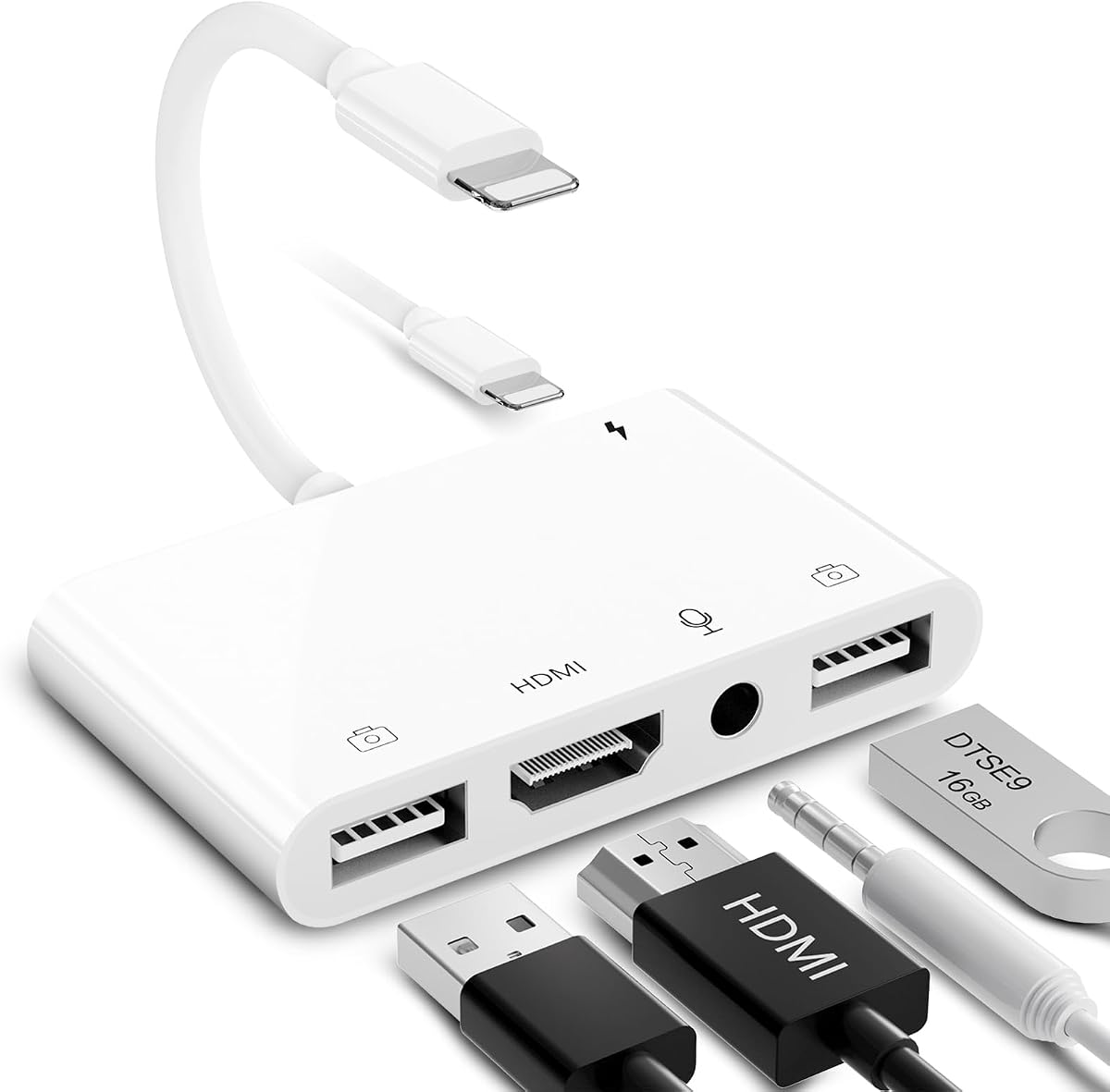
This adapter stands out by offering multiple expansion ports that turn your iPhone into a mini workstation. You can connect a keyboard mouse and USB drive while still displaying your screen on a TV.
We may earn a commission when you buy through this link, at no additional cost to you.
The 3.5mm headphone jack is crucial for live streaming or recording where audio monitoring is needed. It adds functionality that standard adapters simply cannot offer to power users.
While it is larger than basic models its utility justifies the size for complex tasks. It is perfect for those who need to connect various accessories without carrying multiple separate tools.
For users who need a hub rather than just a video cable this is the best option. It significantly expands the capabilities of your Lightning device for work and media.
Turn your iPhone into a desktop-like setup with keyboard and USB support.
Microphone jack allows for direct audio input during streaming sessions.
We may earn a commission when you buy through this link, at no additional cost to you.
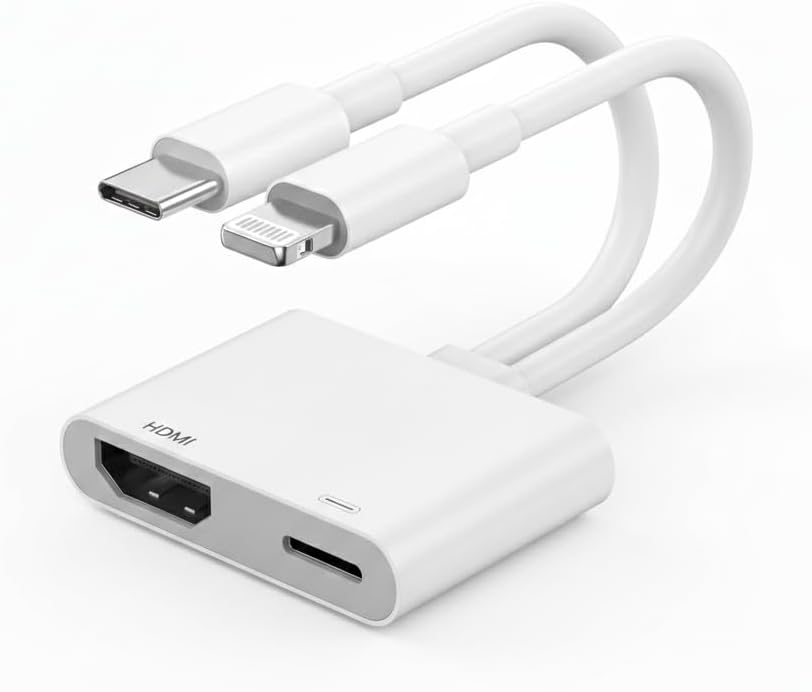
This dual interface adapter is ideal for households with mixed devices using both Lightning and USB-C ports. It offers significant versatility by supporting a wide range of phones and laptops with one tool.
We may earn a commission when you buy through this link, at no additional cost to you.
The 100W charging port ensures that even power hungry devices like MacBooks can be charged while displaying content. This feature is unmatched in the category for high power demands.
While Lightning mode is subject to standard limitations USB-C mode offers broader app support for streaming. This makes it a unique solution for those transitioning to newer devices.
If you want an adapter that will serve you as you upgrade devices this is a smart buy. It eliminates the need for multiple adapters and simplifies your tech setup.
Supports both iPhone and USB-C devices like Android phones and laptops.
100W charging handles demanding devices without sacrificing performance.
We may earn a commission when you buy through this link, at no additional cost to you.
This classic model continues to receive high praise for its simplicity and reliability. It has been the go to solution for years and maintains strong user confidence due to consistent performance.
We may earn a commission when you buy through this link, at no additional cost to you.
The high rating reflects a long history of satisfying customers who value durability and trust. It is designed to just work without requiring technical knowledge or complex setups.
While newer models add charging ports this adapter focuses purely on video and audio output. Its robustness ensures it lasts longer than many cheaper third party alternatives.
Users who prefer a minimal setup and trusted brand should choose this option. It remains a top choice for those who prioritize quality over extra features.
No extra buttons or ports to confuse the basic functionality works well.
Built to last with materials that endure daily use and travel.
We may earn a commission when you buy through this link, at no additional cost to you.
Selecting the right adapter involves considering several technical and practical factors to ensure it meets your specific usage needs effectively.
MFi (Made for iPhone) certification ensures the adapter has been tested and approved by Apple for compatibility and safety. This reduces the risk of connection issues or damage to your device.
Always look for MFi labels to guarantee a secure and reliable connection.
Many adapters include a Lightning pass-through port that allows you to charge your iPhone while mirroring. This is vital for long sessions where battery drain could interrupt your workflow.
If you plan to use the adapter for hours choose a model with a charging port.
Most adapters support 1080p HD which is sufficient for most TVs and projectors. Some newer models may claim 4K compatibility but check reviews to ensure stable performance.
Verify that the adapter supports the resolution of your display for clear visuals.
If the adapter includes an HDMI cable check its length to ensure it reaches your TV comfortably. Short cables may require extensions which can clutter your setup.
Consider the distance between your device and display when selecting an adapter.
A longer warranty period indicates the manufacturer's confidence in the product's durability. Some third party brands offer five years which provides better protection than standard one year.
Prioritize models with extended warranties for peace of mind against defects.
Be aware that many third party adapters cannot display HDCP protected content like Netflix. This is a technical limitation rather than a defect so check your intended use cases.
If you need to stream paid content verify if the adapter supports it.
Brands with high ratings and many reviews often provide better support and product quality. This can be crucial if you encounter issues and need assistance.
Choose established brands to ensure reliable customer service and quality.
Some adapters offer extra ports like USB-A or audio jacks for broader connectivity. This adds versatility if you need to connect keyboards or microphones alongside video.
Look for multi port adapters if you need to connect additional accessories.
To use your adapter simply connect the Lightning end to your iPhone and an HDMI cable to the adapter's HDMI port. Then plug the other end of the HDMI cable into your TV or monitor.
Wait a few seconds for your device to recognize the adapter and tap Trust when prompted. Select the correct HDMI input on your TV to see your iPhone screen mirrored.
To care for the adapter avoid bending the cable near the connector and store it in a soft case when not in use. This prevents internal wire damage and extends the lifespan.
Most third party adapters cannot display Netflix due to HDCP copyright protection. However some official Apple adapters may work depending on the specific model and app version. Check the product description for confirmed streaming support.
Most adapters do not include an HDMI cable so you will need to purchase one separately. Check the product details to see if a cable is included in the package before buying.
Yes adapters with a pass-through charging port allow you to plug in your Lightning charger while mirroring. This keeps your battery full during long presentations or movie sessions.
A black screen may occur if the adapter needs power or the TV input is wrong. Ensure the adapter is receiving power if required and switch your TV to the correct HDMI source.
MFi certification ensures the adapter meets Apple's safety and compatibility standards. It reduces the risk of connection failures or potential damage to your device over time.
Yes most adapters support iPhones with Lightning ports including models as old as the iPhone 5. Check the compatibility list to ensure your specific model is included before purchasing.
We reviewed ten top options ranging from official Apple adapters to versatile third party models. Each offers unique benefits for connecting your iPhone to larger displays for entertainment or work.
Prioritize MFi certification and charging ports to ensure reliability and convenience. For budget needs consider adapters with strong warranties while professionals may prefer the official Apple options.
Remember to check current prices and availability before purchasing as these can change frequently. Investing in the right adapter ensures you get the most out of your device's display capabilities.