
Moread 4K DisplayPort to HDMI Adapter
4.6Editor score
Supports 4K resolution at 30Hz
Passive design for simplicity
Gold plated connectors durability
Latches ensure secure connection
This guide compares the top HDMI to Displayport converter adapters for 4K video gaming and workstations ensuring signal stability and broad device compatibility
Finding the right HDMI to Displayport converter can transform your workspace setup by allowing you to connect modern gaming consoles or laptops to professional monitors. These adapters bridge the gap between legacy HDMI sources and newer Displayport inputs ensuring you get crisp visuals without replacing existing hardware.
We evaluated ten leading models based on resolution support, build quality, and compatibility with various devices like PCs and gaming consoles. Each product was scrutinized for its ability to handle high refresh rates and maintain signal integrity during extended use sessions.
This list highlights the standout performers in the market ranging from budget-friendly options to premium active converters. Remember that pricing and availability fluctuate frequently so check current listings before making your final purchasing decision.
4.6Editor score

4.4Editor score

4.3Editor score
Below you will find a detailed side-by-side comparison of the top ten adapters available in the market today helping you choose the right fit for your specific needs.
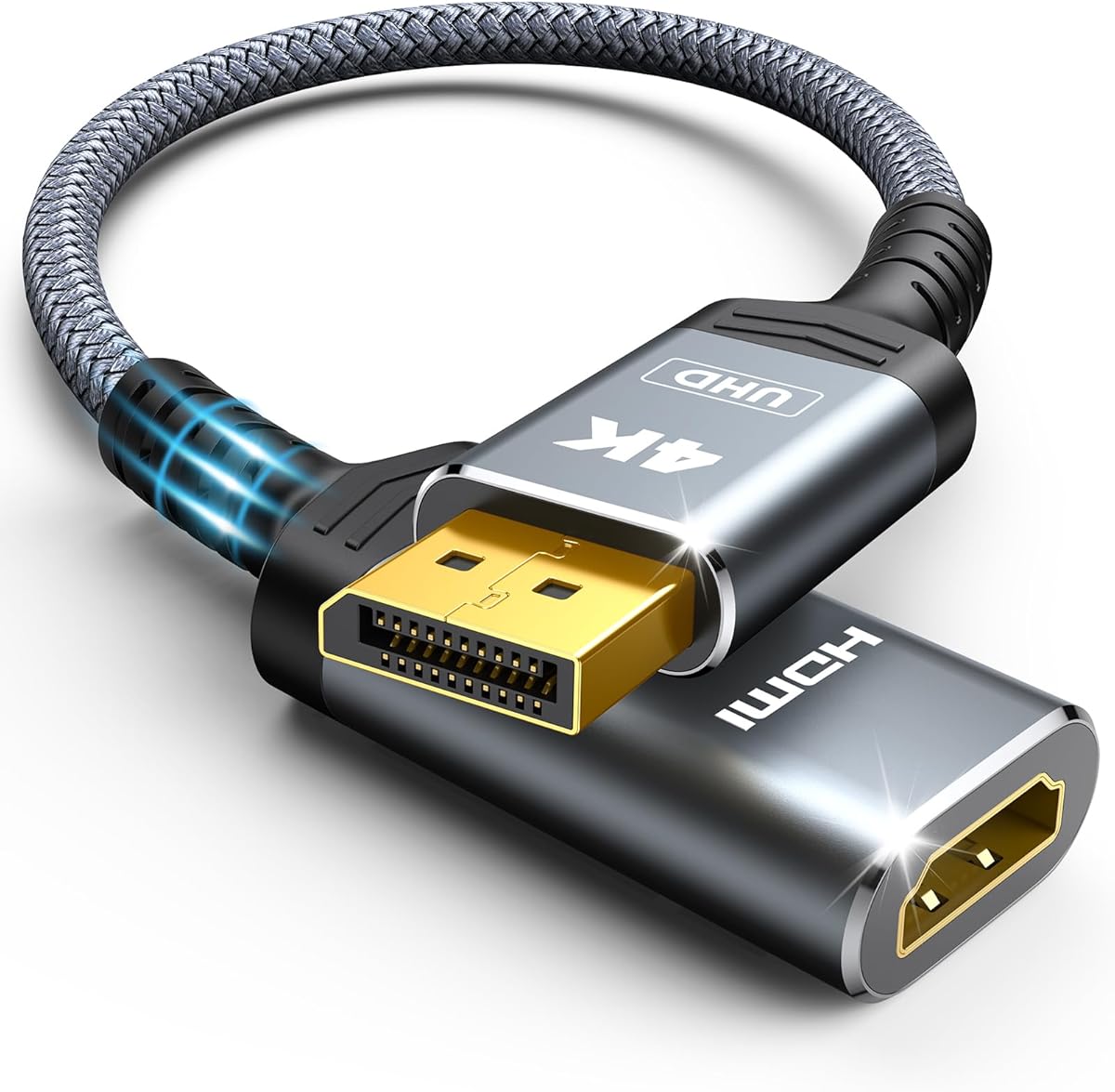



The Highwings 4K DisplayPort to HDMI Adapter stands out as a reliable passive solution for users needing to connect DP sources to HDMI displays. With a strong rating it delivers consistent performance for standard office or entertainment setups without requiring external power.
We may earn a commission when you buy through this link, at no additional cost to you.
Its standout quality lies in the durable design featuring military grade tensile nylon and gold plated ports that resist corrosion. The adapter ensures synchronized high definition audio and video making it suitable for streaming or general productivity tasks where visual clarity is key.
However users should note that this adapter is strictly uni-directional and will not work with HDMI sources or dock stations. High resolution data transmission can cause the chip to heat up which is normal but worth monitoring during extended sessions.
This adapter is ideal for desktops with AMD or NVIDIA GPUs that need to output to a standard HDMI monitor or TV. If you need a simple plug and play solution for DP to HDMI conversion without extra cables this is a top choice.
The SR Flexible Strength Design and military grade nylon ensure the adapter withstands frequent plugging and bending.
High definition audio and video synchronization provides an immersive experience for media consumption.
We may earn a commission when you buy through this link, at no additional cost to you.
The BENFEI 4K DisplayPort to HDMI Adapter is a compact gadget designed for users who need portability without sacrificing performance. It features a built-in advanced IC chip that ensures superior stability during signal conversion.
We may earn a commission when you buy through this link, at no additional cost to you.
A key strength is its design with latches that provide a secure connection preventing accidental disconnections. The gold plated DisplayPort connector resists corrosion improving signal transmission over time.
It is not bi-directional meaning it cannot transmit from HDMI sources to DP monitors which limits its use to DP equipped computers. Users should ensure their devices support the required resolution for optimal results.
This adapter is perfect for presentations or extending desktops to projectors due to its lightweight design. If you need a reliable and affordable passive adapter for DP to HDMI tasks this is a strong candidate.
DisplayPort connector latches with release buttons ensure a stable connection that does not loosen easily.
The exclusive unconditional 18-month warranty ensures long-term protection and reliable customer service.
We may earn a commission when you buy through this link, at no additional cost to you.
The Cable Matters HDMI to DisplayPort Adapter is a specialized active converter that bridges the gap from HDMI sources to DisplayPort monitors. It allows users to connect laptops or desktops with HDMI outputs to professional DP screens.
We may earn a commission when you buy through this link, at no additional cost to you.
Its key strength lies in the active conversion technology which includes a USB power cable for stable performance. This ensures that high resolutions like 4K at 30Hz are maintained without signal loss or flickering.
One limitation is that it is not recommended for use with DisplayPort KVM switches which may cause compatibility issues. The sturdy housing is excellent for desktops but the need for extra power cables adds a minor complexity.
This adapter is ideal for workstations needing to connect an HDMI laptop to a DP monitor. If you need an active solution for HDMI to DP conversion with reliable signal stability this is a top recommendation.
Built-in active IC chip converts HDMI TMDS signal to DisplayPort digital signal reliably.
Including a USB power cable ensures stable performance especially for higher resolutions.
We may earn a commission when you buy through this link, at no additional cost to you.
This HDMI to DisplayPort Adapter stands out for its ability to support high refresh rates like 4K at 60Hz and 2K at 144Hz. It is an active converter designed to work with HDMI sources like gaming consoles to DP monitors.
We may earn a commission when you buy through this link, at no additional cost to you.
Key strengths include support for major consoles like Xbox and PS5 and a plug and play setup that requires no drivers. The included USB power cable ensures stable signal transmission which is crucial for high bandwidth tasks.
While it offers excellent performance for gaming it cannot be used with VR headsets or docking hubs. The active nature means it requires external power which adds a minor step to setup.
This adapter is perfect for gamers who want to connect a console to a high refresh rate DP monitor. If you need lag free viewing and high resolution support this is a top premium choice.
Supports 4K at 60Hz and up to 144Hz for 2K resolutions ensuring smooth motion.
Compatible with Xbox and PS5 allowing consoles to connect to modern DP monitors.
We may earn a commission when you buy through this link, at no additional cost to you.
The Moread 4K DisplayPort to HDMI Adapter is a portable passive solution known for its exceptional five year warranty. It connects DP equipped computers to HDMI monitors providing clear video with flawless audio pass-thru.
We may earn a commission when you buy through this link, at no additional cost to you.
Its standout quality is the durable design featuring a reinforced ABS housing and gold plated connectors. The locking connector with latches prevents accidental disconnections ensuring a secure connection during use.
It is not a bi-directional converter so it cannot be used to connect HDMI sources to DP monitors. Users must ensure their devices support the passive DP to HDMI conversion requirements.
This adapter is ideal for users who want a reliable plug and play solution with excellent support. If you need a durable adapter for presentations or extended workspace setups this is a great choice.
Exclusive unconditional 5-year warranty ensures long-time satisfaction and customer support.
Supports uncompressed digital 7.1 5.1 or 2 audio channels for surround sound.
We may earn a commission when you buy through this link, at no additional cost to you.
This HDMI to DisplayPort Adapter delivers a spectacular visual feast with support for 4K at 60Hz. It features a slim one-piece aluminum housing that ensures optimal heat dissipation and corrosion resistance.
We may earn a commission when you buy through this link, at no additional cost to you.
Key strengths include multi-layer copper shielding and gold plated connectors which minimize signal loss for clear audio and video. It complies with HDCP 2.2 standard ensuring content protection for modern media.
It is not compatible with VR headsets or specific switch consoles which may limit use for virtual reality tasks. The aluminum housing is durable but the adapter is strictly uni-directional.
This adapter is ideal for users needing high fidelity video from HDMI sources to DP displays. If you want clear 4K visuals and a reliable build this is a strong premium choice.
Delivers 4K at 60Hz with vivid 3D effects for high quality video and audio.
Slim aluminum housing ensures optimal heat dissipation and corrosion resistance.
We may earn a commission when you buy through this link, at no additional cost to you.
The UGREEN 4K DisplayPort to HDMI Unidirectional Adapter comes in a two-pack offering excellent value for multi-monitor setups. It turns DP ports into HDMI ports allowing connection to various HDMI displays.
We may earn a commission when you buy through this link, at no additional cost to you.
Its key strength is the aluminum housing which is anti-corrosion and improves heat dissipation. The design is compact and does not block adjacent ports making it suitable for laptops.
It does not support HDMI source devices such as MacBook or Xbox limiting its use to DP enabled computers. Users should check their device requirements before purchasing to ensure compatibility.
This adapter is ideal for users needing to connect multiple DP computers to HDMI displays. If you need a reliable and affordable solution for multi-screen setups this is a great choice.
Includes two adapters providing new HDMI ports for multiple screens or backups.
Slim design does not block any other port of your device ensuring usability.
We may earn a commission when you buy through this link, at no additional cost to you.
The UGREEN 4K DisplayPort to HDMI Unidirectional Adapter is a premium passive solution known for its high user rating. It features a braided sheath and aluminum housing for durable and reliable performance.
We may earn a commission when you buy through this link, at no additional cost to you.
Its key strength lies in the 32AWG tinned copper conductors and aluminum foil shielding which minimize EMI and ensure stable signal transmission. The short cable design is perfect for close setups.
It does not support HDMI source devices like MacBook or Xbox so users must ensure their devices are DP enabled. The braided design adds flexibility and protection against wear and tear.
This adapter is ideal for users needing a reliable connection in tight spaces. If you value build quality and flexibility this is a top choice for passive DP to HDMI conversion.
Cable adopts a braided sheath to ensure flexibility and durability over time.
Aluminum foil and braided shielding minimize EMI providing stable signal transmission.
We may earn a commission when you buy through this link, at no additional cost to you.
The BENFEI HDMI to DisplayPort Adapter is an active converter designed for high performance tasks supporting 4K at 60Hz and up to 165Hz for 1080P. It connects HDMI sources like gaming consoles to DP monitors effectively.
We may earn a commission when you buy through this link, at no additional cost to you.
Its key strength is the support for high refresh rates and audio channels up to 192kHz ensuring immersive gaming experiences. The premium aluminum alloy casing and braided nylon cable enhance durability.
Users must connect the USB cord to an external power supply for sufficient voltage which adds to setup complexity. The adapter is not bidirectional so it cannot work with DP sources.
This adapter is ideal for gamers connecting PS5 or Xbox to a high refresh rate DP monitor. If you need reliable performance for gaming and content creation this is a top premium choice.
Supports 4K at 60Hz and 2K at 144Hz for smooth and responsive visuals.
Supports 8 channels digital audio with sampling rates up to 192kHz.
We may earn a commission when you buy through this link, at no additional cost to you.
This BENFEI HDMI to DisplayPort Adapter offers versatility for connecting a wide range of HDMI devices to DP monitors. It supports high resolutions and refresh rates making it suitable for various gaming and work scenarios.
We may earn a commission when you buy through this link, at no additional cost to you.
Its key strength is the superior stability provided by built-in advanced IC chips and a compact design that is easy to carry. The adapter supports 8 channels digital audio and is compatible with devices like PS4 and Xbox.
It is not a bi-directional converter and requires a DisplayPort cable for setup which may limit some use cases. Users should ensure they have external power available for stable performance.
This adapter is ideal for users needing a versatile solution for HDMI to DP conversion. If you want reliable performance across multiple devices this is a strong choice for professional or personal use.
Compatible with various devices including PS3 PS4 PS5 and Xbox for broad usage.
Built-in advanced IC chips convert signals reliably for consistent performance.
We may earn a commission when you buy through this link, at no additional cost to you.
Selecting the right adapter depends on your specific connection needs and device capabilities. Understanding the technical aspects ensures you get stable performance.
The most critical factor is directionality. You must determine if you are connecting a DP source to an HDMI display or an HDMI source to a DP monitor. Most budget adapters are passive and only support DP to HDMI.
Always check if the adapter is active or passive before purchasing to avoid connectivity issues with your specific device setup.
Look for adapters that support your desired resolution such as 4K at 60Hz. Many passive adapters cap at 4K at 30Hz which may be insufficient for modern gaming or high refresh rate monitors.
Ensure the adapter supports the maximum resolution your monitor can display to avoid downscaling or signal loss.
Gaming enthusiasts need adapters that support high refresh rates like 144Hz. Passive adapters often limit refresh rates so active converters are necessary for high performance needs.
Check the product specifications to confirm support for refresh rates like 120Hz or 144Hz if required.
Active converters often require external USB power to function correctly especially at higher resolutions. Ensure you have an available USB port for power supply during setup.
Active adapters offer better stability for HDMI to DP conversion but require more setup.
Durable adapters often feature gold plated connectors and aluminum housings which improve signal transmission and heat dissipation. Braided cables add flexibility and protect against wear over time.
Choose adapters with premium materials to ensure longevity and consistent signal quality.
Not all adapters work with every device. Some exclude specific consoles or VR headsets so verify compatibility with your gaming console or laptop.
Always check the product description for exclusions or specific device requirements.
Reliable brands often offer extended warranties such as 18 months or even 5 years. A strong warranty indicates confidence in product durability.
Check the warranty terms before purchasing to ensure you have support if the adapter fails.
High quality adapters support uncompressed digital audio channels ensuring audio sync is maintained during video playback. Look for support for 7.1 or 5.1 audio channels.
Ensure the adapter supports the audio format you need for an immersive experience.
Start by identifying your source device and monitor ports. If you are connecting a DP computer to an HDMI monitor use a passive adapter. For HDMI sources to DP monitors choose an active converter.
Connect the adapter to your source device first then plug the appropriate cable into the other end. If using an active converter ensure you connect the USB power cable for stable signal.
After connecting wait a few seconds for the system to recognize the new display. Adjust your display settings to extend or mirror your screen for optimal use.
No passive adapters only work for DP to HDMI conversion. You need an active converter for HDMI sources to ensure the signal is converted correctly for DP monitors.
Most passive adapters are limited to 4K at 30Hz. To achieve 4K at 60Hz you need an active converter with sufficient bandwidth and power supply.
High performance active converters support 144Hz for 2K resolutions. Passive adapters typically cap at 60Hz so check specs carefully if you need high refresh rates.
Some adapters exclude docking stations due to power limitations. Verify compatibility with your dock before purchasing to avoid issues with connectivity.
Active adapters typically require USB power for stable performance. Passive adapters do not need power but have lower bandwidth capabilities and limited use cases.
Active adapters support PS5 for 4K at 60Hz output to DP monitors. Passive adapters do not work with consoles so choose an active solution for gaming.
Selecting the right HDMI to Displayport converter is essential for maintaining high quality video and audio across your devices. Our top picks offer a range of solutions from budget friendly passive options to premium active converters.
Prioritize directionality and refresh rate support based on your specific needs. Whether you are gaming or working ensure the adapter supports your desired resolution and has the necessary build quality.
Prices and availability can change frequently so check current listings before finalizing your purchase. Investing in a reliable adapter ensures stable performance and longevity for your setup.