
Caydo T3 AI Drawing Projector
4.6Editor score
Built in 720P video projection
AI photo to outline conversion
SGS certified eye protection
This guide compares the top 10 kids drawing projector models available in October 2026 to help parents choose the best tool for young artists.
Finding the right drawing projector for your child can transform creative play into a powerful learning experience. These devices help young artists develop fine motor skills while having fun tracing images.
We compared ten leading models based on image quality, ease of use, included accessories, and educational value. Each product offers unique features to support different age groups and skill levels.
Each pick highlights specific strengths like app connectivity or sturdy construction. Keep in mind that prices and availability may change over time so check current listings before buying.
4.6Editor score

4.5Editor score

4.5Editor score
Here is a side by side look at all ten models to help you decide which one fits your needs and budget best for your young artist.



The Flycatcher smART Sketcher 2.0 stands out as a top choice for aspiring young artists with its robust feature set and educational focus.
We may earn a commission when you buy through this link, at no additional cost to you.
Its ability to connect via Bluetooth allows children to access a vast library of content beyond the initial sixty images included in the box.
While the price is higher than basic models the investment pays off through continued engagement and skill development over many months of use.
Parents looking for a comprehensive tool that grows with their child will find this projector offers the best balance of fun and learning.
The step-by-step tutorials guide children through the drawing process reducing frustration and building confidence with every new sketch they complete.
Connecting to the companion app unlocks personalized drawings and interactive content that keeps the experience fresh and exciting for long periods of play.
We may earn a commission when you buy through this link, at no additional cost to you.
The Caydo T3 offers premium features like AI photo conversion that let children trace their own photos or generated images for unique artistic projects.
We may earn a commission when you buy through this link, at no additional cost to you.
Its built-in video projector capability means it can double as a mini movie player once drawing time is over adding significant value to the purchase.
Safety certifications ensure that the light is safe for young eyes while the auto-brightness feature adapts to different room conditions automatically.
Families wanting a high-end device that combines art education with general entertainment will appreciate the versatility and quality of this unit.
Kids can type in ideas like a dragon eating pizza and the AI generates a traceable outline turning imagination into tangible art instantly.
The projected light shines downwards away from eyes and uses SGS certified technology to prevent any potential eye strain during long sessions.
We may earn a commission when you buy through this link, at no additional cost to you.
This model provides an excellent entry point for families who want to try a drawing projector without investing in high-end features or expensive accessories.
We may earn a commission when you buy through this link, at no additional cost to you.
It includes a generous amount of discs and pens right out of the box so children can start creating art immediately without extra purchases.
The simple slide insertion mechanism is intuitive for young children allowing them to manage the device independently with minimal adult help or supervision.
If you need a reliable and cost-effective way to encourage drawing skills this is the ideal choice for younger kids or casual use.
The package comes with nine discs and twelve pens ensuring plenty of supplies for multiple sessions without needing to buy additional items separately.
Constructed with soft light technology the device ensures that children are not exposed to harsh glare while they trace images on paper.
We may earn a commission when you buy through this link, at no additional cost to you.
This projector focuses heavily on AI capabilities allowing kids to turn ideas or photos into custom outlines that they can trace and color.
We may earn a commission when you buy through this link, at no additional cost to you.
The inclusion of learning packs with audio output adds an educational layer where words and numbers are spoken while the images are displayed.
Since it runs on corded power you avoid the hassle of batteries but it does mean the device must remain near an outlet during use.
For children who love technology and want to see their specific ideas come to life through AI this is a fascinating and modern option.
You can input ideas like a dancing dragon and the device generates a custom picture ready for tracing making every drawing session unique.
When specific learning packs are selected the projector speaks words and numbers helping reinforce basic literacy and numeracy skills during play.
We may earn a commission when you buy through this link, at no additional cost to you.
The T3 Joy is specifically tailored for slightly younger children starting at age four with simple interfaces and fun themes like cute animals.
We may earn a commission when you buy through this link, at no additional cost to you.
With one hundred twenty built-in patterns kids have plenty of variety right away so they never run out of things to draw without needing extras.
The device features a timer that reminds kids to take breaks ensuring they do not spend too long focusing on one task at a time.
Parents of preschoolers will find this model offers the right balance of simplicity and features to support early artistic development comfortably.
Every pattern is broken into simple steps so young artists feel confident and never lost when they start their creative journey.
It features the same eye protection technology as the more advanced models ensuring that little eyes remain safe during extended play sessions.
We may earn a commission when you buy through this link, at no additional cost to you.
This model is built to withstand rough handling which makes it a great choice for three year olds who might drop toys frequently.
We may earn a commission when you buy through this link, at no additional cost to you.
The kit includes crayons and paper so it is a complete package that requires no extra supplies to start using right away.
The projector is designed to work with simple discs that are easy for small hands to insert and remove without struggling with complex parts.
If you want a no fuss toy that lasts longer than others in the same price range this is a solid and reliable option for toddlers.
The ABS plastic shell resists shock and impact so the device survives drops and bumps that are common during toddler playtimes.
Included crayons and a drawing pad ensure children can start coloring their traced outlines immediately without searching for other art supplies.
We may earn a commission when you buy through this link, at no additional cost to you.
The unique collapsible design allows this projector to fold flat for storage which is ideal for families with limited space for toys and gear.
We may earn a commission when you buy through this link, at no additional cost to you.
It won a Toy of the Year award recognizing its educational value and ability to make learning fundamentals fun through structured activities.
The projector includes built-in compartments for markers and discs so everything stays organized and ready to use without getting lost easily.
For parents who value organization and quality assurance this award-winning model offers a trusted option that is easy to store and use.
The legs fold up completely allowing the unit to take up minimal room on a shelf or in a toy bin when not in use.
Illustrated instructions teach drawing fundamentals step by step so children learn techniques rather than just copying images blindly.
We may earn a commission when you buy through this link, at no additional cost to you.
With sixty-four images included this projector provides a wide range of options for children to choose from during their creative play sessions.
We may earn a commission when you buy through this link, at no additional cost to you.
The unit doubles as a storage box which is a thoughtful feature for keeping all the discs and pens tidy and accessible for future use.
The focus button allows you to adjust the sharpness of the image so that children can see the lines clearly for accurate tracing.
If you want a set with plenty of images and a built-in solution for organization this model offers practical value for kids at home.
Having sixty four different images ensures children will not get bored quickly as they can pick new designs every day they play.
The focus adjustment button helps make sure the projected lines are sharp and easy to see so drawing is easier and more accurate.
We may earn a commission when you buy through this link, at no additional cost to you.
While technically a light box rather than a projector this device allows children to place images underneath and trace them with LED backlighting.
We may earn a commission when you buy through this link, at no additional cost to you.
It comes with ten tracing sheets and pencils so it is ready to use immediately and perfect for teaching fine motor control.
The lightweight design makes it easy to carry around to different rooms or even take to a classroom for group art activities.
For kids who prefer placing images directly under the pad rather than projecting them this reliable Crayola tool offers a classic approach to tracing.
The LED surface provides even lighting that makes images underneath easy to see and trace with precision without needing external projectors.
Because it is portable and simple to use it works well in classroom settings for group activities or individual art lessons easily.
We may earn a commission when you buy through this link, at no additional cost to you.
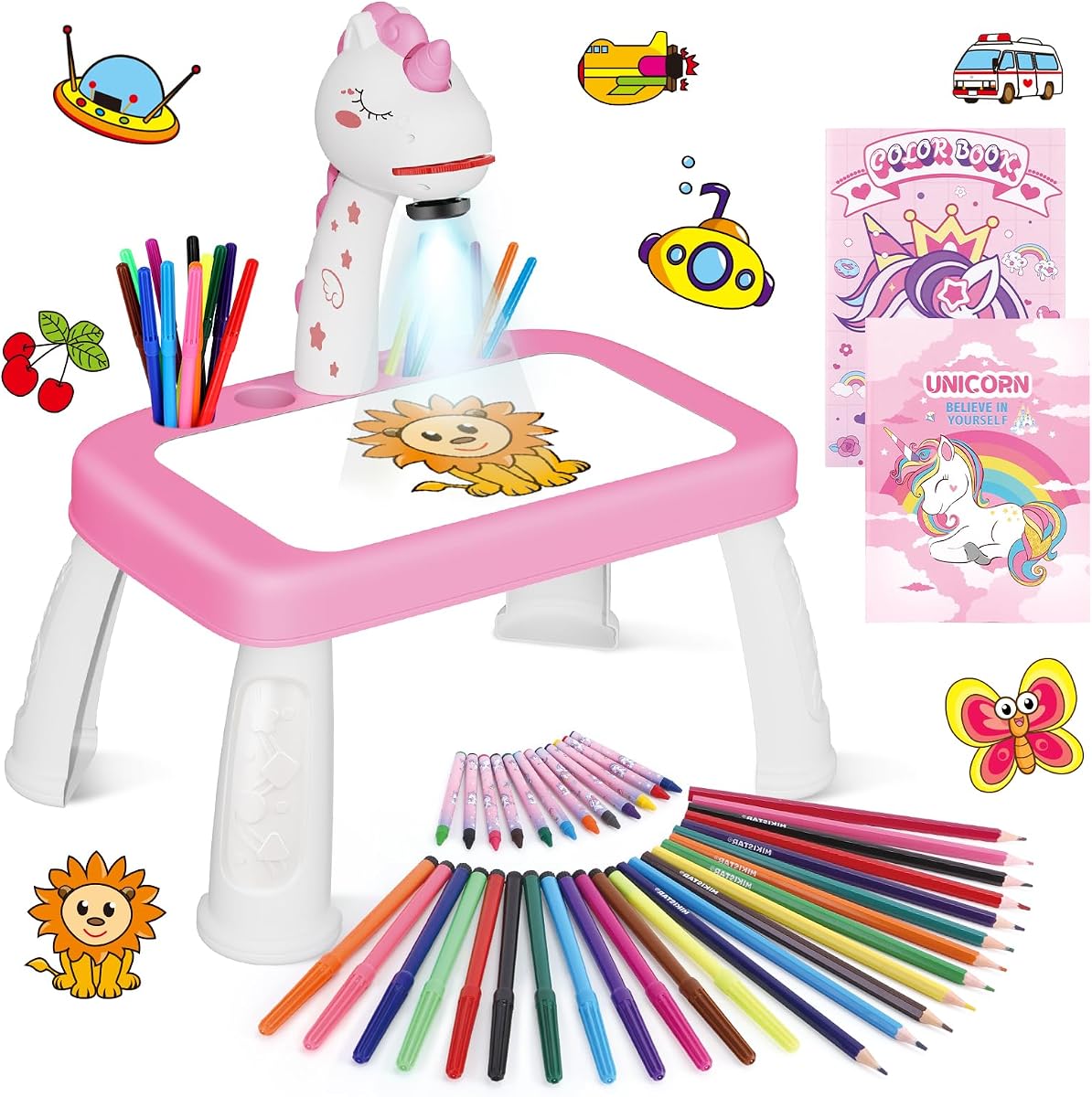
This kit features a playful unicorn theme that many children find appealing and includes a wide range of art supplies for complete creative play.
We may earn a commission when you buy through this link, at no additional cost to you.
It comes with a sticker book and scrapbook allowing kids to combine drawing with decorating which adds more variety to their playtime activities.
The projector has an easy assembly process so parents can set it up quickly and children can start drawing almost immediately after opening the box.
If your child loves unicorns and crafts this themed kit provides a comprehensive set of tools to inspire creativity and artistic expression.
The package includes crayons pens and pencils along with the projector so there is a full range of tools for coloring and decorating.
The adorable unicorn design and sticker book make it a very exciting gift for children who enjoy magical and sparkly themes in toys.
We may earn a commission when you buy through this link, at no additional cost to you.
Selecting the right drawing projector involves looking at several key factors that match your child's age and your family's needs.
Different models are designed for specific age ranges typically starting from three years old up to twelve and beyond. Younger children benefit from simpler interfaces and sturdier builds while older kids may enjoy more complex features like app connectivity. Always check the manufacturer's age recommendation to ensure the device is safe and engaging for your child's developmental stage.
Choose a model that matches your child's age to maximize engagement and safety.
The number of pre-loaded images or discs included can vary significantly between models. Some offer dozens of built-in patterns while others allow you to expand content through apps or additional packs. Consider whether your child will need a wide variety of options to keep them interested over time or if a smaller set of favorite themes is sufficient.
Look for a projector with enough built-in content to prevent boredom.
The setup process should be straightforward so children can start drawing without frustration. Some units have simple disc slots while others might require Bluetooth pairing or app downloads. For younger kids a plug-and-play device that does not need internet connectivity is often the best choice to avoid technical hurdles.
Prioritize models with simple setup for independent play.
Drawing projectors may run on batteries or require a corded connection. Battery operated models offer more portability but need frequent replacements while corded units ensure uninterrupted use near an outlet. Think about where your child will use the projector most often to decide which power source suits your lifestyle better.
Decide between battery and corded power based on mobility needs.
Since projectors emit light it is important to choose models with eye protection features. Some units shine light downward away from the eyes or include timers to encourage breaks. Look for certifications like SGS or specific claims about low blue light to ensure the device is safe for extended use.
Select a projector with certified eye protection for safety.
Many kits come with markers crayons or drawing paper which adds value to the purchase. If these supplies are not included you will need to buy them separately so check the package contents carefully. Having everything in one box makes it easier to start using the product right away.
Check if essential supplies like markers are included in the box.
Young children can be rough with toys so a sturdy build is often important. Look for models made from high-quality ABS plastic that can withstand drops and bumps. A durable projector will last longer and provide better value especially if it will be shared among siblings or used frequently.
Choose a robust build to ensure the device lasts longer.
Prices for drawing projectors range from budget friendly options to premium models with advanced tech. Determine how much you are willing to spend before you shop to narrow down your choices effectively. Sometimes a slightly more expensive model offers better long-term value through richer features that keep kids interested longer.
Set a budget and look for the best value within that range.
To get started insert the batteries or plug in the power adapter as required by your model. Then turn on the projector and choose a disc or image you want to project onto the paper.
Adjust the focus knob and move the projector arms until the image is sharp and fits well on your drawing surface. Encourage your child to trace the lines lightly with a pencil before coloring.
When finished turn off the device and store the discs and accessories in their compartments if available. Keep the projector in a dry place away from direct sunlight to protect the lens and electronics.
Most modern drawing projectors are designed with safety in mind. They typically project light downward onto the paper rather than directly into the eyes. Some models even have specific certifications like SGS for eye protection and built-in timers to encourage breaks.
Many projectors come with a set of discs or images included so you can start immediately. However some models offer additional content packs or apps that you can access later. Check the product details to see what is included in the box before you buy.
Some advanced models with AI features allow you to upload photos via an app and convert them into traceable outlines. Traditional disc-based projectors do not support custom photos unless they have a specific USB or app function for adding images.
Most drawing projectors are suitable for children ages three and up with some models designed specifically for preschoolers. The key is to look at the complexity of the controls and the image style to match your child's skill level and attention span.
Use a soft dry cloth or a microfiber lens cleaning cloth to gently wipe the lens. Avoid using harsh chemicals or excessive water on the device. Keeping the lens clean ensures the images remain clear and bright for the children to trace easily.
For the best results use the projector in a dimly lit room. Bright daylight can wash out the image making it harder to see and trace. Turning off overhead lights or using curtains helps create the right environment for clear projections.
We reviewed ten top drawing projectors that offer everything from simple disc systems to advanced AI capabilities. The top picks balance features and value to suit different ages and budgets.
When choosing prioritize eye safety and ease of use to ensure your child has a positive experience. A model that grows with your child will offer the best long-term value for learning and fun.
Remember to check current pricing and availability since product details can change. We hope this guide helps you find the perfect tool to spark your child's imagination today.