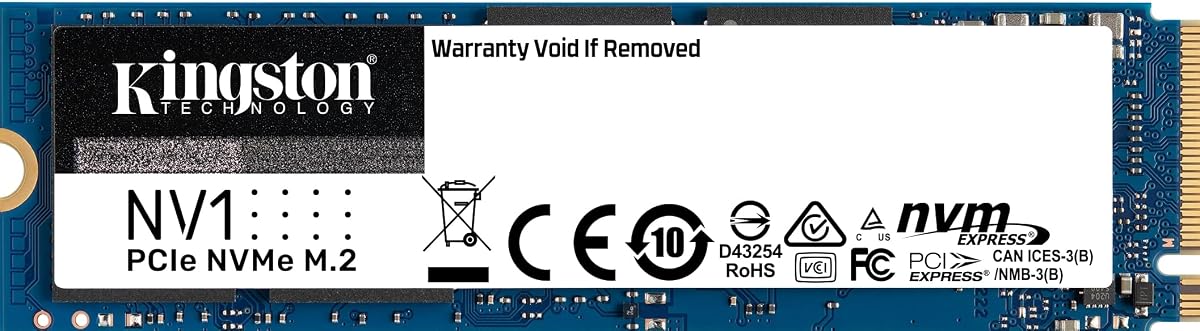
Kingston NV1 500G
4.8Editor score
Ideal for laptops and small PCs
Up to 2100 MB/s read speed
500GB capacity for essential storage
This expert guide compares ten top Kingston Internal NVME SSD models for speed, capacity, and reliability to help you choose the best drive for your system.
Modern computing demands fast storage solutions to keep up with intensive workloads and gaming sessions. Internal NVME SSDs offer significant performance leaps over traditional drives. They deliver quicker boot times and smoother multitasking for everyday users and professionals alike.
We evaluated ten leading Kingston Internal NVME SSD options based on performance specs, reliability ratings, and user feedback. Our analysis covers a wide range of capacities and interface speeds. This ensures you find a drive that matches your specific system requirements and budget constraints.
Each pick highlights key strengths like read speeds, endurance, and thermal management. You will see how these drives fit into laptops, desktops, and consoles. Please note that product availability and pricing can change frequently, so verify details before purchasing.
4.8Editor score
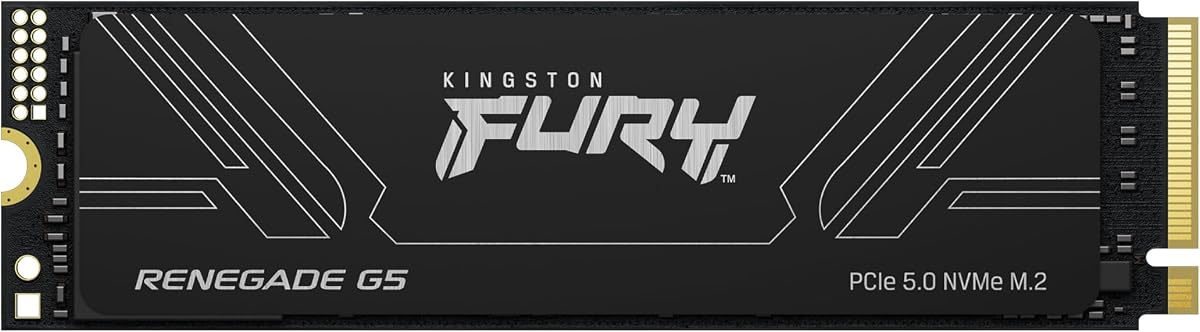
4.7Editor score

5.0Editor score
The following comparison table details the core specifications of every model included in this guide to help you make an informed decision.


This drive offers the fastest speeds available with its PCIe 5.0 interface and massive four terabyte storage. It is rated highly by users for its stability in demanding tasks and gaming environments.
We may earn a commission when you buy through this link, at no additional cost to you.
The controller features low power DDR4 cache and a 12 layer PCB for efficient cooling and power delivery. This design ensures stable performance even during heavy workloads like content creation or data transfer.
While the price is steep, the performance gains are substantial for those who need top tier responsiveness. The heat management system helps prevent throttling during extended usage sessions.
Power users and hardcore gamers should consider this drive for ultimate system performance. It is the best choice for future proofing your build with the latest technology.
The read and write speeds reach up to 14800MB/s which drastically reduces load times.
The controller and PCB layout work together to maintain stable power and cooling.
We may earn a commission when you buy through this link, at no additional cost to you.
The KC3000 delivers a solid balance of speed and storage for professional and consumer use. Users rate this product highly for its consistent performance and quality assurance standards.
We may earn a commission when you buy through this link, at no additional cost to you.
It supports read speeds of up to 7000MB/s which makes it ideal for notebooks and desktops alike. The one terabyte capacity provides ample space for large applications and media files.
While it is a premium option, the quality control ensures you get a reliable drive. This model is designed to meet the needs of serious users without cutting corners.
Consider this drive if you want a high end solution with a proven track record. It is an excellent choice for those needing reliable storage for their main system.
This drive is built to handle demanding tasks with consistent high speed output.
Products are quality assured to ensure they meet high manufacturing standards.
We may earn a commission when you buy through this link, at no additional cost to you.
This model is a top choice for budget conscious buyers looking for a reliable internal upgrade. It receives high marks for its value proposition and performance in small form factor PCs.
We may earn a commission when you buy through this link, at no additional cost to you.
The drive offers up to 2100MB/s read speed which is a significant improvement over SATA alternatives. It fits seamlessly into laptops and small desktop builds where space is limited.
While it is not the fastest drive on the market, it provides excellent daily performance. The 500G capacity is sufficient for most operating systems and essential applications.
Buy this drive if you need a reliable upgrade for a laptop or compact system. It delivers solid performance at an accessible price point for everyday users.
The 2280 form factor fits easily into laptops and small form factor PCs.
Offers a substantial speed boost over older SATA drives at a low cost.
We may earn a commission when you buy through this link, at no additional cost to you.
The NV3 combines high speed Gen 4×4 performance with a practical one terabyte capacity. It is rated well for its balance of performance and utility with included cloning software.
We may earn a commission when you buy through this link, at no additional cost to you.
It provides up to 6000MB/s read speeds which ensures fast data access and loading times. The drive is ideal for high speed storage needs without breaking the bank.
While it lacks a heatsink, its low power consumption helps manage thermal output effectively. The five year limited warranty adds peace of mind for long term use.
This drive is perfect for general users who want fast speeds and a simple upgrade. It is a reliable choice for desktops and laptops needing extra space.
The package includes Acronis cloning software to help you migrate your OS easily.
Delivers Gen 4 performance with enough capacity for most daily workloads.
We may earn a commission when you buy through this link, at no additional cost to you.
This drive is designed specifically for gamers and PS5 users needing fast and reliable storage. It comes with a heatsink and offers top tier speeds for intensive gaming sessions.
We may earn a commission when you buy through this link, at no additional cost to you.
With speeds up to 7300MB/s it delivers incredible performance for loading large game assets quickly. The slim M.2 2280 form factor fits well in consoles and desktops.
The heatsink helps manage thermal throttling during long play sessions. It is built to handle high capacities up to 4TB for extensive game libraries.
Gamers upgrading their console or PC should choose this model for maximum performance. It is a top tier option for those who prioritize speed and thermal management.
Includes a heatsink to ensure stable performance during extended gaming sessions.
Fully prepared for PS5 and future gaming consoles requiring high speed storage.
We may earn a commission when you buy through this link, at no additional cost to you.
This compact drive is designed for handheld gaming devices and small form factor PCs that require more space. It maintains high speeds despite its smaller physical footprint.
We may earn a commission when you buy through this link, at no additional cost to you.
It provides Gen 4×4 performance with up to 6000MB/s read speed for fast data access. The one terabyte capacity is excellent for those needing significant storage in a tiny slot.
While not all devices support the 2230 size, it is a perfect match for compatible handhelds. It offers a balance of power and size that is hard to beat.
If you own a device that accepts 2230 drives this is an ideal upgrade path. It brings desktop level speeds to portable gaming experiences.
Brings full Gen 4 speeds to compact handheld gaming devices.
The 2230 size allows for smaller device designs without sacrificing storage.
We may earn a commission when you buy through this link, at no additional cost to you.
This drive is a strong competitor offering incredible speed and power efficiency improvements over previous models. It features a unique controller design and dedicated management software for users.
We may earn a commission when you buy through this link, at no additional cost to you.
The nickel-coated controller delivers effective thermal control and high sequential read speeds up to 7450MB/s. It is designed to meet the PCI-SIG D8 standard for power and size.
The Samsung Magician software allows you to monitor health and optimize the drive easily. Its power efficiency is up to fifty percent improved over older generations.
Users seeking top tier performance with excellent software support should consider this drive. It is a great alternative for those who prefer Samsung technology.
Nickel-coated controller ensures effective heat management for stable performance.
Samsung Magician tools allow for easy monitoring and optimization of the drive.
We may earn a commission when you buy through this link, at no additional cost to you.
This drive is built for security and reliability in desktop and workstation environments. It supports hardware based encryption and meets various security standards for data protection.
We may earn a commission when you buy through this link, at no additional cost to you.
It delivers read speeds of up to 3500MB/s which provides outstanding workflow improvements. The self-encrypting drive supports independent software vendors for advanced management.
While it uses PCIe 3.0 its security features make it ideal for sensitive data storage. It includes built-in Microsoft eDrive support for BitLocker users.
Business users or those concerned with data privacy should look at this model. It offers top level security features in a compact internal drive format.
Supports XTS AES 256 bit encryption for robust data protection.
Compatible with TCG Opal 2.0 and other independent security solutions.
We may earn a commission when you buy through this link, at no additional cost to you.
This drive offers two terabytes of storage which is perfect for users needing ample space. It is designed for laptops and small form factor PCs where reliability is key.
We may earn a commission when you buy through this link, at no additional cost to you.
While the read speed is up to 2100MB/s the main benefit here is the capacity. It allows you to store more files and applications without external drives.
The 2TB capacity meets data storage requirements for media creators and large libraries. It is a practical solution for those who need space more than raw speed.
Consider this model if you need a large internal upgrade for your main drive. It is a reliable and cost effective way to expand your storage.
Available up to 2TB to meet significant data storage requirements.
Ideal for storing large file sets on laptops and small PCs.
We may earn a commission when you buy through this link, at no additional cost to you.
This is a compact option designed for small form factor needs like Stream Deck or handhelds. It fits well into laptops and desktops where space is at a premium.
We may earn a commission when you buy through this link, at no additional cost to you.
It offers PCIe NVMe speeds in a 2230 package which is smaller than standard 2280 drives. It is compatible with Stream Deck devices and other compact systems.
The 128GB capacity is limited but useful for specific gaming cache or boot drives. It provides a budget friendly entry into NVMe storage for specific devices.
Buy this drive if you need to add storage to a Stream Deck or similar device. It is an affordable choice for those needing small form factor speed.
Designed to work with Stream Deck for extended functionality and storage.
The 2230 size is perfect for tiny gaming devices and laptops.
We may earn a commission when you buy through this link, at no additional cost to you.
Choosing the right storage drive requires understanding several key factors that impact your computing experience.
The PCIe generation of your drive dictates how fast data can move between your processor and storage. Look for Gen 4.0 or Gen 5.0 models for maximum throughput and future proofing.
Prioritize higher PCIe generations for faster boot and load times.
Capacity determines how much data you can store on your system. Consider your typical workload to decide between 500GB, 1TB, or larger options.
Select enough capacity to meet your current and future data needs.
Most internal drives use the M.2 2280 size but some devices require the smaller 2230 form factor. Check your device manual to ensure the physical drive will fit.
Verify your device supports the specific size of the SSD you choose.
High speed drives can generate significant heat. Drives with heatsinks or advanced thermal management stay cooler and prevent slowdowns.
Choose a drive with a heatsink if your system has restricted airflow.
A longer warranty period reflects the manufacturer confidence in the drives lifespan. Kingston typically offers a five year limited warranty on many models.
Ensure the drive comes with a solid warranty for peace of mind.
Not all motherboards or consoles support every speed or size. Check if your system supports the specific interface version of the drive.
Confirm compatibility with your specific device model before purchasing.
Prices vary significantly based on speed and capacity. Balance your financial constraints with the performance you actually need.
Find a model that fits your price range without unnecessary excess.
Install the drive into an available M.2 slot on your motherboard and secure it with the provided screw. Ensure it is seated firmly to prevent connection issues during use.
Initialize the drive using your operating system disk management tools. Create a new partition and format it so the system can read and write data.
Keep your drivers updated to ensure the drive performs at its best. Avoid exposing the drive to extreme heat or physical shock during operation.
Certain Kingston models like the Fury Renegade are explicitly designed to be PS5 Ready. These drives meet the specific speed requirements of the console. Check the product details to confirm PS5 compatibility before buying.
High performance drives can get hot so a heatsink helps maintain speed. Some drives come with heatsinks included while others do not. If your case lacks airflow a heatsink is recommended.
One terabyte is a good baseline for most users to store a OS and games. Larger capacity options are available if you store many large files. Consider how much data you typically keep.
Gen 5 offers significantly higher speeds than Gen 4 but is more expensive. Gen 4 is still very fast and compatible with more devices. Gen 4 is often the better value.
Most modern laptops with an M.2 slot can use NVME SSDs. Ensure your laptop supports the interface speed you choose. The slim form factor fits most compact devices.
No cables are needed as the drive plugs directly into the motherboard. This makes installation simpler than traditional SATA drives. Just secure the drive with a screw.
The drive works right out of the box but management tools are helpful. Some brands include software to monitor health and optimize performance. These are optional but useful.
We reviewed ten top models ranging from budget friendly options to high end performance drives. Each product offers distinct benefits for different user needs and system types.
Prioritize speed and capacity based on what matters most for your workflow. A faster drive improves daily tasks while larger capacity helps with storage needs.
Check current availability and specs before making a final purchase decision. Prices and availability can change so always verify details before buying.