
Ordilend Keyboard Cleaner & Laptop Cleaning Kit
4.6Editor score
Retractable large brush
Multiple cleaning cloths included
Keycap puller for deep clean
This expert guide compares the top laptop fan cleaning kits of 2026 to help you choose the best electric duster or manual kit for your electronics.
Keeping your laptop fans free of dust is essential for maintaining peak performance and preventing overheating issues that can shorten device lifespan. A quality cleaning kit provides the necessary tools to reach tight spaces without risking damage to sensitive internal components or delicate external surfaces.
We evaluated ten top-rated products ranging from rechargeable electric air dusters to comprehensive manual kits including brushes cloths and specialized tools. Each option was assessed on airflow power build quality versatility and overall value to ensure it meets the demands of modern tech maintenance routines.
Every selection below showcases specific strengths whether it is powerful airflow high portability or a complete set of accessories for thorough care. Please note that prices and availability change frequently so verify current details before making your final purchase decision online or in store.
4.6Editor score
4.4Editor score

4.5Editor score
The following table provides a side by side overview of all ten selected products highlighting their key specifications and unique selling points for easy comparison.




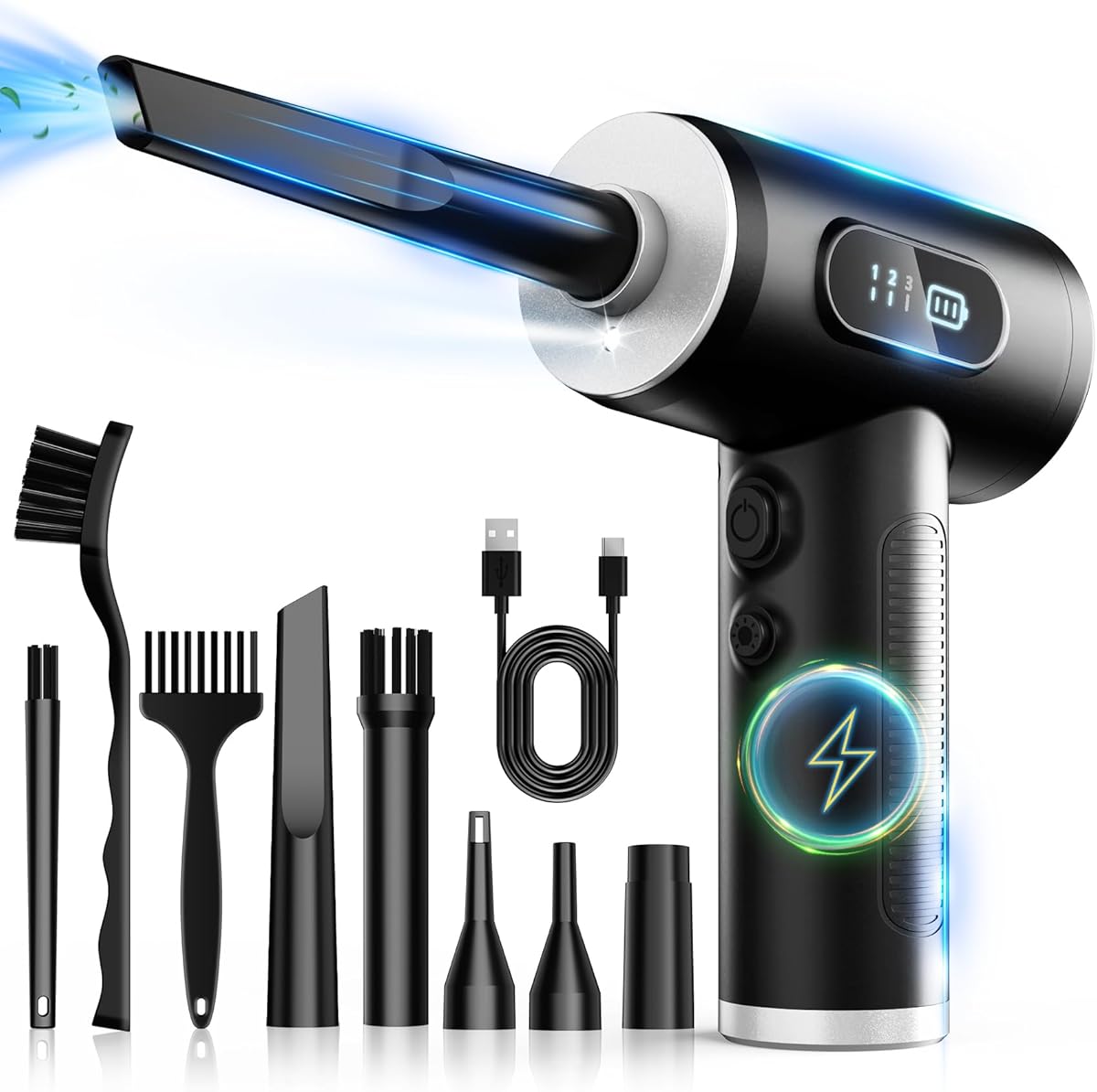
The FRESMOL Compressed Air Duster stands out as a top choice for maintaining laptop fans due to its powerful motor and versatile attachments. With a rating of 4.4 stars it reflects strong user satisfaction regarding its performance in removing dust from tight electronic spaces without causing harm.
We may earn a commission when you buy through this link, at no additional cost to you.
Its 100000 RPM motor provides sufficient force to dislodge accumulated debris from cooling vents while the three adjustable speeds allow precise control for delicate components. The inclusion of a smart LED display ensures you always know the battery status and current speed mode avoiding interruptions during critical cleaning tasks.
Although the battery life is generally adequate it may not last indefinitely on maximum power settings which could be a limitation for extended cleaning sessions. However the trade-off is acceptable given the portability and cordless freedom it offers compared to traditional canned air options.
Anyone looking for a reliable electric duster for laptops and other electronics will find this kit a worthwhile investment. Its combination of power portability and thoughtful design features makes it a leading contender in the category of modern maintenance tools.
The adjustable speed settings allow users to switch between gentle dusting for screens and high pressure for deep fan cleaning.
With five nozzles and three brushes this kit covers a wide range of cleaning scenarios beyond just laptops.
We may earn a commission when you buy through this link, at no additional cost to you.
The iFixit Laptop Cleaning Kit is highly rated by users seeking a complete manual solution for keeping their devices spotless and functioning well. Its 4.9 rating suggests that customers appreciate the quality and thoughtfulness behind the included tools which cover both surface cleaning and debris removal.
We may earn a commission when you buy through this link, at no additional cost to you.
This kit features a dust blower alongside microfiber cloths and an anti-static brush making it suitable for cleaning screens keyboards and internal fans safely. The inclusion of alcohol wipes and specialized swabs ensures that stubborn grime can be addressed without damaging sensitive surfaces or leaving residue.
While it lacks the powerful suction of an electric duster the manual approach gives users more control over delicate areas where strong air might push dust deeper inside. This makes it ideal for regular maintenance rather than heavy-duty deep cleaning of heavily clogged cooling systems.
Tech enthusiasts who prefer a hands-on approach will find this kit invaluable for routine care of their laptops and tablets. The organized pouch ensures all tools stay together making it easy to grab and go for quick cleanups anywhere.
The anti-static brush and microfiber cloths prevent electrostatic discharge while protecting screens from scratches.
Included screen saver and wipes help maintain display clarity alongside internal fan maintenance.
We may earn a commission when you buy through this link, at no additional cost to you.
This electric air duster delivers exceptional performance with a motor reaching up to 280000 RPM making it capable of blasting away stubborn dust from even the tightest laptop fan vents. The high rating of 4.5 indicates users are impressed by its strength and reliability for demanding cleaning tasks.
We may earn a commission when you buy through this link, at no additional cost to you.
Features like the smart LCD screen and integrated LED light enhance the user experience by providing real-time feedback on battery life and illuminating dark corners. The four adjustable speed settings ensure versatility allowing for both gentle surface dusting and powerful deep cleaning in one device.
The main downside is the higher cost compared to simpler kits but the eco-friendly reusable nature makes it a cost-effective choice over time. Users should be aware that the powerful motor adds some weight which might make extended handheld use slightly less comfortable than lighter models.
Power users and gamers who need a robust tool for maintaining high-performance PCs and laptops will appreciate this model's capabilities. It effectively replaces dozens of canned air units offering a sustainable and powerful alternative for professional grade cleaning needs.
The 280000 RPM motor provides unmatched airflow pressure for deep cleaning complex cooling systems.
The LCD screen keeps you informed about battery status and speed settings to prevent unexpected shutdowns.
We may earn a commission when you buy through this link, at no additional cost to you.
The WOLFBOX MegaFlow 50 is designed for portability without sacrificing too much power making it a great option for users who clean devices on the go. With a rating of 4.6 it has garnered positive feedback for its ease of use and effective dust removal capabilities in various settings.
We may earn a commission when you buy through this link, at no additional cost to you.
Weighing only 0.45 pounds this duster is easy to handle for extended periods reducing hand fatigue during detailed cleaning sessions. The 110000 RPM motor combined with three adjustable speed gears allows users to tailor the airflow to the specific task at hand whether it is a keyboard or a PC fan.
While it is powerful it may not match the raw output of higher RPM models but the lightweight design makes up for it in comfort. The inclusion of a lanyard and compact form factor ensures it can be carried easily in a bag or drawer for immediate access.
Travelers and professionals who need a lightweight cleaning tool for laptops and electronics will find this model particularly convenient. It offers a solid balance of performance and portability for routine maintenance tasks around the home or office.
The 0.45 lb weight reduces hand strain during long cleaning sessions or travel.
Type-C fast charging ensures the tool is ready for use quickly when needed most.
We may earn a commission when you buy through this link, at no additional cost to you.
For those seeking an affordable yet effective solution the Ordilend Keyboard Cleaner offers a comprehensive set of tools for cleaning laptops and PCs manually. Its 4.6 rating reflects strong value for money as users appreciate the variety of accessories included at such a competitive price point.
We may earn a commission when you buy through this link, at no additional cost to you.
The retractable brush and keycap puller are standout features that allow for deep cleaning of mechanical keyboards and laptop keys without needing heavy machinery. Additional items like the flocking sponge and soft plastic lens pen make it versatile for cleaning various surfaces beyond just keyboards.
While it does not provide the air pressure of an electric duster the manual tools are effective for removing crumbs and dust trapped between keys. The main limitation is the lack of an electric air source for vents which users may need to supplement with other tools.
Students and budget-conscious buyers will find this kit perfect for routine upkeep of their devices. It is a practical all-in-one solution that covers most common cleaning needs without requiring a significant financial investment.
The keycap puller allows for deep cleaning of mechanical switches that standard brushes miss.
Includes cloths a lens pen and a retractable brush for complete surface and gap cleaning.
We may earn a commission when you buy through this link, at no additional cost to you.
This electric air duster features a robust 130000 RPM motor that delivers strong airflow capable of clearing years of dust in seconds. With a 4.6 rating it is praised by users for its efficiency and reliability in handling tough cleaning tasks on electronics and other surfaces.
We may earn a commission when you buy through this link, at no additional cost to you.
The 4-gear adjustable speed system allows for precise control ensuring delicate components are not damaged by excessive pressure. Additionally the included 10 detail brushes provide extra options for scrubbing away stuck debris that air alone cannot remove effectively.
One drawback is the lack of an LCD screen which means users must estimate battery life based on usage time rather than a clear display. However the 8000mAh battery provides sufficient runtime for most cleaning sessions before needing a recharge via the fast Type-C port.
Tech enthusiasts who need a reliable tool for deep cleaning PCs and laptops will appreciate the power and precision of this device. It serves as an excellent replacement for disposable cans while offering consistent performance and long-term durability.
Unlike canned air the electric blower provides consistent dry air that prevents moisture damage to electronics.
The inclusion of ten detail brushes allows for thorough scrubbing alongside air blowing for complete cleaning.
We may earn a commission when you buy through this link, at no additional cost to you.
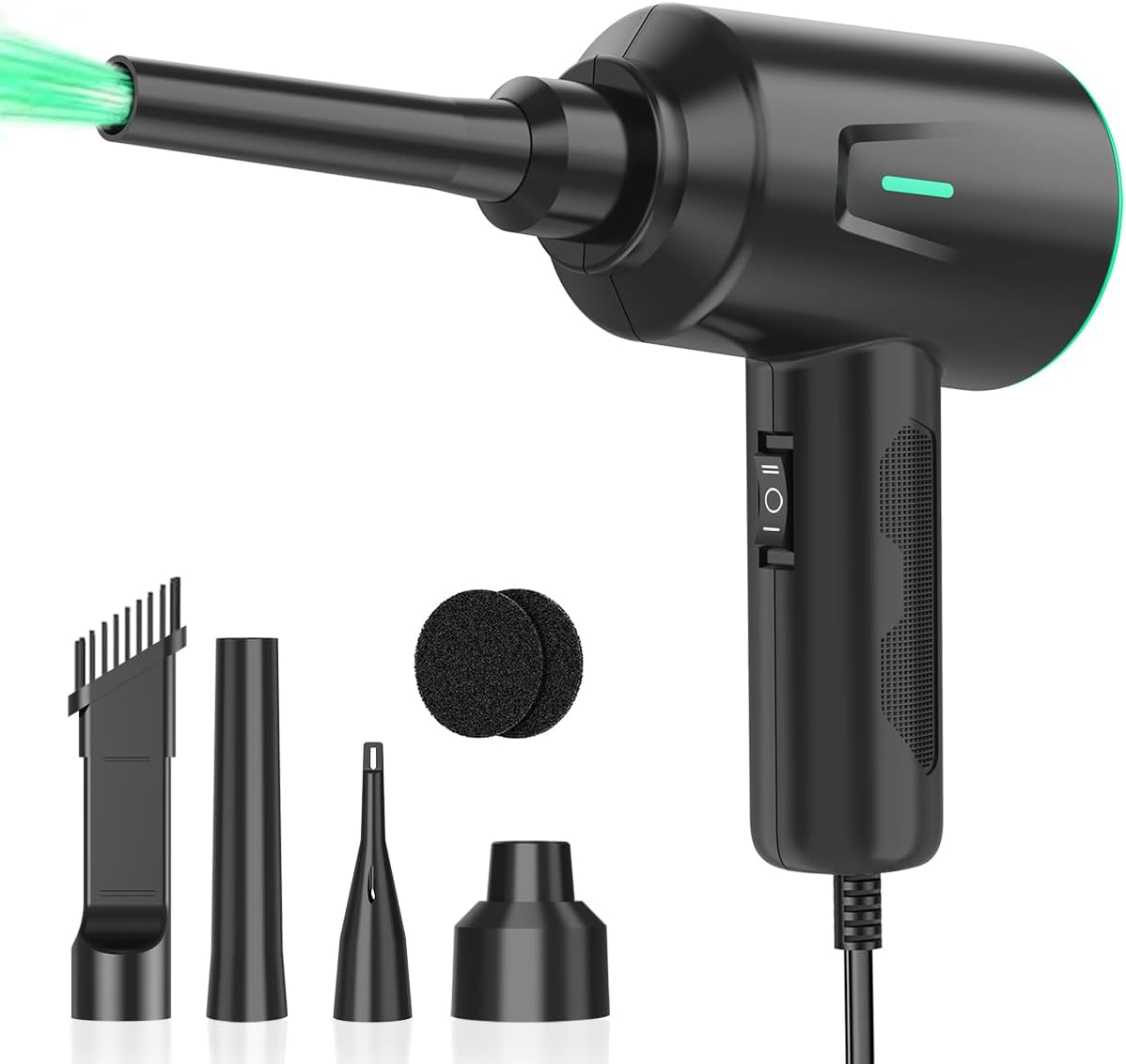
The Meudeen Air Duster stands out as a corded option providing continuous high pressure air without worrying about battery depletion. With a 4.5 rating users find it effective for heavy-duty cleaning tasks where a reliable power source is available and portability is secondary to performance.
We may earn a commission when you buy through this link, at no additional cost to you.
The 500W high power motor generates significant airflow speed capable of blasting away dust from computer fans and keyboards efficiently. The extra long 8.2 foot cord allows for reach across a workspace without needing to constantly reposition the power outlet or unit itself.
While the corded design limits freedom of movement compared to wireless models it eliminates the need for recharging which can be inconvenient for long sessions. The weight is slightly higher due to the motor design which users should consider for handheld use over time.
Workshop users or desktop PC enthusiasts will benefit most from the continuous power and high output of this model. It is an ideal choice for environments where an outlet is nearby and maximum consistent performance is required.
Plugging directly into mains power ensures the duster never runs out of battery during use.
The 500W motor delivers strong airflow suitable for industrial or heavy-duty cleaning tasks.
We may earn a commission when you buy through this link, at no additional cost to you.
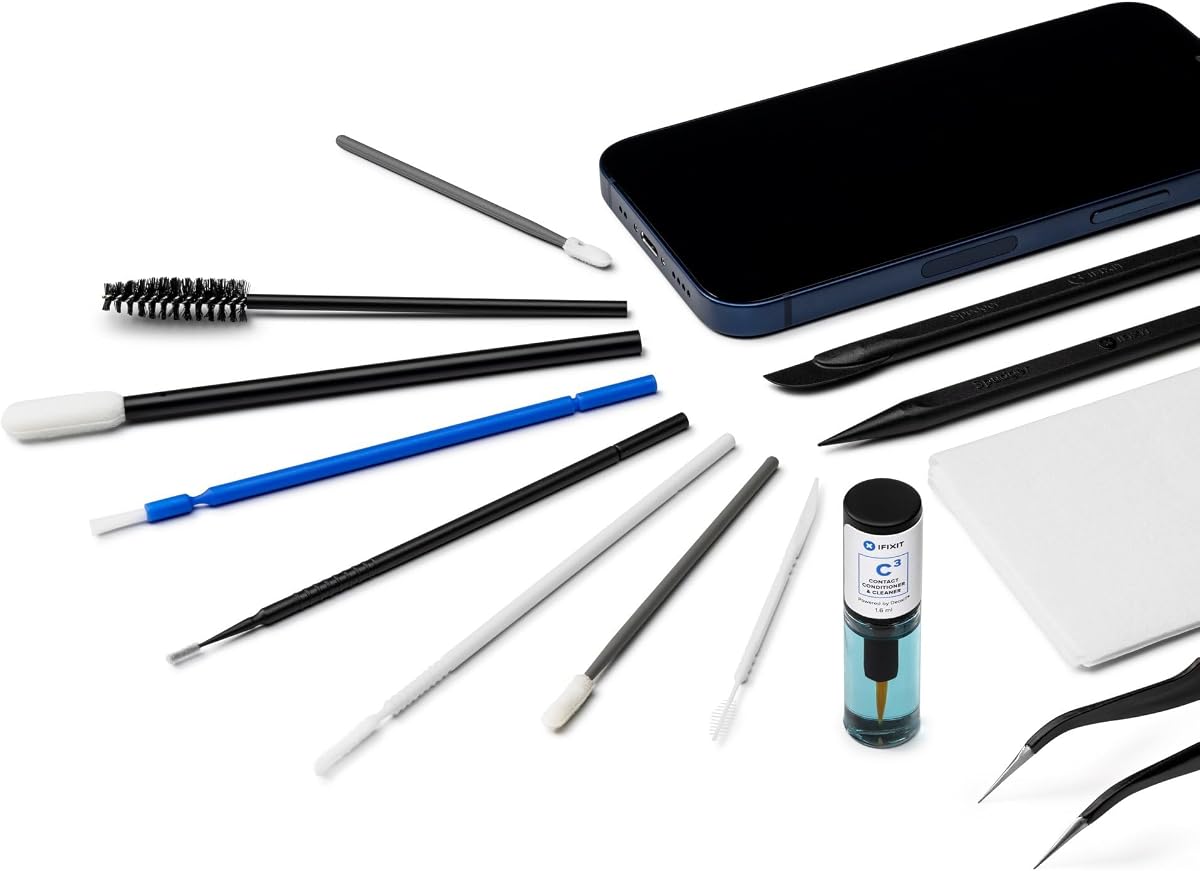
This precision kit from iFixit is tailored for users who need to perform detailed maintenance on small electronics like tablets and laptops. The 4.3 rating indicates satisfaction with the quality and utility of the specialized tools included for handling sensitive internal components.
We may earn a commission when you buy through this link, at no additional cost to you.
Included items such as angled tweezers precision foam swabs and lint-free wipes allow for meticulous cleaning of ports and internal parts without leaving residue. The spudger tools provide safe leverage for opening cases or reaching tight spots where standard brushes cannot fit.
The absence of an air blower limits its effectiveness for removing loose dust from cooling fans making it better suited for detailed wiping and scraping. Users focused on deep cleaning rather than surface dusting will find the specialized tools highly practical for repair or maintenance.
Repair enthusiasts and those working on small mobile devices will appreciate the precision offered by this kit. It is a valuable addition to any tech maintenance toolbox requiring delicate handling of electronic parts.
The tweezers and spudgers allow for safe manipulation of internal components during cleaning.
High-quality wipes ensure no fibers are left behind on sensitive internal surfaces.
We may earn a commission when you buy through this link, at no additional cost to you.
This set of ten mini brushes offers a safe and affordable way to clean sensitive electronic components without risking static damage. With a 4.4 rating users value the anti-static nylon material that ensures safe contact with motherboards and other fragile parts during cleaning routines.
We may earn a commission when you buy through this link, at no additional cost to you.
The variety of sizes ranging from hard to soft bristles allows for targeted cleaning of different surfaces from sturdy metal vents to delicate plastic screens. This makes it a versatile addition to any kit allowing users to adapt to the specific cleaning needs of the moment.
While it lacks the power of an air duster the brushes are effective for loosening stuck dust that air alone might miss. The main trade-off is the manual effort required to scrub surfaces which might be less efficient for large areas compared to an electric blower.
Tech hobbyists looking for a safe way to clean motherboard and keyboard internals will find these brushes essential. They offer a budget-friendly solution for routine dust removal that prioritizes component safety and precision.
High-quality nylon material ensures safe contact with sensitive circuits without static discharge.
Soft and hard options allow for safe cleaning of delicate and robust surfaces alike.
We may earn a commission when you buy through this link, at no additional cost to you.
This electric duster provides a versatile solution for cleaning various devices from laptops to car vents with a strong 110000 RPM motor. The 4.4 rating reflects user satisfaction with its ability to handle multiple cleaning tasks while maintaining a user-friendly ergonomic design.
We may earn a commission when you buy through this link, at no additional cost to you.
The inclusion of five nozzles and four brushes ensures you have the right tool for any surface or gap you encounter. Additionally the built-in LED light helps illuminate dark spaces such as under desks or inside computer cases for more precise cleaning.
The ergonomic grip and cordless design make it comfortable to use for extended periods without tiring your hand. However the battery life is average meaning it may need recharging more frequently during long sessions compared to models with larger capacity batteries.
General users looking for a flexible tool for home and office electronics will find this model well-suited to their needs. It balances power and convenience effectively making it a solid choice for everyday maintenance tasks.
The lightweight cordless design reduces hand fatigue during long cleaning sessions.
The built-in LED light helps you see dust in dark corners and tight spaces.
We may earn a commission when you buy through this link, at no additional cost to you.
Selecting the right cleaning kit depends on your specific needs whether you prioritize power convenience or a comprehensive set of manual tools.
For deep cleaning laptop fans you need a tool with sufficient airflow to dislodge dust from cooling vents. Electric dusters with RPM ratings over 100000 provide the best results for heavy debris.
Look for adjustable speed settings to ensure delicate components are not damaged by excessive force.
Cordless models offer the greatest flexibility allowing you to clean your laptop anywhere without being tethered to an outlet. Consider weight and ergonomics if you plan to use the tool frequently for long sessions.
Lightweight designs reduce hand fatigue and make it easier to reach awkward angles inside computer cases.
Check the runtime specifications to ensure the battery lasts long enough for your typical cleaning needs. Fast charging via Type-C is a convenient feature that minimizes downtime between uses.
Longer battery life is essential for professional use or cleaning multiple devices in a single session.
A good kit should include various nozzles and brushes to clean different parts of your laptop such as keyboards vents and ports. Specialized tools like anti-static brushes add value by preventing electrical damage.
More attachments increase the versatility of the tool allowing you to tackle a wider range of cleaning tasks.
Safety is critical when cleaning electronics so look for features like LED lights to avoid accidental damage to hidden components. Overcharge and overheat protection on electric models ensures the device remains safe to use.
Anti-static materials in manual tools protect sensitive circuits from damage caused by static discharge.
An intuitive interface with clear displays for battery life and speed settings helps you use the tool efficiently. Ergonomic grips make handling the tool more comfortable especially during detailed work.
Simple designs reduce the learning curve and allow you to start cleaning immediately without complex setup.
A sturdy build ensures the tool can withstand regular use without breaking or losing performance over time. High-quality motors and housings contribute to a longer lifespan for the device.
Investing in a durable kit saves money in the long run by avoiding the need for frequent replacements.
While premium models offer advanced features basic kits can still be effective for regular maintenance needs. Balance your budget against the features you need to ensure you get the best value for your money.
Consider the long-term savings of reusable electric dusters over disposable canned air when calculating overall value.
Start by turning off your laptop and unplugging it from any power sources to ensure safety during the cleaning process. This prevents accidental short circuits or damage to internal components while you work on the fans.
Use the appropriate nozzle or brush attachment for the specific area you are cleaning such as using a narrow nozzle for vents and a soft brush for keyboards. Adjust the speed setting on electric dusters to match the delicacy of the surface you are cleaning.
Store your kit in a cool dry place away from direct sunlight to maintain battery health and prevent wear on the attachments. Regularly clean the nozzles and brushes after use to keep them free of debris for optimal future performance.
Yes it is safe as long as you use it correctly. Avoid holding the can upside down to prevent liquid discharge and keep the nozzle at a safe distance to avoid spinning fans too fast.
You should clean your laptop fans every three to six months to maintain optimal performance. If you use your laptop in dusty environments or for gaming you may need to clean them more frequently.
Absolutely electric dusters are versatile and can be used on keyboards cameras and car electronics. Just ensure you adjust the speed to prevent damage to sensitive components.
Manual kits are better for delicate surfaces while electric ones excel at removing dust from vents. Ideally using both provides the most thorough cleaning for all parts of your laptop.
Use a soft brush or compressed air to remove debris between keys. For sticky surfaces use a microfiber cloth with a mild cleaning solution but avoid spraying liquid directly on the keyboard.
Yes these kits are effective for gaming laptops which often accumulate dust faster due to high airflow needs. Electric dusters with high RPM ratings are particularly useful for gaming models.
Keeping fans clean helps prevent overheating which can reduce strain on the battery and extend its lifespan. Regular maintenance ensures the cooling system operates efficiently without unnecessary power drain.
We have reviewed ten top-rated products that offer a range of solutions from powerful electric dusters to comprehensive manual kits. The FRESMOL Compressed Air Duster stands out for its balance of power and portability making it a top choice for most users.
When selecting a kit prioritize features like adjustable speeds battery life and accessory variety to meet your specific cleaning needs. Whether you choose an electric blower or a manual set ensure it provides the safety and precision required for your devices.
Remember that prices and availability change so check the latest details before making your purchase decision. Investing in a quality cleaning kit will help extend the life and performance of your laptop and other electronics.