
HP 14 Student Laptop 2026 Edition
4.7Editor score
Intel N150 processor
4GB DDR5 RAM
Slim portable profile
Finding the right laptop for back to school is crucial for students aiming to succeed in their academic journey. A reliable machine ensures you can handle research, writing papers, and attending online classes without frustrating interruptions or slowdowns during peak usage times.
We have carefully evaluated ten distinct models to create this comprehensive list. Our comparison focuses on real-world performance, battery longevity, and overall value. Each entry represents a unique balance of processing power, storage capacity, and portability tailored to modern student needs.
Every pick in this guide highlights specific strengths for different user profiles. Whether you prioritize lightweight design or extensive storage, you will find a suitable option. Please note that product availability and pricing can change frequently, so verify details before purchasing your final device.
4.7Editor score
4.7Editor score

4.3Editor score
As an Amazon Associate we earn from qualifying purchases.
This section provides a side-by-side look at all ten selected laptops. We highlight key specifications and unique features to help you quickly identify the model that aligns best with your specific academic and personal requirements for the upcoming school year.


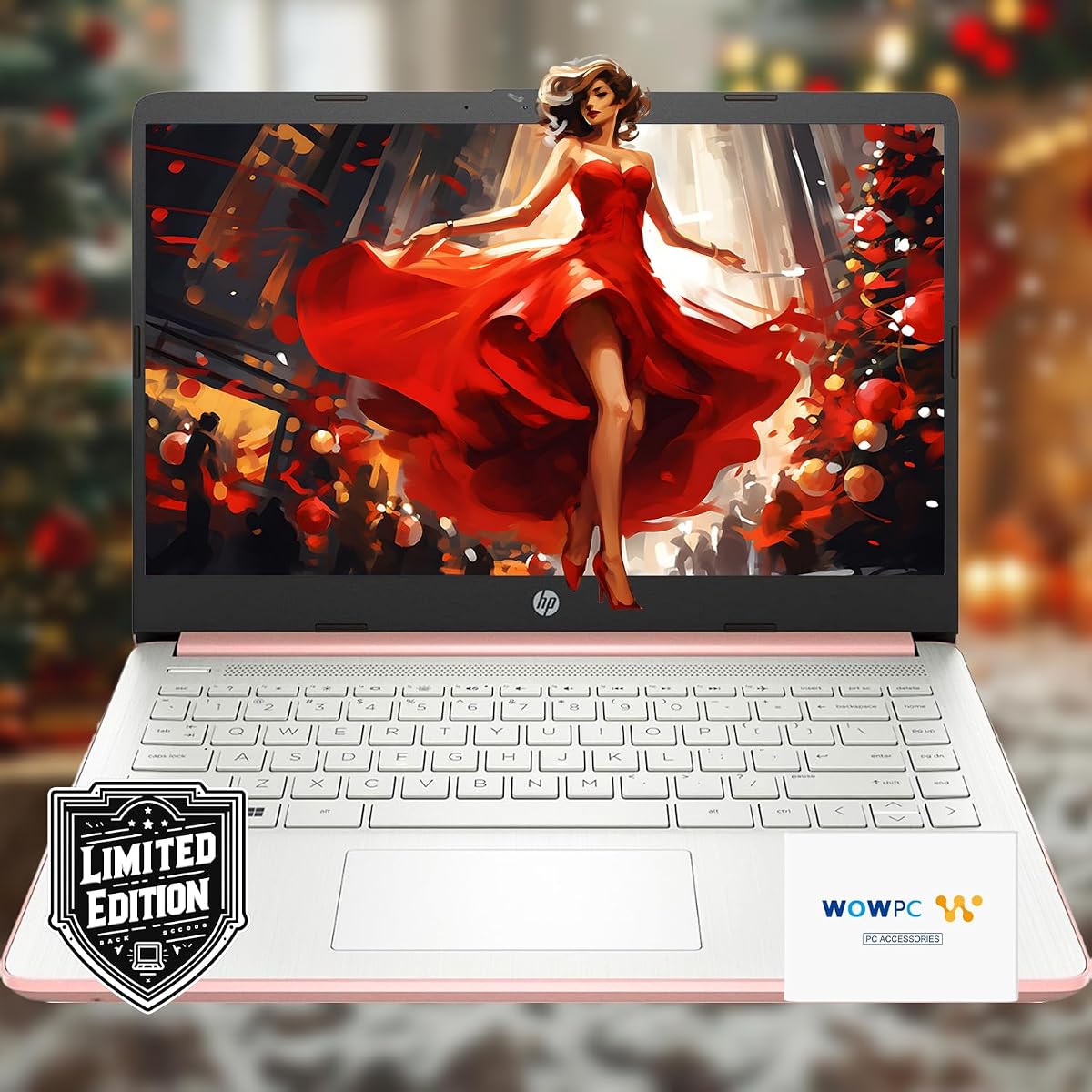
This HP laptop stands out as the top choice for students needing extensive storage space. With a total of 1600GB across internal, external, and cloud options, you will never run out of room for projects. The 16GB RAM ensures smooth performance during heavy multitasking sessions.
We may earn a commission when you buy through this link, at no additional cost to you.
The inclusion of Microsoft 365 adds significant value for academic work. You get immediate access to Word, Excel, and PowerPoint without extra costs. The package also includes an external drive and accessories, making it a complete solution right out of the box.
While the storage is impressive, the display resolution is standard HD rather than higher definition. Additionally, battery performance can fluctuate based on usage intensity. These trade-offs are acceptable given the extensive storage capabilities and bundled value proposition.
Students handling large media files or complex research projects will benefit most from this model. It offers a robust foundation for academic success without requiring immediate external upgrades. We recommend this for anyone prioritizing capacity and productivity tools.
You get 64GB internal plus 512GB external and 1TB cloud storage totaling 1600GB for all your files.
The laptop comes with Microsoft 365 and physical accessories like an external drive and cleaning cloth.
We may earn a commission when you buy through this link, at no additional cost to you.
This model brings a powerful Intel N150 processor to the table with efficient DDR5 memory. The combination provides a snappy experience for general student tasks like browsing and document editing. Its slim profile makes it easy to carry around campus without feeling burdened.
We may earn a commission when you buy through this link, at no additional cost to you.
The anti-glare coating on the display helps reduce eye strain during long study sessions. You also get access to 1TB of cloud storage which complements the internal SSD well. Connectivity options are solid with USB-C and HDMI included for versatile setups.
Local storage is limited to 128GB which requires reliance on cloud services for larger files. The screen brightness is adequate for indoor use but might struggle in direct sunlight. These limitations are minor considering the price point and performance delivered.
Ideal for students who need a balance of speed and portability at a competitive price. The DDR5 RAM ensures future readiness for light demands. We suggest this for those who value mobility and efficient daily computing performance.
Equipped with 4GB DDR5 RAM which offers faster data rates and better efficiency than older DDR4 standards.
Weighing only 3.24 lbs with a 0.71 inch thickness it fits easily in any standard backpack.
We may earn a commission when you buy through this link, at no additional cost to you.
The HP Chromebook 14 is an excellent option for budget-conscious students needing reliability. Its standout feature is the impressive battery life which can last up to fourteen hours on a single charge. This ensures you can stay productive throughout a full day of classes without searching for an outlet.
We may earn a commission when you buy through this link, at no additional cost to you.
Performance is handled by the Intel Celeron N4120 which is sufficient for web-based tasks and media streaming. The Chrome OS environment is secure and receives automatic updates without user intervention. Fast charging technology means you can get significant power back in just minutes.
The 64GB storage is quite limited so you will need to manage files carefully or rely on cloud storage. Also the Chrome OS may not support certain desktop applications required by some specialized software courses. These constraints are typical for this price range and use case.
This laptop is perfect for basic academic tasks and students who primarily work in a browser. It offers great value for those prioritizing battery life and portability over heavy processing power. We recommend it for casual users and standard coursework.
Get up to 14 hours of battery life plus Fast Charge technology for quick top-ups during busy days.
Built on Chrome OS which offers automatic updates and strong security protections without extra software.
We may earn a commission when you buy through this link, at no additional cost to you.
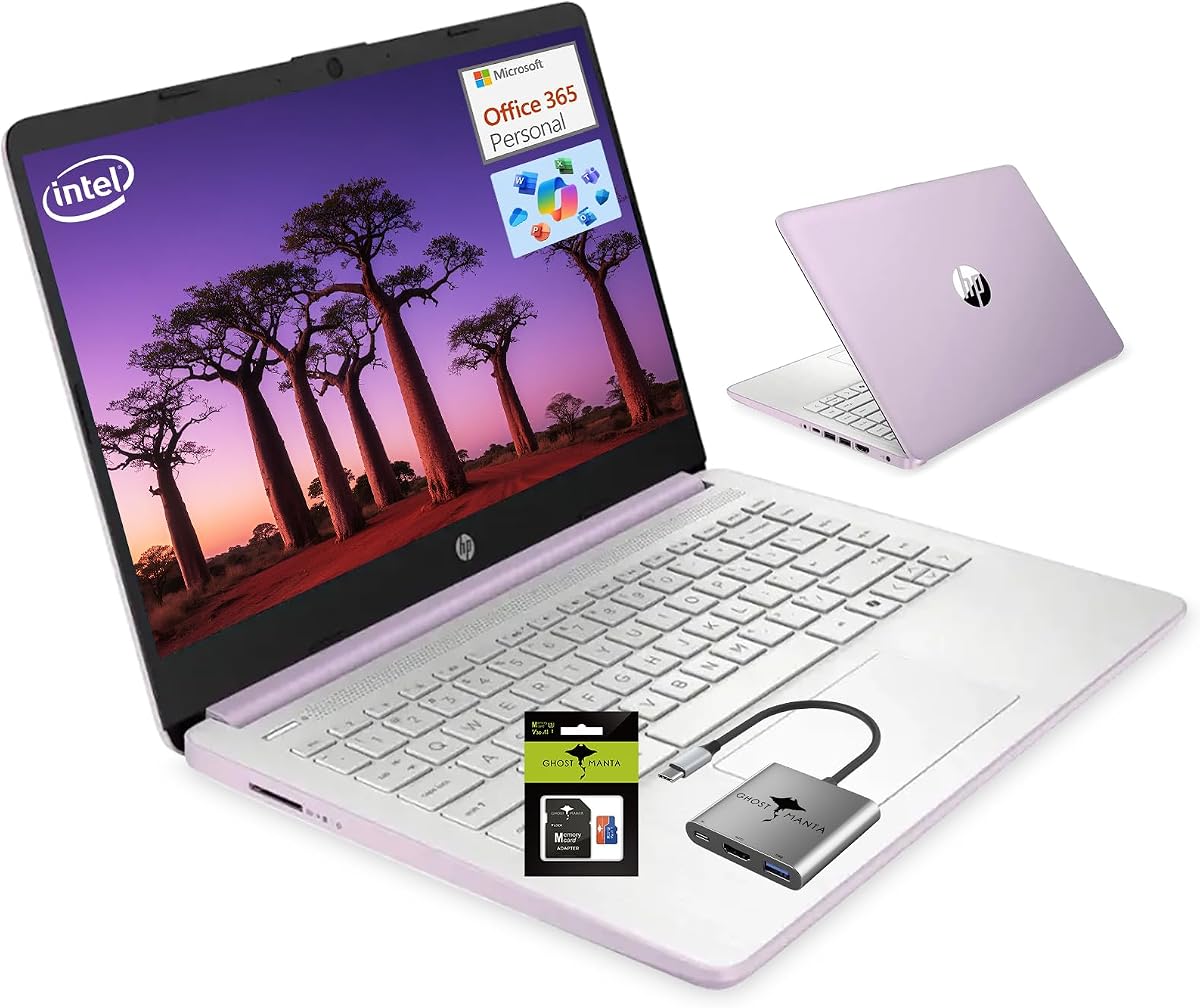
This laptop is designed with productivity in mind featuring Windows 11 Pro for advanced security and management. It comes with a comprehensive storage solution including an external drive which helps manage large project files easily. The inclusion of Microsoft Office ensures you are ready for any academic task immediately.
We may earn a commission when you buy through this link, at no additional cost to you.
The Intel N150 processor delivers solid performance for daily tasks while keeping power consumption low. WiFi 6 connectivity ensures fast and stable internet speeds which is vital for online classes and streaming. The lavender finish adds a stylish touch to the professional look.
With only 4GB of RAM heavy multitasking might slow down the system slightly over time. You also need to keep the external drive connected to access the full storage capacity. These are minor inconveniences for a device that offers strong professional features.
Ideal for students who need a business-ready environment and secure OS features. The bundle offers excellent value for those needing office tools out of the box. We suggest this for users who prioritize security and structured storage solutions.
Windows 11 Pro provides enhanced security features and hardware-based isolation for better data protection.
Includes a 500GB external drive alongside internal storage for a total of 628GB accessible space.
We may earn a commission when you buy through this link, at no additional cost to you.
This model introduces AI enhanced productivity with a dedicated Copilot key for instant assistance. It is equipped with modern connectivity options including USB Type-C for fast data transfer and external display support. The battery life supports a full day of mixed usage without needing frequent charging.
We may earn a commission when you buy through this link, at no additional cost to you.
The Intel N150 processor paired with DDR5 RAM provides efficient handling of everyday academic tasks. You get access to Microsoft 365 which supports cloud collaboration and document creation seamlessly. The design is compact and fits well in standard backpacks for commuting.
Storage is limited to 128GB which requires careful management of local files. The screen is functional but lacks high brightness levels for outdoor work. These compromises keep the device affordable while delivering essential modern features.
Best for students who want AI assistance and modern ports at an entry-level price. The Copilot key is a unique addition that streamlines workflows. We recommend this for general study and web-based productivity needs.
Access Microsoft Copilot instantly via the dedicated Copilot key for faster help and productivity.
Features USB Type-C 10Gbps and HDMI ports to connect to modern peripherals and displays easily.
We may earn a commission when you buy through this link, at no additional cost to you.
This device offers 8GB of RAM which is a significant upgrade over the standard 4GB found in many entry laptops. It ensures smoother switching between multiple browser tabs and applications without lag. The Intel N150 processor supports these demands efficiently for daily student work.
We may earn a commission when you buy through this link, at no additional cost to you.
Access to Office 365 for one year is a valuable addition for any academic workflow. The 720p HD camera is clear enough for video calls and group study sessions. WiFi 6 support provides reliable high speed internet in congested campus networks.
The display remains a basic HD panel which may not satisfy creative visual work. Local storage is also modest requiring cloud reliance for large libraries. However the RAM capacity makes this a strong contender for multitasking.
Suitable for students who run multiple applications simultaneously and need reliable internet. The 8GB RAM provides a buffer against slowdowns. We suggest this for users who need more memory headroom than typical budget devices offer.
Equipped with 8GB RAM to allow stable multitasking between video calls and documents.
Features WiFi 6 and Bluetooth for stable high speed connections during business or study tasks.
We may earn a commission when you buy through this link, at no additional cost to you.
This is a basic reliable option for students focusing on reading writing and web research. The Intel Celeron N4500 handles light tasks well while keeping costs low. It features a modern grey finish and lightweight design for easy transport around school.
We may earn a commission when you buy through this link, at no additional cost to you.
Security is enhanced by an H1 secure microcontroller which protects data and online activities. The battery supports extended usage for classes throughout the day. Connectivity includes standard USB-C and HDMI ports for peripherals.
Storage is limited to 64GB which is barely enough for the operating system and a few apps. You will need to rely heavily on cloud storage or external drives. This model suits users with minimal local file requirements.
Recommended for students who primarily use web apps and need a cheap reliable machine. It offers essential features without unnecessary costs. We suggest this for casual browsing and note taking only.
Includes H1 secure microcontroller providing enhanced security for data and online activities.
Weighs only 3.35 lbs with a modern grey finish for easy daily transport.
We may earn a commission when you buy through this link, at no additional cost to you.
This laptop provides a balanced setup for everyday student needs with a sleek silver finish. The Quad-Core processor ensures smooth performance for browsing and streaming. Anti-glare coating helps reduce eye strain during long study periods in various lighting conditions.
We may earn a commission when you buy through this link, at no additional cost to you.
A 128GB UFS drive offers decent speed for loading apps and files. The included Office 365 subscription supports essential writing and presentation tasks. Fast charging ensures you can quickly top up power before heading to class.
Battery life is average and may not last a full day of heavy use without a charger. The 4GB RAM is sufficient for basic tasks but can struggle with many tabs. It is a solid choice for moderate daily usage.
Ideal for students seeking a reliable device for regular schoolwork and entertainment. It offers a good mix of features at an accessible price. We suggest this for general academic use and web browsing.
Features an anti-glare coating that reduces eye strain and improves visibility during tasks.
Includes 1-year Microsoft 365 subscription for productive word processing and spreadsheets.
We may earn a commission when you buy through this link, at no additional cost to you.
This model features a unique Honey Lavender finish and offers 8GB of RAM for efficient multitasking. Storage is handled by a mix of internal UFS and an SD card totaling 256GB which is useful for organizing files. The Intel N150 processor supports smooth operation for daily tasks.
We may earn a commission when you buy through this link, at no additional cost to you.
You get one year of Office 365 which is a significant benefit for academic productivity. The AI Copilot feature assists with tasks and streamlines workflows efficiently. Connectivity includes essential ports and supports fast internet via WiFi 6.
The reliance on an SD card for part of the storage can be less convenient than a standard drive. The display is decent but not optimized for high brightness environments. These are minor trade-offs for the storage capacity offered.
Suitable for students who need more than basic storage and memory capabilities. The combination of 8GB RAM and 256GB space is well balanced. We suggest this for those needing a mix of performance and capacity.
Offers 128GB UFS plus 128GB SD card totaling 256GB for ample document and photo space.
Integrates Copilot AI to help with tasks and boost productivity for students and families.
We may earn a commission when you buy through this link, at no additional cost to you.
This laptop offers a larger 15.6 inch display which is great for split screen work and media viewing. It comes with 16GB of RAM ensuring ample power for multitasking and complex applications. The bundle includes an external drive and accessories for immediate use.
We may earn a commission when you buy through this link, at no additional cost to you.
The Intel Quad-Core processor handles everyday tasks like web browsing and document editing well. Wi-Fi 5 connectivity ensures stable wireless networking. The BrightView display provides decent clarity for indoor environments.
The larger screen adds to the overall weight making it slightly less portable than 14 inch models. The resolution is standard HD which is functional but not sharp for detailed creative work. These factors suit users prioritizing screen real estate.
Ideal for students who prefer a bigger screen for productivity and media. The high RAM ensures the system stays responsive under load. We suggest this for those who work mostly at a desk or prefer larger visuals.
Features a 15.6 inch display for immersive viewing and easier split multitasking.
Includes 16GB RAM for fast multitasking and extensive file storage capabilities.
We may earn a commission when you buy through this link, at no additional cost to you.
Selecting the right laptop involves balancing various factors to meet your academic needs. This guide breaks down the essential features to consider before making a purchase decision.
The processor is the engine of your laptop and dictates how well it handles tasks. For general students an Intel Celeron or N series processor is usually sufficient for browsing and word processing. If you plan to run heavier software like video editors or data tools consider a quad-core option for better efficiency.
Prioritize a processor that matches your software requirements to avoid slowdowns during peak usage.
RAM determines how many programs you can run simultaneously without lag. Most budget models come with 4GB which is basic for simple tasks but can struggle with multiple browser tabs. Consider upgrading to 8GB or 16GB if you need smooth multitasking for research and study.
Look for at least 8GB RAM for a balanced experience during demanding academic sessions.
Storage space is critical for keeping your documents photos and projects organized. Internal SSDs are fast but often come in small sizes like 64GB or 128GB in entry models. Check if the laptop supports external drives or cloud storage integration to expand your capacity easily.
Choose a model that offers flexible storage options to accommodate large file libraries.
A long lasting battery ensures you can work through lectures without hunting for power outlets. Aim for a device that promises at least ten hours of mixed usage to cover a full school day. Fast charging capabilities are also beneficial for quick top ups between classes.
Verify real world battery reviews to ensure the device lasts through your daily schedule.
The screen is where you will spend most of your time so quality matters for eye comfort. Anti-glare coatings are essential for reducing reflections in bright classrooms. Look for a resolution that offers sharp text and comfortable viewing angles for extended periods.
Select a display with anti-glare features to maintain visual comfort during long study sessions.
Students often carry their laptops between dorms classrooms and libraries so weight is a major factor. Devices weighing under 3.5 pounds are easier to transport without adding bulk to your backpack. Also check the physical dimensions to ensure it fits comfortably in your bag.
Prioritize lightweight designs to reduce physical strain while commuting on campus.
Modern laptops need to connect to various peripherals like projectors and external monitors. Ensure the device includes USB-C HDMI and standard USB-A ports to avoid needing extra adapters. WiFi 6 support is also a plus for faster and more stable internet speeds.
Check for a diverse set of ports to ensure compatibility with your existing accessories.
The operating system defines your user experience and software compatibility. Windows 11 is versatile for running a wide range of academic applications. Chrome OS is simpler and secure but may limit support for certain desktop software required by specific courses.
Choose an OS that supports all the software tools required by your curriculum.
Keep your laptop clean by using a microfiber cloth to wipe the screen and keyboard regularly. Avoid eating or drinking near the device to prevent spills and crumbs from damaging internal components. Store it in a padded case when transporting it to protect against drops and scratches.
Manage your battery life by closing unused applications and adjusting screen brightness to moderate levels. Avoid leaving the device plugged in constantly to maintain long term battery health. Use the built-in power saving modes when you are on the go to extend usage time.
Update your operating system and software regularly to benefit from security patches and new features. Create backups of important documents using cloud storage or an external drive to prevent data loss. These habits will help your device remain reliable throughout the school year.
Yes 8GB RAM is generally sufficient for most college students who perform standard tasks like web browsing writing papers and attending online classes. It provides a good balance of performance and efficiency without the cost of higher end memory. However if you run heavy software like video editing tools you might need more.
Windows is better if you need specific desktop applications for your coursework or specialized engineering and design software. Chrome OS is ideal for students who primarily work in a browser and value simplicity and security. Consider your specific course requirements before choosing the operating system.
An SSD is highly recommended because it provides faster boot times and application loading speeds compared to older storage types. It improves overall responsiveness which is valuable during busy study sessions. Most modern student laptops now come with SSDs as standard storage solutions.
For back to school use you should expect at least ten hours of battery life to get through a full day of classes without charging. Look for models that advertise all day battery and support fast charging for quick recharges between classes. Real world results may vary based on usage intensity.
Bundled accessories like external drives and Office 365 subscriptions add significant value by saving you money on separate purchases. They ensure you have everything you need to be productive immediately. Evaluate if the items are useful for your workflow before committing to a bundle.
Screen size matters for comfort and productivity so a 15 inch screen offers more space for multitasking but is heavier. A 14 inch screen is a great balance between viewing area and portability for commuting students. Choose based on how often you plan to carry it around campus.
We have reviewed ten top laptop options that cater to different student needs and budgets. The HP 14 Limited Edition with 16GB RAM and massive storage leads as our top choice for comprehensive productivity. The HP Chromebook 14 remains the best budget pick for those prioritizing battery life and simplicity.
When choosing prioritize the processor and memory based on your specific coursework requirements. If you run heavy software ensure you have at least 8GB RAM and a capable quad-core processor. For general tasks a mid-range processor and ample storage will serve you well throughout the semester.
Prices and availability change quickly so verify the latest details before making your final purchase. Check current student discounts or deals that might offer extra value on your selected model. We hope this guide helps you find the perfect tool for academic success in the upcoming term.